wheel KIA QUORIS 2016 Workshop Manual
[x] Cancel search | Manufacturer: KIA, Model Year: 2016, Model line: QUORIS, Model: KIA QUORIS 2016Pages: 513, PDF Size: 30.14 MB
Page 311 of 513
Driving your vehicle
50
5
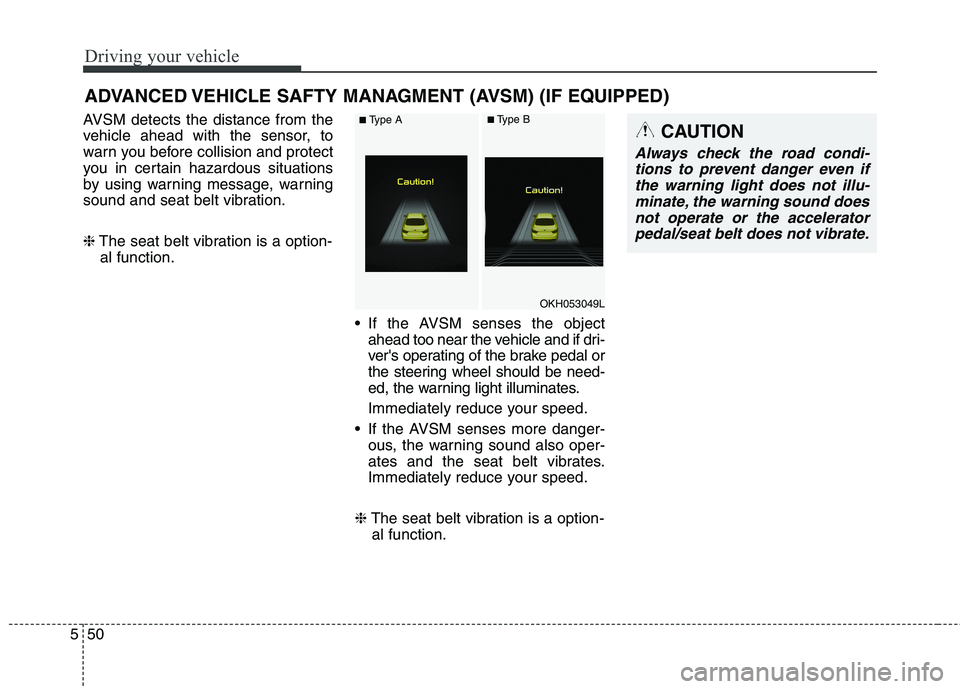
AVSM detects the distance from the
vehicle ahead with the sensor, to
warn you before collision and protect
you in certain hazardous situations
by using warning message, warning
sound and seat belt vibration. ❈ The seat belt vibration is a option-
al function.
If the AVSM senses the objectahead too near the vehicle and if dri-
ver's operating of the brake pedal or
the steering wheel should be need-
ed, the warning light illuminates.
Immediately reduce your speed.
If the AVSM senses more danger- ous, the warning sound also oper-
ates and the seat belt vibrates.
Immediately reduce your speed.
❈ The seat belt vibration is a option-
al function.
ADVANCED VEHICLE SAFTY MANAGMENT (AVSM) (IF EQUIPPED)CAUTION
Always check the road condi-
tions to prevent danger even ifthe warning light does not illu-minate, the warning sound does not operate or the acceleratorpedal/seat belt does not vibrate.
OKH053049L
■ Type A■Type B
Page 316 of 513
555
Driving your vehicle
AEB Operation
Warning message
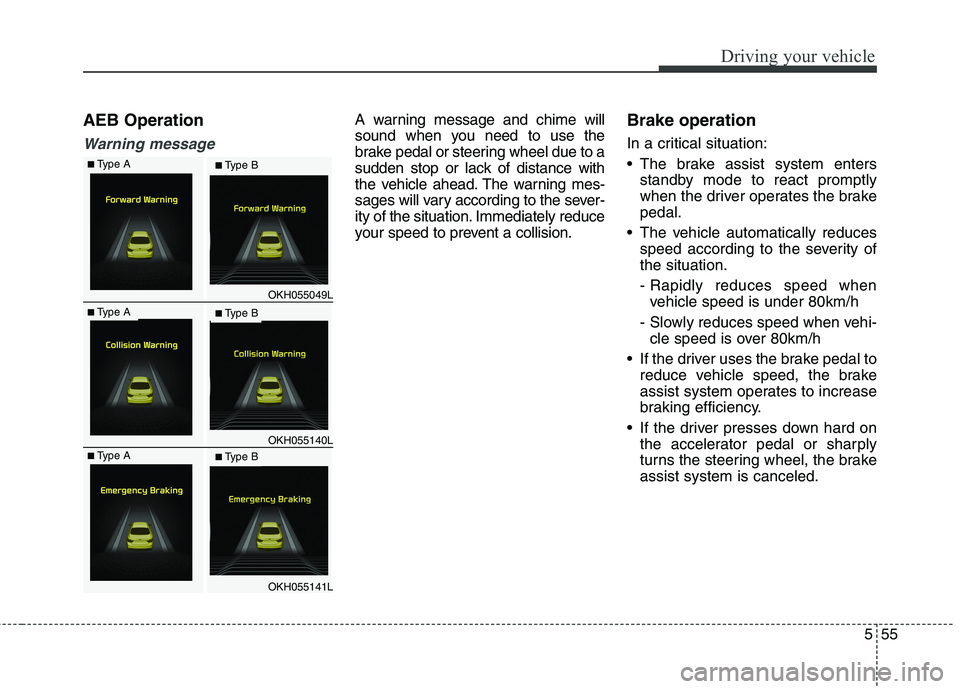
A warning message and chime will
sound when you need to use the
brake pedal or steering wheel due to a
sudden stop or lack of distance with
the vehicle ahead. The warning mes-
sages will vary according to the sever-
ity of the situation. Immediately reduce
your speed to prevent a collision.Brake operation
In a critical situation:
The brake assist system enters
standby mode to react promptly
when the driver operates the brakepedal.
The vehicle automatically reduces speed according to the severity ofthe situation.
- Rapidly reduces speed whenvehicle speed is under 80km/h
- Slowly reduces speed when vehi- cle speed is over 80km/h
If the driver uses the brake pedal to reduce vehicle speed, the brake
assist system operates to increase
braking efficiency.
If the driver presses down hard on the accelerator pedal or sharply
turns the steering wheel, the brakeassist system is canceled.
OKH055049L
OKH055140L
OKH055141L
■Type A■ Type B
■Type A■ Type B
■Type A■ Type B
Page 323 of 513
Driving your vehicle
62
5
SMART MODE
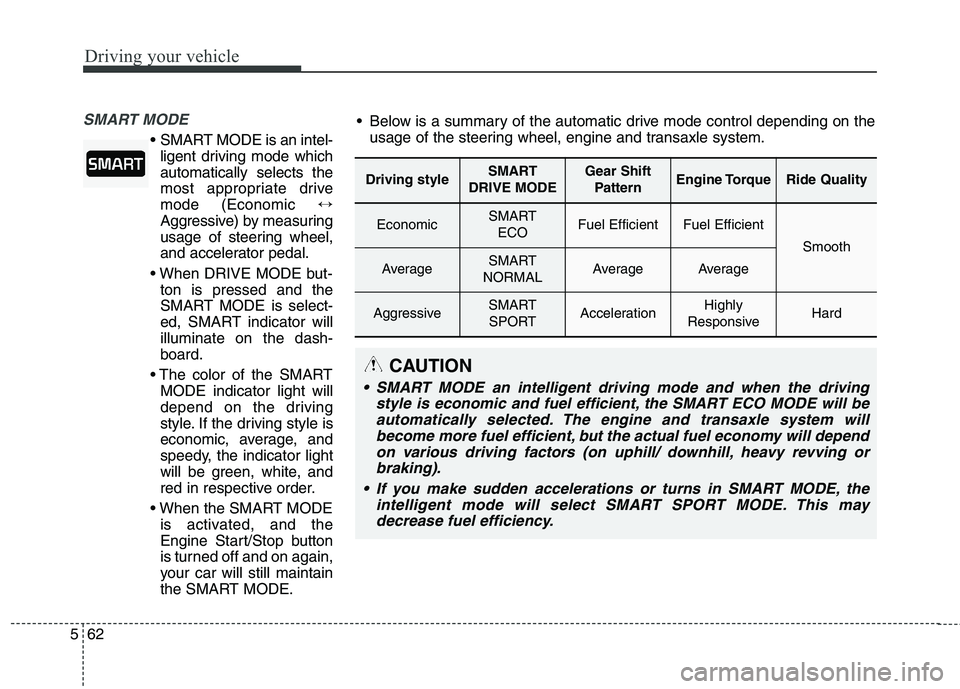
SMART MODE is an intel-
ligent driving mode which automatically selects the
most appropriate drivemode (Economic ↔
Aggressive) by measuring
usage of steering wheel,
and accelerator pedal.
ton is pressed and the
SMART MODE is select-
ed, SMART indicator willilluminate on the dash-board.
MODE indicator light will
depend on the driving
style. If the driving style is
economic, average, and
speedy, the indicator light
will be green, white, and
red in respective order.
is activated, and the
Engine Start/Stop button
is turned off and on again,
your car will still maintain
the SMART MODE.
Driving styleSMART
DRIVE MODEGear Shift PatternEngine TorqueRide Quality
EconomicSMART ECOFuel EfficientFuel Efficient
Smooth
AverageSMART
NORMALAverageAverage
AggressiveSMART SPORTAccelerationHighly
ResponsiveHard
Below is a summary of the automatic drive mode control depending on the usage of the steering wheel, engine and transaxle system.
CAUTION
SMART MODE an intelligent driving mode and when the driving
style is economic and fuel efficient, the SMART ECO MODE will beautomatically selected. The engine and transaxle system will become more fuel efficient, but the actual fuel economy will dependon various driving factors (on uphill/ downhill, heavy revving orbraking).
If you make sudden accelerations or turns in SMART MODE, the intelligent mode will select SMART SPORT MODE. This maydecrease fuel efficiency.
Page 324 of 513
563
Driving your vehicle
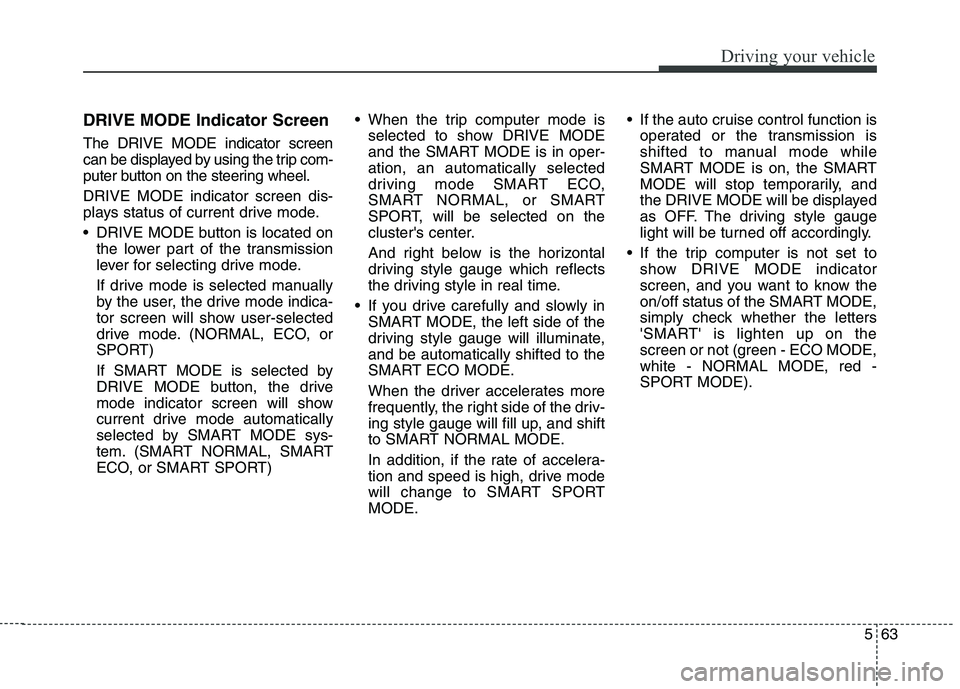
DRIVE MODE Indicator Screen The DRIVE MODE indicator screen
can be displayed by using the trip com-
puter button on the steering wheel. DRIVE MODE indicator screen dis-
plays status of current drive mode.
DRIVE MODE button is located onthe lower part of the transmission
lever for selecting drive mode.
If drive mode is selected manually
by the user, the drive mode indica-
tor screen will show user-selected
drive mode. (NORMAL, ECO, or
SPORT)
If SMART MODE is selected by
DRIVE MODE button, the drive
mode indicator screen will show
current drive mode automatically
selected by SMART MODE sys-
tem. (SMART NORMAL, SMART
ECO, or SMART SPORT) When the trip computer mode is
selected to show DRIVE MODE
and the SMART MODE is in oper-ation, an automatically selected
driving mode SMART ECO,
SMART NORMAL, or SMART
SPORT, will be selected on the
cluster's center.
And right below is the horizontal
driving style gauge which reflects
the driving style in real time.
If you drive carefully and slowly in SMART MODE, the left side of the
driving style gauge will illuminate,and be automatically shifted to the
SMART ECO MODE.
When the driver accelerates more
frequently, the right side of the driv-
ing style gauge will fill up, and shift
to SMART NORMAL MODE.
In addition, if the rate of accelera-
tion and speed is high, drive mode
will change to SMART SPORTMODE. If the auto cruise control function is
operated or the transmission is
shifted to manual mode while
SMART MODE is on, the SMART
MODE will stop temporarily, and
the DRIVE MODE will be displayed
as OFF. The driving style gauge
light will be turned off accordingly.
If the trip computer is not set to show DRIVE MODE indicator
screen, and you want to know the
on/off status of the SMART MODE,
simply check whether the letters
'SMART' is lighten up on the
screen or not (green - ECO MODE,white - NORMAL MODE, red -
SPORT MODE).
Page 325 of 513
Driving your vehicle
64
5
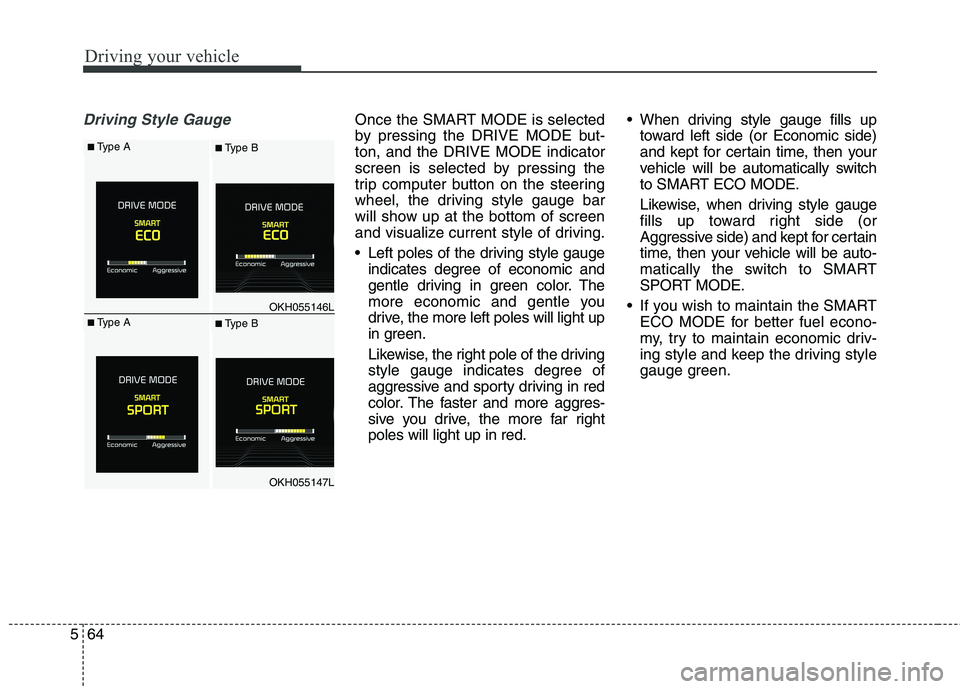
Driving Style GaugeOnce the SMART MODE is selected
by pressing the DRIVE MODE but-ton, and the DRIVE MODE indicator
screen is selected by pressing the
trip computer button on the steering
wheel, the driving style gauge bar
will show up at the bottom of screen
and visualize current style of driving.
Left poles of the driving style gauge
indicates degree of economic and
gentle driving in green color. The
more economic and gentle you
drive, the more left poles will light up
in green.
Likewise, the right pole of the driving
style gauge indicates degree of
aggressive and sporty driving in red
color. The faster and more aggres-
sive you drive, the more far rightpoles will light up in red. When driving style gauge fills up
toward left side (or Economic side)
and kept for certain time, then your
vehicle will be automatically switch
to SMART ECO MODE.
Likewise, when driving style gauge
fills up toward right side (or
Aggressive side) and kept for certain
time, then your vehicle will be auto-
matically the switch to SMART
SPORT MODE.
If you wish to maintain the SMART ECO MODE for better fuel econo-
my, try to maintain economic driv-
ing style and keep the driving style
gauge green.
OKH055146L
OKH055147L
■Type A■ Type B
■Type A■ Type B
Page 329 of 513
Driving your vehicle
68
5
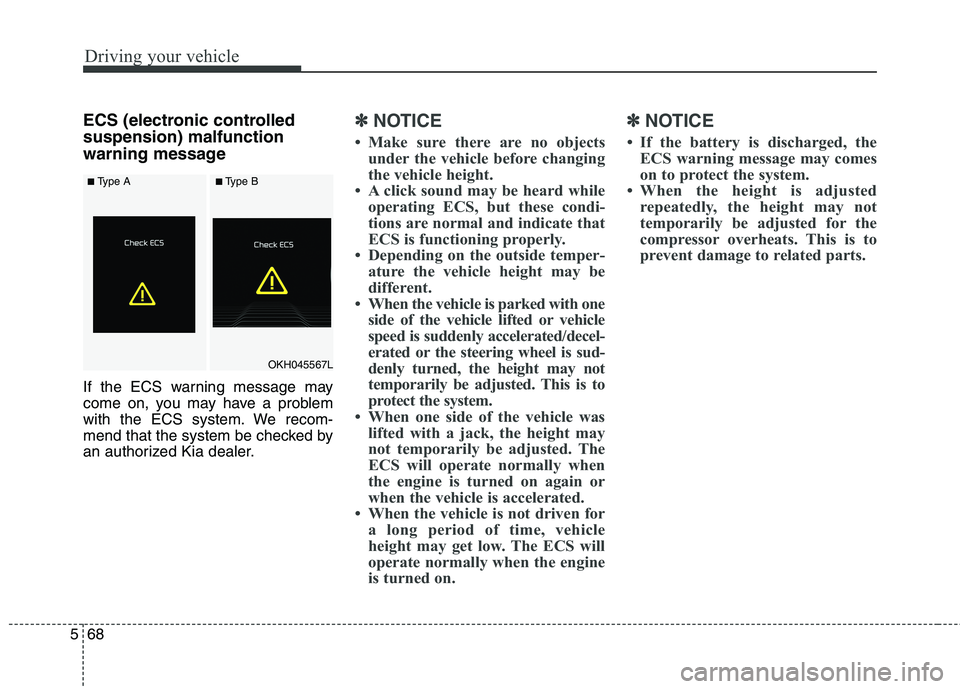
ECS (electronic controlled suspension) malfunction
warning message
If the ECS warning message may
come on, you may have a problem
with the ECS system. We recom-
mend that the system be checked by
an authorized Kia dealer.✽✽
NOTICE
Make sure there are no objects under the vehicle before changing
the vehicle height.
A click sound may be heard while operating ECS, but these condi-
tions are normal and indicate that
ECS is functioning properly.
Depending on the outside temper- ature the vehicle height may be
different.
When the vehicle is parked with one side of the vehicle lifted or vehicle
speed is suddenly accelerated/decel-
erated or the steering wheel is sud-
denly turned, the height may not
temporarily be adjusted. This is to
protect the system.
When one side of the vehicle was lifted with a jack, the height may
not temporarily be adjusted. The
ECS will operate normally when
the engine is turned on again or
when the vehicle is accelerated.
When the vehicle is not driven for a long period of time, vehicle
height may get low. The ECS will
operate normally when the engine
is turned on. ✽✽
NOTICE
If the battery is discharged, the ECS warning message may comes
on to protect the system.
When the height is adjusted repeatedly, the height may not
temporarily be adjusted for the
compressor overheats. This is to
prevent damage to related parts.
OKH045567L
■Type A■Type A■Type B■Type B
Page 334 of 513
573
Driving your vehicle
To temporarily accelerate with
the cruise control on:
If you want to speed up temporarily
when the cruise control is on,
depress the accelerator pedal.
Increased speed will not interfere
with cruise control operation orchange the set speed.
To return to the set speed, take your
foot off the accelerator pedal.
If you move the lever down (to SET-)
at increased speed, the cruisingspeed will be set again.To cancel cruise control, do
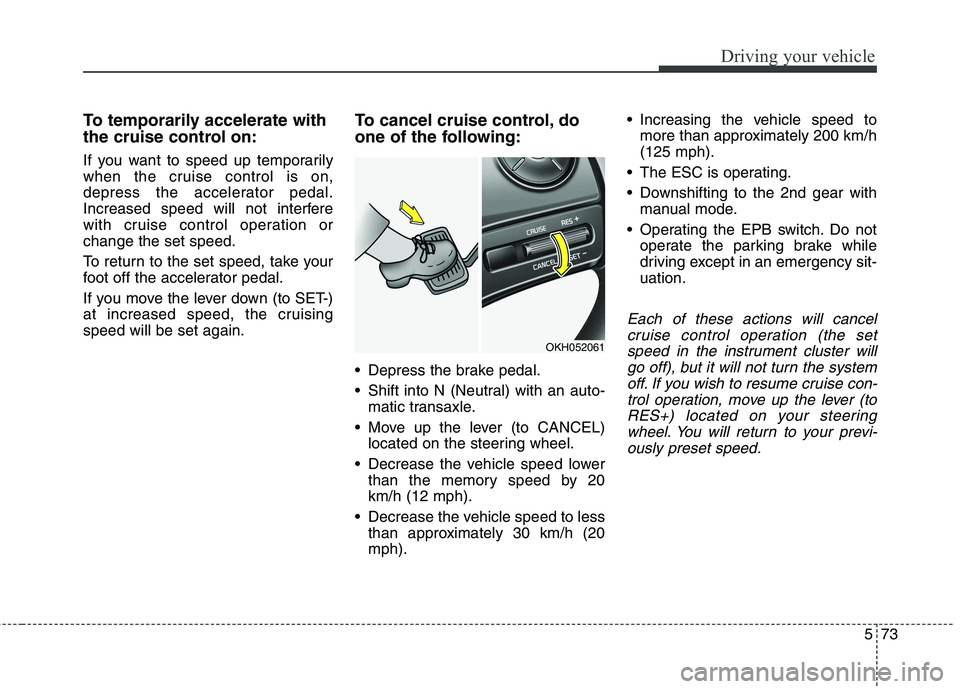
one of the following:
Depress the brake pedal.
Shift into N (Neutral) with an auto-
matic transaxle.
Move up the lever (to CANCEL) located on the steering wheel.
Decrease the vehicle speed lower than the memory speed by 20 km/h (12 mph).
Decrease the vehicle speed to less than approximately 30 km/h (20mph). Increasing the vehicle speed to
more than approximately 200 km/h(125 mph).
The ESC is operating.
Downshifting to the 2nd gear with manual mode.
Operating the EPB switch. Do not operate the parking brake while
driving except in an emergency sit-uation.
Each of these actions will cancel
cruise control operation (the setspeed in the instrument cluster willgo off), but it will not turn the system off. If you wish to resume cruise con-trol operation, move up the lever (toRES+) located on your steering wheel. You will return to your previ-ously preset speed.
OKH052061
Page 339 of 513
Driving your vehicle
78
5
Smart Cruise control will be tem-
porarily canceled when:
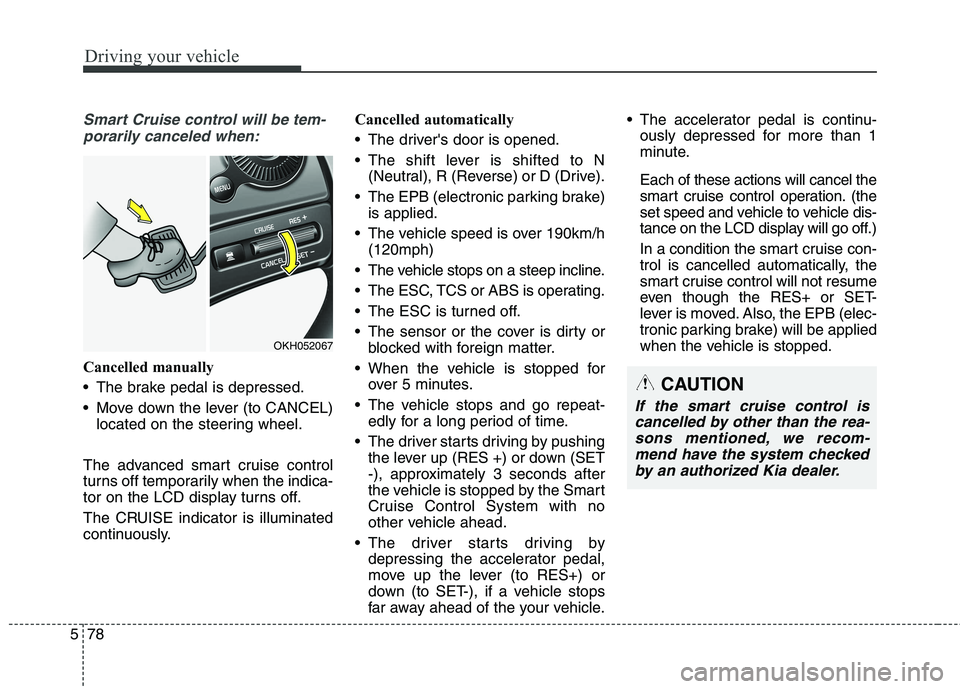
Cancelled manually
The brake pedal is depressed.
Move down the lever (to CANCEL) located on the steering wheel.
The advanced smart cruise control
turns off temporarily when the indica-
tor on the LCD display turns off.
The CRUISE indicator is illuminated
continuously. Cancelled automatically
The driver's door is opened.
The shift lever is shifted to N
(Neutral), R (Reverse) or D (Drive).
The EPB (electronic parking brake) is applied.
The vehicle speed is over 190km/h (120mph)
The vehicle stops on a steep incline.
The ESC, TCS or ABS is operating.
The ESC is turned off.
The sensor or the cover is dirty or blocked with foreign matter.
When the vehicle is stopped for over 5 minutes.
The vehicle stops and go repeat- edly for a long period of time.
The driver starts driving by pushing the lever up (RES +) or down (SET
-), approximately 3 seconds after
the vehicle is stopped by the Smart
Cruise Control System with no
other vehicle ahead.
The driver starts driving by depressing the accelerator pedal,
move up the lever (to RES+) or
down (to SET-), if a vehicle stops
far away ahead of the your vehicle. The accelerator pedal is continu-
ously depressed for more than 1
minute. Each of these actions will cancel the
smart cruise control operation. (the
set speed and vehicle to vehicle dis-
tance on the LCD display will go off.)
In a condition the smart cruise con- trol is cancelled automatically, the
smart cruise control will not resume
even though the RES+ or SET-
lever is moved. Also, the EPB (elec-
tronic parking brake) will be applied
when the vehicle is stopped.
CAUTION
If the smart cruise control is
cancelled by other than the rea-sons mentioned, we recom-mend have the system checked by an authorized Kia dealer.
OKH052067
Page 359 of 513
Driving your vehicle
98
5
ECONOMICAL OPERATION
Your vehicle's fuel economy depends
mainly on your style of driving, where
you drive and when you drive.
Each of these factors affects how
many kilometers (miles) you can get
from a liter (gallon) of fuel. To operate
your vehicle as economically as pos-
sible, use the following driving sug-
gestions to help save money in bothfuel and repairs:
Drive smoothly. Accelerate at a moderate rate. Do not make "jack-
rabbit" starts or full-throttle shifts and
maintain a steady cruising speed.
Do not race between stoplights. Try
to adjust your speed to the traffic so
you do not have to change speeds
unnecessarily. Avoid heavy traffic
whenever possible. Always maintain
a safe distance from other vehicles
so you can avoid unnecessary brak-
ing. This also reduces brake wear.
Drive at a moderate speed. The faster you drive, the more fuel your
vehicle uses. Driving at a moderate
speed, especially on the highway,
is one of the most effective ways toreduce fuel consumption. Do not "ride" the brake pedal. This
can increase fuel consumption and
also increase wear on these com-
ponents. In addition, driving with
your foot resting on the brake pedal
may cause the brakes to overheat,
which reduces their effectiveness
and may lead to more serious con-
sequences.
Take care of your tires. Keep them inflated to the recommended pres-
sure. Incorrect inflation, either too
much or too little, results in unnec-
essary tire wear. Check the tirepressures at least once a month.
Be sure that the wheels are aligned correctly. Improper align-ment can result from hitting curbs
or driving too fast over irregular
surfaces. Poor alignment causes
faster tire wear and may also result
in other problems as well as
greater fuel consumption. Keep your vehicle in good condi-
tion. For better fuel economy and
reduced maintenance costs, main-
tain your vehicle in accordancewith the maintenance schedule in
section 7. If you drive your vehicle
in severe conditions, more frequentmaintenance is required (see sec-
tion 7 for details).
Keep your vehicle clean. For maxi- mum service, your vehicle should
be kept clean and free of corrosive
materials. It is especially important
that mud, dirt, ice, etc. not be
allowed to accumulate on the
underside of the vehicle. This extra
weight can result in increased fuel
consumption and also contribute tocorrosion.
Travel lightly. Do not carry unnec- essary weight in your vehicle.
Weight reduces fuel economy.
Do not let the engine idle longer than necessary. If you are waiting
(and not in traffic), turn off your
engine and restart only when
you're ready to go.
Page 360 of 513
599
Driving your vehicle
Remember, your vehicle does notrequire extended warm-up. After
the engine has started, allow the
engine to run for 10 to 20 seconds
prior to placing the vehicle in gear.
In very cold weather, however, give
your engine a slightly longer warm-
up period.
Do not "lug" or "over-rev" the engine. Lugging is driving too
slowly in too high a gear resulting
engine bucking. If this happens,
shift to a lower gear. Over-revving
is racing the engine beyond its safe
limit. This can be avoided by shift-
ing at the recommended speeds.
Use your air conditioning sparingly. The air conditioning system is
operated by engine power so your
fuel economy is reduced when youuse it.
Open windows at high speeds can reduce fuel economy.
Fuel economy is less in crosswinds and headwinds. To help offset
some of this loss, slow down when
driving in these conditions. Keeping a vehicle in good operating
condition is important both for econ-
omy and safety. Therefore, we rec-
ommend that the system be serviced
by an authorized Kia dealer.
WARNING
- Engine off
during motion
Never turn the engine off to
coast down hills or anytime the
vehicle is in motion. The power
steering and power brakes will
not function properly without
the engine running. Instead,
keep the engine on and down-
shift to an appropriate gear for
engine braking effect. In addi-
tion, turning off the engine
while driving could engage the
steering wheel lock (ifequipped) resulting in loss of
vehicle steering which could
cause serious injury or death.