lock KIA QUORIS 2016 Manual PDF
[x] Cancel search | Manufacturer: KIA, Model Year: 2016, Model line: QUORIS, Model: KIA QUORIS 2016Pages: 513, PDF Size: 30.14 MB
Page 267 of 513
Driving your vehicle
6
5
✽✽
NOTICE
If the steering wheel doesn't unlock
properly, the engine start/stop but-
ton will not work. Press the engine
start/stop button while turning the
steering wheel right and left to
release the tension.
✽
✽
NOTICE
You are able to turn off the engine
(START/RUN) or vehicle power (ON),
only when the vehicle is not in motion.
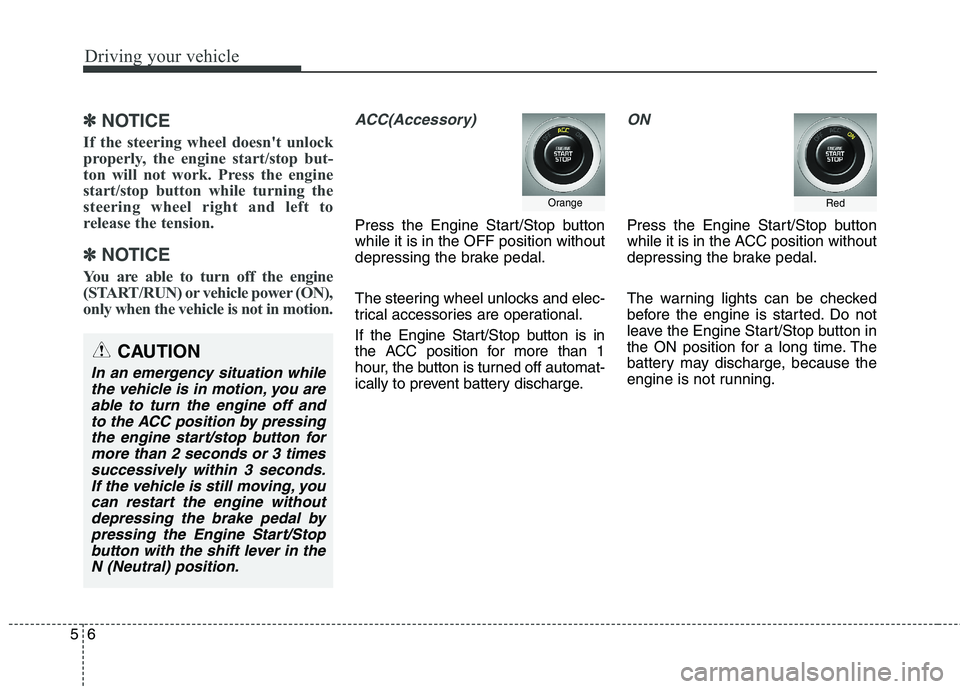
ACC(Accessory)
Press the Engine Start/Stop button while it is in the OFF position without
depressing the brake pedal.
The steering wheel unlocks and elec-
trical accessories are operational.
If the Engine Start/Stop button is in
the ACC position for more than 1
hour, the button is turned off automat-
ically to prevent battery discharge.
ON
Press the Engine Start/Stop button
while it is in the ACC position without
depressing the brake pedal.
The warning lights can be checked
before the engine is started. Do not
leave the Engine Start/Stop button in
the ON position for a long time. The
battery may discharge, because the
engine is not running.
Orange
CAUTION
In an emergency situation while the vehicle is in motion, you areable to turn the engine off and to the ACC position by pressingthe engine start/stop button formore than 2 seconds or 3 times successively within 3 seconds.If the vehicle is still moving, youcan restart the engine withoutdepressing the brake pedal by pressing the Engine Start/Stopbutton with the shift lever in theN (Neutral) position.
Red
Page 268 of 513
57
Driving your vehicle
START/RUN
To start the engine, depress the brake
pedal and press the Engine Start/Stop
button with the shift lever in the P
(Park) or the N (Neutral) position. For
your safety, start the engine with the
shift lever in the P (Park) position.
✽✽
NOTICE
If you press the engine start/stop
button without depressing the brake
pedal for automatic transaxle vehi-
cles, the engine will not start and the
Engine Start/Stop button changes as
follow:
OFF ➔
➔
ACC ➔➔
ON ➔➔
OFF or ACC
✽
✽
NOTICE
If you leave the Engine Start/Stop
button in the ACC or ON position
for a long time, the battery will dis-
charge.
Not illuminated
WARNING
Never press the engine start/stop button while the
vehicle is in motion. This wouldresult in loss of directional
control and braking function,
which could cause an accident.
The anti-theft steering column lock is not a substitute for the
parking brake. Before leaving
the driver's seat, always make
sure the shift lever is engaged
in P (Park), set the parking
brake fully and shut the
engine off. Unexpected and
sudden vehicle movement
may occur if these precau-tions are not taken.
(Continued)(Continued)
Never reach for the enginestart/ stop button or any other
controls through the steering
wheel while the vehicle is in
motion. The presence of yourhand or arm in the area could
cause loss of vehicle control,an accident and serious bodi-
ly injury or death.
Do not place any movable objects around the driver's
seat as they may move while
driving, interfere with the driv-er and lead to an accident.
Page 270 of 513
59
Driving your vehicle
✽✽
NOTICE
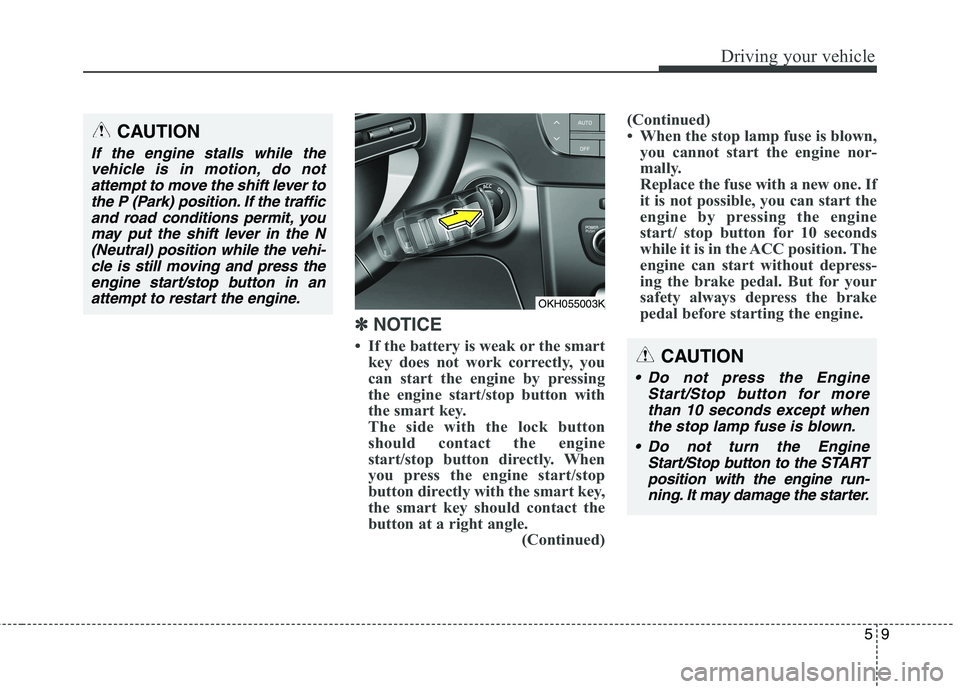
If the battery is weak or the smart key does not work correctly, you
can start the engine by pressing
the engine start/stop button with
the smart key.
The side with the lock button
should contact the engine
start/stop button directly. When
you press the engine start/stop
button directly with the smart key,
the smart key should contact the
button at a right angle. (Continued)(Continued)
When the stop lamp fuse is blown,
you cannot start the engine nor-
mally.
Replace the fuse with a new one. If
it is not possible, you can start the
engine by pressing the engine
start/ stop button for 10 seconds
while it is in the ACC position. The
engine can start without depress-
ing the brake pedal. But for your
safety always depress the brake
pedal before starting the engine.
CAUTION
Do not press the Engine
Start/Stop button for morethan 10 seconds except when the stop lamp fuse is blown.
Do not turn the Engine Start/Stop button to the STARTposition with the engine run-ning. It may damage the starter.
OKH055003K
CAUTION
If the engine stalls while thevehicle is in motion, do notattempt to move the shift lever to the P (Park) position. If the trafficand road conditions permit, youmay put the shift lever in the N (Neutral) position while the vehi-cle is still moving and press theengine start/stop button in an attempt to restart the engine.
Page 271 of 513
Driving your vehicle
10
5
Automatic transmission opera- tion
The automatic transmission has 8
forward speeds and one reverse
speed. The individual speeds are
selected automatically, depending on
the position of the shift lever.
✽✽
NOTICE
The first few shifts on a new vehicle,
if the battery has been disconnected,
may be somewhat abrupt. This is a
normal condition, and the shifting
sequence will adjust after shifts are
cycled a few times by the TCM
(Transmission Control Module) or
PCM (Powertrain Control Module).
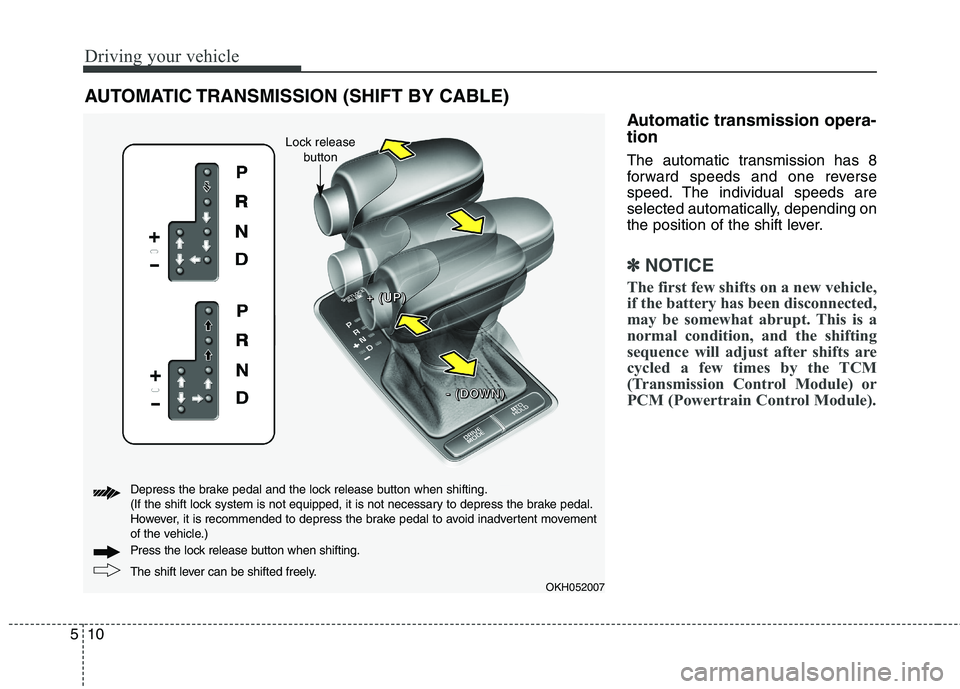
AUTOMATIC TRANSMISSION (SHIFT BY CABLE)
OKH052007
+
+++ ((((UUUUPPPP))))
---- ((((DDDDOOOOWWWWNNNN))))
The shift lever can be shifted freely.
Press the lock release button when shifting.
Depress the brake pedal and the lock release button when shifting.
(If the shift lock system is not equipped, it is not necessary to depress the brake pedal.
However, it is recommended to depress the brake pedal to avoid inadvertent movement
of the vehicle.)
Lock release
button
Page 272 of 513
511
Driving your vehicle
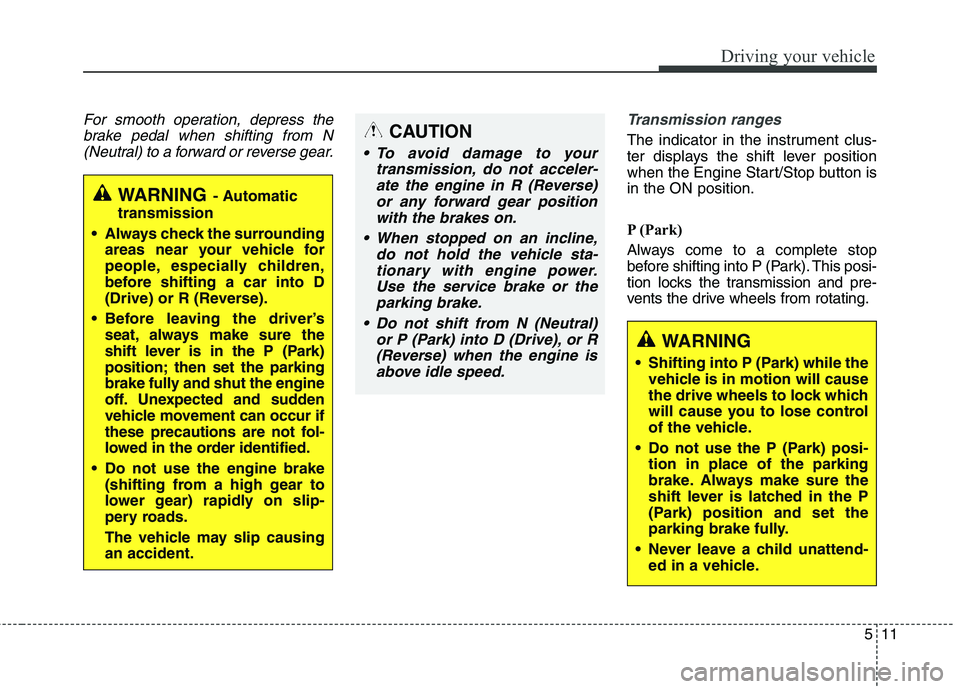
For smooth operation, depress thebrake pedal when shifting from N(Neutral) to a forward or reverse gear.Transmission ranges
The indicator in the instrument clus-
ter displays the shift lever position
when the Engine Start/Stop button isin the ON position.
P (Park)
Always come to a complete stop
before shifting into P (Park). This posi-
tion locks the transmission and pre-
vents the drive wheels from rotating.
WARNING - Automatic
transmission
Always check the surrounding areas near your vehicle for
people, especially children,
before shifting a car into D
(Drive) or R (Reverse).
Before leaving the driver’s seat, always make sure the
shift lever is in the P (Park)
position; then set the parking
brake fully and shut the engine
off. Unexpected and sudden
vehicle movement can occur if
these precautions are not fol-
lowed in the order identified.
Do not use the engine brake (shifting from a high gear to
lower gear) rapidly on slip-
pery roads.
The vehicle may slip causing an accident.
CAUTION
To avoid damage to your
transmission, do not acceler-ate the engine in R (Reverse) or any forward gear positionwith the brakes on.
When stopped on an incline, do not hold the vehicle sta-tionary with engine power. Use the service brake or theparking brake.
Do not shift from N (Neutral) or P (Park) into D (Drive), or R(Reverse) when the engine is above idle speed.
WARNING
Shifting into P (Park) while the vehicle is in motion will cause
the drive wheels to lock which
will cause you to lose control
of the vehicle.
Do not use the P (Park) posi- tion in place of the parking
brake. Always make sure the
shift lever is latched in the P
(Park) position and set the
parking brake fully.
Never leave a child unattend- ed in a vehicle.
Page 275 of 513
Driving your vehicle
14
5
Shift lock system (if equipped)
For your safety, the automatic trans-
mission has a shift lock system
which prevents shifting the transmis-
sion from P (Park) into R (Reverse)
unless the brake pedal is depressed.
To shift the transmission from P
(Park) into R (Reverse):
1. Depress and hold the brake pedal.
2. Start the engine or press the
Engine Start/Stop button in the ON position.
3. Move the shift lever with pressing lock release button.
If the brake pedal is repeatedlydepressed and released with the shift
lever in the P (Park) position, a chat-
tering noise near the shift lever may
be heard. This is a normal condition. Shift-lock override
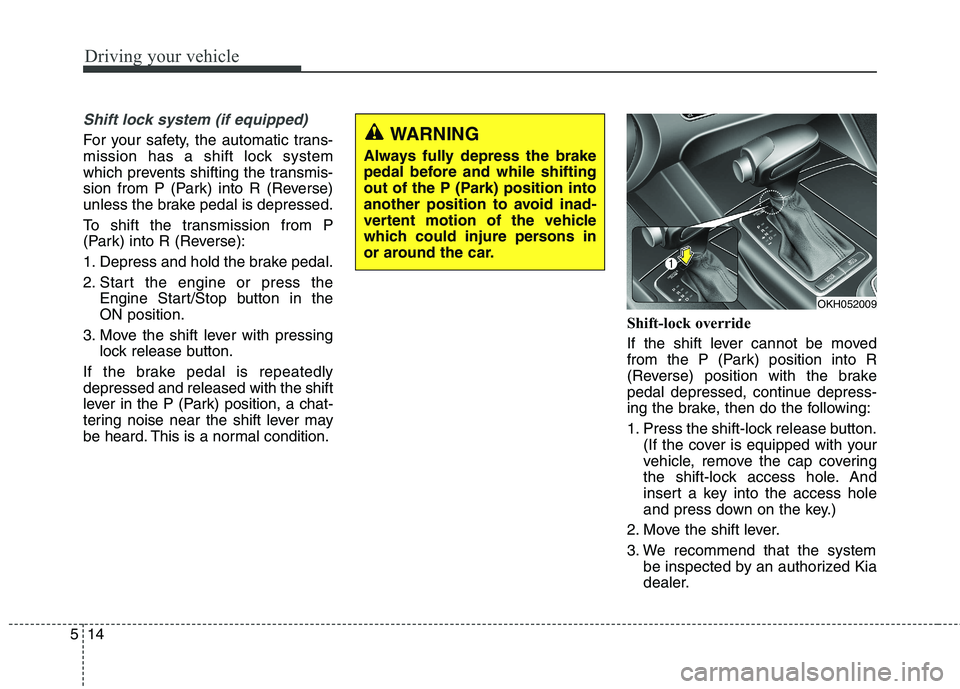
If the shift lever cannot be moved
from the P (Park) position into R
(Reverse) position with the brake
pedal depressed, continue depress-
ing the brake, then do the following:
1. Press the shift-lock release button.
(If the cover is equipped with your
vehicle, remove the cap covering
the shift-lock access hole. And
insert a key into the access hole
and press down on the key.)
2. Move the shift lever.
3. We recommend that the system be inspected by an authorized Kia
dealer.WARNING
Always fully depress the brake
pedal before and while shifting
out of the P (Park) position into
another position to avoid inad-
vertent motion of the vehicle
which could injure persons in
or around the car.
OKH052009
Page 278 of 513
517
Driving your vehicle
Automatic transmission opera- tion
The automatic transmission has 8
forward speeds and one reverse
speed. The individual speeds are
selected automatically, depending on
the position of the shift lever.
✽✽NOTICE
The first few shifts on a new vehicle,
if the battery has been disconnected,
may be somewhat abrupt. This is a
normal condition, and the shifting
sequence will adjust after shifts are
cycled a few times by the TCM
(Transmission Control Module) or
PCM (Powertrain Control Module).
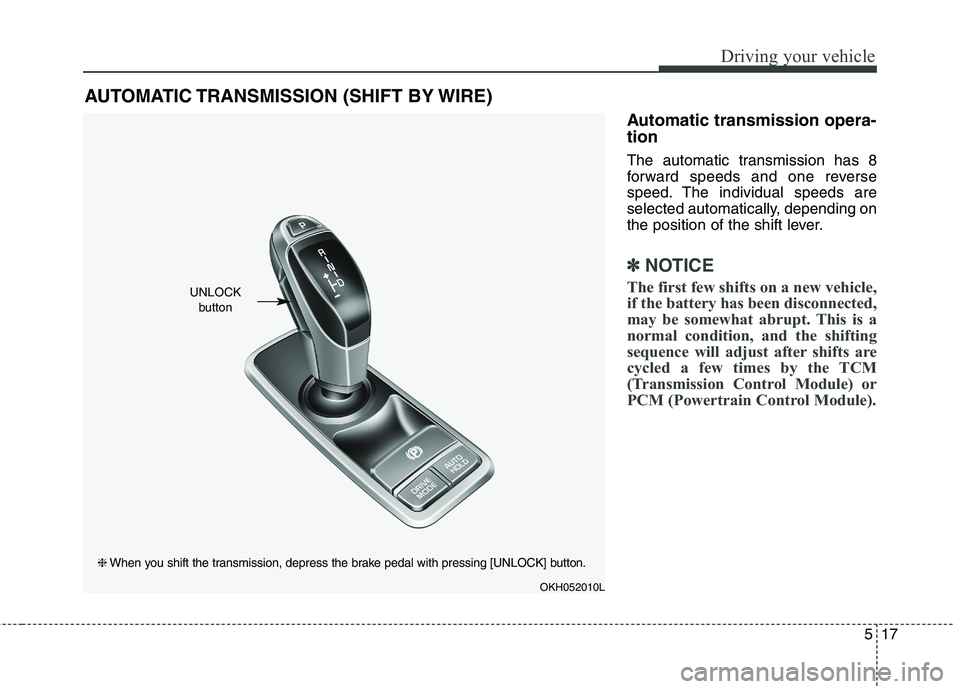
AUTOMATIC TRANSMISSION (SHIFT BY WIRE)
OKH052010L
UNLOCK button
❈ When you shift the transmission, depress the brake pedal with pressing [UNLOCK] button.
Page 280 of 513
519
Driving your vehicle
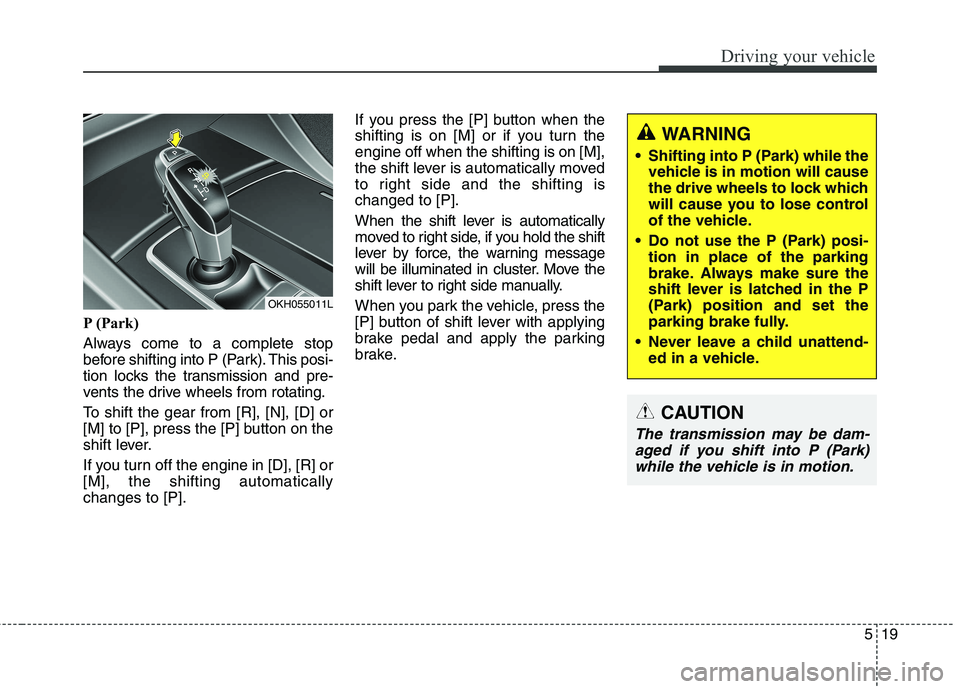
P (Park)
Always come to a complete stop
before shifting into P (Park). This posi-
tion locks the transmission and pre-
vents the drive wheels from rotating.
To shift the gear from [R], [N], [D] or
[M] to [P], press the [P] button on the
shift lever.
If you turn off the engine in [D], [R] or [M], the shifting automaticallychanges to [P].If you press the [P] button when the
shifting is on [M] or if you turn theengine off when the shifting is on [M],
the shift lever is automatically moved
to right side and the shifting ischanged to [P].
When the shift lever is automatically
moved to right side, if you hold the shift
lever by force, the warning message
will be illuminated in cluster. Move the
shift lever to right side manually.
When you park the vehicle, press the
[P] button of shift lever with applying
brake pedal and apply the parking
brake.
WARNING
Shifting into P (Park) while the vehicle is in motion will cause
the drive wheels to lock which
will cause you to lose control
of the vehicle.
Do not use the P (Park) posi- tion in place of the parking
brake. Always make sure the
shift lever is latched in the P
(Park) position and set the
parking brake fully.
Never leave a child unattend- ed in a vehicle.
CAUTION
The transmission may be dam-
aged if you shift into P (Park)while the vehicle is in motion.
OKH055011L
Page 281 of 513
![KIA QUORIS 2016 Manual PDF Driving your vehicle
20
5
R (Reverse)
Use this position to drive the vehicle
backward.
To shift the gear to [R] press the
[UNLOCK] button of shift lever with
depressing brake pedal and move
the sh](/img/2/57973/w960_57973-280.png "KIA QUORIS 2016 Manual PDF Driving your vehicle
20
5
R (Reverse)
Use this position to drive the vehicle
backward.
To shift the gear to [R] press the
[UNLOCK] button of shift lever with
depressing brake pedal and move
the sh")
Driving your vehicle
20
5
R (Reverse)
Use this position to drive the vehicle
backward.
To shift the gear to [R] press the
[UNLOCK] button of shift lever with
depressing brake pedal and move
the shift lever forward. N (Neutral)
The wheels and transmission are not
engaged. The vehicle will roll freely
even on the slightest incline unless
the parking brake or service brakesare applied.
In neutral range if you turn off the
engine, the range will be on [N] and
the Engine Start/Stop button position
will be on ACC.
CAUTION
Always come to a complete stop
before shifting into or out of R (Reverse); you may damage thetransmission if you shift into R(Reverse) while the vehicle is in motion, except as explained in“Rocking the vehicle” in thissection.
OKH052013L
OKH052014L
OKH052015L
Page 282 of 513
![KIA QUORIS 2016 Manual PDF 521
Driving your vehicle
To turn off engine :
1. Press the engine start/stop buttonagain to the ON position.
2. Press the [P] button on the shift lever.
3. Press the engine start/stop button again, t](/img/2/57973/w960_57973-281.png "KIA QUORIS 2016 Manual PDF 521
Driving your vehicle
To turn off engine :
1. Press the engine start/stop buttonagain to the ON position.
2. Press the [P] button on the shift lever.
3. Press the engine start/stop button again, t")
521
Driving your vehicle
To turn off engine :
1. Press the engine start/stop buttonagain to the ON position.
2. Press the [P] button on the shift lever.
3. Press the engine start/stop button again, the engine start/stop button will change to the OFF position.
However, when you open the door
with the shift lever in N (Neutral) and
the engine start/stop button in the
ACC position, the shift lever will auto-
matically move to P (Park) and the
engine start/stop button will changeto the OFF position. D (Drive)
This is the normal forward driving
position. The shift lever will automat-ically shift through a 8-gear
sequence, providing the best fuel
economy and power.
For extra power when passing anoth-
er vehicle or climbing grades,
depress the accelerator fully, at
which time the shift lever will auto-
matically downshift to the lower gear.
To shift into [D], depress the brake
pedal and press the [UNLOCK] but-
ton of shift lever. And then move the
shift lever to backward.
To shift into [D], from [N] you must
depress the brake pedal.
✽✽
NOTICE
Always come to a complete stop
before shifting into D (Drive).
Manual mode
Whether the vehicle is stationary or
in motion, sports mode is selected by
pushing the shift lever from the D
(Drive) position into the manual gate.
To return to D (Drive) range opera-
tion, push the shift lever back into the
main gate.
In manual mode, moving the shift
lever backwards and forwards will
allow you to make gearshifts rapidly.
Up (+) : Push the lever forward once to shift up one gear.
Down (-) : Pull the lever backwards
once to shift down one gear.
OKH055018L
+ (UP)
- (DOWN)
Manual mode