cruise control KIA QUORIS 2016 Owners Manual
[x] Cancel search | Manufacturer: KIA, Model Year: 2016, Model line: QUORIS, Model: KIA QUORIS 2016Pages: 513, PDF Size: 30.14 MB
Page 15 of 513
Your vehicle at a glance
6
2
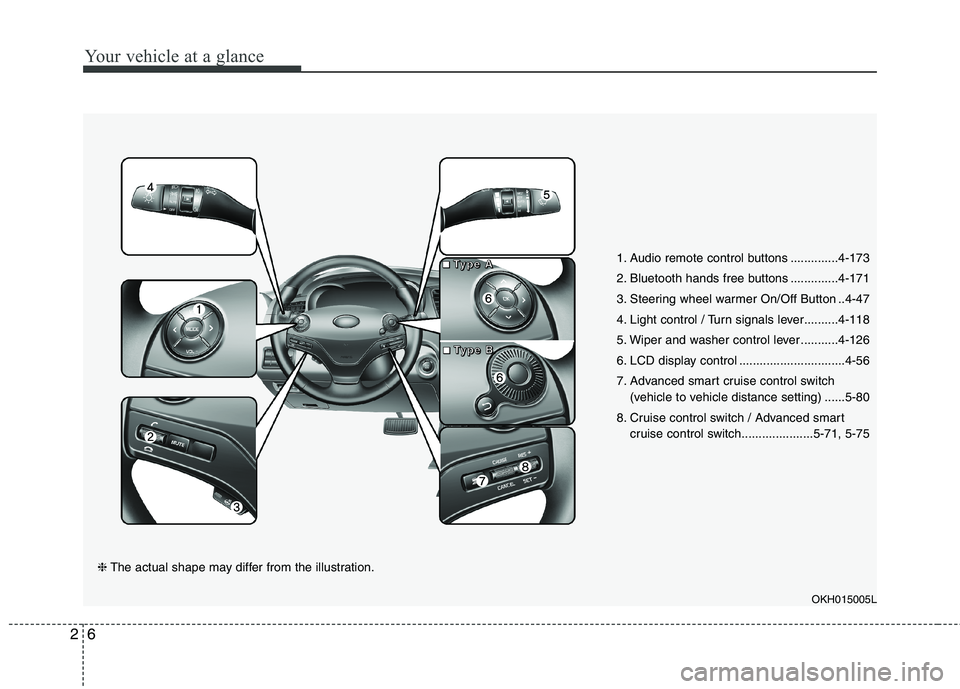
1. Audio remote control buttons ..............4-173
2. Bluetooth hands free buttons ..............4-171
3. Steering wheel warmer On/Off Button ..4-47
4. Light control / Turn signals lever..........4-118
5. Wiper and washer control lever ...........4-126
6. LCD display control ...............................4-56
7. Advanced smart cruise control switch
(vehicle to vehicle distance setting) ......5-80
8. Cruise control switch / Advanced smart cruise control switch.....................5-71, 5-75
OKH015005L
❈The actual shape may differ from the illustration.
■■■■TTTTyyyyppppeeee AAAA
■■■■TTTTyyyyppppeeee BBBB
Page 148 of 513
461
Features of your vehicle
LCD ModesLCD DISPLAY
Modes SymbolExplanation
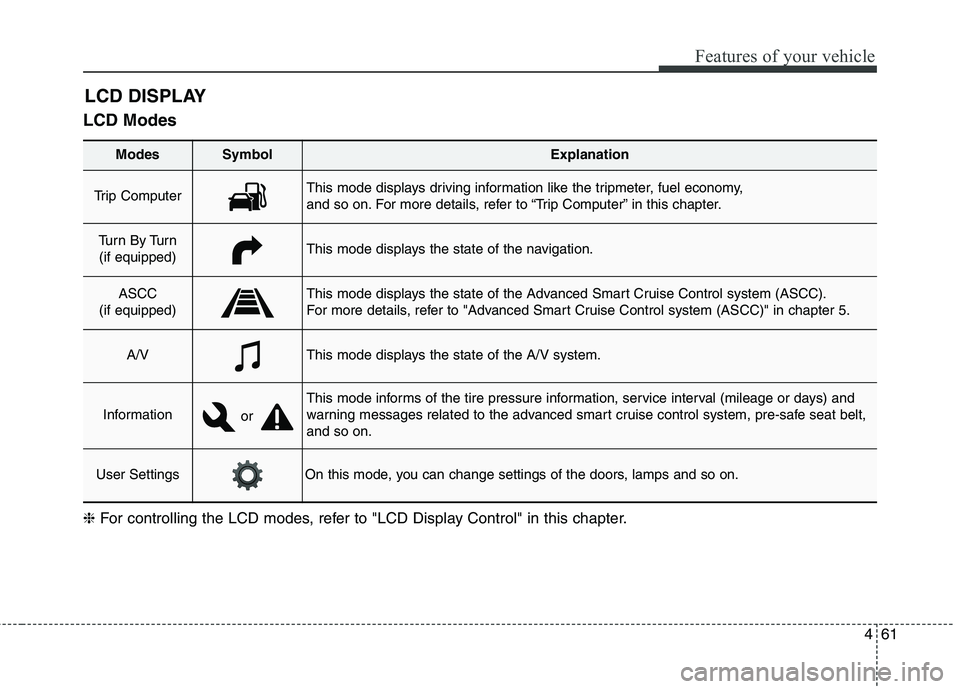
Trip Computer This mode displays driving information like the tripmeter, fuel economy,
and so on. For more details, refer to “Trip Computer” in this chapter.
Tu r n B y Tu r n
(if equipped)This mode displays the state of the navigation.
ASCC
(if equipped)This mode displays the state of the Advanced Smart Cruise Control system (ASCC).
For more details, refer to "Advanced Smart Cruise Control system (ASCC)" in chapter 5.
A/VThis mode displays the state of the A/V system.
Information
This mode informs of the tire pressure information, service interval (mileage or days) and
warning messages related to the advanced smart cruise control system, pre-safe seat belt,and so on.
User SettingsOn this mode, you can change settings of the doors, lamps and so on.
❈ For controlling the LCD modes, refer to "LCD Display Control" in this chapter.
or
Page 150 of 513
463
Features of your vehicle
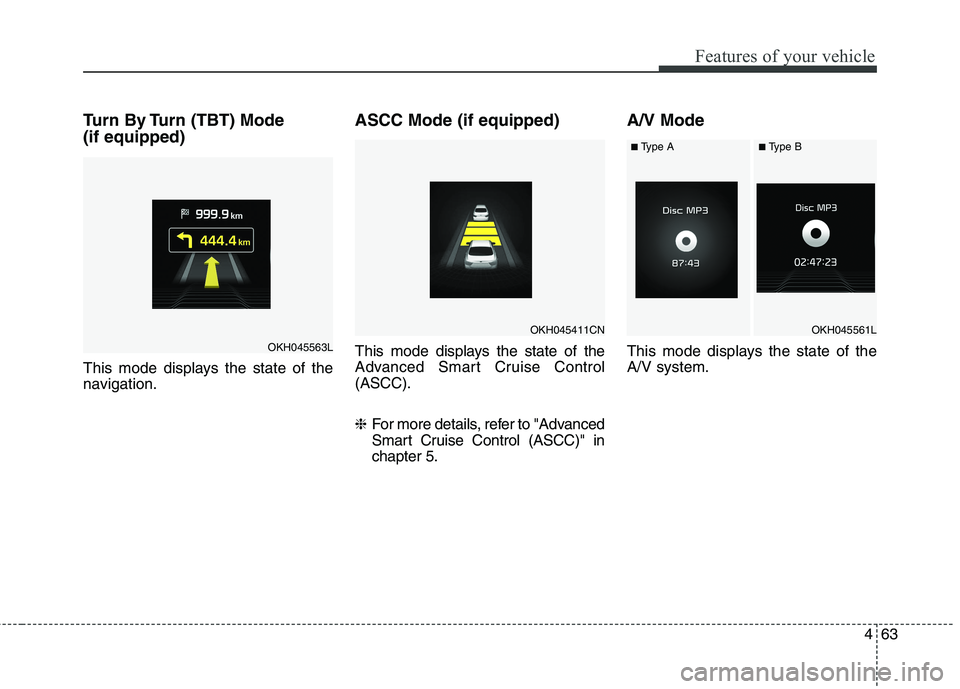
Turn By Turn (TBT) Mode (if equipped)
This mode displays the state of the
navigation.ASCC Mode (if equipped)
This mode displays the state of the
Advanced Smart Cruise Control(ASCC). ❈
For more details, refer to "Advanced
Smart Cruise Control (ASCC)" inchapter 5. A/V Mode
This mode displays the state of the A/V system.
OKH045563L
OKH045411CNOKH045561L
■
Type A■Type B
Page 153 of 513
Features of your vehicle
66
4
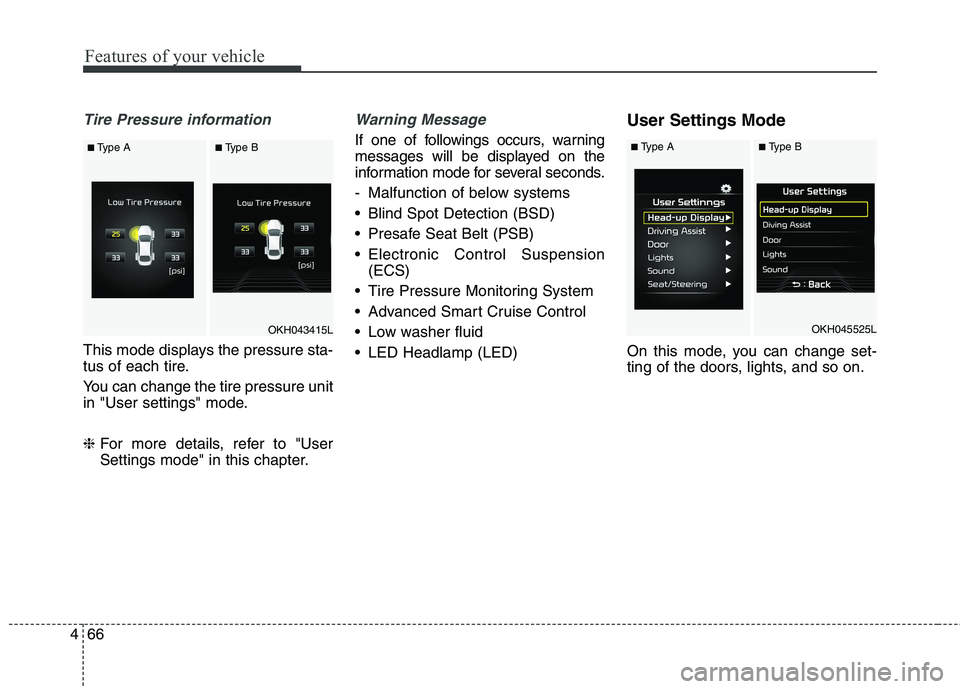
Tire Pressure information
This mode displays the pressure sta-
tus of each tire.
You can change the tire pressure unit
in "User settings" mode. ❈ For more details, refer to "User
Settings mode" in this chapter.
Warning Message
If one of followings occurs, warning
messages will be displayed on the
information mode for several seconds.
- Malfunction of below systems
Blind Spot Detection (BSD)
Presafe Seat Belt (PSB)
Electronic Control Suspension
(ECS)
Tire Pressure Monitoring System
Advanced Smart Cruise Control
Low washer fluid
LED Headlamp (LED) User Settings Mode
On this mode, you can change set-
ting of the doors, lights, and so on.
OKH045525LOKH043415L
■
Type A■Type B■ Type A■Type B
Page 170 of 513
483
Features of your vehicle
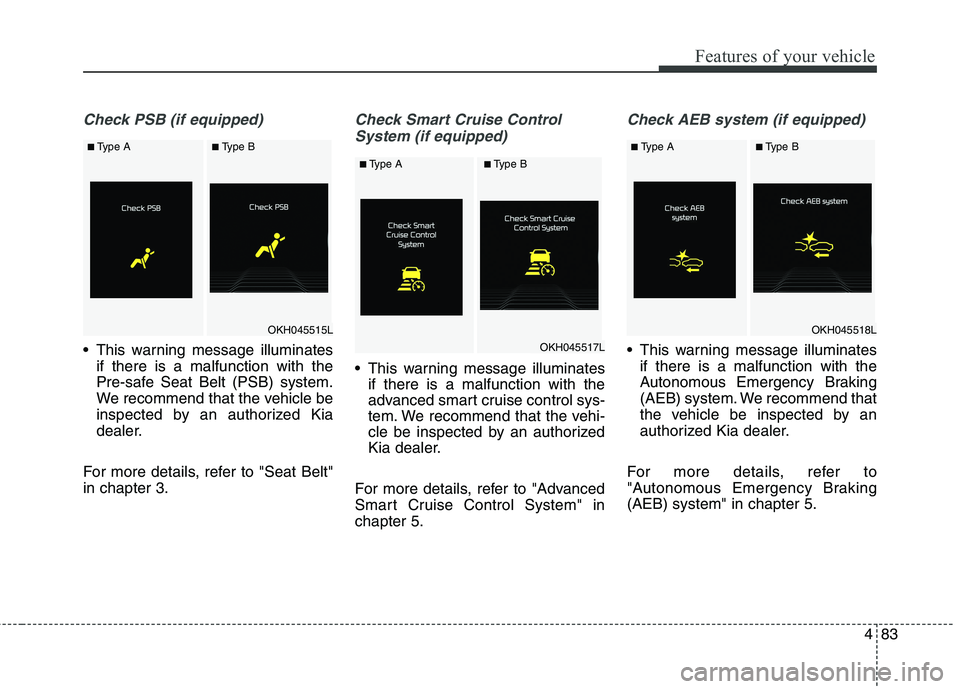
Check PSB (if equipped)
This warning message illuminatesif there is a malfunction with the
Pre-safe Seat Belt (PSB) system.
We recommend that the vehicle be
inspected by an authorized Kia
dealer.
For more details, refer to "Seat Belt"in chapter 3.
Check Smart Cruise Control System (if equipped)
This warning message illuminates if there is a malfunction with the
advanced smart cruise control sys-
tem. We recommend that the vehi-
cle be inspected by an authorized
Kia dealer.
For more details, refer to "Advanced
Smart Cruise Control System" inchapter 5.
Check AEB system (if equipped)
This warning message illuminates if there is a malfunction with the
Autonomous Emergency Braking
(AEB) system. We recommend that
the vehicle be inspected by an
authorized Kia dealer.
For more details, refer to
"Autonomous Emergency Braking(AEB) system" in chapter 5.
OKH045515L
■ Type A■Type B
OKH045517L
■ Type A■Type B
OKH045518L
■Type A■Type B
Page 182 of 513
495
Features of your vehicle
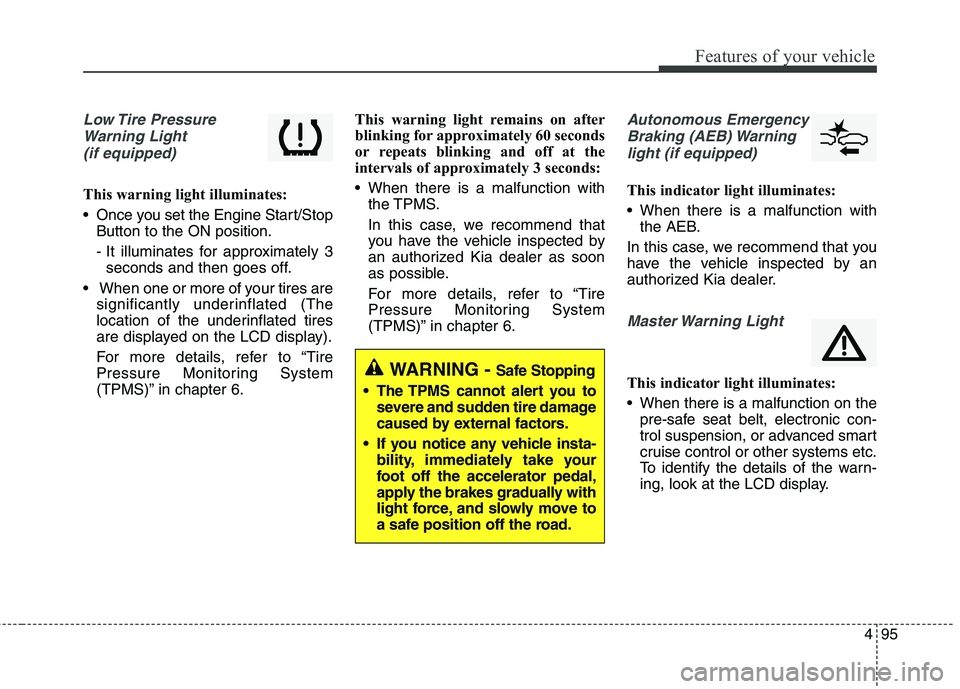
Low Tire PressureWarning Light (if equipped)
This warning light illuminates:
Once you set the Engine Start/Stop Button to the ON position.
- It illuminates for approximately 3seconds and then goes off.
When one or more of your tires are significantly underinflated (The
location of the underinflated tires
are displayed on the LCD display).
For more details, refer to “Tire
Pressure Monitoring System
(TPMS)” in chapter 6. This warning light remains on after
blinking for approximately 60 seconds
or repeats blinking and off at the
intervals of approximately 3 seconds:
When there is a malfunction with
the TPMS.
In this case, we recommend that
you have the vehicle inspected by
an authorized Kia dealer as soon
as possible.
For more details, refer to “Tire
Pressure Monitoring System
(TPMS)” in chapter 6.
Autonomous Emergency
Braking (AEB) Warning light (if equipped)
This indicator light illuminates:
When there is a malfunction with the AEB.
In this case, we recommend that you
have the vehicle inspected by an
authorized Kia dealer.
Master Warning Light
This indicator light illuminates:
When there is a malfunction on the pre-safe seat belt, electronic con-
trol suspension, or advanced smart
cruise control or other systems etc.
To identify the details of the warn-
ing, look at the LCD display.WARNING - Safe Stopping
The TPMS cannot alert you to severe and sudden tire damage
caused by external factors.
If you notice any vehicle insta- bility, immediately take your
foot off the accelerator pedal,
apply the brakes gradually with
light force, and slowly move to
a safe position off the road.
Page 191 of 513
Features of your vehicle
104
4
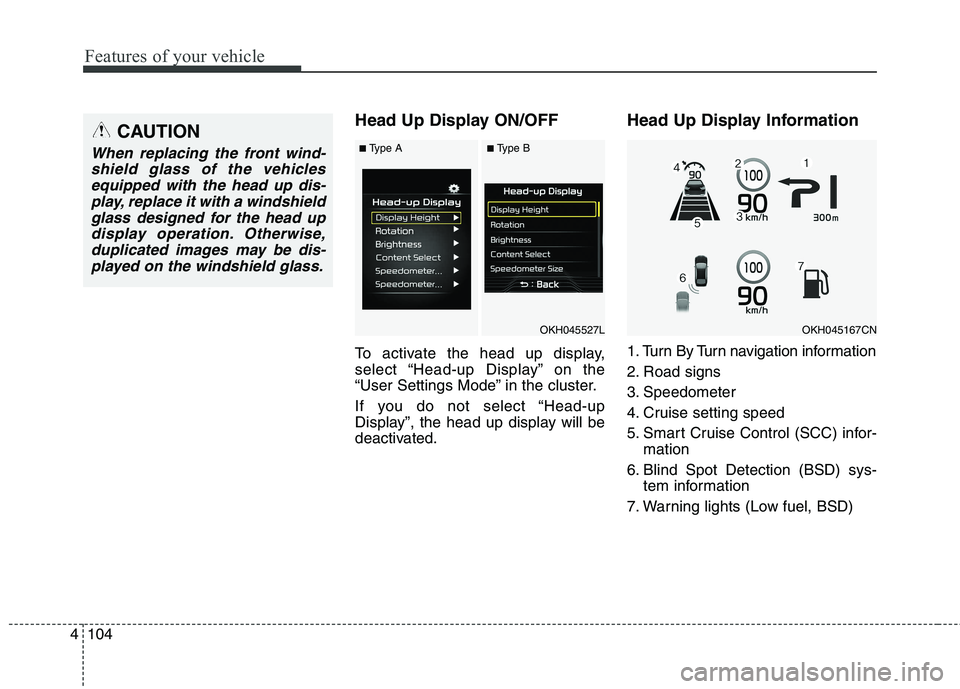
Head Up Display ON/OFF
To activate the head up display,
select “Head-up Display” on the
“User Settings Mode” in the cluster.
If you do not select “Head-up
Display”, the head up display will be
deactivated. Head Up Display Information
1. Turn By Turn navigation information
2. Road signs
3. Speedometer
4. Cruise setting speed
5. Smart Cruise Control (SCC) infor-
mation
6. Blind Spot Detection (BSD) sys- tem information
7. Warning lights (Low fuel, BSD)CAUTION
When replacing the front wind- shield glass of the vehiclesequipped with the head up dis- play, replace it with a windshieldglass designed for the head updisplay operation. Otherwise, duplicated images may be dis-played on the windshield glass.
OKH045527LOKH045167CN
■ Type A■Type B
Page 262 of 513
Driving your vehicle
Before driving . . . . . . . . . . . . . . . . . . . . . . . . . . . . . . 5-3
Engine start/stop button . . . . . . . . . . . . . . . . . . . . . 5-5
Automatic transmission (shift by cable). . . . . . . . 5-10• Automatic transmission operation . . . . . . . . . . . . . . . 5-10
Automatic transmission (shift by wire) . . . . . . . . 5-17 . . . . . . . . . . . . . . . 5-17
Brake system . . . . . . . . . . . . . . . . . . . . . . . . . . . . . 5-29 . . . . . . . . . . . . . . . . . . . . . . . . . . . . . . . 5-29
. . . . . . . . . . . . . . . . . . 5-32
. . . . . . . . . . . . . . . . . . . . . . . . . . . 5-37
. . . . . . . . . . . . . . . . . . . . . . . . . . . . . . . . . . . 5-38
. . . . . . . . . . . . . . . . . . 5-42
. . . . . . . . . . . . . . . 5-44
. . . . . . . . . . . . . . . . . . 5-48
Advanced vehicle safty managment (AVSM) . . . 5-50
Autonomous emergency braking (AEB) . . . . . . . 5-54
Drive mode integrated control system . . . . . . . . . 5-59
Electronic controlled suspension (ECS) . . . . . . . . 5-67
Cruise Control system . . . . . . . . . . . . . . . . . . . . . . 5-70
Advanced smart cruise control system. . . . . . . . . 5-75
Blind spot detection system (BSD) . . . . . . . . . . . . 5-90
Economical operation . . . . . . . . . . . . . . . . . . . . . . 5-98
Special driving conditions . . . . . . . . . . . . . . . . . 5-100 . . . . . . . . . . . . . . . . 5-100 . . . . . . . . . . . . . . . . . . . . . . . . . 5-100
. . . . . . . . . . . . . . . . . . . . . . . . . . . 5-101
. . . . . . . . . . . . . . . . . . . . . . . . . . . . 5-102
. . . . . . . . . . . . . . . . . . . . . . . . . . . 5-102
. . . . . . . . . . . . . . . . . . . . . 5-103
. . . . . . . . . . . . . . . . . . . . . . . . . . . . . 5-103
. . . . . . . . . . . . . . . . . . . . . . . . . . . . 5-103
Winter driving . . . . . . . . . . . . . . . . . . . . . . . . . . . 5-105 . . . . . . . . . . . . . . . . . . . . . . 5-105
Vehicle weight . . . . . . . . . . . . . . . . . . . . . . . . . . . . 5-109 . . . . . . . . . . . . . . . . . . . . . . . . . . . 5-109
. . . . . . . . . . . . . . . . . . . . . . . . . . 5-109
. . . . . . . . . . . . . . . . . . . . . . . . . . . . . . . 5-109
. . . . . . . . . . . . . . . . . . . . . 5-109
. . . . . . . . . . . . . . 5-109
. . . . . . . . . . . . . . . . . . . 5-109
. . . . . . . . . . . . . . . . . . . . . . . . . . . . . . . . 5-109
5
Page 318 of 513
557
Driving your vehicle
Malfunction indicator
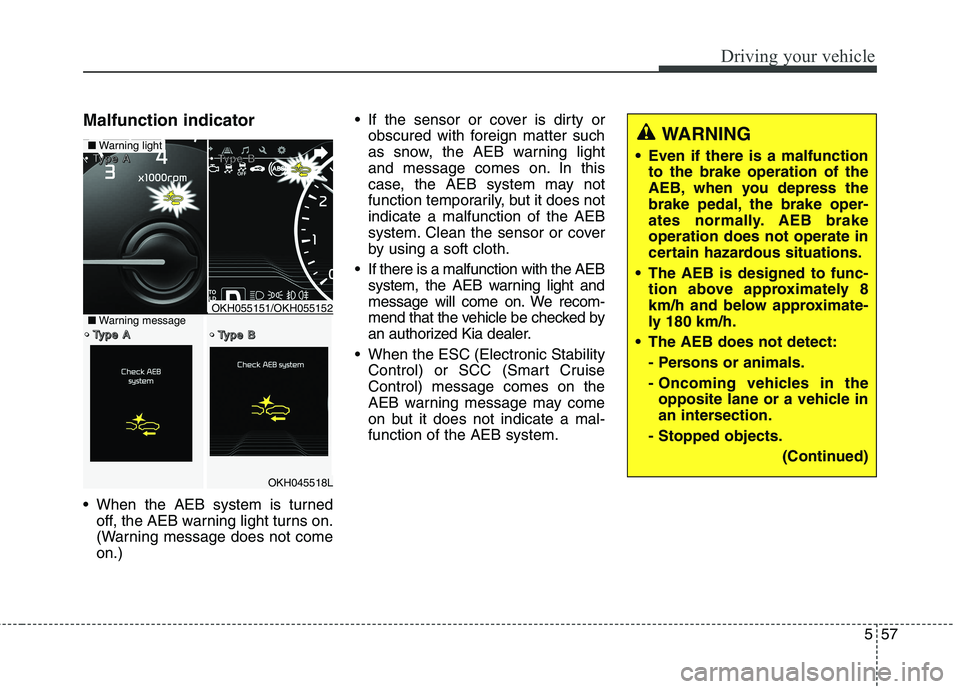
When the AEB system is turnedoff, the AEB warning light turns on.
(Warning message does not comeon.) If the sensor or cover is dirty or
obscured with foreign matter such
as snow, the AEB warning light
and message comes on. In this
case, the AEB system may not
function temporarily, but it does notindicate a malfunction of the AEB
system. Clean the sensor or cover
by using a soft cloth.
If there is a malfunction with the AEB system, the AEB warning light and
message will come on. We recom-
mend that the vehicle be checked by
an authorized Kia dealer.
When the ESC (Electronic Stability Control) or SCC (Smart CruiseControl) message comes on the
AEB warning message may come
on but it does not indicate a mal-function of the AEB system.
OKH045518L
■Warning light TTTTyyyyppppeeee AAAA TTTTyyyyppppeeee BBBB
TTTTyyyyppppeeee AAAA TTTTyyyyppppeeee BBBB■Warning messageOKH055151/OKH055152
WARNING
Even if there is a malfunction to the brake operation of the
AEB, when you depress the
brake pedal, the brake oper-
ates normally. AEB brakeoperation does not operate in
certain hazardous situations.
The AEB is designed to func- tion above approximately 8
km/h and below approximate-
ly 180 km/h.
The AEB does not detect:
- Persons or animals.
- Oncoming vehicles in theopposite lane or a vehicle in
an intersection.
- Stopped objects.
(Continued)
Page 324 of 513
563
Driving your vehicle
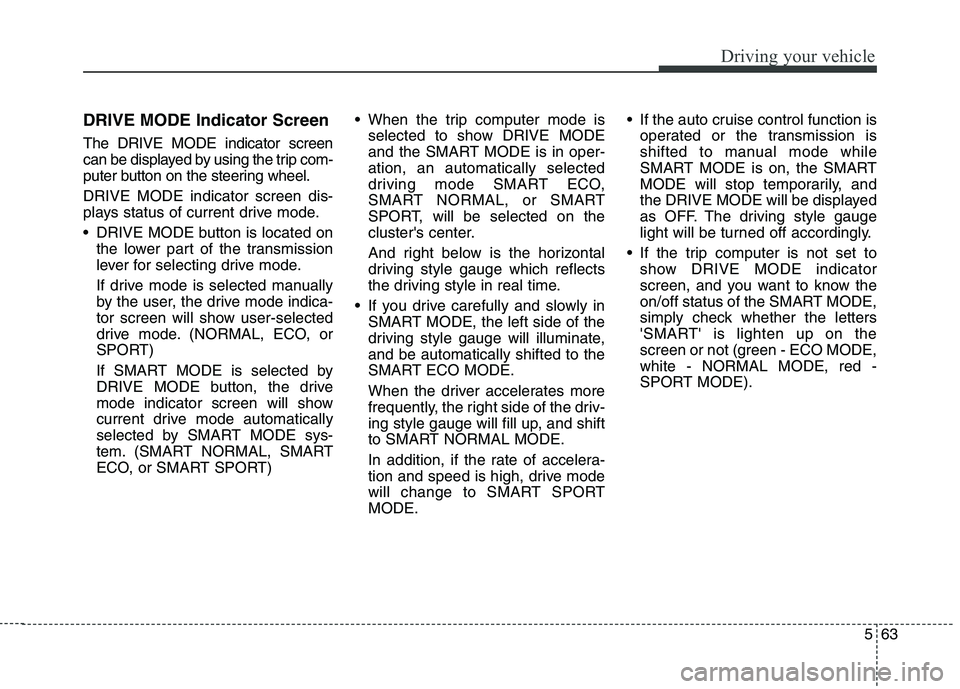
DRIVE MODE Indicator Screen The DRIVE MODE indicator screen
can be displayed by using the trip com-
puter button on the steering wheel. DRIVE MODE indicator screen dis-
plays status of current drive mode.
DRIVE MODE button is located onthe lower part of the transmission
lever for selecting drive mode.
If drive mode is selected manually
by the user, the drive mode indica-
tor screen will show user-selected
drive mode. (NORMAL, ECO, or
SPORT)
If SMART MODE is selected by
DRIVE MODE button, the drive
mode indicator screen will show
current drive mode automatically
selected by SMART MODE sys-
tem. (SMART NORMAL, SMART
ECO, or SMART SPORT) When the trip computer mode is
selected to show DRIVE MODE
and the SMART MODE is in oper-ation, an automatically selected
driving mode SMART ECO,
SMART NORMAL, or SMART
SPORT, will be selected on the
cluster's center.
And right below is the horizontal
driving style gauge which reflects
the driving style in real time.
If you drive carefully and slowly in SMART MODE, the left side of the
driving style gauge will illuminate,and be automatically shifted to the
SMART ECO MODE.
When the driver accelerates more
frequently, the right side of the driv-
ing style gauge will fill up, and shift
to SMART NORMAL MODE.
In addition, if the rate of accelera-
tion and speed is high, drive mode
will change to SMART SPORTMODE. If the auto cruise control function is
operated or the transmission is
shifted to manual mode while
SMART MODE is on, the SMART
MODE will stop temporarily, and
the DRIVE MODE will be displayed
as OFF. The driving style gauge
light will be turned off accordingly.
If the trip computer is not set to show DRIVE MODE indicator
screen, and you want to know the
on/off status of the SMART MODE,
simply check whether the letters
'SMART' is lighten up on the
screen or not (green - ECO MODE,white - NORMAL MODE, red -
SPORT MODE).