lights KIA QUORIS 2017 User Guide
[x] Cancel search | Manufacturer: KIA, Model Year: 2017, Model line: QUORIS, Model: KIA QUORIS 2017Pages: 514, PDF Size: 35.2 MB
Page 138 of 514

451
Features of your vehicle
Remote control
The electric remote control mirror
switch allows you to adjust the posi-
tion of the left and right outside
rearview mirrors. To adjust the posi-
tion of either mirror, press the R or L
button (1) to select the right side mir-
ror or the left side mirror, then press a
corresponding point ( ) on the mir-ror adjustment control to position the
selected mirror up, down, left or right. After adjustment, press the R or L
button again to prevent the inadver-tent adjustment.
Electric chromic mirror (ECM) (if equipped)
The electric chromic mirror automati- cally controls the glare from the head-
lights of the car behind you in night-
time or low light driving conditions. Thesensor mounted in the mirror senses
the light level around the vehicle, andautomatically controls the headlight
glare from vehicles behind you.
When the engine is running, the glare
is automatically controlled by the sen-
sor mounted in the rearview mirror.
Whenever the shift lever is shifted
into R (Reverse), the mirror will auto-
matically go to the brightest setting in
order to improve the drivers view
behind the vehicle. If the ECM of
inside rear view mirror operates, it
will be working
OKH042048
CAUTION
The mirrors stop moving when they reach the maximumadjusting angles, but the motor continues to operatewhile the switch is pressed.Do not press the switch longer than necessary, the motormay be damaged.
Do not attempt to adjust the outside rearview mirror byhand. Doing so may damage the parts.
CAUTION
When cleaning the mirror, use apaper towel or similar materialdampened with glass cleaner. Do not spray glass cleanerdirectly on the mirror as thatmay cause the liquid cleaner toenter the mirror housing.
Page 141 of 514

Features of your vehicle
54
4
INSTRUMENT CLUSTER
1. Tachometer
2. Speedometer
3. Engine coolant temperature gauge
4. Fuel gauge
5. LCD display
6. Warning and indicator lights
OKH045583L/OKH045584L
■■Type A
❈The actual cluster in the vehicle may differ
from the illustration.
For more details, refer to the "Gauges" in
this chapter.
■■ Type B
Page 142 of 514

455
Features of your vehicle
Instrument Cluster ControlAdjusting Instrument ClusterIllumination
The brightness of the instrument
panel illumination can be adjusted by
pressing the illumination control but-
tons (“+” or “-”) when the Engine
Start/Stop Button is ON or the tale
lights are turned on. If you hold the illumination control
button ("+" or "-"), the brightness
will be changed continuously.
If the brightness reaches to the maximum or minimum level, an
alarm will sound.
OKH042052
OKH045542L
WARNING
Never adjust the instrument clus-
ter while driving. This could
result in loss of control and lead
to an accident that may cause
death, serious injury, or property
damage.
■ Type A
■ Type B
Page 153 of 514

Features of your vehicle
66
4
Tire Pressure information
This mode displays the pressure sta-
tus of each tire.
You can change the tire pressure unit
in "User settings" mode. ❈ For more details, refer to "User
Settings mode" in this chapter.
Warning Message
If one of followings occurs, warning
messages will be displayed on the
information mode for several seconds.
- Malfunction of below systems
Blind Spot Detection (BSD)
Preactive Seat Belt (PSB)
Electronic Control Suspension
(ECS)
Tire Pressure Monitoring System
Advanced Smart Cruise Control
Low washer fluid
LED Headlamp (LED) User Settings Mode
On this mode, you can change set-
ting of the doors, lights, and so on.
OKH045525LOKH043415L
■
Type A■Type B■ Type A■Type B
WARNING
Do not adjust the User Setting
while driving. You may lose your
steering control and cause
severe personal injury or acci-dents.
Page 157 of 514
Features of your vehicle
70
4
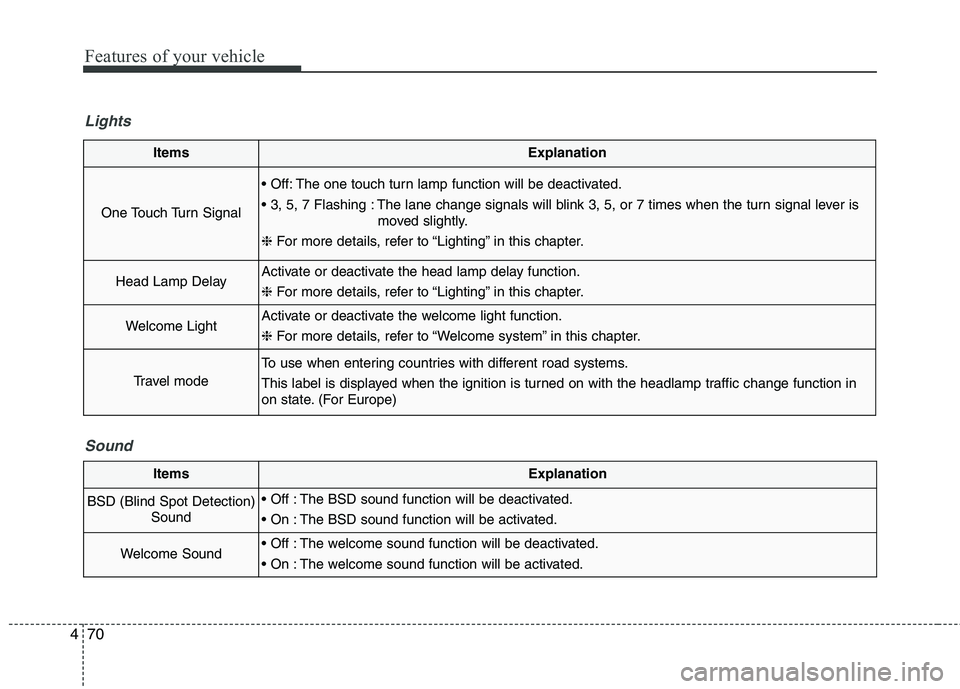
ItemsExplanation
One Touch Turn Signal
The one touch turn lamp function will be deactivated.
The lane change signals will blink 3, 5, or 7 times when the turn signal lever is
moved slightly.
❈ For more details, refer to “Lighting” in this chapter.
Head Lamp DelayActivate or deactivate the head lamp delay function. ❈ For more details, refer to “Lighting” in this chapter.
Welcome LightActivate or deactivate the welcome light function. ❈ For more details, refer to “Welcome system” in this chapter.
Travel mode
To use when entering countries with different road systems.
This label is displayed when the ignition is turned on with the headlamp traffic change function in
on state. (For Europe)
Lights
Sound
ItemsExplanation
BSD (Blind Spot Detection)Sound The BSD sound function will be deactivated.
The BSD sound function will be activated.
Welcome Sound The welcome sound function will be deactivated.
The welcome sound function will be activated.
Page 176 of 514

489
Features of your vehicle
Warning lights
✽✽NOTICE - Warning lights
Make sure that all warning lights
are OFF after starting the engine. If
any light is still ON, this indicates a
situation that needs attention.
Air bag Warning Light
This warning light illuminates:
Once you set the Engine Start/Stop Button to the ON position.
- It illuminates for approximately 6seconds and then goes off.
When there is a malfunction with the SRS.
In this case, we recommend that
you have the vehicle inspected by
an authorized Kia dealer.
Seat Belt Warning Light
This warning light informs the driver
that the seat belt is not fastened.
For more details, refer to the “Seat
Belts” in chapter 3.
WARNING AND INDICATOR LIGHTS
Page 178 of 514
491
Features of your vehicle
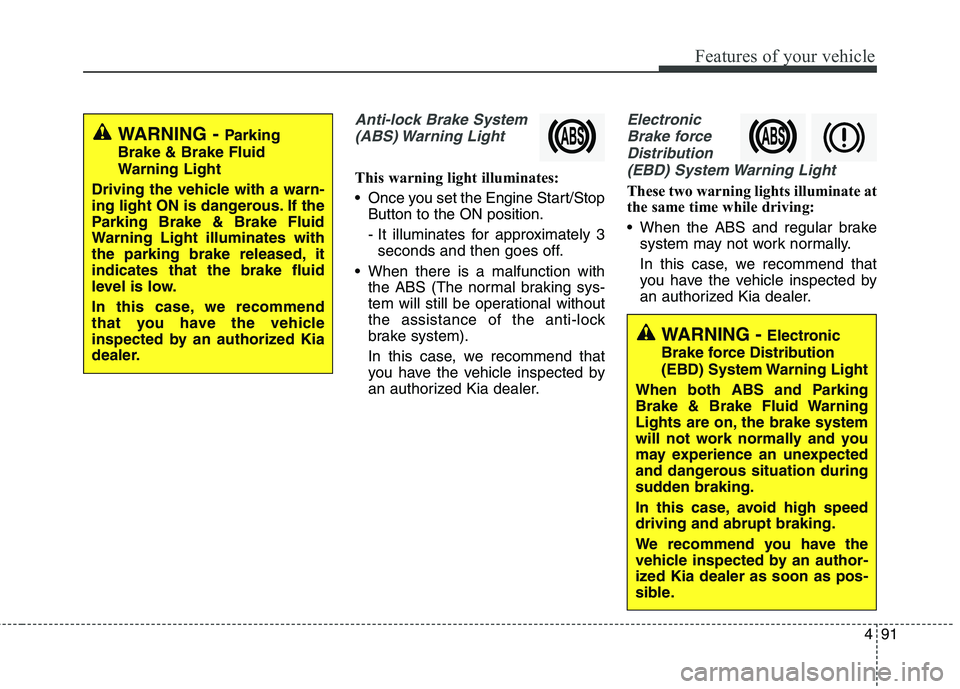
Anti-lock Brake System(ABS) Warning Light
This warning light illuminates:
Once you set the Engine Start/Stop Button to the ON position.
- It illuminates for approximately 3seconds and then goes off.
When there is a malfunction with the ABS (The normal braking sys-
tem will still be operational without
the assistance of the anti-lock
brake system).
In this case, we recommend that
you have the vehicle inspected by
an authorized Kia dealer.
Electronic
Brake force Distribution(EBD) System Warning Light
These two warning lights illuminate at
the same time while driving:
When the ABS and regular brake system may not work normally.
In this case, we recommend that
you have the vehicle inspected by
an authorized Kia dealer.
WARNING - Parking
Brake & Brake Fluid
Warning Light
Driving the vehicle with a warn-
ing light ON is dangerous. If the
Parking Brake & Brake Fluid
Warning Light illuminates with
the parking brake released, itindicates that the brake fluid
level is low.
In this case, we recommend
that you have the vehicle
inspected by an authorized Kia
dealer.
WARNING - Electronic
Brake force Distribution
(EBD) System Warning Light
When both ABS and Parking
Brake & Brake Fluid Warning
Lights are on, the brake system
will not work normally and you
may experience an unexpected
and dangerous situation during
sudden braking.
In this case, avoid high speed driving and abrupt braking.
We recommend you have the
vehicle inspected by an author-
ized Kia dealer as soon as pos-
sible.
Page 179 of 514
Features of your vehicle
92
4
✽✽
NOTICE- Electronic Brake
force Distribution (EBD)
System Warning Light
When the ABS Warning Light is on
or both ABS and Parking Brake &
Brake Fluid Warning Lights are on,
the speedometer, odometer, or trip-
meter may not work. Also, the EPS
Warning Light may illuminate and
the steering effort may increase or
decrease.
In this case, we recommend you
have the vehicle inspected by an
authorized Kia dealer as soon as
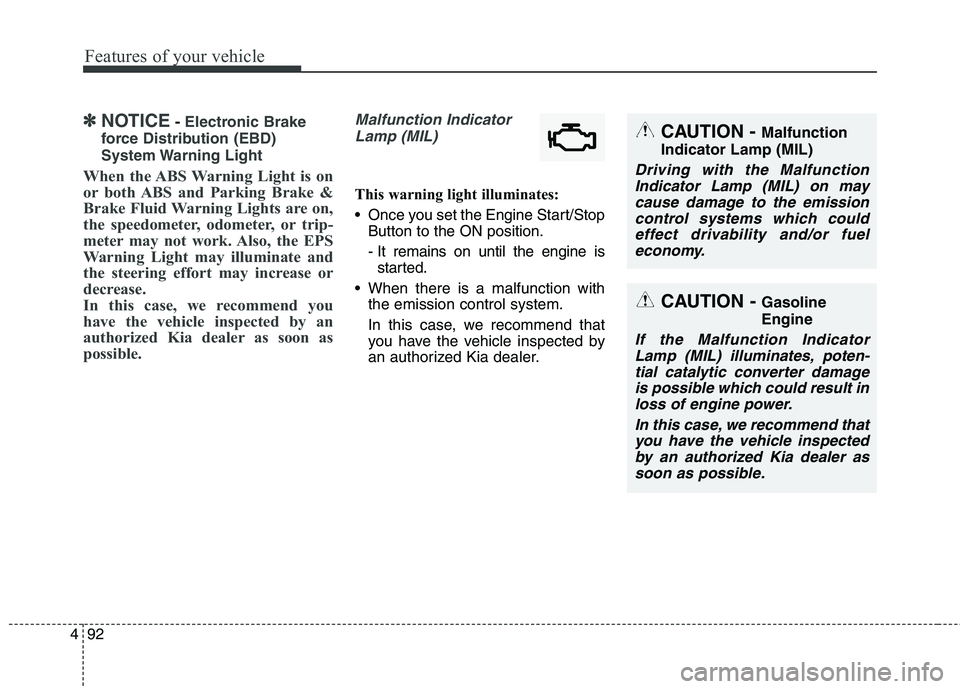
possible.Malfunction Indicator Lamp (MIL)
This warning light illuminates:
Once you set the Engine Start/Stop Button to the ON position.
- It remains on until the engine isstarted.
When there is a malfunction with the emission control system.
In this case, we recommend that
you have the vehicle inspected by
an authorized Kia dealer.
CAUTION - Malfunction
Indicator Lamp (MIL)
Driving with the Malfunction Indicator Lamp (MIL) on maycause damage to the emissioncontrol systems which could effect drivability and/or fueleconomy.
CAUTION - Gasoline Engine
If the Malfunction Indicator
Lamp (MIL) illuminates, poten-tial catalytic converter damageis possible which could result in loss of engine power.
In this case, we recommend thatyou have the vehicle inspectedby an authorized Kia dealer assoon as possible.
Page 185 of 514

Features of your vehicle
98
4
Indicator Lights
Electronic Stability
Control (ESC) Indicator Light
This indicator light illuminates:
Once you set the Engine Start/Stop Button to the ON position.
- It illuminates for approximately 3seconds and then goes off.
When there is a malfunction with the ESC system.
In this case, we recommend that
you have the vehicle inspected by
an authorized Kia dealer.
This indicator light blinks:
While the ESC is operating.
For more details, refer to “Electronic
Stability Control (ESC)” in chapter 5.
Electronic Stability Control (ESC) OFF Indicator Light
This indicator light illuminates:
Once you set the Engine Start/Stop Button to the ON position.
- It illuminates for approximately 3seconds and then goes off.
When you deactivate the ESC sys- tem by pressing the ESC OFF but- ton.
For more details, refer to “Electronic
Stability Control (ESC)” in chapter 5.
AUTO HOLD Indicator Light (if equipped)
This indicator light illuminates:
[White] When you activate the auto hold system by pressing the AUTO
HOLD button.
[Green] When you stop the vehicle completely by depressing the
brake pedal with the auto hold sys-
tem activated.
[Yellow] When there is a malfunc- tion with the auto hold system.
In this case, we recommend that you
have the vehicle inspected by an
authorized Kia dealer.
For more details, refer to “Auto Hold” in chapter 5.
AUTO
HOLD
Page 188 of 514
4101
Features of your vehicle
This indicator light illuminates for 2
seconds and goes off:
When the vehicle can not detectthe smart key which is in the vehi-
cle while the Engine Start/StopButton is ON.
In this case, we recommend that
you have the vehicle inspected by
an authorized Kia dealer.
This indicator light blinks:
When the battery of the smart key is weak.
- At this time, you can not start theengine. However, you can start
the engine if you press the Engine
Start/Stop Button with the smart
key. (For more details, refer to
“Starting the Engine” in section 5).
When there is a malfunction with the immobilizer system.
In this case, we recommend that you
have the vehicle inspected by an
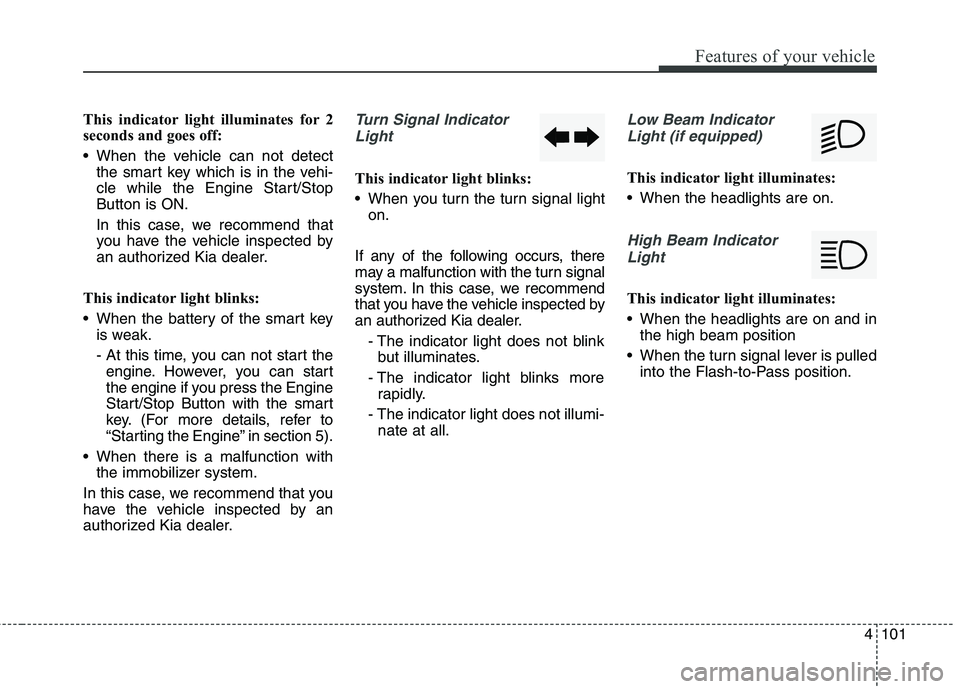
authorized Kia dealer.Turn Signal Indicator Light
This indicator light blinks:
When you turn the turn signal light on.
If any of the following occurs, there
may a malfunction with the turn signal
system. In this case, we recommend
that you have the vehicle inspected by
an authorized Kia dealer. - The indicator light does not blinkbut illuminates.
- The indicator light blinks more rapidly.
- The indicator light does not illumi- nate at all.
Low Beam Indicator
Light (if equipped)
This indicator light illuminates:
When the headlights are on.
High Beam IndicatorLight
This indicator light illuminates:
When the headlights are on and in the high beam position
When the turn signal lever is pulled into the Flash-to-Pass position.