lights KIA QUORIS 2017 Owner's Guide
[x] Cancel search | Manufacturer: KIA, Model Year: 2017, Model line: QUORIS, Model: KIA QUORIS 2017Pages: 514, PDF Size: 35.2 MB
Page 264 of 514

53
Driving your vehicle
Before entering vehicle
• Be sure that all windows, outsidemirror(s), and outside lights are clean.
Check the condition of the tires.
Check under the vehicle for any sign of leaks.
Be sure there are no obstacles behind you if you intend to back up. Necessary inspections
Fluid levels, such as engine oil,
engine coolant, brake fluid, and
washer fluid should be checked on a
regular basis, with the exact interval
depending on the fluid. Further
details are provided in section 7,“Maintenance”.
Before starting
Close and lock all doors.
Position the seat so that all con-
trols are easily reached.
Adjust the inside and outside rearview mirrors.
Be sure that all lights work.
Check all gauges.
Check the operation of warning lights when the Engine Start/Stop
button is in the ON position.
Release the parking brake and make sure the brake warning lightgoes out.
For safe operation, be sure you are
familiar with your vehicle and itsequipment.
BEFORE DRIVING
WARNING
Driving while distracted can
result in a loss of vehicle control,
that may lead to an accident,
severe personal injury, and
death. The driver’s primary
responsibility is in the safe and
legal operation of a vehicle, and
use of any handheld devices,
other equipment, or vehicle sys-
tems which take the driver’s
eyes, attention and focus away
from the safe operation of a vehi-
cle or which are not permissible
by law should never be used dur-
ing operation of the vehicle.
Page 267 of 514
Driving your vehicle
6
5
✽✽
NOTICE
If the steering wheel doesn't unlock
properly, the engine start/stop but-
ton will not work. Press the engine
start/stop button while turning the
steering wheel right and left to
release the tension.
✽
✽
NOTICE
You are able to turn off the engine
(START/RUN) or vehicle power (ON),
only when the vehicle is not in motion.
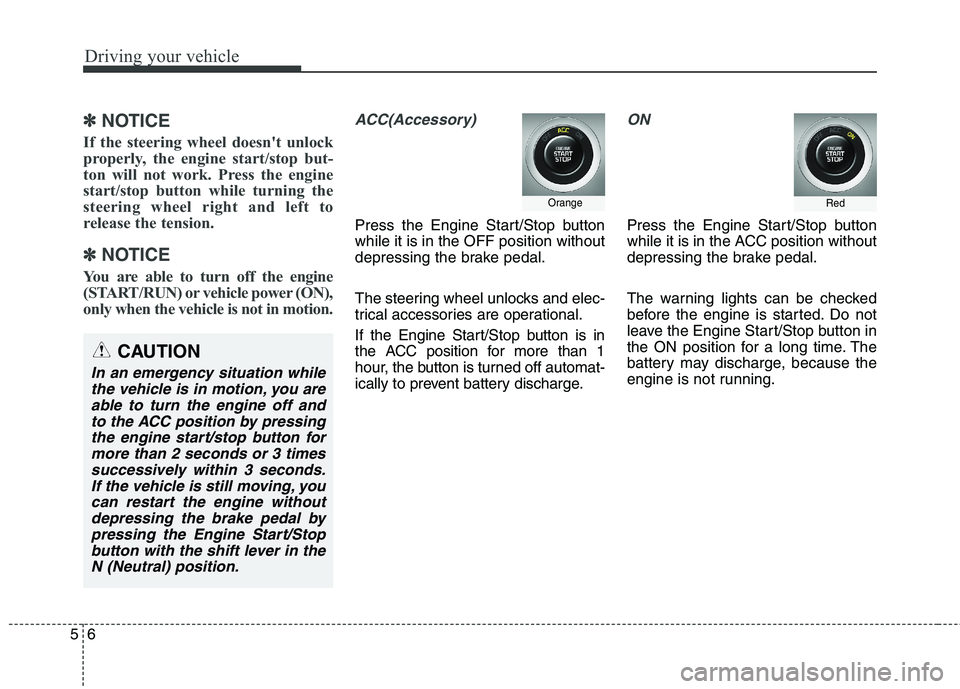
ACC(Accessory)
Press the Engine Start/Stop button while it is in the OFF position without
depressing the brake pedal.
The steering wheel unlocks and elec-
trical accessories are operational.
If the Engine Start/Stop button is in
the ACC position for more than 1
hour, the button is turned off automat-
ically to prevent battery discharge.
ON
Press the Engine Start/Stop button
while it is in the ACC position without
depressing the brake pedal.
The warning lights can be checked
before the engine is started. Do not
leave the Engine Start/Stop button in
the ON position for a long time. The
battery may discharge, because the
engine is not running.
Orange
CAUTION
In an emergency situation while the vehicle is in motion, you areable to turn the engine off and to the ACC position by pressingthe engine start/stop button formore than 2 seconds or 3 times successively within 3 seconds.If the vehicle is still moving, youcan restart the engine withoutdepressing the brake pedal by pressing the Engine Start/Stopbutton with the shift lever in theN (Neutral) position.
Red
Page 301 of 514

Driving your vehicle
40
5
(Continued)
Before driving off again, press foot
brake pedal, check the surround-
ing area near your vehicle and
release parking brake manually
with the EPB switch.
If the AUTO HOLD indicator lights up yellow, the Auto Hold is
not working properly. Take your
vehicle to an authorized Kia deal-
er and have the system checked.Warning message
Parking brake automatically locked
When the EPB is applied from Auto Hold, the notice will illuminate on the
LCD display. Also warning chime
sounds once.
WARNING
Press the accelerator pedal slowly when you start the
vehicle.
For your safety, cancel the Auto Hold when you drive
downhill or back up the vehi-
cle or park the vehicle.
CAUTION
If there is a malfunction with the
driver’s door, hood or trunkopen detection system, the Auto Hold may not work properly.
We recommend that you contactan authorized Kia dealer.
OKH054040L
■ Type A■Type B
Page 304 of 514

543
Driving your vehicle
✽✽NOTICE
When you jump start your vehicle
because of a drained battery, the
engine may not run as smoothly and
the ABS warning light may turn on at
the same time. This happens because
of the low battery voltage. It does not
mean your ABS is malfunctioning.
Do not pump your brakes!
Have the battery recharged before driving the vehicle.
W-78
CAUTION
If the ABS warning light is on
and stays on, you may have aproblem with the ABS. In thiscase, however, your regularbrakes will work normally.
The ABS warning light will stay on for approximately 3 secondsafter the Engine Start/Stop but-ton is ON. During that time, theABS will go through self-diag- nosis and the light will go off ifeverything is normal. If the lightstays on, you may have a prob- lem with your ABS. We recom-mend that you contact anauthorized Kia dealer.
CAUTION
When you drive on a road hav- ing poor traction, such as anicy road, and operate yourbrakes continuously, the ABSwill be active continuously and the ABS warning light may illu-minate. Pull your car over to asafe place and stop the engine.
Restart the engine. If the ABS warning light is off, then yourABS system is normal.Otherwise, you may have aproblem with the ABS. We rec-ommend that you contact an authorized Kia dealer.
Page 306 of 514

545
Driving your vehicle
✽✽NOTICE
A click sound may be heard in the
engine compartment when the vehi-
cle begins to move after the engine is
started. These conditions are normal
and indicate that the Electronic
Stability Control System is function-
ing properly. ESC operation
ESC ON condition button is in the ON position, ESC and ESC OFF indicator
lights illuminate for approxi-
mately 3 seconds, then ESC
is turned on.
ton for at least half a sec-ond after placing the
Engine Start/Stop button
to the ON position to turn
ESC off. (ESC OFF indica-
tor will illuminate). To turnthe ESC on, press the
ESC OFF button (ESCOFF indicator light will gooff).
you may hear a slight tick-
ing sound. This is the ESC
performing an automatic
system self-check and does
not indicate a problem. When operating
When the ESC is in opera- tion, the ESC indicator light
blinks.
Stability Control is operat-
ing properly, you can feel a
slight pulsation in the vehi-
cle. This is only the effect
of brake control and indi-
cates nothing unusual.
mud or slippery road,
pressing the accelerator
pedal may not cause the
engine rpm (revolutions
per minute) to increase.
-
Page 359 of 514

Driving your vehicle
98
5
ECONOMICAL OPERATION
Your vehicle's fuel economy depends
mainly on your style of driving, where
you drive and when you drive.
Each of these factors affects how
many kilometers (miles) you can get
from a liter (gallon) of fuel. To operate
your vehicle as economically as pos-
sible, use the following driving sug-
gestions to help save money in bothfuel and repairs:
Drive smoothly. Accelerate at a moderate rate. Do not make "jack-
rabbit" starts or full-throttle shifts and
maintain a steady cruising speed.
Do not race between stoplights. Try
to adjust your speed to the traffic so
you do not have to change speeds
unnecessarily. Avoid heavy traffic
whenever possible. Always maintain
a safe distance from other vehicles
so you can avoid unnecessary brak-
ing. This also reduces brake wear.
Drive at a moderate speed. The faster you drive, the more fuel your
vehicle uses. Driving at a moderate
speed, especially on the highway,
is one of the most effective ways toreduce fuel consumption. Do not "ride" the brake pedal. This
can increase fuel consumption and
also increase wear on these com-
ponents. In addition, driving with
your foot resting on the brake pedal
may cause the brakes to overheat,
which reduces their effectiveness
and may lead to more serious con-
sequences.
Take care of your tires. Keep them inflated to the recommended pres-
sure. Incorrect inflation, either too
much or too little, results in unnec-
essary tire wear. Check the tirepressures at least once a month.
Be sure that the wheels are aligned correctly. Improper align-ment can result from hitting curbs
or driving too fast over irregular
surfaces. Poor alignment causes
faster tire wear and may also result
in other problems as well as
greater fuel consumption. Keep your vehicle in good condi-
tion. For better fuel economy and
reduced maintenance costs, main-
tain your vehicle in accordancewith the maintenance schedule in
section 7. If you drive your vehicle
in severe conditions, more frequentmaintenance is required (see sec-
tion 7 for details).
Keep your vehicle clean. For maxi- mum service, your vehicle should
be kept clean and free of corrosive
materials. It is especially important
that mud, dirt, ice, etc. not be
allowed to accumulate on the
underside of the vehicle. This extra
weight can result in increased fuel
consumption and also contribute tocorrosion.
Travel lightly. Do not carry unnec- essary weight in your vehicle.
Weight reduces fuel economy.
Do not let the engine idle longer than necessary. If you are waiting
(and not in traffic), turn off your
engine and restart only when
you're ready to go.
Page 363 of 514
Driving your vehicle
102
5
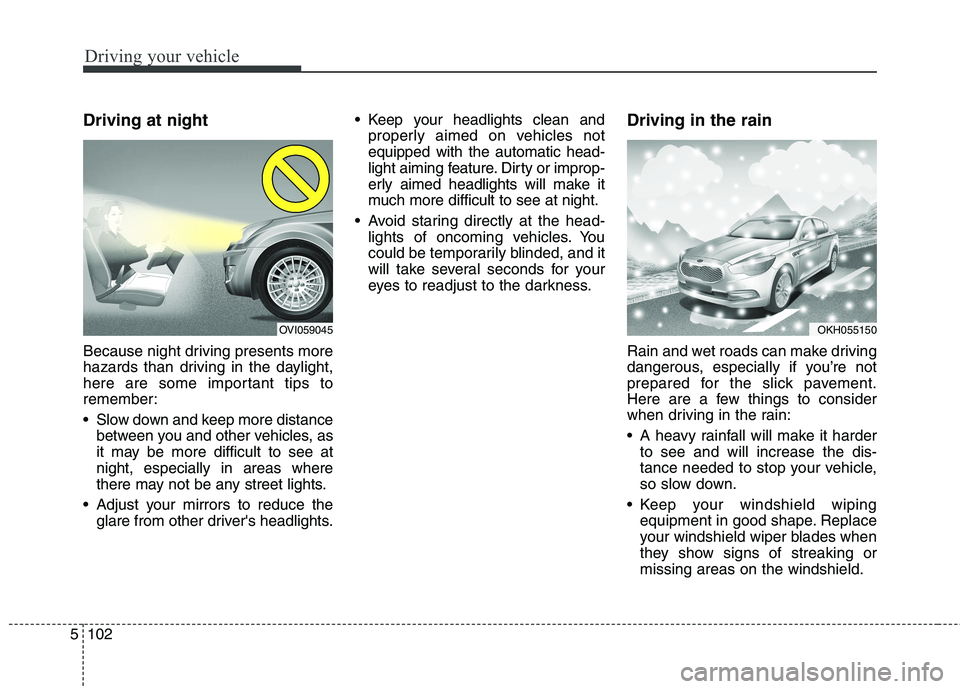
Driving at night
Because night driving presents more
hazards than driving in the daylight,
here are some important tips to
remember:
Slow down and keep more distance
between you and other vehicles, as
it may be more difficult to see atnight, especially in areas where
there may not be any street lights.
Adjust your mirrors to reduce the glare from other driver's headlights. Keep your headlights clean and
properly aimed on vehicles notequipped with the automatic head-
light aiming feature. Dirty or improp-
erly aimed headlights will make it
much more difficult to see at night.
Avoid staring directly at the head- lights of oncoming vehicles. You
could be temporarily blinded, and it
will take several seconds for your
eyes to readjust to the darkness. Driving in the rain
Rain and wet roads can make driving
dangerous, especially if you’re not
prepared for the slick pavement.
Here are a few things to consider
when driving in the rain:
A heavy rainfall will make it harder
to see and will increase the dis-
tance needed to stop your vehicle,
so slow down.
Keep your windshield wiping equipment in good shape. Replace
your windshield wiper blades when
they show signs of streaking ormissing areas on the windshield.
OKH055150OVI059045
Page 364 of 514
5103
Driving your vehicle
If your tires are not in good condi-tion, making a quick stop on wet
pavement can cause a skid and
possibly lead to an accident. Be
sure your tires are in good shape.
Turn on your headlights to make it easier for others to see you.
Driving too fast through large pud- dles can affect your brakes. If you
must go through puddles, try to
drive through them slowly.
If you believe you may have gotten your brakes wet, apply them lightly
while driving until normal braking
operation returns. Driving in flooded areas
Avoid driving through flooded areas
unless you are sure the water is nohigher than the bottom of the wheel
hub. Drive through any water slowly.
Allow adequate stopping distance
because brake performance may be
affected.
After driving through water, dry the
brakes by gently applying them sev-
eral times while the vehicle is moving
slowly.
Driving off-road
Drive carefully off-road because your
vehicle may be damaged by rocks of
roots of trees. Become familiar with
the off-road conditions where you
are going to drive before you begin
driving. Highway driving
Tires
Adjust the tire inflation pressures to
specification. Low tire inflation pres-
sures will result in overheating and
possible failure of the tires.
Avoid using worn or damaged tires
which may result in reduced traction
or tire failure.
✽✽
NOTICE
Never exceed the maximum tire
inflation pressure shown on the tires.
OKH055097K
Page 372 of 514
What to do in an emergency
2
6
ROAD WARNING
Hazard warning flasher
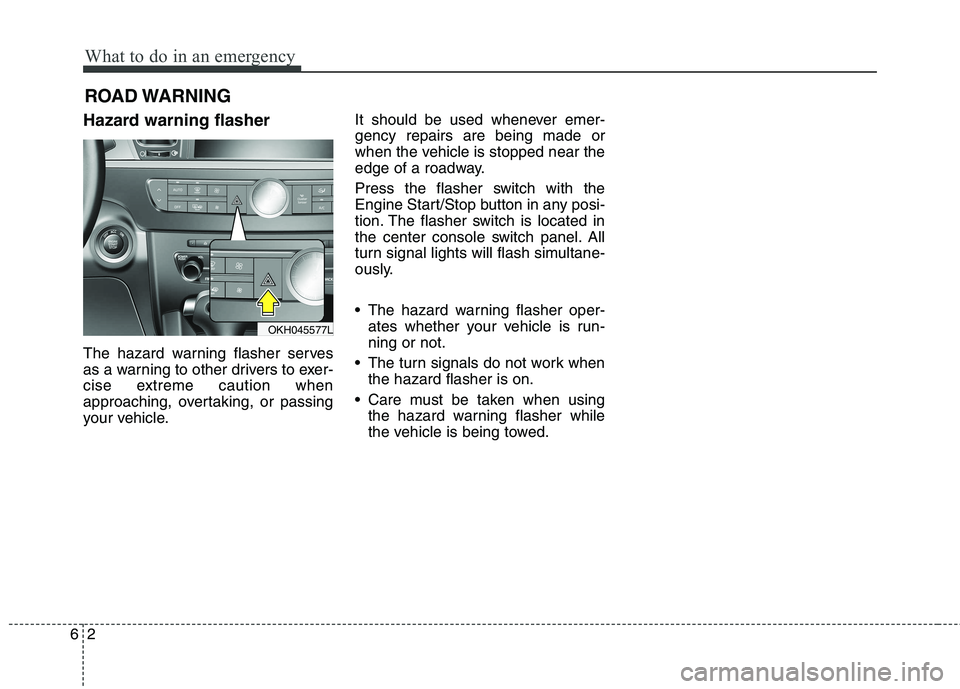
The hazard warning flasher serves
as a warning to other drivers to exer-
cise extreme caution when
approaching, overtaking, or passing
your vehicle. It should be used whenever emer-gency repairs are being made or
when the vehicle is stopped near the
edge of a roadway.
Press the flasher switch with the
Engine Start/Stop button in any posi-
tion. The flasher switch is located in
the center console switch panel. All
turn signal lights will flash simultane-
ously.
• The hazard warning flasher oper-
ates whether your vehicle is run- ning or not.
The turn signals do not work when the hazard flasher is on.
Care must be taken when using the hazard warning flasher while
the vehicle is being towed.
OKH045577L
Page 408 of 514

Maintenance
8
7
At least monthly:
Check coolant level in the engine
coolant reservoir.
Check the operation of all exterior lights, including the stoplights, turn
signals and hazard warning flash-
ers.
Check the inflation pressures of all tires including the spare.
At least twice a year
(i.e., every Spring and Fall):
Check radiator, heater and air con- ditioning hoses for leaks or dam-
age.
Check windshield washer spray and wiper operation. Clean wiper
blades with clean cloth dampened
with washer fluid.
Check headlight alignment.
Check muffler, exhaust pipes, shields and clamps.
Check the lap/shoulder belts for wear and function.
Check for worn tires and loose wheel lug nuts.
At least once a year:
Clean body and door drain holes.
Lubricate door hinges and checks,and hood hinges.
Lubricate door and hood locks and latches.
Lubricate door rubber weather- strips.
Check the air conditioning system.
Check the power steering fluid level.
Inspect and lubricate automatic transaxle linkage and controls.
Clean battery and terminals.
Check the brake fluid level.