key KIA Rio 2011 2.G Owner's Guide
[x] Cancel search | Manufacturer: KIA, Model Year: 2011, Model line: Rio, Model: KIA Rio 2011 2.GPages: 240, PDF Size: 4.68 MB
Page 89 of 240
Knowing your vehicle
80
3
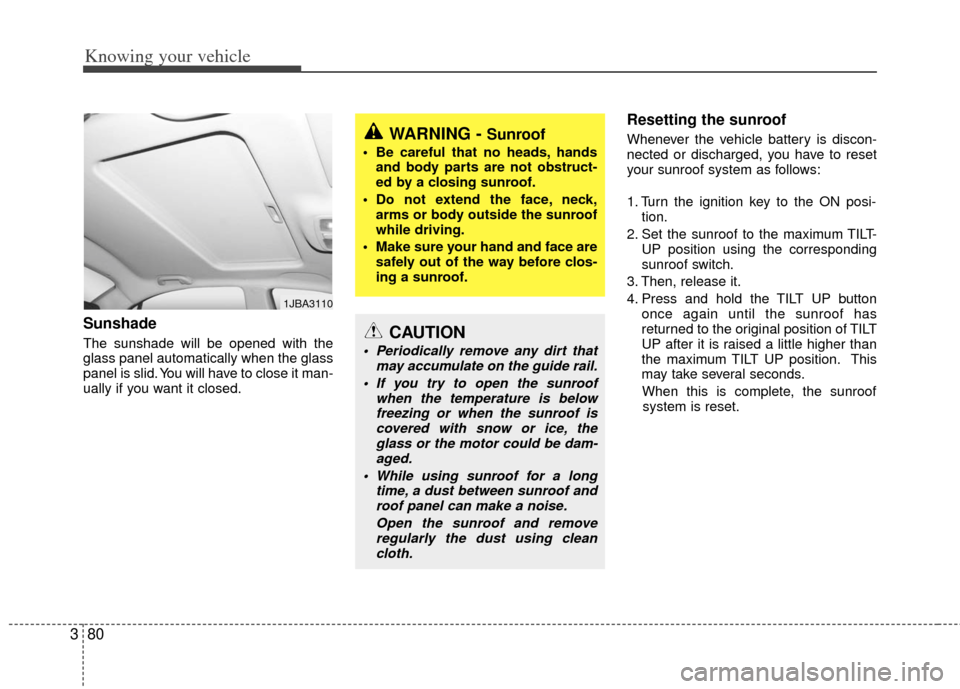
Sunshade
The sunshade will be opened with the
glass panel automatically when the glass
panel is slid. You will have to close it man-
ually if you want it closed.
Resetting the sunroof
Whenever the vehicle battery is discon-
nected or discharged, you have to reset
your sunroof system as follows:
1. Turn the ignition key to the ON posi-
tion.
2. Set the sunroof to the maximum TILT- UP position using the corresponding
sunroof switch.
3. Then, release it.
4. Press and hold the TILT UP button once again until the sunroof has
returned to the original position of TILT
UP after it is raised a little higher than
the maximum TILT UP position. This
may take several seconds.
When this is complete, the sunroof system is reset.
1JBA3110
WARNING - Sunroof
• Be careful that no heads, hands and body parts are not obstruct-
ed by a closing sunroof.
Do not extend the face, neck, arms or body outside the sunroof
while driving.
Make sure your hand and face are safely out of the way before clos-
ing a sunroof.
CAUTION
Periodically remove any dirt that may accumulate on the guide rail.
If you try to open the sunroof when the temperature is belowfreezing or when the sunroof iscovered with snow or ice, the glass or the motor could be dam-aged.
While using sunroof for a long time, a dust between sunroof androof panel can make a noise.
Open the sunroof and removeregularly the dust using cleancloth.
Page 104 of 240
395
Knowing your vehicle
(Continued) If you use devices such as a USB hub you purchased separately,the vehicle’s audio system maynot recognize the USB device.Connect the USB device directlyto the multimedia terminal of the vehicle.
If USB device is divided by logical drives, only the music files on thehighest-priority drive are recog-nized by the car audio.
Devices, such as MP3 players, cellular phones, or digital cam-eras not recognized by standardUSB I/F may not be recognized.
USB devices other than standard- ized goods (METAL COVER TYPEUSB) can be unrecognizable.
USB flash memory reader (such as CF, SD, microSD, etc.) or exter-nal-HDD type devices may beunrecognized.
Music files protected by DRM (DIGITAL RIGHTS MANAGEMENT)are not recognizable.
(Continued)(Continued) The data in the USB memory may be lost while using this AUDIO. Itis recommeded to back up impor-tant data on a personal storage device.
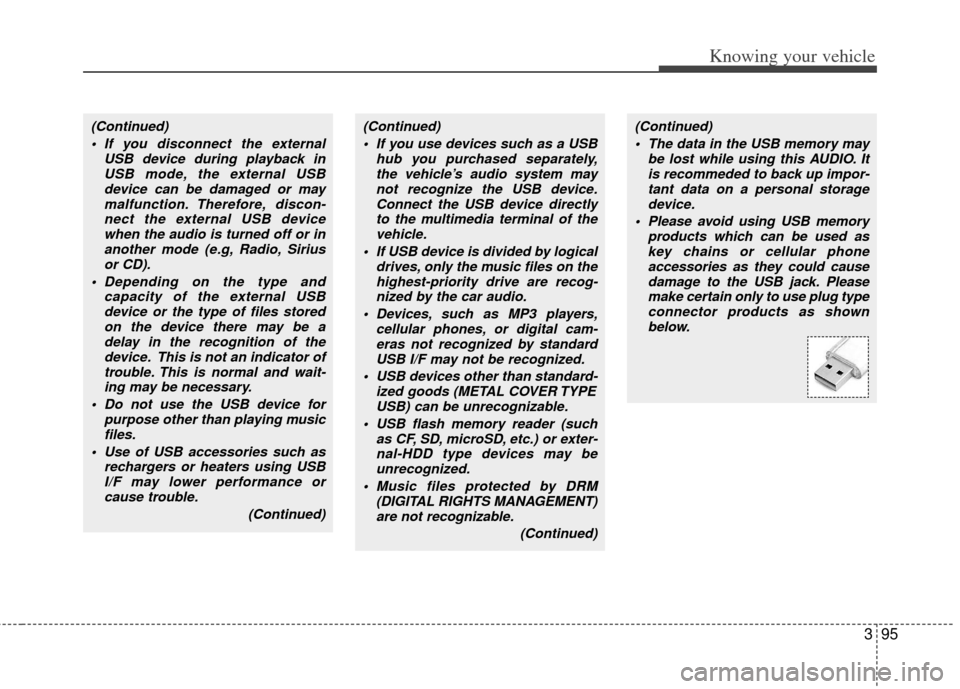
Please avoid using USB memory products which can be used askey chains or cellular phone accessories as they could causedamage to the USB jack. Pleasemake certain only to use plug typeconnector products as shown below.(Continued)
If you disconnect the external USB device during playback inUSB mode, the external USBdevice can be damaged or maymalfunction. Therefore, discon-nect the external USB devicewhen the audio is turned off or inanother mode (e.g, Radio, Siriusor CD).
Depending on the type and capacity of the external USBdevice or the type of files storedon the device there may be adelay in the recognition of thedevice. This is not an indicator oftrouble. This is normal and wait-ing may be necessary.
Do not use the USB device for purpose other than playing musicfiles.
Use of USB accessories such as rechargers or heaters using USBI/F may lower performance orcause trouble.
(Continued)
Page 114 of 240
Driving your vehicle
24
Ignition switch and anti-theft
steering column lock
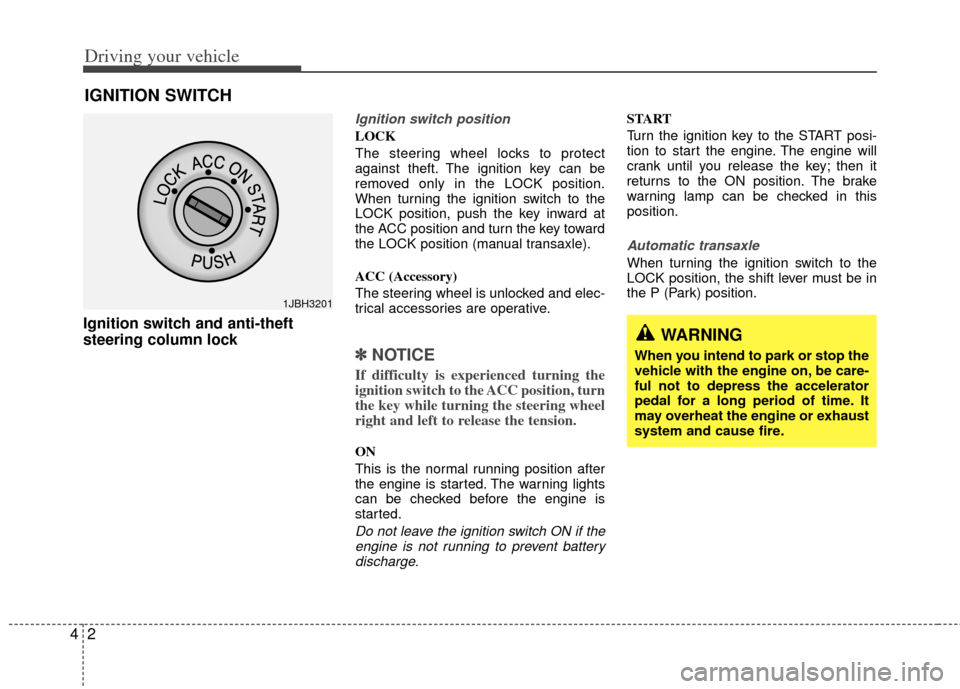
Ignition switch position
LOCK
The steering wheel locks to protect
against theft. The ignition key can be
removed only in the LOCK position.
When turning the ignition switch to the
LOCK position, push the key inward at
the ACC position and turn the key toward
the LOCK position (manual transaxle).
ACC (Accessory)
The steering wheel is unlocked and elec-
trical accessories are operative.
✽ ✽
NOTICE
If difficulty is experienced turning the
ignition switch to the ACC position, turn
the key while turning the steering wheel
right and left to release the tension.
ON
This is the normal running position after
the engine is started. The warning lights
can be checked before the engine is
started.
Do not leave the ignition switch ON if the
engine is not running to prevent batterydischarge.
START
Turn the ignition key to the START posi-
tion to start the engine. The engine will
crank until you release the key; then it
returns to the ON position. The brake
warning lamp can be checked in this
position.
Automatic transaxle
When turning the ignition switch to the
LOCK position, the shift lever must be in
the P (Park) position.
IGNITION SWITCH
WARNING
When you intend to park or stop the
vehicle with the engine on, be care-
ful not to depress the accelerator
pedal for a long period of time. It
may overheat the engine or exhaust
system and cause fire.
1JBH3201
Page 115 of 240
43
Driving your vehicle
1. Make sure the parking brake isapplied.
2. Manual Transaxle - Depress the
clutch pedal fully and shift the
transaxle into Neutral. Keep the clutch
pedal depressed while turning the
ignition switch to the start position.
The starter will not operate if the
clutch pedal is not fully depressed.
Automatic Transaxle - Place the
transaxle shift lever in P (Park).
Depress the brake pedal fully.
You can also start the engine when the shift lever is in the N (Neutral)position.
3. Turn the ignition switch to START and hold it there until the engine starts (a
maximum of 10 seconds), then
release the key.
4. In extremely cold weather (below -18°C / 0°F) or after the vehicle has
not been operated for several days, let
the engine warm up without depress-
ing the accelerator.
Whether the engine is cold or warm, it
should be started without depressing the accelerator.
✽ ✽ NOTICE
Do not engage the starter for more than
10 seconds. If the engine stalls or fails to
start, wait 5 to 10 seconds before re-
engaging the starter. Excessive or
improper use of the starter may damage
it.
The starter will not operate if:
Manual Transaxle - the clutch pedal is
not fully depressed.
Automatic Transaxle - the shift lever
is NOT in the P (Park) or N (Neutral)
position.
WARNING - Ignition key
• Never turn the ignition switch to LOCK or ACC while the vehicle is
moving. This would result in loss
of directional control and braking
function, which could cause an
accident or collision.
Before leaving the driver’s seat, always make sure the shift lever
is engaged in 1
stgear for manual
transaxle or P (Park) for automat-
ic transaxle. Then, set the parking
brake fully and shut the engine
off. Unexpected and sudden vehi-
cle movement may occur if these
precautions are not taken.
Never reach for the ignition switch, or any other controls
through the steering wheel while
the vehicle is in motion. The pres-
ence of your hand or arm in this
area could cause a loss of vehicle
control, an accident and serious
bodily injury or death.
Do not place any movable objects around the driver’s seat as they
may move while driving, interfere
with the driver and lead to an
accident.
CAUTION - Stall
If the engine stalls while you are inmotion, do not attempt to move theshift lever to the P (Park) position. If traffic and road conditions permit,you may put the shift lever in the N (Neutral) position while the vehicleis still moving and turn the ignition switch to the START position in anattempt to restart the engine.
STARTING THE ENGINE
CAUTION
Always wear appropriate shoes whenoperating your vehicle. Unsuitable shoes (high heels, ski boots,etc.) mayinterfere with your ability to use the brake and accelerator pedal, and theclutch (if equipped).
Page 119 of 240
47
Driving your vehicle
(Continued)
• Do not shift from N (Neutral) or P(Park) into D (Drive), or R (Reverse)
when the engine is above idle speed.
Transaxle ranges
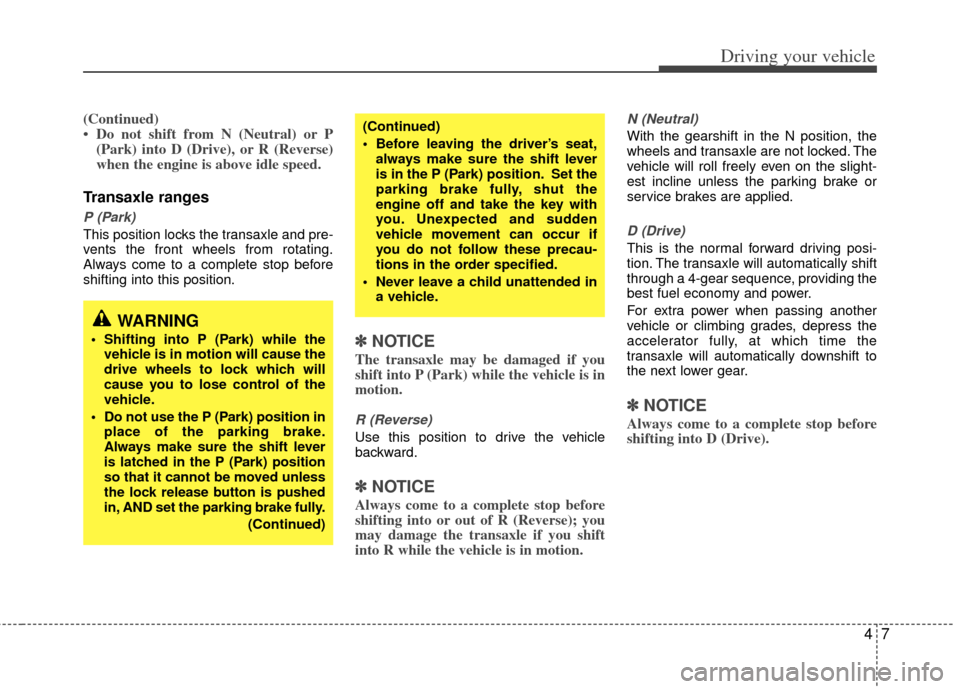
P (Park)
This position locks the transaxle and pre-
vents the front wheels from rotating.
Always come to a complete stop before
shifting into this position.
✽ ✽ NOTICE
The transaxle may be damaged if you
shift into P (Park) while the vehicle is in
motion.
R (Reverse)
Use this position to drive the vehicle
backward.
✽ ✽NOTICE
Always come to a complete stop before
shifting into or out of R (Reverse); you
may damage the transaxle if you shift
into R while the vehicle is in motion.
N (Neutral)
With the gearshift in the N position, the
wheels and transaxle are not locked. The
vehicle will roll freely even on the slight-
est incline unless the parking brake or
service brakes are applied.
D (Drive)
This is the normal forward driving posi-
tion. The transaxle will automatically shift
through a 4-gear sequence, providing the
best fuel economy and power.
For extra power when passing another
vehicle or climbing grades, depress the
accelerator fully, at which time the
transaxle will automatically downshift to
the next lower gear.
✽ ✽NOTICE
Always come to a complete stop before
shifting into D (Drive).
(Continued)
Before leaving the driver’s seat,
always make sure the shift lever
is in the P (Park) position. Set the
parking brake fully, shut the
engine off and take the key with
you. Unexpected and sudden
vehicle movement can occur if
you do not follow these precau-
tions in the order specified.
Never leave a child unattended in a vehicle.
WARNING
Shifting into P (Park) while thevehicle is in motion will cause the
drive wheels to lock which will
cause you to lose control of the
vehicle.
Do not use the P (Park) position in place of the parking brake.
Always make sure the shift lever
is latched in the P (Park) position
so that it cannot be moved unless
the lock release button is pushed
in, AND set the parking brake fully.
(Continued)
Page 121 of 240
49
Driving your vehicle
Shift lock system
For your safety, the Automatic Transaxle
has a shift lock system which prevents
shifting the transaxle out of P (Park)
unless the brake pedal is depressed.
To shift the transaxle out of P (Park):
1. Depress and hold the brake pedal.
2. Start the engine or turn the ignition tothe ON position.
3. Depress the lock release button and move the shift lever.
If the brake pedal is repeatedly
depressed and released with the shift
lever in the P (Park) position, a chattering
sound near the shift lever may be heard.
This is a normal condition.
Ignition key interlock system
The ignition key cannot be removed
unless the shift lever is in the P (Park)
position. If the ignition switch is in any
other position, the key cannot be
removed.
BRAKE SYSTEM
Power brakes
Your vehicle has power-assisted brakes
that adjust automatically through normal
usage.
In the event that the power-assisted
brakes lose power because of a stalled
engine or some other reason, you can
still stop your vehicle by applying greater
force to the brake pedal than you nor-
mally would. The stopping distance, how-
ever, will be longer.
When the engine is not running, the
reserve brake power is partially depleted
each time the brake pedal is applied. Do
not pump the brake pedal when the
power assist has been interrupted.
Pump the brake pedal only when neces-
sary to maintain steering control on slip-
pery surfaces.
In the event of brake failure
If service brakes fail to operate while the
vehicle is in motion, you can make an
emergency stop with the parking brake.
The stopping distance, however, will be
much greater than normal.
WARNING- Parking brake
Pulling the parking brake while the
vehicle is moving at normal speeds
can cause a sudden loss of control
of the vehicle. If you must use the
parking brake to stop the vehicle,
use great caution in applying the
brake.
WARNING - Brakes
Do not drive with your foot rest- ing on the brake pedal. This will
create abnormal high brake tem-
peratures, excessive brake lining
and pad wear, and increased
stopping distances.
When descending a long or steep hill, shift to a lower gear and
avoid continuous application of
the brakes. Continuous brake
application will cause the brakes
to overheat and could result in a
temporary loss of braking per-
formance.
(Continued)
Page 137 of 240
425
Driving your vehicle
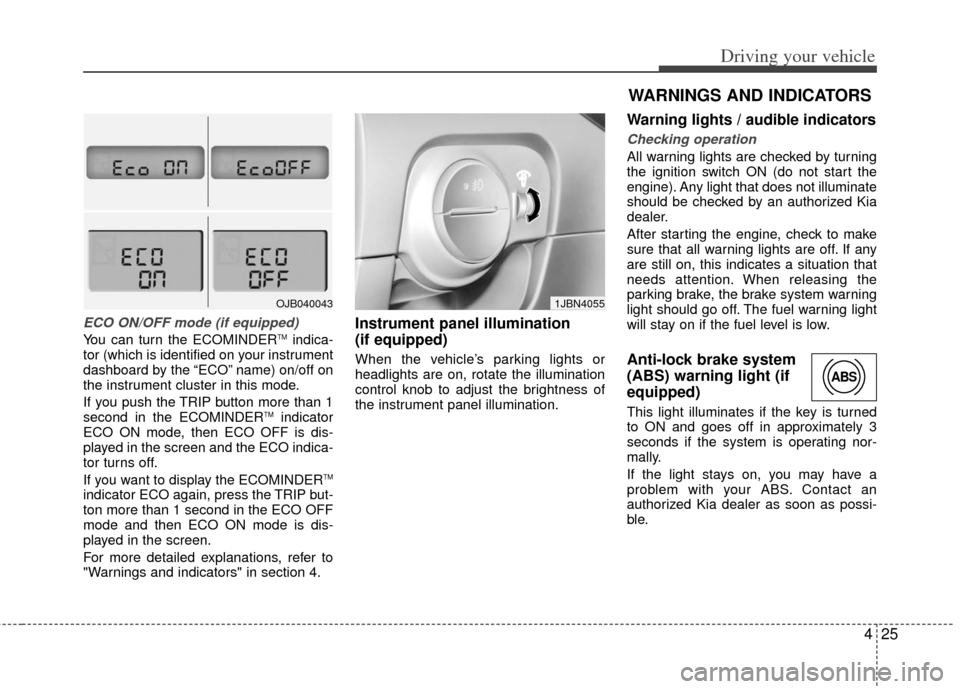
ECO ON/OFF mode (if equipped)
You can turn the ECOMINDERTMindica-
tor (which is identified on your instrument
dashboard by the “ECO” name) on/off on
the instrument cluster in this mode.
If you push the TRIP button more than 1
second in the ECOMINDER
TMindicator
ECO ON mode, then ECO OFF is dis-
played in the screen and the ECO indica-
tor turns off.
If you want to display the ECOMINDER
TM
indicator ECO again, press the TRIP but-
ton more than 1 second in the ECO OFF
mode and then ECO ON mode is dis-
played in the screen.
For more detailed explanations, refer to
"Warnings and indicators" in section 4.
Instrument panel illumination
(if equipped)
When the vehicle’s parking lights or
headlights are on, rotate the illumination
control knob to adjust the brightness of
the instrument panel illumination.
Warning lights / audible indicators
Checking operation
All warning lights are checked by turning
the ignition switch ON (do not start the
engine). Any light that does not illuminate
should be checked by an authorized Kia
dealer.
After starting the engine, check to make
sure that all warning lights are off. If any
are still on, this indicates a situation that
needs attention. When releasing the
parking brake, the brake system warning
light should go off. The fuel warning light
will stay on if the fuel level is low.
Anti-lock brake system
(ABS) warning light (if
equipped)
This light illuminates if the key is turned
to ON and goes off in approximately 3
seconds if the system is operating nor-
mally.
If the light stays on, you may have a
problem with your ABS. Contact an
authorized Kia dealer as soon as possi-
ble.
OJB0400431JBN4055
WARNINGS AND INDICATORS
ABS
Page 139 of 240
427
Driving your vehicle
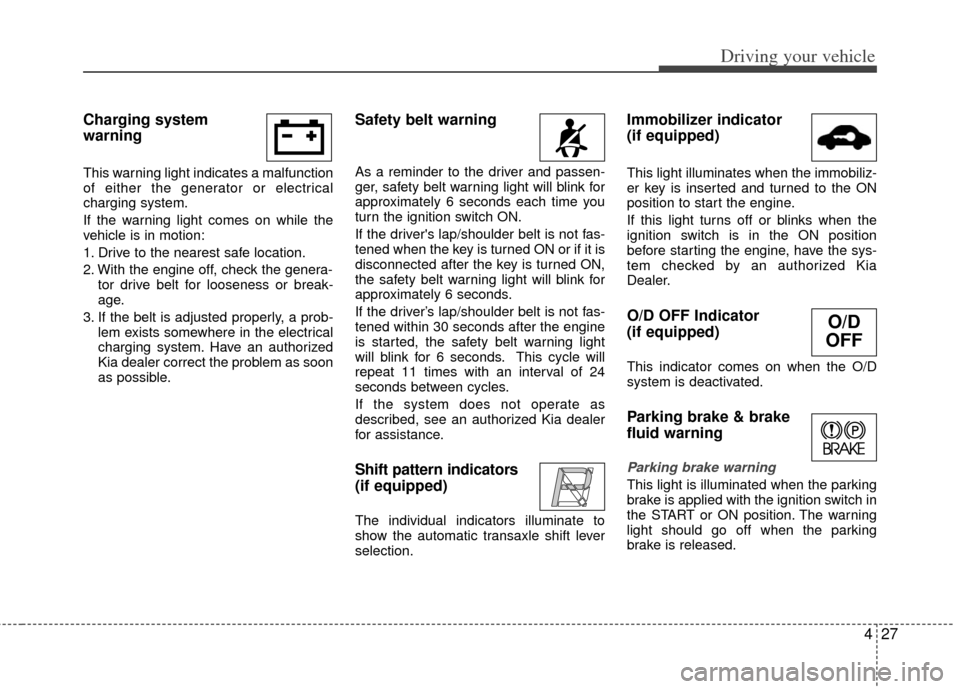
Charging system
warning
This warning light indicates a malfunction
of either the generator or electrical
charging system.
If the warning light comes on while the
vehicle is in motion:
1. Drive to the nearest safe location.
2. With the engine off, check the genera-tor drive belt for looseness or break-
age.
3. If the belt is adjusted properly, a prob- lem exists somewhere in the electrical
charging system. Have an authorized
Kia dealer correct the problem as soon
as possible.
Safety belt warning
As a reminder to the driver and passen-
ger, safety belt warning light will blink for
approximately 6 seconds each time you
turn the ignition switch ON.
If the driver's lap/shoulder belt is not fas-
tened when the key is turned ON or if it is
disconnected after the key is turned ON,
the safety belt warning light will blink for
approximately 6 seconds.
If the driver’s lap/shoulder belt is not fas-
tened within 30 seconds after the engine
is started, the safety belt warning light
will blink for 6 seconds. This cycle will
repeat 11 times with an interval of 24
seconds between cycles.
If the system does not operate as
described, see an authorized Kia dealer
for assistance.
Shift pattern indicators
(if equipped)
The individual indicators illuminate to
show the automatic transaxle shift lever
selection.
Immobilizer indicator
(if equipped)
This light illuminates when the immobiliz-
er key is inserted and turned to the ON
position to start the engine.
If this light turns off or blinks when the
ignition switch is in the ON position
before starting the engine, have the sys-
tem checked by an authorized Kia
Dealer.
O/D OFF Indicator
(if equipped)
This indicator comes on when the O/D
system is deactivated.
Parking brake & brake
fluid warning
Parking brake warning
This light is illuminated when the parking
brake is applied with the ignition switch in
the START or ON position. The warning
light should go off when the parking
brake is released.
O/D
OFF
Page 143 of 240
431
Driving your vehicle
Safety belt warning chime
(if equipped)
If the driver's seat belt is not fastened
when the ignition key is turned “ON” or if
it is disconnected after the key is turn
ON, the safety belt warning chime will
sound for approximately 6 seconds.
If the driver’s lap/shoulder belt is not fas-
tened within 30 seconds after the engine
is started, the safety belt warning chime
will sound for 6 seconds. This cycle will
repeat 11 times with an interval of 24
seconds between cycles.
Key reminder warning chime
(if equipped)
If the driver’s door is opened and the igni-
tion key is left in the ignition switch in the
LOCK or ACC position, the key reminder
warning chime will sound. This is to pre-
vent you from locking your keys in the
vehicle.
Battery saver function
(if equipped)
The purpose of this feature is to pre-vent the battery from being dis-
charged. The system automatically
turns off the headlights and parking
lights when the driver removes the igni-
tion key and opens the driver- side
door.
With this feature, the parklight will be turned off automatically if the driver
parks on the side of road at night.
If necessary, to keep the lights on when
the ignition key is removed, perform the
following :
1) Open the driver-side door.
2) Turn the parking lights OFF and ON again using the light switch on the
steering column.
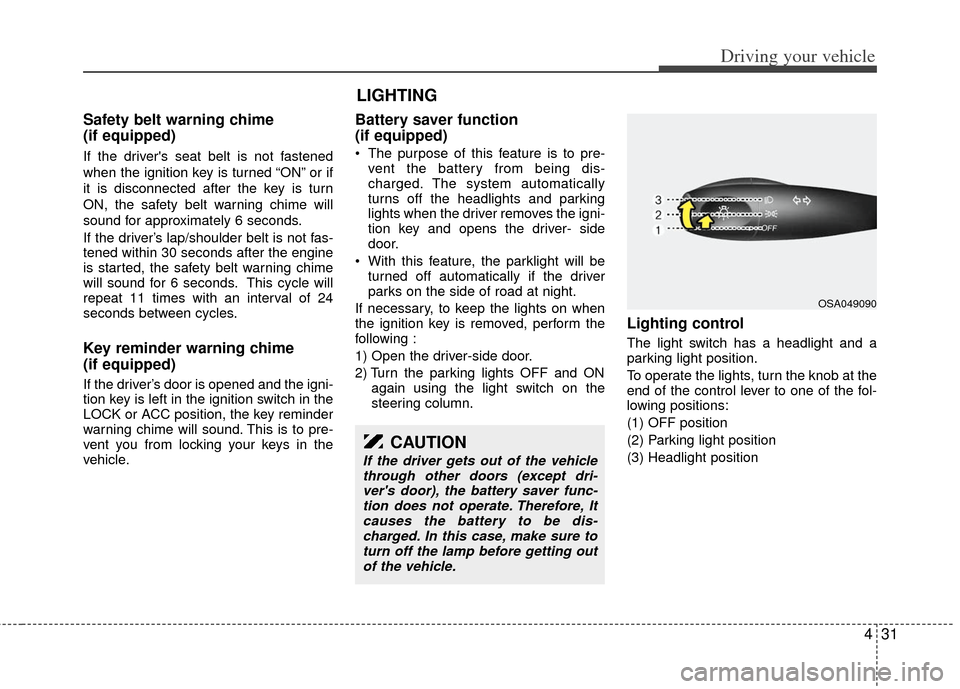
Lighting control
The light switch has a headlight and a
parking light position.
To operate the lights, turn the knob at the
end of the control lever to one of the fol-
lowing positions:
(1) OFF position
(2) Parking light position
(3) Headlight position
LIGHTING
OSA049090
CAUTION
If the driver gets out of the vehiclethrough other doors (except dri-ver's door), the battery saver func-tion does not operate. Therefore, Itcauses the battery to be dis-charged. In this case, make sure toturn off the lamp before getting outof the vehicle.
Page 234 of 240

Index
29
Air bags··················\
··················\
··················\
··················\
··3-49Air bag warning label··················\
··················\
············3-63
Air bag warning light ··················\
··················\
············3-62
Curtain air bag··················\
··················\
··················\
·····3-54
Driver's air bag ··················\
··················\
··················\
····3-51
Front passenger’s air bag ··················\
··················\
······3-52
Side impact air bag··················\
··················\
················3-53
Air cleaner ··················\
··················\
··················\
···············7-18
Alarm system ··················\
··················\
··················\
·············3-5
Antenna ··················\
··················\
··················\
··················\
··3-82
Anti-lock brake system (ABS) ··················\
··················\
··4-12
Appearance care··················\
··················\
··················\
·······7-34 Exterior care ··················\
··················\
··················\
········7-34
Interior care ··················\
··················\
··················\
·········7-36
Armrest ··················\
··················\
··················\
··················\
··3-22
Audio system ··················\
··················\
··················\
···········3-84 Antenna ··················\
··················\
··················\
···············3-82
Steering wheel audio control ··················\
··················\
3-83
Auto lock mode (Passenger seat belt) ··················\
·········3-44
Automatic transaxle ··················\
··················\
··················\
···4-6 Ignition key interlock system ··················\
··················\
··4-9
Shift lock system ··················\
··················\
··················\
···4-9 Battery··················\
··················\
··················\
··················\
····7-21
Battery saver function ··················\
··················\
················4-31
Before driving ··················\
··················\
··················\
············5-4
Bottle holders, see cup holders ··················\
··················\
··3-76
Brake system··················\
··················\
··················\
··············4-9
Anti-lock brake system (ABS) ··················\
················4-12
Parking brake··················\
··················\
··················\
·······4-10
Power brakes ··················\
··················\
··················\
·········4-9
Brakes fluid··················\
··················\
··················\
··············7-14
Bulb wattage ··················\
··················\
··················\
··············8-4
Capacities (Lubricants) ··················\
··················\
················8-4
Care Exterior care ··················\
··················\
··················\
········7-34
Interior care ··················\
··················\
··················\
·········7-36
Tire care··················\
··················\
··················\
···············7-24
Central door lock switch··················\
··················\
············3-10
Certification label ··················\
··················\
··················\
····5-10
Changing tires ··················\
··················\
··················\
··········6-19
Checking tire inflation pressure··················\
··················\
·7-25
Child-protector rear door lock ··················\
··················\
···3-12
Child restraint system ··················\
··················\
················3-42 Auto lock mode (Passenger seat belt) ··················\
·····3-44
Lower anchor system ··················\
··················\
············3-47
Tether anchor system··················\
··················\
·············3-46
AB
C