auto stop KIA RIO 2018 User Guide
[x] Cancel search | Manufacturer: KIA, Model Year: 2018, Model line: RIO, Model: KIA RIO 2018Pages: 490, PDF Size: 11.28 MB
Page 134 of 490
Features of your vehicle
62
4
Average Fuel Economy (2)
• The average fuel economy is cal-
culated by the total driving dis-
tance and fuel consumption since
the last average fuel economy
reset.
- Fuel economy range: 0.0 ~ 99.9L/100 km, km/L or MPG
The average fuel economy can be reset both manually and automati-
cally.
Manual reset
To clear the average fuel economy
manually, press the RESET (for Type
A cluster), OK ( for Type B cluster)
(reset) on the steering wheel for
more than 1 second when the aver-
age fuel economy is displayed. Automatic reset (for type B cluster)
To make the average fuel economy
be reset automatically whenever refu-
eling, select the “Fuel economy auto
reset” mode in User Setting menu of
the LCD window (Refer to “LCD win-
dow”).
OFF - You may set to default manu-
ally by using the trip switch reset but-
ton.
After ignition - The vehicle will auto- matically set to default once 4 hours
pass after the Ignition is in OFF.
After refueling - After refueling more than 6 liters (1.6 gallons) and driving
over 1 km/h (1 mph), the vehicle will
reset to default automatically.
✽ ✽ NOTICE
The average fuel economy is not dis-
played for more accurate calculation
if the vehicle does not drive more
than 10 seconds or 50 meters (0.03
miles) since the ignition switch or
Engine Start/Stop button is turned
to ON.
Instant Fuel Economy (3)
This mode displays the instant fuel
economy during the last few sec-
onds when the vehicle speed is
more than 10 km/h (6.2 mph).
- Fuel economy range:
30.0 L/100 km or 0.0 ~ 50.0 MPG
Page 139 of 490
467
Features of your vehicle
Driving Assist (if equipped)
AEB (Autonomous Emergency
Braking) (if equipped) : To acti-
vate or deactivate the AEB system.
❈ For more details, refer to
“Autonomous Emergency Braking
(AEB)” in chapter 6.
FCW (Forward Collision Warning)
(if equipped) : Choose the sensitiv-
ity of the FCW.
❈ For more details, refer to
“Autonomous Emergency Braking
(AEB)” in chapter 6.
Door (if equipped)
Automatically Lock
- Enable on Speed : All doors will be automatically locked when the
vehicle speed exceeds 15km/h
(9.3mph).
- Enable on Shift : All doors will be automatically locked if the auto-
matic transaxle mission shift lever
is shifted from the P (Park) position
to the R (Reverse), N (Neutral), or
D (Drive) position. Automatically Unlock
- Disable : The auto door unlock
operation will be canceled.
- Vehicle Off/On, Key out : All doors will be automatically unlocked
when the ignition key is removed
from the ignition switch or the
Engine Star/Stop button is set to
the OFF position.
- On Shift to P : All doors will be automatically unlocked if the auto-
matic transaxle transmission shift
lever is shifted to the P (Park) posi-
tion. Two Press Unlock (if equipped)
- Off : The two press unlock function
will be deactivated. Therefore, all
doors will unlock if the door is
unlocked.
- On : The driver’s door will unlock if the door is unlocked. When the
door is unlocked again within 4
seconds, all doors will unlock.
Horn Feed Back(if equipped) :If
this item checked, the door lock
sound function will be activated
when locking doors.
Smart Trunk (if equipped) :To
activate or deactivate the Smart
Trunk system.
❈ For more details, refer to “Smart
Trunk” in this chapter.
Page 142 of 490
Features of your vehicle
70
4
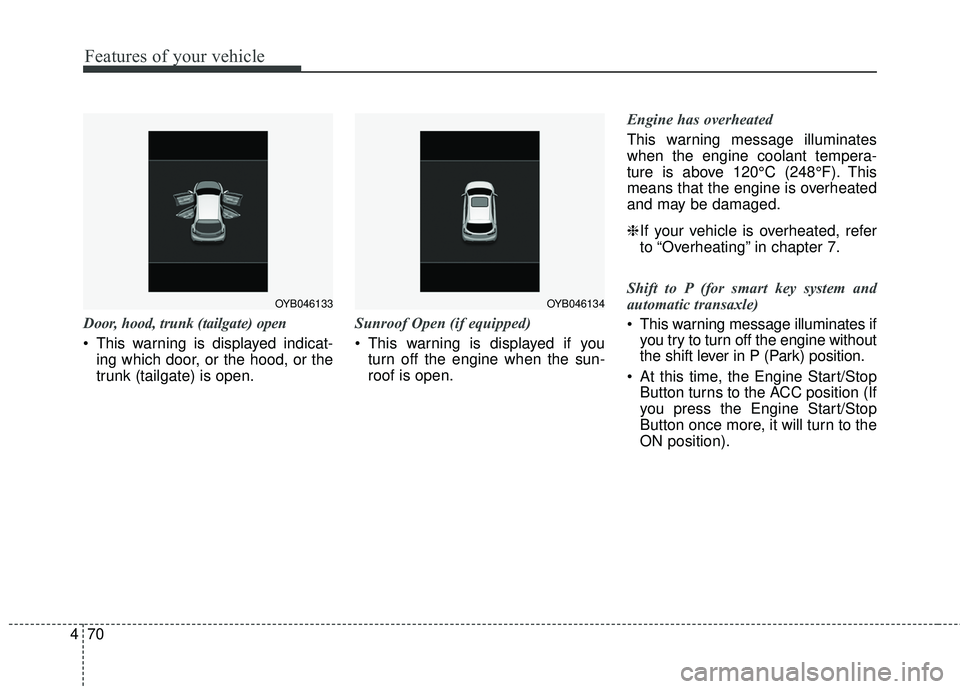
Door, hood, trunk (tailgate) open
This warning is displayed indicat-
ing which door, or the hood, or the
trunk (tailgate) is open. Sunroof Open (if equipped)
This warning is displayed if you
turn off the engine when the sun-
roof is open. Engine has overheated
This warning message illuminates
when the engine coolant tempera-
ture is above 120°C (248°F). This
means that the engine is overheated
and may be damaged.
❈
If your vehicle is overheated, refer
to “Overheating” in chapter 7.
Shift to P (for smart key system and
automatic transaxle)
This warning message illuminates if you try to turn off the engine without
the shift lever in P (Park) position.
At this time, the Engine Start/Stop Button turns to the ACC position (If
you press the Engine Start/Stop
Button once more, it will turn to the
ON position).
OYB046134OYB046133
Page 143 of 490
471
Features of your vehicle
Low Key Battery
(for smart key system)
This warning message illuminatesif the battery of the smart key is
discharged when the Engine
Start/Stop Button changes to the
OFF position.
Press START button while turn steer-
ing (for smart key system)
This warning message illuminates if the steering wheel does not
unlock normally when the Engine
Start/Stop Button is pressed.
It means that you should press the Engine Start/Stop Button while
turning the steering wheel right
and left. Steering wheel unlocked
(for smart key system)
This warning message illuminates
if the steering wheel does not lock
when the Engine Start/Stop Button
changes to the OFF position.
Check Steering Wheel Lock System
(for smart key system)
This warning message illuminates if the steering wheel does not lock
normally when the Engine
Start/Stop Button changes to the
OFF position. Press brake pedal to start engine
(for smart key system and automatic
transaxle)
This warning message illuminates
if the Engine Start/Stop Button
changes to the ACC position twice
by pressing the button repeatedly
without depressing the brake pedal.
It means that you should depress the brake pedal to start the engine.
Press clutch pedal to start engine (for
smart key system and manual transaxle)
This warning message illuminates if the Engine Start/Stop Button
changes to the ACC position twice
by pressing the button repeatedly
without depressing the clutch pedal.
It means that you should depress the clutch pedal to start the engine.
Page 144 of 490
Features of your vehicle
72
4
Key not in vehicle (for smart key system)
This warning message illuminates
if the smart key is not in the vehicle
when you press the Engine
Start/Stop Button.
It means that you should always have the smart key with you.
Key not detected (for smart key system)
This warning message illuminates if the smart key is not detected
when you press the Engine
Start/Stop Button. Press START button again
(for smart key system)
This warning message illuminates
if you can not operate the Engine
Start/Stop Button when there is a
problem with the Engine Start/Stop
Button system.
It means that you could start the engine by pressing the Engine
Start/ Stop Button once more.
If the warning illuminates each time you press the Engine
Start/Stop Button, have your vehi-
cle inspected by an authorized Kia
dealer. Press START button with smart key
(for smart key system)
This warning message illuminates
if you press the Engine Start/Stop
Button while the warning message
“Key not detected” is illuminating.
At this time, the immobilizer indica- tor light blinks.
Check fuse “BRAKE SWITCH”
(for smart key system and automatic
transaxle/transmission)
This warning message illuminates if the brake switch fuse is discon-
nected.
It means that you should replace the fuse with a new one. If that is
not possible, you can start the
engine by pressing the Engine
Start/Stop Button for 10 seconds in
the ACC position.
Page 154 of 490
Features of your vehicle
82
4
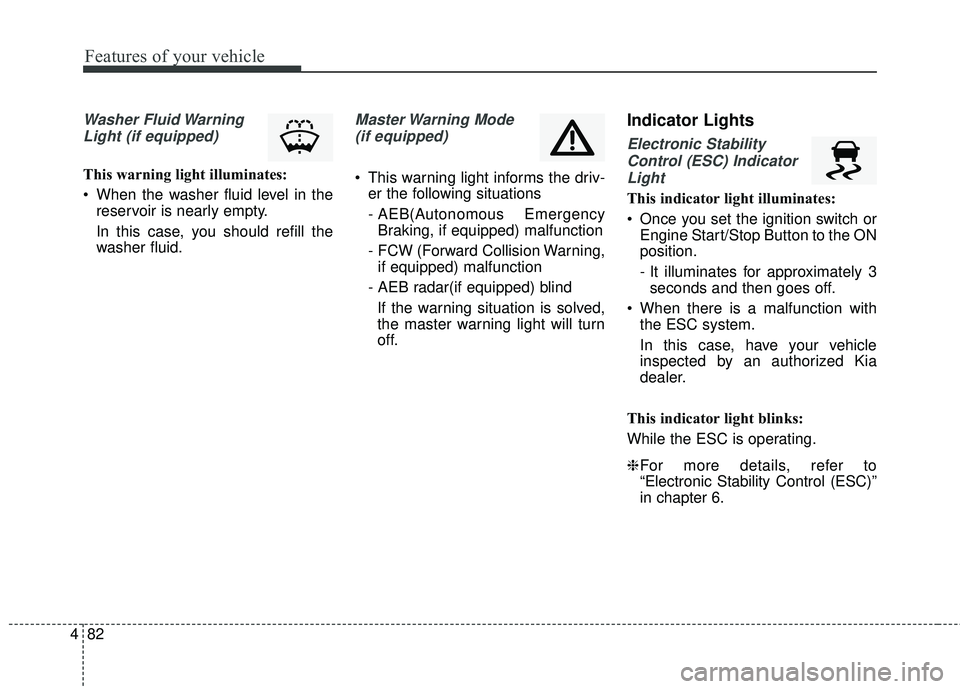
Washer Fluid Warning
Light (if equipped)
This warning light illuminates:
When the washer fluid level in the reservoir is nearly empty.
In this case, you should refill the
washer fluid.
Master Warning Mode
(if equipped)
This warning light informs the driv- er the following situations
- AEB(Autonomous EmergencyBraking, if equipped) malfunction
- FCW (Forward Collision Warning, if equipped) malfunction
- AEB radar(if equipped) blind If the warning situation is solved,
the master warning light will turn
off.
Indicator Lights
Electronic StabilityControl (ESC) IndicatorLight
This indicator light illuminates:
Once you set the ignition switch or Engine Start/Stop Button to the ON
position.
- It illuminates for approximately 3seconds and then goes off.
When there is a malfunction with the ESC system.
In this case, have your vehicle
inspected by an authorized Kia
dealer.
This indicator light blinks:
While the ESC is operating.
❈ For more details, refer to
“Electronic Stability Control (ESC)”
in chapter 6.
Page 166 of 490
Features of your vehicle
94
4
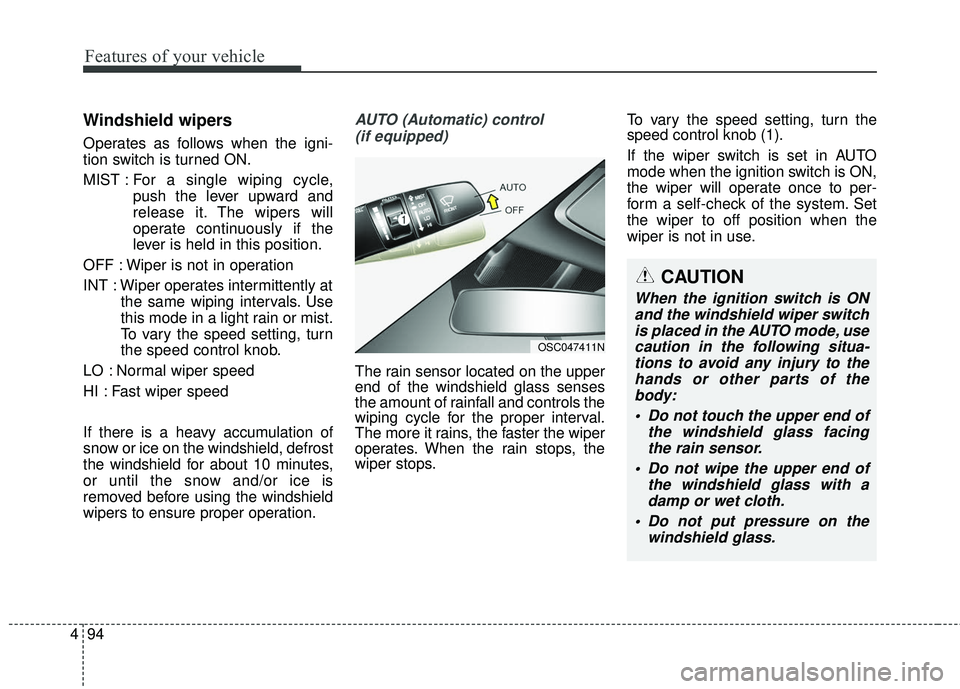
Windshield wipers
Operates as follows when the igni-
tion switch is turned ON.
MIST : For a single wiping cycle,
push the lever upward and
release it. The wipers will
operate continuously if the
lever is held in this position.
OFF : Wiper is not in operation
INT : Wiper operates intermittently at the same wiping intervals. Use
this mode in a light rain or mist.
To vary the speed setting, turn
the speed control knob.
LO : Normal wiper speed
HI : Fast wiper speed
If there is a heavy accumulation of
snow or ice on the windshield, defrost
the windshield for about 10 minutes,
or until the snow and/or ice is
removed before using the windshield
wipers to ensure proper operation.
AUTO (Automatic) control (if equipped)
The rain sensor located on the upper
end of the windshield glass senses
the amount of rainfall and controls the
wiping cycle for the proper interval.
The more it rains, the faster the wiper
operates. When the rain stops, the
wiper stops. To vary the speed setting, turn the
speed control knob (1).
If the wiper switch is set in AUTO
mode when the ignition switch is ON,
the wiper will operate once to per-
form a self-check of the system. Set
the wiper to off position when the
wiper is not in use.
CAUTION
When the ignition switch is ON
and the windshield wiper switchis placed in the AUTO mode, usecaution in the following situa-tions to avoid any injury to thehands or other parts of thebody:
Do not touch the upper end of the windshield glass facingthe rain sensor.
Do not wipe the upper end of the windshield glass with adamp or wet cloth.
Do not put pressure on the windshield glass.
OSC047411N
Page 167 of 490
495
Features of your vehicle
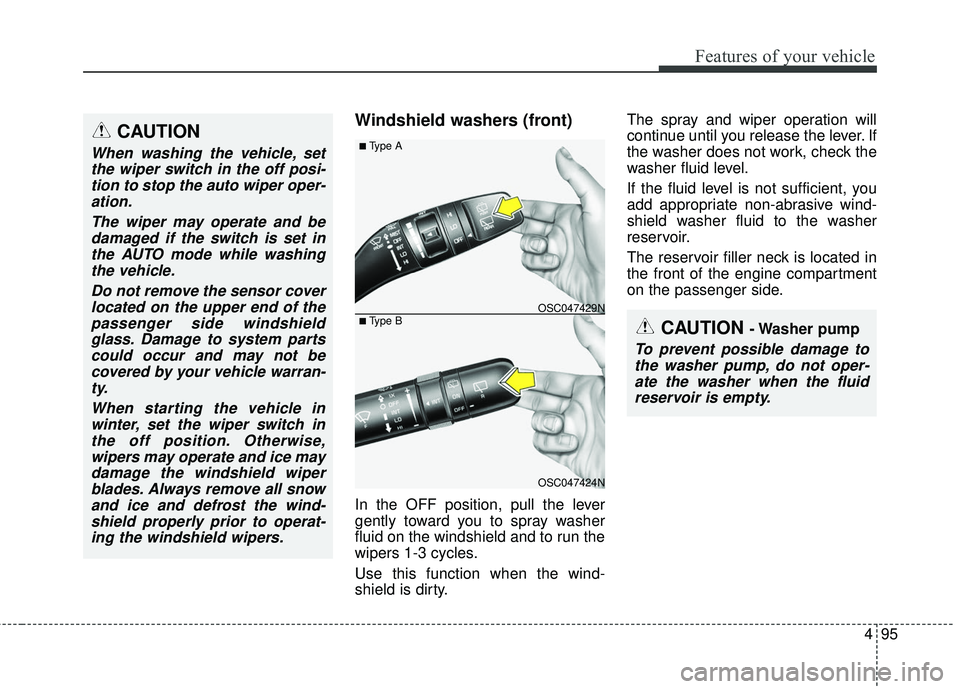
Windshield washers (front)
In the OFF position, pull the lever
gently toward you to spray washer
fluid on the windshield and to run the
wipers 1-3 cycles.
Use this function when the wind-
shield is dirty.The spray and wiper operation will
continue until you release the lever. If
the washer does not work, check the
washer fluid level.
If the fluid level is not sufficient, you
add appropriate non-abrasive wind-
shield washer fluid to the washer
reservoir.
The reservoir filler neck is located in
the front of the engine compartment
on the passenger side.
CAUTION
When washing the vehicle, set
the wiper switch in the off posi-tion to stop the auto wiper oper-ation.
The wiper may operate and bedamaged if the switch is set inthe AUTO mode while washingthe vehicle.
Do not remove the sensor coverlocated on the upper end of thepassenger side windshieldglass. Damage to system partscould occur and may not becovered by your vehicle warran-ty.
When starting the vehicle inwinter, set the wiper switch inthe off position. Otherwise,wipers may operate and ice maydamage the windshield wiperblades. Always remove all snowand ice and defrost the wind-shield properly prior to operat-ing the windshield wipers.
OSC047424N
OSC047429N
■ Type A
■ Type BCAUTION - Washer pump
To prevent possible damage tothe washer pump, do not oper-ate the washer when the fluidreservoir is empty.
Page 168 of 490
Features of your vehicle
96
4
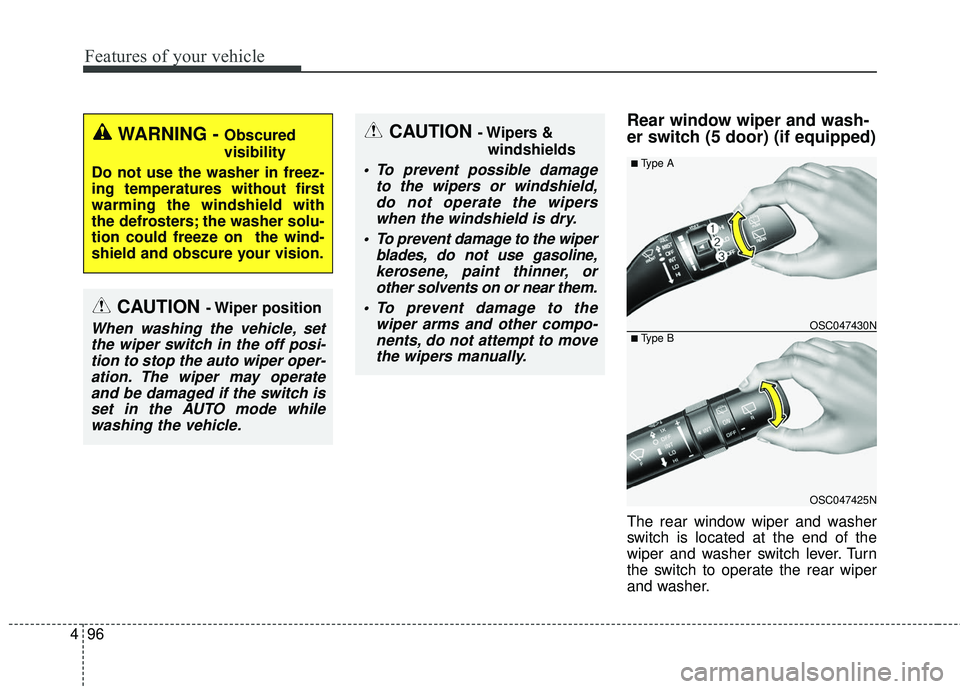
Rear window wiper and wash-
er switch (5 door) (if equipped)
The rear window wiper and washer
switch is located at the end of the
wiper and washer switch lever. Turn
the switch to operate the rear wiper
and washer.
CAUTION - Wiper position
When washing the vehicle, set
the wiper switch in the off posi-tion to stop the auto wiper oper-ation. The wiper may operateand be damaged if the switch isset in the AUTO mode whilewashing the vehicle.
CAUTION - Wipers &
windshields
To prevent possible damage to the wipers or windshield,do not operate the wiperswhen the windshield is dry.
To prevent damage to the wiper blades, do not use gasoline,kerosene, paint thinner, orother solvents on or near them.
To prevent damage to the wiper arms and other compo-nents, do not attempt to movethe wipers manually.
WARNING - Obscured
visibility
Do not use the washer in freez-
ing temperatures without first
warming the windshield with
the defrosters; the washer solu-
tion could freeze on the wind-
shield and obscure your vision.
OSC047425N
OSC047430N
■ Type A
■ Type B
Page 200 of 490
Features of your vehicle
128
4
These compartments can be used to
store small items.
To avoid possible theft, do not leave
valuables in the storage compartment.
Always keep the storage compart-
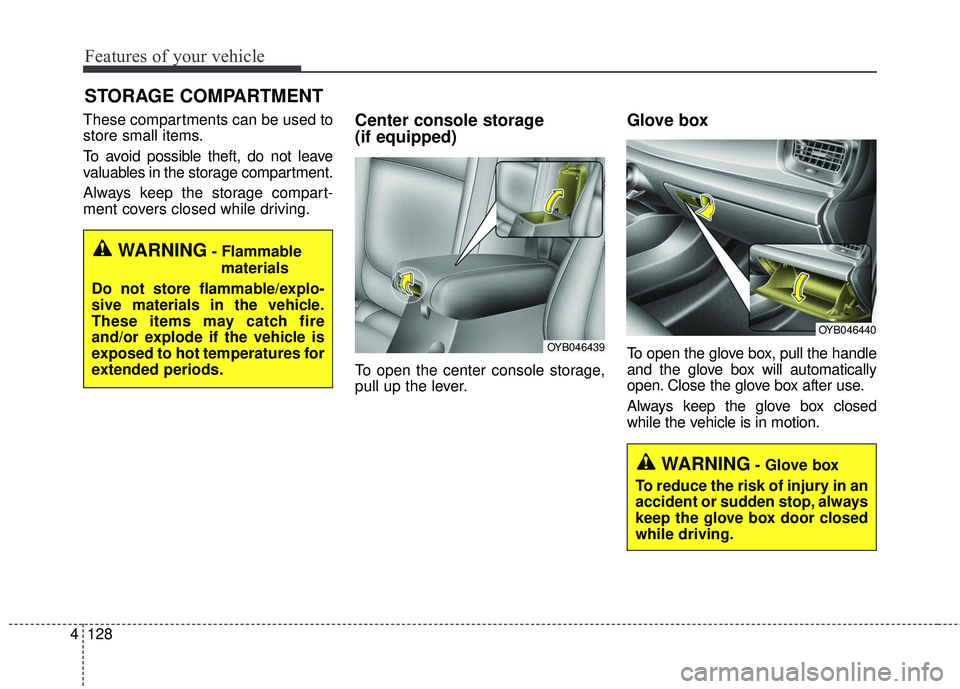
ment covers closed while driving.Center console storage
(if equipped)
To open the center console storage,
pull up the lever.
Glove box
To open the glove box, pull the handle
and the glove box will automatically
open. Close the glove box after use.
Always keep the glove box closed
while the vehicle is in motion.
STORAGE COMPARTMENT
WARNING- Flammable
materials
Do not store flammable/explo-
sive materials in the vehicle.
These items may catch fire
and/or explode if the vehicle is
exposed to hot temperatures for
extended periods.
WARNING- Glove box
To reduce the risk of injury in an
accident or sudden stop, always
keep the glove box door closed
while driving.
OYB046440
OYB046439