steering KIA RIO 2018 Owner's Guide
[x] Cancel search | Manufacturer: KIA, Model Year: 2018, Model line: RIO, Model: KIA RIO 2018Pages: 490, PDF Size: 11.28 MB
Page 271 of 490
623
Driving your vehicle
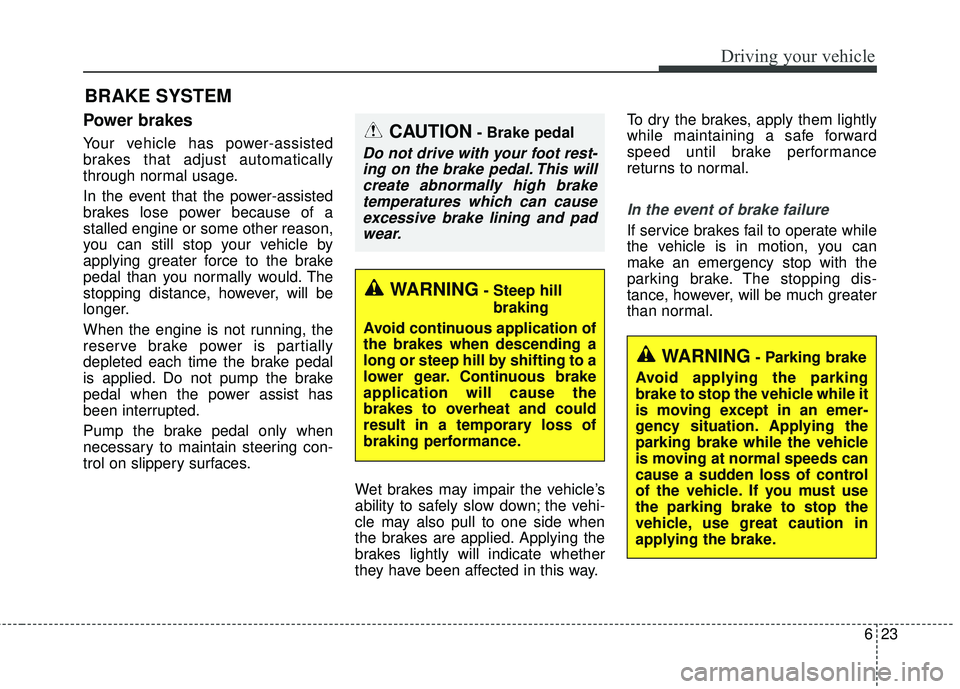
Power brakes
Your vehicle has power-assisted
brakes that adjust automatically
through normal usage.
In the event that the power-assisted
brakes lose power because of a
stalled engine or some other reason,
you can still stop your vehicle by
applying greater force to the brake
pedal than you normally would. The
stopping distance, however, will be
longer.
When the engine is not running, the
reserve brake power is partially
depleted each time the brake pedal
is applied. Do not pump the brake
pedal when the power assist has
been interrupted.
Pump the brake pedal only when
necessary to maintain steering con-
trol on slippery surfaces.Wet brakes may impair the vehicle’s
ability to safely slow down; the vehi-
cle may also pull to one side when
the brakes are applied. Applying the
brakes lightly will indicate whether
they have been affected in this way.To dry the brakes, apply them lightly
while maintaining a safe forward
speed until brake performance
returns to normal.
In the event of brake failure
If service brakes fail to operate while
the vehicle is in motion, you can
make an emergency stop with the
parking brake. The stopping dis-
tance, however, will be much greater
than normal.
BRAKE SYSTEM
WARNING- Parking brake
Avoid applying the parking
brake to stop the vehicle while it
is moving except in an emer-
gency situation. Applying the
parking brake while the vehicle
is moving at normal speeds can
cause a sudden loss of control
of the vehicle. If you must use
the parking brake to stop the
vehicle, use great caution in
applying the brake.
WARNING- Steep hill braking
Avoid continuous application of
the brakes when descending a
long or steep hill by shifting to a
lower gear. Continuous brake
application will cause the
brakes to overheat and could
result in a temporary loss of
braking performance.
CAUTION- Brake pedal
Do not drive with your foot rest- ing on the brake pedal. This willcreate abnormally high braketemperatures which can causeexcessive brake lining and padwear.
Page 277 of 490
629
Driving your vehicle
When you drive on a road withpoor traction, such as an icy road,
and operated your brakes continu-
ously, the ABS will be active con-
tinuously and the ABS warning
light may illuminate. Pull your vehi-
cle over to a safe place and stop
the engine.
Restart the engine. If the ABS warning light is off, then your ABS
is normal. Otherwise, you may
have a problem with the ABS.
Contact an authorized Kia dealer
as soon as possible.
✽ ✽ NOTICE
When you jump start your vehicle
because of a drained battery, the
engine may not run as smoothly and
the ABS warning light may turn on
at the same time. This happens
because of the low battery voltage. It
does not mean your ABS has mal-
functioned.
• Do not pump your brakes!
• Have the battery recharged before
driving the vehicle.
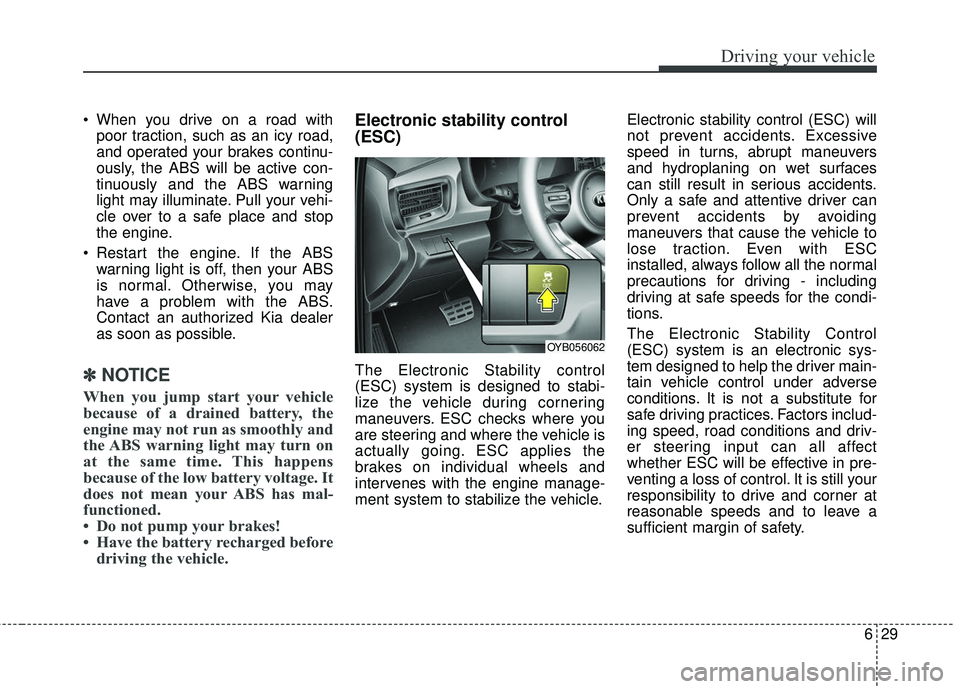
Electronic stability control
(ESC)
The Electronic Stability control
(ESC) system is designed to stabi-
lize the vehicle during cornering
maneuvers. ESC checks where you
are steering and where the vehicle is
actually going. ESC applies the
brakes on individual wheels and
intervenes with the engine manage-
ment system to stabilize the vehicle. Electronic stability control (ESC) will
not prevent accidents. Excessive
speed in turns, abrupt maneuvers
and hydroplaning on wet surfaces
can still result in serious accidents.
Only a safe and attentive driver can
prevent accidents by avoiding
maneuvers that cause the vehicle to
lose traction. Even with ESC
installed, always follow all the normal
precautions for driving - including
driving at safe speeds for the condi-
tions.
The Electronic Stability Control
(ESC) system is an electronic sys-
tem designed to help the driver main-
tain vehicle control under adverse
conditions. It is not a substitute for
safe driving practices. Factors includ-
ing speed, road conditions and driv-
er steering input can all affect
whether ESC will be effective in pre-
venting a loss of control. It is still your
responsibility to drive and corner at
reasonable speeds and to leave a
sufficient margin of safety.
OYB056062
Page 282 of 490
Driving your vehicle
34
6
Vehicle stability management
(VSM)
This system provides further
enhancements to vehicle stability
and steering responses when a vehi-
cle is driving on a slippery road or a
vehicle detected changes in coeffi-
cient of friction between right wheels
and left wheels when braking.
VSM operation
When the VSM is in operation, ESC
indicator light ( ) blinks.
When the vehicle stability manage-
ment is operating properly, you can
feel a slight pulsation in the vehicle
and/or abnormal steering responses
(EPS). This is only the effect of brake
and EPS control and indicates noth-
ing unusual. The VSM does not operate when:
Driving on bank roads such as gra-
dient or incline
Driving rearward
ESC OFF indicator light ( ) remains on the instrument cluster
EPS indicator light remains on the instrument cluster
VSM operation off
If you press the ESC OFF button to
turn off the ESC, the VSM will also
cancel and the ESC OFF indicator
light ( ) illuminates.
To turn on the VSM, press the button
again. The ESC OFF indicator light
goes out.
Malfunction indicator
The VSM can be deactivated even if
you don’t cancel the VSM operation
by pressing the ESC OFF button. It
indicates that a malfunction has
been detected somewhere in the
Electric Power Steering system or
VSM system. If the ESC indicator
light ( ) or EPS warning light
remains on, take your vehicle to an
authorized Kia dealer and have the
system checked.
The VSM is designed to functionabove approximately 15 km/h (9
mph) on curves.
Page 283 of 490
635
Driving your vehicle
The VSM is designed to functionabove approximately 30 km/h (18
mph) when a vehicle is braking on
a split-mu road. The split-mu road
is made of surfaces which have dif-
ferent friction forces.
The Vehicle Stability Management system is not a substitute for safe
driving practices but a supplemen-
tary function only. It is the respon-
sibility of the driver to always check
the speed and the distance to the
vehicle ahead. Always hold the
steering wheel firmly while driving.
Your vehicle is designed to activate according to the driver’s intention,
even with installed VSM. Always
follow all the normal precautions
for driving at safe speeds for the
conditions – including driving in
inclement weather and on a slip-
pery road.Good braking practices
Check to be sure the parking brakeis not engaged and that the park-
ing brake indicator light is out
before driving away.
Driving through water may get the brakes wet. They can also get wet
when the vehicle is washed. Wet
brakes can be dangerous! Your
vehicle will not stop as quickly if the
brakes are wet. Wet brakes may
cause the vehicle to pull to one
side.
To dry the brakes, apply the brakes
lightly until the braking action
returns to normal, taking care to
keep the vehicle under control at
all times. If the braking action does
not return to normal, stop as soon
as it is safe to do so and call an
authorized Kia dealer for assis-
tance.
Don't coast down hills with the vehicle out of gear. This is extreme-
ly hazardous. Keep the vehicle in
gear at all times, use the brakes to
slow down, then shift to a lower
gear so that engine braking will
help you maintain a safe speed.WARNING- Tire/Wheel
size
When replacing tires and
wheels, make sure they are the
same size as the original tires
and wheels installed. Driving
with varying tire or wheel sizes
may affect the vehicle's han-
dling.
Page 287 of 490
639
Driving your vehicle
The AEB automatically activateswhen you turn the vehicle on.
The driver can deactivate the AEB
by canceling the in the system set-
ting on the LCD display.
The AEB automatically deactivates when canceling the ESC. When the
ESC is canceled, the AEB cannot
be activated on the LCD display. In
this case, the AEB warning light
will illuminate, but it does not indi-
cate a malfunction.
AEB warning message and
system control
The AEB produces warning mes-
sages, warning alarms, and emer-
gency braking based on the level of
risk of a frontal collision, such as
when a vehicle ahead suddenly
brakes, when there is no following dis-
tance from the vehicle in front.
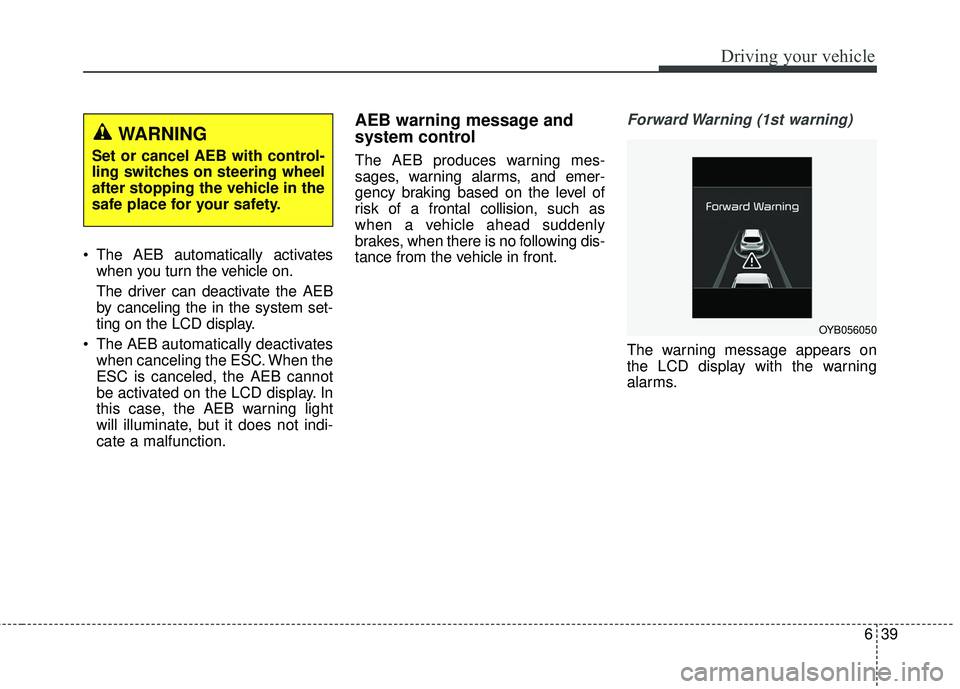
Forward Warning (1st warning)
The warning message appears on
the LCD display with the warning
alarms.
WARNING
Set or cancel AEB with control-
ling switches on steering wheel
after stopping the vehicle in the
safe place for your safety.
OYB056050
Page 288 of 490
Driving your vehicle
40
6
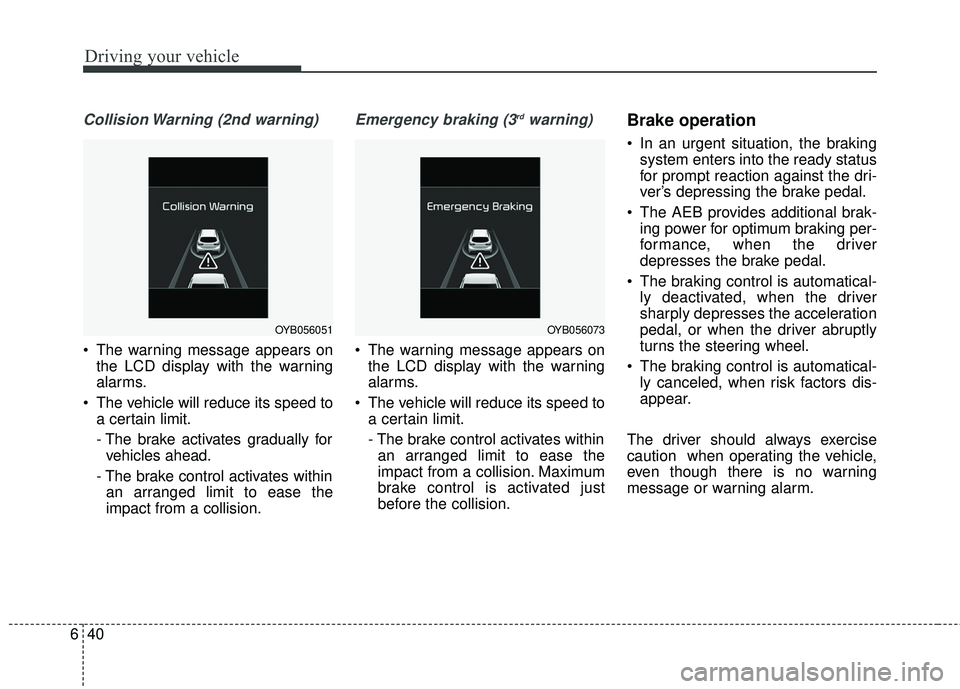
Collision Warning (2nd warning)
The warning message appears on
the LCD display with the warning
alarms.
The vehicle will reduce its speed to a certain limit.
- The brake activates gradually forvehicles ahead.
- The brake control activates within an arranged limit to ease the
impact from a collision.
Emergency braking (3rdwarning)
The warning message appears on the LCD display with the warning
alarms.
The vehicle will reduce its speed to a certain limit.
- The brake control activates withinan arranged limit to ease the
impact from a collision. Maximum
brake control is activated just
before the collision.
Brake operation
In an urgent situation, the braking system enters into the ready status
for prompt reaction against the dri-
ver’s depressing the brake pedal.
The AEB provides additional brak- ing power for optimum braking per-
formance, when the driver
depresses the brake pedal.
The braking control is automatical- ly deactivated, when the driver
sharply depresses the acceleration
pedal, or when the driver abruptly
turns the steering wheel.
The braking control is automatical- ly canceled, when risk factors dis-
appear.
The driver should always exercise
caution when operating the vehicle,
even though there is no warning
message or warning alarm.
OYB056051OYB056073
Page 297 of 490
649
Driving your vehicle
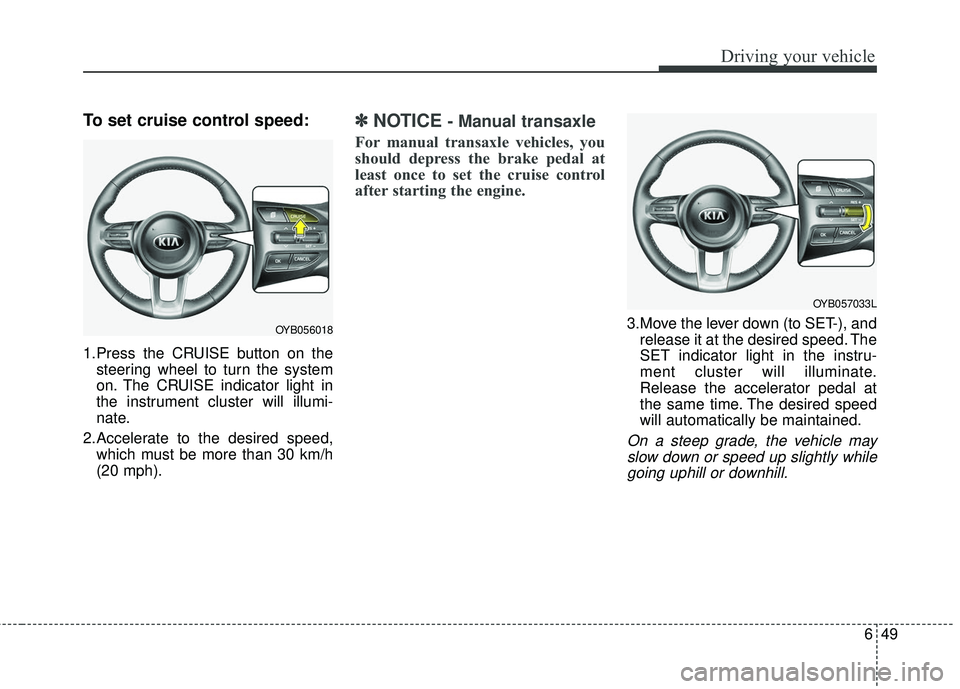
To set cruise control speed:
1.Press the CRUISE button on thesteering wheel to turn the system
on. The CRUISE indicator light in
the instrument cluster will illumi-
nate.
2.Accelerate to the desired speed, which must be more than 30 km/h
(20 mph).
✽ ✽ NOTICE- Manual transaxle
For manual transaxle vehicles, you
should depress the brake pedal at
least once to set the cruise control
after starting the engine.
3.Move the lever down (to SET-), and
release it at the desired speed. The
SET indicator light in the instru-
ment cluster will illuminate.
Release the accelerator pedal at
the same time. The desired speed
will automatically be maintained.
On a steep grade, the vehicle mayslow down or speed up slightly whilegoing uphill or downhill.
OYB056018
OYB057033L
Page 299 of 490
651
Driving your vehicle
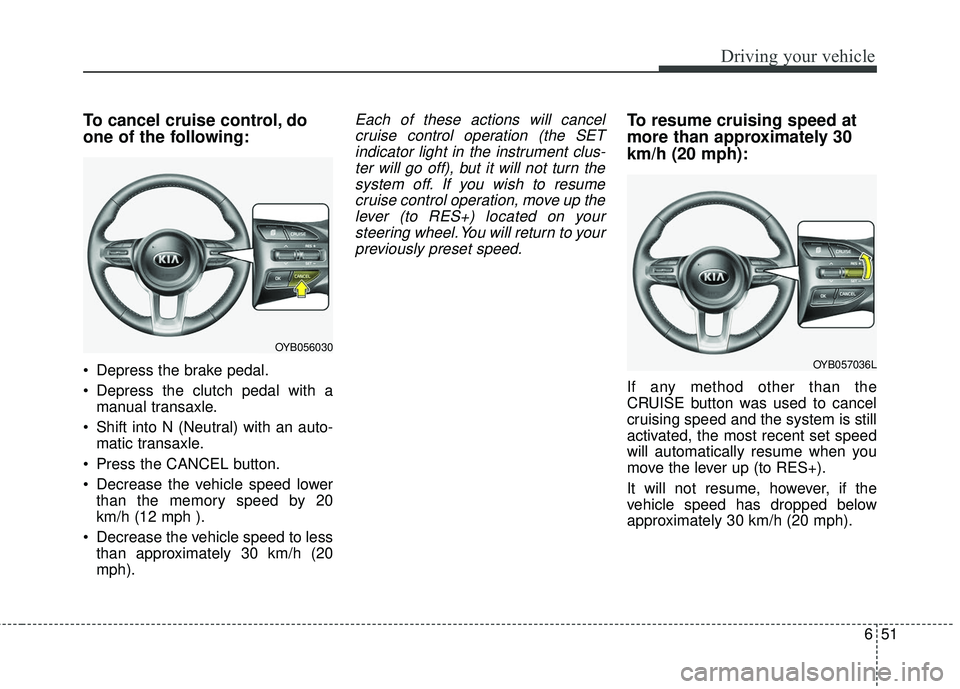
To cancel cruise control, do
one of the following:
Depress the brake pedal.
Depress the clutch pedal with amanual transaxle.
Shift into N (Neutral) with an auto- matic transaxle.
Press the CANCEL button.
Decrease the vehicle speed lower than the memory speed by 20
km/h (12 mph ).
Decrease the vehicle speed to less than approximately 30 km/h (20
mph).
Each of these actions will cancelcruise control operation (the SETindicator light in the instrument clus-ter will go off), but it will not turn thesystem off. If you wish to resumecruise control operation, move up thelever (to RES+) located on yoursteering wheel. You will return to yourpreviously preset speed.To resume cruising speed at
more than approximately 30
km/h (20 mph):
If any method other than the
CRUISE button was used to cancel
cruising speed and the system is still
activated, the most recent set speed
will automatically resume when you
move the lever up (to RES+).
It will not resume, however, if the
vehicle speed has dropped below
approximately 30 km/h (20 mph).
OYB056030
OYB057036L
Page 301 of 490
653
Driving your vehicle
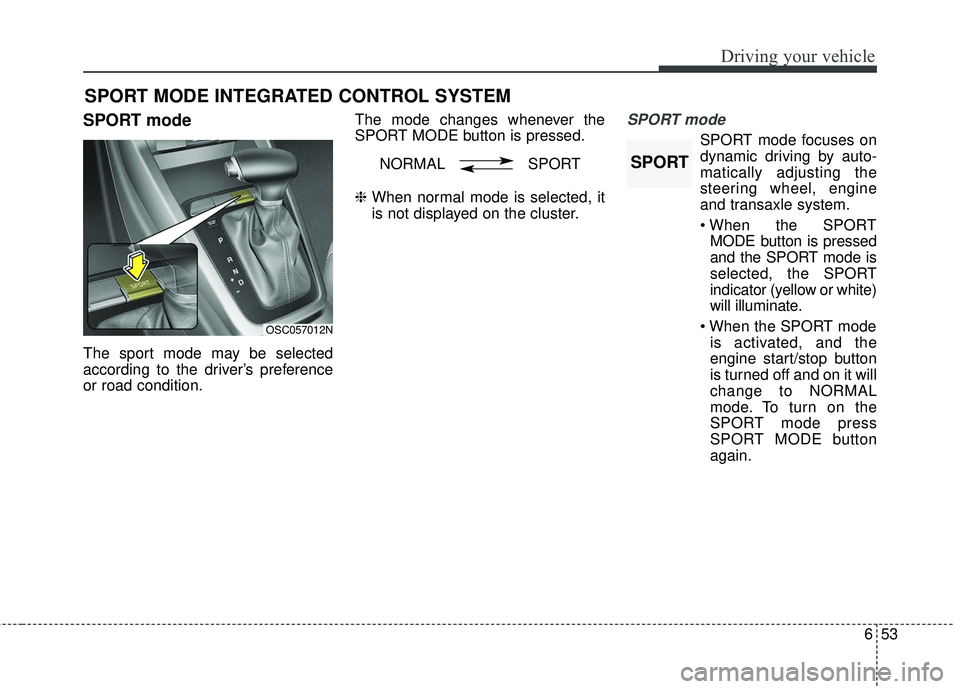
SPORT mode
The sport mode may be selected
according to the driver’s preference
or road condition.The mode changes whenever the
SPORT MODE button is pressed.
❈
When normal mode is selected, it
is not displayed on the cluster.
SPORT mode
SPORT mode focuses on
dynamic driving by auto-
matically adjusting the
steering wheel, engine
and transaxle system.
MODE button is pressed
and the SPORT mode is
selected, the SPORT
indicator (yellow or white)
will illuminate.
is activated, and the
engine start/stop button
is turned off and on it will
change to NORMAL
mode. To turn on the
SPORT mode press
SPORT MODE button
again.
SPORT MODE INTEGRATED CONTROL SYSTEM
OSC057012N
NORMAL SPORTSPORT
Page 304 of 490
Driving your vehicle
56
6
Remember, your vehicle does not
require extended warm-up. After
the engine has started, allow the
engine to run for 10 to 20 seconds
prior to placing the vehicle in gear.
In very cold weather, however, give
your engine a slightly longer warm-
up period.
Don't “lug” or “over-rev” the engine. Lugging is driving too slowly in a
very high gear resulting in engine
bucking. If this happens, shift to a
lower gear. Over-revving is racing
the engine beyond its safe limit.
This can be avoided by shifting at
the recommended speed. Use your air conditioning sparingly.
The air conditioning system is
operated by engine power so your
fuel economy is reduced when you
use it.
Open windows at high speeds can reduce fuel economy.
Fuel economy is reduced by cross- winds and headwinds. To help off-
set some of this loss, slow down
when driving in these conditions.
Keeping a vehicle in good operating
condition is important both for econ-
omy and safety. Therefore, have an
authorized Kia dealer perform
scheduled inspections and mainte-
nance.
WARNING- Engine off during
motion
Never turn the engine off to
coast down hills or anytime the
vehicle is in motion. The power
steering and power brakes will
not function properly without
the engine running. In addition,
turning off the ignition while
driving could engage the steer-
ing wheel lock resulting in loss
of vehicle steering. Keep the
engine on and downshift to an
appropriate gear for engine
braking effect.