ECU KIA RIO 2020 Owner's Manual
[x] Cancel search | Manufacturer: KIA, Model Year: 2020, Model line: RIO, Model: KIA RIO 2020Pages: 516, PDF Size: 10.49 MB
Page 126 of 516
Features of your vehicle
46
4
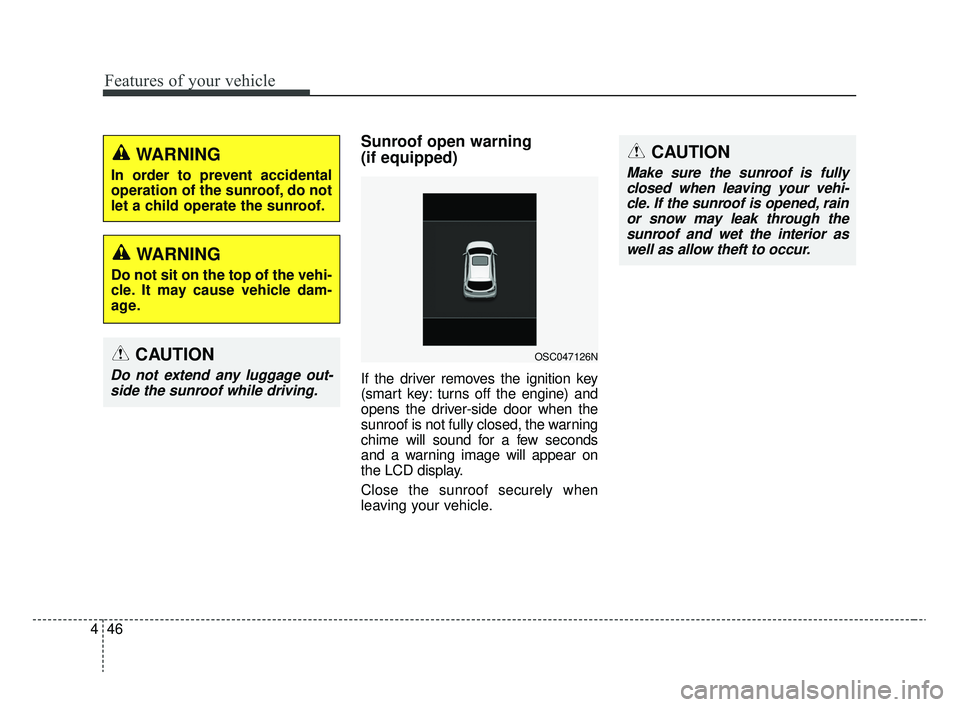
Sunroof open warning
(if equipped)
If the driver removes the ignition key
(smart key: turns off the engine) and
opens the driver-side door when the
sunroof is not fully closed, the warning
chime will sound for a few seconds
and a warning image will appear on
the LCD display.
Close the sunroof securely when
leaving your vehicle.
CAUTION
Do not extend any luggage out-
side the sunroof while driving.
WARNING
In order to prevent accidental
operation of the sunroof, do not
let a child operate the sunroof.
WARNING
Do not sit on the top of the vehi-
cle. It may cause vehicle dam-
age.
OSC047126N
CAUTION
Make sure the sunroof is fullyclosed when leaving your vehi-cle. If the sunroof is opened, rainor snow may leak through thesunroof and wet the interior aswell as allow theft to occur.
SC CAN (ENG) 4.QXP 12/12/2019 5:10 PM Page 46
Page 166 of 516
Features of your vehicle
86
4
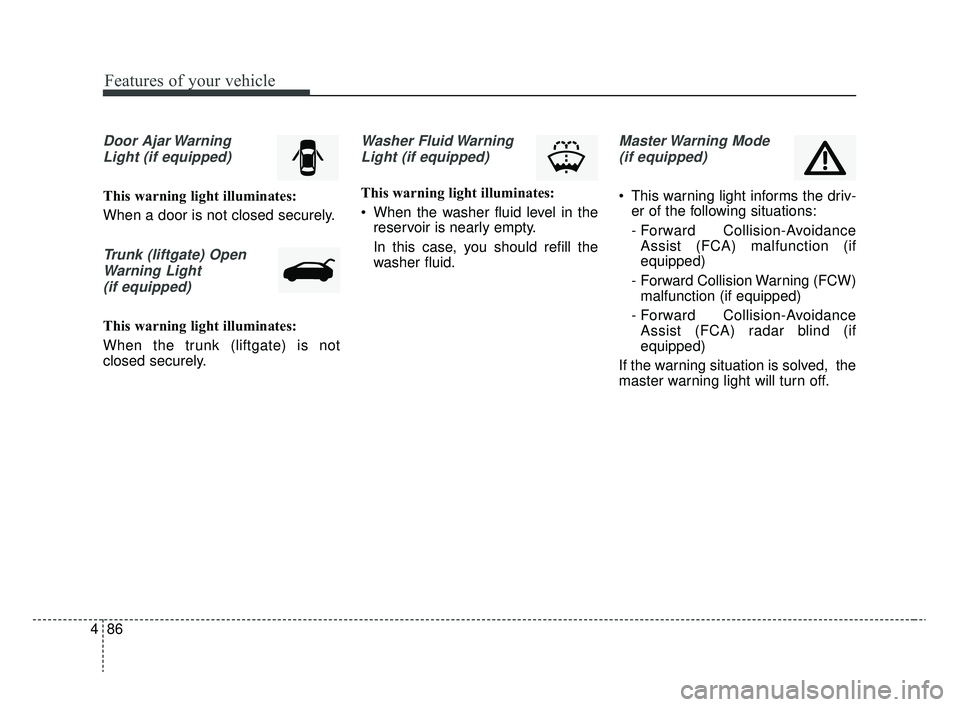
Door Ajar Warning
Light (if equipped)
This warning light illuminates:
When a door is not closed securely.
Trunk (liftgate) OpenWarning Light(if equipped)
This warning light illuminates:
When the trunk (liftgate) is not
closed securely.
Washer Fluid WarningLight (if equipped)
This warning light illuminates:
When the washer fluid level in the reservoir is nearly empty.
In this case, you should refill the
washer fluid.
Master Warning Mode
(if equipped)
This warning light informs the driv- er of the following situations:
- Forward Collision-AvoidanceAssist (FCA) malfunction (if
equipped)
- Forward Collision Warning (FCW) malfunction (if equipped)
- Forward Collision-Avoidance Assist (FCA) radar blind (if
equipped)
If the warning situation is solved, the
master warning light will turn off.
SC CAN (ENG) 4.QXP 12/12/2019 5:12 PM Page 86
Page 186 of 516
Features of your vehicle
106
4
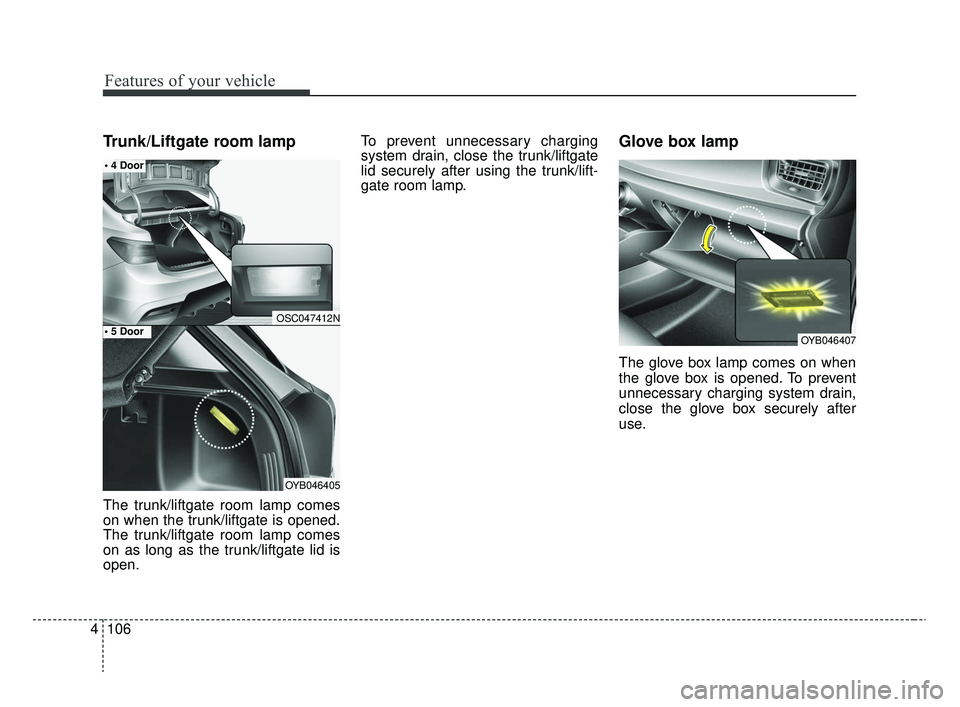
Trunk/Liftgate room lamp
The trunk/liftgate room lamp comes
on when the trunk/liftgate is opened.
The trunk/liftgate room lamp comes
on as long as the trunk/liftgate lid is
open. To prevent unnecessary charging
system drain, close the trunk/liftgate
lid securely after using the trunk/lift-
gate room lamp.
Glove box lamp
The glove box lamp comes on when
the glove box is opened. To prevent
unnecessary charging system drain,
close the glove box securely after
use.
OYB046407
OSC047412N
OYB046405
SC CAN (ENG) 4.QXP 12/12/2019 5:13 PM Page 106
Page 220 of 516
Features of your vehicle
140
4
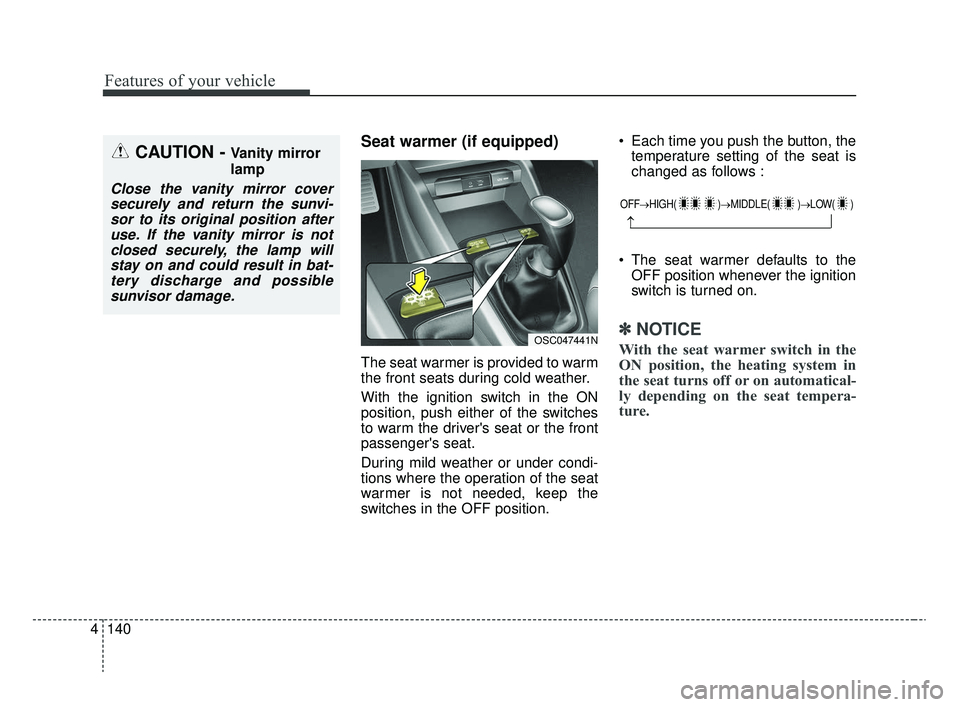
Seat warmer (if equipped)
The seat warmer is provided to warm
the front seats during cold weather.
With the ignition switch in the ON
position, push either of the switches
to warm the driver's seat or the front
passenger's seat.
During mild weather or under condi-
tions where the operation of the seat
warmer is not needed, keep the
switches in the OFF position. Each time you push the button, the
temperature setting of the seat is
changed as follows :
The seat warmer defaults to the OFF position whenever the ignition
switch is turned on.
✽ ✽ NOTICE
With the seat warmer switch in the
ON position, the heating system in
the seat turns off or on automatical-
ly depending on the seat tempera-
ture.
CAUTION - Vanity mirror
lamp
Close the vanity mirror cover
securely and return the sunvi-sor to its original position afteruse. If the vanity mirror is notclosed securely, the lamp willstay on and could result in bat-tery discharge and possiblesunvisor damage.
OFF→ HIGH( )→ MIDDLE( )→LOW( )
→
OSC047441N
SC CAN (ENG) 4.QXP 12/12/2019 5:15 PM Page 140
Page 224 of 516
Features of your vehicle
144
4
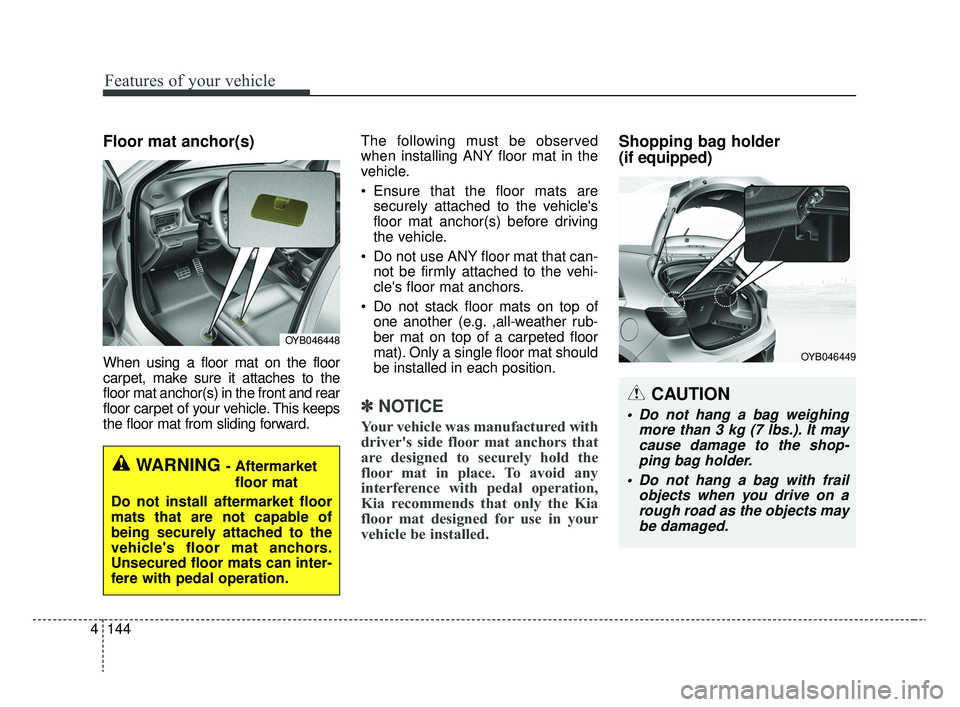
Floor mat anchor(s)
When using a floor mat on the floor
carpet, make sure it attaches to the
floor mat anchor(s) in the front and rear
floor carpet of your vehicle. This keeps
the floor mat from sliding forward. The following must be observed
when installing ANY floor mat in the
vehicle.
Ensure that the floor mats are
securely attached to the vehicle's
floor mat anchor(s) before driving
the vehicle.
Do not use ANY floor mat that can- not be firmly attached to the vehi-
cle's floor mat anchors.
Do not stack floor mats on top of one another (e.g. ,all-weather rub-
ber mat on top of a carpeted floor
mat). Only a single floor mat should
be installed in each position.
✽ ✽ NOTICE
Your vehicle was manufactured with
driver's side floor mat anchors that
are designed to securely hold the
floor mat in place. To avoid any
interference with pedal operation,
Kia recommends that only the Kia
floor mat designed for use in your
vehicle be installed.
Shopping bag holder
(if equipped)
OYB046448
WARNING - Aftermarket
floor mat
Do not install aftermarket floor
mats that are not capable of
being securely attached to the
vehicle's floor mat anchors.
Unsecured floor mats can inter-
fere with pedal operation.
CAUTION
Do not hang a bag weighing more than 3 kg (7 lbs.). It maycause damage to the shop-ping bag holder.
Do not hang a bag with frail objects when you drive on arough road as the objects maybe damaged.
OYB046449
SC CAN (ENG) 4.QXP 12/12/2019 5:16 PM Page 144
Page 272 of 516
65
Driving your vehicle
WARNING- Check sur-roundings
Always check the surrounding
areas near your vehicle for peo-
ple, especially children, before
putting a vehicle into D (Drive)
or R (Reverse).
WARNING- Fire risk
When you intend to park or stop
the vehicle with the engine on,
be careful not to depress the
accelerator pedal for a long
period of time. It may overheat
the engine or exhaust system
and cause fire.WARNING- Loose objects
Securely store items in your
vehicle. When you make a sud-
den stop or turn the steering
wheel rapidly, loose objects
may drop on the floor and could
interfere with the operation of
the foot pedals, possibly caus-
ing an accident.WARNING- Driving while intoxicated
Do not drive while intoxicated.
Drinking and driving is danger-
ous. Even a small amount of
alcohol will affect your reflexes,
perceptions and judgment.
Driving while under the influ-
ence of drugs is as dangerous
as or more dangerous than driv-
ing drunk.
WARNING- Proper footwear
Always wear appropriate shoes
when operating your vehicle.
Unsuitable shoes (high heels, ski
boots, sandals, etc.) may inter-
fere with your ability to use the
brake and accelerator pedals.
SC CAN (ENG) 6.QXP 6/7/2019 9:49 AM Page 5
Page 289 of 516
Driving your vehicle
22
6
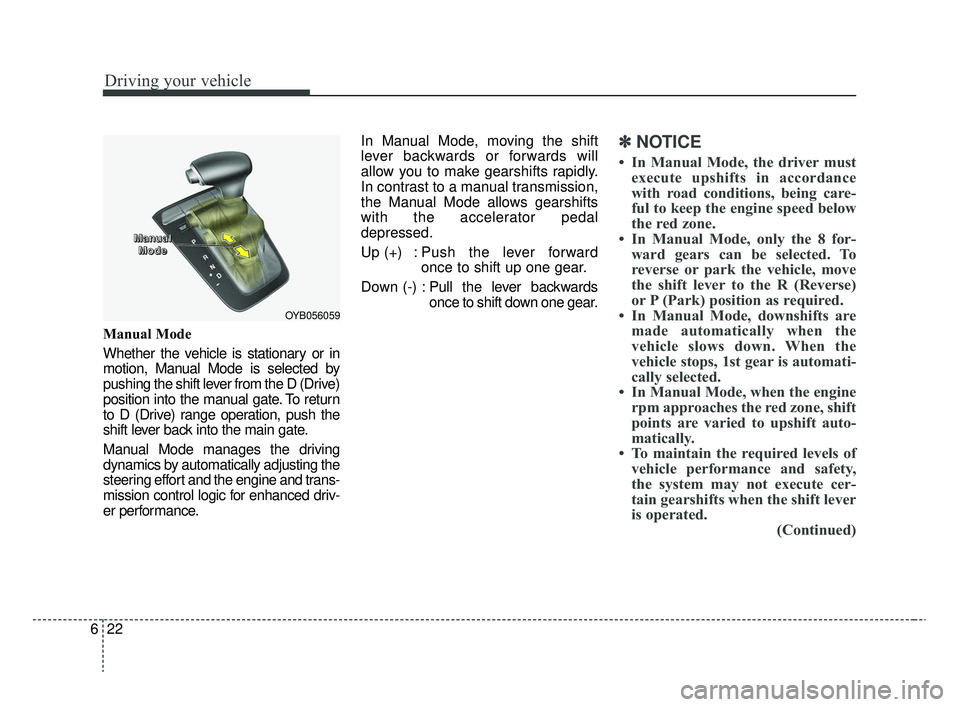
Manual Mode
Whether the vehicle is stationary or in
motion, Manual Mode is selected by
pushing the shift lever from the D (Drive)
position into the manual gate. To return
to D (Drive) range operation, push the
shift lever back into the main gate.
Manual Mode manages the driving
dynamics by automatically adjusting the
steering effort and the engine and trans-
mission control logic for enhanced driv-
er performance. In Manual Mode, moving the shift
lever backwards or forwards will
allow you to make gearshifts rapidly.
In contrast to a manual transmission,
the Manual Mode allows gearshifts
with the accelerator pedal
depressed.
Up (+) : Push the lever forward
once to shift up one gear.
Down (-) : Pull the lever backwards
once to shift down one gear.
✽ ✽
NOTICE
• In Manual Mode, the driver must
execute upshifts in accordance
with road conditions, being care-
ful to keep the engine speed below
the red zone.
• In Manual Mode, only the 8 for- ward gears can be selected. To
reverse or park the vehicle, move
the shift lever to the R (Reverse)
or P (Park) position as required.
• In Manual Mode, downshifts are made automatically when the
vehicle slows down. When the
vehicle stops, 1st gear is automati-
cally selected.
• In Manual Mode, when the engine rpm approaches the red zone, shift
points are varied to upshift auto-
matically.
• To maintain the required levels of vehicle performance and safety,
the system may not execute cer-
tain gearshifts when the shift lever
is operated. (Continued)
OYB056059
M M
M M
a a
a a
n n
n n
u u
u u
a a
a a
l l
l l
M M
M M
o o
o o
d d
d d
e e
e e
SC CAN (ENG) 6.QXP 6/7/2019 9:49 AM Page 22
Page 315 of 516
Driving your vehicle
48
6
System malfunction
When FCA is not working properly,
FCA warning light ( ) will illumi-
nate and the warning message
(“Check FCA system”) will appear
for a few seconds. After the mes-
sage disappears, the master warn-
ing light ( ) will illuminate. In this
case, have the vehicle inspected by
an authorized Kia dealer.
FCA warning message may appear along with the illumination
of the ESC warning light.WARNING
FCA system is only a supple-mental system for the driver's
convenience. The driver
should hold the responsibility
to control the vehicle opera-
tion. Do not solely depend on
FCA system. Rather, maintain
a safe braking distance, and, if
necessary, depress the brake
pedal to reduce the driving
speed.
In certain instances and under certain driving condi-
tions, FCA system may acti-
vate prematurely. This initial
warning message appears on
the LCD display with a warn-
ing chime. Also, in certain
instances the front radar sen-
sor may not detect the vehicle
ahead. FCA system may not
activate and the warning mes-
sage will not be displayed.
(Continued)
(Continued)
If there is a malfunction withFCA system, Forward
Collision-Avoidance Assist
(FCA) system is not applied
even though the braking sys-
tem is operating normally.
If the vehicle in front stops suddenly, you may have less
control of the brake system.
Therefore, always keep a safe
distance between your vehicle
and the vehicle in front of you.
FCA system may activate dur- ing braking and the vehicle
may stop suddenly shifting
loose objects toward the pas-
sengers. Always keep loose
objects secured.
FCA system may not activate if the driver applies the brake
pedal to avoid a collision.
(Continued)
SC CAN (ENG) 6.QXP 6/7/2019 9:50 AM Page 48
Page 341 of 516
Driving your vehicle
74
6
✽ ✽
NOTICE
Overloading your vehicle may cause
damage. Repairs would not be cov-
ered by your warranty. Do not over-
load your vehicle.
WARNING- Over
loading
Do not overload your vehicle.
Overloading your vehicle can
cause heat buildup in your vehi-
cle's tires and possible tire fail-
ure, increased stopping dis-
tances and poor vehicle han-
dling, all of which may result in
a crash.
WARNING- Loose cargo
Do not travel with unsecured
blunt objects in the passenger
compartment of your vehicle
(e.g. suit cases or unsecured
child seats). These items may
strike occupants during a sud-
den stop or crash.
SC CAN (ENG) 6.QXP 6/7/2019 9:51 AM Page 74
Page 346 of 516
What to do in an emergency
47
IF THE ENGINE WILL NOT START
If the engine doesn't turn over
or turns over slowly
1. If your vehicle has an intelligentvariable transmission, be sure the
shift lever is in N (Neutral) or P
(Park) and the emergency brake is
set.
2. Check the battery connections to be sure they are clean and tight.
3. Turn on the interior light. If the light dims or goes out when you oper-
ate the starter, the battery is dis-
charged.
4. Check the starter connections to be sure they are securely tight-
ened.
5. Do not push or pull the vehicle to start it. See instructions for “Jump
starting”.
If engine turns over normally
but does not start
1. Check fuel level.
2. With the ignition switch in theLOCK position, check all connec-
tors at the ignition coil and spark
plugs. Reconnect any that may be
disconnected or loose.
3. Check the fuel line in the engine compartment.
4. If the engine still does not start, call an authorized Kia dealer or
seek other qualified assistance.
WARNING- Push/
pull start
Do not push or pull the vehicle
to start it. Push or pull starting
may cause the catalytic con-
verter to overload and create a
fire hazard.
SC CAN (ENG) 7.qxp 6/7/2019 9:46 AM Page 4