light KIA RIO 2021 Owners Manual
[x] Cancel search | Manufacturer: KIA, Model Year: 2021, Model line: RIO, Model: KIA RIO 2021Pages: 534, PDF Size: 13.49 MB
Page 289 of 534
Driving your vehicle
52
5
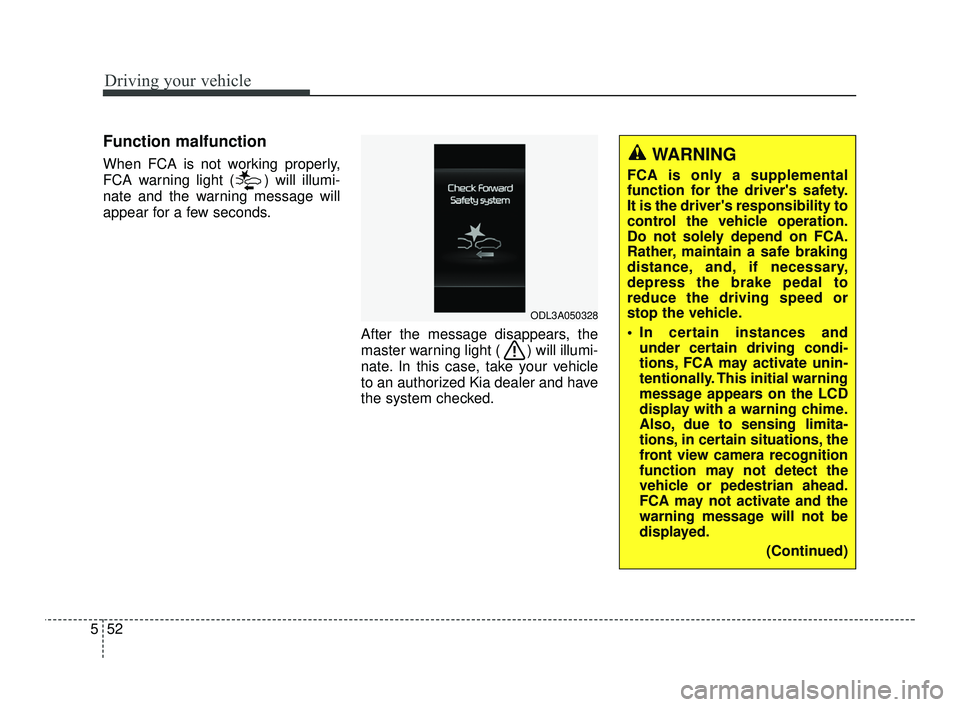
Function malfunction
When FCA is not working properly,
FCA warning light ( ) will illumi-
nate and the warning message will
appear for a few seconds.
After the message disappears, the
master warning light ( ) will illumi-
nate. In this case, take your vehicle
to an authorized Kia dealer and have
the system checked.
ODL3A050328
WARNING
FCA is only a supplemental
function for the driver's safety.
It is the driver's responsibility to
control the vehicle operation.
Do not solely depend on FCA.
Rather, maintain a safe braking
distance, and, if necessary,
depress the brake pedal to
reduce the driving speed or
stop the vehicle.
In certain instances andunder certain driving condi-
tions, FCA may activate unin-
tentionally. This initial warning
message appears on the LCD
display with a warning chime.
Also, due to sensing limita-
tions, in certain situations, the
front view camera recognition
function may not detect the
vehicle or pedestrian ahead.
FCA may not activate and the
warning message will not be
displayed.
(Continued)
SC PE USA 5.QXP 10/23/2020 5:51 PM Page 52
Page 291 of 534
Driving your vehicle
54
5
The sensor may be limited when:
The function may not operate for
15 seconds after the vehicle is
started or the camera is initialized.
Front view camera contaminated or blocked.
The camera lens is contaminated due to tinted, filmed or coated
windshield, damaged glass, or
stuck of foreign matter (sticker,
bug, etc.) on the glass.
Inclement weather such as heavy rain or snow obscures the field of
view of the camera.
There is interference by electro- magnetic waves.
The camera sensor recognition is limited
The vehicle in front is too small to be detected. (for example a motor-
cycle etc.)
The vehicle in front is an oversize vehicle or trailer that is too big to
be detected by the camera recog-
nition function. (for example a trac-
tor trailer, etc.) The camera's field of view is not
well illuminated (either too dark or
too much reflection or too much
backlight that obscures the field of
view).
The vehicle in front does not have their rear lights or their rear lights
does not turned ON or their rear
lights are located unusually.
The outside brightness changes suddenly, for example when enter-
ing or exiting a tunnel.
Light coming from a street light or an oncoming vehicle is reflected on
a wet road surface such as a pud-
dle in the road.
The field of view in front is obstructed by sun glare or head
light of oncoming vehicle.
The windshield glass is fogged up; a clear view of the road is obstruct-
ed.
The vehicle in front is driving errat- ically.
The vehicle is on unpaved or uneven rough. surfaces, or road
with sudden gradient changes. The camera sensor recognition is
limited
The vehicle in front is too small to be detected. (for example a motor-
cycle etc.)
The vehicle in front is an oversize vehicle or trailer that is too big to
be detected by the camera recog-
nition function. (for example a trac-
tor trailer, etc.)
The camera's field of view is not well illuminated. (either too dark or
too much reflection or too much
backlight that obscures the field of
view)
The vehicle in front does not have their rear lights or their rear lights
does not turned ON or their rear
lights are located unusually.
The outside brightness changes suddenly, for example when enter-
ing or exiting a tunnel.
Light coming from a street light or an oncoming vehicle is reflected on
a wet road surface such as a pud-
dle in the road.
The field of view in front is obstructed by sun glare or head
light of oncoming vehicle.
SC PE USA 5.QXP 10/23/2020 5:51 PM Page 54
Page 295 of 534
![KIA RIO 2021 Owners Manual Driving your vehicle
58
5
[A]: Your vehicle, [B]: Lane changing
vehicle, [C]: Same lane vehicle
When driving in stop-and-go traffic,
and a stopped vehicle in front of you
merges out of the lane, FCA m](/img/2/54889/w960_54889-294.png "KIA RIO 2021 Owners Manual Driving your vehicle
58
5
[A]: Your vehicle, [B]: Lane changing
vehicle, [C]: Same lane vehicle
When driving in stop-and-go traffic,
and a stopped vehicle in front of you
merges out of the lane, FCA m")
Driving your vehicle
58
5
[A]: Your vehicle, [B]: Lane changing
vehicle, [C]: Same lane vehicle
When driving in stop-and-go traffic,
and a stopped vehicle in front of you
merges out of the lane, FCA may not
immediately detect the new vehicle
that is now in front of you. In this
case, you must maintain a safe brak-
ing distance, and if necessary,
depress the brake pedal to reduce
your driving speed in order to main-
tain a safe distance.
Recognizing the vehicle
When the vehicle in front has heavy
loading extended rearward, or when
the vehicle in front has higher ground
clearance, it may induce a haz-
ardous situation. Always pay atten-
tion to road and driving conditions,
while driving and, if necessary,
depress the brake pedal to reduce
your driving speed in order to main-
tain distance.
Situation in which the function
may not detect pedestrian
properly.
The sensor may be limited when:
The pedestrian is not fully detected
by the camera recognition function,
for example, if the pedestrian is
leaning over or is not fully walking
upright.
The pedestrian is moving very quickly or appears abruptly in the
camera detection area.
The pedestrian is wearing clothing that easily blends into the back-
ground, making it difficult to be
detected by the camera recogni-
tion function.
The outside lighting is too bright (e.g. when driving in bright sun-
light or in sun glare) or too dark.
(e.g. when driving on a dark rural
road at night)
It is difficult to detect and distin- guish the pedestrian from other
objects in the surroundings, for
example, when there is a group of
pedestrians, or a large crowd.
OSC050281N
OSC050154N
SC PE USA 5.QXP 10/23/2020 5:51 PM Page 58
Page 296 of 534
559
Driving your vehicle
There is an item similar to a per-son's body structure
The pedestrian is small.
The pedestrian has impaired mobility.
The sensor recognition is limited.
The camera is blocked with a for- eign object or debris.
Inclement weather such as heavy rain or snow obscures the field of
view of the camera.
When light coming from a street light or an oncoming vehicle is
reflected on a wet road surface
such as a puddle in the road.
The field of view in front is obstructed by sun glare.
The windshield glass is fogged up; a clear view of the road is obstruct-
ed.
The adverse road conditions cause excessive vehicle vibrations while
driving.
The sensor recognition changes suddenly when passing over a
speed bump. You are on a roundabout.
The pedestrian suddenly interrupts
in front of the vehicle.
There is any other electromagnetic interference.
WARNING
Cancel FCA in the UserSettings on the LCD display,
before towing another vehicle.
While towing, the brake appli-
cation may adversely affect
your vehicle safety.
Exercise extreme caution to the vehicle in front, when it
has heavy loading extended
rearward, or when it has high-
er ground clearance.
Never try to test the operation of FCA. Doing so may cause
severe injury or death.
FCA is designed to detect and monitor the vehicle ahead or
detect a pedestrian in the
roadway through front view
camera recognition. It is not
designed to detect bicycles,
motorcycles, or smaller
wheeled objects such as lug-
gage bags, shopping carts, or
strollers.
(Continued)
SC PE USA 5.QXP 10/23/2020 5:51 PM Page 59
Page 299 of 534
Driving your vehicle
62
5
Function settings
Setting
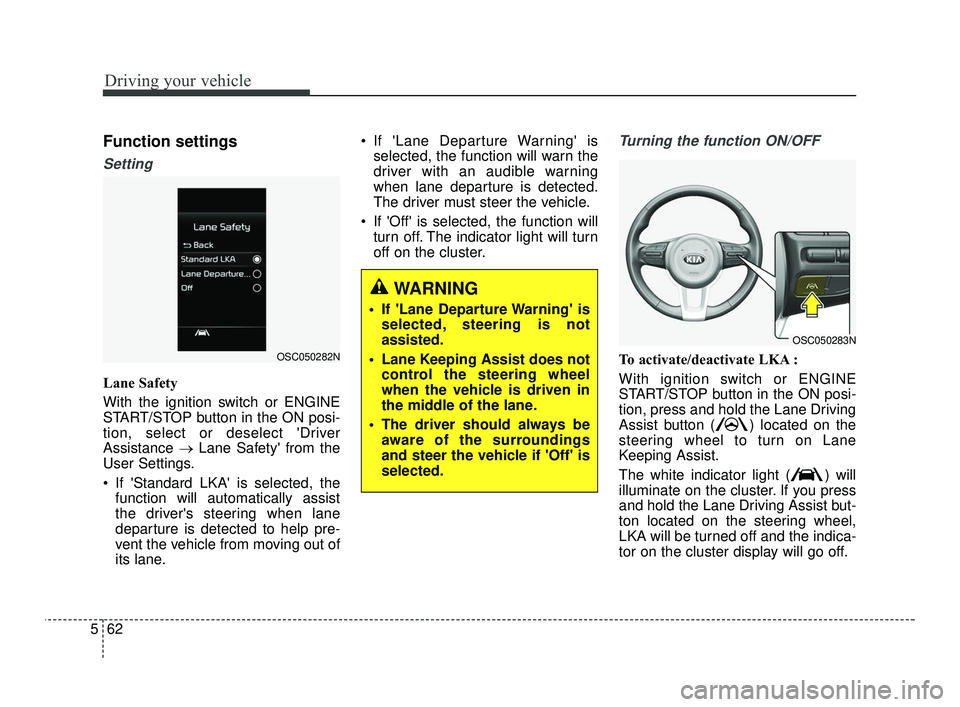
Lane Safety
With the ignition switch or ENGINE
START/STOP button in the ON posi-
tion, select or deselect 'Driver
Assistance →Lane Safety' from the
User Settings.
If 'Standard LKA' is selected, the function will automatically assist
the driver's steering when lane
departure is detected to help pre-
vent the vehicle from moving out of
its lane. If 'Lane Departure Warning' is
selected, the function will warn the
driver with an audible warning
when lane departure is detected.
The driver must steer the vehicle.
If 'Off' is selected, the function will turn off. The indicator light will turn
off on the cluster.
Turning the function ON/OFF
To activate/deactivate LKA :
With ignition switch or ENGINE
START/STOP button in the ON posi-
tion, press and hold the Lane Driving
Assist button ( ) located on the
steering wheel to turn on Lane
Keeping Assist.
The white indicator light ( ) will
illuminate on the cluster. If you press
and hold the Lane Driving Assist but-
ton located on the steering wheel,
LKA will be turned off and the indica-
tor on the cluster display will go off.OSC050282N
OSC050283N
WARNING
If 'Lane Departure Warning' isselected, steering is not
assisted.
Lane Keeping Assist does not control the steering wheel
when the vehicle is driven in
the middle of the lane.
The driver should always be aware of the surroundings
and steer the vehicle if 'Off' is
selected.
SC PE USA 5.QXP 10/23/2020 5:51 PM Page 62
Page 301 of 534
Driving your vehicle
64
5
To warn the driver that the vehicle
is departing from the projected
lane in front, the green ( ) indi-
cator light will blink on the cluster,
the lane line will blink on the clus-
ter depending on which direction
the vehicle is veering, and an audi-
ble warning will sound.
The function will operate when your vehicle speed is between
approximately 40~120 mph
(60~200 km/h).Lane Keeping Assist
To warn the driver that the vehicleis departing from the projected
lane in front, the green ( ) indi-
cator light will blink on the cluster,
and the steering wheel will make
adjustments to keep vehicle inside
the lane.
The function will operate when your vehicle speed is between
approximately 40~120 mph
(60~200 km/h).
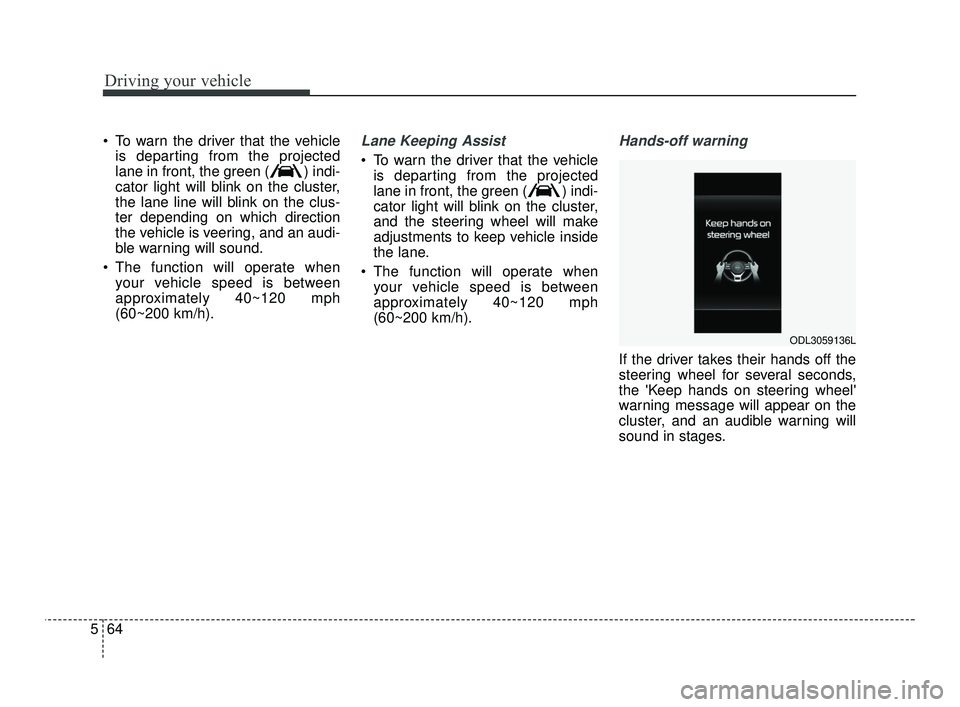
Hands-off warning
If the driver takes their hands off the
steering wheel for several seconds,
the 'Keep hands on steering wheel'
warning message will appear on the
cluster, and an audible warning will
sound in stages.
ODL3059136L
SC PE USA 5.QXP 10/23/2020 5:51 PM Page 64
Page 302 of 534
565
Driving your vehicle
✽ ✽NOTICE
• For more details on setting the
functions, refer to "LCD Display
Mode" in chapter 4.
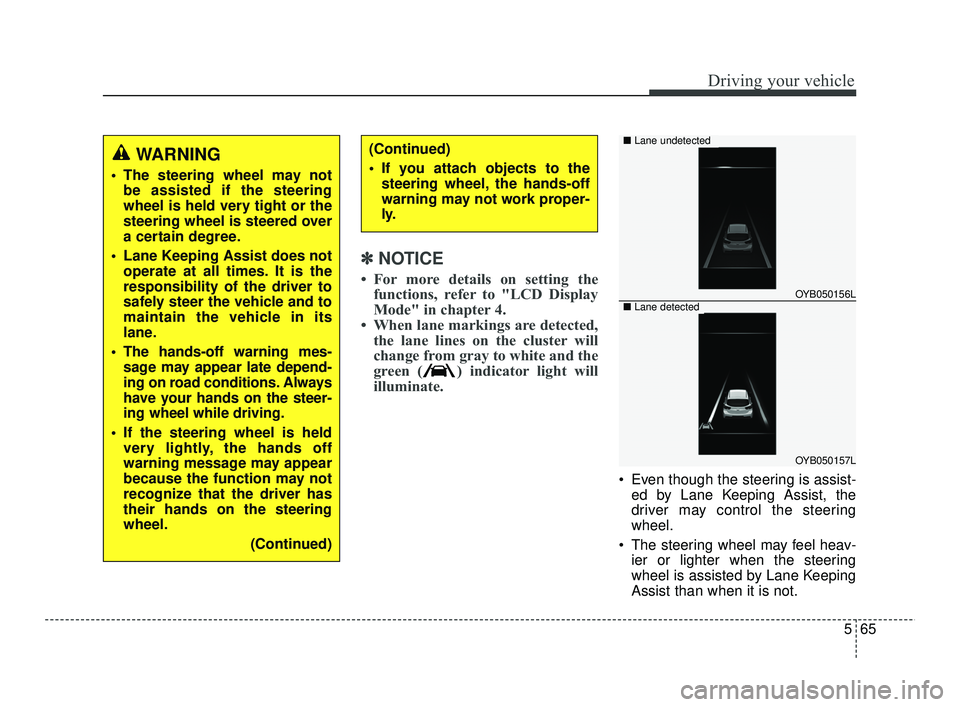
• When lane markings are detected, the lane lines on the cluster will
change from gray to white and the
green ( ) indicator light will
illuminate.
Even though the steering is assist-
ed by Lane Keeping Assist, the
driver may control the steering
wheel.
The steering wheel may feel heav- ier or lighter when the steering
wheel is assisted by Lane Keeping
Assist than when it is not.
WARNING
The steering wheel may notbe assisted if the steering
wheel is held very tight or the
steering wheel is steered over
a certain degree.
Lane Keeping Assist does not operate at all times. It is the
responsibility of the driver to
safely steer the vehicle and to
maintain the vehicle in its
lane.
The hands-off warning mes- sage may appear late depend-
ing on road conditions. Always
have your hands on the steer-
ing wheel while driving.
If the steering wheel is held very lightly, the hands off
warning message may appear
because the function may not
recognize that the driver has
their hands on the steering
wheel.
(Continued)
(Continued)
If you attach objects to thesteering wheel, the hands-off
warning may not work proper-
ly.
OYB050156L
OYB050157L
■ Lane undetected
■Lane detected
SC PE USA 5.QXP 10/23/2020 5:51 PM Page 65
Page 303 of 534
Driving your vehicle
66
5
Function malfunction and limi-
tations
Function malfunction
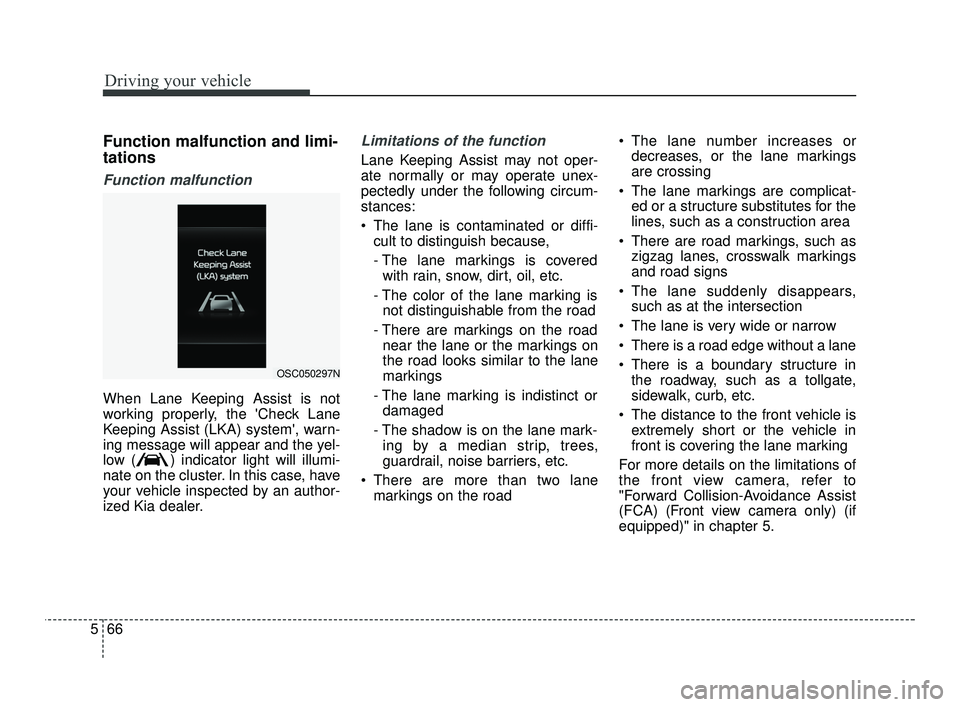
When Lane Keeping Assist is not
working properly, the 'Check Lane
Keeping Assist (LKA) system', warn-
ing message will appear and the yel-
low ( ) indicator light will illumi-
nate on the cluster. In this case, have
your vehicle inspected by an author-
ized Kia dealer.
Limitations of the function
Lane Keeping Assist may not oper-
ate normally or may operate unex-
pectedly under the following circum-
stances:
The lane is contaminated or diffi-
cult to distinguish because,
- The lane markings is coveredwith rain, snow, dirt, oil, etc.
- The color of the lane marking is not distinguishable from the road
- There are markings on the road near the lane or the markings on
the road looks similar to the lane
markings
- The lane marking is indistinct or damaged
- The shadow is on the lane mark- ing by a median strip, trees,
guardrail, noise barriers, etc.
There are more than two lane markings on the road The lane number increases or
decreases, or the lane markings
are crossing
The lane markings are complicat- ed or a structure substitutes for the
lines, such as a construction area
There are road markings, such as zigzag lanes, crosswalk markings
and road signs
The lane suddenly disappears, such as at the intersection
The lane is very wide or narrow
There is a road edge without a lane
There is a boundary structure in the roadway, such as a tollgate,
sidewalk, curb, etc.
The distance to the front vehicle is extremely short or the vehicle in
front is covering the lane marking
For more details on the limitations of
the front view camera, refer to
"Forward Collision-Avoidance Assist
(FCA) (Front view camera only) (if
equipped)" in chapter 5.
OSC050297N
SC PE USA 5.QXP 10/23/2020 5:51 PM Page 66
Page 307 of 534
Driving your vehicle
70
5
Function settings
Setting
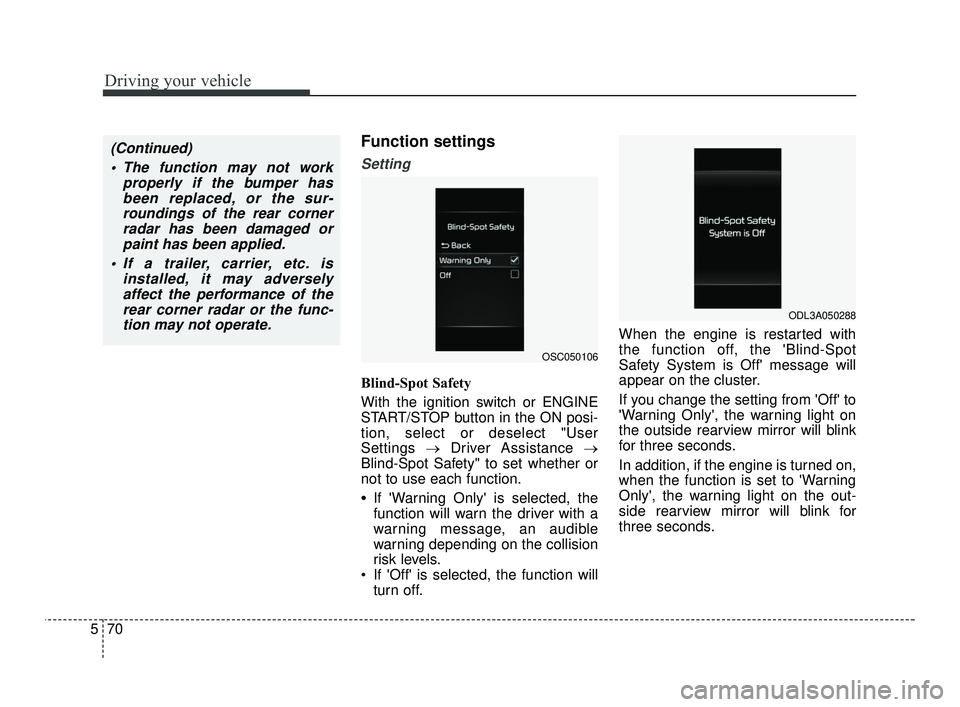
Blind-Spot Safety
With the ignition switch or ENGINE
START/STOP button in the ON posi-
tion, select or deselect "User
Settings →Driver Assistance →
Blind-Spot Safety" to set whether or
not to use each function.
•If 'Warning Only' is selected, the
function will warn the driver with a
warning message, an audible
warning depending on the collision
risk levels.
If 'Off' is selected, the function will turn off. When the engine is restarted with
the function off, the 'Blind-Spot
Safety System is Off' message will
appear on the cluster.
If you change the setting from 'Off' to
'Warning Only', the warning light on
the outside rearview mirror will blink
for three seconds.
In addition, if the engine is turned on,
when the function is set to 'Warning
Only', the warning light on the out-
side rearview mirror will blink for
three seconds.
(Continued)
The function may not work properly if the bumper hasbeen replaced, or the sur-roundings of the rear cornerradar has been damaged orpaint has been applied.
If a trailer, carrier, etc. is installed, it may adverselyaffect the performance of therear corner radar or the func-tion may not operate.
OSC050106
ODL3A050288
SC PE USA 5.QXP 10/23/2020 5:52 PM Page 70
Page 308 of 534
571
Driving your vehicle
✽ ✽NOTICE
If the engine is restarted, Blind-Spot
Safety system will maintain the last
setting.
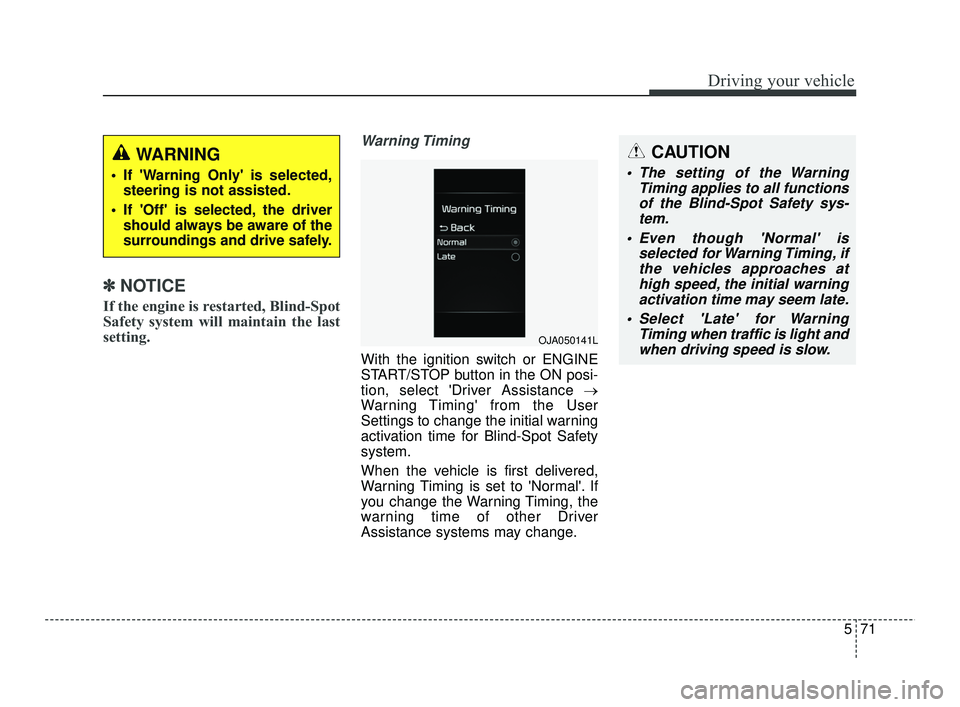
Warning Timing
With the ignition switch or ENGINE
START/STOP button in the ON posi-
tion, select 'Driver Assistance →
Warning Timing' from the User
Settings to change the initial warning
activation time for Blind-Spot Safety
system.
When the vehicle is first delivered,
Warning Timing is set to 'Normal'. If
you change the Warning Timing, the
warning time of other Driver
Assistance systems may change.
WARNING
If 'Warning Only' is selected,
steering is not assisted.
If 'Off' is selected, the driver should always be aware of the
surroundings and drive safely.
OJA050141L
CAUTION
The setting of the Warning Timing applies to all functionsof the Blind-Spot Safety sys-tem.
Even though 'Normal' is selected for Warning Timing, ifthe vehicles approaches athigh speed, the initial warningactivation time may seem late.
Select 'Late' for Warning Timing when traffic is light andwhen driving speed is slow.
SC PE USA 5.QXP 10/23/2020 5:52 PM Page 71