light KIA RIO 2021 Repair Manual
[x] Cancel search | Manufacturer: KIA, Model Year: 2021, Model line: RIO, Model: KIA RIO 2021Pages: 534, PDF Size: 13.49 MB
Page 175 of 534
Features of your vehicle
94
4
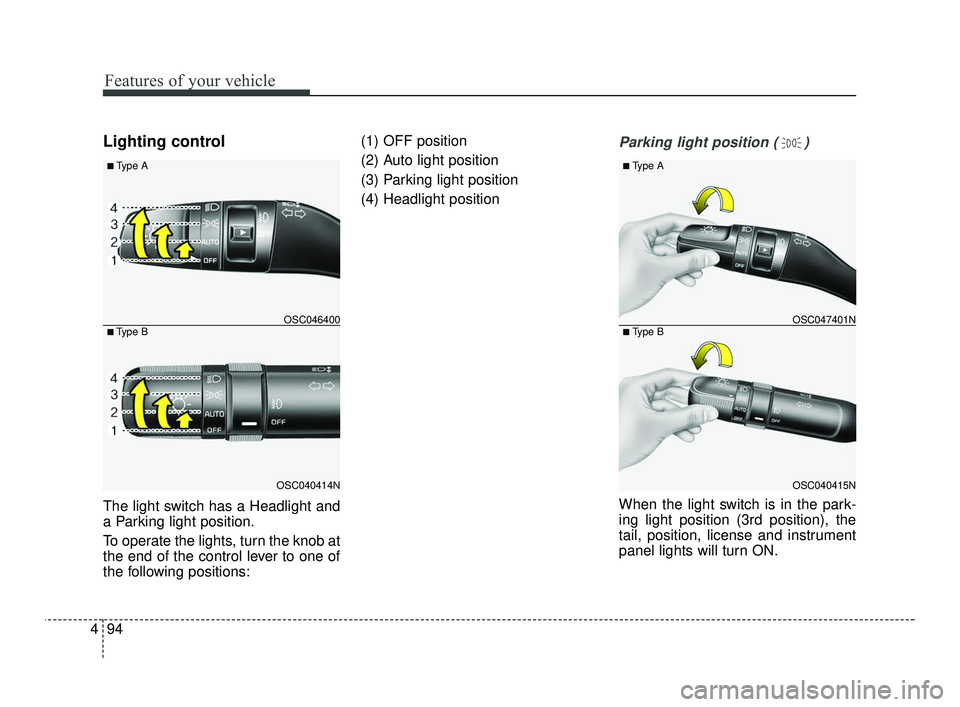
Lighting control
The light switch has a Headlight and
a Parking light position.
To operate the lights, turn the knob at
the end of the control lever to one of
the following positions: (1) OFF position
(2) Auto light position
(3) Parking light position
(4) Headlight position
Parking light position ( )
When the light switch is in the park-
ing light position (3rd position), the
tail, position, license and instrument
panel lights will turn ON.
OSC040414N
OSC046400
■ Type A
■ Type B
OSC040415N
OSC047401N
■ Type A
■ Type B
SC PE USA 4.QXP 10/23/2020 5:44 PM Page 94
Page 176 of 534
495
Features of your vehicle
CAUTION
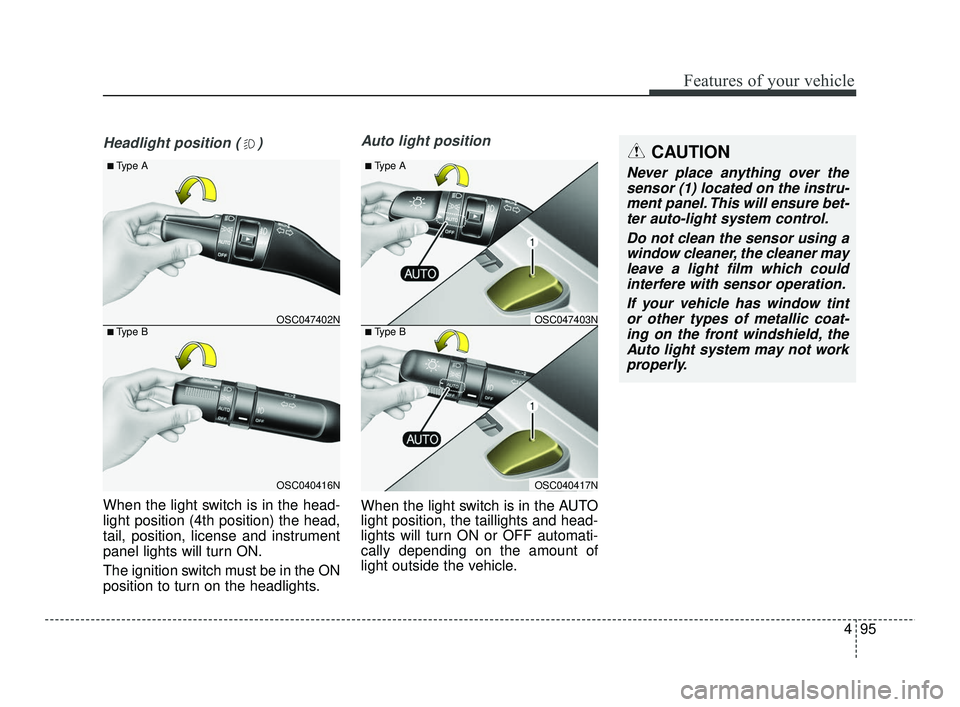
Never place anything over thesensor (1) located on the instru-ment panel. This will ensure bet-ter auto-light system control.
Do not clean the sensor using awindow cleaner, the cleaner mayleave a light film which couldinterfere with sensor operation.
If your vehicle has window tintor other types of metallic coat-ing on the front windshield, theAuto light system may not workproperly.
Headlight position ( )
When the light switch is in the head-
light position (4th position) the head,
tail, position, license and instrument
panel lights will turn ON.
The ignition switch must be in the ON
position to turn on the headlights.
Auto light position
When the light switch is in the AUTO
light position, the taillights and head-
lights will turn ON or OFF automati-
cally depending on the amount of
light outside the vehicle.
OSC040416N
OSC047402N
■ Type A
■ Type B
OSC040417N
OSC047403N
■ Type A
■ Type B
SC PE USA 4.QXP 10/23/2020 5:44 PM Page 95
Page 177 of 534
Features of your vehicle
96
4
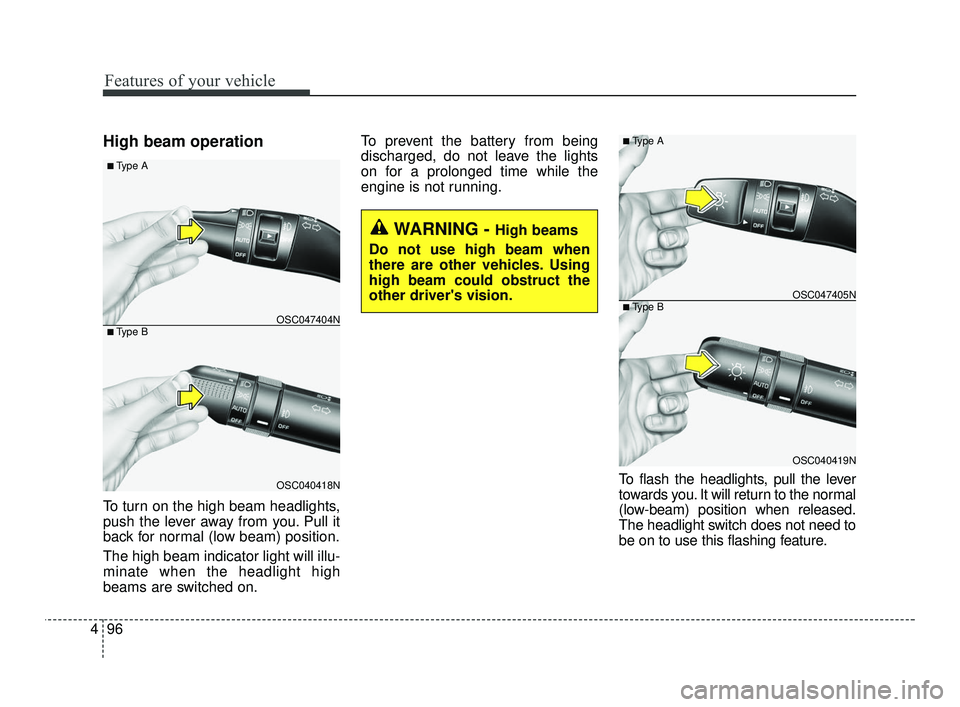
High beam operation
To turn on the high beam headlights,
push the lever away from you. Pull it
back for normal (low beam) position.
The high beam indicator light will illu-
minate when the headlight high
beams are switched on. To prevent the battery from being
discharged, do not leave the lights
on for a prolonged time while the
engine is not running.
To flash the headlights, pull the lever
towards you. It will return to the normal
(low-beam) position when released.
The headlight switch does not need to
be on to use this flashing feature.
WARNING - High beams
Do not use high beam when
there are other vehicles. Using
high beam could obstruct the
other driver's vision.
OSC040418N
OSC047404N
■ Type A
■ Type B
OSC040419N
OSC047405N
■ Type A
■ Type B
SC PE USA 4.QXP 10/23/2020 5:44 PM Page 96
Page 178 of 534
497
Features of your vehicle
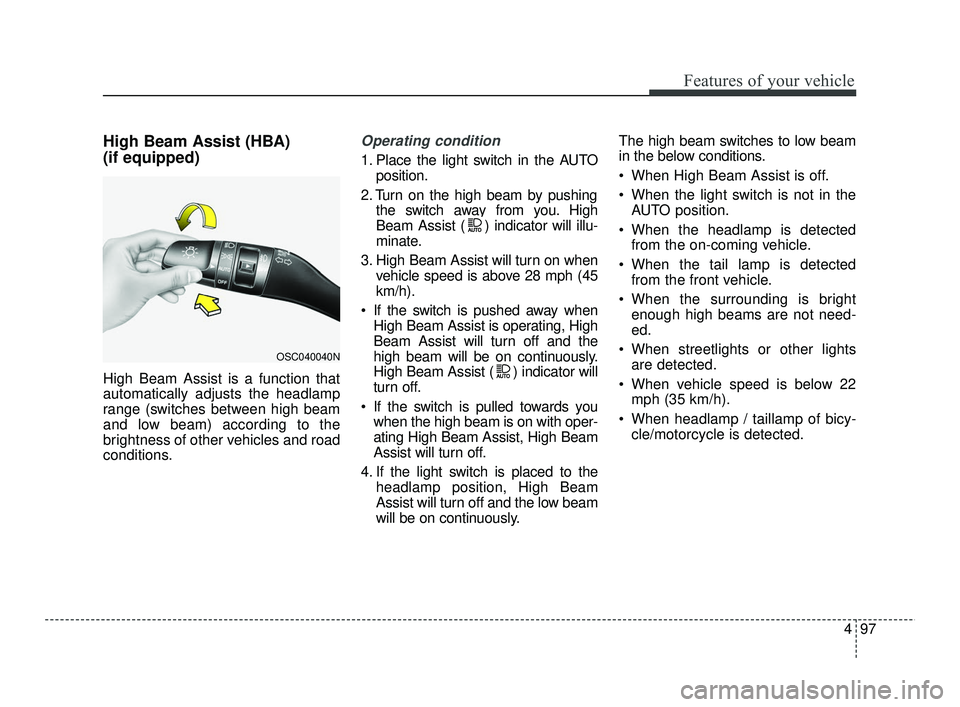
High Beam Assist (HBA)
(if equipped)
High Beam Assist is a function that
automatically adjusts the headlamp
range (switches between high beam
and low beam) according to the
brightness of other vehicles and road
conditions.
Operating condition
1. Place the light switch in the AUTOposition.
2. Turn on the high beam by pushing the switch away from you. High
Beam Assist ( ) indicator will illu-
minate.
3. High Beam Assist will turn on when vehicle speed is above 28 mph (45
km/h).
If the switch is pushed away when High Beam Assist is operating, High
Beam Assist will turn off and the
high beam will be on continuously.
High Beam Assist ( ) indicator will
turn off.
If the switch is pulled towards you when the high beam is on with oper-
ating High Beam Assist, High Beam
Assist will turn off.
4. If the light switch is placed to the headlamp position, High Beam
Assist will turn off and the low beam
will be on continuously. The high beam switches to low beam
in the below conditions.
When High Beam Assist is off.
When the light switch is not in the
AUTO position.
When the headlamp is detected from the on-coming vehicle.
When the tail lamp is detected from the front vehicle.
When the surrounding is bright enough high beams are not need-
ed.
When streetlights or other lights are detected.
When vehicle speed is below 22 mph (35 km/h).
When headlamp / taillamp of bicy- cle/motorcycle is detected.
OSC040040N
SC PE USA 4.QXP 10/23/2020 5:44 PM Page 97
Page 179 of 534
Features of your vehicle
98
4
Turn signals and lane change
signals
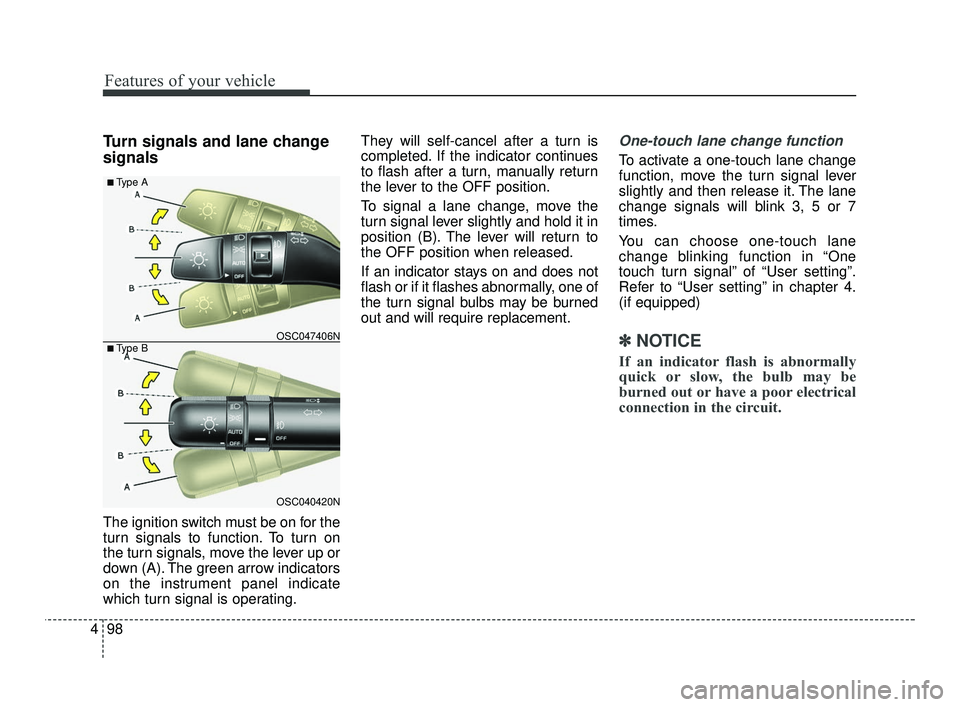
The ignition switch must be on for the
turn signals to function. To turn on
the turn signals, move the lever up or
down (A). The green arrow indicators
on the instrument panel indicate
which turn signal is operating. They will self-cancel after a turn is
completed. If the indicator continues
to flash after a turn, manually return
the lever to the OFF position.
To signal a lane change, move the
turn signal lever slightly and hold it in
position (B). The lever will return to
the OFF position when released.
If an indicator stays on and does not
flash or if it flashes abnormally, one of
the turn signal bulbs may be burned
out and will require replacement.
One-touch lane change function
To activate a one-touch lane change
function, move the turn signal lever
slightly and then release it. The lane
change signals will blink 3, 5 or 7
times.
You can choose one-touch lane
change blinking function in “One
touch turn signal” of “User setting”.
Refer to “User setting” in chapter 4.
(if equipped)
✽ ✽
NOTICE
If an indicator flash is abnormally
quick or slow, the bulb may be
burned out or have a poor electrical
connection in the circuit.
OSC040420N
OSC047406N
■ Type A
■ Type B
SC PE USA 4.QXP 10/23/2020 5:44 PM Page 98
Page 180 of 534
499
Features of your vehicle
Front fog light (if equipped)
Fog lights are used to provide
improved visibility when visibility is
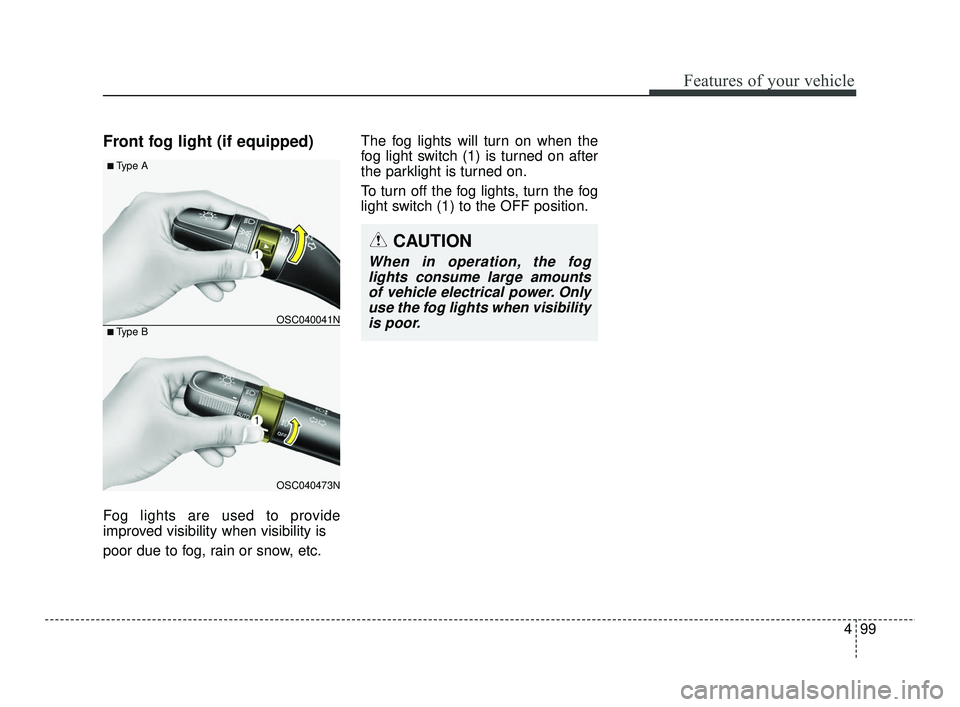
poor due to fog, rain or snow, etc.The fog lights will turn on when the
fog light switch (1) is turned on after
the parklight is turned on.
To turn off the fog lights, turn the fog
light switch (1) to the OFF position.
OSC040473N
OSC040041N
■ Type A
■ Type B
CAUTION
When in operation, the fog
lights consume large amountsof vehicle electrical power. Onlyuse the fog lights when visibilityis poor.
SC PE USA 4.QXP 10/23/2020 5:44 PM Page 99
Page 182 of 534
4101
Features of your vehicle
Windshield wipers
Operates as follows when the igni-
tion switch is turned ON.
MIST : For a single wiping cycle,
push the lever upward and
release it. The wipers will
operate continuously if the
lever is held in this position.
OFF : Wiper is not in operation
INT : Wiper operates intermittently at the same wiping intervals. Use
this mode in a light rain or mist.
To vary the speed setting, turn
the speed control knob.
ON/LO : Normal wiper speed
HI : Fast wiper speed
✽ ✽ NOTICE
If there is heavy accumulation of
snow or ice on the windshield,
defrost the windshield for about 10
minutes, or until the snow and/or ice
is removed, before using the wind-
shield wipers in order to ensure
proper operation.
If you do not remove the snow
and/or ice before using the wiper
and washer, the wiper and washer
system may be damaged.
AUTO (Automatic) control
(if equipped)
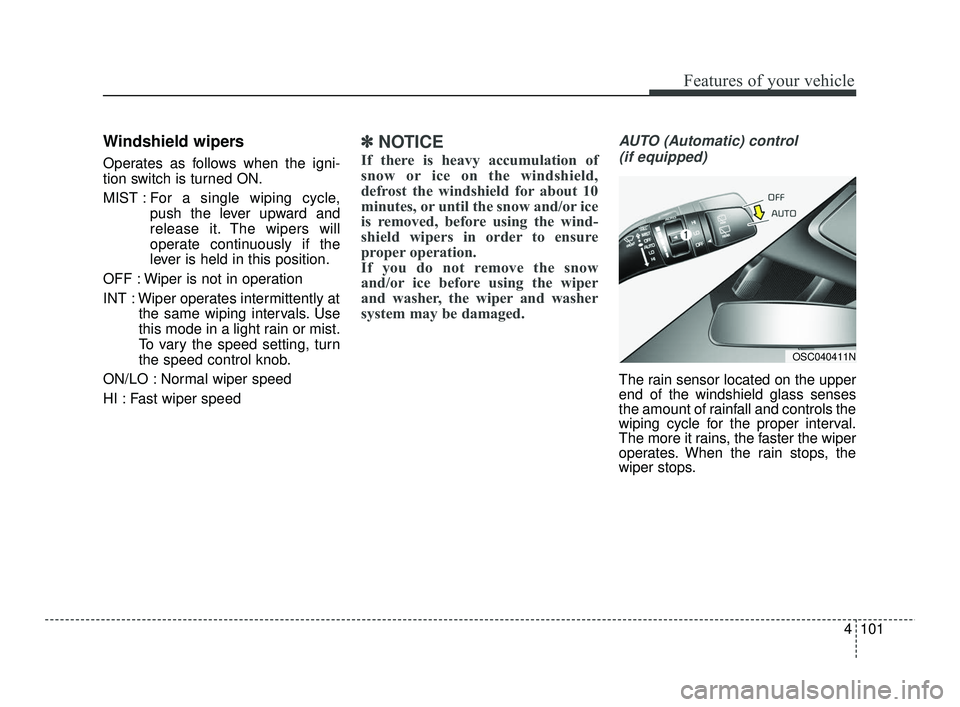
The rain sensor located on the upper
end of the windshield glass senses
the amount of rainfall and controls the
wiping cycle for the proper interval.
The more it rains, the faster the wiper
operates. When the rain stops, the
wiper stops.
OSC040411N
SC PE USA 4.QXP 10/23/2020 5:44 PM Page 101
Page 186 of 534
4105
Features of your vehicle
Do not use the interior lights for
extended periods when the engine is
not running as this may cause bat-
tery discharge.Automatic turn off function
(if equipped)
The interior lights automatically turn
off approximately 20 minutes after
the ignition switch is turned off.
If your vehicle is equipped with the
theft alarm system, the interior lights
automatically turn off approximately
5 seconds after the system is in
armed stage.
Map lamp (if equipped)
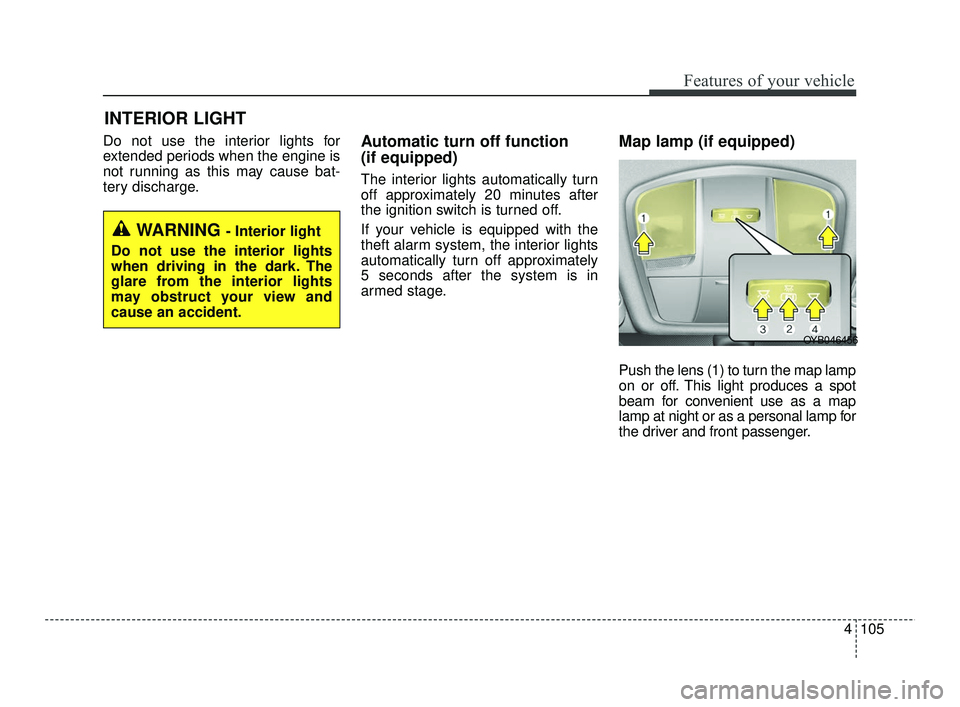
Push the lens (1) to turn the map lamp
on or off. This light produces a spot
beam for convenient use as a map
lamp at night or as a personal lamp for
the driver and front passenger.
INTERIOR LIGHT
WARNING - Interior light
Do not use the interior lights
when driving in the dark. The
glare from the interior lights
may obstruct your view and
cause an accident.
OYB046456
SC PE USA 4.QXP 10/23/2020 5:45 PM Page 105
Page 187 of 534
Features of your vehicle
106
4
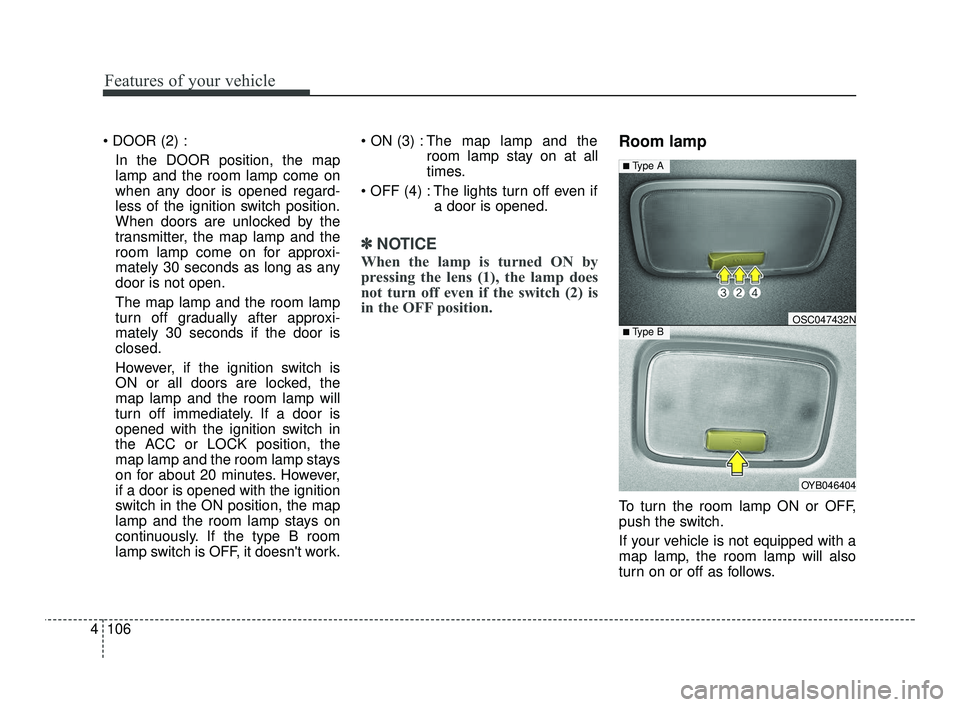
In the DOOR position, the map
lamp and the room lamp come on
when any door is opened regard-
less of the ignition switch position.
When doors are unlocked by the
transmitter, the map lamp and the
room lamp come on for approxi-
mately 30 seconds as long as any
door is not open.
The map lamp and the room lamp
turn off gradually after approxi-
mately 30 seconds if the door is
closed.
However, if the ignition switch is
ON or all doors are locked, the
map lamp and the room lamp will
turn off immediately. If a door is
opened with the ignition switch in
the ACC or LOCK position, the
map lamp and the room lamp stays
on for about 20 minutes. However,
if a door is opened with the ignition
switch in the ON position, the map
lamp and the room lamp stays on
continuously. If the type B room
lamp switch is OFF, it doesn't work. The map lamp and the
room lamp stay on at all
times.
The lights turn off even if a door is opened.
✽ ✽NOTICE
When the lamp is turned ON by
pressing the lens (1), the lamp does
not turn off even if the switch (2) is
in the OFF position.
Room lamp
To turn the room lamp ON or OFF,
push the switch.
If your vehicle is not equipped with a
map lamp, the room lamp will also
turn on or off as follows.
OYB046404
OSC047432N
■ Type A
■ Type B
SC PE USA 4.QXP 10/23/2020 5:45 PM Page 106
Page 188 of 534
4107
Features of your vehicle
- The room lamp comes on when adoor is opened. The lamps go out
after approximately 30 seconds.
- The room lamp comes on for approximately 30 seconds when
doors are unlocked with a trans-
mitter as long as the doors are
not opened.
- The room lamp will stay on for approximately 20 minutes if a
door is opened with the ignition
switch in the ACC or LOCK/OFF
position.
- The room lamp will stay on con- tinuously if the door is opened
with the ignition switch in the ON
position.
- The room lamp will go out imme- diately if the ignition switch is
changed to the ON position or all
doors are locked.
In the DOOR position, the map
lamp and the room lamp come on
when any door is opened regard-
less of the ignition switch position.
When doors are unlocked by the
transmitter, the map lamp and the
room lamp come on for approxi-
mately 30 seconds as long as any
door is not open.
The map lamp and the room lamp
turn off gradually after approxi-
mately 30 seconds if the door is
closed.
However, if the ignition switch is
ON or all doors are locked, the
map lamp and the room lamp will
turn off immediately. If a door is
opened with the ignition switch in
the ACC or LOCK position, the
map lamp and the room lamp stays
on for about 20 minutes. However,
if a door is opened with the ignition
switch in the ON position, the map
lamp and the room lamp stays on
continuously. If the type B room
lamp switch is OFF, it doesn't work. The map lamp and the
room lamp stay on at all
times.
The lights turn off even if a door is opened.
✽ ✽NOTICE
When the lamp is turned ON by
pressing the lens (1), the lamp does
not turn off even if the switch (2) is
in the OFF position.
SC PE USA 4.QXP 10/23/2020 5:45 PM Page 107