brake KIA RIO 2021 Workshop Manual
[x] Cancel search | Manufacturer: KIA, Model Year: 2021, Model line: RIO, Model: KIA RIO 2021Pages: 534, PDF Size: 13.49 MB
Page 283 of 534
Driving your vehicle
46
5
Function settings
Setting
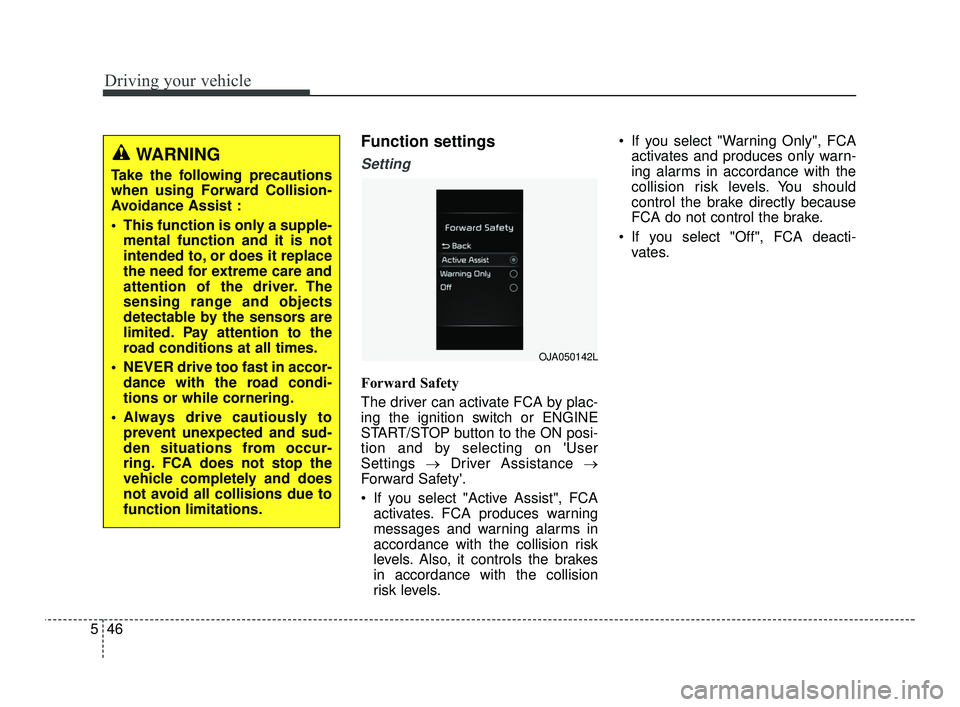
Forward Safety
The driver can activate FCA by plac-
ing the ignition switch or ENGINE
START/STOP button to the ON posi-
tion and by selecting on 'User
Settings →Driver Assistance →
Forward Safety'.
If you select "Active Assist", FCA activates. FCA produces warning
messages and warning alarms in
accordance with the collision risk
levels. Also, it controls the brakes
in accordance with the collision
risk levels. If you select "Warning Only", FCA
activates and produces only warn-
ing alarms in accordance with the
collision risk levels. You should
control the brake directly because
FCA do not control the brake.
If you select "Off", FCA deacti- vates.
WARNING
Take the following precautions
when using Forward Collision-
Avoidance Assist :
This function is only a supple-mental function and it is not
intended to, or does it replace
the need for extreme care and
attention of the driver. The
sensing range and objects
detectable by the sensors are
limited. Pay attention to the
road conditions at all times.
NEVER drive too fast in accor- dance with the road condi-
tions or while cornering.
Always drive cautiously to prevent unexpected and sud-
den situations from occur-
ring. FCA does not stop the
vehicle completely and does
not avoid all collisions due to
function limitations.
OJA050142L
SC PE USA 5.QXP 10/23/2020 5:50 PM Page 46
Page 285 of 534
Driving your vehicle
48
5
Prerequisite for activation
FCA will activate when FCA is
selected on the LCD display, and
when the following prerequisites are
satisfied:
The ESC (Electronic Stability
Control) is activated.
When FCA recognizes a vehicle or the pedestrian in front.
FCA warning message and
function control
FCA produces warning messages,
warning alarms, and emergency
braking based on the level of risk of
a frontal collision, such as when a
vehicle ahead suddenly brakes, or
when the function detects that a col-
lision with a pedestrian is imminent.
The driver can select the initial warn-
ing activation time in the User
Settings in the LCD display. The
options for the initial Forward
Collision Warning include Early,
Normal or Late initial warning time.
WARNING
FCA may not recognize every
obstacle or provide warnings
and braking in every situation,
so do not rely on FCA to stop
the vehicle in instances where
the driver sees an obstacle and
has the ability to apply the
brakes
FCA automatically activatesupon placing the ignition
switch or ENGINE
START/STOP button to the ON
position. The driver can deac-
tivate FCA by canceling the
function setting on the LCD
display.
FCA automatically deacti- vates upon canceling the
ESC. When the ESC is can-
celed, FCA cannot be activat-
ed on the LCD display. FCA
warning light will illuminate.
SC PE USA 5.QXP 10/23/2020 5:50 PM Page 48
Page 286 of 534
549
Driving your vehicle
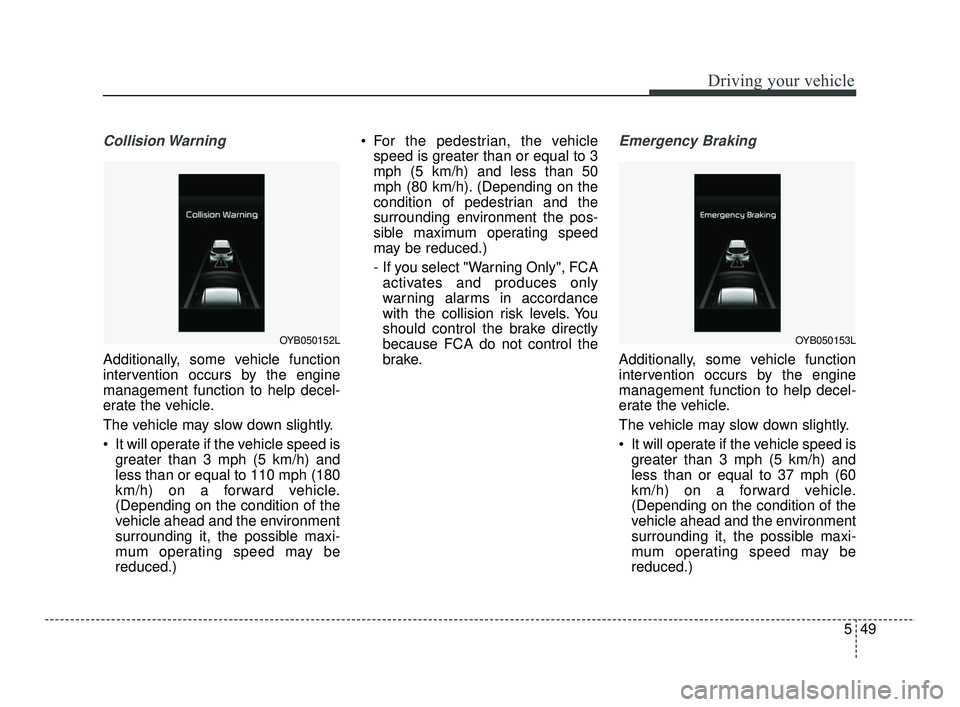
Collision Warning
Additionally, some vehicle function
intervention occurs by the engine
management function to help decel-
erate the vehicle.
The vehicle may slow down slightly.
It will operate if the vehicle speed isgreater than 3 mph (5 km/h) and
less than or equal to 110 mph (180
km/h) on a forward vehicle.
(Depending on the condition of the
vehicle ahead and the environment
surrounding it, the possible maxi-
mum operating speed may be
reduced.) For the pedestrian, the vehicle
speed is greater than or equal to 3
mph (5 km/h) and less than 50
mph (80 km/h). (Depending on the
condition of pedestrian and the
surrounding environment the pos-
sible maximum operating speed
may be reduced.)
- If you select "Warning Only", FCAactivates and produces only
warning alarms in accordance
with the collision risk levels. You
should control the brake directly
because FCA do not control the
brake.
Emergency Braking
Additionally, some vehicle function
intervention occurs by the engine
management function to help decel-
erate the vehicle.
The vehicle may slow down slightly.
It will operate if the vehicle speed is greater than 3 mph (5 km/h) and
less than or equal to 37 mph (60
km/h) on a forward vehicle.
(Depending on the condition of the
vehicle ahead and the environment
surrounding it, the possible maxi-
mum operating speed may be
reduced.)
OYB050152LOYB050153L
SC PE USA 5.QXP 10/23/2020 5:50 PM Page 49
Page 287 of 534
Driving your vehicle
50
5
For the pedestrian, the vehicle
speed is greater than or equal to 3
mph (5 km/h) and less than 50
mph (80 km/h). (Depending on the
condition of pedestrian and the
surrounding environment the pos-
sible maximum operating speed
may be reduced.)
- If you select "Warning Only", FCAactivates and produces only
warning alarms in accordance
with the collision risk levels. You
should control the brake directly
because FCA do not control the
brake.Brake operation
In an urgent situation, the braking
system enters into the ready status
for prompt reaction to assist the driv-
er in depressing the brake pedal.
FCA provides additional braking power for optimum braking per-
formance when the driver depress-
es the brake pedal during warning.
The braking control is automatical- ly deactivated when the driver
sharply depresses the accelerator
pedal, or when the driver abruptly
operates the steering wheel.
The braking control is automatical- ly canceled when risk factors dis-
appear.
The driver should always exercise
caution when operating the vehicle,
even though there is no warning
message or warning alarm.WARNING
FCA cannot avoid all collisions
nor completely stop the vehicle
before collision. The driver has
the responsibility to drive safely
and control the vehicle.
WARNING
FCA is a supplemental function
and cannot completely stop the
vehicle in all situations or avoid
all collisions. It is the responsi-
bility of the driver to safely drive
and control the vehicle.
SC PE USA 5.QXP 10/23/2020 5:50 PM Page 50
Page 289 of 534
Driving your vehicle
52
5
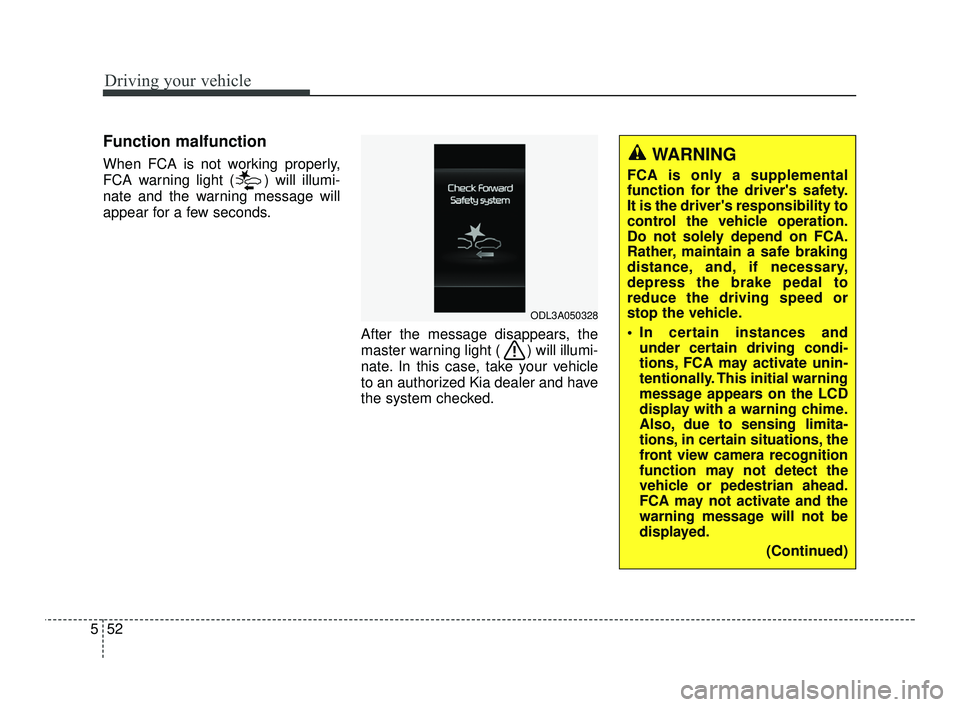
Function malfunction
When FCA is not working properly,
FCA warning light ( ) will illumi-
nate and the warning message will
appear for a few seconds.
After the message disappears, the
master warning light ( ) will illumi-
nate. In this case, take your vehicle
to an authorized Kia dealer and have
the system checked.
ODL3A050328
WARNING
FCA is only a supplemental
function for the driver's safety.
It is the driver's responsibility to
control the vehicle operation.
Do not solely depend on FCA.
Rather, maintain a safe braking
distance, and, if necessary,
depress the brake pedal to
reduce the driving speed or
stop the vehicle.
In certain instances andunder certain driving condi-
tions, FCA may activate unin-
tentionally. This initial warning
message appears on the LCD
display with a warning chime.
Also, due to sensing limita-
tions, in certain situations, the
front view camera recognition
function may not detect the
vehicle or pedestrian ahead.
FCA may not activate and the
warning message will not be
displayed.
(Continued)
SC PE USA 5.QXP 10/23/2020 5:51 PM Page 52
Page 290 of 534
553
Driving your vehicle
Limitations of FCA
FCA is designed to monitor the vehi-
cle ahead in the roadway through
front view camera recognition to
warn the driver that a collision is
imminent, and if necessary, apply
emergency braking.
In certain situations, the front view
camera may not be able to detect the
vehicle ahead. In these cases, FCA
may not operate normally. The driver
must pay careful attention in the fol-
lowing situations where FCA opera-
tion may be limited.(Continued)
FCA may unnecessarily pro-duce the warning message
and the warning alarms. Also,
due to the sensing limitation,
FCA may not produce the
warning message and the
warning alarm at all.
When there is a malfunction with FCA, the autonomous
emergency braking does not
operate upon detecting a col-
lision risk even with other
braking systems normally
operating.
FCA may not activate if the driver applies the brake pedal
before warning to avoid risk of
collision.
FCA does not operate when the vehicle is in reverse.
FCA is not designed to detect other objects on the road
such as animals.
(Continued)(Continued)
FCA does not detect vehiclesin the opposite lane.
FCA does not detect cross traffic vehicles that are
approaching.
FCA cannot detect the driver approaching the side view of
a parked vehicle (for example
on a dead end street). In these
cases, you must maintain a
safe braking distance, and if
necessary, depress the brake
pedal to reduce the driving
speed in order to maintain a
safe distance.
FCA may not activate depend- ing on road or driving condi-
tions.
FCA may not activate to all types of vehicles.
SC PE USA 5.QXP 10/23/2020 5:51 PM Page 53
Page 293 of 534
Driving your vehicle
56
5
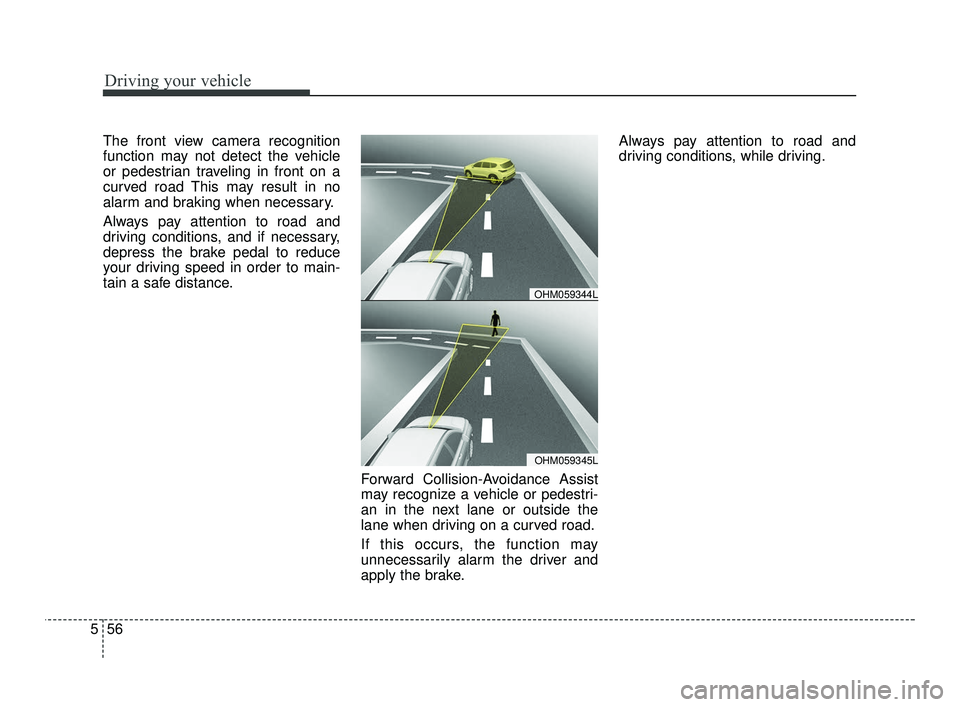
The front view camera recognition
function may not detect the vehicle
or pedestrian traveling in front on a
curved road This may result in no
alarm and braking when necessary.
Always pay attention to road and
driving conditions, and if necessary,
depress the brake pedal to reduce
your driving speed in order to main-
tain a safe distance.
Forward Collision-Avoidance Assist
may recognize a vehicle or pedestri-
an in the next lane or outside the
lane when driving on a curved road.
If this occurs, the function may
unnecessarily alarm the driver and
apply the brake.Always pay attention to road and
driving conditions, while driving.
OHM059345L
OHM059344L
SC PE USA 5.QXP 10/23/2020 5:51 PM Page 56
Page 294 of 534
557
Driving your vehicle
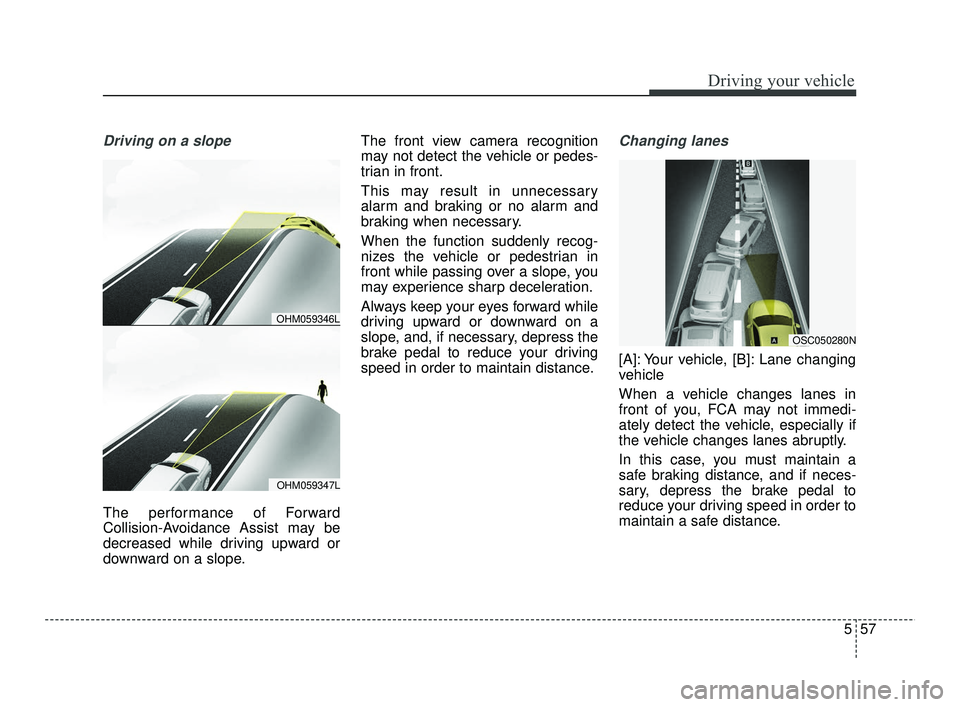
Driving on a slope
The performance of Forward
Collision-Avoidance Assist may be
decreased while driving upward or
downward on a slope.The front view camera recognition
may not detect the vehicle or pedes-
trian in front.
This may result in unnecessary
alarm and braking or no alarm and
braking when necessary.
When the function suddenly recog-
nizes the vehicle or pedestrian in
front while passing over a slope, you
may experience sharp deceleration.
Always keep your eyes forward while
driving upward or downward on a
slope, and, if necessary, depress the
brake pedal to reduce your driving
speed in order to maintain distance.
Changing lanes
[A]: Your vehicle, [B]: Lane changing
vehicle
When a vehicle changes lanes in
front of you, FCA may not immedi-
ately detect the vehicle, especially if
the vehicle changes lanes abruptly.
In this case, you must maintain a
safe braking distance, and if neces-
sary, depress the brake pedal to
reduce your driving speed in order to
maintain a safe distance.
OHM059347L
OHM059346L
OSC050280N
SC PE USA 5.QXP 10/23/2020 5:51 PM Page 57
Page 295 of 534
![KIA RIO 2021 Workshop Manual Driving your vehicle
58
5
[A]: Your vehicle, [B]: Lane changing
vehicle, [C]: Same lane vehicle
When driving in stop-and-go traffic,
and a stopped vehicle in front of you
merges out of the lane, FCA m](/img/2/54889/w960_54889-294.png "KIA RIO 2021 Workshop Manual Driving your vehicle
58
5
[A]: Your vehicle, [B]: Lane changing
vehicle, [C]: Same lane vehicle
When driving in stop-and-go traffic,
and a stopped vehicle in front of you
merges out of the lane, FCA m")
Driving your vehicle
58
5
[A]: Your vehicle, [B]: Lane changing
vehicle, [C]: Same lane vehicle
When driving in stop-and-go traffic,
and a stopped vehicle in front of you
merges out of the lane, FCA may not
immediately detect the new vehicle
that is now in front of you. In this
case, you must maintain a safe brak-
ing distance, and if necessary,
depress the brake pedal to reduce
your driving speed in order to main-
tain a safe distance.
Recognizing the vehicle
When the vehicle in front has heavy
loading extended rearward, or when
the vehicle in front has higher ground
clearance, it may induce a haz-
ardous situation. Always pay atten-
tion to road and driving conditions,
while driving and, if necessary,
depress the brake pedal to reduce
your driving speed in order to main-
tain distance.
Situation in which the function
may not detect pedestrian
properly.
The sensor may be limited when:
The pedestrian is not fully detected
by the camera recognition function,
for example, if the pedestrian is
leaning over or is not fully walking
upright.
The pedestrian is moving very quickly or appears abruptly in the
camera detection area.
The pedestrian is wearing clothing that easily blends into the back-
ground, making it difficult to be
detected by the camera recogni-
tion function.
The outside lighting is too bright (e.g. when driving in bright sun-
light or in sun glare) or too dark.
(e.g. when driving on a dark rural
road at night)
It is difficult to detect and distin- guish the pedestrian from other
objects in the surroundings, for
example, when there is a group of
pedestrians, or a large crowd.
OSC050281N
OSC050154N
SC PE USA 5.QXP 10/23/2020 5:51 PM Page 58
Page 296 of 534
559
Driving your vehicle
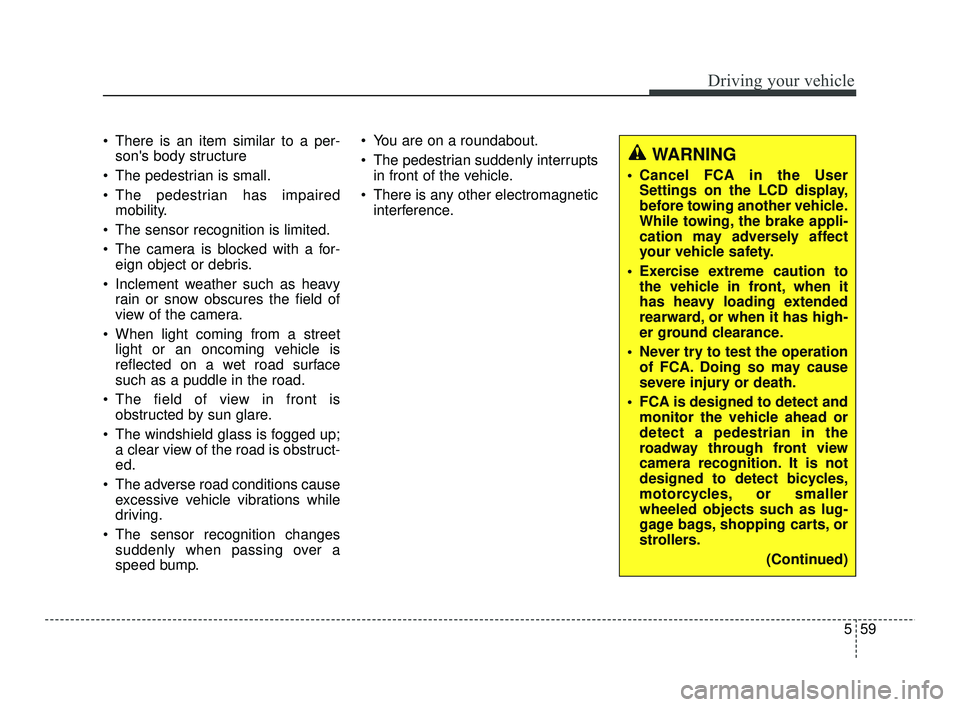
There is an item similar to a per-son's body structure
The pedestrian is small.
The pedestrian has impaired mobility.
The sensor recognition is limited.
The camera is blocked with a for- eign object or debris.
Inclement weather such as heavy rain or snow obscures the field of
view of the camera.
When light coming from a street light or an oncoming vehicle is
reflected on a wet road surface
such as a puddle in the road.
The field of view in front is obstructed by sun glare.
The windshield glass is fogged up; a clear view of the road is obstruct-
ed.
The adverse road conditions cause excessive vehicle vibrations while
driving.
The sensor recognition changes suddenly when passing over a
speed bump. You are on a roundabout.
The pedestrian suddenly interrupts
in front of the vehicle.
There is any other electromagnetic interference.
WARNING
Cancel FCA in the UserSettings on the LCD display,
before towing another vehicle.
While towing, the brake appli-
cation may adversely affect
your vehicle safety.
Exercise extreme caution to the vehicle in front, when it
has heavy loading extended
rearward, or when it has high-
er ground clearance.
Never try to test the operation of FCA. Doing so may cause
severe injury or death.
FCA is designed to detect and monitor the vehicle ahead or
detect a pedestrian in the
roadway through front view
camera recognition. It is not
designed to detect bicycles,
motorcycles, or smaller
wheeled objects such as lug-
gage bags, shopping carts, or
strollers.
(Continued)
SC PE USA 5.QXP 10/23/2020 5:51 PM Page 59