engine KIA RIO 2022 Owners Manual
[x] Cancel search | Manufacturer: KIA, Model Year: 2022, Model line: RIO, Model: KIA RIO 2022Pages: 528, PDF Size: 11.8 MB
Page 276 of 528
Driving your vehicle
42
5
Forward Collision-Avoidance
Assist settings
Setting features
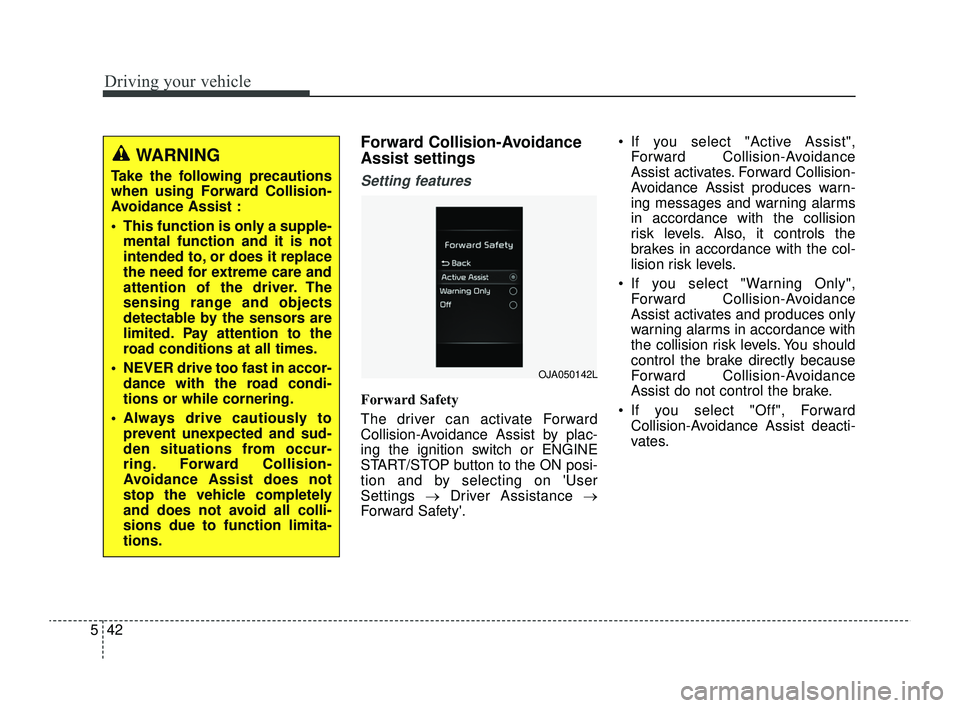
Forward Safety
The driver can activate Forward
Collision-Avoidance Assist by plac-
ing the ignition switch or ENGINE
START/STOP button to the ON posi-
tion and by selecting on 'User
Settings →Driver Assistance →
Forward Safety'. If you select "Active Assist",
Forward Collision-Avoidance
Assist activates. Forward Collision-
Avoidance Assist produces warn-
ing messages and warning alarms
in accordance with the collision
risk levels. Also, it controls the
brakes in accordance with the col-
lision risk levels.
If you select "Warning Only", Forward Collision-Avoidance
Assist activates and produces only
warning alarms in accordance with
the collision risk levels. You should
control the brake directly because
Forward Collision-Avoidance
Assist do not control the brake.
If you select "Off", Forward Collision-Avoidance Assist deacti-
vates.
WARNING
Take the following precautions
when using Forward Collision-
Avoidance Assist :
This function is only a supple-mental function and it is not
intended to, or does it replace
the need for extreme care and
attention of the driver. The
sensing range and objects
detectable by the sensors are
limited. Pay attention to the
road conditions at all times.
NEVER drive too fast in accor- dance with the road condi-
tions or while cornering.
Always drive cautiously to prevent unexpected and sud-
den situations from occur-
ring. Forward Collision-
Avoidance Assist does not
stop the vehicle completely
and does not avoid all colli-
sions due to function limita-
tions.
OJA050142L
SC PE USA 5.QXP 9/9/2021 6:18 PM Page 42
Page 278 of 528
Driving your vehicle
44
5
Prerequisite for activation
Forward Collision-Avoidance Assist
will activate when Forward Collision-
Avoidance Assist is selected on the
LCD display, and when the following
prerequisites are satisfied:
The ESC (Electronic Stability
Control) is activated.
When Forward Collision- Avoidance Assist recognizes a
vehicle or the pedestrian in front.
Forward Collision-Avoidance
Assist warning message and
function control
Forward Collision-Avoidance Assist
produces warning messages, warn-
ing alarms, and emergency braking
based on the level of risk of a frontal
collision, such as when a vehicle
ahead suddenly brakes, or when the
function detects that a collision with
a pedestrian is imminent.
The driver can select the initial warn-
ing activation time in the User
Settings in the LCD display. The
options for the initial Forward
Collision Warning include Normal or
Late initial warning time.
WARNING
Forward Collision-Avoidance
Assist may not recognize every
obstacle or provide warnings
and braking in every situation, so
do not rely on Forward Collision-
Avoidance Assist to stop the
vehicle in instances where the
driver sees an obstacle and has
the ability to apply the brakes.
Forward Collision-AvoidanceAssist automatically activates
upon placing the ignition
switch or ENGINE START/STOP
button to the ON position. The
driver can deactivate Forward
Collision-Avoidance Assist by
canceling the function setting
on the LCD display.
Forward Collision-Avoidance Assist automatically deacti-
vates upon canceling the ESC.
When the ESC is canceled,
Forward Collision-Avoidance
Assist cannot be activated on
the LCD display. Forward
Collision-Avoidance Assist
warning light will illuminate.
SC PE USA 5.QXP 9/9/2021 6:18 PM Page 44
Page 279 of 528
545
Driving your vehicle
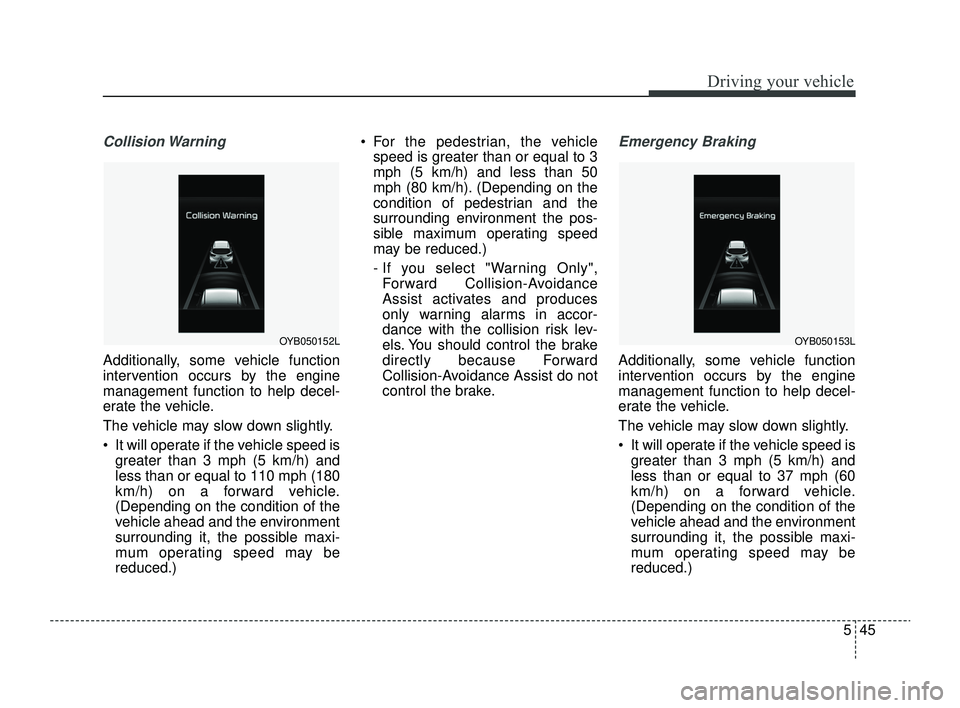
Collision Warning
Additionally, some vehicle function
intervention occurs by the engine
management function to help decel-
erate the vehicle.
The vehicle may slow down slightly.
It will operate if the vehicle speed isgreater than 3 mph (5 km/h) and
less than or equal to 110 mph (180
km/h) on a forward vehicle.
(Depending on the condition of the
vehicle ahead and the environment
surrounding it, the possible maxi-
mum operating speed may be
reduced.) For the pedestrian, the vehicle
speed is greater than or equal to 3
mph (5 km/h) and less than 50
mph (80 km/h). (Depending on the
condition of pedestrian and the
surrounding environment the pos-
sible maximum operating speed
may be reduced.)
- If you select "Warning Only",Forward Collision-Avoidance
Assist activates and produces
only warning alarms in accor-
dance with the collision risk lev-
els. You should control the brake
directly because Forward
Collision-Avoidance Assist do not
control the brake.
Emergency Braking
Additionally, some vehicle function
intervention occurs by the engine
management function to help decel-
erate the vehicle.
The vehicle may slow down slightly.
It will operate if the vehicle speed is greater than 3 mph (5 km/h) and
less than or equal to 37 mph (60
km/h) on a forward vehicle.
(Depending on the condition of the
vehicle ahead and the environment
surrounding it, the possible maxi-
mum operating speed may be
reduced.)
OYB050152LOYB050153L
SC PE USA 5.QXP 9/9/2021 6:18 PM Page 45
Page 293 of 528
559
Driving your vehicle
Lane Keeping Assist settings
Setting features
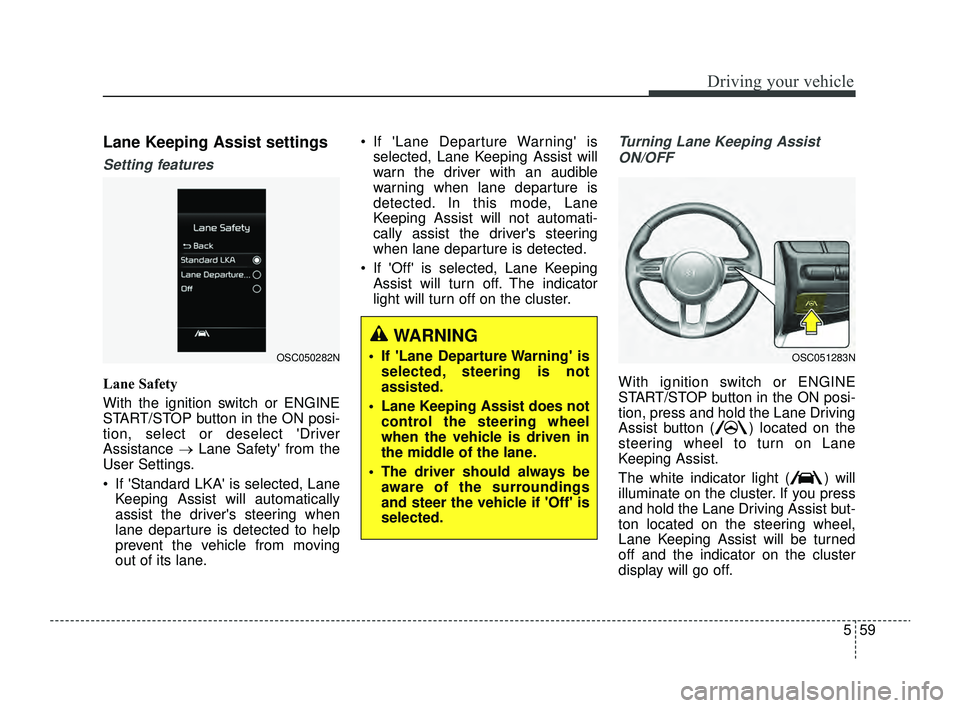
Lane Safety
With the ignition switch or ENGINE
START/STOP button in the ON posi-
tion, select or deselect 'Driver
Assistance →Lane Safety' from the
User Settings.
If 'Standard LKA' is selected, Lane Keeping Assist will automatically
assist the driver's steering when
lane departure is detected to help
prevent the vehicle from moving
out of its lane. If 'Lane Departure Warning' is
selected, Lane Keeping Assist will
warn the driver with an audible
warning when lane departure is
detected. In this mode, Lane
Keeping Assist will not automati-
cally assist the driver's steering
when lane departure is detected.
If 'Off' is selected, Lane Keeping Assist will turn off. The indicator
light will turn off on the cluster.
Turning Lane Keeping Assist
ON/OFF
With ignition switch or ENGINE
START/STOP button in the ON posi-
tion, press and hold the Lane Driving
Assist button ( ) located on the
steering wheel to turn on Lane
Keeping Assist.
The white indicator light ( ) will
illuminate on the cluster. If you press
and hold the Lane Driving Assist but-
ton located on the steering wheel,
Lane Keeping Assist will be turned
off and the indicator on the cluster
display will go off.
OSC050282NOSC051283N
WARNING
If 'Lane Departure Warning' is selected, steering is not
assisted.
Lane Keeping Assist does not control the steering wheel
when the vehicle is driven in
the middle of the lane.
The driver should always be aware of the surroundings
and steer the vehicle if 'Off' is
selected.
SC PE USA 5.QXP 9/9/2021 6:19 PM Page 59
Page 294 of 528
Driving your vehicle
60
5
✽ ✽
NOTICE
• If the engine is restarted, Lane
Keeping Assist will maintain the
last setting.
• When Lane Keeping Assist is turned off with the Lane Driving
Assist button, Lane Safety settings
will turn off.
Lane Keeping Assist operation
Warning and control
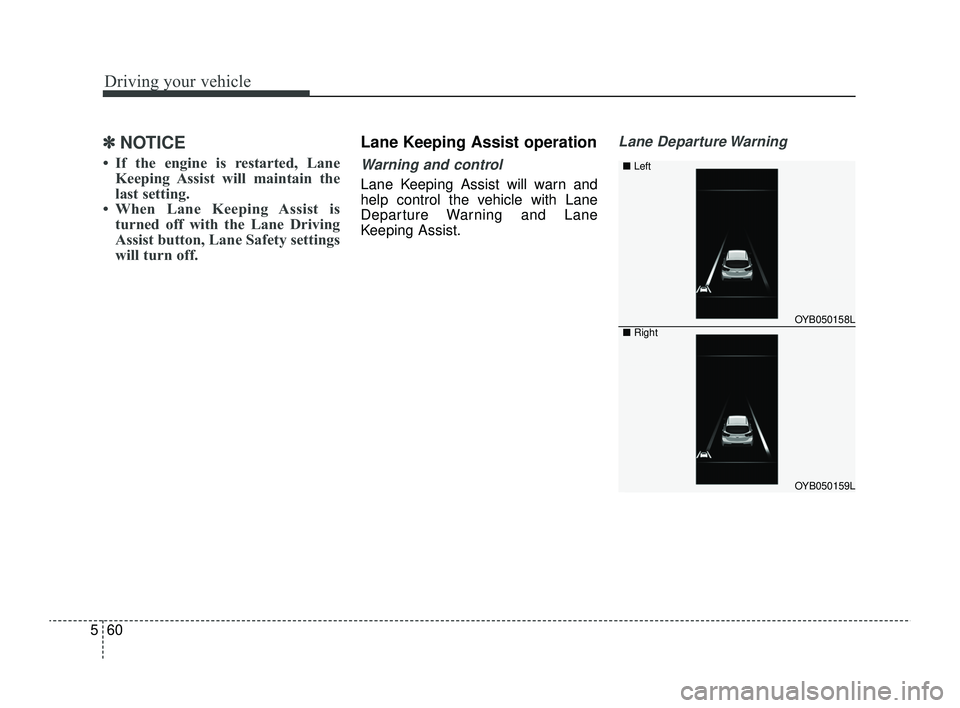
Lane Keeping Assist will warn and
help control the vehicle with Lane
Departure Warning and Lane
Keeping Assist.
Lane Departure Warning
OYB050158L
OYB050159L
■ Left
■Right
SC PE USA 5.QXP 9/9/2021 6:19 PM Page 60
Page 301 of 528
567
Driving your vehicle
Blind-Spot Collision Warning
settings
Setting features
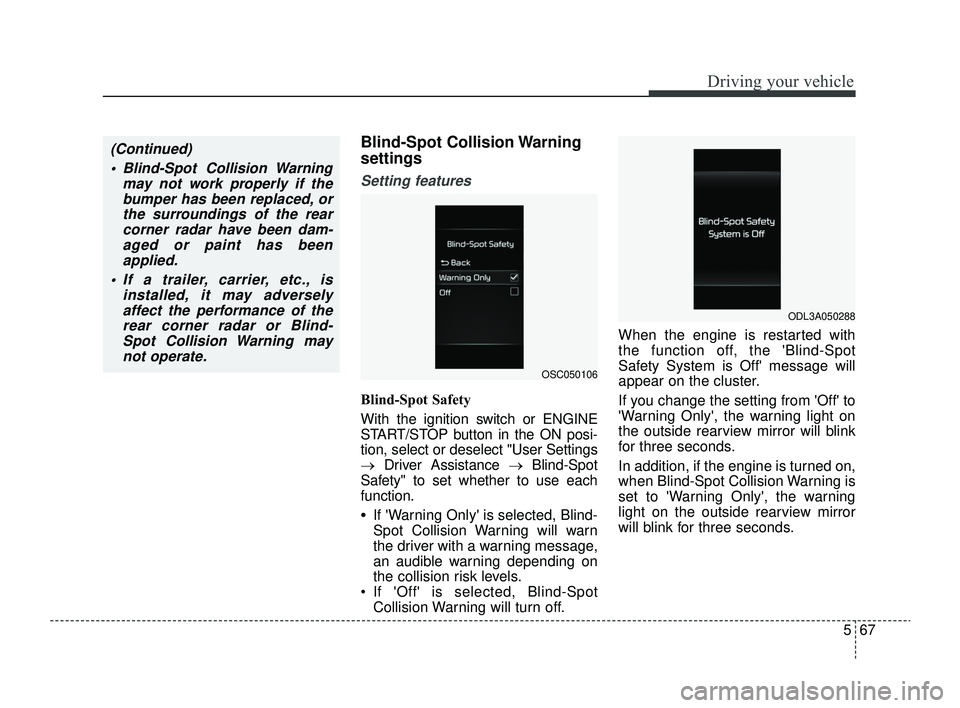
Blind-Spot Safety
With the ignition switch or ENGINE
START/STOP button in the ON posi-
tion, select or deselect "User Settings
→Driver Assistance → Blind-Spot
Safety" to set whether to use each
function.
•If 'Warning Only' is selected, Blind-
Spot Collision Warning will warn
the driver with a warning message,
an audible warning depending on
the collision risk levels.
If 'Off' is selected, Blind-Spot Collision Warning will turn off. When the engine is restarted with
the function off, the 'Blind-Spot
Safety System is Off' message will
appear on the cluster.
If you change the setting from 'Off' to
'Warning Only', the warning light on
the outside rearview mirror will blink
for three seconds.
In addition, if the engine is turned on,
when Blind-Spot Collision Warning is
set to 'Warning Only', the warning
light on the outside rearview mirror
will blink for three seconds.
(Continued)
Blind-Spot Collision Warning may not work properly if thebumper has been replaced, orthe surroundings of the rearcorner radar have been dam-aged or paint has beenapplied.
If a trailer, carrier, etc., is installed, it may adverselyaffect the performance of therear corner radar or Blind-Spot Collision Warning maynot operate.
OSC050106
ODL3A050288
SC PE USA 5.QXP 9/9/2021 6:19 PM Page 67
Page 302 of 528
Driving your vehicle
68
5
✽ ✽
NOTICE
If the engine is restarted, Blind-Spot
Collision Warning will maintain the
last setting.
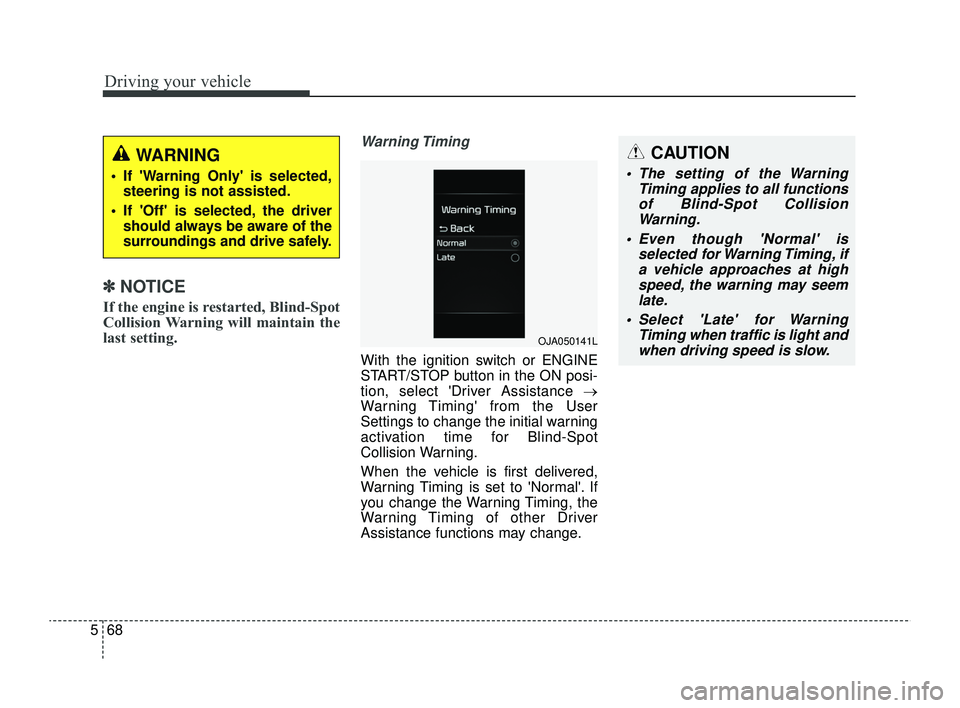
Warning Timing
With the ignition switch or ENGINE
START/STOP button in the ON posi-
tion, select 'Driver Assistance →
Warning Timing' from the User
Settings to change the initial warning
activation time for Blind-Spot
Collision Warning.
When the vehicle is first delivered,
Warning Timing is set to 'Normal'. If
you change the Warning Timing, the
Warning Timing of other Driver
Assistance functions may change.
WARNING
If 'Warning Only' is selected,
steering is not assisted.
If 'Off' is selected, the driver should always be aware of the
surroundings and drive safely.
OJA050141L
CAUTION
The setting of the Warning Timing applies to all functionsof Blind-Spot CollisionWarning.
Even though 'Normal' is selected for Warning Timing, ifa vehicle approaches at highspeed, the warning may seemlate.
Select 'Late' for Warning Timing when traffic is light andwhen driving speed is slow.
SC PE USA 5.QXP 9/9/2021 6:19 PM Page 68
Page 305 of 528

571
Driving your vehicle
Blind-Spot Collision Warning dis-abled
When the rear bumper around the
rear corner radar or sensor is cov-
ered with foreign material, such as
snow or rain, or installing a trailer or
carrier, it can reduce the detecting
performance and temporarily limit or
disable Blind-Spot Collision Warning.
If this occurs, the 'Blind-Spot Safety
system disabled. Radar blocked'
warning message will appear on the
cluster.
Blind-Spot Collision Warning will
operate normally when such foreign
material or trailer, etc. is removed,
and then the engine is restarted. If Blind-Spot Collision Warning does
not operate normally after it is
removed, have your vehicle inspect-
ed by an authorized Kia dealer.
ODL3A050289
WARNING
Even though the warning
message does not appear on
the cluster, Blind-Spot
Collision Warning may not
properly operate.
Blind-Spot Collision Warning may not properly operate in
an area (for example, open ter-
rain), where any objects are
not detected right after the
engine is turned on, or when
the detecting sensor is
blocked with foreign material
right after the engine is turned
on.
CAUTION
Turn off Blind-Spot CollisionWarning to install or remove atrailer, carrier, or another attach-ment. Turn on Blind-SpotCollision Warning when fin-ished.
SC PE USA 5.QXP 9/9/2021 6:20 PM Page 71
Page 310 of 528
Driving your vehicle
76
5
Driver Attention Warning set-
tings
Setting features
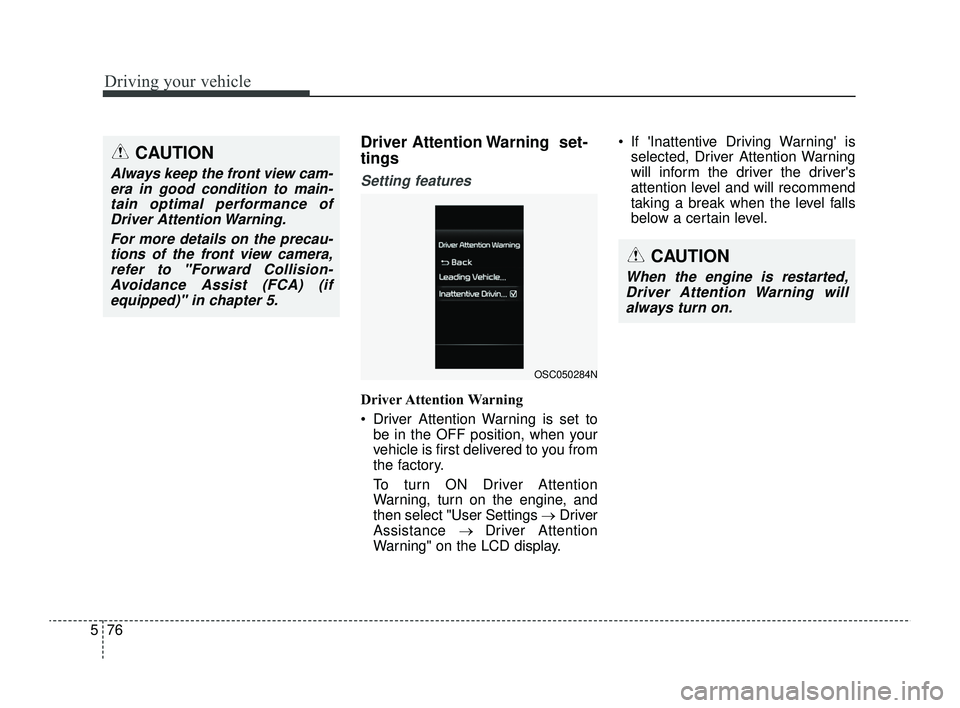
Driver Attention Warning
Driver Attention Warning is set to
be in the OFF position, when your
vehicle is first delivered to you from
the factory.
To turn ON Driver Attention
Warning, turn on the engine, and
then select "User Settings →Driver
Assistance → Driver Attention
Warning" on the LCD display. If 'Inattentive Driving Warning' is
selected, Driver Attention Warning
will inform the driver the driver's
attention level and will recommend
taking a break when the level falls
below a certain level.
CAUTION
Always keep the front view cam-era in good condition to main-tain optimal performance ofDriver Attention Warning.
For more details on the precau-tions of the front view camera,refer to "Forward Collision-Avoidance Assist (FCA) (ifequipped)" in chapter 5.
CAUTION
When the engine is restarted,Driver Attention Warning willalways turn on.
OSC050284N
SC PE USA 5.QXP 9/9/2021 6:20 PM Page 76
Page 311 of 528
577
Driving your vehicle
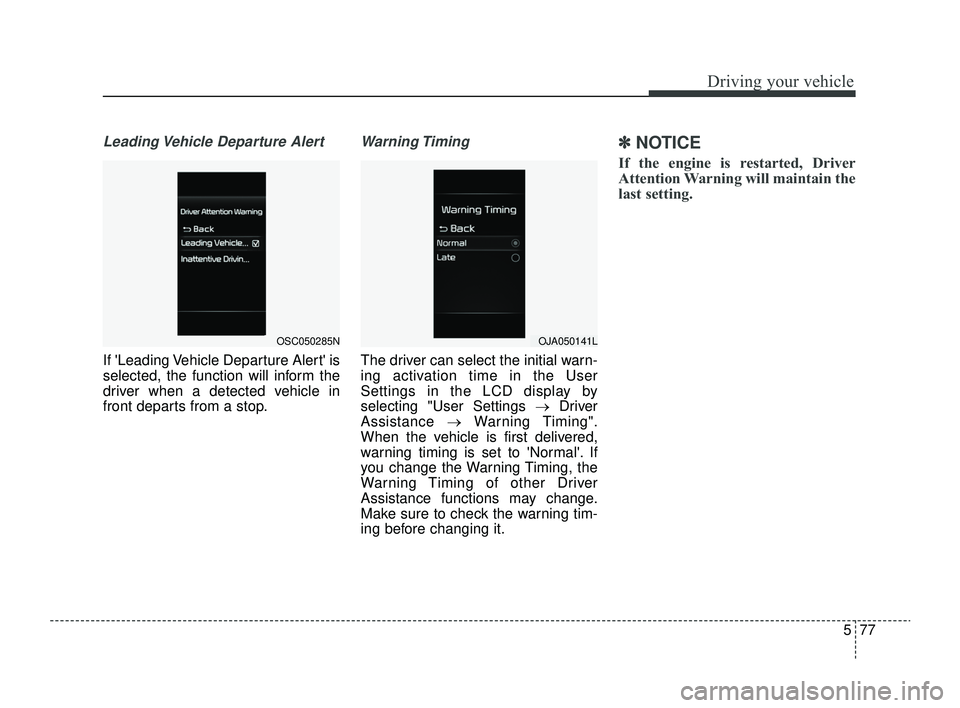
Leading Vehicle Departure Alert
If 'Leading Vehicle Departure Alert' is
selected, the function will inform the
driver when a detected vehicle in
front departs from a stop.
Warning Timing
The driver can select the initial warn-
ing activation time in the User
Settings in the LCD display by
selecting "User Settings →Driver
Assistance →Warning Timing".
When the vehicle is first delivered,
warning timing is set to 'Normal'. If
you change the Warning Timing, the
Warning Timing of other Driver
Assistance functions may change.
Make sure to check the warning tim-
ing before changing it.
✽ ✽ NOTICE
If the engine is restarted, Driver
Attention Warning will maintain the
last setting.
OSC050285NOJA050141L
SC PE USA 5.QXP 9/9/2021 6:20 PM Page 77