warning KIA RIO 2022 Owners Manual
[x] Cancel search | Manufacturer: KIA, Model Year: 2022, Model line: RIO, Model: KIA RIO 2022Pages: 528, PDF Size: 11.8 MB
Page 310 of 528
Driving your vehicle
76
5
Driver Attention Warning set-
tings
Setting features
Driver Attention Warning
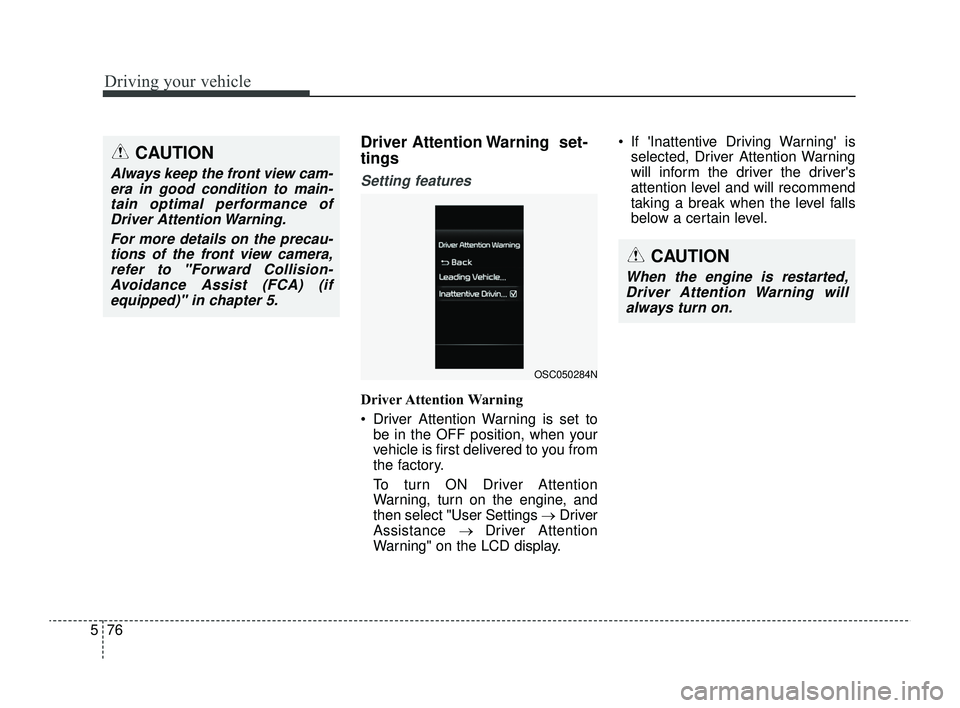
Driver Attention Warning is set to
be in the OFF position, when your
vehicle is first delivered to you from
the factory.
To turn ON Driver Attention
Warning, turn on the engine, and
then select "User Settings →Driver
Assistance → Driver Attention
Warning" on the LCD display. If 'Inattentive Driving Warning' is
selected, Driver Attention Warning
will inform the driver the driver's
attention level and will recommend
taking a break when the level falls
below a certain level.
CAUTION
Always keep the front view cam-era in good condition to main-tain optimal performance ofDriver Attention Warning.
For more details on the precau-tions of the front view camera,refer to "Forward Collision-Avoidance Assist (FCA) (ifequipped)" in chapter 5.
CAUTION
When the engine is restarted,Driver Attention Warning willalways turn on.
OSC050284N
SC PE USA 5.QXP 9/9/2021 6:20 PM Page 76
Page 311 of 528
577
Driving your vehicle
Leading Vehicle Departure Alert
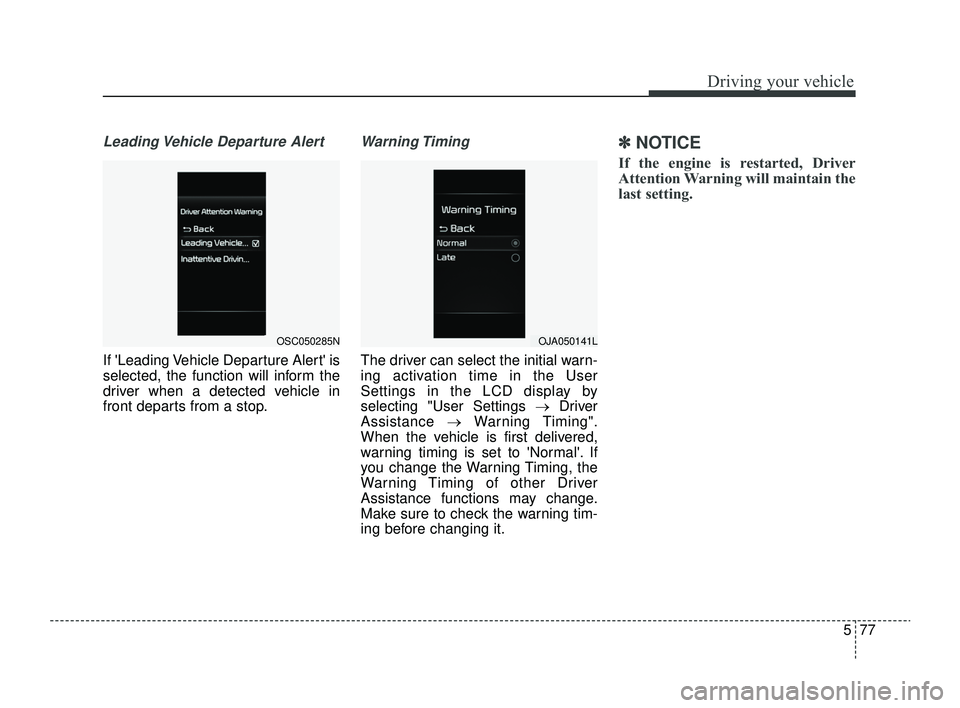
If 'Leading Vehicle Departure Alert' is
selected, the function will inform the
driver when a detected vehicle in
front departs from a stop.
Warning Timing
The driver can select the initial warn-
ing activation time in the User
Settings in the LCD display by
selecting "User Settings →Driver
Assistance →Warning Timing".
When the vehicle is first delivered,
warning timing is set to 'Normal'. If
you change the Warning Timing, the
Warning Timing of other Driver
Assistance functions may change.
Make sure to check the warning tim-
ing before changing it.
✽ ✽ NOTICE
If the engine is restarted, Driver
Attention Warning will maintain the
last setting.
OSC050285NOJA050141L
SC PE USA 5.QXP 9/9/2021 6:20 PM Page 77
Page 312 of 528
Driving your vehicle
78
5
Driver Attention Warning
operation
Basic function
Display and warning
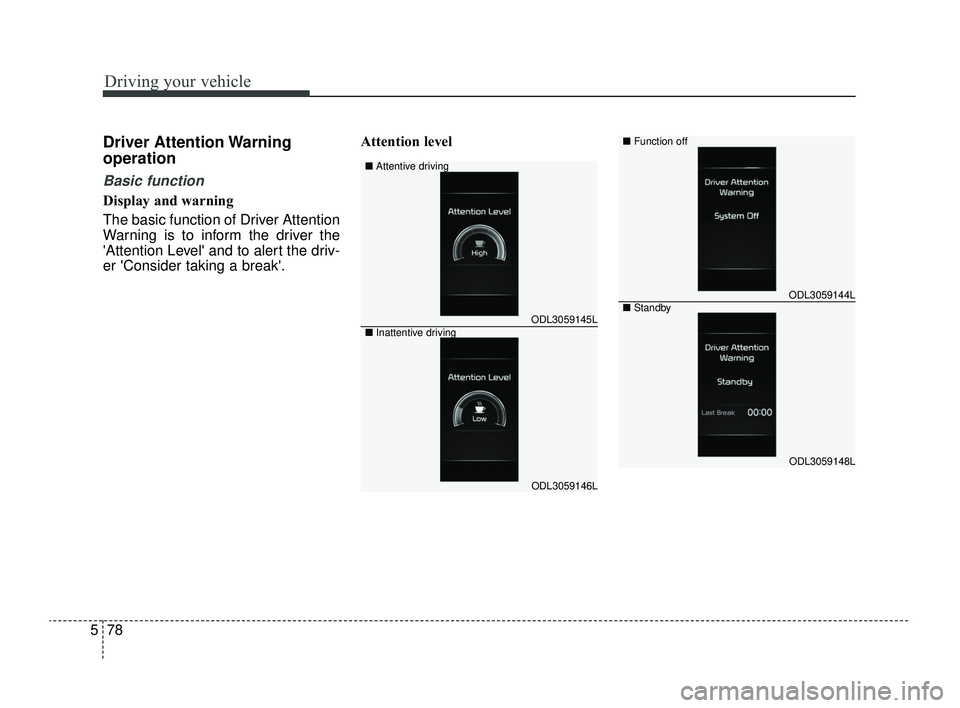
The basic function of Driver Attention
Warning is to inform the driver the
'Attention Level' and to alert the driv-
er 'Consider taking a break'. Attention level
ODL3059145L
ODL3059146L
■
Attentive driving
■ Inattentive driving
ODL3059144L
ODL3059148L
■Function off
■Standby
SC PE USA 5.QXP 9/9/2021 6:20 PM Page 78
Page 313 of 528
579
Driving your vehicle
The driver can monitor his/her driv-ing conditions on the cluster.
- When the 'Inattentive DrivingWarning' is deselected from the
User Settings 'System Off' is dis-
played.
- The function will operate when vehicle speed is between 0~130
mph (0 ~ 210 km/h).
- When vehicle speed is not within the operating speed, the mes-
sage 'Standby' will be displayed.
The driver's attention level is dis- played on the scale of 1 to 5. The
lower the level is, the more inatten-
tive the driver is.
The level decreases when the driv- er does not take a break for a cer-
tain period of time.Taking a break
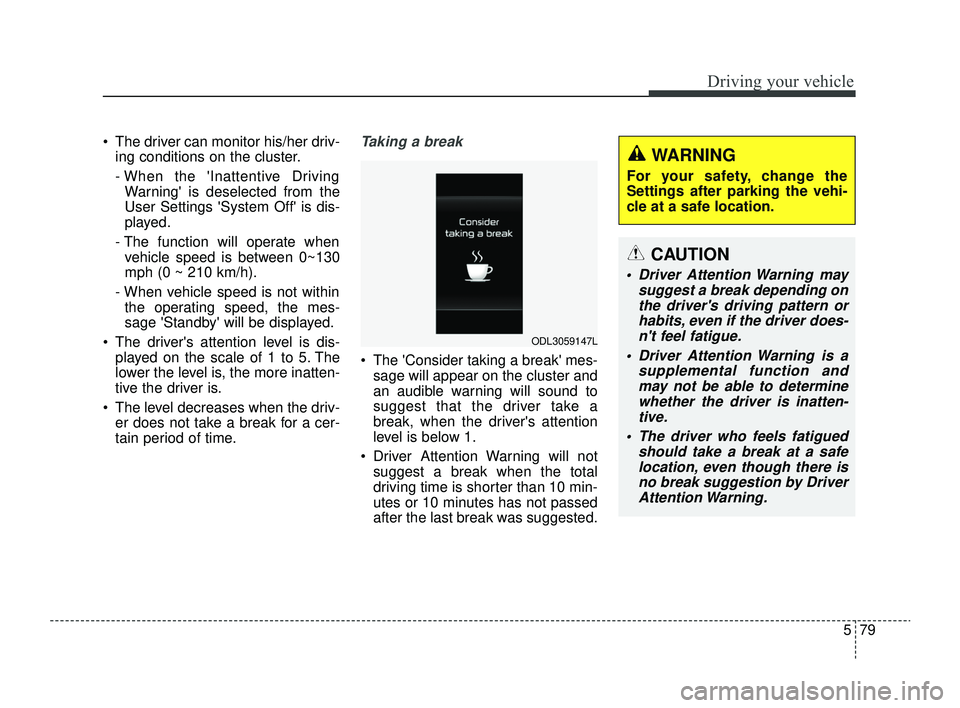
The 'Consider taking a break' mes-sage will appear on the cluster and
an audible warning will sound to
suggest that the driver take a
break, when the driver's attention
level is below 1.
Driver Attention Warning will not suggest a break when the total
driving time is shorter than 10 min-
utes or 10 minutes has not passed
after the last break was suggested.
ODL3059147L
WARNING
For your safety, change the
Settings after parking the vehi-
cle at a safe location.
CAUTION
Driver Attention Warning may suggest a break depending onthe driver's driving pattern orhabits, even if the driver does-n't feel fatigue.
Driver Attention Warning is a supplemental function andmay not be able to determinewhether the driver is inatten-tive.
The driver who feels fatigued should take a break at a safelocation, even though there isno break suggestion by DriverAttention Warning.
SC PE USA 5.QXP 9/9/2021 6:20 PM Page 79
Page 314 of 528
Driving your vehicle
80
5
✽ ✽
NOTICE
• For more details on setting the
functions in the infotainment sys-
tem, refer to "Instrument cluster"
in chapter 4.
• Driver Attention Warning will reset the last break time to 00:00
in the following situations:
- The engine is turned off
- The driver unfastens the seat beltand opens the driver's door.
- The vehicle is stopped for more than 10 minutes.
• When the driver resets Driver Attention Warning, the last break
time is set to 00:00 and the driver's
attention level is set to High.
Leading Vehicle Departure Alert
This reminds the driver the leading
vehicle's driving departure after stop-
ping.
WARNING
If any other function's warn-
ing message is displayed or
audible warning is generated,
Leading Vehicle Departure
Warning message may not be
displayed and audible warn-
ing may not be generated.
The driver should hold the responsibility to safely drive
and control the vehicle.
CAUTION
Leading Vehicle Departure Warning is a supplementalfunction and may not alert thedriver whenever the frontvehicle departs from a stop.
Always check the front of the vehicle and road conditionsbefore departure.
SC PE USA 5.QXP 9/9/2021 6:20 PM Page 80
Page 315 of 528
581
Driving your vehicle
Driver Attention Warning mal-
function and limitations
Driver Attention Warning mal-function
When Driver Attention Warning is not
working properly, the 'Check Driver
Attention Warning (DAW) system'
warning message will appear on the
cluster. If this occurs, have your vehi-
cle inspected by an authorized Kia
dealer.
Limitations of Driver AttentionWarning
Driver Attention Warning may not
work properly in the following situa-
tions:
The vehicle is driven violently.
The vehicle intentionally crosses over lanes frequently.
The vehicle is controlled by Driver Assistance function, such as Lane
Keeping Assist.
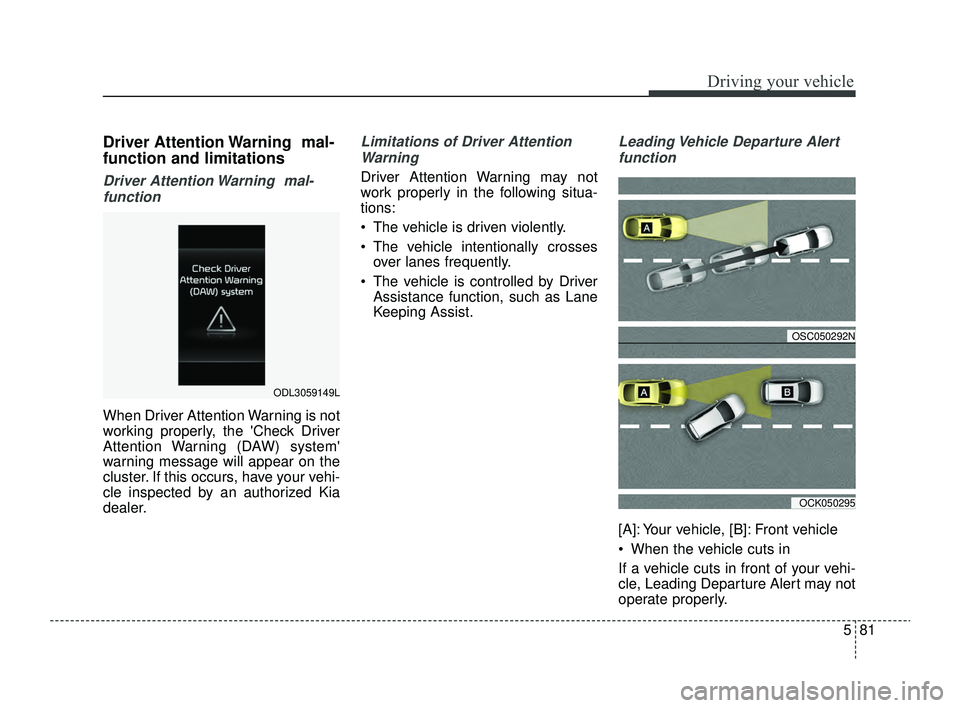
Leading Vehicle Departure Alert
function
[A]: Your vehicle, [B]: Front vehicle
When the vehicle cuts in
If a vehicle cuts in front of your vehi-
cle, Leading Departure Alert may not
operate properly.
ODL3059149L
OSC050292N
OCK050295
SC PE USA 5.QXP 9/9/2021 6:20 PM Page 81
Page 322 of 528
Driving your vehicle
88
5
WARNING
Take the following precautions
when using Cruise Control:
Always set the vehicle speed
under the speed limit in your
country. Keep Cruise Control
off when the function is not in
use, to avoid inadvertently
setting a speed. Check that
the CRUISE indicator is off.
Cruise Control does not sub- stitute for proper and safe
driving. It is the responsibility
of the driver to always drive
safely and should always be
aware of unexpected and sud-
den situations occurring.
Always drive cautiously to prevent unexpected and sud-
den situations from occur-
ring. Pay attention to the road
conditions at all times.
Do not use Cruise Control when it may be unsafe to keep
the vehicle at a constant speed:
(Continued)
(Continued)- When driving in heavy traf-fic, or when traffic condi-
tions make it difficult to
drive at a constant speed
- When driving on rainy, icy, or snow-covered roads
- When driving on hilly or windy roads
- When driving in windy areas
- When driving with limited view (possibly due to bad
weather, such as fog, snow,
rain and sandstorm)
Do not use Cruise Control when towing a trailer.
SC PE USA 5.QXP 9/9/2021 6:21 PM Page 88
Page 323 of 528
589
Driving your vehicle
Lane Following Assist is designed to
detect lane markings or vehicles on
the road, and assists the driver's
steering to help center the vehicle in
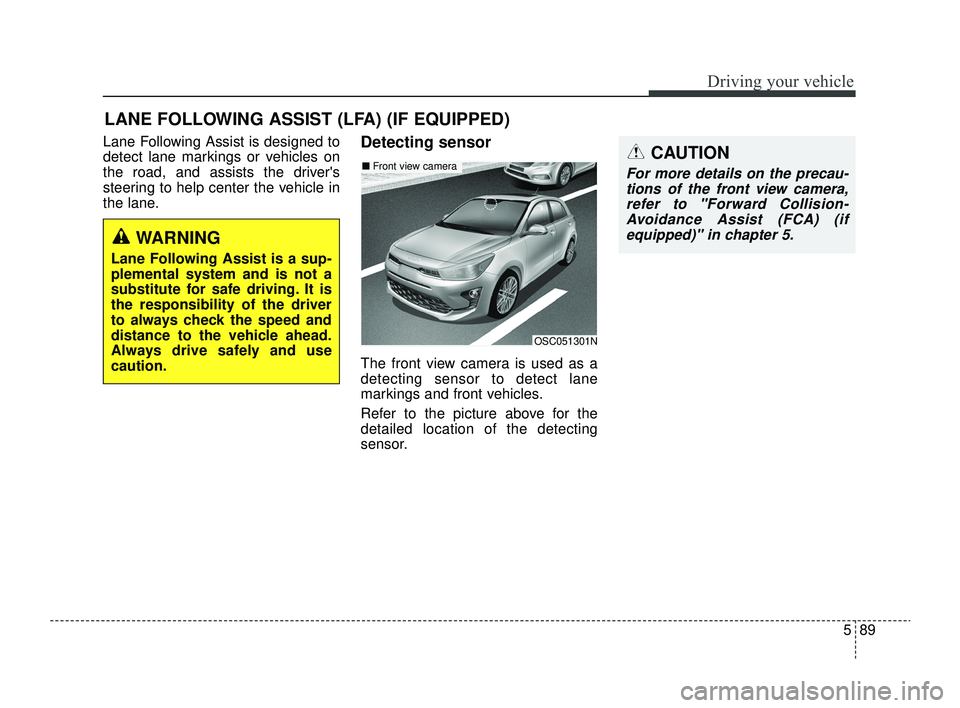
the lane.Detecting sensor
The front view camera is used as a
detecting sensor to detect lane
markings and front vehicles.
Refer to the picture above for the
detailed location of the detecting
sensor.
LANE FOLLOWING ASSIST (LFA) (IF EQUIPPED)
OSC051301N
■Front view cameraCAUTION
For more details on the precau-
tions of the front view camera,refer to "Forward Collision-Avoidance Assist (FCA) (ifequipped)" in chapter 5.
WARNING
Lane Following Assist is a sup-
plemental system and is not a
substitute for safe driving. It is
the responsibility of the driver
to always check the speed and
distance to the vehicle ahead.
Always drive safely and use
caution.
SC PE USA 5.QXP 9/9/2021 6:21 PM Page 89
Page 324 of 528
Driving your vehicle
90
5
CAUTION
When the steering wheel is not
controlled, the green ( ) indi-cator light will blink and changeto white.
Lane Following Assist set-
tings
Setting features
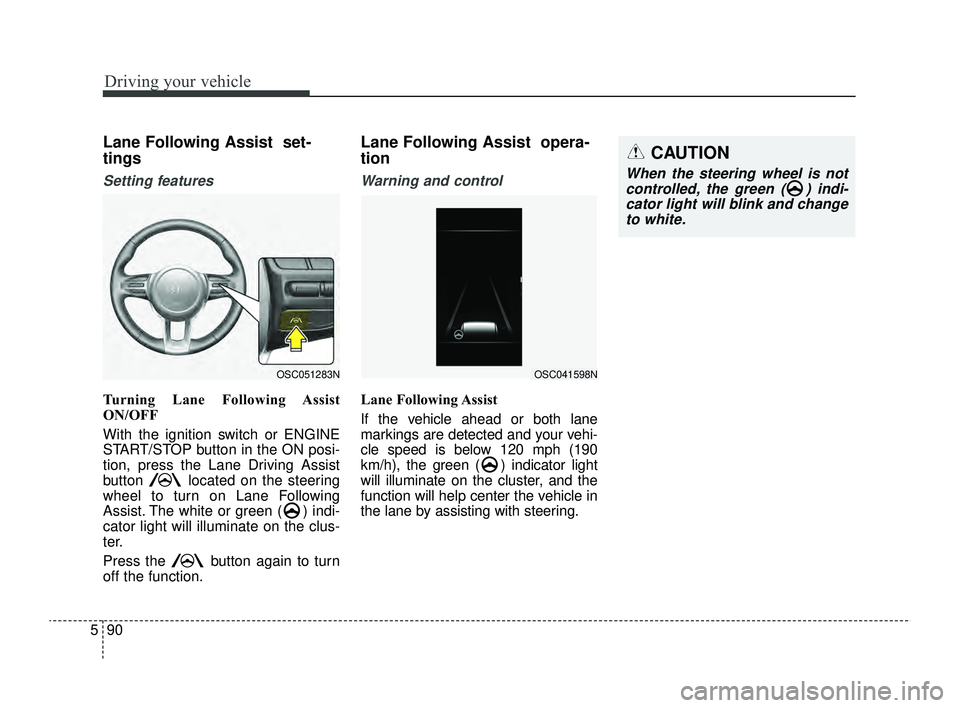
Turning Lane Following Assist
ON/OFF
With the ignition switch or ENGINE
START/STOP button in the ON posi-
tion, press the Lane Driving Assist
button located on the steering
wheel to turn on Lane Following
Assist. The white or green ( ) indi-
cator light will illuminate on the clus-
ter.
Press the button again to turn
off the function.
Lane Following Assist opera-
tion
Warning and control
Lane Following Assist
If the vehicle ahead or both lane
markings are detected and your vehi-
cle speed is below 120 mph (190
km/h), the green ( ) indicator light
will illuminate on the cluster, and the
function will help center the vehicle in
the lane by assisting with steering.
OSC051283NOSC041598N
SC PE USA 5.QXP 9/9/2021 6:21 PM Page 90
Page 325 of 528
591
Driving your vehicle
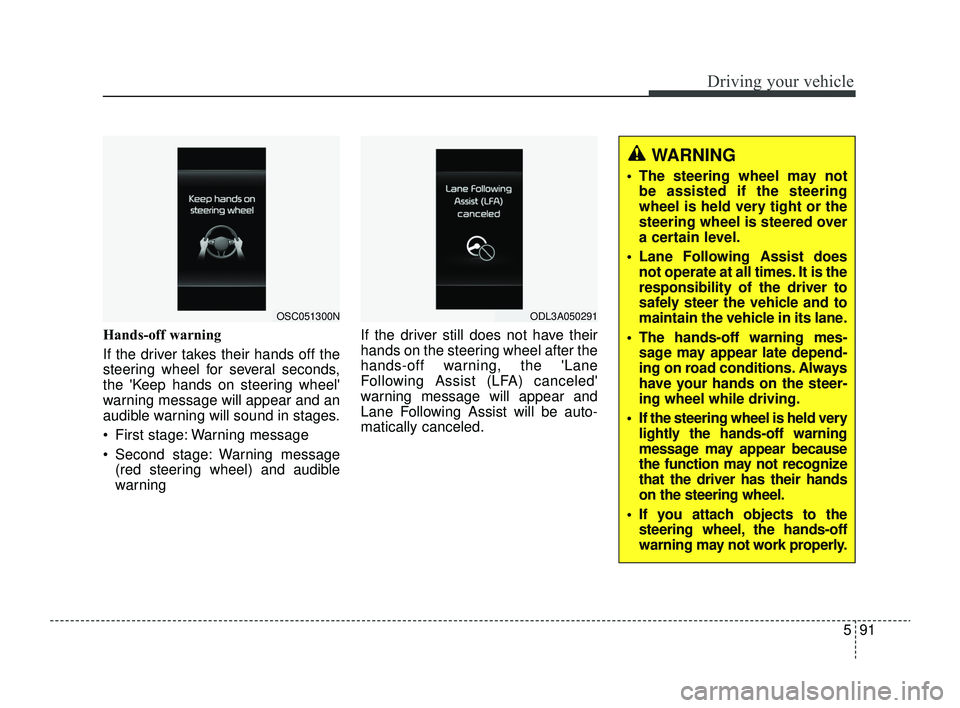
Hands-off warning
If the driver takes their hands off the
steering wheel for several seconds,
the 'Keep hands on steering wheel'
warning message will appear and an
audible warning will sound in stages.
First stage: Warning message
Second stage: Warning message(red steering wheel) and audible
warning If the driver still does not have their
hands on the steering wheel after the
hands-off warning, the 'Lane
Following Assist (LFA) canceled'
warning message will appear and
Lane Following Assist will be auto-
matically canceled.
OSC051300NODL3A050291
WARNING
The steering wheel may not
be assisted if the steering
wheel is held very tight or the
steering wheel is steered over
a certain level.
Lane Following Assist does not operate at all times. It is the
responsibility of the driver to
safely steer the vehicle and to
maintain the vehicle in its lane.
The hands-off warning mes- sage may appear late depend-
ing on road conditions. Always
have your hands on the steer-
ing wheel while driving.
If the steering wheel is held very lightly the hands-off warning
message may appear because
the function may not recognize
that the driver has their hands
on the steering wheel.
If you attach objects to the steering wheel, the hands-off
warning may not work properly.
SC PE USA 5.QXP 9/9/2021 6:21 PM Page 91