brake light KIA RIO 2022 Owner's Manual
[x] Cancel search | Manufacturer: KIA, Model Year: 2022, Model line: RIO, Model: KIA RIO 2022Pages: 528, PDF Size: 11.8 MB
Page 267 of 528
533
Driving your vehicle
When operatingWhen the ESC is in opera-
tion, ESC indicator light
blinks.
When the ElectronicStability Control is operat-
ing properly, you can feel a
slight pulsation in the vehi-
cle. This is only the effect
of brake control and indi-
cates nothing unusual.
When moving out of the mud or slippery road,
pressing the accelerator
pedal may not cause the
engine rpm (revolutions
per minute) to increase.ESC operation off
ESC OFF state
This car has 2 kinds of ESC
off states.
If the engine stops when
ESC is off, ESC remains off.
Upon restarting the engine,
the ESC will automatically
turn on again.
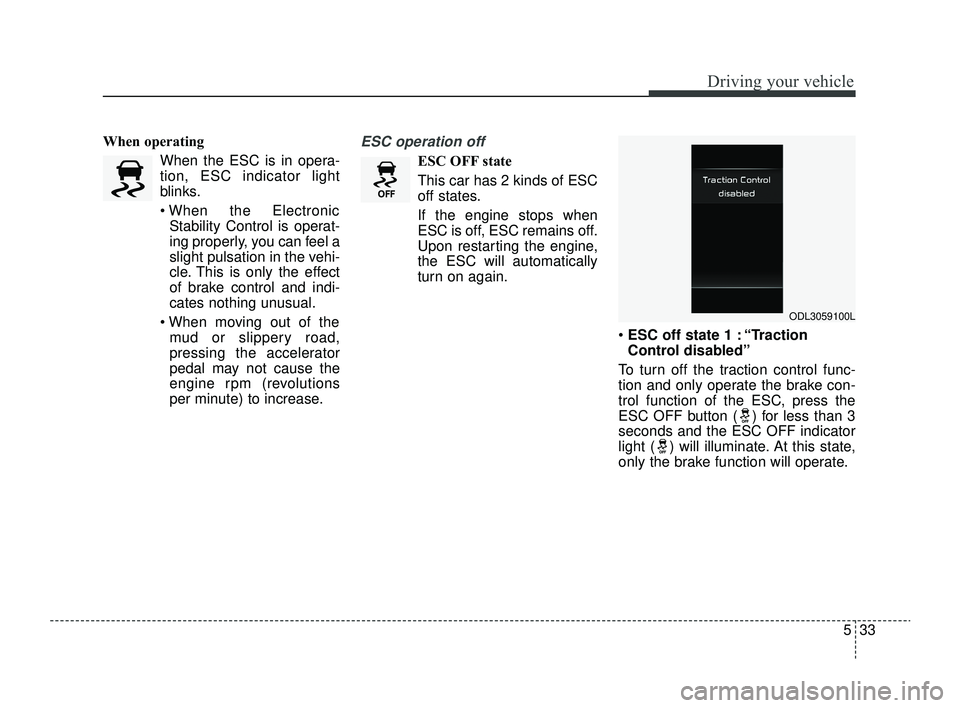
ESC off state 1 : “Traction
Control disabled”
To turn off the traction control func-
tion and only operate the brake con-
trol function of the ESC, press the
ESC OFF button ( ) for less than 3
seconds and the ESC OFF indicator
light ( ) will illuminate. At this state,
only the brake function will operate.
ODL3059100L
SC PE USA 5.QXP 9/9/2021 6:18 PM Page 33
Page 268 of 528
Driving your vehicle
34
5
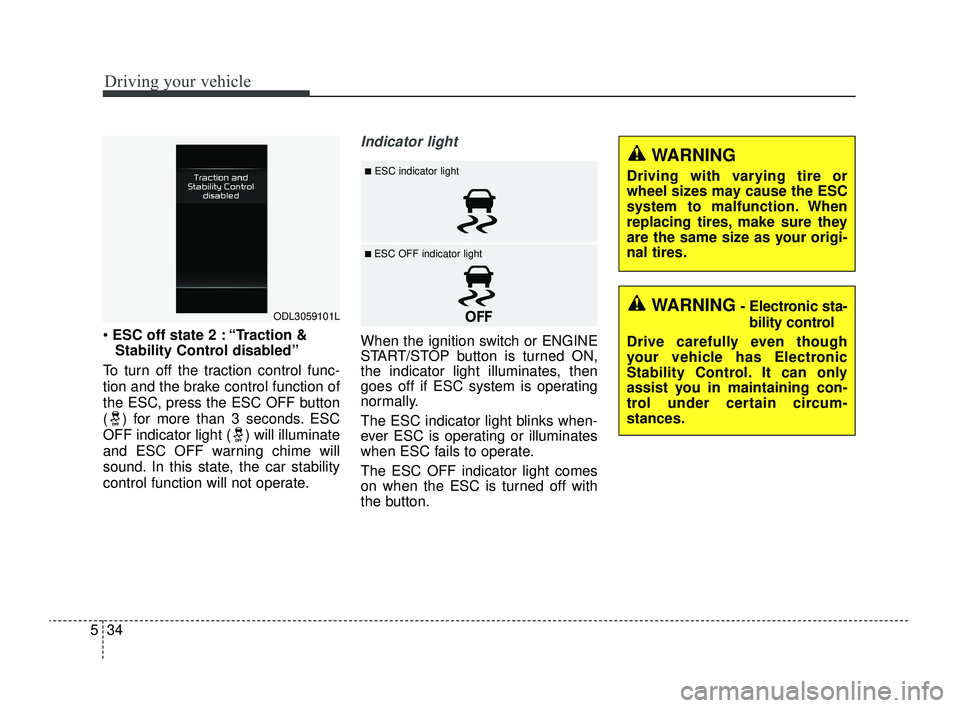
ESC off state 2 : “Traction &
Stability Control disabled”
To turn off the traction control func-
tion and the brake control function of
the ESC, press the ESC OFF button
( ) for more than 3 seconds. ESC
OFF indicator light ( ) will illuminate
and ESC OFF warning chime will
sound. In this state, the car stability
control function will not operate.
Indicator light
When the ignition switch or ENGINE
START/STOP button is turned ON,
the indicator light illuminates, then
goes off if ESC system is operating
normally.
The ESC indicator light blinks when-
ever ESC is operating or illuminates
when ESC fails to operate.
The ESC OFF indicator light comes
on when the ESC is turned off with
the button.
ODL3059101L
■ESC indicator light
■ ESC OFF indicator light
WARNING
Driving with varying tire or
wheel sizes may cause the ESC
system to malfunction. When
replacing tires, make sure they
are the same size as your origi-
nal tires.
WARNING- Electronic sta- bility control
Drive carefully even though
your vehicle has Electronic
Stability Control. It can only
assist you in maintaining con-
trol under certain circum-
stances.
SC PE USA 5.QXP 9/9/2021 6:18 PM Page 34
Page 270 of 528
Driving your vehicle
36
5
Vehicle Stability Management
(VSM)
This system is designed to provide
further enhancements to vehicle sta-
bility and steering responses when a
vehicle is driving on a slippery road
or a vehicle detects changes in coef-
ficient of friction between the right
wheels and left wheels when brak-
ing.
VSM operation
When the VSM is in operation, the
ESC indicator light ( ) blinks.
When the vehicle stability manage-
ment is operating properly, you can
feel a slight pulsation in the vehicle
and/or abnormal steering responses
EPS (Electronic Power Steering).
This is only the effect of brake and
EPS control and indicates nothing
unusual. The VSM does not operate when:
Driving on a sloping road such as
gradient or incline
Driving in reverse
ESC OFF indicator light ( ) remains on the instrument cluster
EPS indicator light remains on the instrument cluster
VSM operation off
If you press the ESC OFF button to
turn off the ESC, the VSM will also
cancel and the ESC OFF indicator
light ( ) illuminates.
To turn on the VSM, press the button
again. The ESC OFF indicator light
will turn off.
WARNING- Vehicle stabili-
ty management
Drive carefully even though your
vehicle has Vehicle stability man-
agement. It can only assist you in
maintaining control under cer-
tain circumstances.
SC PE USA 5.QXP 9/9/2021 6:18 PM Page 36
Page 272 of 528
Driving your vehicle
38
5
Good braking practices
Check to be sure the parking brake
is not engaged and that the park-
ing brake indicator light is out
before driving away.
Driving through water may get the brakes wet. They can also get wet
when the vehicle is washed. Wet
brakes can be dangerous! Your
vehicle will not stop as quickly if the
brakes are wet. Wet brakes may
cause the vehicle to pull to one
side.
To dry the brakes, apply the brakes
lightly until the braking action
returns to normal, taking care to
keep the vehicle under control at
all times. If the braking action does
not return to normal, stop as soon
as it is safe to do so and call an
authorized Kia dealer for assis-
tance.
Don't coast down hills with the vehicle out of gear. This is extreme-
ly hazardous. Keep the vehicle in
gear at all times, use the brakes to
slow down, then shift to a lower
gear so that engine braking will
help you maintain a safe speed. Don't "ride" the brake pedal.
Resting your foot on the brake
pedal while driving can be danger-
ous because the brakes might
overheat and lose their effective-
ness. It also increases the wear of
the brake components.
If a tire goes flat while you are driv- ing, apply the brakes gently and
keep the vehicle pointed straight
ahead while you slow down. When
you are moving slowly enough for it
to be safe to do so, pull off the road
and stop in a safe place.
If your vehicle is equipped with an intelligent variable transmission,
don't let your vehicle creep for-
ward. To avoid creeping forward,
keep your foot firmly on the brake
pedal when the vehicle is stopped. Be cautious when parking on a hill.
Firmly engage the parking brake
and place the shift lever in P
(Intelligent Variable Transmission).
If your vehicle is facing downhill,
turn the front wheels into the curb
to help keep the vehicle from
rolling. If your vehicle is facing
uphill, turn the front wheels away
from the curb to help keep the vehi-
cle from rolling. If there is no curb
or if it is required by other condi-
tions to keep the vehicle from
rolling, chock the wheels.
SC PE USA 5.QXP 9/9/2021 6:18 PM Page 38
Page 278 of 528
Driving your vehicle
44
5
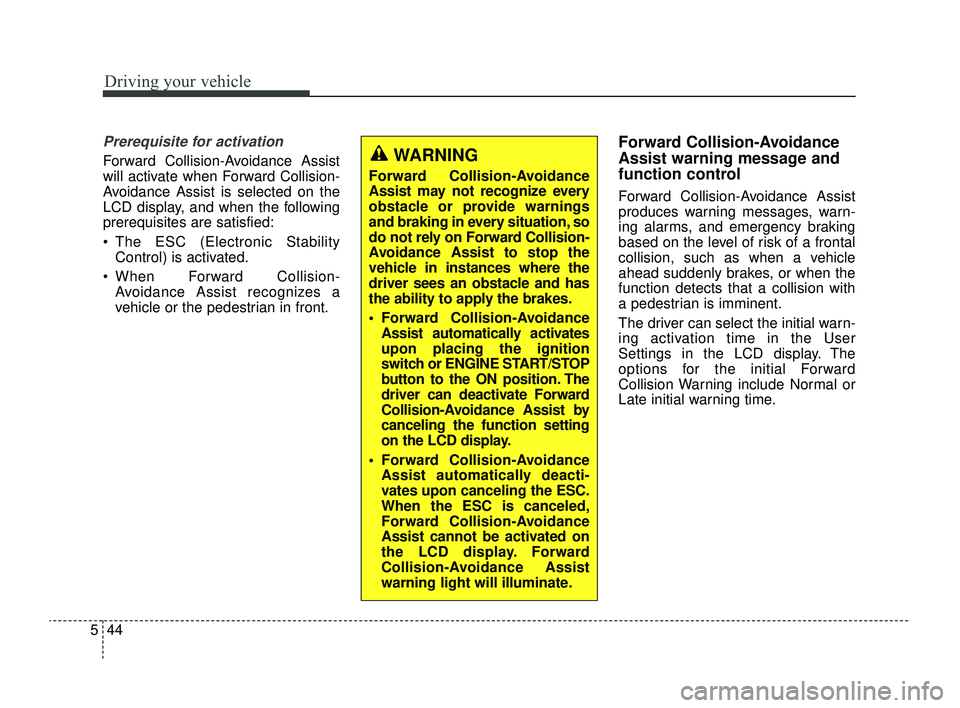
Prerequisite for activation
Forward Collision-Avoidance Assist
will activate when Forward Collision-
Avoidance Assist is selected on the
LCD display, and when the following
prerequisites are satisfied:
The ESC (Electronic Stability
Control) is activated.
When Forward Collision- Avoidance Assist recognizes a
vehicle or the pedestrian in front.
Forward Collision-Avoidance
Assist warning message and
function control
Forward Collision-Avoidance Assist
produces warning messages, warn-
ing alarms, and emergency braking
based on the level of risk of a frontal
collision, such as when a vehicle
ahead suddenly brakes, or when the
function detects that a collision with
a pedestrian is imminent.
The driver can select the initial warn-
ing activation time in the User
Settings in the LCD display. The
options for the initial Forward
Collision Warning include Normal or
Late initial warning time.
WARNING
Forward Collision-Avoidance
Assist may not recognize every
obstacle or provide warnings
and braking in every situation, so
do not rely on Forward Collision-
Avoidance Assist to stop the
vehicle in instances where the
driver sees an obstacle and has
the ability to apply the brakes.
Forward Collision-AvoidanceAssist automatically activates
upon placing the ignition
switch or ENGINE START/STOP
button to the ON position. The
driver can deactivate Forward
Collision-Avoidance Assist by
canceling the function setting
on the LCD display.
Forward Collision-Avoidance Assist automatically deacti-
vates upon canceling the ESC.
When the ESC is canceled,
Forward Collision-Avoidance
Assist cannot be activated on
the LCD display. Forward
Collision-Avoidance Assist
warning light will illuminate.
SC PE USA 5.QXP 9/9/2021 6:18 PM Page 44
Page 279 of 528
545
Driving your vehicle
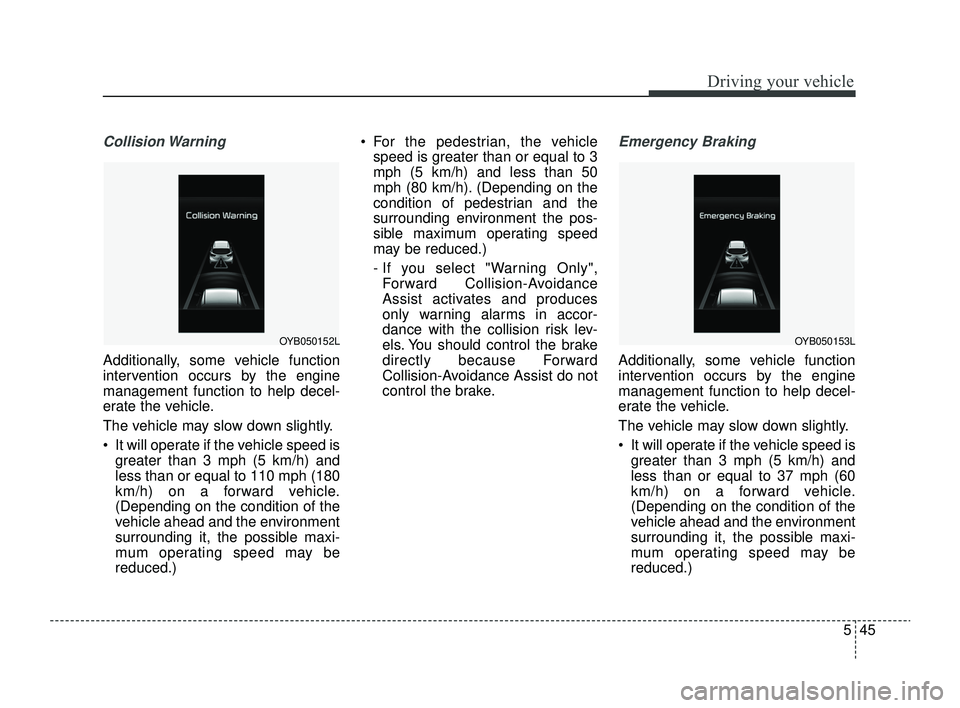
Collision Warning
Additionally, some vehicle function
intervention occurs by the engine
management function to help decel-
erate the vehicle.
The vehicle may slow down slightly.
It will operate if the vehicle speed isgreater than 3 mph (5 km/h) and
less than or equal to 110 mph (180
km/h) on a forward vehicle.
(Depending on the condition of the
vehicle ahead and the environment
surrounding it, the possible maxi-
mum operating speed may be
reduced.) For the pedestrian, the vehicle
speed is greater than or equal to 3
mph (5 km/h) and less than 50
mph (80 km/h). (Depending on the
condition of pedestrian and the
surrounding environment the pos-
sible maximum operating speed
may be reduced.)
- If you select "Warning Only",Forward Collision-Avoidance
Assist activates and produces
only warning alarms in accor-
dance with the collision risk lev-
els. You should control the brake
directly because Forward
Collision-Avoidance Assist do not
control the brake.
Emergency Braking
Additionally, some vehicle function
intervention occurs by the engine
management function to help decel-
erate the vehicle.
The vehicle may slow down slightly.
It will operate if the vehicle speed is greater than 3 mph (5 km/h) and
less than or equal to 37 mph (60
km/h) on a forward vehicle.
(Depending on the condition of the
vehicle ahead and the environment
surrounding it, the possible maxi-
mum operating speed may be
reduced.)
OYB050152LOYB050153L
SC PE USA 5.QXP 9/9/2021 6:18 PM Page 45
Page 282 of 528
Driving your vehicle
48
5
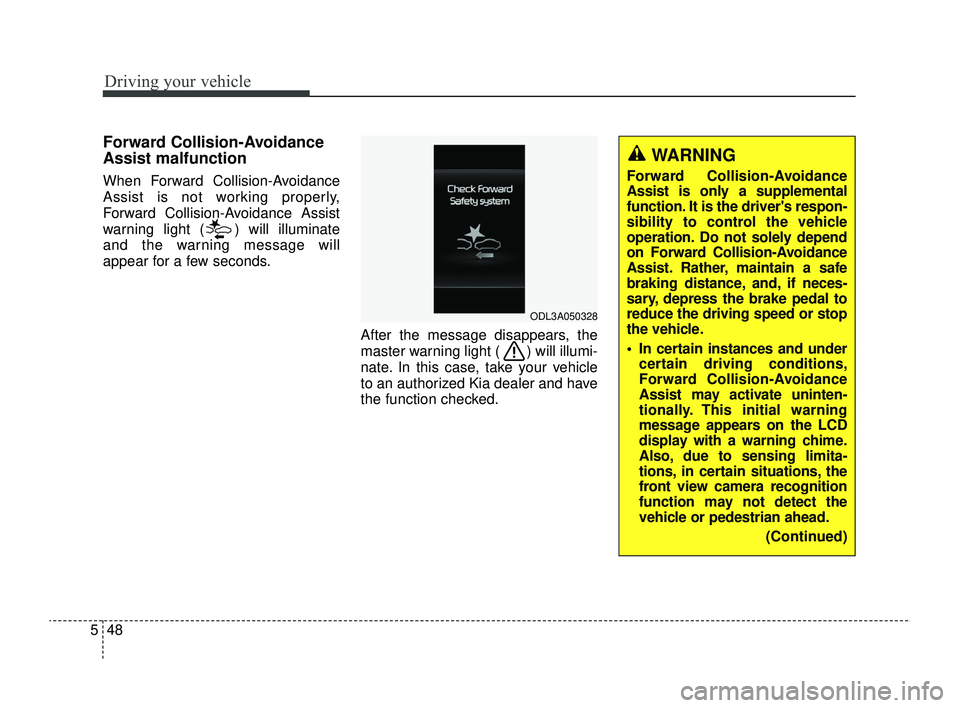
Forward Collision-Avoidance
Assist malfunction
When Forward Collision-Avoidance
Assist is not working properly,
Forward Collision-Avoidance Assist
warning light ( ) will illuminate
and the warning message will
appear for a few seconds.
After the message disappears, the
master warning light ( ) will illumi-
nate. In this case, take your vehicle
to an authorized Kia dealer and have
the function checked.
ODL3A050328
WARNING
Forward Collision-Avoidance
Assist is only a supplemental
function. It is the driver's respon-
sibility to control the vehicle
operation. Do not solely depend
on Forward Collision-Avoidance
Assist. Rather, maintain a safe
braking distance, and, if neces-
sary, depress the brake pedal to
reduce the driving speed or stop
the vehicle.
In certain instances and undercertain driving conditions,
Forward Collision-Avoidance
Assist may activate uninten-
tionally. This initial warning
message appears on the LCD
display with a warning chime.
Also, due to sensing limita-
tions, in certain situations, the
front view camera recognition
function may not detect the
vehicle or pedestrian ahead.
(Continued)
SC PE USA 5.QXP 9/9/2021 6:18 PM Page 48
Page 304 of 528
Driving your vehicle
70
5
Blind-Spot Collision Warning
malfunction and limitations
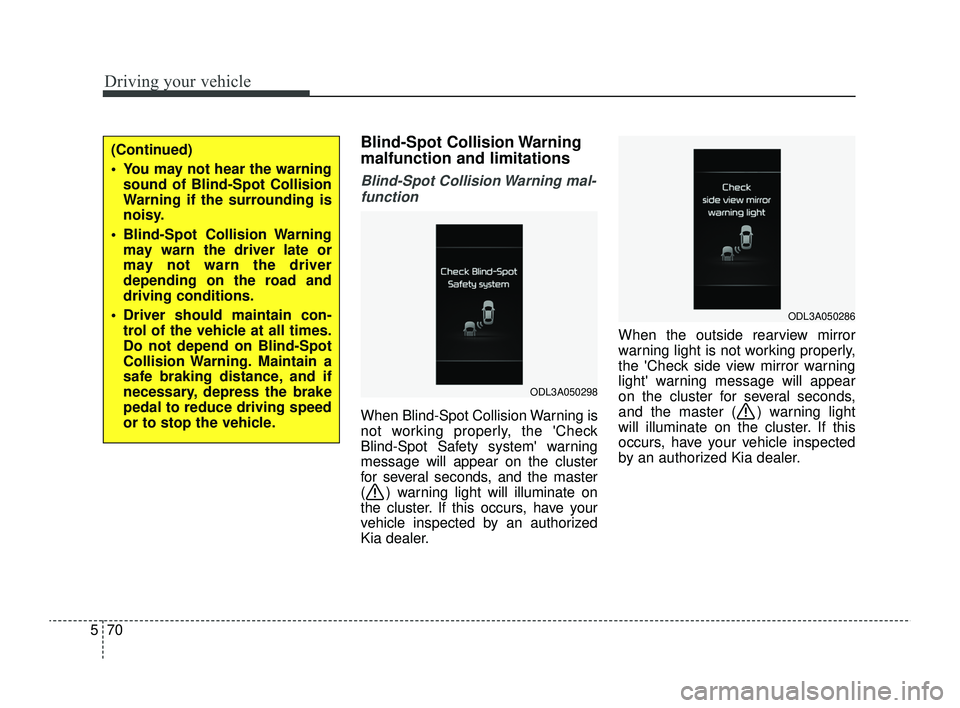
Blind-Spot Collision Warning mal-
function
When Blind-Spot Collision Warning is
not working properly, the 'Check
Blind-Spot Safety system' warning
message will appear on the cluster
for several seconds, and the master
( ) warning light will illuminate on
the cluster. If this occurs, have your
vehicle inspected by an authorized
Kia dealer. When the outside rearview mirror
warning light is not working properly,
the 'Check side view mirror warning
light' warning message will appear
on the cluster for several seconds,
and the master ( ) warning light
will illuminate on the cluster. If this
occurs, have your vehicle inspected
by an authorized Kia dealer.
ODL3A050298
ODL3A050286
(Continued)
You may not hear the warning
sound of Blind-Spot Collision
Warning if the surrounding is
noisy.
Blind-Spot Collision Warning may warn the driver late or
may not warn the driver
depending on the road and
driving conditions.
Driver should maintain con- trol of the vehicle at all times.
Do not depend on Blind-Spot
Collision Warning. Maintain a
safe braking distance, and if
necessary, depress the brake
pedal to reduce driving speed
or to stop the vehicle.
SC PE USA 5.QXP 9/9/2021 6:20 PM Page 70
Page 337 of 528
5103
Driving your vehicle
Your vehicle's fuel economy depends
mainly on your style of driving, where
you drive and when you drive.
Each of these factors affects how
many miles (kilometers) you can get
from a gallon (liter) of fuel. To operate
your vehicle as economically as pos-
sible, use the following driving sug-
gestions to help save money in both
fuel and repairs:
Drive smoothly. Accelerate at amoderate rate. Don't make "jack-
rabbit" starts or full-throttle shifts
and maintain a steady cruising
speed. Don't race between stop-
lights. Try to adjust your speed to
the traffic so you don't have to
change speeds unnecessarily.
Avoid heavy traffic whenever pos-
sible. Always maintain a safe dis-
tance from other vehicles so you
can avoid unnecessary braking.
This also reduces brake wear.
Drive at a moderate speed. The faster you drive, the more fuel your
vehicle uses. Driving at a moderate
speed, especially on the highway,
is one of the most effective ways to
reduce fuel consumption. Don't "ride" the brake pedal. This
can increase fuel consumption and
also increase wear on these com-
ponents. In addition, driving with
your foot resting on the brake pedal
may cause the brakes to overheat,
which reduces their effectiveness
and may lead to more serious con-
sequences.
Take care of your tires. Keep them inflated to the recommended pres-
sure. Incorrect inflation, either too
much or too little, results in unnec-
essary tire wear. Check the tire
pressures at least once a month.
Be sure that the wheels are aligned correctly. Improper align-
ment can result from hitting curbs
or driving too fast over irregular
surfaces. Poor alignment causes
faster tire wear and may also result
in other problems as well as
greater fuel consumption. Keep your vehicle in good condi-
tion. For better fuel economy and
reduced maintenance costs, main-
tain your vehicle in accordance
with the maintenance schedule in
section 7. If you drive your vehicle
in severe conditions, more frequent
maintenance is required (see sec-
tion 7 for details).
Keep your vehicle clean. For maxi- mum service, your vehicle should
be kept clean and free of corrosive
materials. It is especially important
that mud, dirt, ice, etc. not be
allowed to accumulate on the
underside of the vehicle. This extra
weight can result in increased fuel
consumption and also contribute to
corrosion.
Travel lightly. Don't carry unneces- sary weight in your vehicle. Weight
reduces fuel economy.
Don't let the engine idle longer than necessary. If you are waiting
(and not in traffic), turn off your
engine and restart only when
you're ready to go.
ECONOMICAL OPERATION
SC PE USA 5.QXP 9/9/2021 6:22 PM Page 103
Page 338 of 528
Driving your vehicle
104
5
Remember, your vehicle does not
require extended warm-up. After
the engine has started, allow the
engine to run for 10 to 20 seconds
prior to placing the vehicle in gear.
In very cold weather, however, give
your engine a slightly longer warm-
up period.
Don't “lug” or “over-rev” the engine. Lugging is driving too slowly in a
very high gear resulting in engine
bucking. If this happens, shift to a
lower gear. Over-revving is racing
the engine beyond its safe limit.
This can be avoided by shifting at
the recommended speed. Use your air conditioning sparingly.
The air conditioning system is
operated by engine power so your
fuel economy is reduced when you
use it.
Open windows at high speeds can reduce fuel economy.
Fuel economy is reduced by cross- winds and headwinds. To help off-
set some of this loss, slow down
when driving in these conditions.
Keeping a vehicle in good operating
condition is important both for econ-
omy and safety. Therefore, have an
authorized Kia dealer perform
scheduled inspections and mainte-
nance.
WARNING- Engine off during
motion
Never turn the engine off to
coast down hills or anytime the
vehicle is in motion. The power
steering and power brakes will
not function properly without
the engine running. In addition,
turning off the ignition while
driving could engage the steer-
ing wheel lock resulting in loss
of vehicle steering. Keep the
engine on and downshift to an
appropriate gear for engine
braking effect.
SC PE USA 5.QXP 9/9/2021 6:22 PM Page 104