ESP KIA RIO 2022 Owner's Guide
[x] Cancel search | Manufacturer: KIA, Model Year: 2022, Model line: RIO, Model: KIA RIO 2022Pages: 528, PDF Size: 11.8 MB
Page 266 of 528
Driving your vehicle
32
5
Electronic Stability Control (ESC) will
not prevent accidents. Excessive
speed in turns, abrupt maneuvers and
hydroplaning on wet surfaces can still
result in serious accidents. Only a
safe and attentive driver can prevent
accidents by avoiding maneuvers that
cause the vehicle to lose traction.
Even with ESC installed, always fol-
low all the normal precautions for driv-
ing - including driving at safe speeds
for the conditions.
The Electronic Stability Control
(ESC) system is an electronic sys-
tem designed to help the driver main-
tain vehicle control under adverse
conditions. It is not a substitute for
safe driving practices. Factors includ-
ing speed, road conditions and driv-
er steering input can all affect
whether ESC will be effective in pre-
venting a loss of control. It is still your
responsibility to drive and corner at
reasonable speeds and to leave a
sufficient margin of safety. When you apply your brakes under
conditions which may lock the
wheels, you may hear a “tik-tik’’
sound from the brakes, or feel a cor-
responding sensation in the brake
pedal. This is normal and means
your ESC is active.ESC operation
ESC ON condition
When the ignition is turnedON, ESC and ESC OFF
indicator lights illuminate
for approximately 3 sec-
onds, then ESC is turned
on.
Press the ESC OFF but- ton for at least half a sec-
ond after turning the igni-
tion ON to turn ESC off.
(ESC OFF indicator will
illuminate). To turn the
ESC on, press the ESC
OFF button (ESC OFF
indicator light will go off).
When starting the engine, you may hear a slight tick-
ing sound. This is the ESC
performing an automatic
system self-check and
does not indicate a prob-
lem.
WARNING
For maximum protection, always
wear your seat belt. No system,
no matter how advanced, can
compensate for all driver error
and/or driving conditions.
Always drive responsibly.
-
SC PE USA 5.QXP 9/9/2021 6:18 PM Page 32
Page 270 of 528
Driving your vehicle
36
5
Vehicle Stability Management
(VSM)
This system is designed to provide
further enhancements to vehicle sta-
bility and steering responses when a
vehicle is driving on a slippery road
or a vehicle detects changes in coef-
ficient of friction between the right
wheels and left wheels when brak-
ing.
VSM operation
When the VSM is in operation, the
ESC indicator light ( ) blinks.
When the vehicle stability manage-
ment is operating properly, you can
feel a slight pulsation in the vehicle
and/or abnormal steering responses
EPS (Electronic Power Steering).
This is only the effect of brake and
EPS control and indicates nothing
unusual. The VSM does not operate when:
Driving on a sloping road such as
gradient or incline
Driving in reverse
ESC OFF indicator light ( ) remains on the instrument cluster
EPS indicator light remains on the instrument cluster
VSM operation off
If you press the ESC OFF button to
turn off the ESC, the VSM will also
cancel and the ESC OFF indicator
light ( ) illuminates.
To turn on the VSM, press the button
again. The ESC OFF indicator light
will turn off.
WARNING- Vehicle stabili-
ty management
Drive carefully even though your
vehicle has Vehicle stability man-
agement. It can only assist you in
maintaining control under cer-
tain circumstances.
SC PE USA 5.QXP 9/9/2021 6:18 PM Page 36
Page 271 of 528
537
Driving your vehicle
Malfunction indicator
The VSM can be deactivated even if
you don’t cancel the VSM operation
by pressing the ESC OFF button. It
indicates that a malfunction has
been detected somewhere in the
Electric Power Steering system or
VSM system. If the ESC indicator
light ( ) or EPS warning light
remains on, take your vehicle to an
authorized Kia dealer and have the
system checked.
Your vehicle is designed to activateaccording to the driver’s intention,
even with installed VSM. Always
follow all the normal precautions
for driving at safe speeds for the
conditions – including driving in
inclement weather and on a slip-
pery road.WARNING
For maximum protection, always
wear your seat belt. No system,
no matter how advanced, can
compensate for all driver error
and/or driving conditions.
Always drive responsibly.
WARNING- Tire/Wheel
size
When replacing tires and
wheels, make sure they are the
same size as the original tires
and wheels installed. Driving
with varying tire or wheel sizes
may affect the vehicle's han-
dling.
WARNING
The Vehicle Stability
Management system is not a
substitute for safe driving prac-
tices but a supplementary func-
tion only. It is the responsibility
of the driver to always check the
speed and the distance to the
vehicle ahead. Always hold the
steering wheel firmly while driv-
ing.
SC PE USA 5.QXP 9/9/2021 6:18 PM Page 37
Page 275 of 528
541
Driving your vehicle
Forward Collision-Avoidance Assist
is designed to detect and monitor a
vehicle ahead or detect a pedestrian
in the roadway through front view
camera recognition to warn the driv-
er that a collision is imminent, and if
necessary, apply emergency brak-
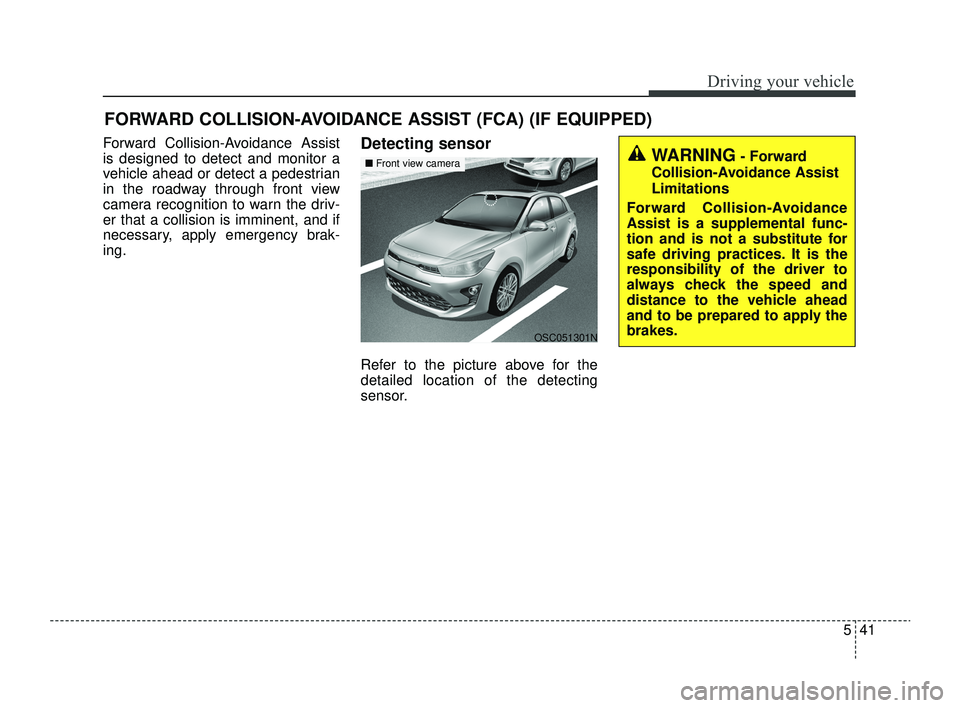
ing.Detecting sensor
Refer to the picture above for the
detailed location of the detecting
sensor.
FORWARD COLLISION-AVOIDANCE ASSIST (FCA) (IF EQUIPPED)
WARNING- Forward
Collision-Avoidance Assist
Limitations
Forward Collision-Avoidance
Assist is a supplemental func-
tion and is not a substitute for
safe driving practices. It is the
responsibility of the driver to
always check the speed and
distance to the vehicle ahead
and to be prepared to apply the
brakes.
OSC051301N
■ Front view camera
SC PE USA 5.QXP 9/9/2021 6:18 PM Page 41
Page 280 of 528
Driving your vehicle
46
5
For the pedestrian, the vehicle
speed is greater than or equal to 3
mph (5 km/h) and less than 37
mph (60 km/h). (Depending on the
condition of pedestrian and the
surrounding environment the pos-
sible maximum operating speed
may be reduced.)
- If you select "Warning Only",Forward Collision-Avoidance
Assist activates and produces
only warning alarms in accor-
dance with the collision risk lev-
els. You should control the brake
directly because Forward
Collision-Avoidance Assist do not
control the brake.Brake operation
In an urgent situation, the braking
system enters into the ready status
for prompt reaction to assist the driv-
er in depressing the brake pedal.
Forward Collision-Avoidance Assist provides additional braking
power for optimum braking per-
formance when the driver depress-
es the brake pedal during warning.
The braking control is automatical- ly deactivated when the driver
sharply depresses the accelerator
pedal, or when the driver abruptly
operates the steering wheel.
The braking control is automatical- ly canceled when risk factors dis-
appear.
The driver should always exercise
caution when operating the vehicle,
even though there is no warning
message or warning alarm.WARNING
Forward Collision-Avoidance
Assist cannot avoid all colli-
sions nor completely stop the
vehicle before collision. The
driver has the responsibility to
drive safely and control the
vehicle.
WARNING
Forward Collision-Avoidance
Assist is a supplemental func-
tion and cannot completely
stop the vehicle in all situations
or avoid all collisions. It is the
responsibility of the driver to
safely drive and control the
vehicle.
SC PE USA 5.QXP 9/9/2021 6:18 PM Page 46
Page 282 of 528
Driving your vehicle
48
5
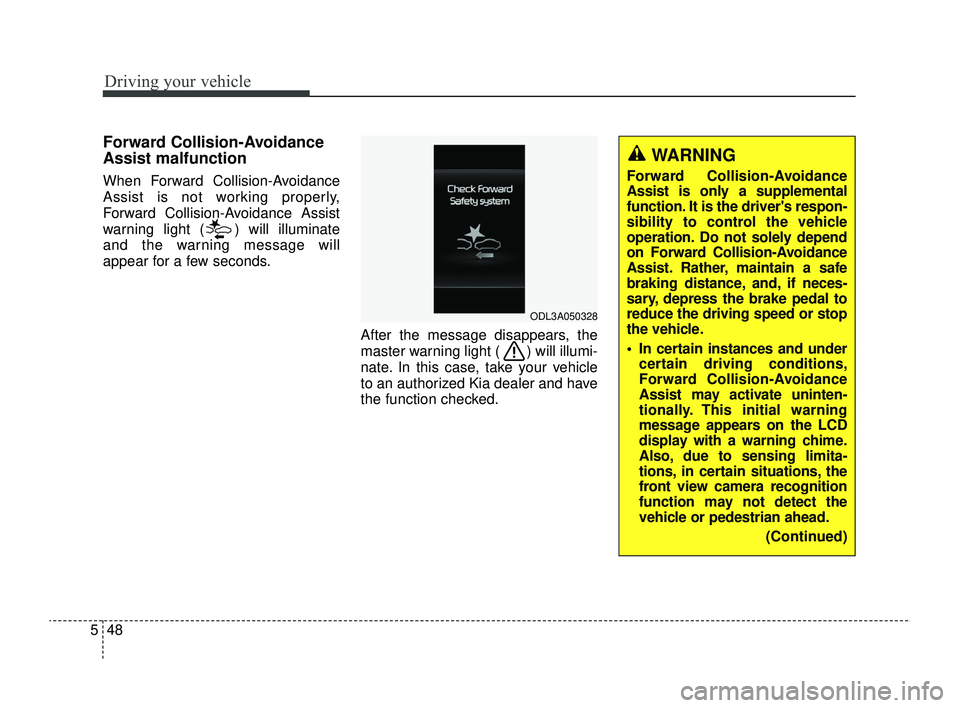
Forward Collision-Avoidance
Assist malfunction
When Forward Collision-Avoidance
Assist is not working properly,
Forward Collision-Avoidance Assist
warning light ( ) will illuminate
and the warning message will
appear for a few seconds.
After the message disappears, the
master warning light ( ) will illumi-
nate. In this case, take your vehicle
to an authorized Kia dealer and have
the function checked.
ODL3A050328
WARNING
Forward Collision-Avoidance
Assist is only a supplemental
function. It is the driver's respon-
sibility to control the vehicle
operation. Do not solely depend
on Forward Collision-Avoidance
Assist. Rather, maintain a safe
braking distance, and, if neces-
sary, depress the brake pedal to
reduce the driving speed or stop
the vehicle.
In certain instances and undercertain driving conditions,
Forward Collision-Avoidance
Assist may activate uninten-
tionally. This initial warning
message appears on the LCD
display with a warning chime.
Also, due to sensing limita-
tions, in certain situations, the
front view camera recognition
function may not detect the
vehicle or pedestrian ahead.
(Continued)
SC PE USA 5.QXP 9/9/2021 6:18 PM Page 48
Page 288 of 528
![KIA RIO 2022 Owners Guide Driving your vehicle
54
5
Changing lanes
[A]: Your vehicle, [B]: Lane changing
vehicle
When a vehicle changes lanes in
front of you, Forward Collision-
Avoidance Assist may not immedi-
ately detect th](/img/2/54885/w960_54885-287.png "KIA RIO 2022 Owners Guide Driving your vehicle
54
5
Changing lanes
[A]: Your vehicle, [B]: Lane changing
vehicle
When a vehicle changes lanes in
front of you, Forward Collision-
Avoidance Assist may not immedi-
ately detect th")
Driving your vehicle
54
5
Changing lanes
[A]: Your vehicle, [B]: Lane changing
vehicle
When a vehicle changes lanes in
front of you, Forward Collision-
Avoidance Assist may not immedi-
ately detect the vehicle, especially if
the vehicle changes lanes abruptly.
In this case, you must maintain a
safe braking distance, and if neces-
sary, depress the brake pedal to
reduce your driving speed in order to
maintain a safe distance. [A]: Your vehicle, [B]: Lane changing
vehicle, [C]: Same lane vehicle
When driving in stop-and-go traffic,
and a stopped vehicle in front of you
merges out of the lane, Forward
Collision-Avoidance Assist may not
immediately detect the new vehicle
that is now in front of you. In this
case, you must maintain a safe brak-
ing distance, and if necessary,
depress the brake pedal to reduce
your driving speed in order to main-
tain a safe distance.
Detecting vehicle
When the vehicle in front has heavy
loading extended rearward, or when
the vehicle in front has higher ground
clearance, it may induce a haz-
ardous situation. Always pay atten-
tion to road and driving conditions,
while driving and, if necessary,
depress the brake pedal to reduce
your driving speed in order to main-
tain distance.
OSC050281N
OSC051154NOSC050280N
SC PE USA 5.QXP 9/9/2021 6:19 PM Page 54
Page 290 of 528
Driving your vehicle
56
5
✽ ✽
NOTICE
In some instances, Forward
Collision-Avoidance Assist may be
canceled when subjected to electro-
magnetic interference.
This device complies with Part 15
of the FCC rules.
Operation is subject to the following
three conditions:
1. This device may not cause harm-
ful interference, and
2. This device must accept any inter- ference received, including inter-
ference that may cause undesired
operation.
3. Changes or modifications not expressly approved by the party
responsible for compliance could
void the user’s authority to operate
the device.(Continued)
Forward Collision-AvoidanceAssist is designed to detect
and monitor the vehicle ahead
or detect a pedestrian in the
roadway through front view
camera recognition. It is not
designed to detect bicycles,
motorcycles, or smaller
wheeled objects such as lug-
gage bags, shopping carts, or
strollers.
When replacing or reinstalling the windshield, front bumper
or front view camera recogni-
tion after removal, take your
vehicle to an authorized Kia
dealer and have the function
checked.WARNING
Cancel Forward Collision-Avoidance Assist in the User
Settings on the LCD display,
before towing another vehicle.
While towing, the brake appli-
cation may adversely affect
your vehicle safety.
Exercise extreme caution to the vehicle in front, when it
has heavy loading extended
rearward, or when it has high-
er ground clearance.
Never try to test the operation of Forward Collision-
Avoidance Assist. Doing so
may cause severe injury or
death.
(Continued)
SC PE USA 5.QXP 9/9/2021 6:19 PM Page 56
Page 292 of 528
Driving your vehicle
58
5
Lane Keeping Assist is designed to
help detect the lane markers while
driving over a certain speed. Lane
Keeping Assist will warn the driver if
the vehicle leaves the lane without
using the turn signal, or will automat-
ically assist the driver's steering to
help prevent the vehicle from depart-
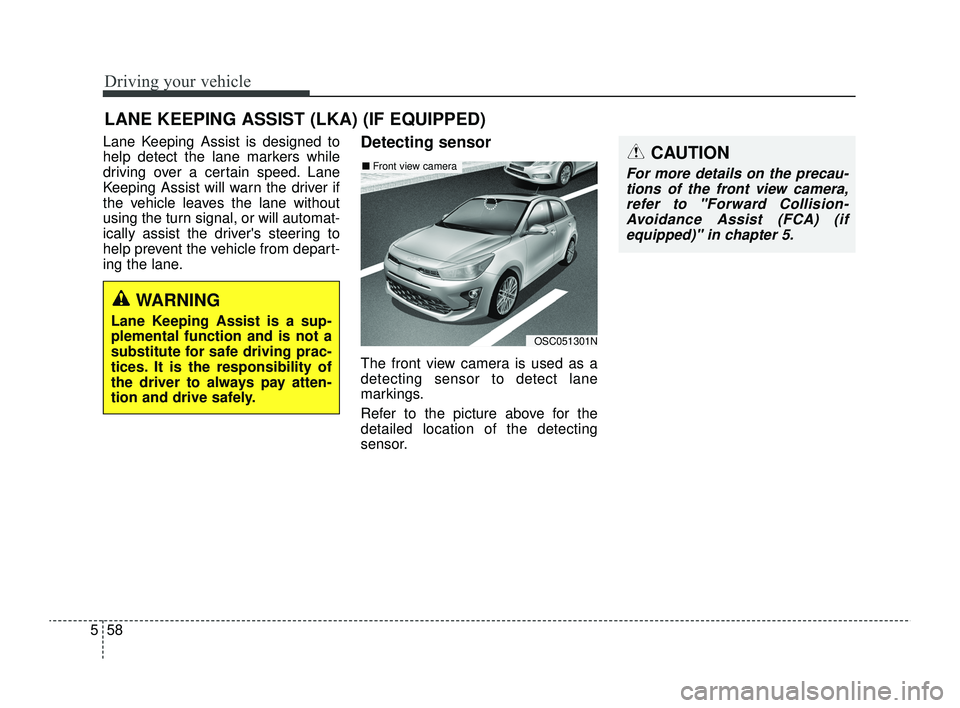
ing the lane.Detecting sensor
The front view camera is used as a
detecting sensor to detect lane
markings.
Refer to the picture above for the
detailed location of the detecting
sensor.
LANE KEEPING ASSIST (LKA) (IF EQUIPPED)
OSC051301N
■ Front view cameraCAUTION
For more details on the precau-
tions of the front view camera,refer to "Forward Collision-Avoidance Assist (FCA) (ifequipped)" in chapter 5.
WARNING
Lane Keeping Assist is a sup-
plemental function and is not a
substitute for safe driving prac-
tices. It is the responsibility of
the driver to always pay atten-
tion and drive safely.
SC PE USA 5.QXP 9/9/2021 6:19 PM Page 58
Page 296 of 528
Driving your vehicle
62
5
✽ ✽
NOTICE
• For more details on setting the
functions, refer to "LCD Display
Mode" in chapter 4.
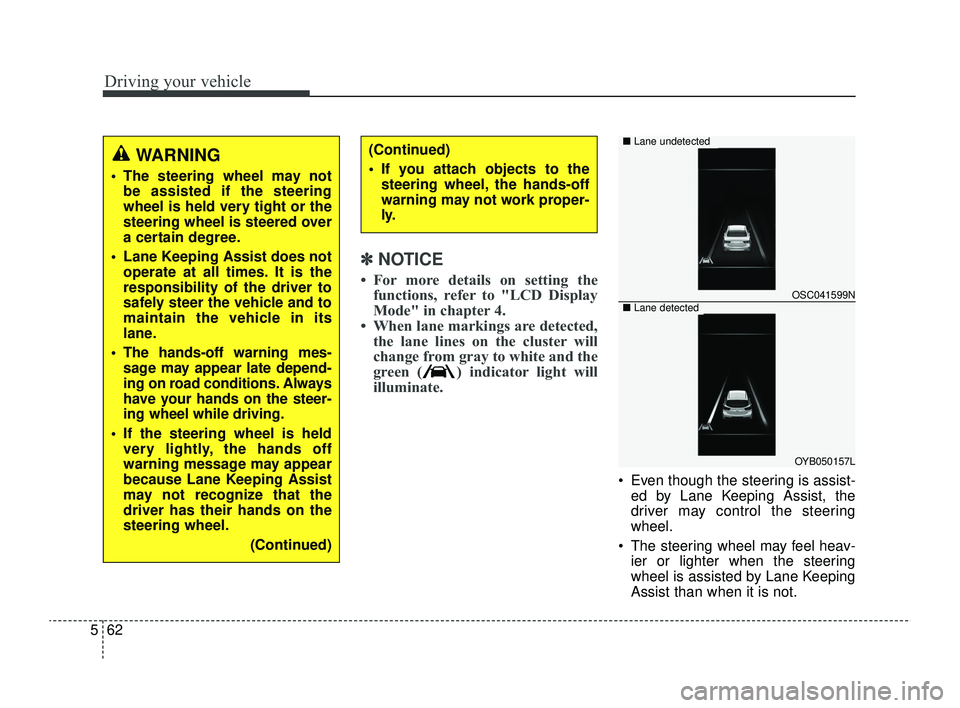
• When lane markings are detected, the lane lines on the cluster will
change from gray to white and the
green ( ) indicator light will
illuminate.
Even though the steering is assist-
ed by Lane Keeping Assist, the
driver may control the steering
wheel.
The steering wheel may feel heav- ier or lighter when the steering
wheel is assisted by Lane Keeping
Assist than when it is not.
WARNING
The steering wheel may notbe assisted if the steering
wheel is held very tight or the
steering wheel is steered over
a certain degree.
Lane Keeping Assist does not operate at all times. It is the
responsibility of the driver to
safely steer the vehicle and to
maintain the vehicle in its
lane.
The hands-off warning mes- sage may appear late depend-
ing on road conditions. Always
have your hands on the steer-
ing wheel while driving.
If the steering wheel is held very lightly, the hands off
warning message may appear
because Lane Keeping Assist
may not recognize that the
driver has their hands on the
steering wheel.
(Continued)
(Continued)
If you attach objects to thesteering wheel, the hands-off
warning may not work proper-
ly.
OSC041599N
OYB050157L
■ Lane undetected
■Lane detected
SC PE USA 5.QXP 9/9/2021 6:19 PM Page 62