start stop button KIA RIO 2022 Service Manual
[x] Cancel search | Manufacturer: KIA, Model Year: 2022, Model line: RIO, Model: KIA RIO 2022Pages: 528, PDF Size: 11.8 MB
Page 267 of 528
533
Driving your vehicle
When operatingWhen the ESC is in opera-
tion, ESC indicator light
blinks.
When the ElectronicStability Control is operat-
ing properly, you can feel a
slight pulsation in the vehi-
cle. This is only the effect
of brake control and indi-
cates nothing unusual.
When moving out of the mud or slippery road,
pressing the accelerator
pedal may not cause the
engine rpm (revolutions
per minute) to increase.ESC operation off
ESC OFF state
This car has 2 kinds of ESC
off states.
If the engine stops when
ESC is off, ESC remains off.
Upon restarting the engine,
the ESC will automatically
turn on again.
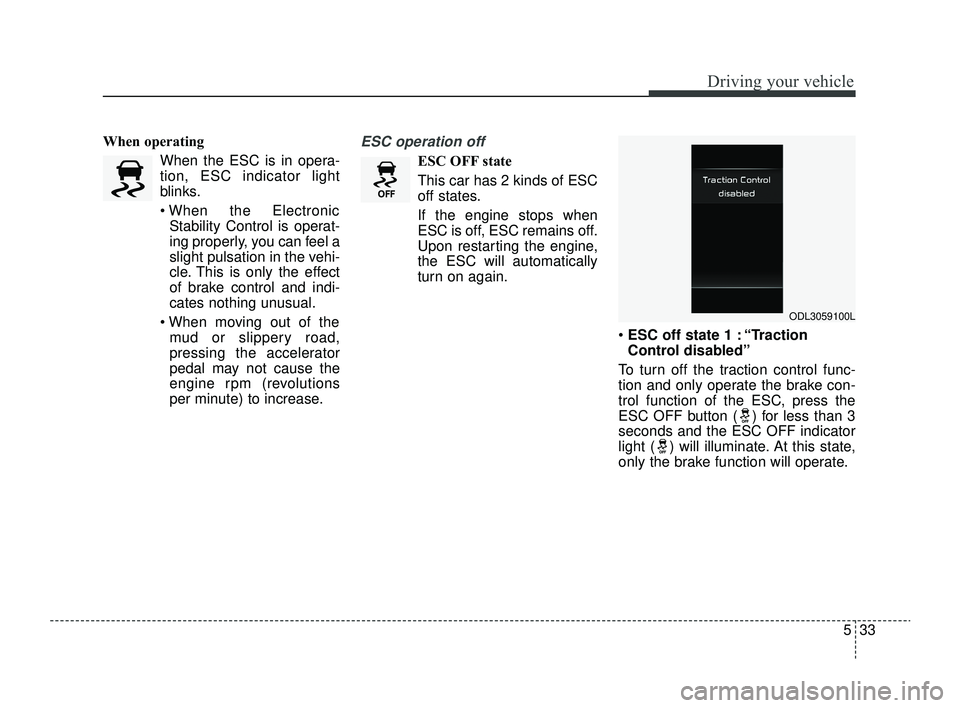
ESC off state 1 : “Traction
Control disabled”
To turn off the traction control func-
tion and only operate the brake con-
trol function of the ESC, press the
ESC OFF button ( ) for less than 3
seconds and the ESC OFF indicator
light ( ) will illuminate. At this state,
only the brake function will operate.
ODL3059100L
SC PE USA 5.QXP 9/9/2021 6:18 PM Page 33
Page 268 of 528
Driving your vehicle
34
5
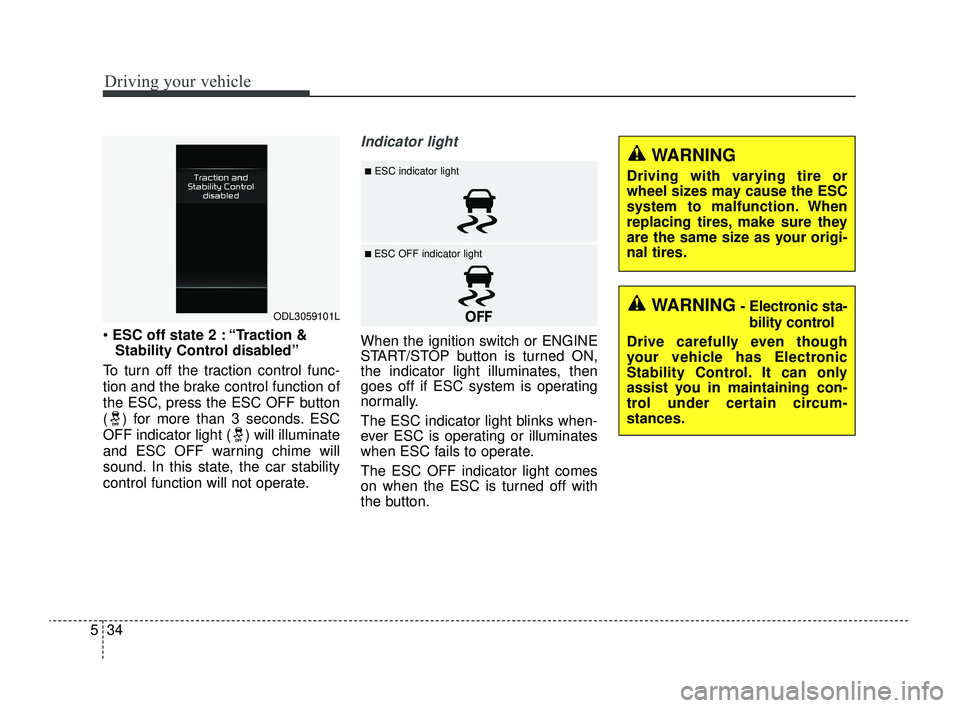
ESC off state 2 : “Traction &
Stability Control disabled”
To turn off the traction control func-
tion and the brake control function of
the ESC, press the ESC OFF button
( ) for more than 3 seconds. ESC
OFF indicator light ( ) will illuminate
and ESC OFF warning chime will
sound. In this state, the car stability
control function will not operate.
Indicator light
When the ignition switch or ENGINE
START/STOP button is turned ON,
the indicator light illuminates, then
goes off if ESC system is operating
normally.
The ESC indicator light blinks when-
ever ESC is operating or illuminates
when ESC fails to operate.
The ESC OFF indicator light comes
on when the ESC is turned off with
the button.
ODL3059101L
■ESC indicator light
■ ESC OFF indicator light
WARNING
Driving with varying tire or
wheel sizes may cause the ESC
system to malfunction. When
replacing tires, make sure they
are the same size as your origi-
nal tires.
WARNING- Electronic sta- bility control
Drive carefully even though
your vehicle has Electronic
Stability Control. It can only
assist you in maintaining con-
trol under certain circum-
stances.
SC PE USA 5.QXP 9/9/2021 6:18 PM Page 34
Page 269 of 528
535
Driving your vehicle
ESC OFF usage
When driving
It’s a good idea to keep the ESCturned on for daily driving whenev-
er possible.
To turn ESC off while driving, press the ESC OFF button while driving
on a flat road surface.
Hill-start Assist Control (HAC)
The Hill-start Assist Control (HAC) is
designed to prevent the vehicle from
rolling back by applying the brakes
automatically for about 2 seconds.
The brakes are released when the
accelerator pedal is depressed or
after about 2 seconds.
The HAC is activated only for about 2
seconds, so when the vehicle is
starting off always depress the accel-
erator pedal.
WARNING- Operating
ESC
Never press the ESC OFF but-
ton while ESC is operating.
If the ESC is turned off while
ESC is operating, the vehicle
may go out of control.
WARNING- Maintaining
Brake Pressure on Incline
HAC does not replace the need
to apply brakes while stopped on
an incline. While stopped, make
sure you maintain brake pres-
sure sufficient to prevent your
vehicle from rolling backward
and causing an accident. Don’t
release the brake pedal until you
are ready to accelerate forward.
CAUTION
The HAC does not operate when the transmission shiftlever is in the P (Park) or N(Neutral) position.
The HAC activates even though the ESC is off but itdoes not activate when theESC has malfunctioned.
SC PE USA 5.QXP 9/9/2021 6:18 PM Page 35
Page 274 of 528
Driving your vehicle
40
5
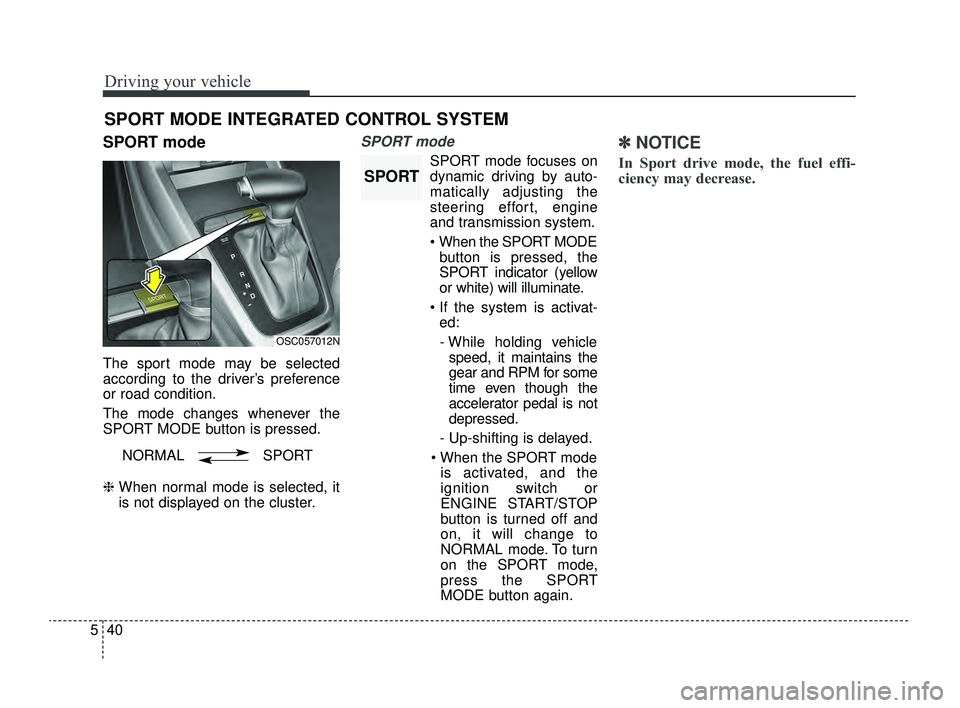
SPORT mode
The sport mode may be selected
according to the driver’s preference
or road condition.
The mode changes whenever the
SPORT MODE button is pressed.
❈ When normal mode is selected, it
is not displayed on the cluster.
SPORT mode
SPORT mode focuses on
dynamic driving by auto-
matically adjusting the
steering effort, engine
and transmission system.
When the SPORT MODE
button is pressed, the
SPORT indicator (yellow
or white) will illuminate.
If the system is activat- ed:
- While holding vehicle speed, it maintains the
gear and RPM for some
time even though the
accelerator pedal is not
depressed.
- Up-shifting is delayed.
When the SPORT mode is activated, and the
ignition switch or
ENGINE START/STOP
button is turned off and
on, it will change to
NORMAL mode. To turn
on the SPORT mode,
press the SPORT
MODE button again.
✽ ✽
NOTICE
In Sport drive mode, the fuel effi-
ciency may decrease.
SPORT MODE INTEGRATED CONTROL SYSTEM
OSC057012N
NORMAL SPORT
SPORT
SC PE USA 5.QXP 9/9/2021 6:18 PM Page 40
Page 276 of 528
Driving your vehicle
42
5
Forward Collision-Avoidance
Assist settings
Setting features
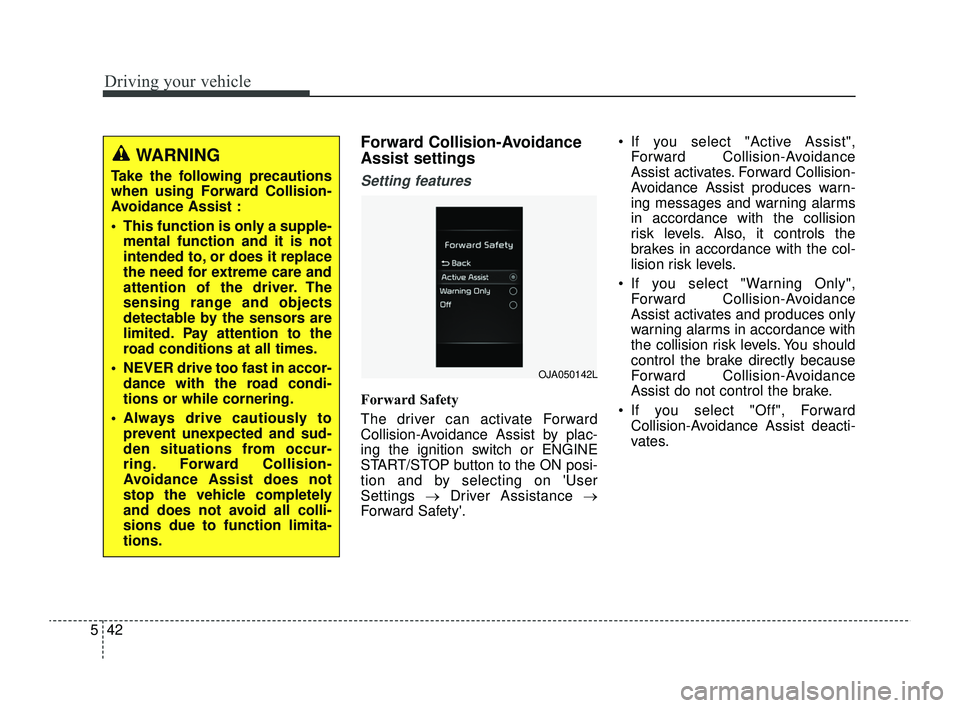
Forward Safety
The driver can activate Forward
Collision-Avoidance Assist by plac-
ing the ignition switch or ENGINE
START/STOP button to the ON posi-
tion and by selecting on 'User
Settings →Driver Assistance →
Forward Safety'. If you select "Active Assist",
Forward Collision-Avoidance
Assist activates. Forward Collision-
Avoidance Assist produces warn-
ing messages and warning alarms
in accordance with the collision
risk levels. Also, it controls the
brakes in accordance with the col-
lision risk levels.
If you select "Warning Only", Forward Collision-Avoidance
Assist activates and produces only
warning alarms in accordance with
the collision risk levels. You should
control the brake directly because
Forward Collision-Avoidance
Assist do not control the brake.
If you select "Off", Forward Collision-Avoidance Assist deacti-
vates.
WARNING
Take the following precautions
when using Forward Collision-
Avoidance Assist :
This function is only a supple-mental function and it is not
intended to, or does it replace
the need for extreme care and
attention of the driver. The
sensing range and objects
detectable by the sensors are
limited. Pay attention to the
road conditions at all times.
NEVER drive too fast in accor- dance with the road condi-
tions or while cornering.
Always drive cautiously to prevent unexpected and sud-
den situations from occur-
ring. Forward Collision-
Avoidance Assist does not
stop the vehicle completely
and does not avoid all colli-
sions due to function limita-
tions.
OJA050142L
SC PE USA 5.QXP 9/9/2021 6:18 PM Page 42
Page 278 of 528
Driving your vehicle
44
5
Prerequisite for activation
Forward Collision-Avoidance Assist
will activate when Forward Collision-
Avoidance Assist is selected on the
LCD display, and when the following
prerequisites are satisfied:
The ESC (Electronic Stability
Control) is activated.
When Forward Collision- Avoidance Assist recognizes a
vehicle or the pedestrian in front.
Forward Collision-Avoidance
Assist warning message and
function control
Forward Collision-Avoidance Assist
produces warning messages, warn-
ing alarms, and emergency braking
based on the level of risk of a frontal
collision, such as when a vehicle
ahead suddenly brakes, or when the
function detects that a collision with
a pedestrian is imminent.
The driver can select the initial warn-
ing activation time in the User
Settings in the LCD display. The
options for the initial Forward
Collision Warning include Normal or
Late initial warning time.
WARNING
Forward Collision-Avoidance
Assist may not recognize every
obstacle or provide warnings
and braking in every situation, so
do not rely on Forward Collision-
Avoidance Assist to stop the
vehicle in instances where the
driver sees an obstacle and has
the ability to apply the brakes.
Forward Collision-AvoidanceAssist automatically activates
upon placing the ignition
switch or ENGINE START/STOP
button to the ON position. The
driver can deactivate Forward
Collision-Avoidance Assist by
canceling the function setting
on the LCD display.
Forward Collision-Avoidance Assist automatically deacti-
vates upon canceling the ESC.
When the ESC is canceled,
Forward Collision-Avoidance
Assist cannot be activated on
the LCD display. Forward
Collision-Avoidance Assist
warning light will illuminate.
SC PE USA 5.QXP 9/9/2021 6:18 PM Page 44
Page 293 of 528
559
Driving your vehicle
Lane Keeping Assist settings
Setting features
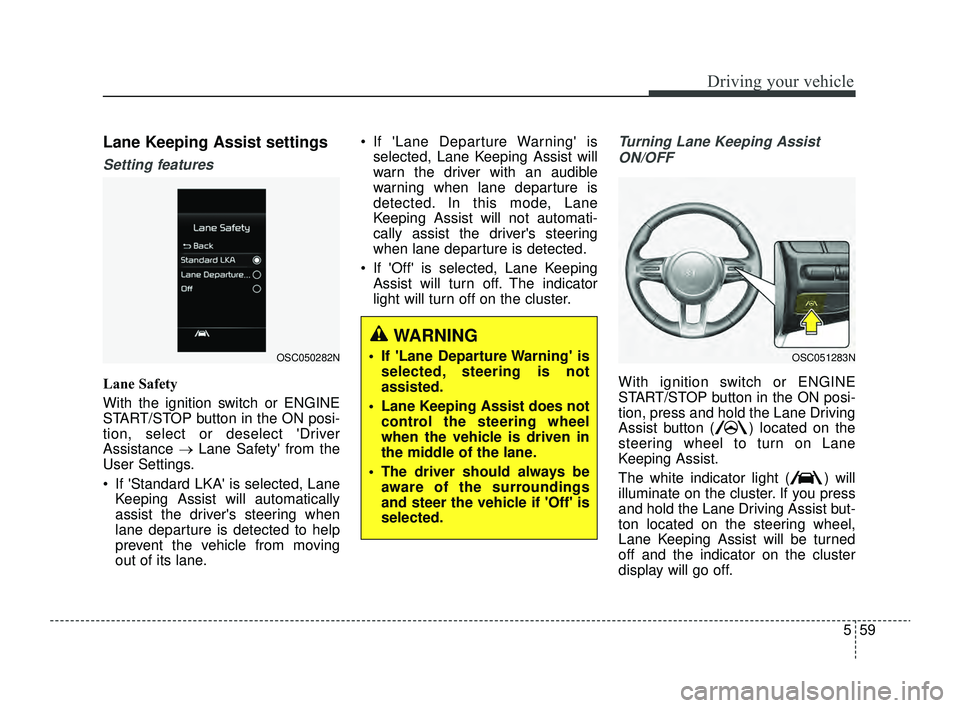
Lane Safety
With the ignition switch or ENGINE
START/STOP button in the ON posi-
tion, select or deselect 'Driver
Assistance →Lane Safety' from the
User Settings.
If 'Standard LKA' is selected, Lane Keeping Assist will automatically
assist the driver's steering when
lane departure is detected to help
prevent the vehicle from moving
out of its lane. If 'Lane Departure Warning' is
selected, Lane Keeping Assist will
warn the driver with an audible
warning when lane departure is
detected. In this mode, Lane
Keeping Assist will not automati-
cally assist the driver's steering
when lane departure is detected.
If 'Off' is selected, Lane Keeping Assist will turn off. The indicator
light will turn off on the cluster.
Turning Lane Keeping Assist
ON/OFF
With ignition switch or ENGINE
START/STOP button in the ON posi-
tion, press and hold the Lane Driving
Assist button ( ) located on the
steering wheel to turn on Lane
Keeping Assist.
The white indicator light ( ) will
illuminate on the cluster. If you press
and hold the Lane Driving Assist but-
ton located on the steering wheel,
Lane Keeping Assist will be turned
off and the indicator on the cluster
display will go off.
OSC050282NOSC051283N
WARNING
If 'Lane Departure Warning' is selected, steering is not
assisted.
Lane Keeping Assist does not control the steering wheel
when the vehicle is driven in
the middle of the lane.
The driver should always be aware of the surroundings
and steer the vehicle if 'Off' is
selected.
SC PE USA 5.QXP 9/9/2021 6:19 PM Page 59
Page 301 of 528
567
Driving your vehicle
Blind-Spot Collision Warning
settings
Setting features
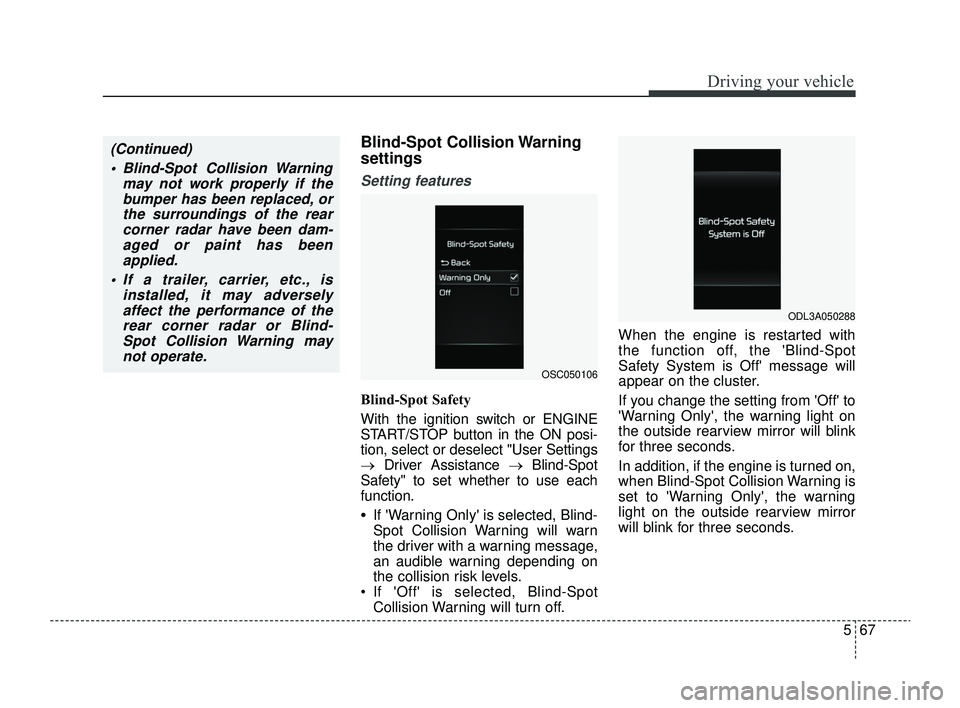
Blind-Spot Safety
With the ignition switch or ENGINE
START/STOP button in the ON posi-
tion, select or deselect "User Settings
→Driver Assistance → Blind-Spot
Safety" to set whether to use each
function.
•If 'Warning Only' is selected, Blind-
Spot Collision Warning will warn
the driver with a warning message,
an audible warning depending on
the collision risk levels.
If 'Off' is selected, Blind-Spot Collision Warning will turn off. When the engine is restarted with
the function off, the 'Blind-Spot
Safety System is Off' message will
appear on the cluster.
If you change the setting from 'Off' to
'Warning Only', the warning light on
the outside rearview mirror will blink
for three seconds.
In addition, if the engine is turned on,
when Blind-Spot Collision Warning is
set to 'Warning Only', the warning
light on the outside rearview mirror
will blink for three seconds.
(Continued)
Blind-Spot Collision Warning may not work properly if thebumper has been replaced, orthe surroundings of the rearcorner radar have been dam-aged or paint has beenapplied.
If a trailer, carrier, etc., is installed, it may adverselyaffect the performance of therear corner radar or Blind-Spot Collision Warning maynot operate.
OSC050106
ODL3A050288
SC PE USA 5.QXP 9/9/2021 6:19 PM Page 67
Page 302 of 528
Driving your vehicle
68
5
✽ ✽
NOTICE
If the engine is restarted, Blind-Spot
Collision Warning will maintain the
last setting.
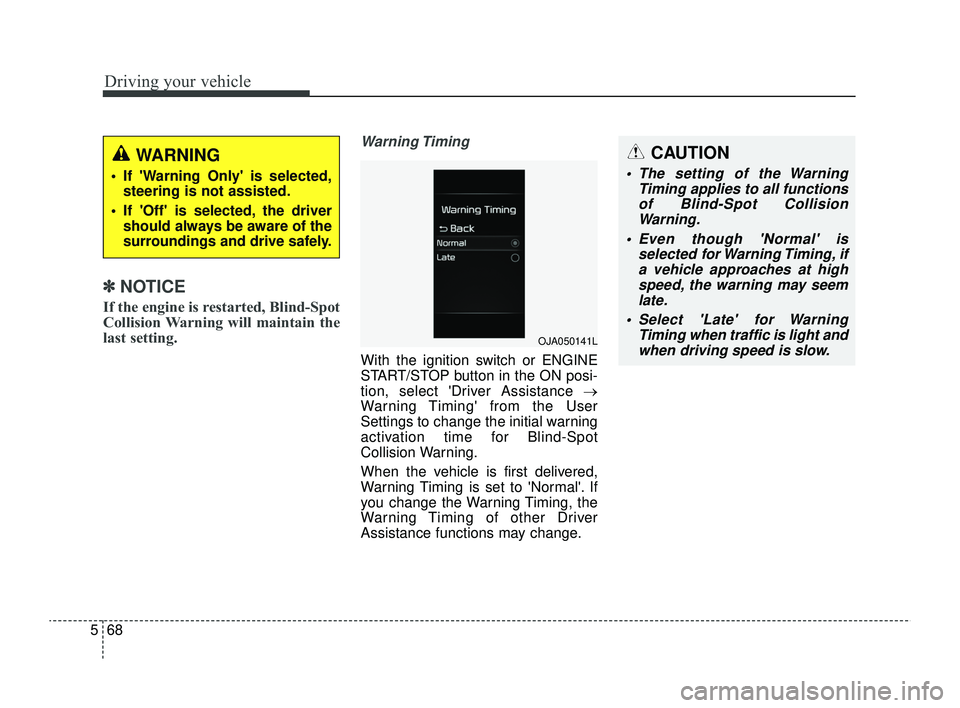
Warning Timing
With the ignition switch or ENGINE
START/STOP button in the ON posi-
tion, select 'Driver Assistance →
Warning Timing' from the User
Settings to change the initial warning
activation time for Blind-Spot
Collision Warning.
When the vehicle is first delivered,
Warning Timing is set to 'Normal'. If
you change the Warning Timing, the
Warning Timing of other Driver
Assistance functions may change.
WARNING
If 'Warning Only' is selected,
steering is not assisted.
If 'Off' is selected, the driver should always be aware of the
surroundings and drive safely.
OJA050141L
CAUTION
The setting of the Warning Timing applies to all functionsof Blind-Spot CollisionWarning.
Even though 'Normal' is selected for Warning Timing, ifa vehicle approaches at highspeed, the warning may seemlate.
Select 'Late' for Warning Timing when traffic is light andwhen driving speed is slow.
SC PE USA 5.QXP 9/9/2021 6:19 PM Page 68
Page 324 of 528
Driving your vehicle
90
5
CAUTION
When the steering wheel is not
controlled, the green ( ) indi-cator light will blink and changeto white.
Lane Following Assist set-
tings
Setting features
Turning Lane Following Assist
ON/OFF
With the ignition switch or ENGINE
START/STOP button in the ON posi-
tion, press the Lane Driving Assist
button located on the steering
wheel to turn on Lane Following
Assist. The white or green ( ) indi-
cator light will illuminate on the clus-
ter.
Press the button again to turn
off the function.
Lane Following Assist opera-
tion
Warning and control
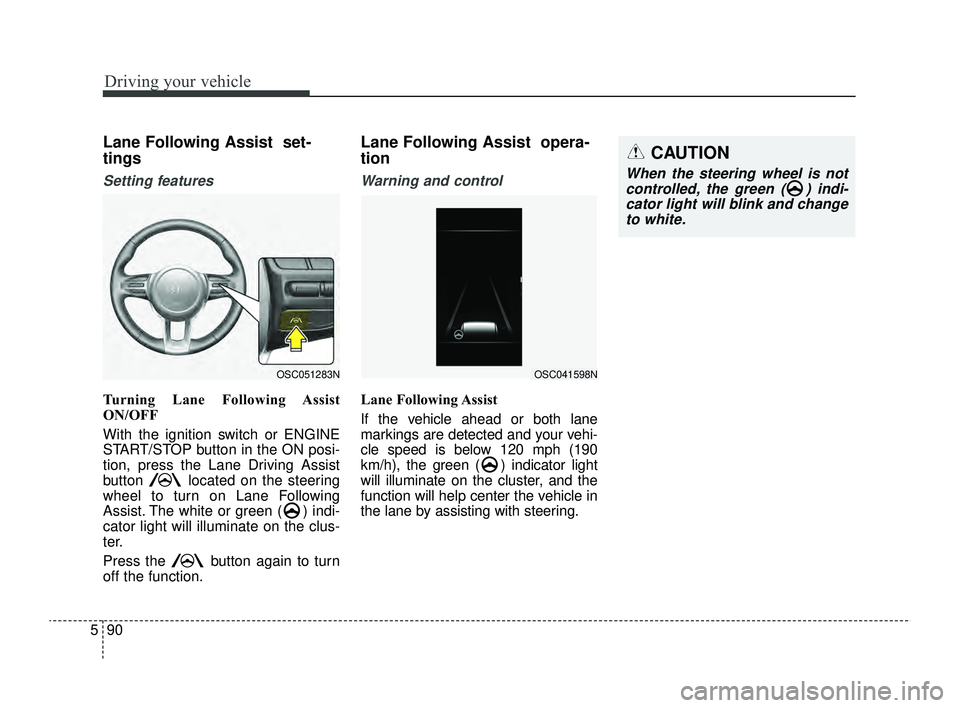
Lane Following Assist
If the vehicle ahead or both lane
markings are detected and your vehi-
cle speed is below 120 mph (190
km/h), the green ( ) indicator light
will illuminate on the cluster, and the
function will help center the vehicle in
the lane by assisting with steering.
OSC051283NOSC041598N
SC PE USA 5.QXP 9/9/2021 6:21 PM Page 90