ignition KIA RIO 2022 Repair Manual
[x] Cancel search | Manufacturer: KIA, Model Year: 2022, Model line: RIO, Model: KIA RIO 2022Pages: 528, PDF Size: 11.8 MB
Page 253 of 528
519
Driving your vehicle
R (Reverse)
Use this position to drive the vehicle
backward.
N (Neutral)
The wheels and transmission are not
engaged. The vehicle will roll freely
even on the slightest incline unless
the parking brake or service brakes
are applied.-Parking in N (Neutral) gear
Follow the steps below when parking
if you want the vehicle to move when
pushed.
1.After parking your vehicle, step on
the brake pedal and move the shift
lever to “P” with the ignition switch or
ENGINE START/STOP button in
“ON” or while the engine is running.
2.If the parking brake is applied unlock the parking brake.
3.While pressing the brake pedal, turn the ignition switch or ENGINE
START/STOP button “OFF”.
- For smart key equipped vehicles,the ignition switch or ENGINE
START/STOP button can be
moved to “OFF” only when the
shift lever is in “P”.
4.Change the gear shift lever to “N” (Neutral) while pressing the brake
pedal and pushing “SHIFT LOCK
RELEASE” button or inserting, a
tool (e.g. flathead screw-driver) into
the “SHIFT LOCK RELEASE”
access hole at the same time. Then,
the vehicle will move when external
force is applied.
CAUTION
Always come to a complete stopbefore shifting into or out of R(Reverse); you may damage thetransmission if you shift into Rwhile the vehicle is in motion,except as explained in “Rockingthe vehicle” in this chapter.
WARNING
Do not drive with the shift lever
in N (Neutral).
The engine brake may not work,
which may lead to an accident.
WARNING
With the exception of parking in neutral gear, always park
the vehicle in “P” (Park) for
safety and engage the parking
brake.
Before parking in “N” (Neutral) gear, first make sure the park-
ing ground is level and flat. Do
not park in “N” gear on any
slopes or gradients.
If parked and left in “N”, the
vehicle may move and cause
serious damage and injury.
SC PE USA 5.QXP 9/9/2021 6:17 PM Page 19
Page 255 of 528
521
Driving your vehicle
✽ ✽NOTICE
• In Manual Mode, the driver must
execute upshifts in accordance
with road conditions, being care-
ful to keep the engine speed below
the red zone.
• In Manual Mode, only the 8 for- ward gears can be selected. To
reverse or park the vehicle, move
the shift lever to the R (Reverse)
or P (Park) position as required.
• In Manual Mode, downshifts are made automatically when the
vehicle slows down. When the
vehicle stops, 1st gear is automati-
cally selected.
• In Manual Mode, when the engine rpm approaches the red zone, shift
points are varied to upshift auto-
matically.
• To maintain the required levels of vehicle performance and safety,
the system may not execute cer-
tain gearshifts when the shift lever
is operated. (Continued)(Continued)
• When driving on a slippery road,
push the shift lever forward into
the +(up) position. This causes the
transmission to shift into the 2nd
gear which is better for smooth
driving on a slippery road. Push
the shift lever to the -(down) side
to shift back to the 1st gear.
• When Manual Mode is activated: - The engine rpm will tend toremain raised over a certain
length of time even after releas-
ing the accelerator
- Upshifts are delayed when accel- erating
• In Manual Mode, the fuel efficien- cy may decrease.
Shift lock system
For your safety, the Intelligent
Variable Transmission (IVT) has a
shift lock system which prevents
shifting the transmission from P
(Park) into R (Reverse) unless the
brake pedal is depressed.
To shift the transmission from P
(Park) into R (Reverse):
1. Depress and hold the brake pedal.
2. Start the engine or turn the ignition
switch or ENGINE START/STOP
button to the ON position.
3. Move the shift lever.
If the brake pedal is repeatedly
depressed and released with the shift
lever in the P (Park) position, a chat-
tering noise near the shift lever may
be heard. This is a normal condition.
WARNING
Always fully depress the brake
pedal before and while shifting
out of the P (Park) position into
another position to avoid inad-
vertent motion of the vehicle,
which could injure persons in
or around the vehicle.
SC PE USA 5.QXP 9/9/2021 6:18 PM Page 21
Page 256 of 528
Driving your vehicle
22
5
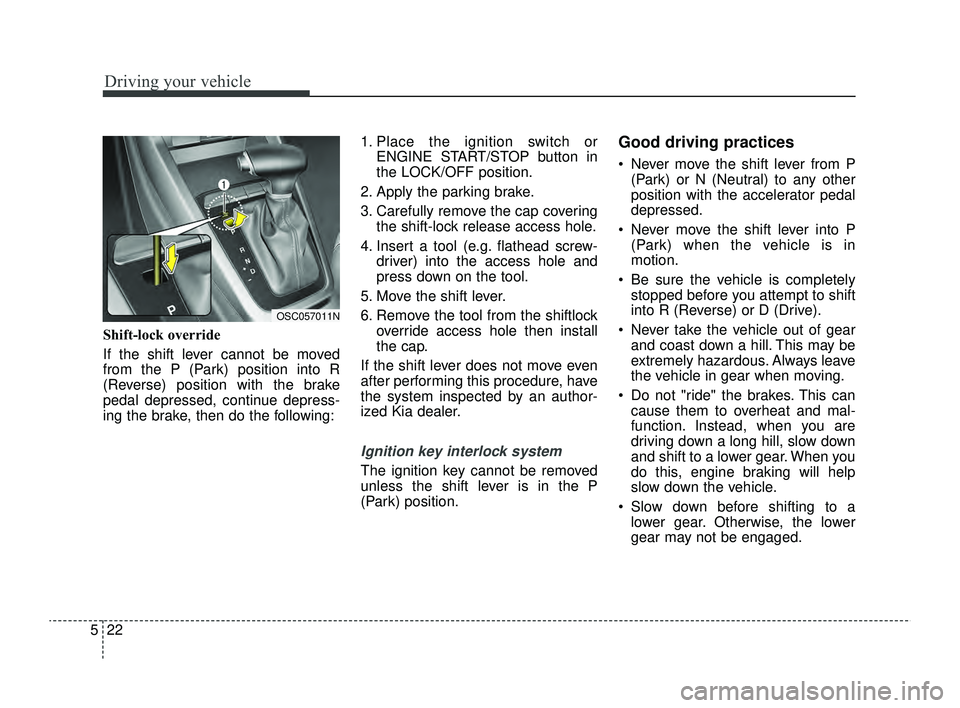
Shift-lock override
If the shift lever cannot be moved
from the P (Park) position into R
(Reverse) position with the brake
pedal depressed, continue depress-
ing the brake, then do the following: 1. Place the ignition switch or
ENGINE START/STOP button in
the LOCK/OFF position.
2. Apply the parking brake.
3. Carefully remove the cap covering the shift-lock release access hole.
4. Insert a tool (e.g. flathead screw- driver) into the access hole and
press down on the tool.
5. Move the shift lever.
6. Remove the tool from the shiftlock override access hole then install
the cap.
If the shift lever does not move even
after performing this procedure, have
the system inspected by an author-
ized Kia dealer.
Ignition key interlock system
The ignition key cannot be removed
unless the shift lever is in the P
(Park) position.
Good driving practices
Never move the shift lever from P (Park) or N (Neutral) to any other
position with the accelerator pedal
depressed.
Never move the shift lever into P (Park) when the vehicle is in
motion.
Be sure the vehicle is completely stopped before you attempt to shift
into R (Reverse) or D (Drive).
Never take the vehicle out of gear and coast down a hill. This may be
extremely hazardous. Always leave
the vehicle in gear when moving.
Do not "ride" the brakes. This can cause them to overheat and mal-
function. Instead, when you are
driving down a long hill, slow down
and shift to a lower gear. When you
do this, engine braking will help
slow down the vehicle.
Slow down before shifting to a lower gear. Otherwise, the lower
gear may not be engaged.
OSC057011N
SC PE USA 5.QXP 9/9/2021 6:18 PM Page 22
Page 263 of 528
529
Driving your vehicle
Under some conditions, your park-ing brake can freeze in the
engaged position. This is most like-
ly to happen when there is an
accumulation of snow or ice aroud
or near the rear brakes or if the
brakes are wet. If there is a risk
that the parking brake may freeze,
apply it only temporarily while you
put the shift lever in P (Intelligent
Variable Transmission) and chock
the rear wheels so the vehicle can-
not roll. Then release the parking
brake.
Do not hold the vehicle on an incline with the accelerator pedal.
This can cause the transmission to
overheat. Always use the brake
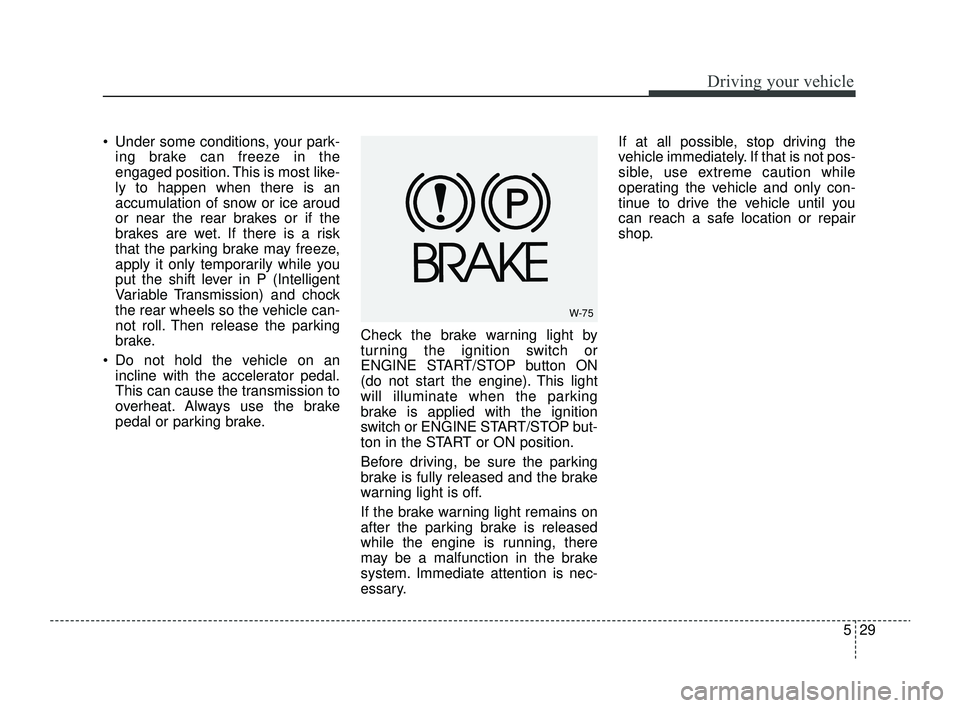
pedal or parking brake. Check the brake warning light by
turning the ignition switch or
ENGINE START/STOP button ON
(do not start the engine). This light
will illuminate when the parking
brake is applied with the ignition
switch or ENGINE START/STOP but-
ton in the START or ON position.
Before driving, be sure the parking
brake is fully released and the brake
warning light is off.
If the brake warning light remains on
after the parking brake is released
while the engine is running, there
may be a malfunction in the brake
system. Immediate attention is nec-
essary. If at all possible, stop driving the
vehicle immediately. If that is not pos-
sible, use extreme caution while
operating the vehicle and only con-
tinue to drive the vehicle until you
can reach a safe location or repair
shop.
W-75
SC PE USA 5.QXP 9/9/2021 6:18 PM Page 29
Page 265 of 528
531
Driving your vehicle
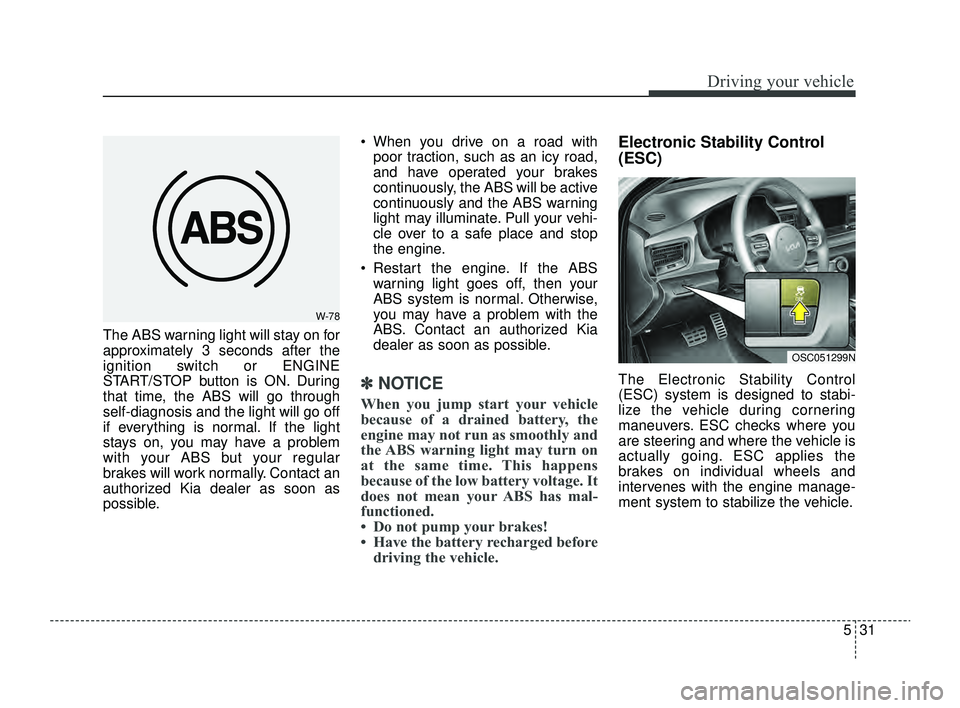
The ABS warning light will stay on for
approximately 3 seconds after the
ignition switch or ENGINE
START/STOP button is ON. During
that time, the ABS will go through
self-diagnosis and the light will go off
if everything is normal. If the light
stays on, you may have a problem
with your ABS but your regular
brakes will work normally. Contact an
authorized Kia dealer as soon as
possible. When you drive on a road with
poor traction, such as an icy road,
and have operated your brakes
continuously, the ABS will be active
continuously and the ABS warning
light may illuminate. Pull your vehi-
cle over to a safe place and stop
the engine.
Restart the engine. If the ABS warning light goes off, then your
ABS system is normal. Otherwise,
you may have a problem with the
ABS. Contact an authorized Kia
dealer as soon as possible.
✽ ✽ NOTICE
When you jump start your vehicle
because of a drained battery, the
engine may not run as smoothly and
the ABS warning light may turn on
at the same time. This happens
because of the low battery voltage. It
does not mean your ABS has mal-
functioned.
• Do not pump your brakes!
• Have the battery recharged before
driving the vehicle.
Electronic Stability Control
(ESC)
The Electronic Stability Control
(ESC) system is designed to stabi-
lize the vehicle during cornering
maneuvers. ESC checks where you
are steering and where the vehicle is
actually going. ESC applies the
brakes on individual wheels and
intervenes with the engine manage-
ment system to stabilize the vehicle.
W-78
OSC051299N
SC PE USA 5.QXP 9/9/2021 6:18 PM Page 31
Page 266 of 528
Driving your vehicle
32
5
Electronic Stability Control (ESC) will
not prevent accidents. Excessive
speed in turns, abrupt maneuvers and
hydroplaning on wet surfaces can still
result in serious accidents. Only a
safe and attentive driver can prevent
accidents by avoiding maneuvers that
cause the vehicle to lose traction.
Even with ESC installed, always fol-
low all the normal precautions for driv-
ing - including driving at safe speeds
for the conditions.
The Electronic Stability Control
(ESC) system is an electronic sys-
tem designed to help the driver main-
tain vehicle control under adverse
conditions. It is not a substitute for
safe driving practices. Factors includ-
ing speed, road conditions and driv-
er steering input can all affect
whether ESC will be effective in pre-
venting a loss of control. It is still your
responsibility to drive and corner at
reasonable speeds and to leave a
sufficient margin of safety. When you apply your brakes under
conditions which may lock the
wheels, you may hear a “tik-tik’’
sound from the brakes, or feel a cor-
responding sensation in the brake
pedal. This is normal and means
your ESC is active.ESC operation
ESC ON condition
When the ignition is turnedON, ESC and ESC OFF
indicator lights illuminate
for approximately 3 sec-
onds, then ESC is turned
on.
Press the ESC OFF but- ton for at least half a sec-
ond after turning the igni-
tion ON to turn ESC off.
(ESC OFF indicator will
illuminate). To turn the
ESC on, press the ESC
OFF button (ESC OFF
indicator light will go off).
When starting the engine, you may hear a slight tick-
ing sound. This is the ESC
performing an automatic
system self-check and
does not indicate a prob-
lem.
WARNING
For maximum protection, always
wear your seat belt. No system,
no matter how advanced, can
compensate for all driver error
and/or driving conditions.
Always drive responsibly.
-
SC PE USA 5.QXP 9/9/2021 6:18 PM Page 32
Page 268 of 528
Driving your vehicle
34
5
ESC off state 2 : “Traction &
Stability Control disabled”
To turn off the traction control func-
tion and the brake control function of
the ESC, press the ESC OFF button
( ) for more than 3 seconds. ESC
OFF indicator light ( ) will illuminate
and ESC OFF warning chime will
sound. In this state, the car stability
control function will not operate.
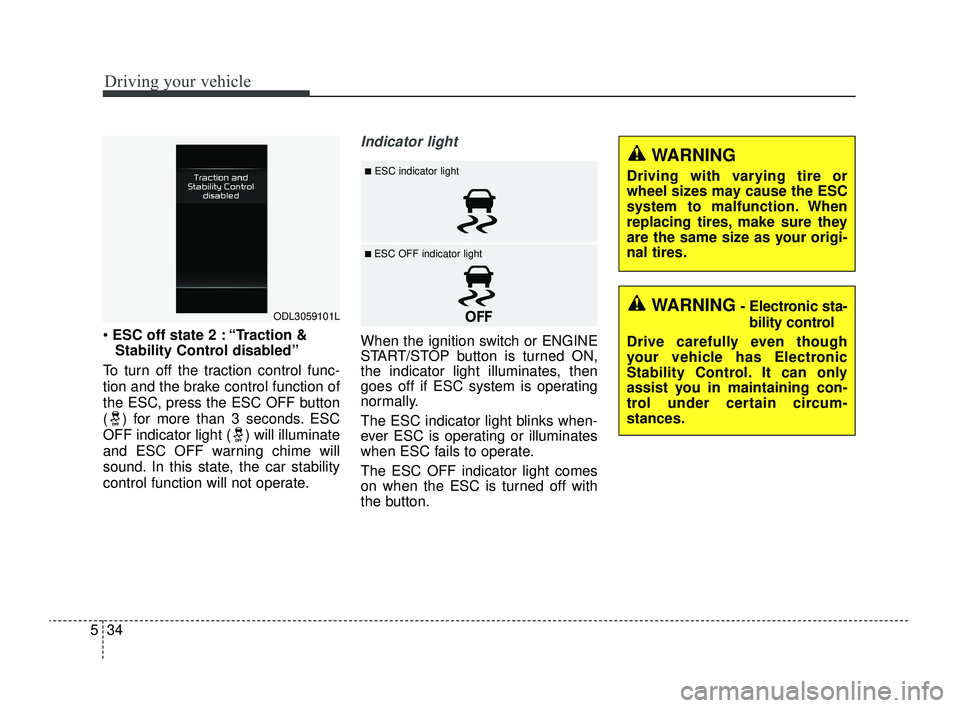
Indicator light
When the ignition switch or ENGINE
START/STOP button is turned ON,
the indicator light illuminates, then
goes off if ESC system is operating
normally.
The ESC indicator light blinks when-
ever ESC is operating or illuminates
when ESC fails to operate.
The ESC OFF indicator light comes
on when the ESC is turned off with
the button.
ODL3059101L
■ESC indicator light
■ ESC OFF indicator light
WARNING
Driving with varying tire or
wheel sizes may cause the ESC
system to malfunction. When
replacing tires, make sure they
are the same size as your origi-
nal tires.
WARNING- Electronic sta- bility control
Drive carefully even though
your vehicle has Electronic
Stability Control. It can only
assist you in maintaining con-
trol under certain circum-
stances.
SC PE USA 5.QXP 9/9/2021 6:18 PM Page 34
Page 274 of 528
Driving your vehicle
40
5
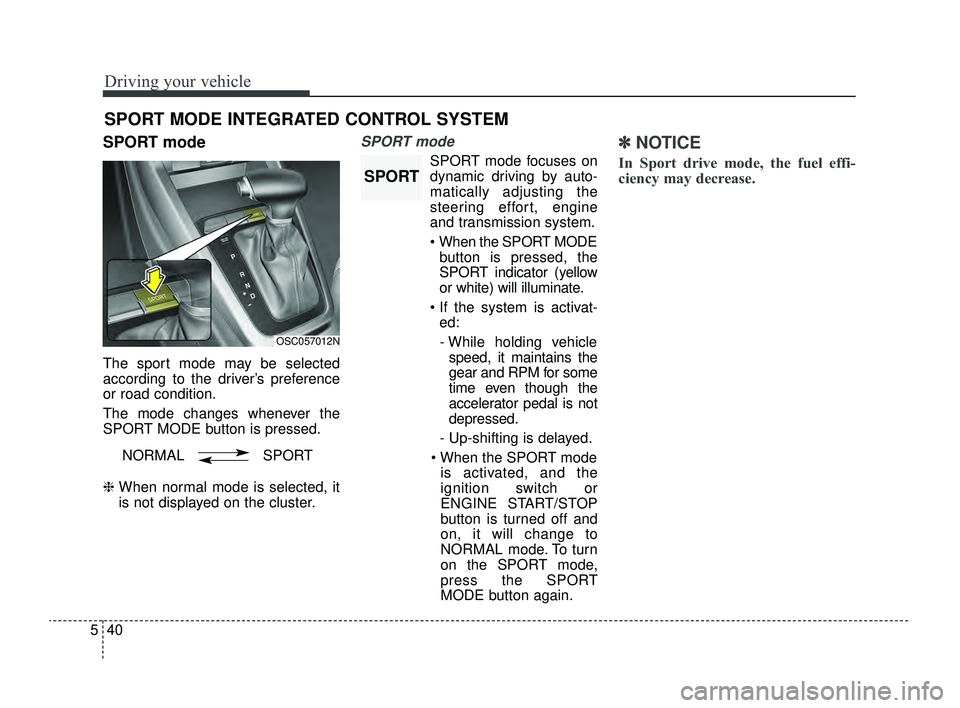
SPORT mode
The sport mode may be selected
according to the driver’s preference
or road condition.
The mode changes whenever the
SPORT MODE button is pressed.
❈ When normal mode is selected, it
is not displayed on the cluster.
SPORT mode
SPORT mode focuses on
dynamic driving by auto-
matically adjusting the
steering effort, engine
and transmission system.
When the SPORT MODE
button is pressed, the
SPORT indicator (yellow
or white) will illuminate.
If the system is activat- ed:
- While holding vehicle speed, it maintains the
gear and RPM for some
time even though the
accelerator pedal is not
depressed.
- Up-shifting is delayed.
When the SPORT mode is activated, and the
ignition switch or
ENGINE START/STOP
button is turned off and
on, it will change to
NORMAL mode. To turn
on the SPORT mode,
press the SPORT
MODE button again.
✽ ✽
NOTICE
In Sport drive mode, the fuel effi-
ciency may decrease.
SPORT MODE INTEGRATED CONTROL SYSTEM
OSC057012N
NORMAL SPORT
SPORT
SC PE USA 5.QXP 9/9/2021 6:18 PM Page 40
Page 276 of 528
Driving your vehicle
42
5
Forward Collision-Avoidance
Assist settings
Setting features
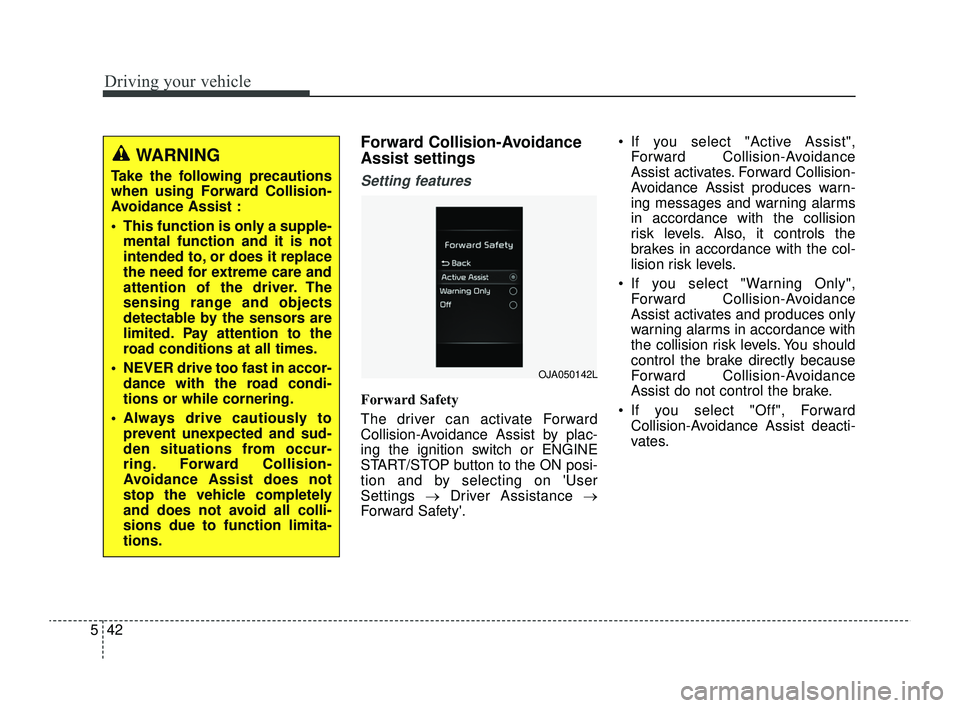
Forward Safety
The driver can activate Forward
Collision-Avoidance Assist by plac-
ing the ignition switch or ENGINE
START/STOP button to the ON posi-
tion and by selecting on 'User
Settings →Driver Assistance →
Forward Safety'. If you select "Active Assist",
Forward Collision-Avoidance
Assist activates. Forward Collision-
Avoidance Assist produces warn-
ing messages and warning alarms
in accordance with the collision
risk levels. Also, it controls the
brakes in accordance with the col-
lision risk levels.
If you select "Warning Only", Forward Collision-Avoidance
Assist activates and produces only
warning alarms in accordance with
the collision risk levels. You should
control the brake directly because
Forward Collision-Avoidance
Assist do not control the brake.
If you select "Off", Forward Collision-Avoidance Assist deacti-
vates.
WARNING
Take the following precautions
when using Forward Collision-
Avoidance Assist :
This function is only a supple-mental function and it is not
intended to, or does it replace
the need for extreme care and
attention of the driver. The
sensing range and objects
detectable by the sensors are
limited. Pay attention to the
road conditions at all times.
NEVER drive too fast in accor- dance with the road condi-
tions or while cornering.
Always drive cautiously to prevent unexpected and sud-
den situations from occur-
ring. Forward Collision-
Avoidance Assist does not
stop the vehicle completely
and does not avoid all colli-
sions due to function limita-
tions.
OJA050142L
SC PE USA 5.QXP 9/9/2021 6:18 PM Page 42
Page 278 of 528
Driving your vehicle
44
5
Prerequisite for activation
Forward Collision-Avoidance Assist
will activate when Forward Collision-
Avoidance Assist is selected on the
LCD display, and when the following
prerequisites are satisfied:
The ESC (Electronic Stability
Control) is activated.
When Forward Collision- Avoidance Assist recognizes a
vehicle or the pedestrian in front.
Forward Collision-Avoidance
Assist warning message and
function control
Forward Collision-Avoidance Assist
produces warning messages, warn-
ing alarms, and emergency braking
based on the level of risk of a frontal
collision, such as when a vehicle
ahead suddenly brakes, or when the
function detects that a collision with
a pedestrian is imminent.
The driver can select the initial warn-
ing activation time in the User
Settings in the LCD display. The
options for the initial Forward
Collision Warning include Normal or
Late initial warning time.
WARNING
Forward Collision-Avoidance
Assist may not recognize every
obstacle or provide warnings
and braking in every situation, so
do not rely on Forward Collision-
Avoidance Assist to stop the
vehicle in instances where the
driver sees an obstacle and has
the ability to apply the brakes.
Forward Collision-AvoidanceAssist automatically activates
upon placing the ignition
switch or ENGINE START/STOP
button to the ON position. The
driver can deactivate Forward
Collision-Avoidance Assist by
canceling the function setting
on the LCD display.
Forward Collision-Avoidance Assist automatically deacti-
vates upon canceling the ESC.
When the ESC is canceled,
Forward Collision-Avoidance
Assist cannot be activated on
the LCD display. Forward
Collision-Avoidance Assist
warning light will illuminate.
SC PE USA 5.QXP 9/9/2021 6:18 PM Page 44