change time KIA RIO 2022 Owners Manual
[x] Cancel search | Manufacturer: KIA, Model Year: 2022, Model line: RIO, Model: KIA RIO 2022Pages: 528, PDF Size: 11.8 MB
Page 25 of 528
Safety features of your vehicle
83
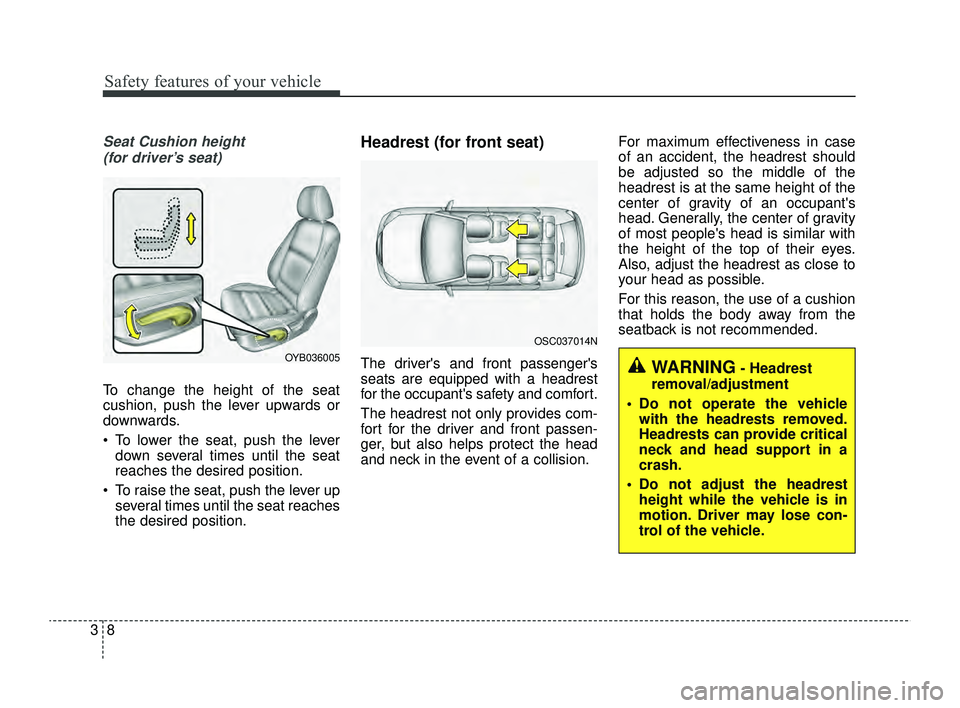
Seat Cushion height (for driver’s seat)
To change the height of the seat
cushion, push the lever upwards or
downwards.
To lower the seat, push the lever down several times until the seat
reaches the desired position.
To raise the seat, push the lever up several times until the seat reaches
the desired position.
Headrest (for front seat)
The driver's and front passenger's
seats are equipped with a headrest
for the occupant's safety and comfort.
The headrest not only provides com-
fort for the driver and front passen-
ger, but also helps protect the head
and neck in the event of a collision. For maximum effectiveness in case
of an accident, the headrest should
be adjusted so the middle of the
headrest is at the same height of the
center of gravity of an occupant's
head. Generally, the center of gravity
of most people's head is similar with
the height of the top of their eyes.
Also, adjust the headrest as close to
your head as possible.
For this reason, the use of a cushion
that holds the body away from the
seatback is not recommended.OYB036005
OSC037014N
WARNING- Headrest
removal/adjustment
Do not operate the vehicle with the headrests removed.
Headrests can provide critical
neck and head support in a
crash.
Do not adjust the headrest height while the vehicle is in
motion. Driver may lose con-
trol of the vehicle.
SC PE USA 3.QXP 8/23/2021 5:37 PM Page 8
Page 45 of 528
Safety features of your vehicle
28
3
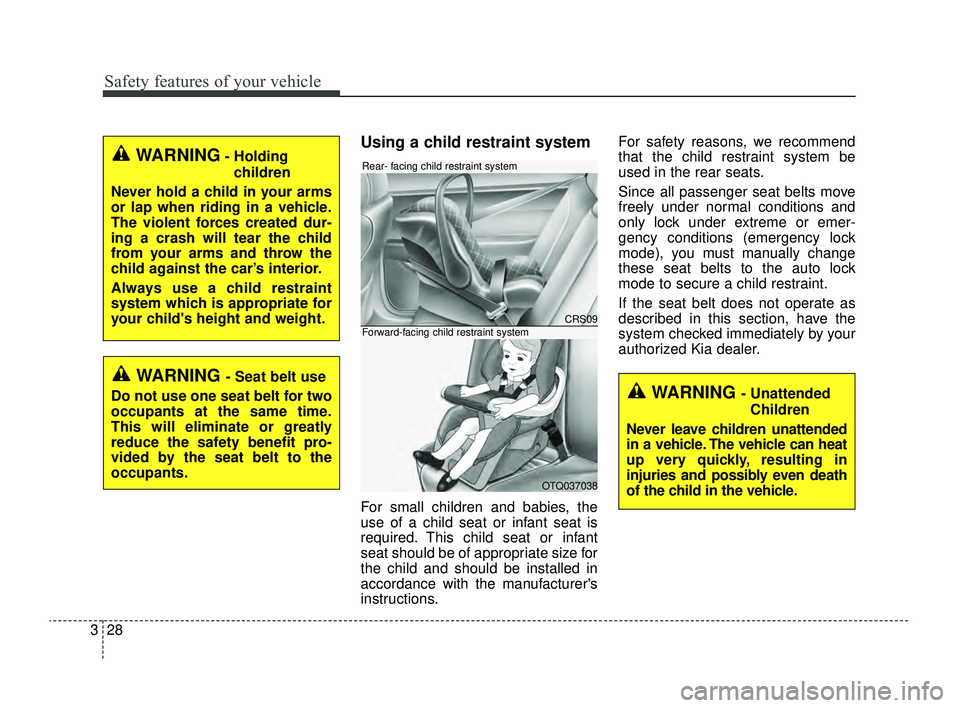
Using a child restraint system
For small children and babies, the
use of a child seat or infant seat is
required. This child seat or infant
seat should be of appropriate size for
the child and should be installed in
accordance with the manufacturer's
instructions. For safety reasons, we recommend
that the child restraint system be
used in the rear seats.
Since all passenger seat belts move
freely under normal conditions and
only lock under extreme or emer-
gency conditions (emergency lock
mode), you must manually change
these seat belts to the auto lock
mode to secure a child restraint.
If the seat belt does not operate as
described in this section, have the
system checked immediately by your
authorized Kia dealer.
WARNING- Holding
children
Never hold a child in your arms
or lap when riding in a vehicle.
The violent forces created dur-
ing a crash will tear the child
from your arms and throw the
child against the car’s interior.
Always use a child restraint
system which is appropriate for
your child's height and weight.
WARNING - Seat belt use
Do not use one seat belt for two
occupants at the same time.
This will eliminate or greatly
reduce the safety benefit pro-
vided by the seat belt to the
occupants.
CRS09
OTQ037038
Rear- facing child restraint system
Forward-facing child restraint system
WARNING - Unattended Children
Never leave children unattended
in a vehicle. The vehicle can heat
up very quickly, resulting in
injuries and possibly even death
of the child in the vehicle.
SC PE USA 3.QXP 8/23/2021 5:38 PM Page 28
Page 124 of 528
445
Features of your vehicle
Electric power steering (EPS)
Power steering uses a motor to
assist you in steering the vehicle. If
the engine is off or if the power steer-
ing system becomes inoperative, the
vehicle may still be steered, but it will
require increased steering effort.
The electric power steering is con-
trolled by the power steering control
unit which senses the steering wheel
torque and vehicle speed to com-
mand the motor.
The steering wheel becomes heavier
as the vehicle’s speed increases and
becomes lighter as the vehicle’s
speed decreases for better control of
the steering wheel.
Should you notice any change in the
effort required to steer during normal
vehicle operation, have the power
steering checked by an authorized
Kia dealer.
✽ ✽NOTICE
The following symptoms may occur
during normal vehicle operation:
• The EPS warning light does not
illuminate.
• The steering effort is increased immediately after turning the igni-
tion switch or ENGINE
START/STOP button to the ON
position. This happens as the sys-
tem performs the EPS system
diagnostics. When the diagnostics
are completed, the steering wheel
will return to its normal condition
• A click noise may be heard from the EPS relay after the ignition
switch is turned to the ON or
LOCK position or ENGINE
START/STOP button to the ON or
OFF position.
• Motor noise may be heard when the vehicle is at a stop or at a low
driving speed. (Continued)(Continued)
• When abnormality is detected in
the electric power steering system,
to prevent a deadly accident, the
steering assist function will stop.
At this time, the warning light
turns on or blinks on the cluster.
The steering wheel may become
difficult to control or operate.
Have your vehicle checked imme-
diately, after moving the vehicle to
a safe zone.
• The steering effort increases if the steering wheel is rotated continu-
ously when the vehicle is not in
motion. However, after a few min-
utes, it will return to its normal
condition.
• When you operate the steering wheel in low temperature, noise
may occur. If the temperature
rises, the noise will likely disap-
pear. This is a normal condition.
• When the charging system warn- ing light comes on or the battery
voltage is low (when the alternator
or battery does not operate nor-
mally), the steering wheel may get
heavy and become difficult to con-
trol or operate abnormally.
STEERING WHEEL
SC PE USA 4.QXP 9/9/2021 6:03 PM Page 45
Page 125 of 528
Features of your vehicle
46
4
If the Electric Power Steering System
does not operate normally, the warn-
ing light will illuminate on the instru-
ment cluster. The steering wheel may
require increased steering effort.
Take your vehicle to an authorized
Kia dealer and have the vehicle
checked as soon as possible.Tilt steering (if equipped)
Tilt steering allows you to adjust the
steering wheel before you drive. You
can also raise it to give your legs
more room when you exit and enter
the vehicle.
The steering wheel should be posi-
tioned so that it is comfortable for
you to drive, while permitting you to
see the instrument panel warning
lights and gauges.
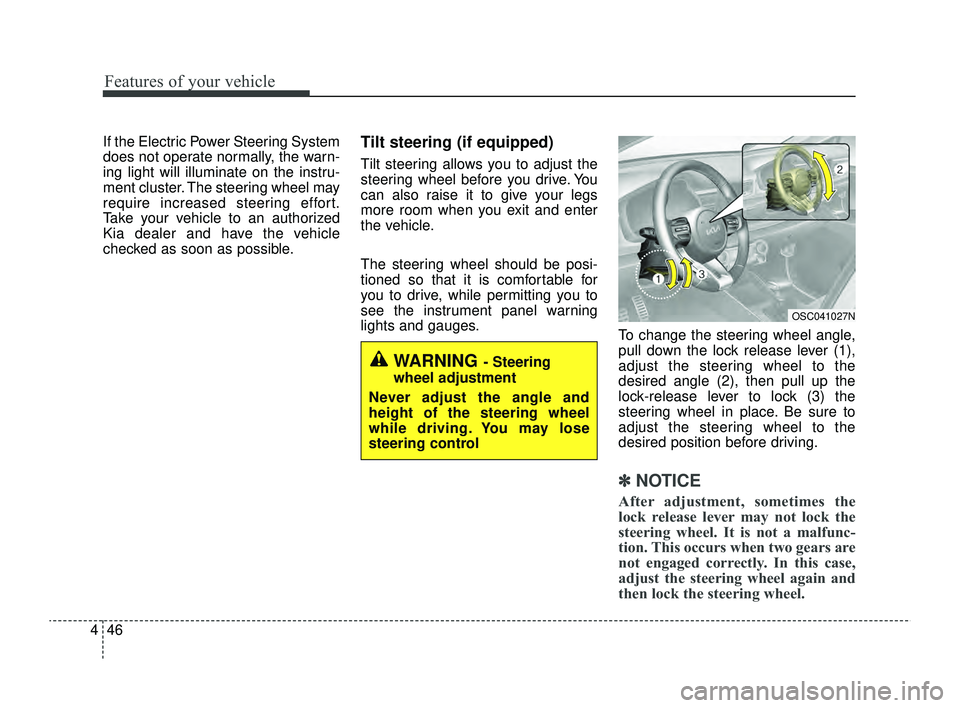
To change the steering wheel angle,
pull down the lock release lever (1),
adjust the steering wheel to the
desired angle (2), then pull up the
lock-release lever to lock (3) the
steering wheel in place. Be sure to
adjust the steering wheel to the
desired position before driving.
✽ ✽NOTICE
After adjustment, sometimes the
lock release lever may not lock the
steering wheel. It is not a malfunc-
tion. This occurs when two gears are
not engaged correctly. In this case,
adjust the steering wheel again and
then lock the steering wheel.
WARNING - Steering
wheel adjustment
Never adjust the angle and
height of the steering wheel
while driving. You may lose
steering control
OSC041027N
SC PE USA 4.QXP 9/9/2021 6:03 PM Page 46
Page 137 of 528
Features of your vehicle
58
4
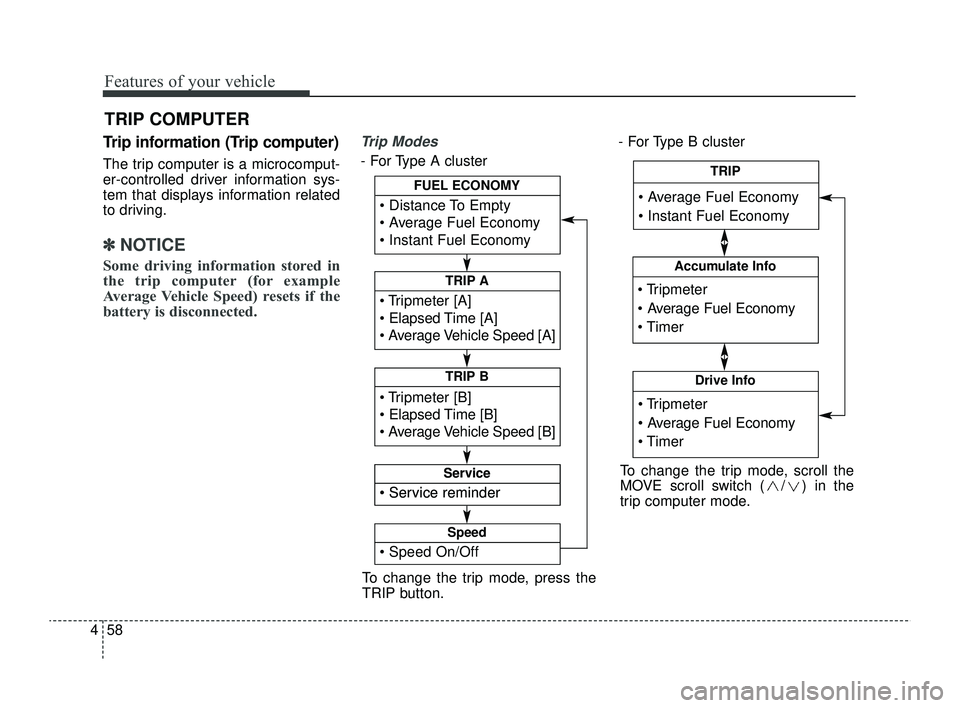
Trip information (Trip computer)
The trip computer is a microcomput-
er-controlled driver information sys-
tem that displays information related
to driving.
✽ ✽
NOTICE
Some driving information stored in
the trip computer (for example
Average Vehicle Speed) resets if the
battery is disconnected.
Trip Modes
- For Type A cluster - For Type B cluster
TRIP COMPUTER
To change the trip mode, press the
TRIP button.
Tripmeter [A]
Elapsed Time [A]
Average Vehicle Speed [A]
TRIP A
Tripmeter [B]
Elapsed Time [B]
Average Vehicle Speed [B]
TRIP B
Distance To Empty
Average Fuel Economy
Instant Fuel Economy
FUEL ECONOMY
Service reminder
Service
Service reminder
Service
Speed On/Off
Speed
Tripmeter
Average Fuel Economy
Timer
Accumulate Info
Tripmeter
Average Fuel Economy
Timer
Drive Info
Average Fuel Economy
Instant Fuel Economy
TRIP
To change the trip mode, scroll the
MOVE scroll switch ( / ) in the
trip computer mode.
SC PE USA 4.QXP 9/9/2021 6:04 PM Page 58
Page 142 of 528
463
Features of your vehicle
If the engine is running, the informa-tion will be accumulated even when
the vehicle is not in motion.Service Mode (for Type A clus-
ter)
Service in
If the remaining mileage or time
reaches 900 miles (1,500 km) or 30
days, the service symbol ( ) will
blink for several seconds each time
you set the ignition switch or
ENGINE START/STOP button to the
ON position.
Service required
If you exceed the specified service
interval, the service symbol ( ) will
blink each time you turn ON the vehi-
cle.
To reset the service interval, press
the RESET button for more than 5
seconds and then when the miles
and days blink press the RESET but-
ton for more than 1 second.
If the service interval is not set, the
service symbol ( ) will not be dis-
played.
✽ ✽ NOTICE
To change or deactivate the service
interval, consult an authorized Kia
dealer.
SC PE USA 4.QXP 9/9/2021 6:04 PM Page 63
Page 143 of 528
Features of your vehicle
64
4
LCD DISPLAY (FOR TYPE B CLUSTER)
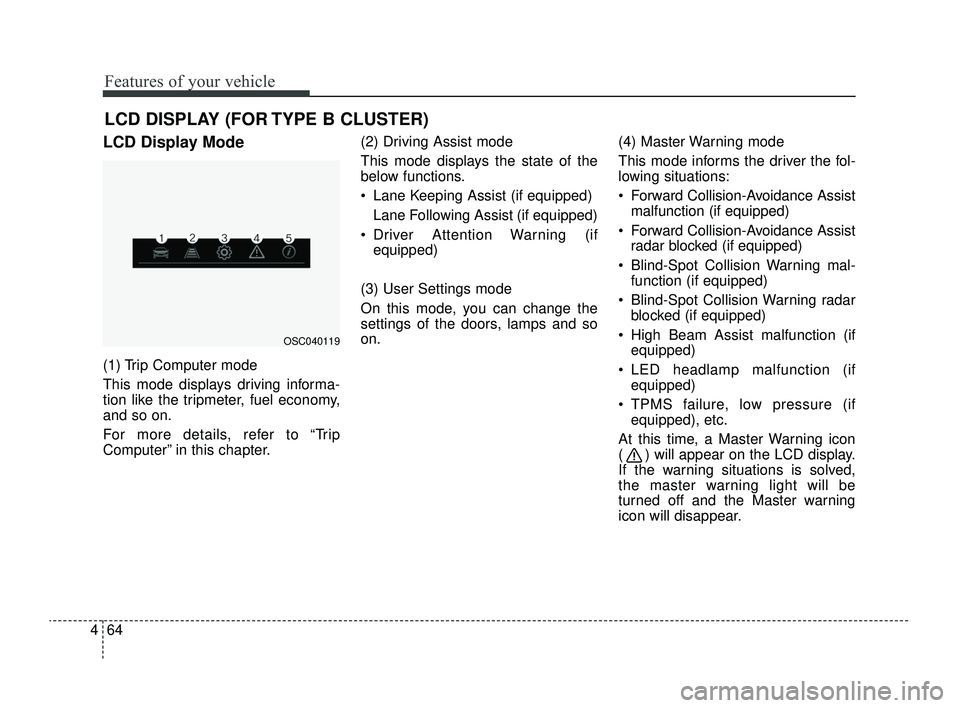
LCD Display Mode
(1) Trip Computer mode
This mode displays driving informa-
tion like the tripmeter, fuel economy,
and so on.
For more details, refer to “Trip
Computer” in this chapter. (2) Driving Assist mode
This mode displays the state of the
below functions.
Lane Keeping Assist (if equipped)
Lane Following Assist (if equipped)
Driver Attention Warning (if equipped)
(3) User Settings mode
On this mode, you can change the
settings of the doors, lamps and so
on. (4) Master Warning mode
This mode informs the driver the fol-
lowing situations:
Forward Collision-Avoidance Assist
malfunction (if equipped)
Forward Collision-Avoidance Assist radar blocked (if equipped)
Blind-Spot Collision Warning mal- function (if equipped)
Blind-Spot Collision Warning radar blocked (if equipped)
High Beam Assist malfunction (if equipped)
LED headlamp malfunction (if equipped)
TPMS failure, low pressure (if equipped), etc.
At this time, a Master Warning icon
( ) will appear on the LCD display.
If the warning situations is solved,
the master warning light will be
turned off and the Master warning
icon will disappear.
OSC040119
SC PE USA 4.QXP 9/9/2021 6:04 PM Page 64
Page 154 of 528
475
Features of your vehicle
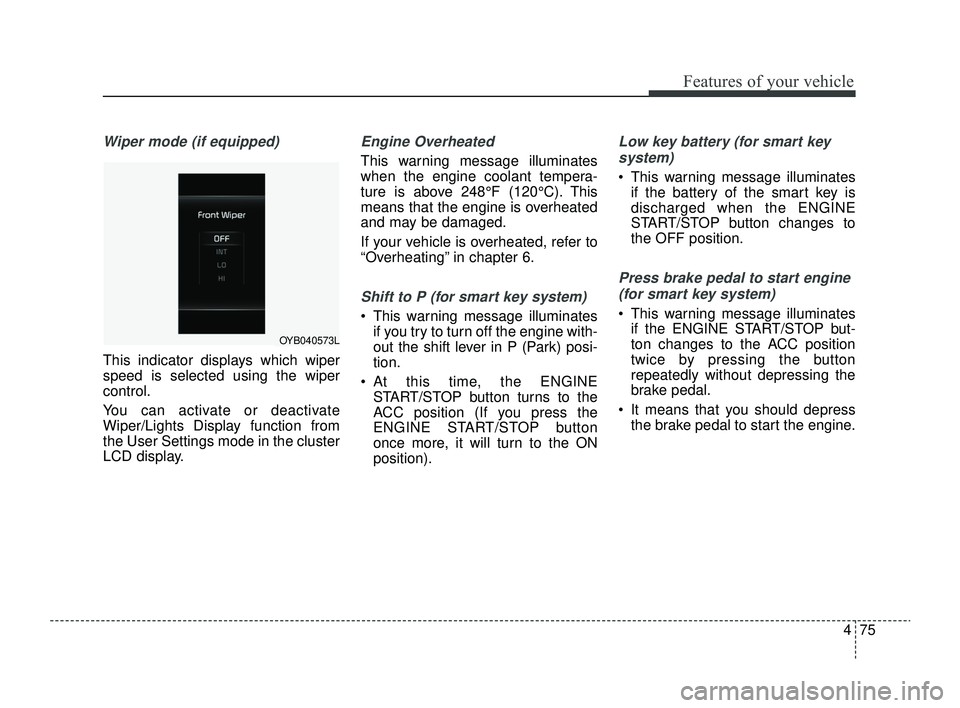
Wiper mode (if equipped)
This indicator displays which wiper
speed is selected using the wiper
control.
You can activate or deactivate
Wiper/Lights Display function from
the User Settings mode in the cluster
LCD display.
Engine Overheated
This warning message illuminates
when the engine coolant tempera-
ture is above 248°F (120°C). This
means that the engine is overheated
and may be damaged.
If your vehicle is overheated, refer to
“Overheating” in chapter 6.
Shift to P (for smart key system)
This warning message illuminatesif you try to turn off the engine with-
out the shift lever in P (Park) posi-
tion.
At this time, the ENGINE START/STOP button turns to the
ACC position (If you press the
ENGINE START/STOP button
once more, it will turn to the ON
position).
Low key battery (for smart key
system)
This warning message illuminates if the battery of the smart key is
discharged when the ENGINE
START/STOP button changes to
the OFF position.
Press brake pedal to start engine
(for smart key system)
This warning message illuminates if the ENGINE START/STOP but-
ton changes to the ACC position
twice by pressing the button
repeatedly without depressing the
brake pedal.
It means that you should depress the brake pedal to start the engine.
OYB040573L
SC PE USA 4.QXP 9/9/2021 6:05 PM Page 75
Page 176 of 528
497
Features of your vehicle
Turn signals and lane change
signals
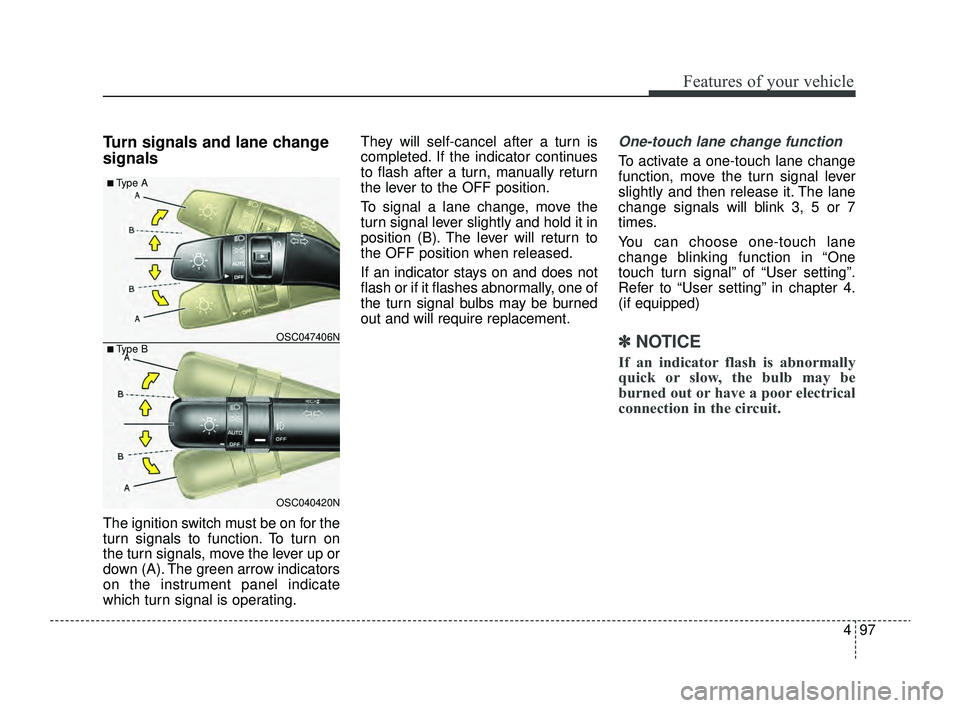
The ignition switch must be on for the
turn signals to function. To turn on
the turn signals, move the lever up or
down (A). The green arrow indicators
on the instrument panel indicate
which turn signal is operating.They will self-cancel after a turn is
completed. If the indicator continues
to flash after a turn, manually return
the lever to the OFF position.
To signal a lane change, move the
turn signal lever slightly and hold it in
position (B). The lever will return to
the OFF position when released.
If an indicator stays on and does not
flash or if it flashes abnormally, one of
the turn signal bulbs may be burned
out and will require replacement.
One-touch lane change function
To activate a one-touch lane change
function, move the turn signal lever
slightly and then release it. The lane
change signals will blink 3, 5 or 7
times.
You can choose one-touch lane
change blinking function in “One
touch turn signal” of “User setting”.
Refer to “User setting” in chapter 4.
(if equipped)
✽ ✽
NOTICE
If an indicator flash is abnormally
quick or slow, the bulb may be
burned out or have a poor electrical
connection in the circuit.
OSC040420N
OSC047406N
■ Type A
■ Type B
SC PE USA 4.QXP 9/9/2021 6:05 PM Page 97
Page 185 of 528
Features of your vehicle
106
4
- The room lamp comes on when a
door is opened. The lamps go out
after approximately 30 seconds.
- The room lamp comes on for approximately 30 seconds when
doors are unlocked with a trans-
mitter as long as the doors are
not opened.
- The room lamp will stay on for approximately 20 minutes if a
door is opened with the ignition
switch in the ACC or LOCK/OFF
position.
- The room lamp will stay on con- tinuously if the door is opened
with the ignition switch in the ON
position.
- The room lamp will go out imme- diately if the ignition switch is
changed to the ON position or all
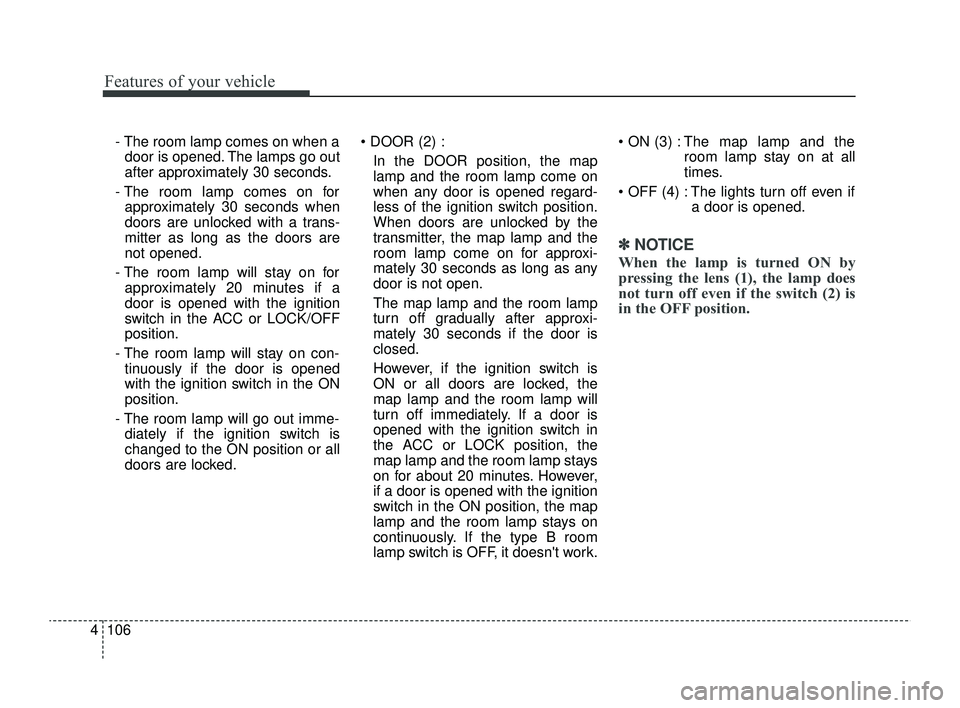
doors are locked. DOOR (2) :
In the DOOR position, the map
lamp and the room lamp come on
when any door is opened regard-
less of the ignition switch position.
When doors are unlocked by the
transmitter, the map lamp and the
room lamp come on for approxi-
mately 30 seconds as long as any
door is not open.
The map lamp and the room lamp
turn off gradually after approxi-
mately 30 seconds if the door is
closed.
However, if the ignition switch is
ON or all doors are locked, the
map lamp and the room lamp will
turn off immediately. If a door is
opened with the ignition switch in
the ACC or LOCK position, the
map lamp and the room lamp stays
on for about 20 minutes. However,
if a door is opened with the ignition
switch in the ON position, the map
lamp and the room lamp stays on
continuously. If the type B room
lamp switch is OFF, it doesn't work. ON (3) : The map lamp and the
room lamp stay on at all
times.
OFF (4) : The lights turn off even if a door is opened.
✽ ✽NOTICE
When the lamp is turned ON by
pressing the lens (1), the lamp does
not turn off even if the switch (2) is
in the OFF position.
SC PE USA 4.QXP 9/9/2021 6:06 PM Page 106