change wheel KIA RIO 2022 Quick Start Guide Base Audio
[x] Cancel search | Manufacturer: KIA, Model Year: 2022, Model line: RIO, Model: KIA RIO 2022Pages: 156, PDF Size: 4.23 MB
Page 113 of 156

8-9
Configuring the
button settings
(if
equipped)
You can customize the button functions.
Depending on the vehicle model or
specifications, displayed screens and
available options may vary.
On the Home screen, press All
Menus > Setup > Button and
select an option to change.
Custom Button ☆
You can assign a function to the Custom
button on your control panel.
Custom Button ★ (Steering
Wheel)
(if equipped)
You can assign a function to the Custom
button on your steering wheel.
MODE Button (Steering
Wheel)
You can switch between different radio/
media functions when pressing the Mode
button on your steering wheel.
Page 117 of 156
8-13
Screen Saver (if equipped)
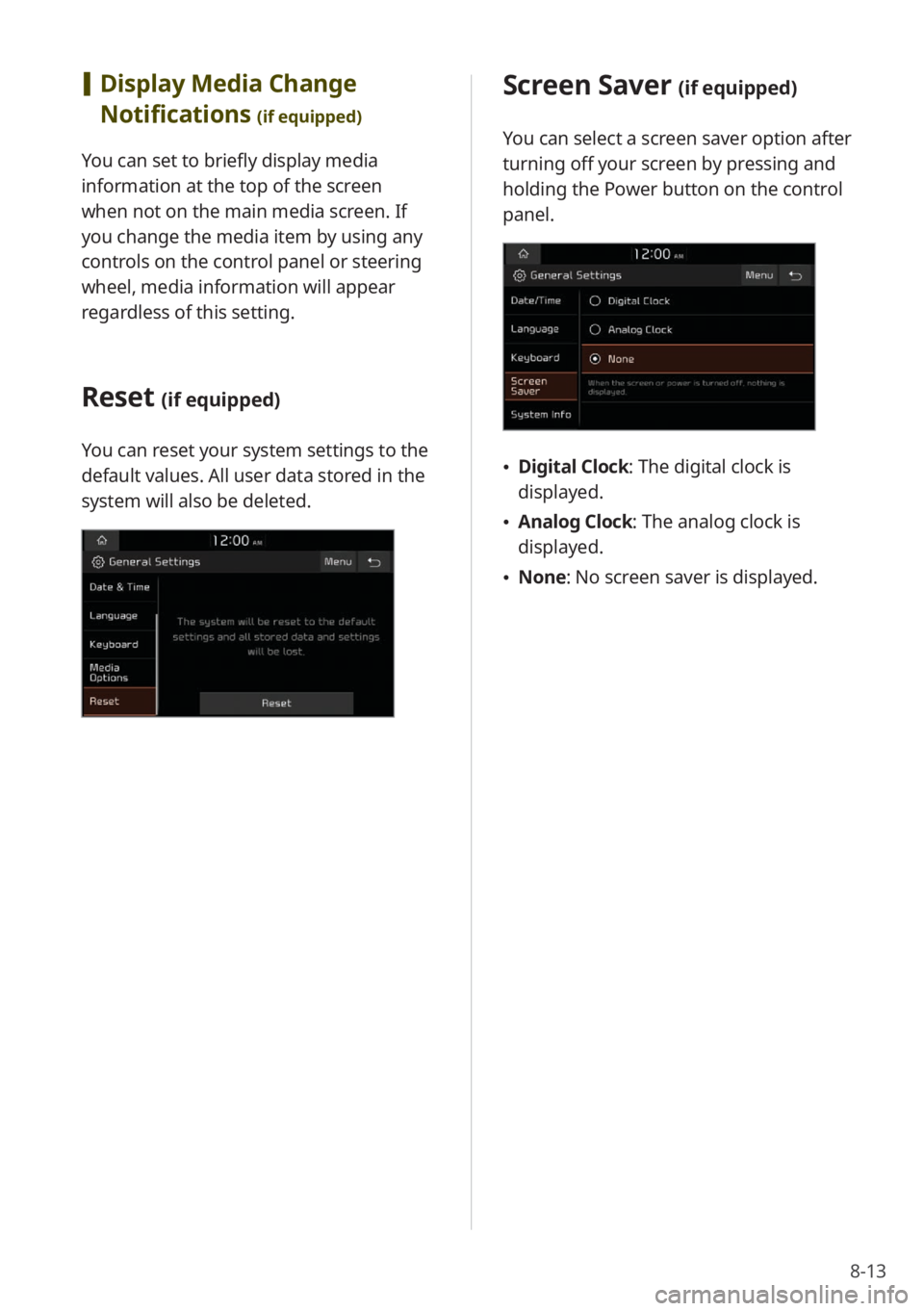
You can select a screen saver option after
turning off your screen by pressing and
holding the Power button on the control
panel.
\225Digital Clock : The digital clock is
displayed.
\225 Analog Clock : The analog clock is
displayed.
\225 None: No screen saver is displayed.
[Display Media Change
Notifications
(if equipped)
You can set to briefly display media
information at the top of the screen
when not on the main media screen. If
you change the media item by using any
controls on the control panel or steering
wheel, media information will appear
regardless of this setting.
Reset (if equipped)
You can reset your system settings to the
default values. All user data stored in the
system will also be deleted.
Page 125 of 156
8-21
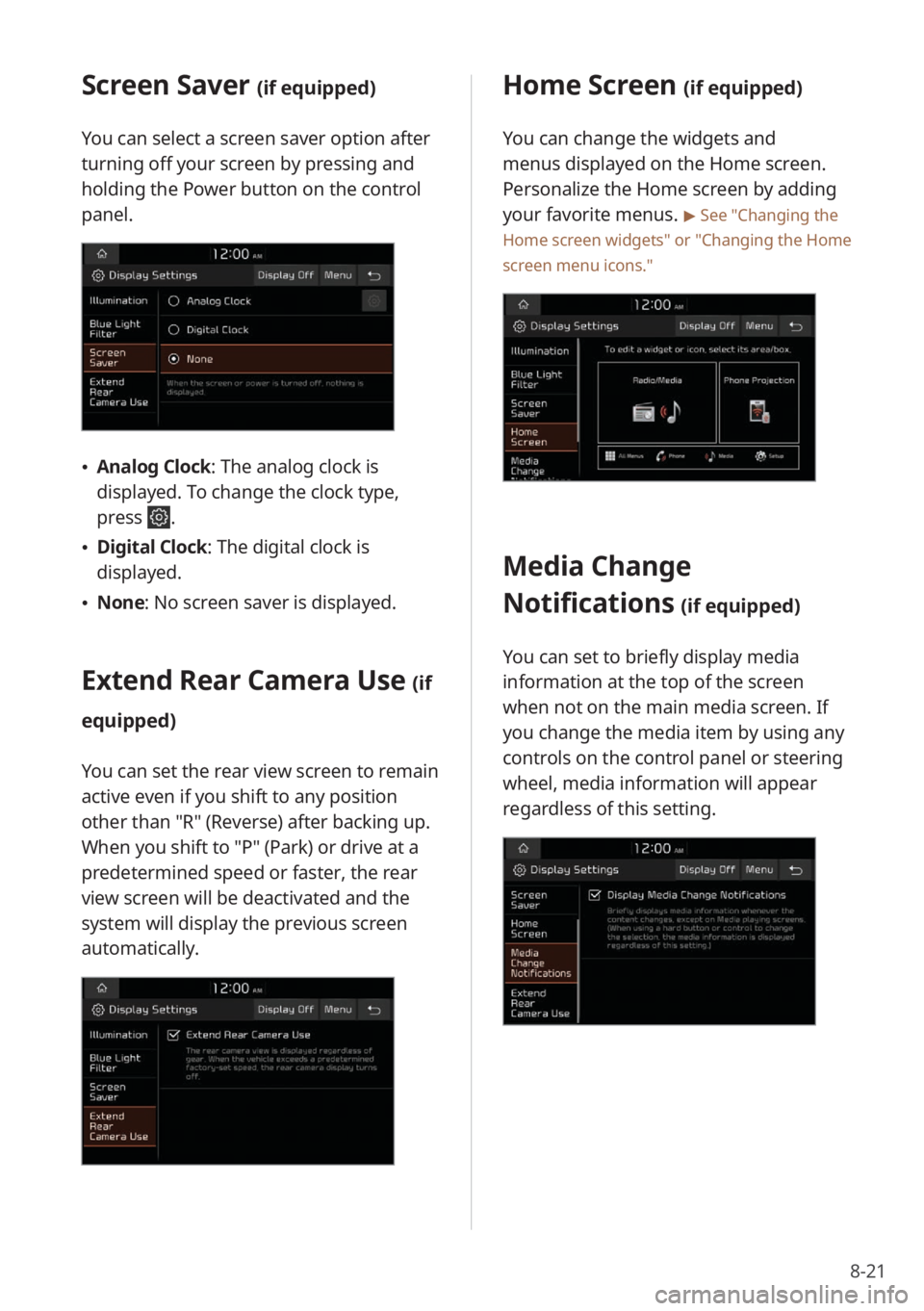
Home Screen (if equipped)
You can change the widgets and
menus displayed on the Home screen.
Personalize the Home screen by adding
your favorite menus.
> See ″Changing the
Home screen widgets″ or
″ Changing the Home
screen menu icons.″
Media Change
Notifications
(if equipped)
You can set to briefly display media
information at the top of the screen
when not on the main media screen. If
you change the media item by using any
controls on the control panel or steering
wheel, media information will appear
regardless of this setting.
Screen Saver (if equipped)
You can select a screen saver option after
turning off your screen by pressing and
holding the Power button on the control
panel.
\225Analog Clock : The analog clock is
displayed. To change the clock type,
press
.
\225 Digital Clock : The digital clock is
displayed.
\225 None: No screen saver is displayed.
Extend Rear Camera Use (if
equipped)
You can set the rear view screen to remain
active even if you shift to any position
other than ″R″ (Reverse) after backing up.
When you shift to ″P″ (Park) or drive at a
predetermined speed or faster, the rear
view screen will be deactivated and the
system will display the previous screen
automatically.
Page 137 of 156
9-9
QWhat should I do if I want to switch
the call to my mobile phone while
on a call via the system?
APress Use Private on the screen
to switch the call to your mobile
phone.
QHow do I access the contacts in my
mobile phone from the system?
AWhen connecting your mobile
phone to your system, permit the
system to access the contacts saved
in the mobile phone. The contacts
will be downloaded to the system.
To open the downloaded contacts
list, press the Call/Answer button
on the steering wheel and press
on the phone screen. You can
search for a contact to make a call
or add it to favorites.
> See ″Making
a call via Bluetooth .″
QI changed my mobile phone that
was registered to the system via
Bluetooth. How can I register my
new mobile phone?
AYou can register additional devices
to your system by following the
instructions to pair a device. Up to
six devices can be added to your
system's Bluetooth devices list.
To delete a registered device, on
the Bluetooth devices list, press
Delete Device(s), select the devices
to delete, and press Delete.
> See
″ Connecting Bluetooth devices .″
QHow do I answer a call?
AWhen a call comes in and a
notification pop-up window
appears, press the Call/Answer
button on the steering wheel or
press Accept on the screen.
To reject the call, press Reject on
the screen.
Page 145 of 156

9-17
Important information
Before using your system, read and follow
all instructions and safety information
provided in this user′s guide (″User′s
Manual″). Not following precautions found
in this guide can lead to an accident or
other serious consequences.
Keep this guide in your
vehicle
When kept in the vehicle, this guide will
be a ready reference for you and other
users unfamiliar with the system. Ensure
that before using the system for the
first time, all persons have access to this
guide and read its instructions and safety
information carefully.
Warning
Operating certain parts of this system
while driving can distract your attention
away from the road, and possibly cause an
accident or other serious consequences.
Do not change system settings or enter
data non-verbally (using your hands) while
driving. Stop the vehicle in a safe and
legal manner before attempting these
operations. This is important since setting
up or changing some functions as you
drive may distract your attention away
from the road and removing your hands
from the steering wheel may cause you to
lose control of the vehicle.
General operation
[Prolonged views of screen
Do not access any function requiring a
prolonged view of the screen while you
are driving. Pull over in a safe and legal
manner before attempting to access
a function of the system requiring
prolonged attention. Even short views
of the screen may be hazardous if your
attention has been diverted away from
your driving.
[Volume setting
Do not raise the volume excessively.
Keep the volume at a level where you can
still hear outside traffic and emergency
signals while driving. Driving while unable
to hear these sounds could cause an
accident.
Page 148 of 156
9-20
R
radio
deleting stations 3-5
HD Radio 3-6
mode, change 3-3
noise reduction 8-17
number of saved stations 3-6
rearranging stations 3-5
saved stations, select 3-5
saving stations 3-5
scanning stations 3-4
searching for stations 3-4
SiriusXM 3-7
rear seat climate control system 2-21
rear seat heat control, set 8-5
rear seat quiet mode 2-24
rear view
parking guides 2-16
rear camera operation, set 8-8, 8-21
rear top view 2-17
resetting to default
all menus 1-15
Bluetooth settings 8-6
display settings 8-22
home screen menu icons 1-14
home screen widgets 1-14
sound settings 8-18
system 8-11, 8-13
S
screen saver, set 8-13, 8-21
seat change notification, set 8-4, 8-5
seat settings 8-5
settings
advanced system settings 8-7
button settings 8-9
device connection settings 8-6
display settings 8-18
general system settings 8-10
sound settings 8-14
UVO settings 7-7, 8-22
vehicle settings 8-2
Wi-Fi settings 8-23
SiriusXM radio 3-7
sound effect settings 8-14
sound output level, set 8-15, 8-16
sound position, set 8-16
sound priority settings 8-15
sound-reactive mood light 2-23
sound settings 8-14
status icons 9-7
steering wheel remote control 1-6
surround view monitor
display settings 2-19
rear top view 2-19
surround view while backing up 2-18
surround view while driving 2-17
system information 8-10
system reset 9-6
system specifications
Bluetooth 9-15
common 9-14
media player 9-12
modem RF 9-15
radio 9-14
Wi-Fi 9-16
system, turn on/off 1-8
T
time and date settings 8-11
touch screen, control 1-9
touch sound, set 8-18