battery KIA RIO HATCHBACK 2013 Owner's Manual
[x] Cancel search | Manufacturer: KIA, Model Year: 2013, Model line: RIO HATCHBACK, Model: KIA RIO HATCHBACK 2013Pages: 385, PDF Size: 9.68 MB
Page 173 of 385
Features of your vehicle
98
4
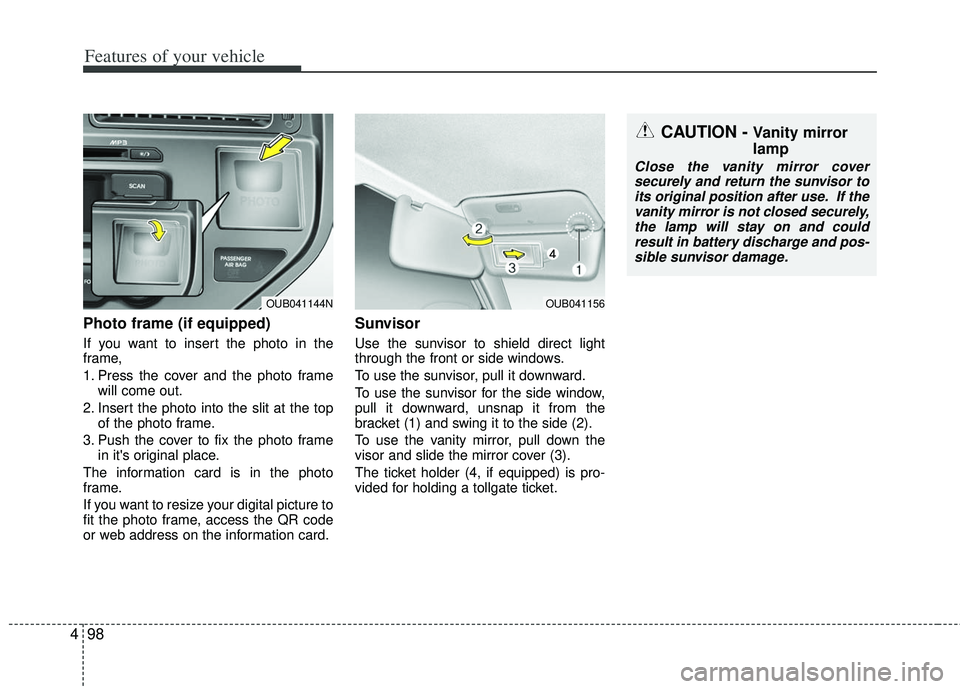
Photo frame (if equipped)
If you want to insert the photo in the
frame,
1. Press the cover and the photo frame
will come out.
2. Insert the photo into the slit at the top of the photo frame.
3. Push the cover to fix the photo frame in it's original place.
The information card is in the photo
frame.
If you want to resize your digital picture to
fit the photo frame, access the QR code
or web address on the information card.
Sunvisor
Use the sunvisor to shield direct light
through the front or side windows.
To use the sunvisor, pull it downward.
To use the sunvisor for the side window,
pull it downward, unsnap it from the
bracket (1) and swing it to the side (2).
To use the vanity mirror, pull down the
visor and slide the mirror cover (3).
The ticket holder (4, if equipped) is pro-
vided for holding a tollgate ticket.
OUB041156
CAUTION - Vanity mirror
lamp
Close the vanity mirror cover securely and return the sunvisor to its original position after use. If thevanity mirror is not closed securely,the lamp will stay on and couldresult in battery discharge and pos- sible sunvisor damage.
OUB041144N
Page 174 of 385
499
Features of your vehicle
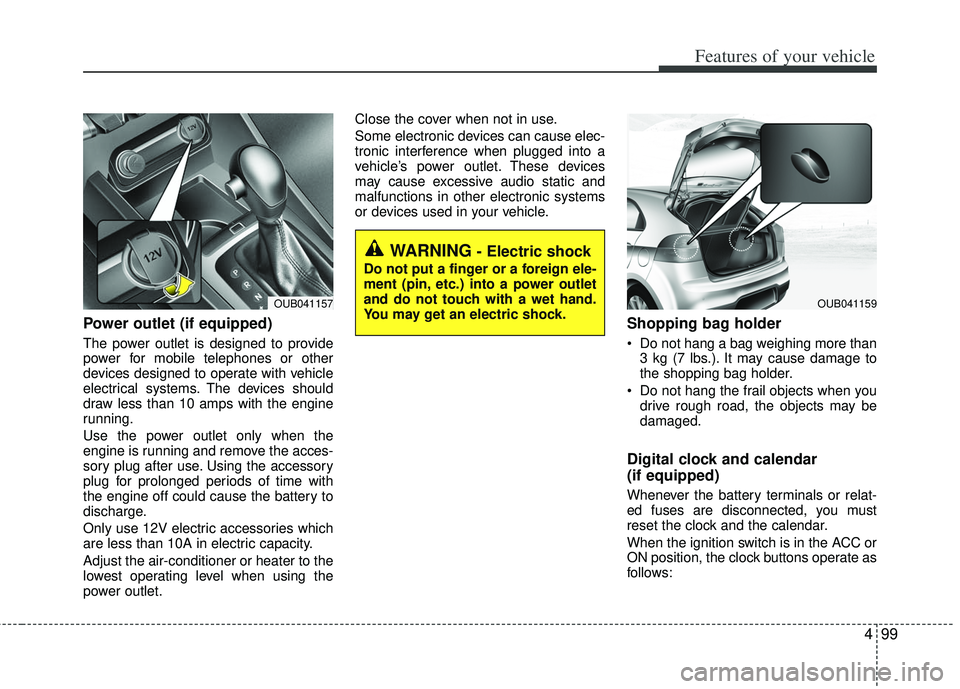
Power outlet (if equipped)
The power outlet is designed to provide
power for mobile telephones or other
devices designed to operate with vehicle
electrical systems. The devices should
draw less than 10 amps with the engine
running.
Use the power outlet only when the
engine is running and remove the acces-
sory plug after use. Using the accessory
plug for prolonged periods of time with
the engine off could cause the battery to
discharge.
Only use 12V electric accessories which
are less than 10A in electric capacity.
Adjust the air-conditioner or heater to the
lowest operating level when using the
power outlet.Close the cover when not in use.
Some electronic devices can cause elec-
tronic interference when plugged into a
vehicle’s power outlet. These devices
may cause excessive audio static and
malfunctions in other electronic systems
or devices used in your vehicle.
Shopping bag holder
Do not hang a bag weighing more than
3 kg (7 lbs.). It may cause damage to
the shopping bag holder.
Do not hang the frail objects when you drive rough road, the objects may be
damaged.
Digital clock and calendar
(if equipped)
Whenever the battery terminals or relat-
ed fuses are disconnected, you must
reset the clock and the calendar.
When the ignition switch is in the ACC or
ON position, the clock buttons operate as
follows:
WARNING - Electric shock
Do not put a finger or a foreign ele-
ment (pin, etc.) into a power outlet
and do not touch with a wet hand.
You may get an electric shock.
OUB041159OUB041157
Page 192 of 385
![KIA RIO HATCHBACK 2013 Owners Manual 4117
Features of your vehicle
Bluetooth®wireless technology
System Off
This feature is used when you do not
wish to use the Bluetooth®wireless tech-
nology system.
Select [Bluetooth System Off] Set](/img/2/57979/w960_57979-191.png "KIA RIO HATCHBACK 2013 Owners Manual 4117
Features of your vehicle
Bluetooth®wireless technology
System Off
This feature is used when you do not
wish to use the Bluetooth®wireless tech-
nology system.
Select [Bluetooth System Off] Set")
4117
Features of your vehicle
Bluetooth®wireless technology
System Off
This feature is used when you do not
wish to use the Bluetooth®wireless tech-
nology system.
Select [Bluetooth System Off] Set
through TUNE knob
❈ If a phone is already connected, dis-
connect the currently connected phone
and turn the Bluetooth
®wireless tech-
nology system off.
Using the Bluetooth®wireless
technology System
To use Bluetooth wireless technology
when the system is currently off, follow
these next steps.
®wireless tech-
nology through the Key
Press the key Screen Guidance
❈ Moves to the screen where Bluetooth®
wireless technology func tions can be
used and displays guidance.
®wireless tech-
nology through the Key
Press the key Select [Phone]
through TUNE knob or key
➀A screen asking whether to turn on
Bluetooth®wireless technology will be
displayed.
➁ On the screen, select to turn on
Bluetooth®wireless technology and
display guidance.
❈ If the Bluetooth
®wireless technology
system is turned on, the system will
automatically try to connect the most
recently connected Bluetooth
®wire-
less technology mobile phone.
YES
4
SETUP
SETUP
PHONE
PHONE
CAUTION
Bluetooth® wireless technology
connection may become intermit- tently disconnected in some mobile phones. Follow these next steps totry again.
1) Turn the Bluetooth
®wireless
technology function within the mobile phone ON/OFF and try toconnect again.
2) Turn the mobile phone power ON/OFF and try to connect again.
3) Completely remove the mobile phone battery, reboot, and thentry to connect again.
4) Reboot the audio system and try to connect again
5) Delete all paired devices in your mobile phone and the audio sys-tem and pair again for use.
Page 202 of 385
4127
Features of your vehicle
✽
✽NOTICE FOR USING THE
iPod®DEVICE
• Some iPod models may not support
communication protocol and files
may not properly play.
Supported iPod models:
- iPod Mini
- iPod 4th(Photo) ~ 6th(Classic)
generation
- iPod Nano 1st~4th generation
- iPod Touch 1st~2nd generation
• The order of search or playback of songs in the iPod can be different
from the order searched in the
audio system.
• If the iPod disabled due to its own malfunction, reset the iPod. (Reset:
Refer to iPod manual)
• An iPod may not operate normally on low battery.
• Some iPod devices, such as the iPhone, can be connected through
the -interface. The device must
have audio Bluetooth
®wireless
technology capability (such as for
stereo headphone Bluetooth
®wire-
less technology ). The device can
play, but it will not be controlled by
the audio system. (Continued)(Continued)
• To use iPod features within the audio,
use the cable provided upon purchas-
ing an iPod device.
• Skipping or improper operation may occur depending on the characteris-
tics of your iPod/Phone device.
• If your iPhone is connected to both the Bluetooth
®wireless technology
and USB, the sound may not be prop-
erly played. In your iPhone, select the
Dock connector or Bluetooth
®wire-
less technology to change the sound
output (source).
CAUTION IN USING THE
iPod®DEVICE
When connecting iPod with the
iPod Power Cable, insert the con-nector to the multimedia socket completely. If not inserted com-pletely, communications between iPod and audio may be interrupted.
When adjusting the sound effects of the iPod and the audio system, thesound effects of both devices willoverlap and might reduce or distortthe quality of the sound.
Deactivate (turn off) the equalizer function of an iPod when adjust-ing the audio system’s volume,and turn off the equalizer of the audio system when using theequalizer of an iPod.
When not using iPod with car audio, detach the iPod cable fromiPod. Otherwise, iPod may remain in accessory mode, and may notwork properly.
Page 228 of 385
55
Driving your vehicle
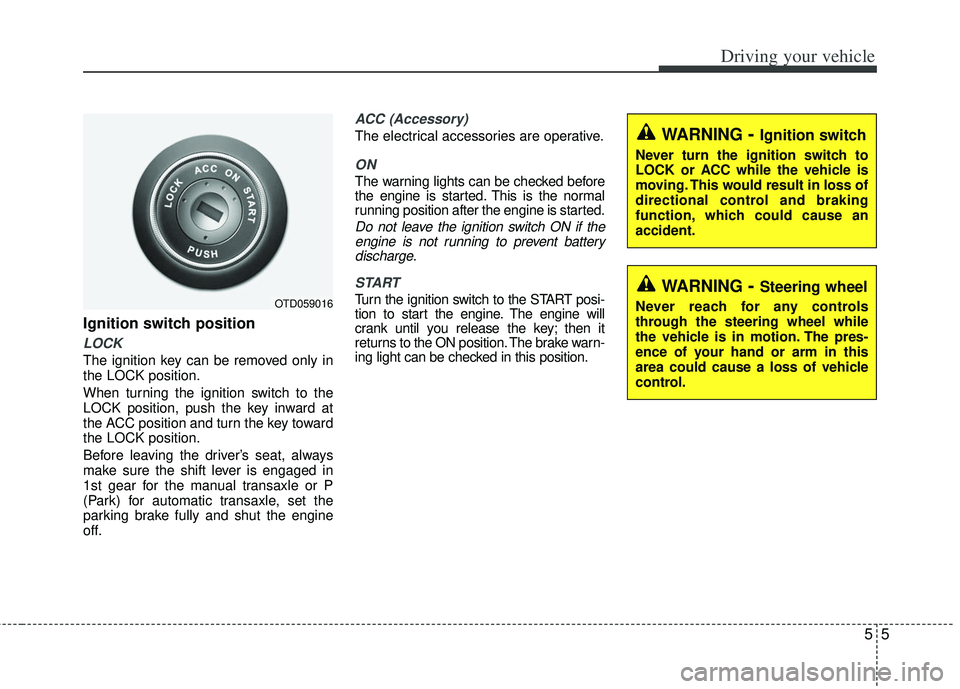
Ignition switch position
LOCK
The ignition key can be removed only in
the LOCK position.
When turning the ignition switch to the
LOCK position, push the key inward at
the ACC position and turn the key toward
the LOCK position.
Before leaving the driver’s seat, always
make sure the shift lever is engaged in
1st gear for the manual transaxle or P
(Park) for automatic transaxle, set the
parking brake fully and shut the engine
off.
ACC (Accessory)
The electrical accessories are operative.
ON
The warning lights can be checked before
the engine is started. This is the normal
running position after the engine is started.
Do not leave the ignition switch ON if theengine is not running to prevent batterydischarge.
START
Turn the ignition switch to the START posi-
tion to start the engine. The engine will
crank until you release the key; then it
returns to the ON position. The brake warn-
ing light can be checked in this position.OTD059016
WARNING- Ignition switch
Never turn the ignition switch to
LOCK or ACC while the vehicle is
moving. This would result in loss of
directional control and braking
function, which could cause an
accident.
WARNING- Steering wheel
Never reach for any controls
through the steering wheel while
the vehicle is in motion. The pres-
ence of your hand or arm in this
area could cause a loss of vehicle
control.
Page 230 of 385
57
Driving your vehicle
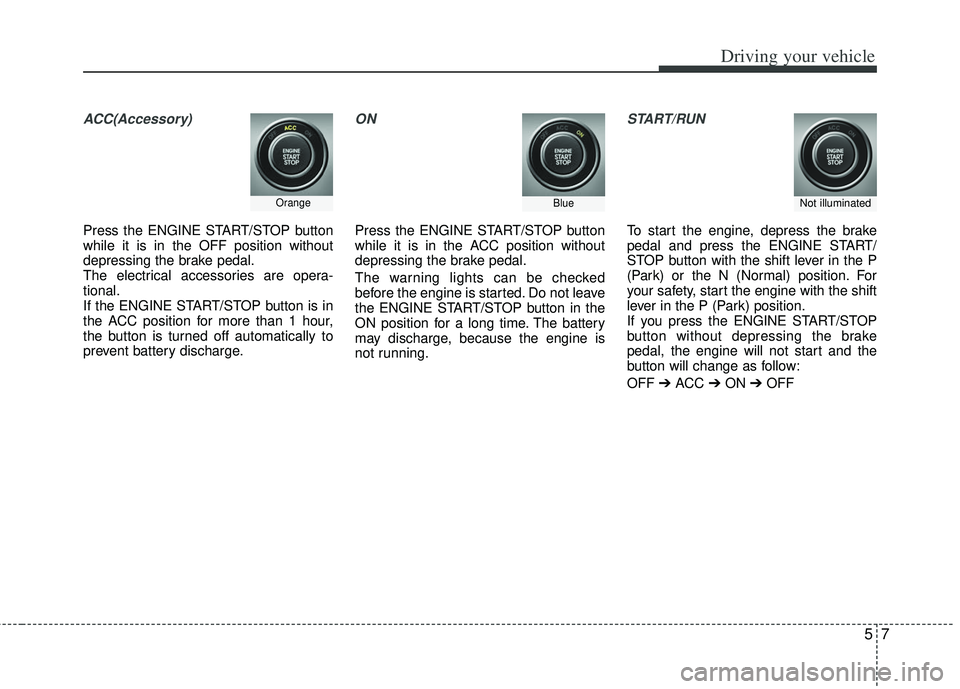
ACC(Accessory)
Press the ENGINE START/STOP button
while it is in the OFF position without
depressing the brake pedal.
The electrical accessories are opera-
tional.
If the ENGINE START/STOP button is in
the ACC position for more than 1 hour,
the button is turned off automatically to
prevent battery discharge.
ON
Press the ENGINE START/STOP button
while it is in the ACC position without
depressing the brake pedal.
The warning lights can be checked
before the engine is started. Do not leave
the ENGINE START/STOP button in the
ON position for a long time. The battery
may discharge, because the engine is
not running.
START/RUN
To start the engine, depress the brake
pedal and press the ENGINE START/
STOP button with the shift lever in the P
(Park) or the N (Normal) position. For
your safety, start the engine with the shift
lever in the P (Park) position.
If you press the ENGINE START/STOP
button without depressing the brake
pedal, the engine will not start and the
button will change as follow:
OFF ➔ ACC ➔ON ➔OFF
OrangeBlueNot illuminated
Page 231 of 385
Driving your vehicle
85
If you leave the ENGINE START/ STOP
button in the ACC or ON position for a
long time, the battery will discharge.
WARNING - Starting vehicle
Never press the ENGINE
START/STOP button while the vehi-
cle is in motion. This would result in
loss of directional control and brak-
ing function, which could cause an
accident.
Page 234 of 385
511
Driving your vehicle
✽
✽
NOTICE
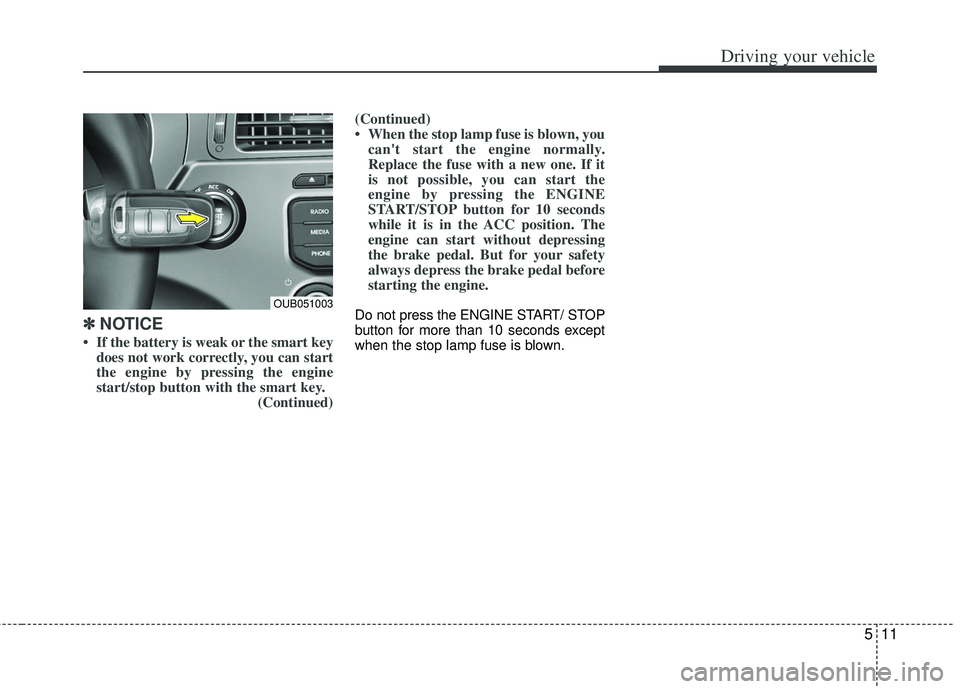
• If the battery is weak or the smart key
does not work correctly, you can start
the engine by pressing the engine
start/stop button with the smart key. (Continued)(Continued)
• When the stop lamp fuse is blown, you
can't start the engine normally.
Replace the fuse with a new one. If it
is not possible, you can start the
engine by pressing the ENGINE
START/STOP button for 10 seconds
while it is in the ACC position. The
engine can start without depressing
the brake pedal. But for your safety
always depress the brake pedal before
starting the engine.
Do not press the ENGINE START/ STOP
button for more than 10 seconds except
when the stop lamp fuse is blown.OUB051003
Page 238 of 385
515
Driving your vehicle
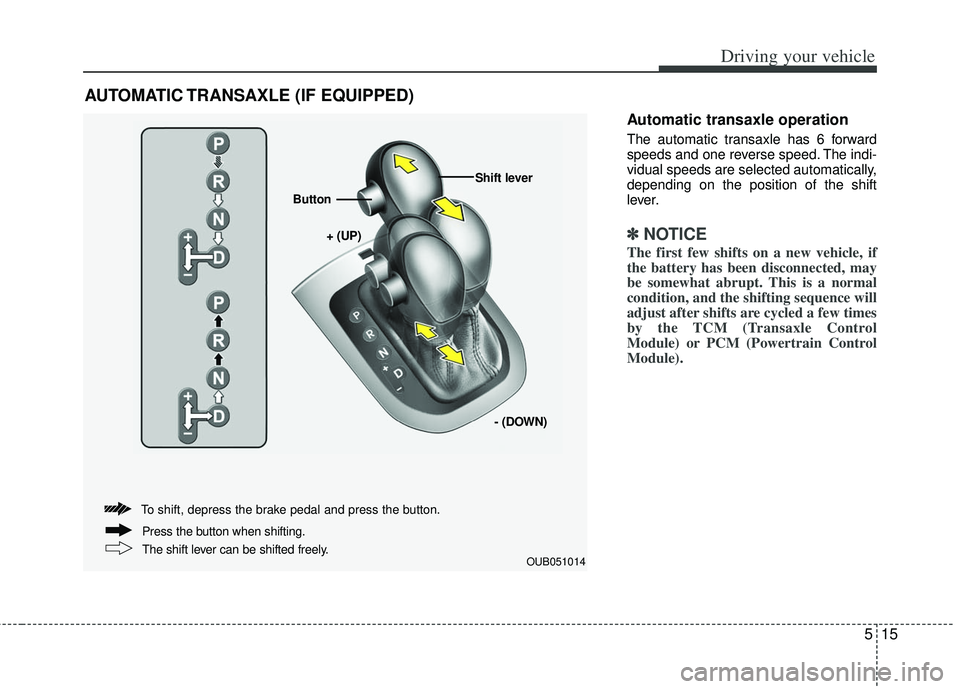
Automatic transaxle operation
The automatic transaxle has 6 forward
speeds and one reverse speed. The indi-
vidual speeds are selected automatically,
depending on the position of the shift
lever.
✽ ✽NOTICE
The first few shifts on a new vehicle, if
the battery has been disconnected, may
be somewhat abrupt. This is a normal
condition, and the shifting sequence will
adjust after shifts are cycled a few times
by the TCM (Transaxle Control
Module) or PCM (Powertrain Control
Module).
AUTOMATIC TRANSAXLE (IF EQUIPPED)
OUB051014
+ (UP)
Button
Shift lever
- (DOWN)
To shift, depress the brake pedal and press the button.
The shift lever can be shifted freely. Press the button when shifting.
Page 248 of 385
525
Driving your vehicle
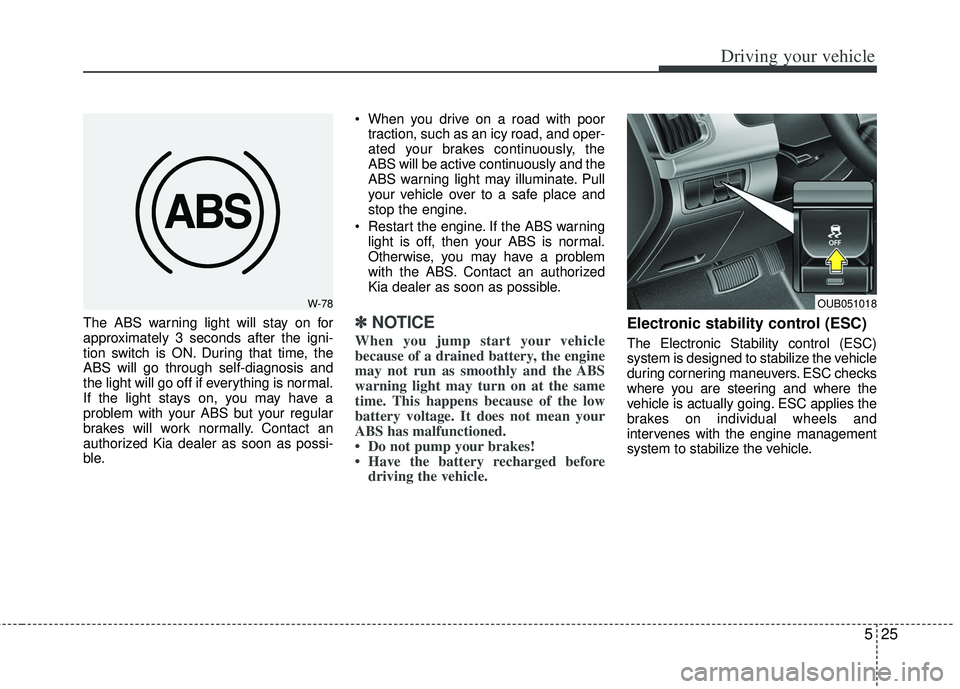
The ABS warning light will stay on for
approximately 3 seconds after the igni-
tion switch is ON. During that time, the
ABS will go through self-diagnosis and
the light will go off if everything is normal.
If the light stays on, you may have a
problem with your ABS but your regular
brakes will work normally. Contact an
authorized Kia dealer as soon as possi-
ble. When you drive on a road with poor
traction, such as an icy road, and oper-
ated your brakes continuously, the
ABS will be active continuously and the
ABS warning light may illuminate. Pull
your vehicle over to a safe place and
stop the engine.
Restart the engine. If the ABS warning light is off, then your ABS is normal.
Otherwise, you may have a problem
with the ABS. Contact an authorized
Kia dealer as soon as possible.✽ ✽ NOTICE
When you jump start your vehicle
because of a drained battery, the engine
may not run as smoothly and the ABS
warning light may turn on at the same
time. This happens because of the low
battery voltage. It does not mean your
ABS has malfunctioned.
• Do not pump your brakes!
• Have the battery recharged before
driving the vehicle.
Electronic stability control (ESC)
The Electronic Stability control (ESC)
system is designed to stabilize the vehicle
during cornering maneuvers. ESC checks
where you are steering and where the
vehicle is actually going. ESC applies the
brakes on individual wheels and
intervenes with the engine management
system to stabilize the vehicle.
W-78OUB051018