lock KIA RIO HATCHBACK 2013 Workshop Manual
[x] Cancel search | Manufacturer: KIA, Model Year: 2013, Model line: RIO HATCHBACK, Model: KIA RIO HATCHBACK 2013Pages: 385, PDF Size: 9.68 MB
Page 168 of 385
493
Features of your vehicle
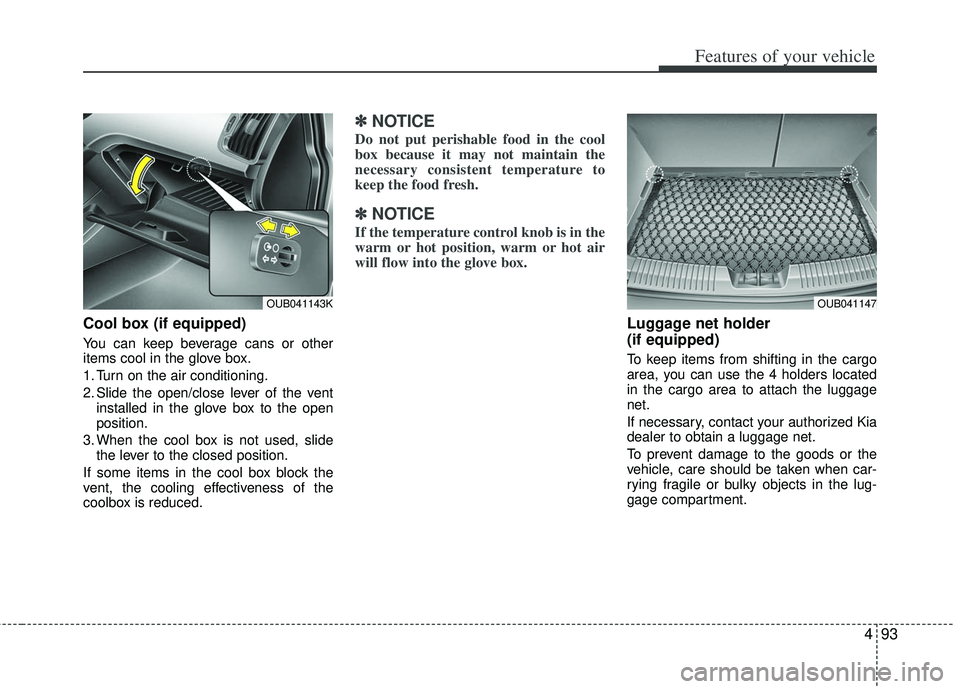
Cool box (if equipped)
You can keep beverage cans or other
items cool in the glove box.
1. Turn on the air conditioning.
2. Slide the open/close lever of the ventinstalled in the glove box to the open
position.
3. When the cool box is not used, slide the lever to the closed position.
If some items in the cool box block the
vent, the cooling effectiveness of the
coolbox is reduced.
✽ ✽ NOTICE
Do not put perishable food in the cool
box because it may not maintain the
necessary consistent temperature to
keep the food fresh.
✽ ✽NOTICE
If the temperature control knob is in the
warm or hot position, warm or hot air
will flow into the glove box.
Luggage net holder
(if equipped)
To keep items from shifting in the cargo
area, you can use the 4 holders located
in the cargo area to attach the luggage
net.
If necessary, contact your authorized Kia
dealer to obtain a luggage net.
To prevent damage to the goods or the
vehicle, care should be taken when car-
rying fragile or bulky objects in the lug-
gage compartment.
OUB041143KOUB041147
Page 174 of 385
499
Features of your vehicle
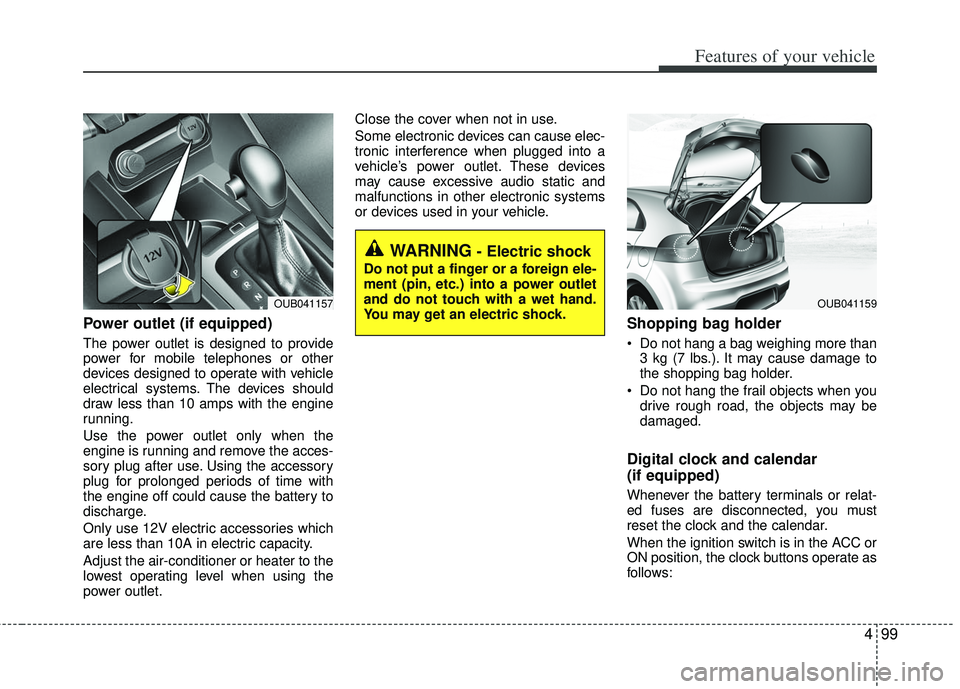
Power outlet (if equipped)
The power outlet is designed to provide
power for mobile telephones or other
devices designed to operate with vehicle
electrical systems. The devices should
draw less than 10 amps with the engine
running.
Use the power outlet only when the
engine is running and remove the acces-
sory plug after use. Using the accessory
plug for prolonged periods of time with
the engine off could cause the battery to
discharge.
Only use 12V electric accessories which
are less than 10A in electric capacity.
Adjust the air-conditioner or heater to the
lowest operating level when using the
power outlet.Close the cover when not in use.
Some electronic devices can cause elec-
tronic interference when plugged into a
vehicle’s power outlet. These devices
may cause excessive audio static and
malfunctions in other electronic systems
or devices used in your vehicle.
Shopping bag holder
Do not hang a bag weighing more than
3 kg (7 lbs.). It may cause damage to
the shopping bag holder.
Do not hang the frail objects when you drive rough road, the objects may be
damaged.
Digital clock and calendar
(if equipped)
Whenever the battery terminals or relat-
ed fuses are disconnected, you must
reset the clock and the calendar.
When the ignition switch is in the ACC or
ON position, the clock buttons operate as
follows:
WARNING - Electric shock
Do not put a finger or a foreign ele-
ment (pin, etc.) into a power outlet
and do not touch with a wet hand.
You may get an electric shock.
OUB041159OUB041157
Page 175 of 385
![KIA RIO HATCHBACK 2013 Workshop Manual Features of your vehicle
100
4
Setup the clock and calender
With audio off
1. Press the [SETUP] or [Clock] button
(1) until the clock of the display blinks.
2. Set the clock by turning the knob (2) an](/img/2/57979/w960_57979-174.png "KIA RIO HATCHBACK 2013 Workshop Manual Features of your vehicle
100
4
Setup the clock and calender
With audio off
1. Press the [SETUP] or [Clock] button
(1) until the clock of the display blinks.
2. Set the clock by turning the knob (2) an")
Features of your vehicle
100
4
Setup the clock and calender
With audio off
1. Press the [SETUP] or [Clock] button
(1) until the clock of the display blinks.
2. Set the clock by turning the knob (2) and press it. With audio on
1. Press the [SETUP] or [Clock] button
(1) until the clock adjust mode dis-
played.
2. Set the clock by turning the knob(2) and press it.
Clothes hanger (if equipped)
To use the hanger, pull down the upper
portion of hanger.
OUB041161N
WARNING
Do not adjust the clock while driv-
ing. You may lose your steering
control and cause an accident that
results in severe personal injury or
death.
CAUTION - Hanging clothing
Do not hang heavy clothes, since
those may damage the hook.
OUN026348
Page 177 of 385
Features of your vehicle
102
4
If you install an aftermarket HID head
lamp, your vehicle’s audio and electronic
device may malfunction.
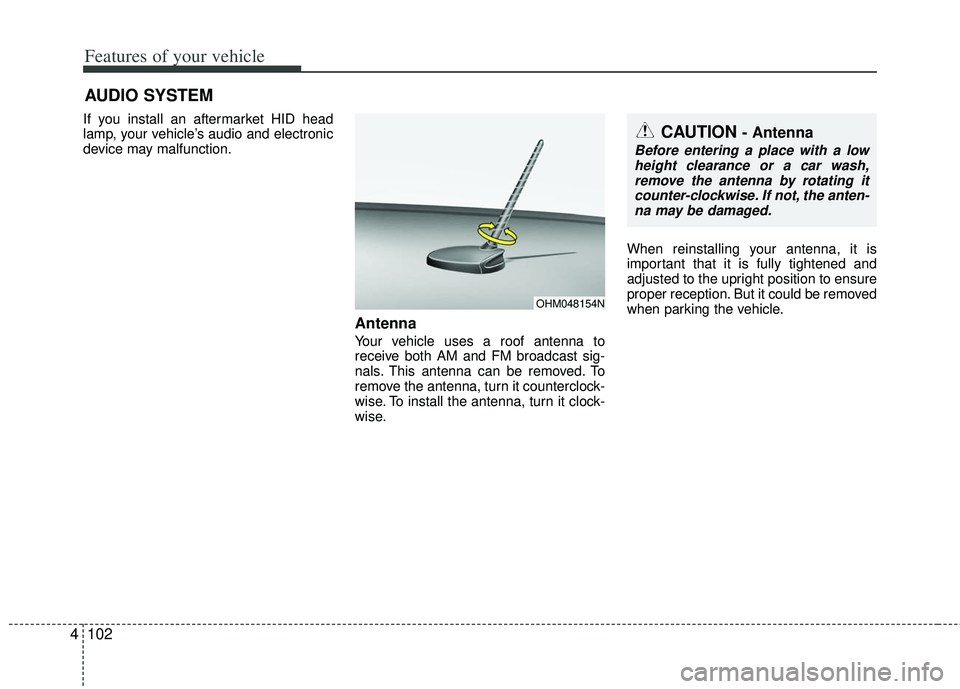
Antenna
Your vehicle uses a roof antenna to
receive both AM and FM broadcast sig-
nals. This antenna can be removed. To
remove the antenna, turn it counterclock-
wise. To install the antenna, turn it clock-
wise. When reinstalling your antenna, it is
important that it is fully tightened and
adjusted to the upright position to ensure
proper reception. But it could be removed
when parking the vehicle.
AUDIO SYSTEM
OHM048154N
CAUTION - Antenna
Before entering a place with a low
height clearance or a car wash,remove the antenna by rotating it counter-clockwise. If not, the anten-na may be damaged.
Page 180 of 385
4105
Features of your vehicle
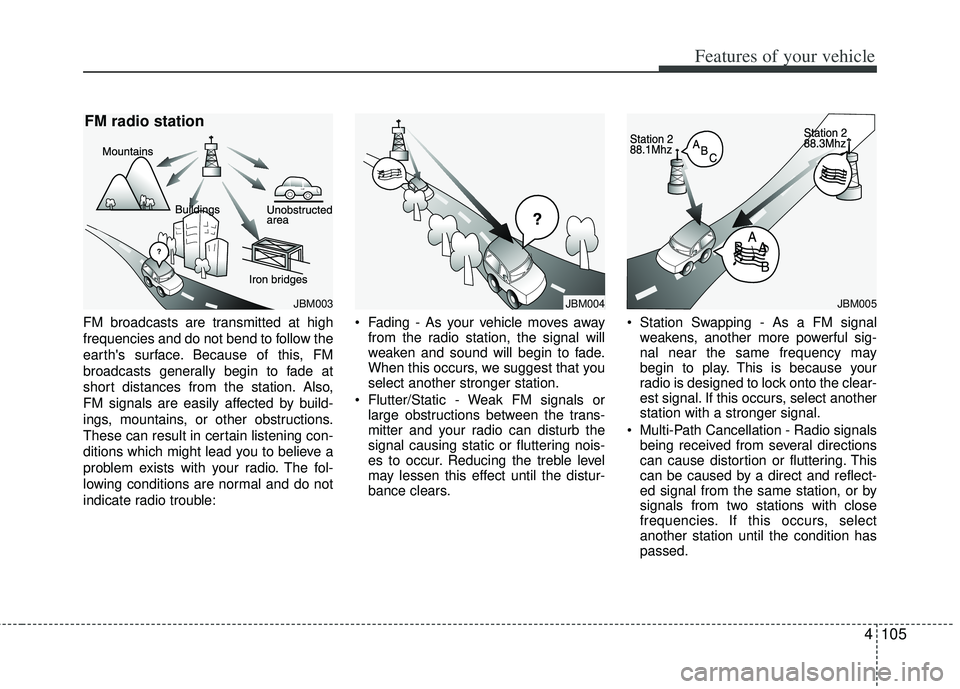
FM broadcasts are transmitted at high
frequencies and do not bend to follow the
earth's surface. Because of this, FM
broadcasts generally begin to fade at
short distances from the station. Also,
FM signals are easily affected by build-
ings, mountains, or other obstructions.
These can result in certain listening con-
ditions which might lead you to believe a
problem exists with your radio. The fol-
lowing conditions are normal and do not
indicate radio trouble: Fading - As your vehicle moves away
from the radio station, the signal will
weaken and sound will begin to fade.
When this occurs, we suggest that you
select another stronger station.
Flutter/Static - Weak FM signals or large obstructions between the trans-
mitter and your radio can disturb the
signal causing static or fluttering nois-
es to occur. Reducing the treble level
may lessen this effect until the distur-
bance clears. Station Swapping - As a FM signal
weakens, another more powerful sig-
nal near the same frequency may
begin to play. This is because your
radio is designed to lock onto the clear-
est signal. If this occurs, select another
station with a stronger signal.
Multi-Path Cancellation - Radio signals being received from several directions
can cause distortion or fluttering. This
can be caused by a direct and reflect-
ed signal from the same station, or by
signals from two stations with close
frequencies. If this occurs, select
another station until the condition has
passed.
JBM004JBM003
FM radio station
JBM005
Page 181 of 385
Features of your vehicle
106
4
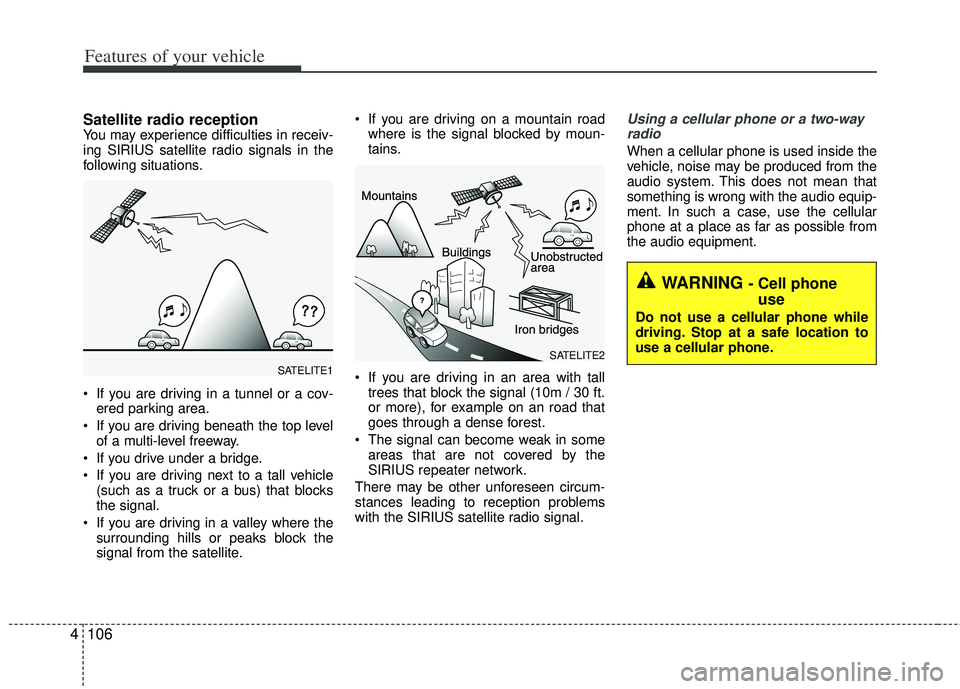
Satellite radio receptionYou may experience difficulties in receiv-
ing SIRIUS satellite radio signals in the
following situations.
If you are driving in a tunnel or a cov-
ered parking area.
If you are driving beneath the top level of a multi-level freeway.
If you drive under a bridge.
If you are driving next to a tall vehicle (such as a truck or a bus) that blocks
the signal.
If you are driving in a valley where the surrounding hills or peaks block the
signal from the satellite. If you are driving on a mountain road
where is the signal blocked by moun-
tains.
If you are driving in an area with tall trees that block the signal (10m / 30 ft.
or more), for example on an road that
goes through a dense forest.
The signal can become weak in some areas that are not covered by the
SIRIUS repeater network.
There may be other unforeseen circum-
stances leading to reception problems
with the SIRIUS satellite radio signal.
Using a cellular phone or a two-way radio
When a cellular phone is used inside the
vehicle, noise may be produced from the
audio system. This does not mean that
something is wrong with the audio equip-
ment. In such a case, use the cellular
phone at a place as far as possible from
the audio equipment.
SATELITE2SATELITE1
WARNING - Cell phone use
Do not use a cellular phone while
driving. Stop at a safe location to
use a cellular phone.
Page 185 of 385
Features of your vehicle
110
4
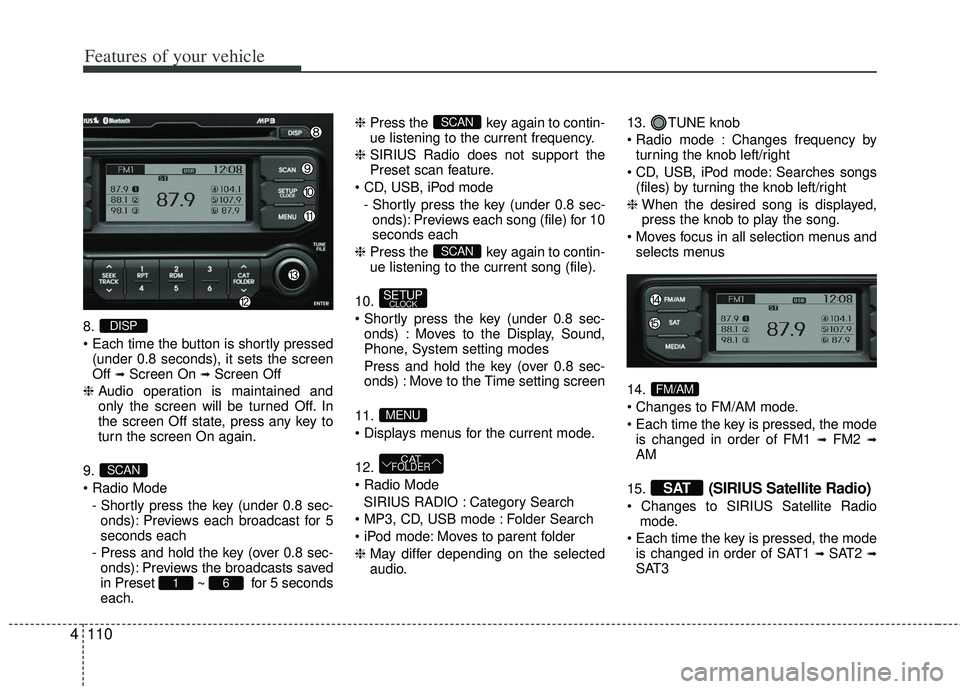
8.
(under 0.8 seconds), it sets the screen
Off
➟Screen On ➟Screen Off
❈ Audio operation is maintained and
only the screen will be turned Off. In
the screen Off state, press any key to
turn the screen On again.
9.
- Shortly press the key (under 0.8 sec-onds): Previews each broadcast for 5
seconds each
- Press and hold the key (over 0.8 sec- onds): Previews the broadcasts saved
in Preset ~ for 5 seconds
each. ❈
Press the key again to contin-
ue listening to the current frequency.
❈ SIRIUS Radio does not support the
Preset scan feature.
- Shortly press the key (under 0.8 sec-onds): Previews each song (file) for 10
seconds each
❈ Press the key again to contin-
ue listening to the current song (file).
10.
onds) : Moves to the Display, Sound,
Phone, System setting modes
Press and hold the key (over 0.8 sec- onds) : Move to the Time setting screen
11.
12.
SIRIUS RADIO : Category Search
Folder Search
Moves to parent folder
❈ May differ depending on the selected
audio. 13. TUNE knob
Changes frequency by
turning the knob left/right
Searches songs (files) by turning the knob left/right
❈ When the desired song is displayed,
press the knob to play the song.
selects menus
14.
is changed in order of FM1
➟FM2 ➟AM
15.
(SIRIUS Satellite Radio)
mode.
is changed in order of SAT1
➟ SAT2 ➟SAT3
SAT
FM/AM
CATFOLDER
MENU
SETUPCLOCK
SCAN
SCAN
61
SCAN
DISP
Page 188 of 385
![KIA RIO HATCHBACK 2013 Workshop Manual 4113
Features of your vehicle
CLOCK SETTINGS
Press the key Select [Clock]
through TUNE knob or key
Select menu through TUNE knob
Clock Settings
This menu is used to set the time.
Select [Clock Set](/img/2/57979/w960_57979-187.png "KIA RIO HATCHBACK 2013 Workshop Manual 4113
Features of your vehicle
CLOCK SETTINGS
Press the key Select [Clock]
through TUNE knob or key
Select menu through TUNE knob
Clock Settings
This menu is used to set the time.
Select [Clock Set")
4113
Features of your vehicle
CLOCK SETTINGS
Press the key Select [Clock]
through TUNE knob or key
Select menu through TUNE knob
Clock Settings
This menu is used to set the time.
Select [Clock Settings] Set through
TUNEknob Press TUNEknob
❈ Adjust the number currently in focus to
set the [hour] and press the tune knob
to set the [minute].
Calendar Settings
This menu is used to set the date
(MM/DD/YYYY).
Select [Calendar Settings] Set
through
TUNEknob Press
TUNEknob
❈ Adjust the number currently in focus to
make the settings and press the tune
knob to move to the next setting. (Set
in order of Month/Day/Year)
Clock Display when Power is OFF
Select [Clock Disp.(Pwr Off)
Set
/ through TUNE knob
: Displays time/date on screen
Turn off.Off
On
OffOn
3
SETUP
Page 226 of 385
53
Driving your vehicle
Before entering vehicle
• Be sure that all windows, outside mir-ror(s), and outside lights are clean.
Check the condition of the tires.
Check under the vehicle for any sign of leaks.
Be sure there are no obstacles behind you if you intend to back up.
Necessary inspections
Fluid levels, such as engine oil, engine
coolant, brake fluid, and washer fluid
should be checked on a regular basis,
with the exact interval depending on the
fluid. Further details are provided in
Section 7, “Maintenance”.
Before starting
Close and lock all doors.
Position the seat so that all controls are
easily reached.
Buckle your seat belt.
Adjust the inside and outside rearview mirrors.
Be sure that all lights work.
Check all gauges.
Check the operation of warning lights when the ignition switch is turned to
the ON position.
Release the parking brake and make sure the brake warning light goes out.
For safe operation, be sure you are famil-
iar with your vehicle and its equipment.
BEFORE DRIVING
WARNING - Distracted driving
Focus on the road while driving.
The driver's primary responsibility
is in the safe and legal operation of
the vehicle. Use of any handled
devices, other equipment or vehicle
systems that distract the drive
should not be used during vehicle
operation.
WARNING
- Check surrounding
Always check the surrounding areas
near your vehicle for people, espe-
cially children, before putting a vehi-
cle into D (Drive) or R (Reverse).
Page 228 of 385
55
Driving your vehicle
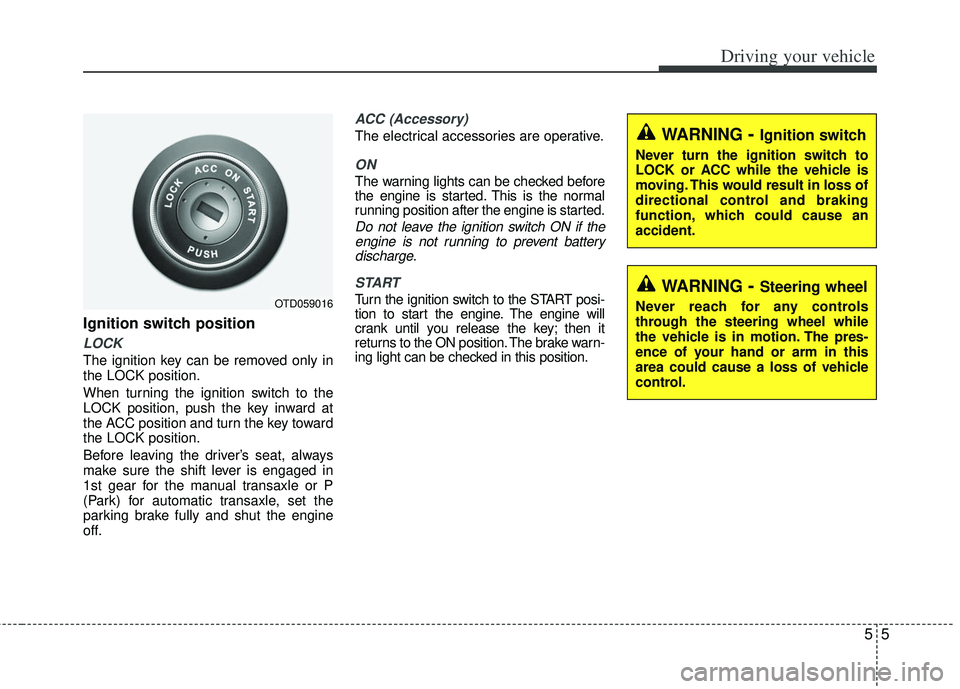
Ignition switch position
LOCK
The ignition key can be removed only in
the LOCK position.
When turning the ignition switch to the
LOCK position, push the key inward at
the ACC position and turn the key toward
the LOCK position.
Before leaving the driver’s seat, always
make sure the shift lever is engaged in
1st gear for the manual transaxle or P
(Park) for automatic transaxle, set the
parking brake fully and shut the engine
off.
ACC (Accessory)
The electrical accessories are operative.
ON
The warning lights can be checked before
the engine is started. This is the normal
running position after the engine is started.
Do not leave the ignition switch ON if theengine is not running to prevent batterydischarge.
START
Turn the ignition switch to the START posi-
tion to start the engine. The engine will
crank until you release the key; then it
returns to the ON position. The brake warn-
ing light can be checked in this position.OTD059016
WARNING- Ignition switch
Never turn the ignition switch to
LOCK or ACC while the vehicle is
moving. This would result in loss of
directional control and braking
function, which could cause an
accident.
WARNING- Steering wheel
Never reach for any controls
through the steering wheel while
the vehicle is in motion. The pres-
ence of your hand or arm in this
area could cause a loss of vehicle
control.