ignition KIA RIO HATCHBACK 2016 Workshop Manual
[x] Cancel search | Manufacturer: KIA, Model Year: 2016, Model line: RIO HATCHBACK, Model: KIA RIO HATCHBACK 2016Pages: 477, PDF Size: 13.46 MB
Page 157 of 477
487
Features of your vehicle
If you want to defrost and defog the
front windshield, refer to “Windshield
Defrosting and Defogging” in this
section.
Rear window defroster
The defroster heats the window to
remove frost, fog and thin ice from
the interior and exterior of the rear
window, while the engine is running.To activate the rear window
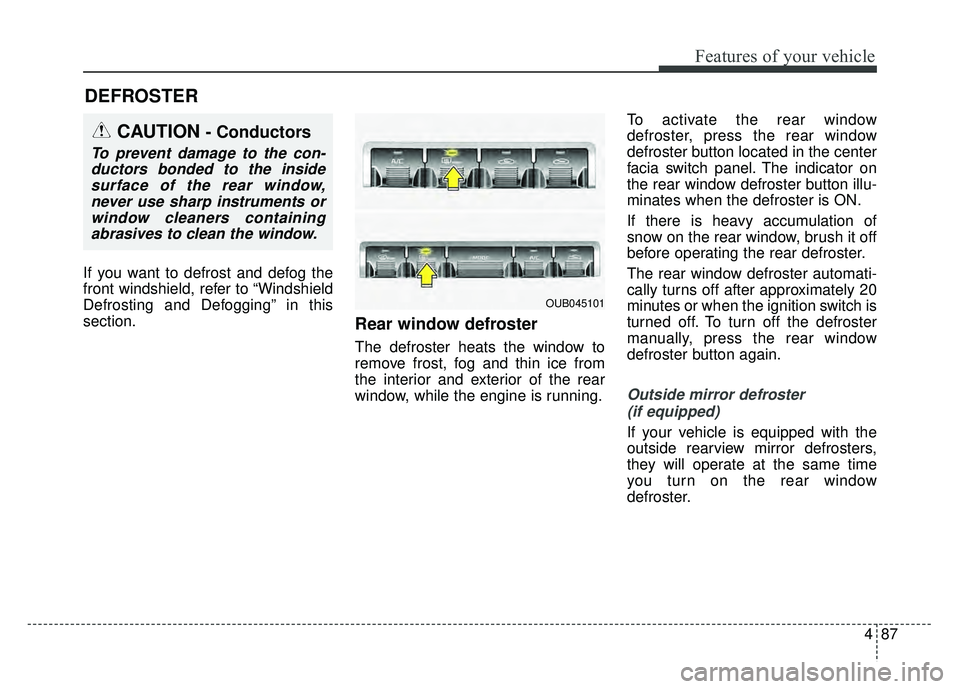
defroster, press the rear window
defroster button located in the center
facia switch panel. The indicator on
the rear window defroster button illu-
minates when the defroster is ON.
If there is heavy accumulation of
snow on the rear window, brush it off
before operating the rear defroster.
The rear window defroster automati-
cally turns off after approximately 20
minutes or when the ignition switch is
turned off. To turn off the defroster
manually, press the rear window
defroster button again.
Outside mirror defroster
(if equipped)
If your vehicle is equipped with the
outside rearview mirror defrosters,
they will operate at the same time
you turn on the rear window
defroster.
DEFROSTER
CAUTION- Conductors
To prevent damage to the con-ductors bonded to the insidesurface of the rear window,never use sharp instruments orwindow cleaners containingabrasives to clean the window.
OUB045101
Page 163 of 477
493
Features of your vehicle
Fan speed control
The ignition switch must be in the ON
position for fan operation.
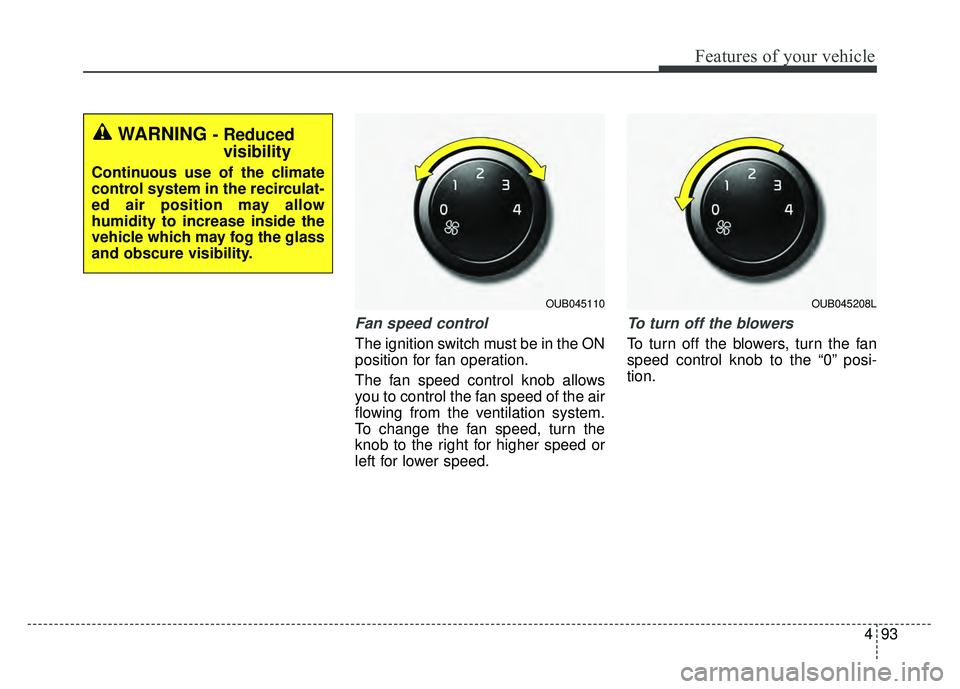
The fan speed control knob allows
you to control the fan speed of the air
flowing from the ventilation system.
To change the fan speed, turn the
knob to the right for higher speed or
left for lower speed.
To turn off the blowers
To turn off the blowers, turn the fan
speed control knob to the “0” posi-
tion.
WARNING - Reducedvisibility
Continuous use of the climate
control system in the recirculat-
ed air position may allow
humidity to increase inside the
vehicle which may fog the glass
and obscure visibility.
OUB045110OUB045208L
Page 168 of 477
Features of your vehicle
98
4
AUTOMATIC CLIMATE CONTROL SYSTEM (IF EQUIPPED)
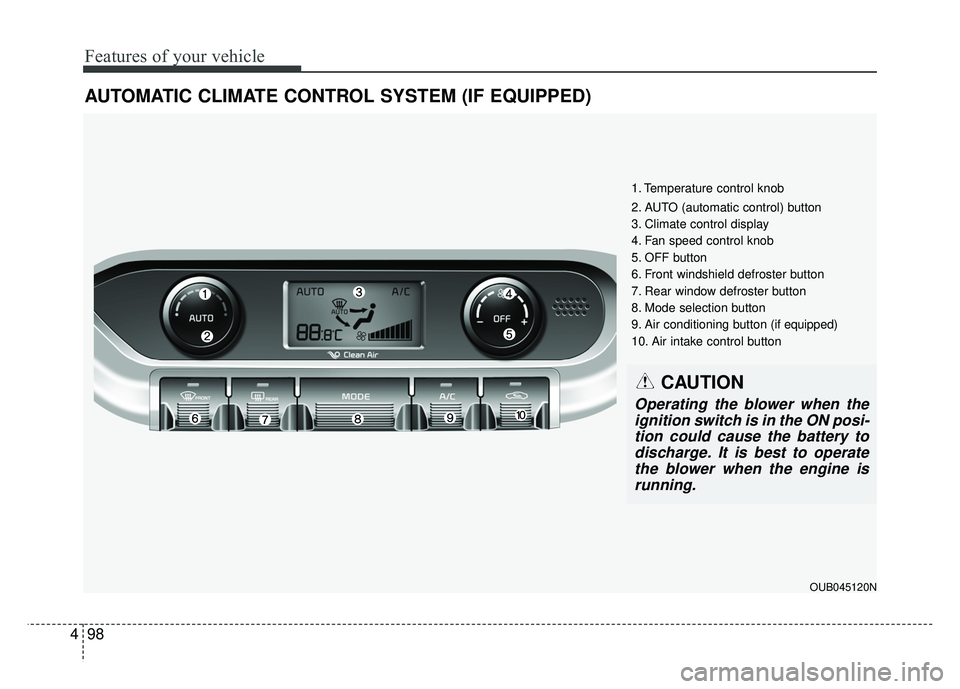
1. Temperature control knob
2. AUTO (automatic control) button
3. Climate control display
4. Fan speed control knob
5. OFF button
6. Front windshield defroster button
7. Rear window defroster button
8. Mode selection button
9. Air conditioning button (if equipped)
10. Air intake control button
CAUTION
Operating the blower when the
ignition switch is in the ON posi-tion could cause the battery todischarge. It is best to operatethe blower when the engine isrunning.
OUB045120N
Page 175 of 477
4105
Features of your vehicle
Air conditioning (A/C)
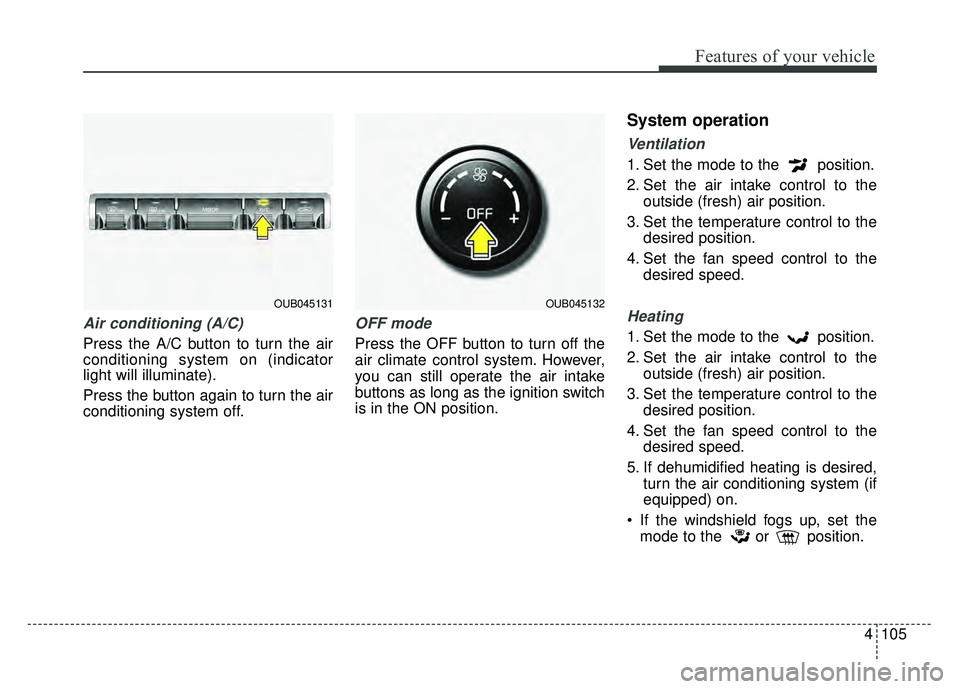
Press the A/C button to turn the air
conditioning system on (indicator
light will illuminate).
Press the button again to turn the air
conditioning system off.
OFF mode
Press the OFF button to turn off the
air climate control system. However,
you can still operate the air intake
buttons as long as the ignition switch
is in the ON position.
System operation
Ventilation
1. Set the mode to the position.
2. Set the air intake control to theoutside (fresh) air position.
3. Set the temperature control to the desired position.
4. Set the fan speed control to the desired speed.
Heating
1. Set the mode to the position.
2. Set the air intake control to theoutside (fresh) air position.
3. Set the temperature control to the desired position.
4. Set the fan speed control to the desired speed.
5. If dehumidified heating is desired, turn the air conditioning system (if
equipped) on.
If the windshield fogs up, set the mode to the or position.
OUB045132OUB045131
Page 181 of 477
4111
Features of your vehicle
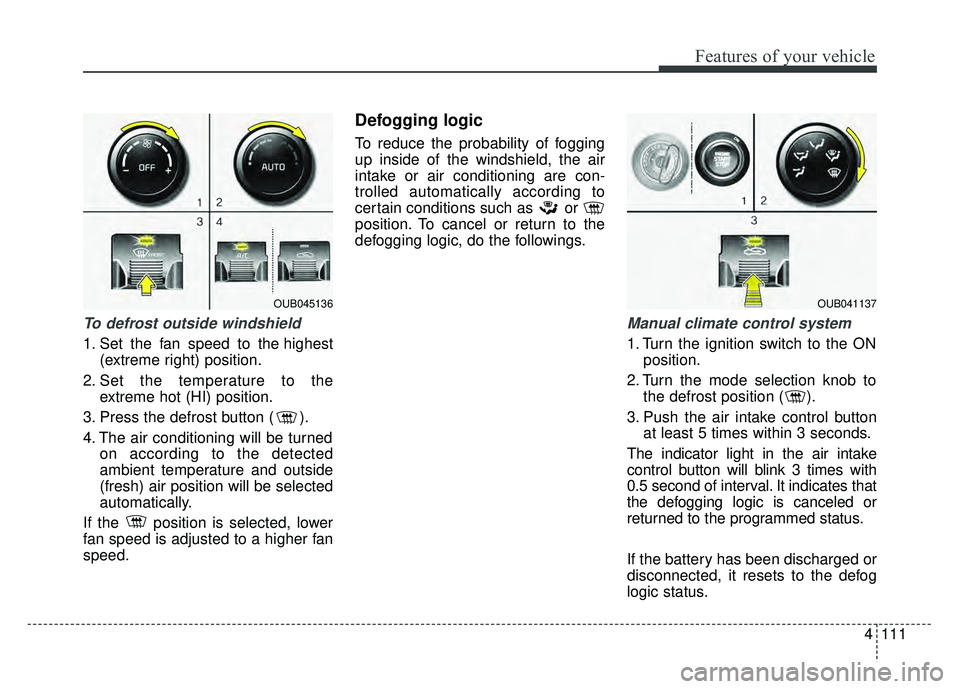
To defrost outside windshield
1. Set the fan speed to the highest(extreme right) position.
2. Set the temperature to the extreme hot (HI) position.
3. Press the defrost button ( ).
4. The air conditioning will be turned on according to the detected
ambient temperature and outside
(fresh) air position will be selected
automatically.
If the position is selected, lower
fan speed is adjusted to a higher fan
speed.
Defogging logic
To reduce the probability of fogging
up inside of the windshield, the air
intake or air conditioning are con-
trolled automatically according to
certain conditions such as or
position. To cancel or return to the
defogging logic, do the followings.
Manual climate control system
1. Turn the ignition switch to the ON position.
2. Turn the mode selection knob to the defrost position ( ).
3. Push the air intake control button at least 5 times within 3 seconds.
The indicator light in the air intake
control button will blink 3 times with
0.5 second of interval. It indicates that
the defogging logic is canceled or
returned to the programmed status.
If the battery has been discharged or
disconnected, it resets to the defog
logic status.
OUB041137OUB045136
Page 182 of 477
Features of your vehicle
112
4
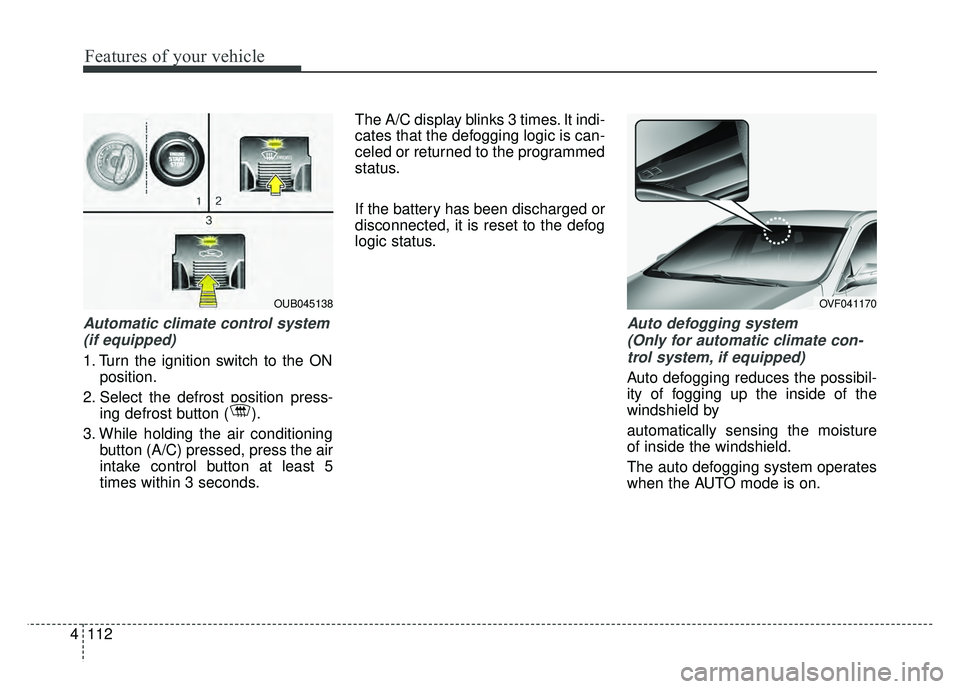
Automatic climate control system
(if equipped)
1. Turn the ignition switch to the ON position.
2. Select the defrost position press- ing defrost button ( ).
3. While holding the air conditioning button (A/C) pressed, press the air
intake control button at least 5
times within 3 seconds. The A/C display blinks 3 times. It indi-
cates that the defogging logic is can-
celed or returned to the programmed
status.
If the battery has been discharged or
disconnected, it is reset to the defog
logic status.
Auto defogging system
(Only for automatic climate con-trol system, if equipped)
Auto defogging reduces the possibil-
ity of fogging up the inside of the
windshield by
automatically sensing the moisture
of inside the windshield.
The auto defogging system operates
when the AUTO mode is on.
OUB045138OVF041170
Page 188 of 477
Features of your vehicle
118
4
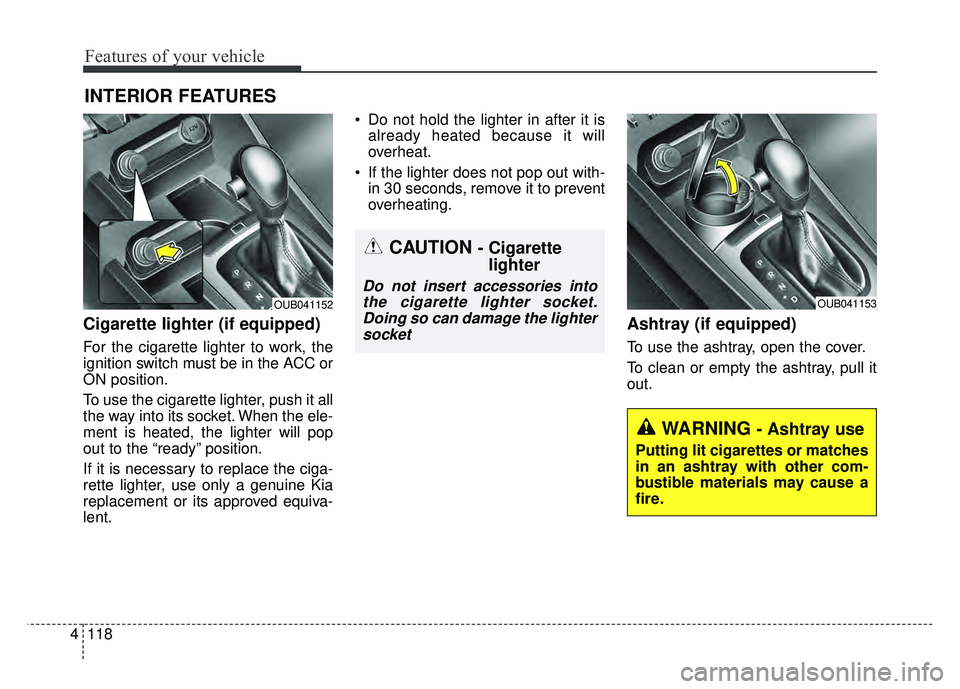
Cigarette lighter (if equipped)
For the cigarette lighter to work, the
ignition switch must be in the ACC or
ON position.
To use the cigarette lighter, push it all
the way into its socket. When the ele-
ment is heated, the lighter will pop
out to the “ready” position.
If it is necessary to replace the ciga-
rette lighter, use only a genuine Kia
replacement or its approved equiva-
lent. Do not hold the lighter in after it is
already heated because it will
overheat.
If the lighter does not pop out with- in 30 seconds, remove it to prevent
overheating.
Ashtray (if equipped)
To use the ashtray, open the cover.
To clean or empty the ashtray, pull it
out.
INTERIOR FEATURES
OUB041153OUB041152
CAUTION - Cigarettelighter
Do not insert accessories into
the cigarette lighter socket.Doing so can damage the lightersocket
WARNING - Ashtray use
Putting lit cigarettes or matches
in an ashtray with other com-
bustible materials may cause a
fire.
Page 192 of 477
Features of your vehicle
122
4
Digital clock and calendar
(if equipped)
Whenever the battery terminals or
related fuses are disconnected, you
must reset the clock and the calen-
dar.
When the ignition switch is in the
ACC or ON position, the clock but-
tons operate as follows:
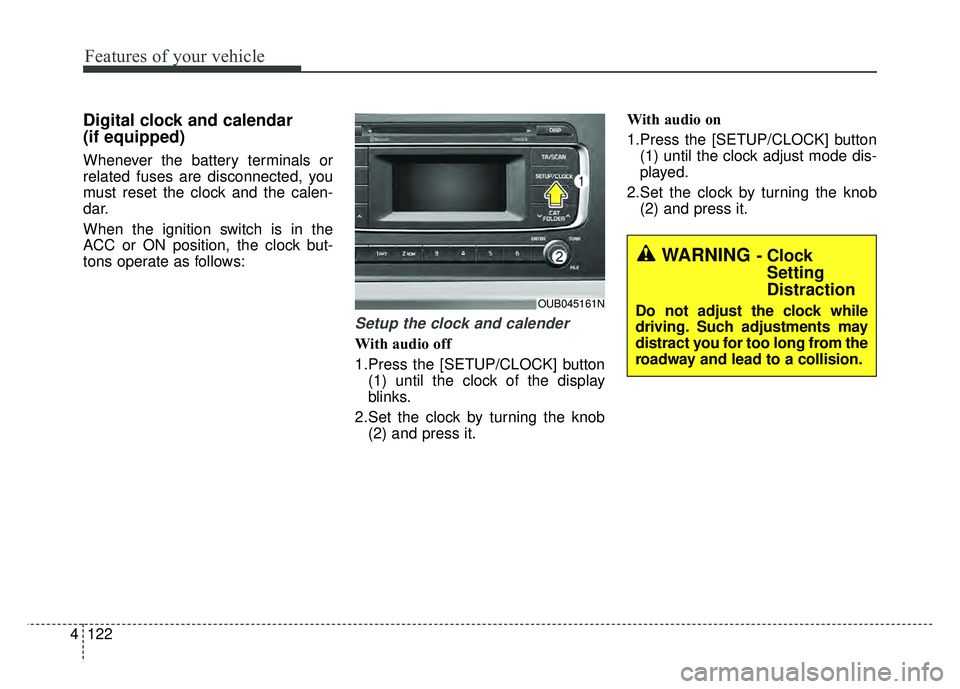
Setup the clock and calender
With audio off
1.Press the [SETUP/CLOCK] button
(1) until the clock of the display
blinks.
2.Set the clock by turning the knob (2) and press it. With audio on
1.Press the [SETUP/CLOCK] button
(1) until the clock adjust mode dis-
played.
2.Set the clock by turning the knob (2) and press it.
OUB045161N
WARNING - ClockSetting
Distraction
Do not adjust the clock while
driving. Such adjustments may
distract you for too long from the
roadway and lead to a collision.
Page 201 of 477
Features of your vehicle
4131
Adjust the volume to levels thatallow the driver to hear sounds
from outside of the vehicle. Driving
in a state where external sounds
cannot be heard may lead to acci-
dents.
Pay attention to the volume setting when turning the device on. A sud-
den output of extreme volume
upon turning the device on could
lead to hearing impairment. (Adjust
the volume to a suitable levels
before turning off the device.) Turn on the car ignition before
using the audio system. Do not
operate the audio system for long
periods of time with the ignition
turned off; such operations may lead
to battery discharge.
In case of product malfunction, please contact your place of pur-
chase or After Service center.
Placing the audio system within an electromagnetic environment may
result in noise interference.CAUTION
Do not subject the device to severe shock or impact. Directpressure onto the front side ofthe monitor may cause damageto the LCD or touch screen.
When cleaning the device, make sure to turn off theaudio system and use a dryand smooth cloth. Never usetough materials, chemicalcloths, or solvents (alcohol,benzene, thinners, etc.) assuch materials may damagethe device panel or causecolor/quality deterioration
Do not place beverages close to the audio system. Spillingbeverages may lead to systemmalfunction.
Prevent caustic solutions such as perfume and cosmetic oilfrom contacting the dashboardbecause they may cause dam-age or discoloration.
Page 253 of 477
Before entering vehicle
• Be sure that all windows, outsidemirror(s), and outside lights are
clean.
Check the condition of the tires.
Check under the vehicle for any sign of leaks.
Be sure there are no obstacles behind you if you intend to back up.
Necessary inspections
Fluid levels, such as engine oil,
engine coolant, brake fluid, and
washer fluid should be checked on a
regular basis, with the exact interval
depending on the fluid. Further
details are provided in Section 7,
“Maintenance”.
Before starting
Close and lock all doors.
Position the seat so that all con-trols are easily reached.
Buckle your seat belt.
Adjust the inside and outside rearview mirrors.
Be sure that all lights work.
Check all gauges.
Check the operation of warning lights when the ignition switch is
turned to the ON position.
Release the parking brake and make sure the brake warning light
goes out.
For safe operation, be sure you are
familiar with your vehicle and its
equipment.
BEFORE DRIVING
53
Driving your vehicle
WARNING - Distracted driving
Focus on the road while driving.
The driver's primary responsi-
bility is in the safe and legal
operation of the vehicle. Use of
any handled devices, other
equipment or vehicle systems
that distract the drive should
not be used during vehicle
operation.
WARNING
- Check surrounding
Always check the surrounding
areas near your vehicle for peo-
ple, especially children, before
putting a vehicle into D (Drive)
or R (Reverse).