ECO mode KIA RIO HATCHBACK 2017 User Guide
[x] Cancel search | Manufacturer: KIA, Model Year: 2017, Model line: RIO HATCHBACK, Model: KIA RIO HATCHBACK 2017Pages: 532, PDF Size: 12.04 MB
Page 127 of 532
457
Features of your vehicle
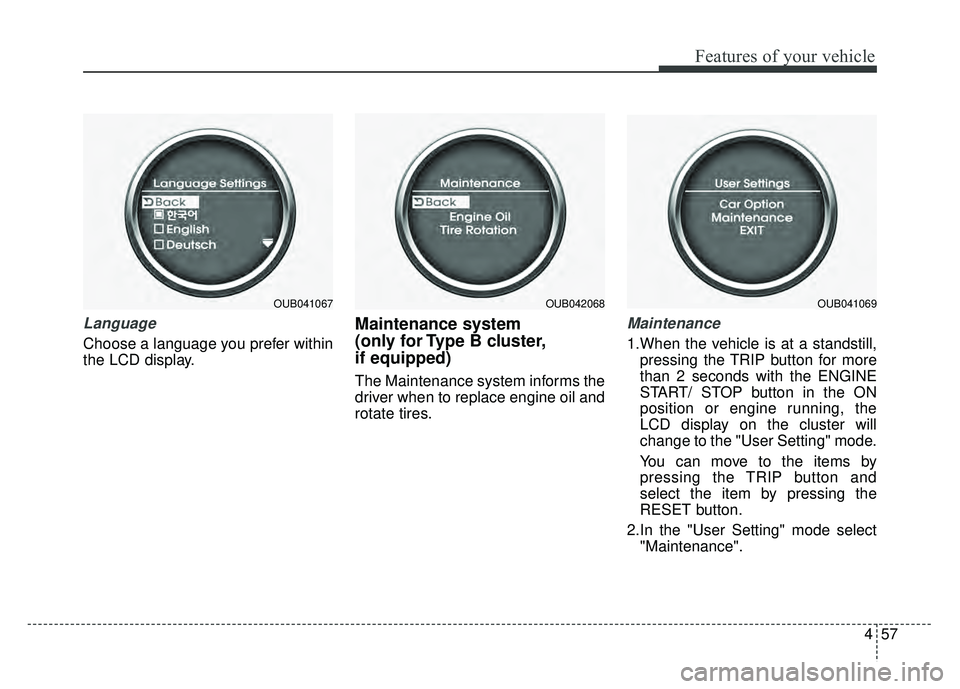
Language
Choose a language you prefer within
the LCD display.
Maintenance system
(only for Type B cluster,
if equipped)
The Maintenance system informs the
driver when to replace engine oil and
rotate tires.
Maintenance
1.When the vehicle is at a standstill,pressing the TRIP button for more
than 2 seconds with the ENGINE
START/ STOP button in the ON
position or engine running, the
LCD display on the cluster will
change to the "User Setting" mode.
You can move to the items by
pressing the TRIP button and
select the item by pressing the
RESET button.
2.In the "User Setting" mode select "Maintenance".
OUB041067OUB042068OUB041069
Page 128 of 532
Features of your vehicle
58
4
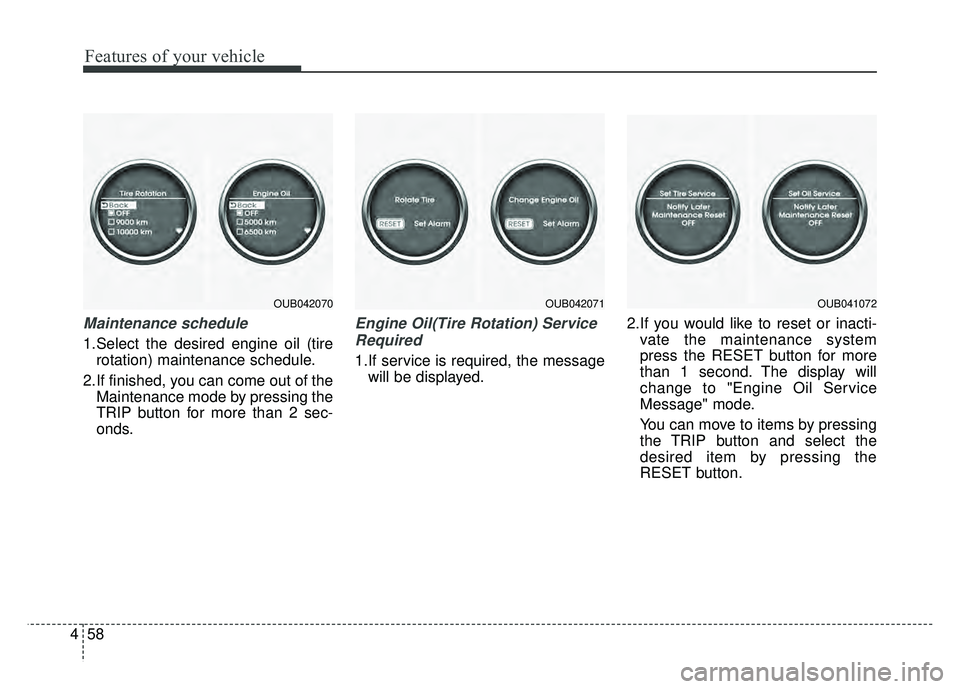
Maintenance schedule
1.Select the desired engine oil (tire
rotation) maintenance schedule.
2.If finished, you can come out of the Maintenance mode by pressing the
TRIP button for more than 2 sec-
onds.
Engine Oil(Tire Rotation) Service
Required
1.If service is required, the message will be displayed. 2.If you would like to reset or inacti-
vate the maintenance system
press the RESET button for more
than 1 second. The display will
change to "Engine Oil Service
Message" mode.
You can move to items by pressing
the TRIP button and select the
desired item by pressing the
RESET button.
OUB042070OUB042071OUB041072
Page 136 of 532
Features of your vehicle
66
4
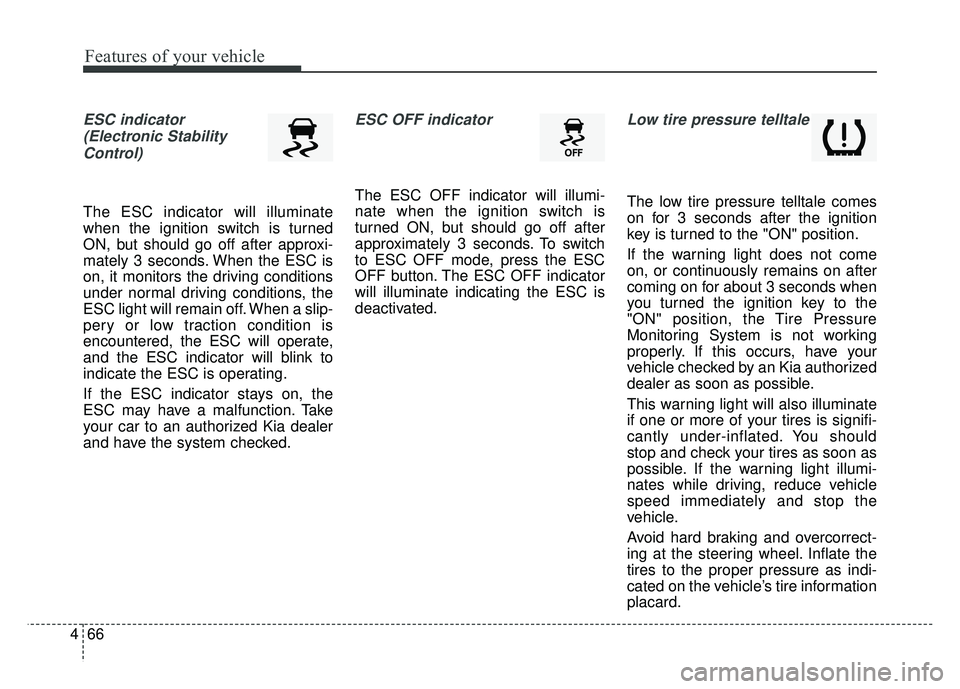
ESC indicator
(Electronic StabilityControl)
The ESC indicator will illuminate
when the ignition switch is turned
ON, but should go off after approxi-
mately 3 seconds. When the ESC is
on, it monitors the driving conditions
under normal driving conditions, the
ESC light will remain off. When a slip-
pery or low traction condition is
encountered, the ESC will operate,
and the ESC indicator will blink to
indicate the ESC is operating.
If the ESC indicator stays on, the
ESC may have a malfunction. Take
your car to an authorized Kia dealer
and have the system checked.
ESC OFF indicator
The ESC OFF indicator will illumi-
nate when the ignition switch is
turned ON, but should go off after
approximately 3 seconds. To switch
to ESC OFF mode, press the ESC
OFF button. The ESC OFF indicator
will illuminate indicating the ESC is
deactivated.
Low tire pressure telltale
The low tire pressure telltale comes
on for 3 seconds after the ignition
key is turned to the "ON" position.
If the warning light does not come
on, or continuously remains on after
coming on for about 3 seconds when
you turned the ignition key to the
"ON" position, the Tire Pressure
Monitoring System is not working
properly. If this occurs, have your
vehicle checked by an Kia authorized
dealer as soon as possible.
This warning light will also illuminate
if one or more of your tires is signifi-
cantly under-inflated. You should
stop and check your tires as soon as
possible. If the warning light illumi-
nates while driving, reduce vehicle
speed immediately and stop the
vehicle.
Avoid hard braking and overcorrect-
ing at the steering wheel. Inflate the
tires to the proper pressure as indi-
cated on the vehicle’s tire information
placard.
Page 138 of 532
Features of your vehicle
68
4
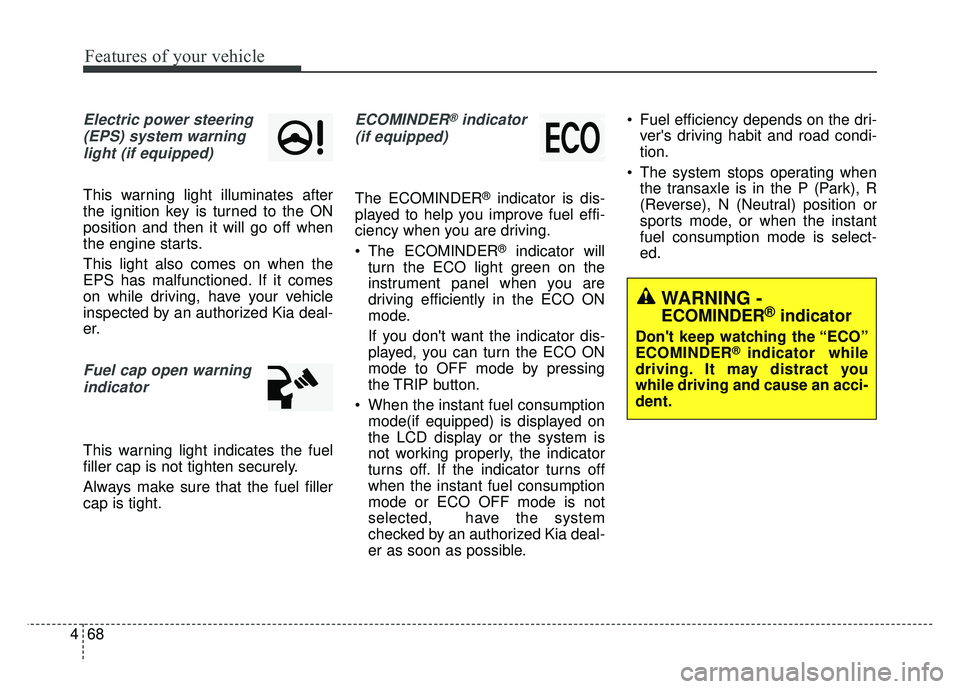
Electric power steering
(EPS) system warninglight (if equipped)
This warning light illuminates after
the ignition key is turned to the ON
position and then it will go off when
the engine starts.
This light also comes on when the
EPS has malfunctioned. If it comes
on while driving, have your vehicle
inspected by an authorized Kia deal-
er.
Fuel cap open warningindicator
This warning light indicates the fuel
filler cap is not tighten securely.
Always make sure that the fuel filler
cap is tight.
ECOMINDER®indicator
(if equipped)
The ECOMINDER®indicator is dis-
played to help you improve fuel effi-
ciency when you are driving.
The ECOMINDER
®indicator will
turn the ECO light green on the
instrument panel when you are
driving efficiently in the ECO ON
mode.
If you don't want the indicator dis-
played, you can turn the ECO ON
mode to OFF mode by pressing
the TRIP button.
When the instant fuel consumption mode(if equipped) is displayed on
the LCD display or the system is
not working properly, the indicator
turns off. If the indicator turns off
when the instant fuel consumption
mode or ECO OFF mode is not
selected, have the system
checked by an authorized Kia deal-
er as soon as possible. Fuel efficiency depends on the dri-
ver's driving habit and road condi-
tion.
The system stops operating when the transaxle is in the P (Park), R
(Reverse), N (Neutral) position or
sports mode, or when the instant
fuel consumption mode is select-
ed.
WARNING -
ECOMINDER®indicator
Don't keep watching the “ECO”
ECOMINDER®indicator while
driving. It may distract you
while driving and cause an acci-
dent.
Page 139 of 532
469
Features of your vehicle
Auto stop indicator(if equipped)
This indicator will illuminate when the
engine enters the Idle Stop mode of
the ISG (Idle Stop and Go) system.
When the automatic starting occurs,
the auto stop indicator on the cluster
will blink for 5 seconds.
For more details, refer to the ISG
(Idle Stop and Go) system in chapter
5.
✽ ✽
NOTICE
When the engine automatically
starts by the ISG system, some
warning lights (ABS, ESC, ESC
OFF, ESC or Parking brake warn-
ing light) may turn on for a few sec-
onds.
This happens because of the low bat-
tery voltage. It does not mean the
system is malfunctioning.
Page 166 of 532
Features of your vehicle
96
4
When using the air conditioning
system, you may notice clear water
dripping (or even puddling) on the
ground under the passenger side
of the vehicle. This is a normal sys-
tem operation characteristic.
Operating the air conditioning sys- tem in the recirculated air position
provides maximum cooling, how-
ever, continual operation in this
mode may cause the air inside the
vehicle to become stale.
During cooling operation, you may occasionally notice a misty air flow
because of rapid cooling and
humid air intake. This is a normal
system operation characteristic.
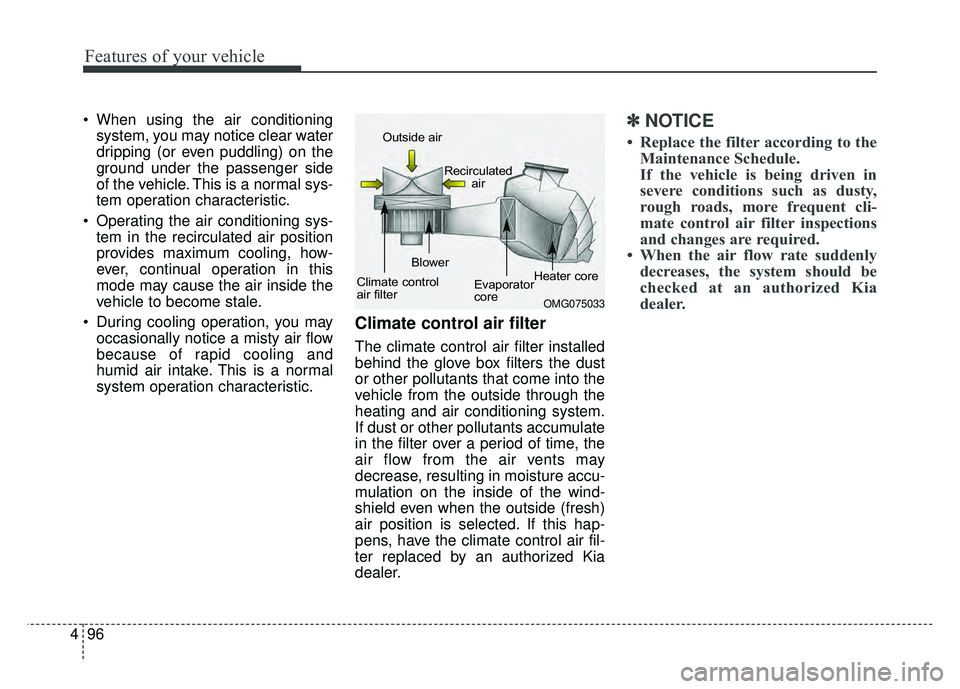
Climate control air filter
The climate control air filter installed
behind the glove box filters the dust
or other pollutants that come into the
vehicle from the outside through the
heating and air conditioning system.
If dust or other pollutants accumulate
in the filter over a period of time, the
air flow from the air vents may
decrease, resulting in moisture accu-
mulation on the inside of the wind-
shield even when the outside (fresh)
air position is selected. If this hap-
pens, have the climate control air fil-
ter replaced by an authorized Kia
dealer.
✽ ✽ NOTICE
• Replace the filter according to the
Maintenance Schedule.
If the vehicle is being driven in
severe conditions such as dusty,
rough roads, more frequent cli-
mate control air filter inspections
and changes are required.
• When the air flow rate suddenly decreases, the system should be
checked at an authorized Kia
dealer.
OMG075033
Outside air
Recirculatedair
Climate control
air filter Blower
Evaporator
coreHeater core
Page 173 of 532
4103
Features of your vehicle
Temperature conversion
You can switch the temperature
mode between Centigrade and
Fahrenheit as follows:
While pressing the OFF button,
press the
AUTO button for 4 seconds or more.
The display will change from
Centigrade to Fahrenheit, or from
Fahrenheit to Centigrade.
If the battery has been discharged or
disconnected, the temperature mode
display will reset to Centigrade.
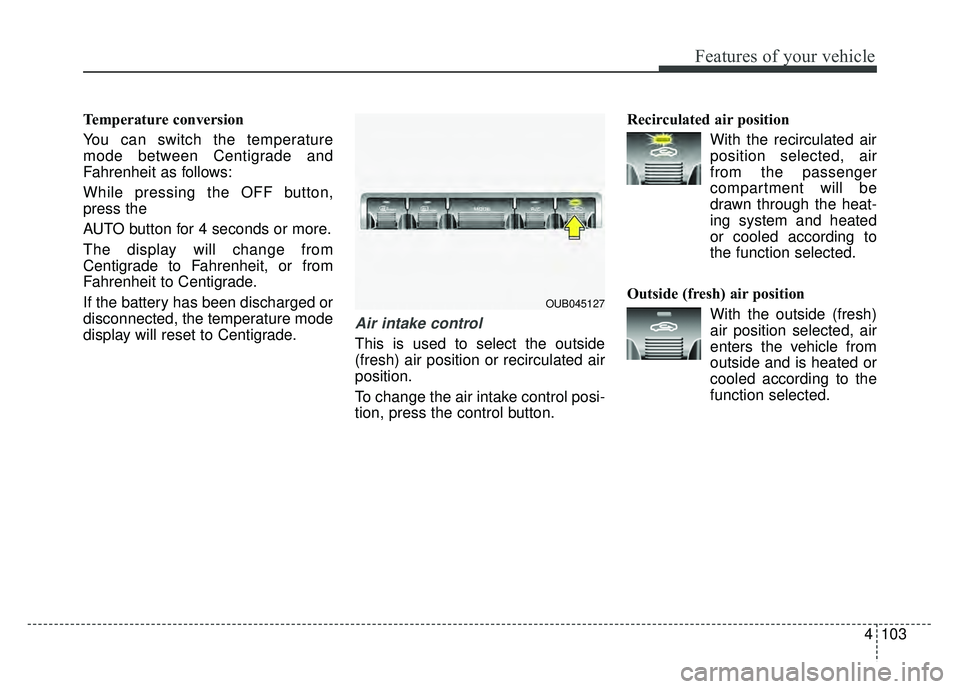
Air intake control
This is used to select the outside
(fresh) air position or recirculated air
position.
To change the air intake control posi-
tion, press the control button.Recirculated air position
With the recirculated airposition selected, air
from the passenger
compartment will be
drawn through the heat-
ing system and heated
or cooled according to
the function selected.
Outside (fresh) air position With the outside (fresh)air position selected, air
enters the vehicle from
outside and is heated or
cooled according to the
function selected.
OUB045127
Page 177 of 532
4107
Features of your vehicle
Air conditioning system operation tips
If the vehicle has been parked indirect sunlight during hot weather,
open the windows for a short time
to let the hot air inside the vehicle
escape.
To help reduce moisture inside of the windows on rainy or humid
days, decrease the humidity inside
the vehicle by operating the air
conditioning system.
During air conditioning system operation, you may occasionally
notice a slight change in engine
speed as the air conditioning com-
pressor cycles. This is a normal
system operation characteristic.
Use the air conditioning system every month only for a few minutes
to ensure maximum system per-
formance.
When using the air conditioning system, you may notice clear water
dripping (or even puddling) on the
ground under the passenger side
of the vehicle. This is a normal sys-
tem operation characteristic. Operating the air conditioning sys-
tem in the recirculated air position
provides maximum cooling, how-
ever, continual operation in this
mode may cause the air inside the
vehicle to become stale.
During cooling operation, you may occasionally notice a misty air flow
because of rapid cooling and
humid air intake. This is a normal
system operation characteristic.
If you operate air conditioner excessively, the difference
between the temperature of the
outside air and that of the wind-
shield could cause the outer sur-
face of the windshield to fog up,
causing loss of visibility. In this
case, set the mode selection knob
or button to the position and
fan speed control to the lower
speed.
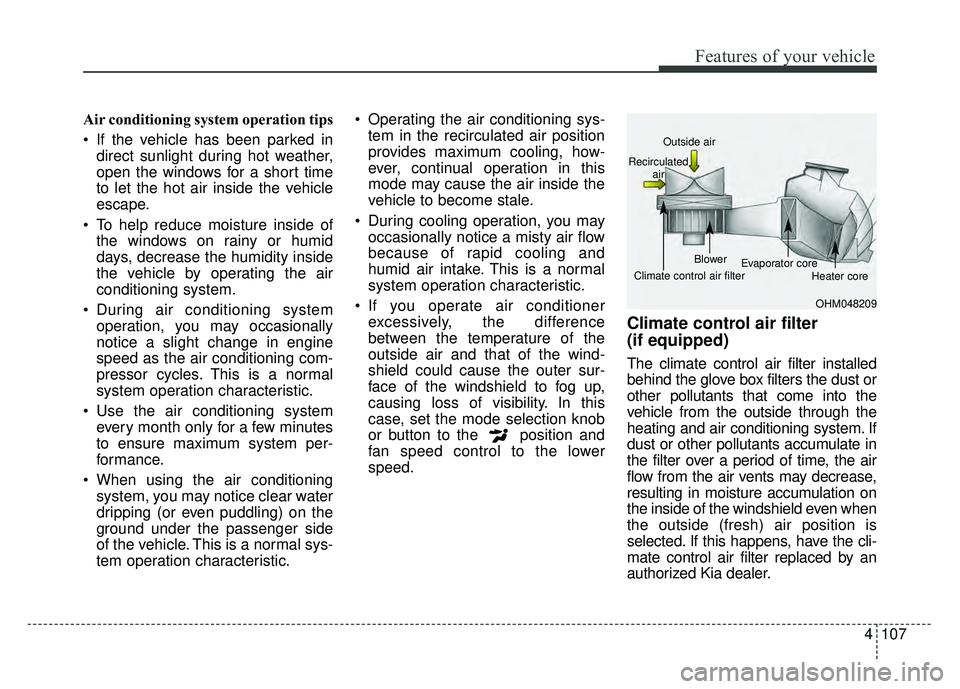
Climate control air filter
(if equipped)
The climate control air filter installed
behind the glove box filters the dust or
other pollutants that come into the
vehicle from the outside through the
heating and air conditioning system. If
dust or other pollutants accumulate in
the filter over a period of time, the air
flow from the air vents may decrease,
resulting in moisture accumulation on
the inside of the windshield even when
the outside (fresh) air position is
selected. If this happens, have the cli-
mate control air filter replaced by an
authorized Kia dealer.
OHM048209
Outside air
Recirculated air
Climate control air filter Blower
Evaporator core
Heater core
Page 181 of 532
4111
Features of your vehicle
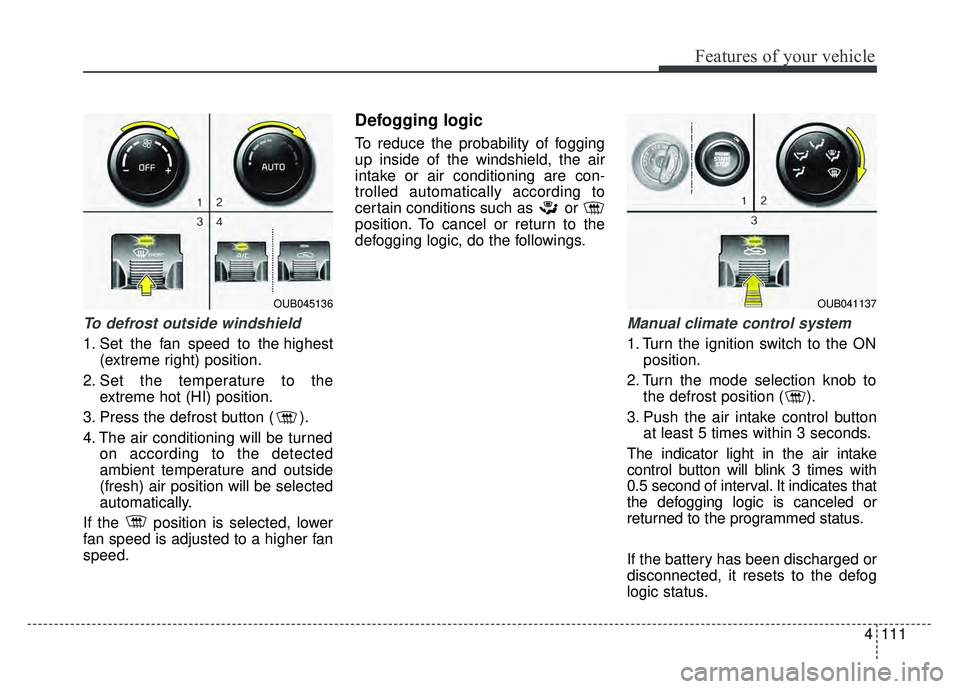
To defrost outside windshield
1. Set the fan speed to the highest(extreme right) position.
2. Set the temperature to the extreme hot (HI) position.
3. Press the defrost button ( ).
4. The air conditioning will be turned on according to the detected
ambient temperature and outside
(fresh) air position will be selected
automatically.
If the position is selected, lower
fan speed is adjusted to a higher fan
speed.
Defogging logic
To reduce the probability of fogging
up inside of the windshield, the air
intake or air conditioning are con-
trolled automatically according to
certain conditions such as or
position. To cancel or return to the
defogging logic, do the followings.
Manual climate control system
1. Turn the ignition switch to the ON position.
2. Turn the mode selection knob to the defrost position ( ).
3. Push the air intake control button at least 5 times within 3 seconds.
The indicator light in the air intake
control button will blink 3 times with
0.5 second of interval. It indicates that
the defogging logic is canceled or
returned to the programmed status.
If the battery has been discharged or
disconnected, it resets to the defog
logic status.
OUB041137OUB045136
Page 182 of 532
Features of your vehicle
112
4
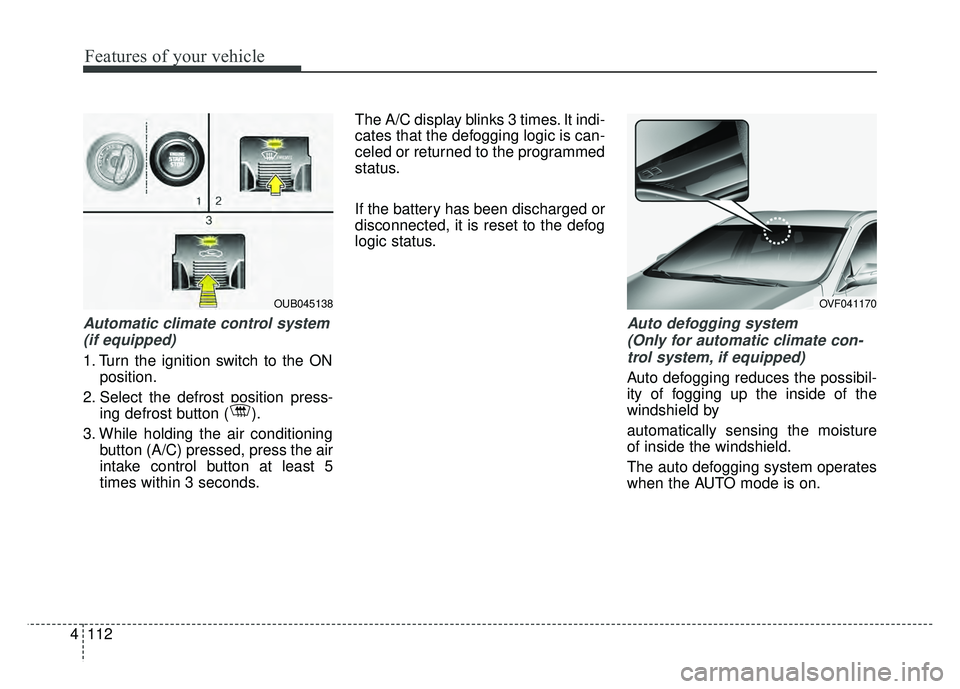
Automatic climate control system
(if equipped)
1. Turn the ignition switch to the ON position.
2. Select the defrost position press- ing defrost button ( ).
3. While holding the air conditioning button (A/C) pressed, press the air
intake control button at least 5
times within 3 seconds. The A/C display blinks 3 times. It indi-
cates that the defogging logic is can-
celed or returned to the programmed
status.
If the battery has been discharged or
disconnected, it is reset to the defog
logic status.
Auto defogging system
(Only for automatic climate con-trol system, if equipped)
Auto defogging reduces the possibil-
ity of fogging up the inside of the
windshield by
automatically sensing the moisture
of inside the windshield.
The auto defogging system operates
when the AUTO mode is on.
OUB045138OVF041170