ECO mode KIA Rondo 2008 2.G User Guide
[x] Cancel search | Manufacturer: KIA, Model Year: 2008, Model line: Rondo, Model: KIA Rondo 2008 2.GPages: 341, PDF Size: 6.23 MB
Page 173 of 341
Features of your vehicle94 4MODE (1)Press the button to select Radio, Tape (if
equipped) or CD (compact disc).VOLUME (VOL
▲/▼) (3)
• Press the up button (▲) to increase
volume.
Press the down button (▼) to decrease
volume.SEEK/PRESET (
▲/▼) (2)
If the SEEK/PRESET button is pressed
for 0.8 second or more, it will work as fol-
lows in each mode.
RADIO mode
It will function as the AUTO SEEK select
button.
TAPE mode
It will function as the FF/REW button.
CDP mode
It will function as the FF/REW button.
CDC mode
It will function as the DISC UP/DOWN
button.If the SEEK/PRESET button is pressed
for less than 0.8 second, it will work as
follows in each mode.
RADIO mode
It will function as the PRESET STATION
select buttons.
TAPE mode
It will function as the AUTO MUSIC
Search(AMS) button.
CDP mode
It will function as the TRACK UP/DOWN
button.
CDC mode
It will function as the TRACK UP/DOWN
button.
Detailed information for audio control
buttons is described in the following
pages in this section.
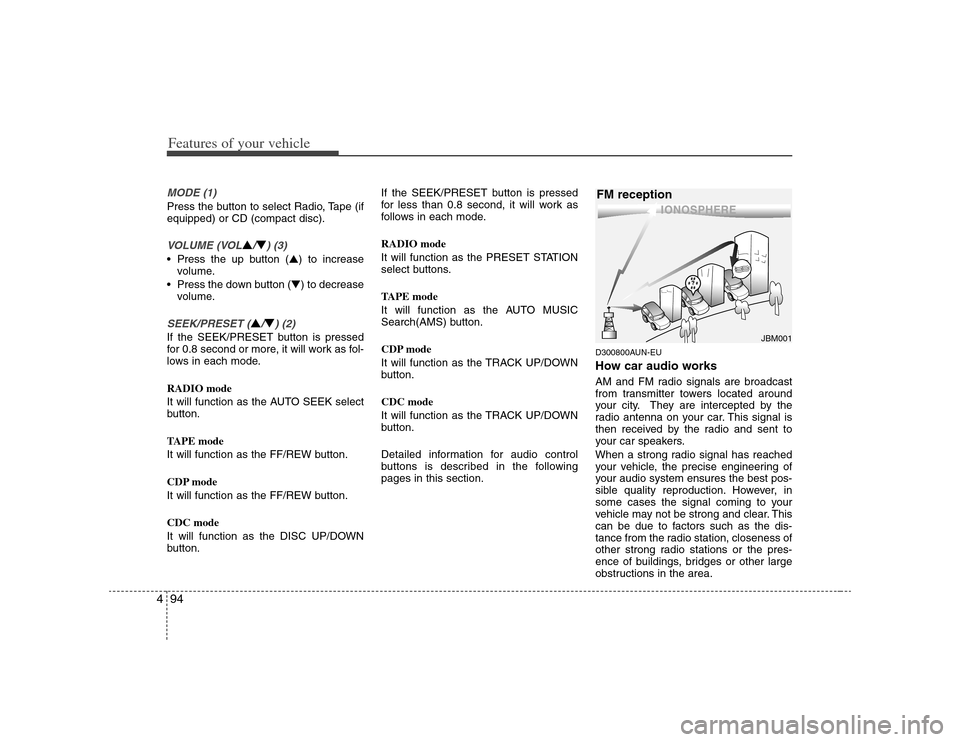
D300800AUN-EUHow car audio worksAM and FM radio signals are broadcast
from transmitter towers located around
your city. They are intercepted by the
radio antenna on your car. This signal is
then received by the radio and sent to
your car speakers.
When a strong radio signal has reached
your vehicle, the precise engineering of
your audio system ensures the best pos-
sible quality reproduction. However, in
some cases the signal coming to your
vehicle may not be strong and clear. This
can be due to factors such as the dis-
tance from the radio station, closeness of
other strong radio stations or the pres-
ence of buildings, bridges or other large
obstructions in the area.
¢¢¢
JBM001
FM reception
Page 179 of 341
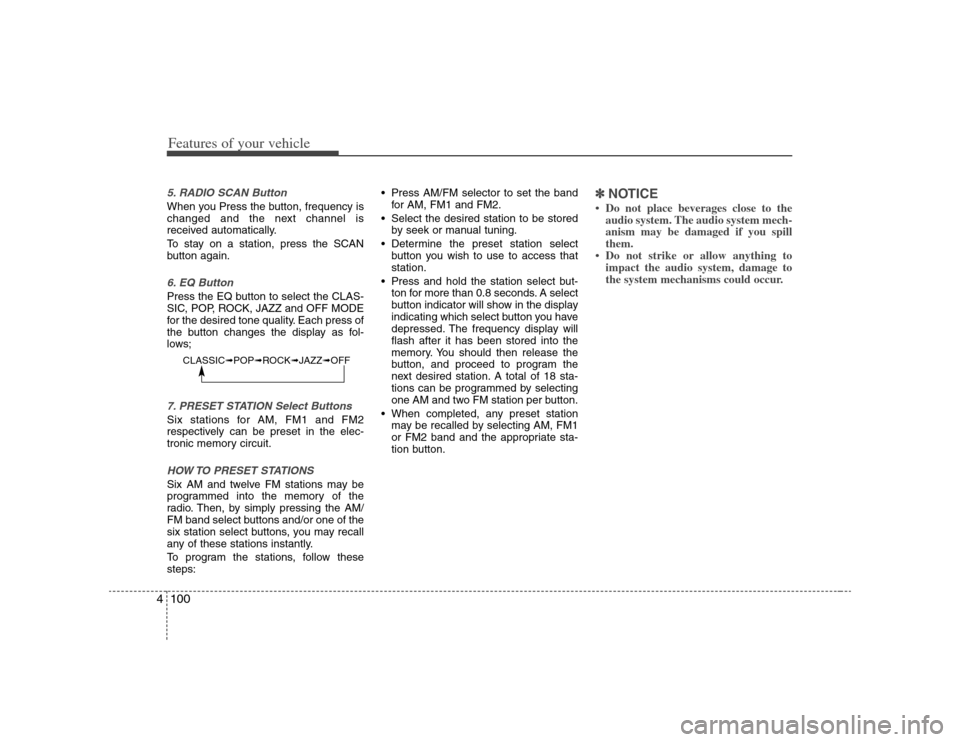
Features of your vehicle100 45. RADIO SCAN ButtonWhen you Press the button, frequency is
changed and the next channel is
received automatically.
To stay on a station, press the SCAN
button again.6. EQ ButtonPress the EQ button to select the CLAS-
SIC, POP, ROCK, JAZZ and OFF MODE
for the desired tone quality. Each press of
the button changes the display as fol-
lows;7. PRESET STATION Select ButtonsSix stations for AM, FM1 and FM2
respectively can be preset in the elec-
tronic memory circuit.HOW TO PRESET STATIONSSix AM and twelve FM stations may be
programmed into the memory of the
radio. Then, by simply pressing the AM/
FM band select buttons and/or one of the
six station select buttons, you may recall
any of these stations instantly.
To program the stations, follow these
steps: Press AM/FM selector to set the band
for AM, FM1 and FM2.
Select the desired station to be stored
by seek or manual tuning.
Determine the preset station select
button you wish to use to access that
station.
Press and hold the station select but-
ton for more than 0.8 seconds. A select
button indicator will show in the display
indicating which select button you have
depressed. The frequency display will
flash after it has been stored into the
memory. You should then release the
button, and proceed to program the
next desired station. A total of 18 sta-
tions can be programmed by selecting
one AM and two FM station per button.
When completed, any preset station
may be recalled by selecting AM, FM1
or FM2 band and the appropriate sta-
tion button.
✽ ✽
NOTICE• Do not place beverages close to the
audio system. The audio system mech-
anism may be damaged if you spill
them.
• Do not strike or allow anything to
impact the audio system, damage to
the system mechanisms could occur.
CLASSIC➟POP➟ROCK➟JAZZ➟OFF
Page 181 of 341
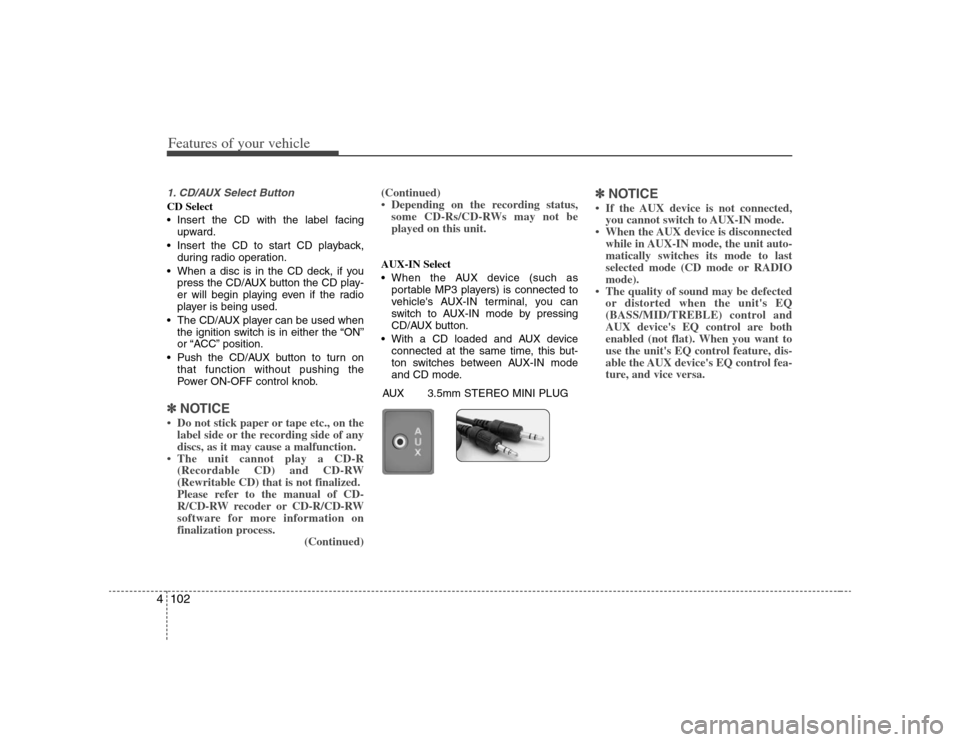
Features of your vehicle102 41. CD/AUX Select ButtonCD Select
Insert the CD with the label facing
upward.
Insert the CD to start CD playback,
during radio operation.
When a disc is in the CD deck, if you
press the CD/AUX button the CD play-
er will begin playing even if the radio
player is being used.
The CD/AUX player can be used when
the ignition switch is in either the “ON”
or “ACC” position.
Push the CD/AUX button to turn on
that function without pushing the
Power ON-OFF control knob.✽ ✽
NOTICE• Do not stick paper or tape etc., on the
label side or the recording side of any
discs, as it may cause a malfunction.
• The unit cannot play a CD-R
(Recordable CD) and CD-RW
(Rewritable CD) that is not finalized.
Please refer to the manual of CD-
R/CD-RW recoder or CD-R/CD-RW
software for more information on
finalization process.
(Continued)(Continued)
• Depending on the recording status,
some CD-Rs/CD-RWs may not be
played on this unit.
AUX-IN Select
When the AUX device (such as
portable MP3 players) is connected to
vehicle's AUX-IN terminal, you can
switch to AUX-IN mode by pressing
CD/AUX button.
With a CD loaded and AUX device
connected at the same time, this but-
ton switches between AUX-IN mode
and CD mode.
✽ ✽
NOTICE• If the AUX device is not connected,
you cannot switch to AUX-IN mode.
• When the AUX device is disconnected
while in AUX-IN mode, the unit auto-
matically switches its mode to last
selected mode (CD mode or RADIO
mode).
• The quality of sound may be defected
or distorted when the unit's EQ
(BASS/MID/TREBLE) control and
AUX device's EQ control are both
enabled (not flat). When you want to
use the unit's EQ control feature, dis-
able the AUX device's EQ control fea-
ture, and vice versa.
AUX 3.5mm STEREO MINI PLUG
Page 185 of 341
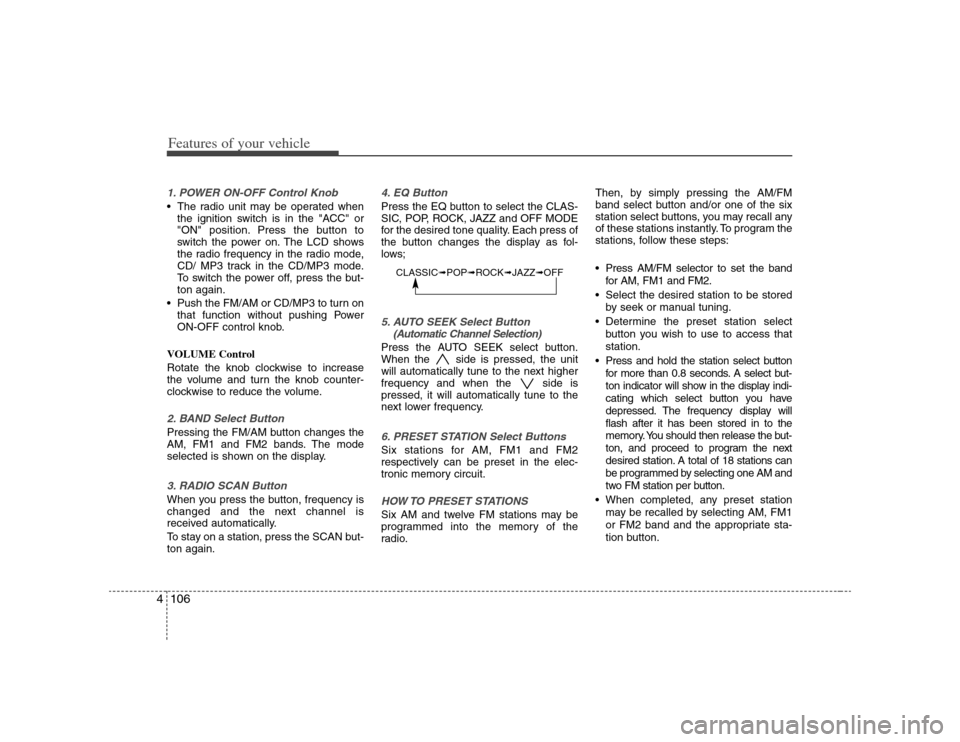
Features of your vehicle106 41. POWER ON-OFF Control Knob The radio unit may be operated when
the ignition switch is in the "ACC" or
"ON" position. Press the button to
switch the power on. The LCD shows
the radio frequency in the radio mode,
CD/ MP3 track in the CD/MP3 mode.
To switch the power off, press the but-
ton again.
Push the FM/AM or CD/MP3 to turn on
that function without pushing Power
ON-OFF control knob.
VOLUME Control
Rotate the knob clockwise to increase
the volume and turn the knob counter-
clockwise to reduce the volume.2. BAND Select ButtonPressing the FM/AM button changes the
AM, FM1 and FM2 bands. The mode
selected is shown on the display.3. RADIO SCAN ButtonWhen you press the button, frequency is
changed and the next channel is
received automatically.
To stay on a station, press the SCAN but-
ton again.
4. EQ ButtonPress the EQ button to select the CLAS-
SIC, POP, ROCK, JAZZ and OFF MODE
for the desired tone quality. Each press of
the button changes the display as fol-
lows;5. AUTO SEEK Select Button
(Automatic Channel Selection)Press the AUTO SEEK select button.
When the side is pressed, the unit
will automatically tune to the next higher
frequency and when the side is
pressed, it will automatically tune to the
next lower frequency.6. PRESET STATION Select ButtonsSix stations for AM, FM1 and FM2
respectively can be preset in the elec-
tronic memory circuit.HOW TO PRESET STATIONSSix AM and twelve FM stations may be
programmed into the memory of the
radio.Then, by simply pressing the AM/FM
band select button and/or one of the six
station select buttons, you may recall any
of these stations instantly. To program the
stations, follow these steps:
Press AM/FM selector to set the band
for AM, FM1 and FM2.
Select the desired station to be stored
by seek or manual tuning.
Determine the preset station select
button you wish to use to access that
station.
Press and hold the station select button
for more than 0.8 seconds. A select but-
ton indicator will show in the display indi-
cating which select button you have
depressed. The frequency display will
flash after it has been stored in to the
memory. You should then release the but-
ton, and proceed to program the next
desired station. A total of 18 stations can
be programmed by selecting one AM and
two FM station per button.
When completed, any preset station
may be recalled by selecting AM, FM1
or FM2 band and the appropriate sta-
tion button.
CLASSIC➟POP➟ROCK➟JAZZ➟OFF
Page 188 of 341
4109
Features of your vehicle
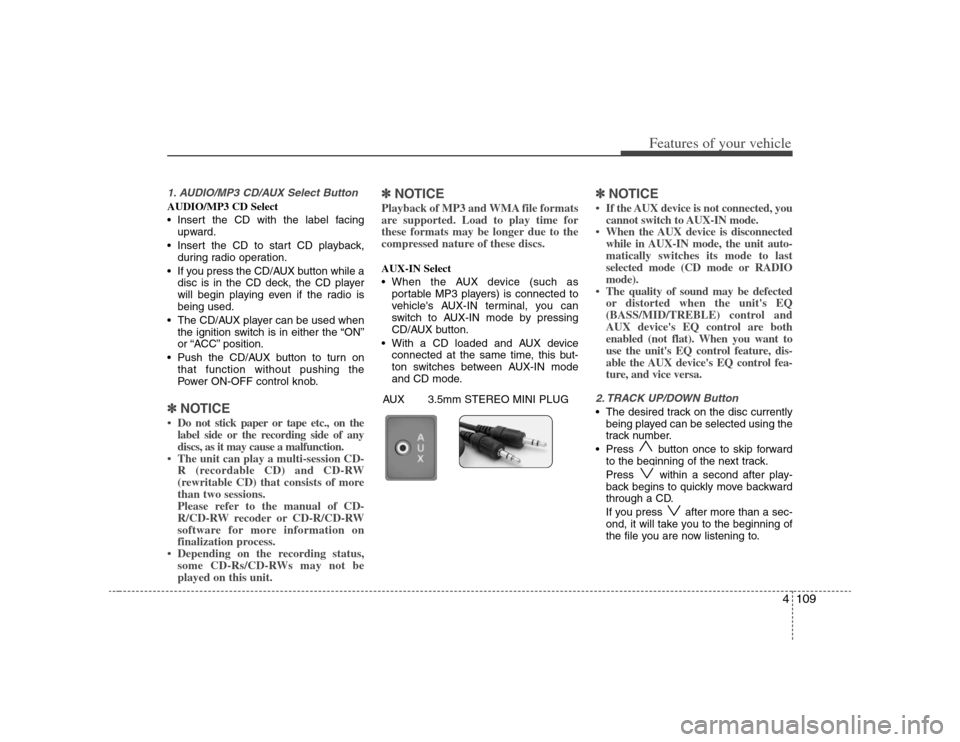
1. AUDIO/MP3 CD/AUX Select ButtonAUDIO/MP3 CD Select
Insert the CD with the label facing
upward.
Insert the CD to start CD playback,
during radio operation.
If you press the CD/AUX button while a
disc is in the CD deck, the CD player
will begin playing even if the radio is
being used.
The CD/AUX player can be used when
the ignition switch is in either the “ON”
or “ACC” position.
Push the CD/AUX button to turn on
that function without pushing the
Power ON-OFF control knob.✽ ✽
NOTICE• Do not stick paper or tape etc., on the
label side or the recording side of any
discs, as it may cause a malfunction.
• The unit can play a multi-session CD-
R (recordable CD) and CD-RW
(rewritable CD) that consists of more
than two sessions.
Please refer to the manual of CD-
R/CD-RW recoder or CD-R/CD-RW
software for more information on
finalization process.
• Depending on the recording status,
some CD-Rs/CD-RWs may not be
played on this unit.
✽ ✽
NOTICEPlayback of MP3 and WMA file formats
are supported. Load to play time for
these formats may be longer due to the
compressed nature of these discs.AUX-IN Select
When the AUX device (such as
portable MP3 players) is connected to
vehicle's AUX-IN terminal, you can
switch to AUX-IN mode by pressing
CD/AUX button.
With a CD loaded and AUX device
connected at the same time, this but-
ton switches between AUX-IN mode
and CD mode.
✽ ✽
NOTICE• If the AUX device is not connected, you
cannot switch to AUX-IN mode.
• When the AUX device is disconnected
while in AUX-IN mode, the unit auto-
matically switches its mode to last
selected mode (CD mode or RADIO
mode).
• The quality of sound may be defected
or distorted when the unit's EQ
(BASS/MID/TREBLE) control and
AUX device's EQ control are both
enabled (not flat). When you want to
use the unit's EQ control feature, dis-
able the AUX device's EQ control fea-
ture, and vice versa.2. TRACK UP/DOWN Button The desired track on the disc currently
being played can be selected using the
track number.
Press button once to skip forward
to the beginning of the next track.
Press within a second after play-
back begins to quickly move backward
through a CD.
If you press after more than a sec-
ond, it will take you to the beginning of
the file you are now listening to.
AUX 3.5mm STEREO MINI PLUG
Page 189 of 341
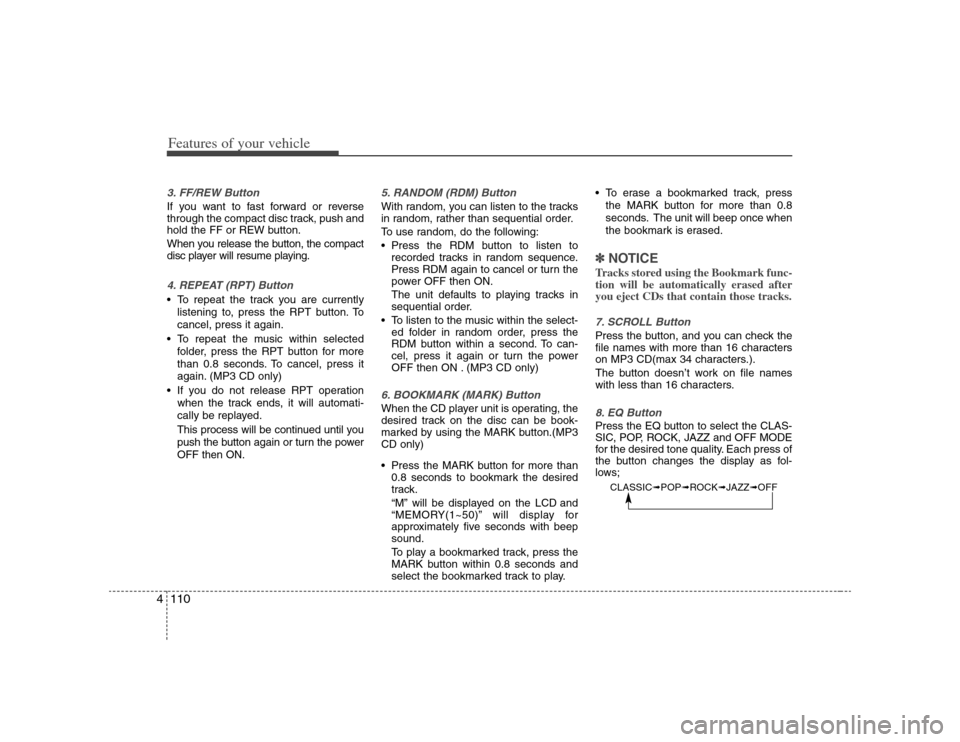
Features of your vehicle110 43. FF/REW Button If you want to fast forward or reverse
through the compact disc track, push and
hold the FF or REW button.
When you release the button, the compact
disc player will resume playing.4. REPEAT (RPT) Button To repeat the track you are currently
listening to, press the RPT button. To
cancel, press it again.
To repeat the music within selected
folder, press the RPT button for more
than 0.8 seconds. To cancel, press it
again. (MP3 CD only)
If you do not release RPT operation
when the track ends, it will automati-
cally be replayed.
This process will be continued until you
push the button again or turn the power
OFF then ON.
5. RANDOM (RDM) ButtonWith random, you can listen to the tracks
in random, rather than sequential order.
To use random, do the following:
Press the RDM button to listen to
recorded tracks in random sequence.
Press RDM again to cancel or turn the
power OFF then ON.
The unit defaults to playing tracks in
sequential order.
To listen to the music within the select-
ed folder in random order, press the
RDM button within a second. To can-
cel, press it again or turn the power
OFF then ON . (MP3 CD only)6. BOOKMARK (MARK) ButtonWhen the CD player unit is operating, the
desired track on the disc can be book-
marked by using the MARK button.(MP3
CD only)
Press the MARK button for more than
0.8 seconds to bookmark the desired
track.
“M” will be displayed on the LCD and
“MEMORY(1~50)” will display for
approximately five seconds with beep
sound.
To play a bookmarked track, press the
MARK button within 0.8 seconds and
select the bookmarked track to play. To erase a bookmarked track, press
the MARK button for more than 0.8
seconds. The unit will beep once when
the bookmark is erased.
✽ ✽
NOTICETracks stored using the Bookmark func-
tion will be automatically erased after
you eject CDs that contain those tracks. 7. SCROLL ButtonPress the button, and you can check the
file names with more than 16 characters
on MP3 CD(max 34 characters.).
The button doesn’t work on file names
with less than 16 characters.8. EQ ButtonPress the EQ button to select the CLAS-
SIC, POP, ROCK, JAZZ and OFF MODE
for the desired tone quality. Each press of
the button changes the display as fol-
lows;
CLASSIC➟POP➟ROCK➟JAZZ➟OFF
Page 193 of 341
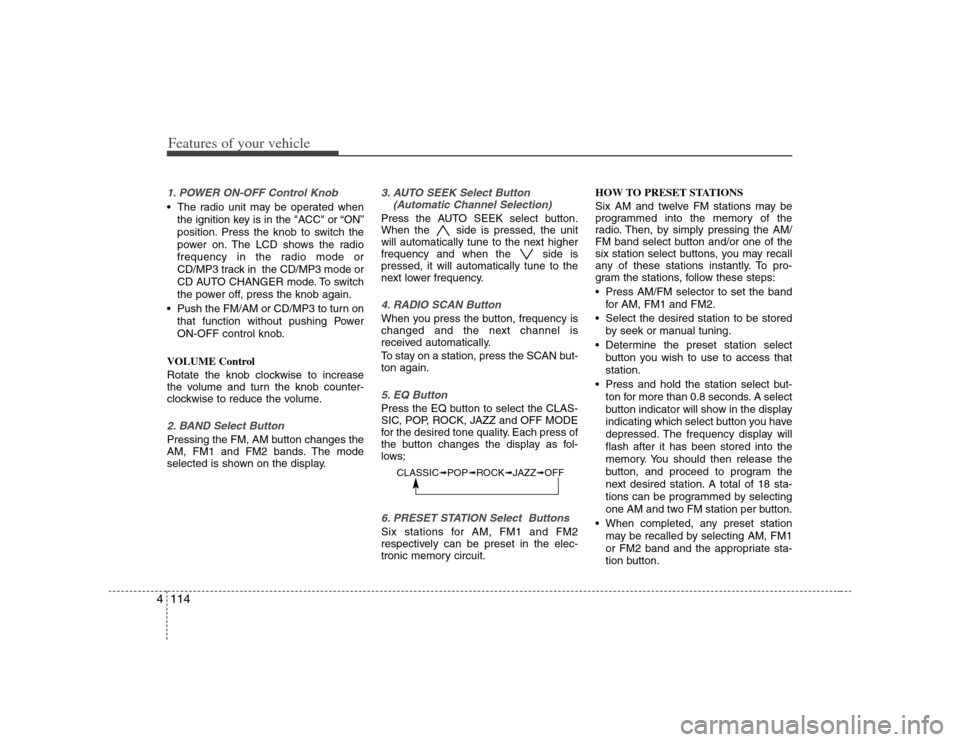
Features of your vehicle114 41. POWER ON-OFF Control Knob The radio unit may be operated when
the ignition key is in the "ACC" or “ON”
position. Press the knob to switch the
power on. The LCD shows the radio
frequency in the radio mode or
CD/MP3 track in the CD/MP3 mode or
CD AUTO CHANGER mode. To switch
the power off, press the knob again.
Push the FM/AM or CD/MP3 to turn on
that function without pushing Power
ON-OFF control knob.
VOLUME Control
Rotate the knob clockwise to increase
the volume and turn the knob counter-
clockwise to reduce the volume.2. BAND Select ButtonPressing the FM, AM button changes the
AM, FM1 and FM2 bands. The mode
selected is shown on the display.
3. AUTO SEEK Select Button
(Automatic Channel Selection)Press the AUTO SEEK select button.
When the side is pressed, the unit
will automatically tune to the next higher
frequency and when the side is
pressed, it will automatically tune to the
next lower frequency.4. RADIO SCAN ButtonWhen you press the button, frequency is
changed and the next channel is
received automatically.
To stay on a station, press the SCAN but-
ton again.5. EQ ButtonPress the EQ button to select the CLAS-
SIC, POP, ROCK, JAZZ and OFF MODE
for the desired tone quality. Each press of
the button changes the display as fol-
lows;6. PRESET STATION Select ButtonsSix stations for AM, FM1 and FM2
respectively can be preset in the elec-
tronic memory circuit.HOW TO PRESET STATIONS
Six AM and twelve FM stations may be
programmed into the memory of the
radio. Then, by simply pressing the AM/
FM band select button and/or one of the
six station select buttons, you may recall
any of these stations instantly. To pro-
gram the stations, follow these steps:
Press AM/FM selector to set the band
for AM, FM1 and FM2.
Select the desired station to be stored
by seek or manual tuning.
Determine the preset station select
button you wish to use to access that
station.
Press and hold the station select but-
ton for more than 0.8 seconds. A select
button indicator will show in the display
indicating which select button you have
depressed. The frequency display will
flash after it has been stored into the
memory. You should then release the
button, and proceed to program the
next desired station. A total of 18 sta-
tions can be programmed by selecting
one AM and two FM station per button.
When completed, any preset station
may be recalled by selecting AM, FM1
or FM2 band and the appropriate sta-
tion button.
CLASSIC➟POP➟ROCK➟JAZZ➟OFF
Page 197 of 341
Features of your vehicle118 4✽
✽
NOTICEPlayback of MP3 and WMA file formats
are supported. Load to play time for
these formats may be longer due to the
compressed nature of these discs.✽ ✽
NOTICE• Do not stick paper or tape etc., on the
label side or the recording side of any
discs, as it may cause a malfunction.
• The unit can play a multi-session CD-
R (recordable CD) and CD-RW
(rewritable CD) that consists of more
than two sessions.
Please refer to the manual of CD-
R/CD-RW recorder or CD-R/CD-RW
software for more information on
finalization process.
• Depending on the recording status,
some CD-Rs/CD-RWs may not play
on this unit.
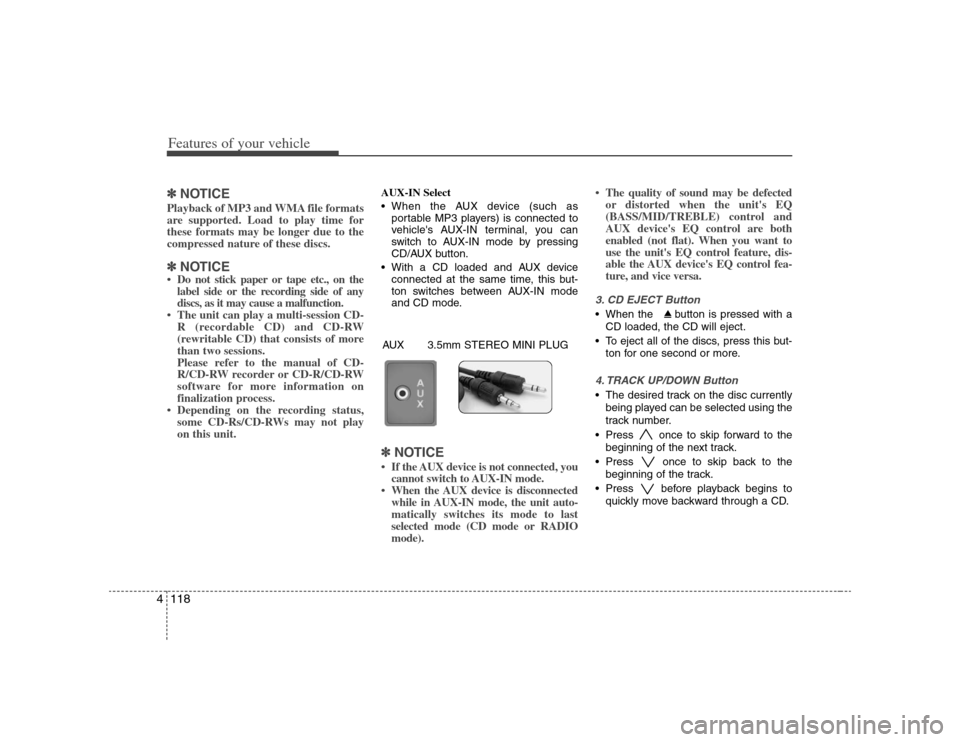
AUX-IN Select
When the AUX device (such as
portable MP3 players) is connected to
vehicle's AUX-IN terminal, you can
switch to AUX-IN mode by pressing
CD/AUX button.
With a CD loaded and AUX device
connected at the same time, this but-
ton switches between AUX-IN mode
and CD mode.✽ ✽
NOTICE• If the AUX device is not connected, you
cannot switch to AUX-IN mode.
• When the AUX device is disconnected
while in AUX-IN mode, the unit auto-
matically switches its mode to last
selected mode (CD mode or RADIO
mode).• The quality of sound may be defected
or distorted when the unit's EQ
(BASS/MID/TREBLE) control and
AUX device's EQ control are both
enabled (not flat). When you want to
use the unit's EQ control feature, dis-
able the AUX device's EQ control fea-
ture, and vice versa.
3. CD EJECT Button When the button is pressed with a
CD loaded, the CD will eject.
To eject all of the discs, press this but-
ton for one second or more.4. TRACK UP/DOWN Button The desired track on the disc currently
being played can be selected using the
track number.
Press once to skip forward to the
beginning of the next track.
Press once to skip back to the
beginning of the track.
Press before playback begins to
quickly move backward through a CD.
AUX 3.5mm STEREO MINI PLUG
Page 198 of 341
4119
Features of your vehicle
5. SCROLL ButtonPress the button, and you can check the file
names with more than 16 characters on
MP3 CD(max 34 characters).
The button doesn’t work on file names
less than 16 characters.6. FF/REW ButtonIf you want to fast forward or reverse
through the compact disc track, push and
hold the FF or REW button.
When you release the button, the compact
disc player will resume playing.7. EQ ButtonPress the EQ button to select the CLAS-
SIC, POP, ROCK, JAZZ and OFF MODE
for the desired tone quality. Each press of
the button changes the display as fol-
lows;
8. CD SCAN Button To playback the first 10 seconds of
each track, press the CD SCAN button
more than 0.8 seconds.
To playback the first 10 seconds of
each track in the selected folder, press
the CD SCAN button within 0.8 sec-
onds. (MP3 CD only)
Press the CD SCAN button again with-
in 10 sec. when you have reached the
desired track.9. BOOKMARK (MARK) ButtonWhen the CD player unit is operating, the
desired track on the disc can be book-
marked by using the MARK button.
Press the MARK button for more than
0.8 seconds to bookmark the desired
track.
“M” will be displayed on the LCD and
“MEMORY(1~50)” will display for
approximately five seconds with beep
sound.
To play the bookmarked tracks, press
the MARK button within 0.8 seconds
and select the bookmarked track to
play. To erase a bookmarked track, press
the MARK button for more than 0.8
seconds. The unit will beep once when
the bookmark is erased.
If you want to delete all tracks stored using
the Bookmark function, press FILE
SEARCH Knob in the Mark Play mode for
more than 0.8 seconds. You will hear a beep
sound and all tracks will be deleted from
Mark Memory with “MARK DELETE ALL”
displayed on the LCD.
✽ ✽
NOTICETracks stored on Mark Memory will be
automatically erased after you eject CDs
that contain those tracks. 10. REPEAT (RPT) Button To repeat the track you are currently
listening to, press the RPT button.
To cancel, press it again.
To repeat the music within selected
CD, press the RPT button for more
than 0.8 seconds.
To cancel, press it again for more than
0.8 seconds.
To repeat the music within the current-
ly played folder, press the RPT button
for more than 0.8 seconds.
To cancel, press it again(MP3 CD only).
CLASSIC➟POP➟ROCK➟JAZZ➟OFF
Page 228 of 341
Driving your vehicle28 5E100000AUN-ECYour vehicle's fuel economy depends
mainly on your style of driving, where you
drive and when you drive.
Each of these factors affects how many
kilometers (miles) you can get from a
liter (gallon) of fuel. To operate your vehi-
cle as economically as possible, use the
following driving suggestions to help
save money in both fuel and repairs:
Drive smoothly. Accelerate at a moder-
ate rate. Don't make "jack-rabbit" starts
or full-throttle shifts and maintain a
steady cruising speed. Don't race
between stoplights. Try to adjust your
speed to that of the other traffic so you
don't have to change speeds unneces-
sarily. Avoid heavy traffic whenever
possible. Always maintain a safe dis-
tance from other vehicles so you can
avoid unnecessary braking. This also
reduces brake wear.
Drive at a moderate speed. The faster
you drive, the more fuel your car uses.
Driving at a moderate speed, especial-
ly on the highway, is one of the most
effective ways to reduce fuel consump-
tion. Don't "ride" the brake. This can
increase fuel consumption and also
increase wear on these components.
In addition, driving with your foot rest-
ing on the brake pedal may cause the
brakes to overheat, which reduces
their effectiveness and may lead to
more serious consequences.
Take care of your tires. Keep them
inflated to the recommended pressure.
Incorrect inflation, either too much or
too little, results in unnecessary tire
wear. Check the tire pressures at least
once a month.
Be sure that the wheels are aligned
correctly. Improper alignment can
result from hitting curbs or driving too
fast over irregular surfaces. Poor align-
ment causes faster tire wear and may
also result in other problems as well as
greater fuel consumption. Keep your car in good condition. For
better fuel economy and reduced
maintenance costs, maintain your car
in accordance with the maintenance
schedule in section 7. If you drive your
car in severe conditions, more frequent
maintenance is required (see section 7
for details).
Keep your car clean. For maximum
service, your vehicle should be kept
clean and free of corrosive materials. It
is especially important that mud, dirt,
ice, etc. not be allowed to accumulate
on the underside of the car. This extra
weight can result in increased fuel con-
sumption and also contribute to corro-
sion.
Travel lightly. Don't carry unnecessary
weight in your car. Weight reduces fuel
economy.
Don't let the engine idle longer than
necessary. If you are waiting (and not
in traffic), turn off your engine and
restart only when you're ready to go.ECONOMICAL OPERATION