light KIA SEDONA 2017 Workshop Manual
[x] Cancel search | Manufacturer: KIA, Model Year: 2017, Model line: SEDONA, Model: KIA SEDONA 2017Pages: 586, PDF Size: 14.12 MB
Page 176 of 586
Features of your vehicle
74
4
Rolling code programming
To train a garage door opener (or other
rolling code equipped devices) with the
rolling code feature, follow these
instructions after completing the
“Programming” portion of this text. (A
second person may make the following
training procedures quicker & easier.)
4. Locate the “learn” or “smart” but-
ton on the device’s motor head
unit. Exact location and color of
the button may vary by product
brand. If there is difficulty locating
the “learn” or “smart” button, refer-
ence the device’s owner’s manual
or contact HomeLink at 1-800-
355-3515 or on the internet at
www.homelink.com.
5. Press and release the “learn” or “smart” button on the device’s
motor head unit. You have 30 sec-
onds to complete step number 6. 6. Return to the vehicle and firmly
press and release the pro-
grammed HomeLink button up to
three times. The rolling code
equipped device should now rec-
ognize the HomeLink signal and
activate when the HomeLink but-
ton is pressed. The remaining two
buttons may now be programmed
if this has not previously been
done. Refer to the “Programming”
portion of this text. Operating HomeLink
To operate, simply press the pro-
grammed HomeLink button.
Activation will now occur for the
trained product (garage door, securi-
ty system, entry door lock, estate
gate, or home or office lighting). For
convenience, the hand-held trans-
mitter of the device may also be used
at any time. The HomeLink Wireless
Controls System (once programmed)
or the original hand-held transmitter
may be used to activate the device
(e.g. garage door, entry door lock,
etc.). In the event that there are still
programming difficulties, contact
HomeLink at 1-800-355-3515 or on
the internet at www.homelink.com.
Page 177 of 586
475
Features of your vehicle
Erasing programmed HomeLink
buttons
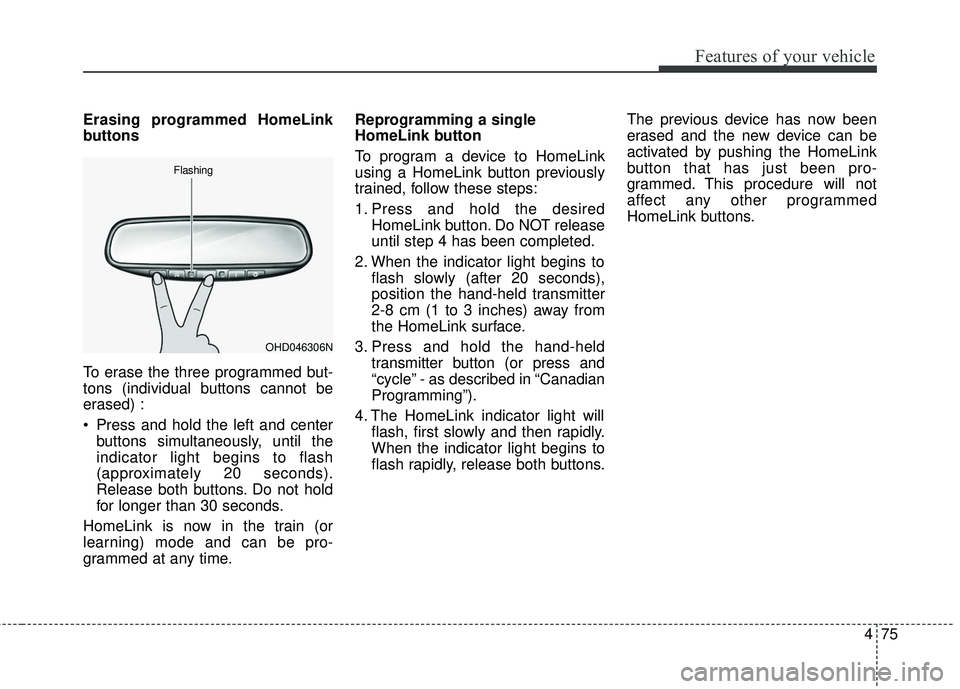
To erase the three programmed but-
tons (individual buttons cannot be
erased) :
Press and hold the left and centerbuttons simultaneously, until the
indicator light begins to flash
(approximately 20 seconds).
Release both buttons. Do not hold
for longer than 30 seconds.
HomeLink is now in the train (or
learning) mode and can be pro-
grammed at any time. Reprogramming a single
HomeLink button
To program a device to HomeLink
using a HomeLink button previously
trained, follow these steps:
1. Press and hold the desired
HomeLink button. Do NOT release
until step 4 has been completed.
2. When the indicator light begins to flash slowly (after 20 seconds),
position the hand-held transmitter
2-8 cm (1 to 3 inches) away from
the HomeLink surface.
3. Press and hold the hand-held transmitter button (or press and
“cycle” - as described in “Canadian
Programming”).
4. The HomeLink indicator light will flash, first slowly and then rapidly.
When the indicator light begins to
flash rapidly, release both buttons. The previous device has now been
erased and the new device can be
activated by pushing the HomeLink
button that has just been pro-
grammed. This procedure will not
affect any other programmed
HomeLink buttons.
OHD046306N
Flashing
Page 178 of 586
Features of your vehicle
76
4
Canadian Programming
Garage & gate openers
During programming, your hand-held
transmitter may automatically stop
transmitting. Continue to press and
hold the HomeLink button (note steps
2 through 4 in the “Programming” por-
tion of this text) while you press and
re-press (“cycle”) your handheld
transmitter every two seconds until
the frequency signal has been
learned. The indicator light will flash
slowly and then rapidly after several
seconds upon successful training. Accessories
If you would like additional informa-
tion on the HomeLink Wireless
Control System, HomeLink compati-
ble products, or to purchase other
accessories such as the HomeLink
®
Lighting Package, please contact
HomeLink at 1-800-355-3515 or on
the internet at www.homelink.com.
FCC ID : NZLZTVHL3
IC : 4112A-ZTVHL3
This device complies with
Industry Canada licence-exempt
RSS standard(s).
Operation is subject to the following
two conditions :
(1) This device may not cause inter-
ference, and
(2) This device must accept any interference, including interfer-
ence that may cause undesired
operation of the device.
The transceiver has been tested and
complies with FCC and Industry
Canada rules. Changes or modifica-
tions not expressly approved by the
party responsible for compliance
could void the user's authority to
operate the device.
Page 184 of 586
Features of your vehicle
82
4
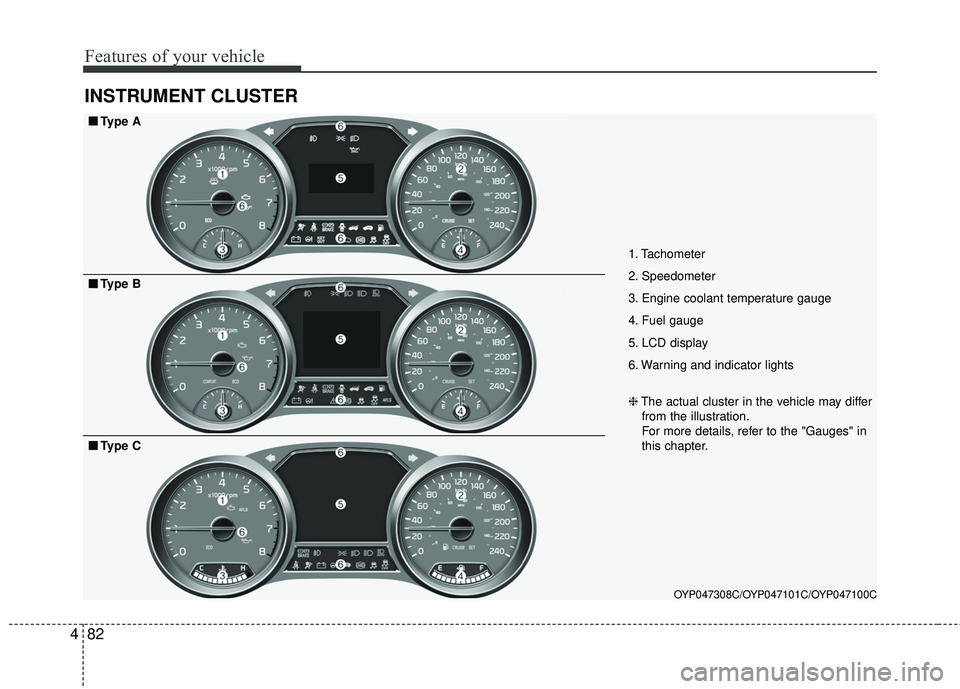
INSTRUMENT CLUSTER
1. Tachometer
2. Speedometer
3. Engine coolant temperature gauge
4. Fuel gauge
5. LCD display
6. Warning and indicator lights
OYP047308C/OYP047101C/OYP047100C
■ ■
Type A
❈The actual cluster in the vehicle may differ
from the illustration.
For more details, refer to the "Gauges" in
this chapter.
■ ■ Type B
■ ■Type C
Page 185 of 586
483
Features of your vehicle
Instrument Cluster Control
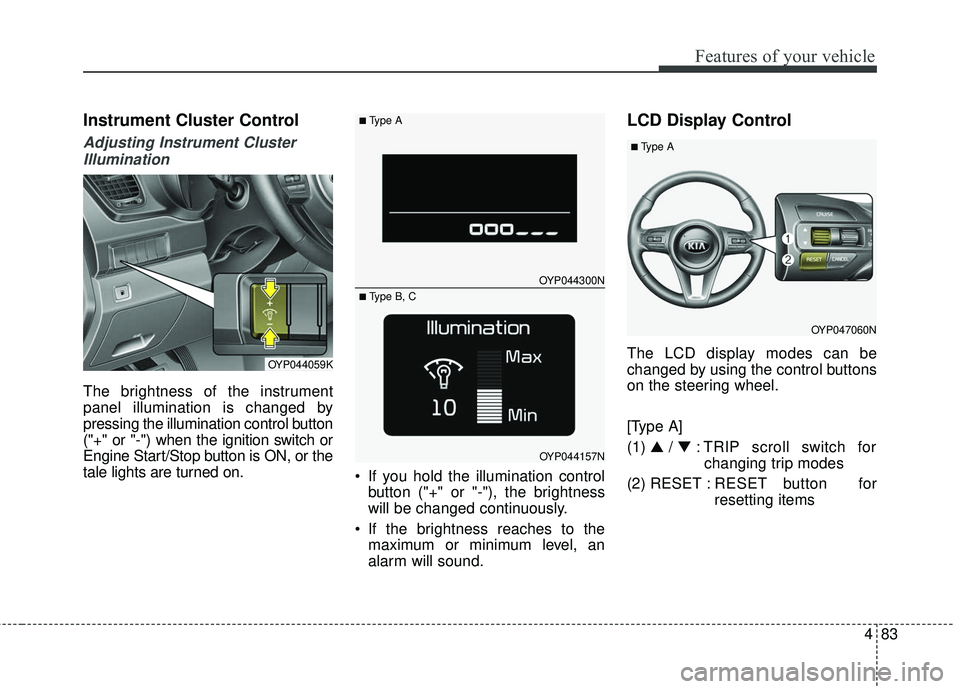
Adjusting Instrument ClusterIllumination
The brightness of the instrument
panel illumination is changed by
pressing the illumination control button
("+" or "-") when the ignition switch or
Engine Start/Stop button is ON, or the
tale lights are turned on. If you hold the illumination control
button ("+" or "-"), the brightness
will be changed continuously.
If the brightness reaches to the maximum or minimum level, an
alarm will sound.
LCD Display Control
The LCD display modes can be
changed by using the control buttons
on the steering wheel.
[Type A]
(1) ▲ /▼ : TRIP scroll switch for
changing trip modes
(2) RESET : RESET button for
resetting itemsOYP044059K
OYP044300N
OYP044157N
■Type A
■ Type B, C
OYP047060N
■Type A
Page 188 of 586
Features of your vehicle
86
4
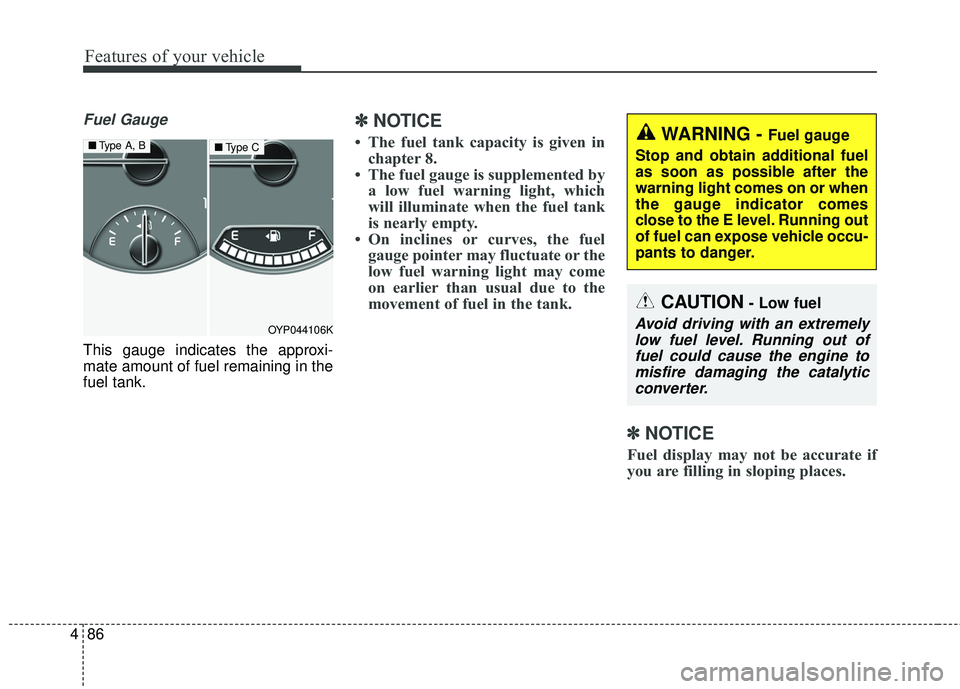
Fuel Gauge
This gauge indicates the approxi-
mate amount of fuel remaining in the
fuel tank.
✽ ✽
NOTICE
• The fuel tank capacity is given in
chapter 8.
• The fuel gauge is supplemented by a low fuel warning light, which
will illuminate when the fuel tank
is nearly empty.
• On inclines or curves, the fuel gauge pointer may fluctuate or the
low fuel warning light may come
on earlier than usual due to the
movement of fuel in the tank.
✽ ✽ NOTICE
Fuel display may not be accurate if
you are filling in sloping places.
OYP044106K
■ Type A, B■Type CWARNING - Fuel gauge
Stop and obtain additional fuel
as soon as possible after the
warning light comes on or when
the gauge indicator comes
close to the E level. Running out
of fuel can expose vehicle occu-
pants to danger.
CAUTION- Low fuel
Avoid driving with an extremely low fuel level. Running out offuel could cause the engine tomisfire damaging the catalyticconverter.
Page 194 of 586
Features of your vehicle
92
4
Master Warning Mode
This warning light informs the driv-
er the following situations
- Low washer fluid (if equipped)
- Blind Spot Detection (BSD) mal-function (if equipped)
- Lane Departure warning system (LDWS) malfunction (if equipped)
- Smart cruise control system (SCC) malfunction (if equipped)
- Service reminder (if equipped)
The Master Warning Light illumi-
nates when more than one of the
above warning situations occur. At
this time, the LCD Modes Icon will
change from ( ) to ( ).
If the warning situation is solved, the
master warning light will be turned off
and the LCD Modes Icon will be
changed back to its previous icon ( ).
(ex : refill the washer fluid)
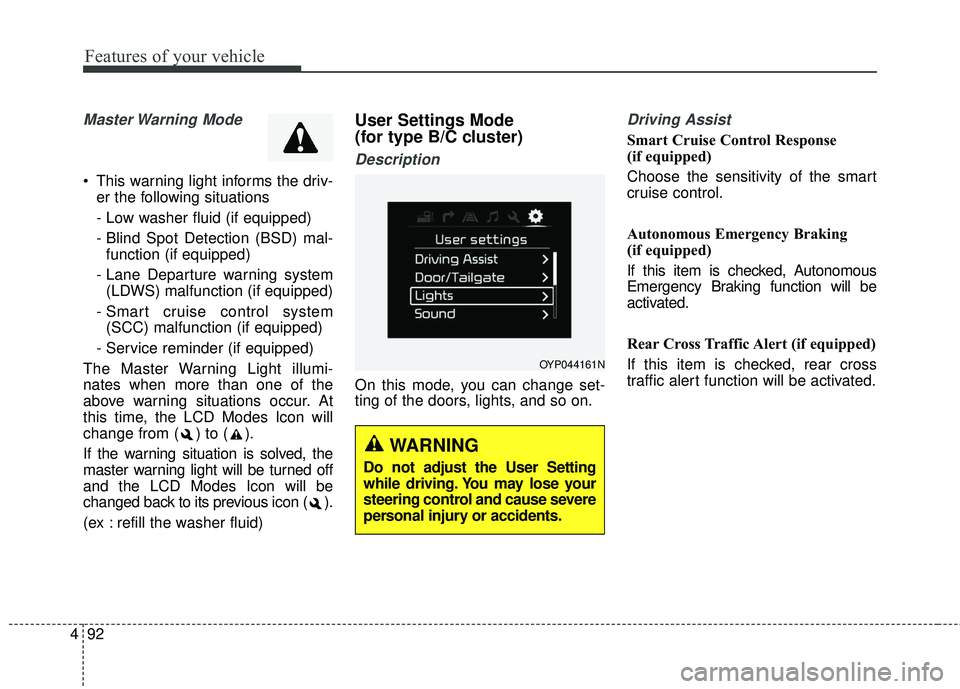
User Settings Mode
(for type B/C cluster)
Description
On this mode, you can change set-
ting of the doors, lights, and so on.
Driving Assist
Smart Cruise Control Response
(if equipped)
Choose the sensitivity of the smart
cruise control.
Autonomous Emergency Braking
(if equipped)
If this item is checked, Autonomous
Emergency Braking function will be
activated.
Rear Cross Traffic Alert (if equipped)
If this item is checked, rear cross
traffic alert function will be activated.
OYP044161N
WARNING
Do not adjust the User Setting
while driving. You may lose your
steering control and cause severe
personal injury or accidents.
Page 196 of 586
Features of your vehicle
94
4
Lights
One touch turn signal
If this item is checked, the lane
change signals will blink 3, 5 or 7
times when the turn signal lever is
moved slightly.
Head Lamp Delay (if equipped)
If this item is checked, the headlamp
delay function will be activated.
Welcome Light (if equipped)
If this item is checked, the welcome
light function of the pocket lamp will
be activated.
Sound
Park assist system vol. (if equipped)
Adjust the Park Assist System vol-
ume. (Level 1~3).
Blind spot detection Sound (if equipped)
If this item is checked, the blind spot
detection sound function will be acti-
vated.
Welcome sound (if equipped)
If this item is checked, the welcome
sound function will be activated.
Seat / Steering
Seat easy access (if equipped)
If this item is checked, the driver’s
seat will automatically move forward
or rearward for the driver to enter or
exit the vehicle comfortably.
Steering Position
If this item is checked, the warning
function regarding the steering wheel
alignment will be activated.
Page 201 of 586
499
Features of your vehicle
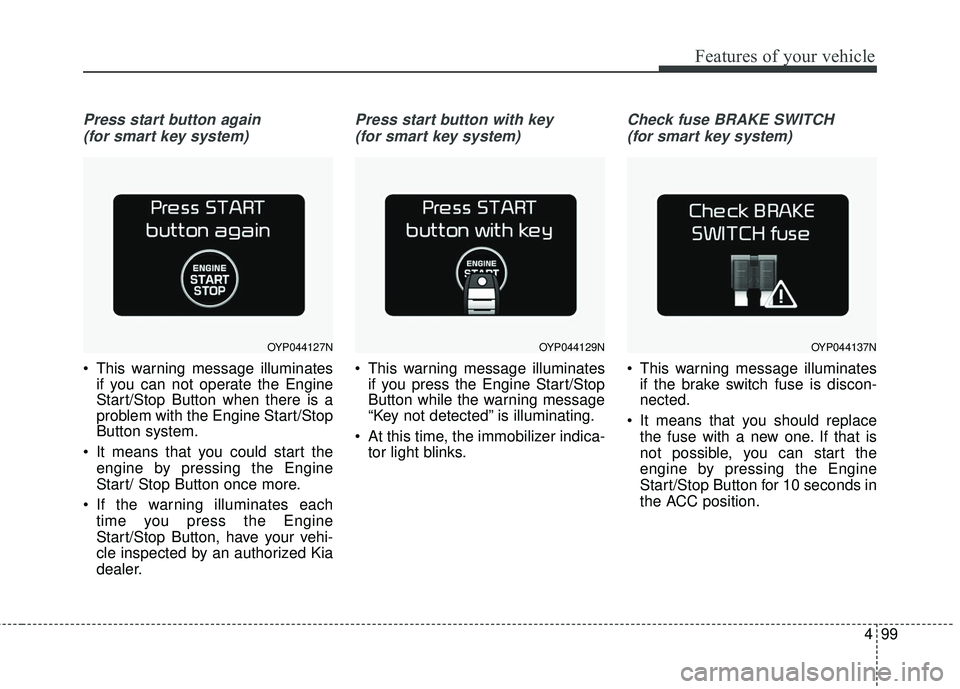
Press start button again (for smart key system)
This warning message illuminates if you can not operate the Engine
Start/Stop Button when there is a
problem with the Engine Start/Stop
Button system.
It means that you could start the engine by pressing the Engine
Start/ Stop Button once more.
If the warning illuminates each time you press the Engine
Start/Stop Button, have your vehi-
cle inspected by an authorized Kia
dealer.
Press start button with key
(for smart key system)
This warning message illuminates if you press the Engine Start/Stop
Button while the warning message
“Key not detected” is illuminating.
At this time, the immobilizer indica- tor light blinks.
Check fuse BRAKE SWITCH
(for smart key system)
This warning message illuminates if the brake switch fuse is discon-
nected.
It means that you should replace the fuse with a new one. If that is
not possible, you can start the
engine by pressing the Engine
Start/Stop Button for 10 seconds in
the ACC position.
OYP044127NOYP044129NOYP044137N
Page 204 of 586
Features of your vehicle
102
4
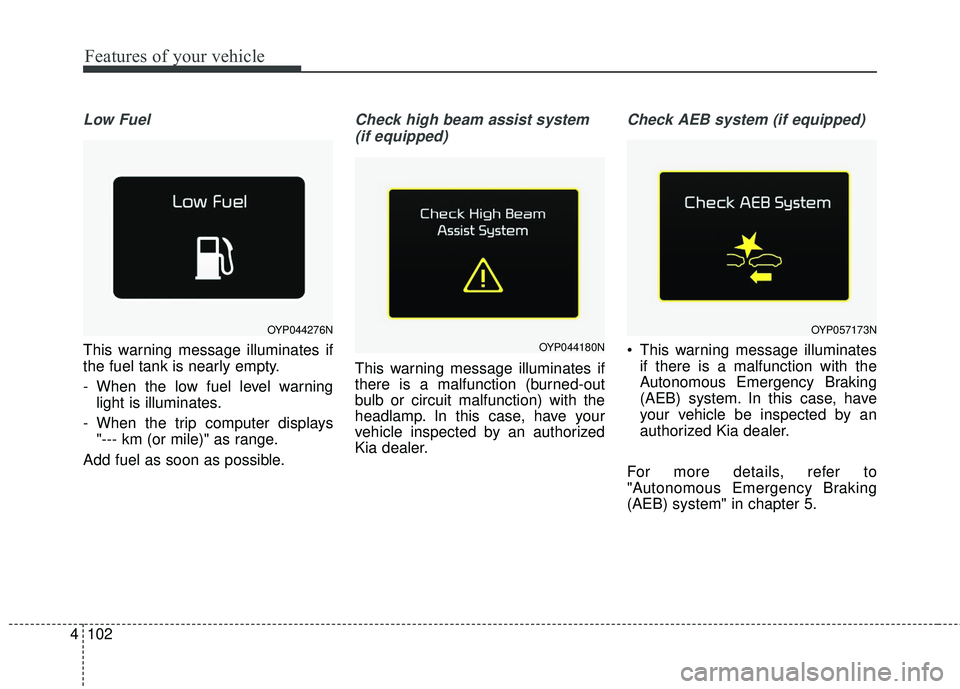
Low Fuel
This warning message illuminates if
the fuel tank is nearly empty.
- When the low fuel level warning
light is illuminates.
- When the trip computer displays "--- km (or mile)" as range.
Add fuel as soon as possible.
Check high beam assist system (if equipped)
This warning message illuminates if
there is a malfunction (burned-out
bulb or circuit malfunction) with the
headlamp. In this case, have your
vehicle inspected by an authorized
Kia dealer.
Check AEB system (if equipped)
This warning message illuminates if there is a malfunction with the
Autonomous Emergency Braking
(AEB) system. In this case, have
your vehicle be inspected by an
authorized Kia dealer.
For more details, refer to
"Autonomous Emergency Braking
(AEB) system" in chapter 5.
OYP044276N
OYP044180N
OYP057173N