warning KIA SEDONA 2018 Owners Manual
[x] Cancel search | Manufacturer: KIA, Model Year: 2018, Model line: SEDONA, Model: KIA SEDONA 2018Pages: 586, PDF Size: 14.1 MB
Page 183 of 586
481
Features of your vehicle
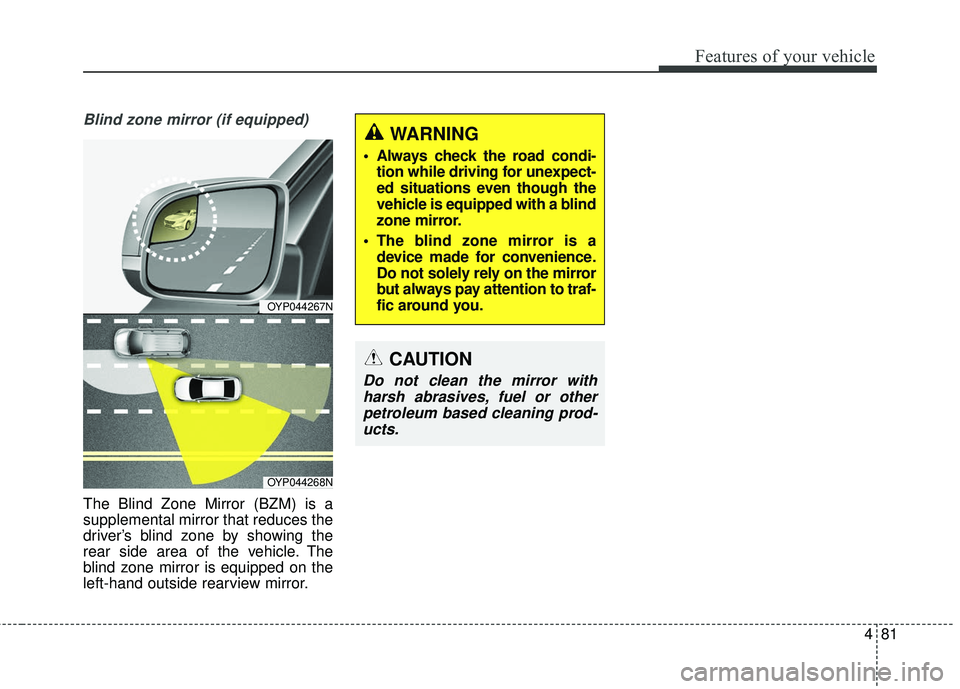
Blind zone mirror (if equipped)
The Blind Zone Mirror (BZM) is a
supplemental mirror that reduces the
driver’s blind zone by showing the
rear side area of the vehicle. The
blind zone mirror is equipped on the
left-hand outside rearview mirror.
CAUTION
Do not clean the mirror withharsh abrasives, fuel or otherpetroleum based cleaning prod-ucts.
OYP044267N
OYP044268N
WARNING
Always check the road condi- tion while driving for unexpect-
ed situations even though the
vehicle is equipped with a blind
zone mirror.
The blind zone mirror is a device made for convenience.
Do not solely rely on the mirror
but always pay attention to traf-
fic around you.
Page 184 of 586
Features of your vehicle
82
4
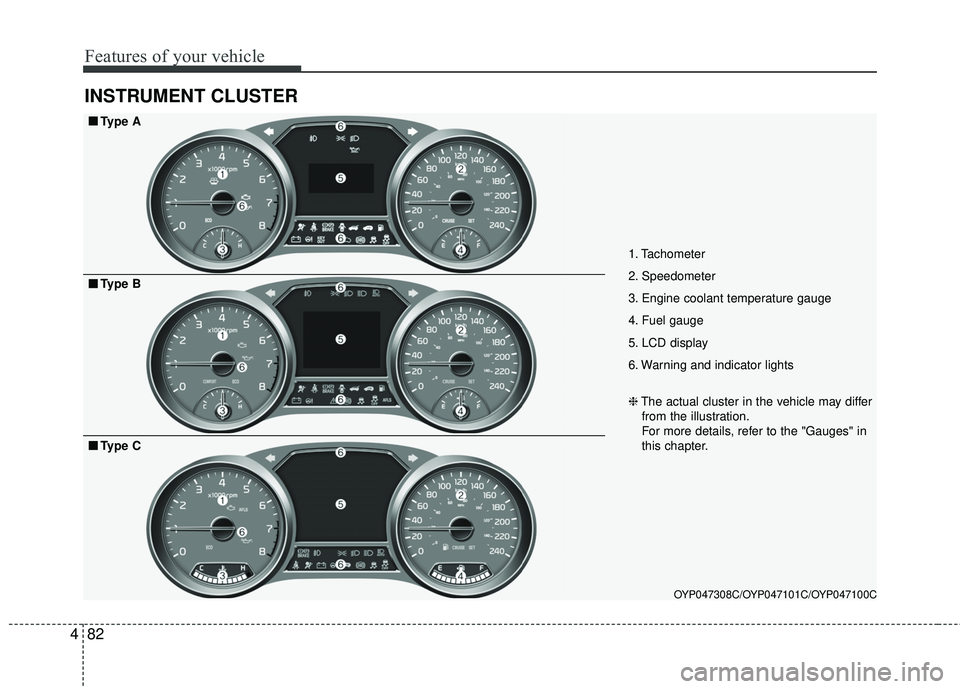
INSTRUMENT CLUSTER
1. Tachometer
2. Speedometer
3. Engine coolant temperature gauge
4. Fuel gauge
5. LCD display
6. Warning and indicator lights
OYP047308C/OYP047101C/OYP047100C
■ ■
Type A
❈The actual cluster in the vehicle may differ
from the illustration.
For more details, refer to the "Gauges" in
this chapter.
■ ■ Type B
■ ■Type C
Page 187 of 586
485
Features of your vehicle
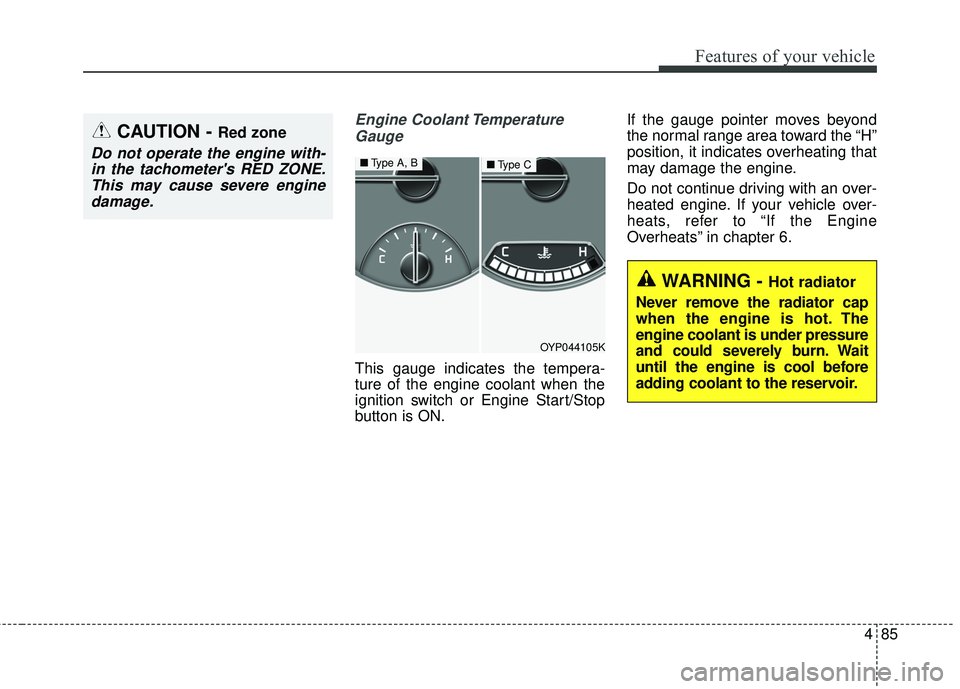
Engine Coolant TemperatureGauge
This gauge indicates the tempera-
ture of the engine coolant when the
ignition switch or Engine Start/Stop
button is ON. If the gauge pointer moves beyond
the normal range area toward the “H”
position, it indicates overheating that
may damage the engine.
Do not continue driving with an over-
heated engine. If your vehicle over-
heats, refer to “If the Engine
Overheats” in chapter 6.
CAUTION - Red zone
Do not operate the engine with-
in the tachometer's RED ZONE.This may cause severe enginedamage.
WARNING - Hot radiator
Never remove the radiator cap
when the engine is hot. The
engine coolant is under pressure
and could severely burn. Wait
until the engine is cool before
adding coolant to the reservoir.
OYP044105K
■ Type A, B■Type C
Page 188 of 586
Features of your vehicle
86
4
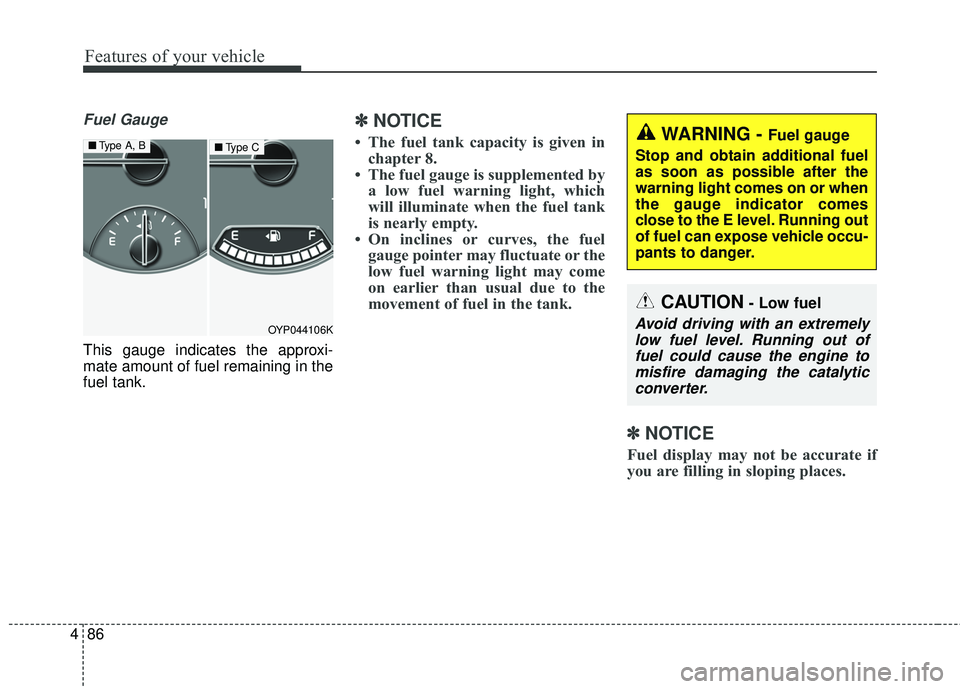
Fuel Gauge
This gauge indicates the approxi-
mate amount of fuel remaining in the
fuel tank.
✽ ✽
NOTICE
• The fuel tank capacity is given in
chapter 8.
• The fuel gauge is supplemented by a low fuel warning light, which
will illuminate when the fuel tank
is nearly empty.
• On inclines or curves, the fuel gauge pointer may fluctuate or the
low fuel warning light may come
on earlier than usual due to the
movement of fuel in the tank.
✽ ✽ NOTICE
Fuel display may not be accurate if
you are filling in sloping places.
OYP044106K
■ Type A, B■Type CWARNING - Fuel gauge
Stop and obtain additional fuel
as soon as possible after the
warning light comes on or when
the gauge indicator comes
close to the E level. Running out
of fuel can expose vehicle occu-
pants to danger.
CAUTION- Low fuel
Avoid driving with an extremely low fuel level. Running out offuel could cause the engine tomisfire damaging the catalyticconverter.
Page 191 of 586
489
Features of your vehicle
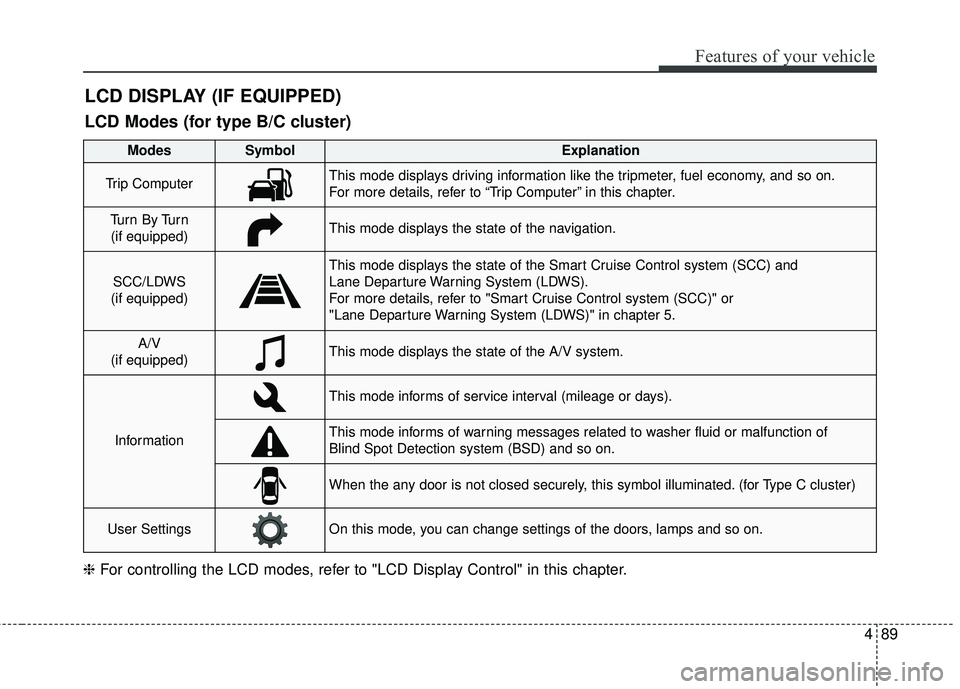
LCD DISPLAY (IF EQUIPPED)
❈For controlling the LCD modes, refer to "LCD Display Control" in this chapter.
LCD Modes (for type B/C cluster)
Modes SymbolExplanation
Trip ComputerThis mode displays driving information like the tripmeter, fuel economy, and so on.
For more details, refer to “Trip Computer” in this chapter.
Tu r n B y Tu r n
(if equipped)This mode displays the state of the navigation.
SCC/LDWS
(if equipped)
This mode displays the state of the Smart Cruise Control system (SCC) and
Lane Departure Warning System (LDWS).
For more details, refer to "Smart Cruise Control system (SCC)" or
"Lane Departure Warning System (LDWS)" in chapter 5.
A/V
(if equipped)This mode displays the state of the A/V system.
Information
This mode informs of service interval (mileage or days).
This mode informs of warning messages related to washer fluid or malfunction of
Blind Spot Detection system (BSD) and so on.
When the any door is not closed securely, this symbol illuminated. (for Type C cluster)
User SettingsOn this mode, you can change settings of the doors, lamps and so on.
Page 194 of 586
Features of your vehicle
92
4
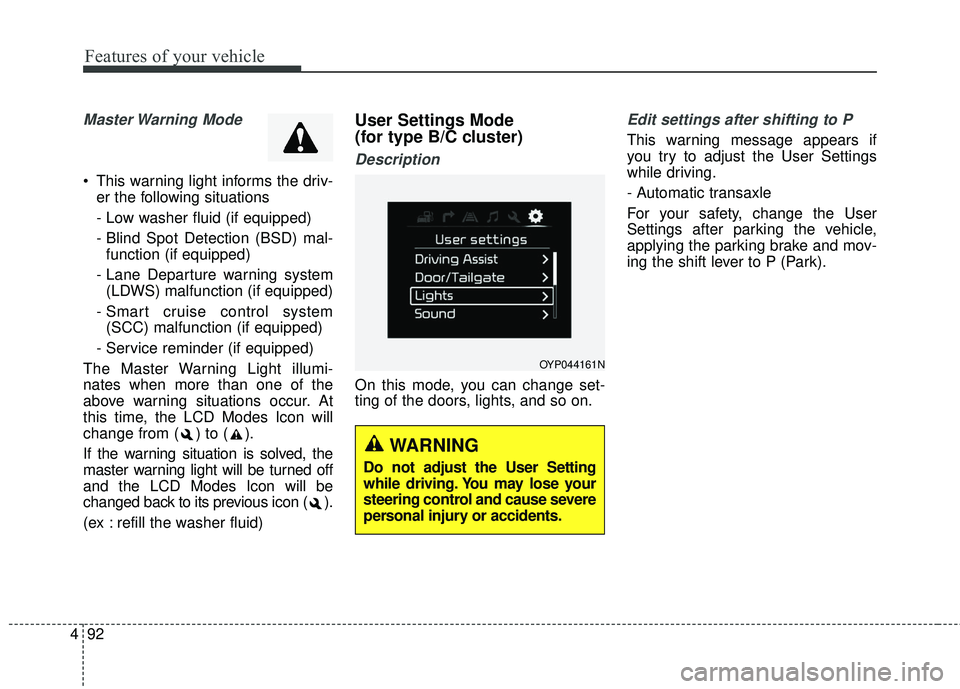
Master Warning Mode
• This warning light informs the driv-
er the following situations
- Low washer fluid (if equipped)
- Blind Spot Detection (BSD) mal-function (if equipped)
- Lane Departure warning system (LDWS) malfunction (if equipped)
- Smart cruise control system (SCC) malfunction (if equipped)
- Service reminder (if equipped)
The Master Warning Light illumi-
nates when more than one of the
above warning situations occur. At
this time, the LCD Modes Icon will
change from ( ) to ( ).
If the warning situation is solved, the
master warning light will be turned off
and the LCD Modes Icon will be
changed back to its previous icon ( ).
(ex : refill the washer fluid)
User Settings Mode
(for type B/C cluster)
Description
On this mode, you can change set-
ting of the doors, lights, and so on.
Edit settings after shifting to P
This warning message appears if
you try to adjust the User Settings
while driving.
- Automatic transaxle
For your safety, change the User
Settings after parking the vehicle,
applying the parking brake and mov-
ing the shift lever to P (Park).
OYP044161N
WARNING
Do not adjust the User Setting
while driving. You may lose your
steering control and cause severe
personal injury or accidents.
Page 195 of 586
493
Features of your vehicle
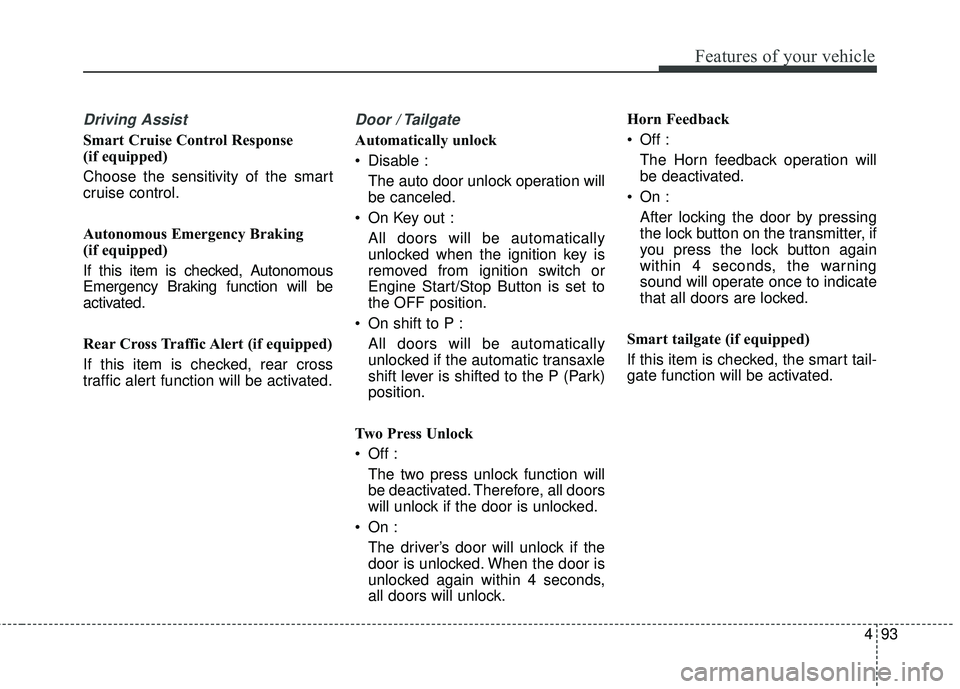
Driving Assist
Smart Cruise Control Response
(if equipped)
Choose the sensitivity of the smart
cruise control.
Autonomous Emergency Braking
(if equipped)
If this item is checked, Autonomous
Emergency Braking function will be
activated.
Rear Cross Traffic Alert (if equipped)
If this item is checked, rear cross
traffic alert function will be activated.
Door / Tailgate
Automatically unlock
Disable :The auto door unlock operation will
be canceled.
On Key out : All doors will be automatically
unlocked when the ignition key is
removed from ignition switch or
Engine Start/Stop Button is set to
the OFF position.
On shift to P : All doors will be automatically
unlocked if the automatic transaxle
shift lever is shifted to the P (Park)
position.
Two Press Unlock
Off : The two press unlock function will
be deactivated. Therefore, all doors
will unlock if the door is unlocked.
On : The driver’s door will unlock if the
door is unlocked. When the door is
unlocked again within 4 seconds,
all doors will unlock. Horn Feedback
Off :
The Horn feedback operation will
be deactivated.
On : After locking the door by pressing
the lock button on the transmitter, if
you press the lock button again
within 4 seconds, the warning
sound will operate once to indicate
that all doors are locked.
Smart tailgate (if equipped)
If this item is checked, the smart tail-
gate function will be activated.
Page 196 of 586
Features of your vehicle
94
4
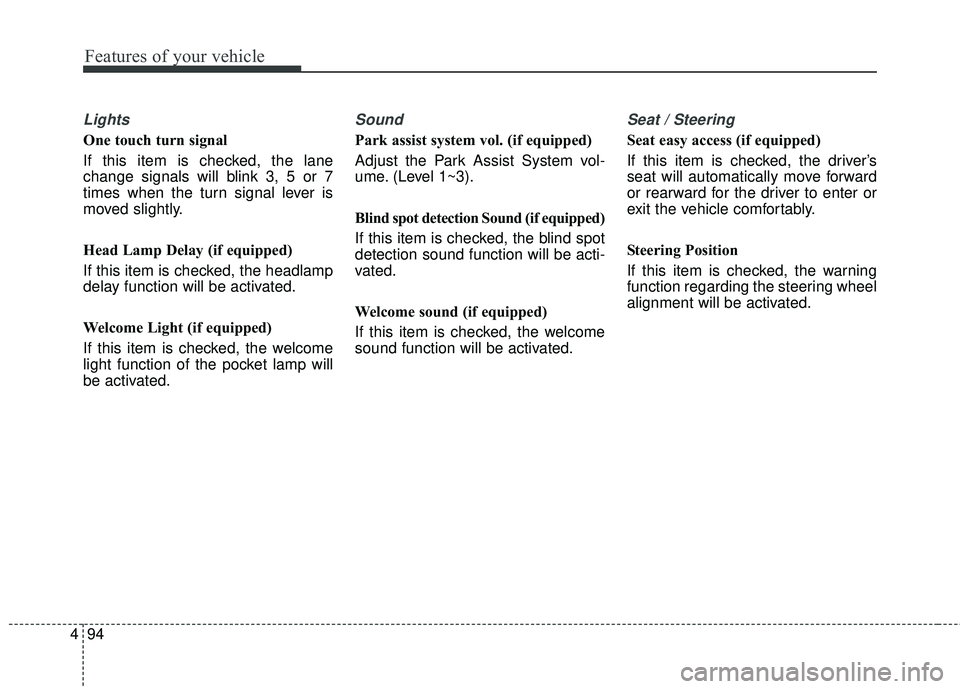
Lights
One touch turn signal
If this item is checked, the lane
change signals will blink 3, 5 or 7
times when the turn signal lever is
moved slightly.
Head Lamp Delay (if equipped)
If this item is checked, the headlamp
delay function will be activated.
Welcome Light (if equipped)
If this item is checked, the welcome
light function of the pocket lamp will
be activated.
Sound
Park assist system vol. (if equipped)
Adjust the Park Assist System vol-
ume. (Level 1~3).
Blind spot detection Sound (if equipped)
If this item is checked, the blind spot
detection sound function will be acti-
vated.
Welcome sound (if equipped)
If this item is checked, the welcome
sound function will be activated.
Seat / Steering
Seat easy access (if equipped)
If this item is checked, the driver’s
seat will automatically move forward
or rearward for the driver to enter or
exit the vehicle comfortably.
Steering Position
If this item is checked, the warning
function regarding the steering wheel
alignment will be activated.
Page 198 of 586
Features of your vehicle
96
4
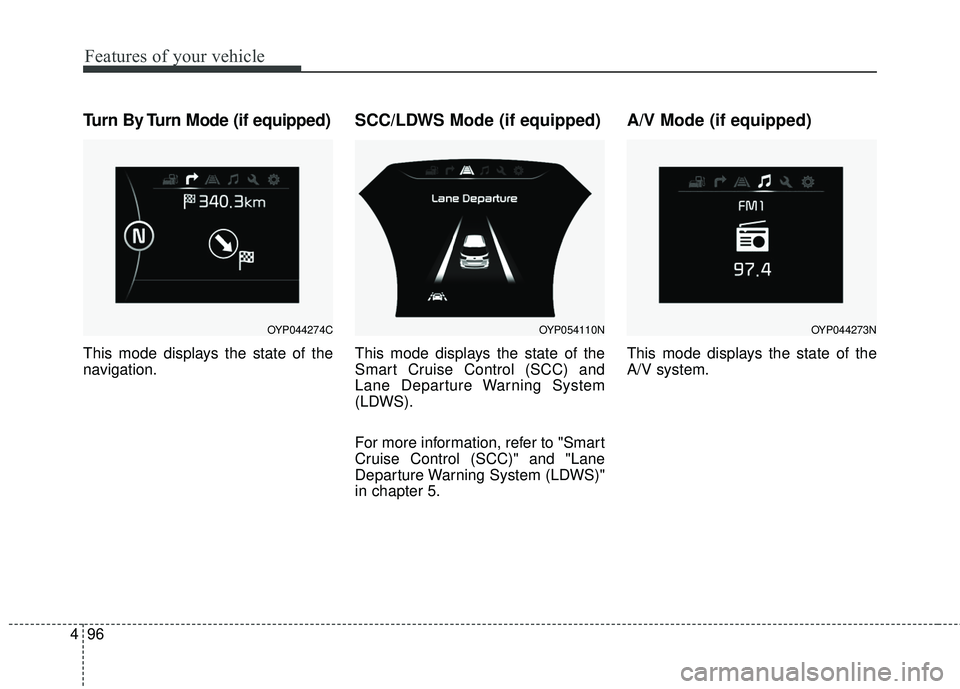
Turn By Turn Mode (if equipped)
This mode displays the state of the
navigation.
SCC/LDWS Mode (if equipped)
This mode displays the state of the
Smart Cruise Control (SCC) and
Lane Departure Warning System
(LDWS).
For more information, refer to "Smart
Cruise Control (SCC)" and "Lane
Departure Warning System (LDWS)"
in chapter 5.
A/V Mode (if equipped)
This mode displays the state of the
A/V system.
OYP044274COYP054110NOYP044273N
Page 199 of 586
497
Features of your vehicle
Warning Messages
(for Type B and C cluaster)
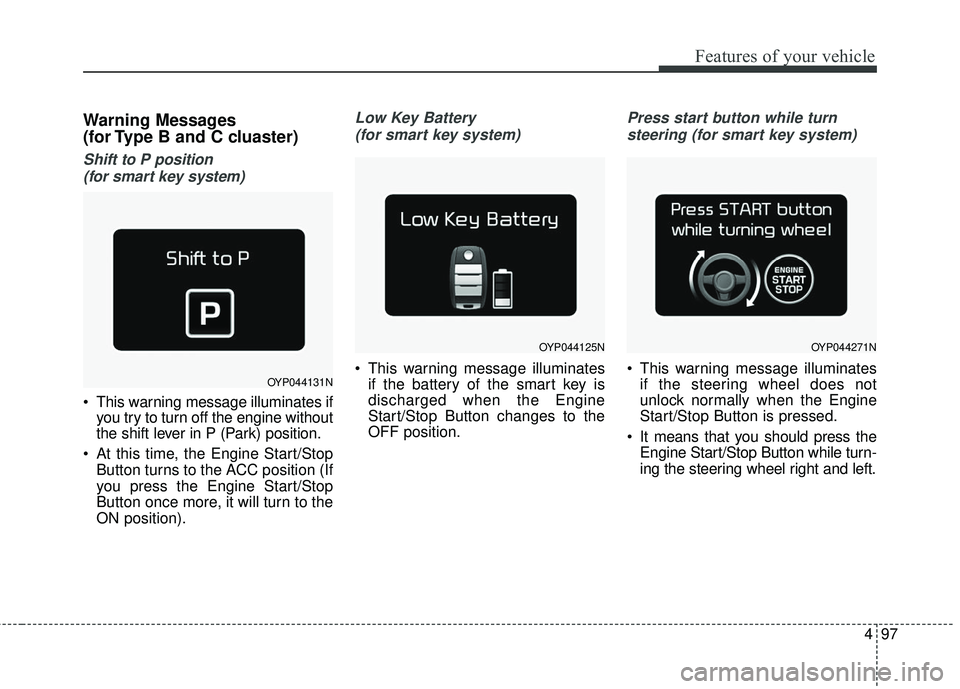
Shift to P position (for smart key system)
This warning message illuminates if you try to turn off the engine without
the shift lever in P (Park) position.
At this time, the Engine Start/Stop Button turns to the ACC position (If
you press the Engine Start/Stop
Button once more, it will turn to the
ON position).
Low Key Battery
(for smart key system)
This warning message illuminates if the battery of the smart key is
discharged when the Engine
Start/Stop Button changes to the
OFF position.
Press start button while turn
steering (for smart key system)
This warning message illuminates if the steering wheel does not
unlock normally when the Engine
Start/Stop Button is pressed.
It means that you should press the Engine Start/Stop Button while turn-
ing the steering wheel right and left.OYP044131N
OYP044125NOYP044271N