warning KIA SEDONA 2018 Owners Manual
[x] Cancel search | Manufacturer: KIA, Model Year: 2018, Model line: SEDONA, Model: KIA SEDONA 2018Pages: 586, PDF Size: 14.1 MB
Page 390 of 586
Driving your vehicle
46
5
The cruise control system allows you
to program the vehicle to maintain a
constant speed without depressing
the accelerator pedal.
This system is designed to function
above approximately 40 km/h (25
mph).
If the cruise control is left on,
(CRUISE indicator light in the instru-
ment cluster illuminated) the cruise
control can be switched on acciden-
tally. Keep the cruise control system
off (CRUISE indicator light OFF)
when the cruise control is not in use,
to avoid inadvertently setting a
speed.
Use the cruise control system only
when traveling on open highways in
good weather.
Do not use the cruise control when
driving in heavy or varying traffic, or
on slippery (rainy, icy or snow-cov-
ered) or winding roads or over 6%
up-hill or down-hill roads.✽ ✽
NOTICE
• During normal cruise control
operation, when the SET switch is
activated or reactivated after
applying the brakes, the cruise
control will energize after approx-
imately 3 seconds. This delay is
normal.
• To activate cruise control, depress the brake pedal at least once after
turning the ignition switch to the
ON position or starting the engine.
This is to check if the brake switch
which is important part to cancel
cruise control is in normal condi-
tion.
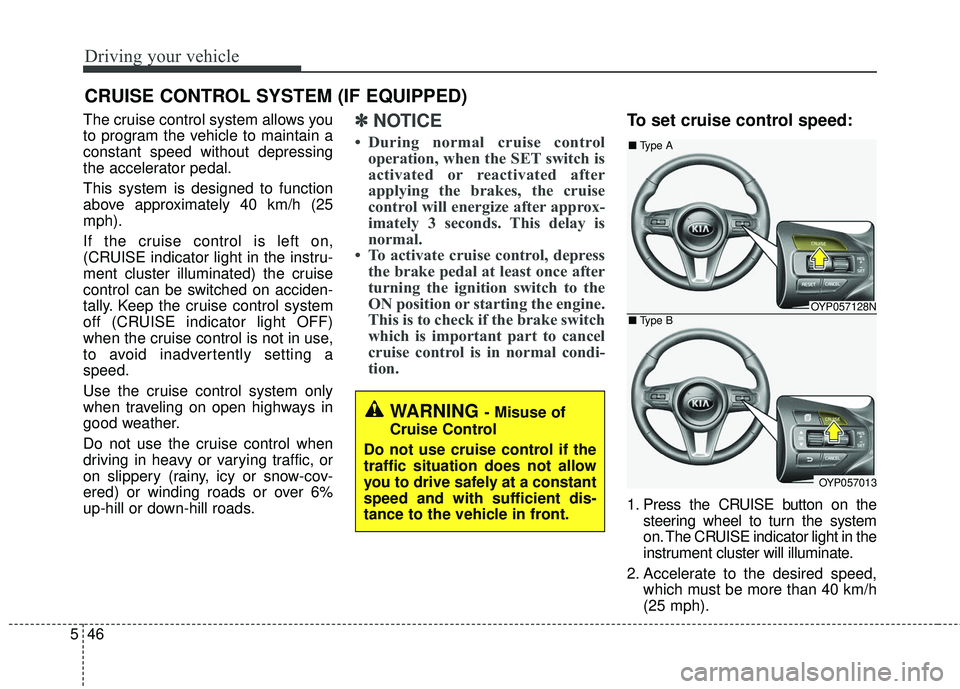
To set cruise control speed:
1. Press the CRUISE button on the
steering wheel to turn the system
on. The CRUISE indicator light in the
instrument cluster will illuminate.
2. Accelerate to the desired speed, which must be more than 40 km/h
(25 mph).
CRUISE CONTROL SYSTEM (IF EQUIPPED)
WARNING - Misuse of
Cruise Control
Do not use cruise control if the
traffic situation does not allow
you to drive safely at a constant
speed and with sufficient dis-
tance to the vehicle in front.
OYP057128N
OYP057013
■ Type A
■ Type B
Page 394 of 586
Driving your vehicle
50
5
SMART CRUISE CONTROL SYSTEM (SCC) (IF EQUIPPED)
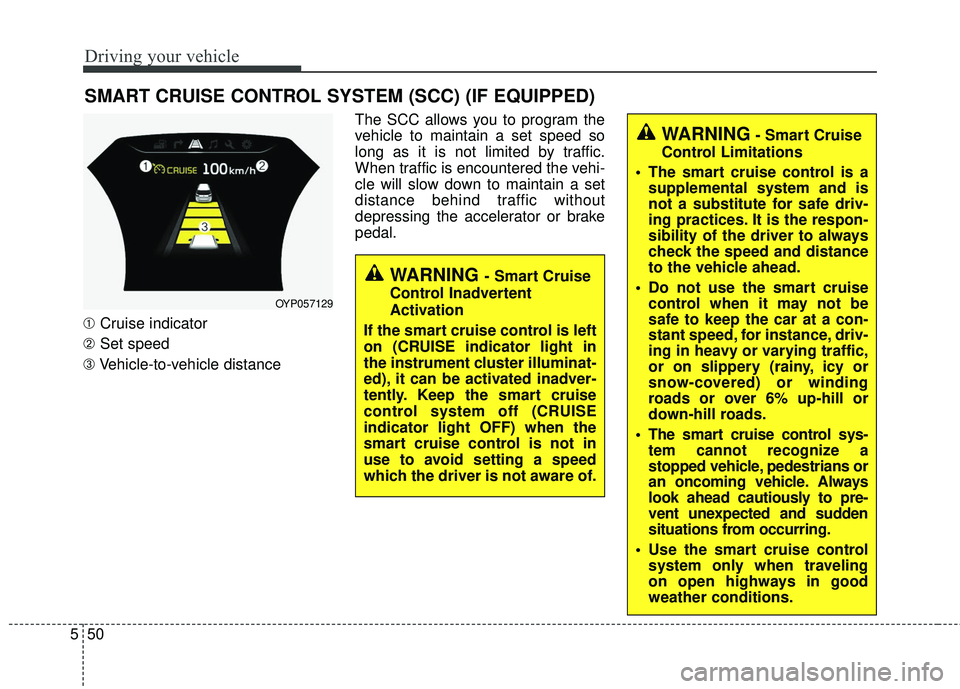
➀ Cruise indicator
➁ Set speed
➂ Vehicle-to-vehicle distance The SCC allows you to program the
vehicle to maintain a set speed so
long as it is not limited by traffic.
When traffic is encountered the vehi-
cle will slow down to maintain a set
distance behind traffic without
depressing the accelerator or brake
pedal.
WARNING - Smart Cruise
Control Inadvertent
Activation
If the smart cruise control is left
on (CRUISE indicator light in
the instrument cluster illuminat-
ed), it can be activated inadver-
tently. Keep the smart cruise
control system off (CRUISE
indicator light OFF) when the
smart cruise control is not in
use to avoid setting a speed
which the driver is not aware of.
WARNING- Smart Cruise
Control Limitations
The smart cruise control is a supplemental system and is
not a substitute for safe driv-
ing practices. It is the respon-
sibility of the driver to always
check the speed and distance
to the vehicle ahead.
Do not use the smart cruise control when it may not be
safe to keep the car at a con-
stant speed, for instance, driv-
ing in heavy or varying traffic,
or on slippery (rainy, icy or
snow-covered) or winding
roads or over 6% up-hill or
down-hill roads.
The smart cruise control sys- tem cannot recognize a
stopped vehicle, pedestrians or
an oncoming vehicle. Always
look ahead cautiously to pre-
vent unexpected and sudden
situations from occurring.
Use the smart cruise control system only when traveling
on open highways in good
weather conditions.
OYP057129
Page 397 of 586
553
Driving your vehicle
Cancelled automatically
The driver's door is opened.
The shift lever is shifted to N(Neutral), R (Reverse) or
P(Parking).
The vehicle speed is over 190 km/h (120 mph )
The ESC, ABS or TCS is operat- ing.
The ESC is turned off.
The sensor or the cover is dirty or blocked with foreign matter.
The engine speed is over 7000 RPM.
The SCC system has malfunc- tioned.
Decreasing the vehicle speed to less than approximately 10 km/h (5
mph). The accelerator pedal is continu-
ously depressed for more than 5
minute.
The AEB is activated.
Each of these actions will cancel
the SCC operation. (the SET indi-
cator, set speed and vehicle to
vehicle distance on the LCD dis-
play will go off.)
In a condition the SCC is cancelled
automatically, the SCC will not
resume even though the RES+ or
SET- lever is moved.
If the SCC is cancelled by other than
the reasons mentioned, have the
system checked by an authorized
Kia dealer. If the system is automatically can-
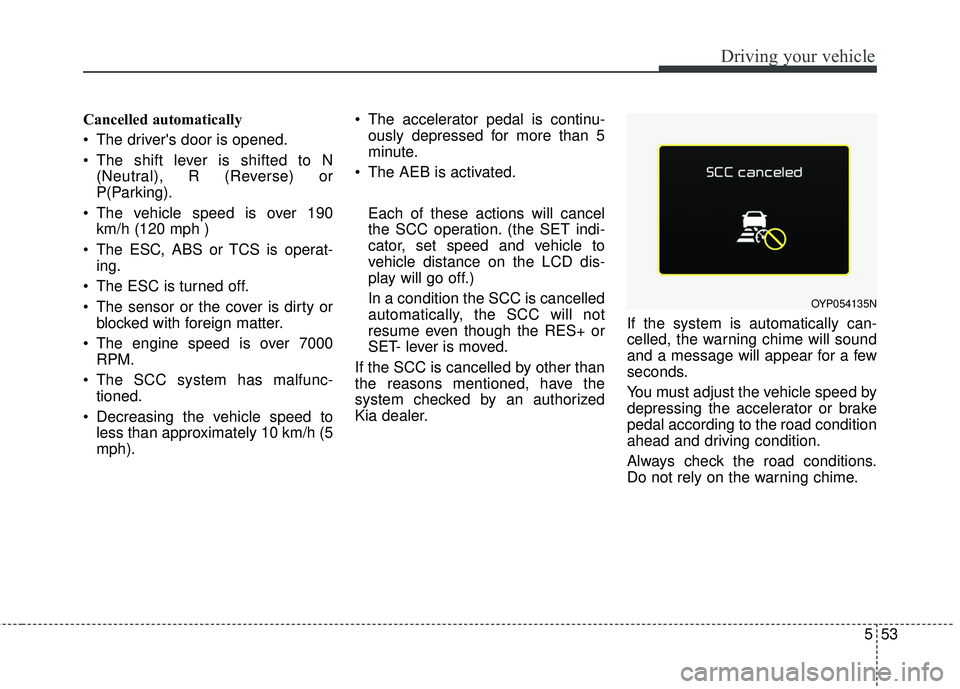
celled, the warning chime will sound
and a message will appear for a few
seconds.
You must adjust the vehicle speed by
depressing the accelerator or brake
pedal according to the road condition
ahead and driving condition.
Always check the road conditions.
Do not rely on the warning chime.
OYP054135N
Page 398 of 586
Driving your vehicle
54
5
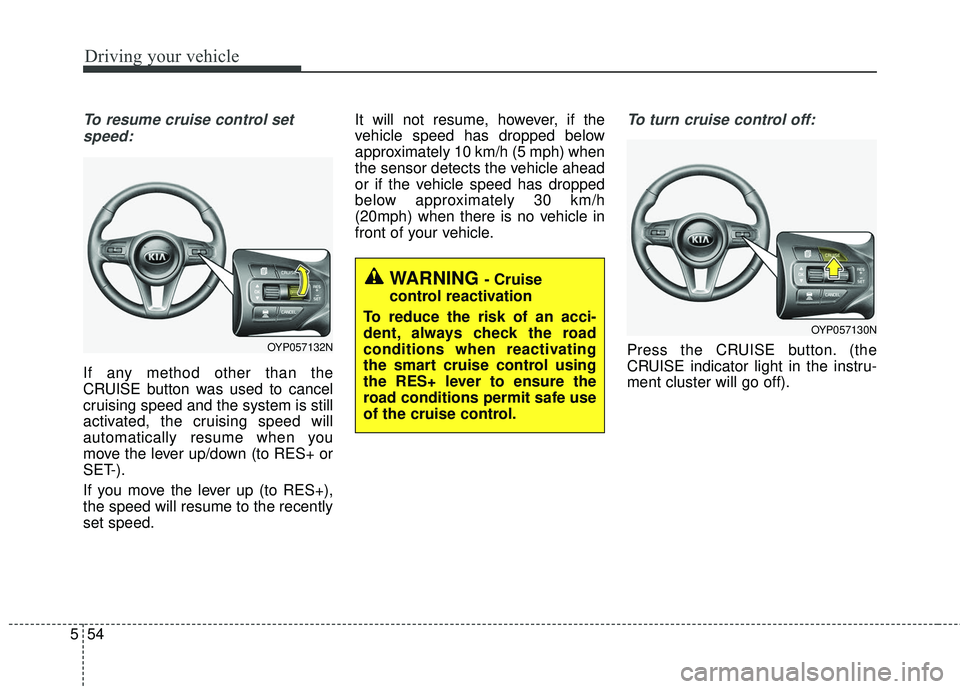
To resume cruise control set
speed:
If any method other than the
CRUISE button was used to cancel
cruising speed and the system is still
activated, the cruising speed will
automatically resume when you
move the lever up/down (to RES+ or
SET-).
If you move the lever up (to RES+),
the speed will resume to the recently
set speed. It will not resume, however, if the
vehicle speed has dropped below
approximately 10 km/h (5 mph) when
the sensor detects the vehicle ahead
or if the vehicle speed has dropped
below approximately 30 km/h
(20mph) when there is no vehicle in
front of your vehicle.
To turn cruise control off:
Press the CRUISE button. (the
CRUISE indicator light in the instru-
ment cluster will go off).
WARNING - Cruise
control reactivation
To reduce the risk of an acci-
dent, always check the road
conditions when reactivating
the smart cruise control using
the RES+ lever to ensure the
road conditions permit safe use
of the cruise control.
OYP057132N
OYP057130N
Page 399 of 586
555
Driving your vehicle
Vehicle to vehicle distance
setting (SCC)
To set vehicle to vehicle distance:
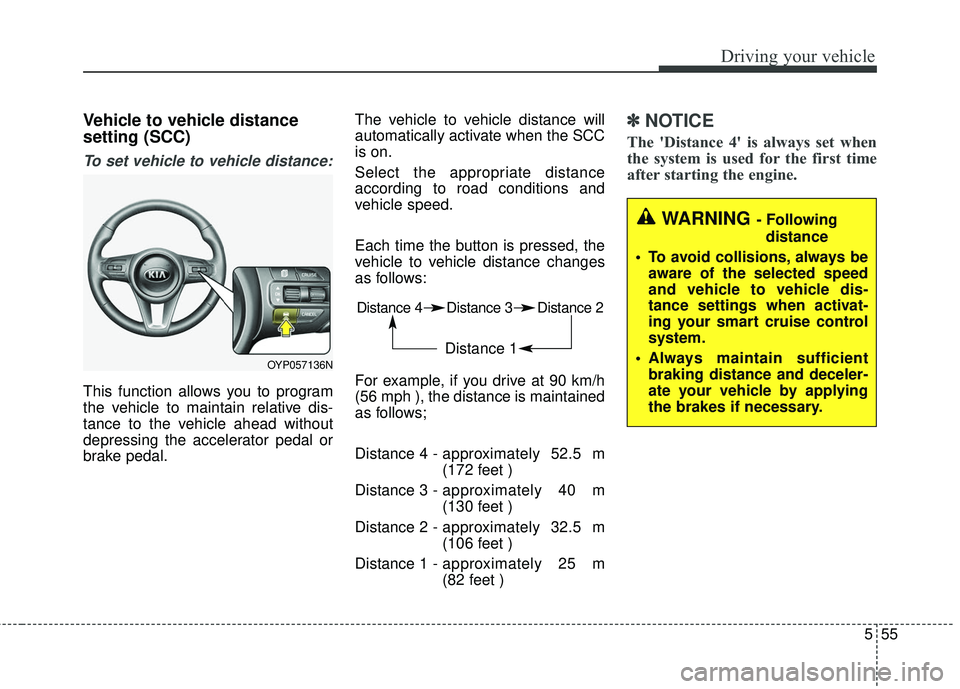
This function allows you to program
the vehicle to maintain relative dis-
tance to the vehicle ahead without
depressing the accelerator pedal or
brake pedal.The vehicle to vehicle distance will
automatically activate when the SCC
is on.
Select the appropriate distance
according to road conditions and
vehicle speed.
Each time the button is pressed, the
vehicle to vehicle distance changes
as follows:
For example, if you drive at 90 km/h
(56 mph ), the distance is maintained
as follows;
Distance 4 -
approximately 52.5 m
(172 feet )
Distance 3 - approximately 40 m
(130 feet )
Distance 2 - approximately 32.5 m
(106 feet )
Distance 1 - approximately 25 m
(82 feet )
✽ ✽
NOTICE
The 'Distance 4' is always set when
the system is used for the first time
after starting the engine.
Distance 4 Distance 3 Distance 2
Distance 1
WARNING - Following
distance
To avoid collisions, always be aware of the selected speed
and vehicle to vehicle dis-
tance settings when activat-
ing your smart cruise control
system.
Always maintain sufficient braking distance and deceler-
ate your vehicle by applying
the brakes if necessary.
OYP057136N
Page 401 of 586
557
Driving your vehicle
The warning chime sounds andLCD display blinks if it is hard to
maintain the selected distance to
the vehicle ahead.
If the warning chime sounds, actively adjust the vehicle speed by
depressing the brake pedal
according to the road condition
ahead and driving condition.
Even if the warning chime is not activated, always pay attention to
the driving conditions to prevent
dangerous situations from occur-
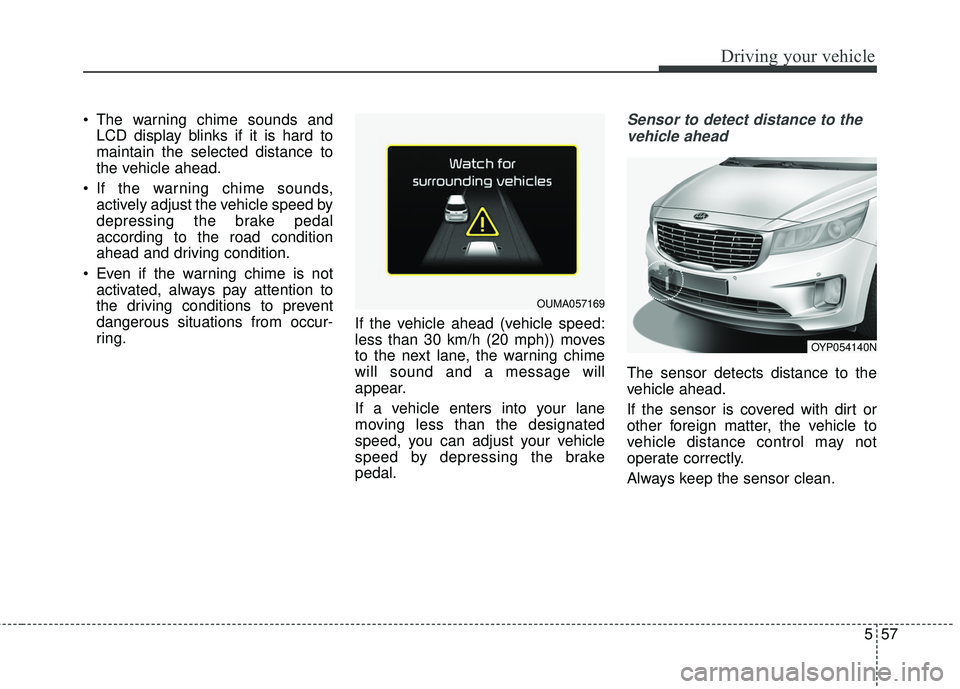
ring. If the vehicle ahead (vehicle speed:
less than 30 km/h (20 mph)) moves
to the next lane, the warning chime
will sound and a message will
appear.
If a vehicle enters into your lane
moving less than the designated
speed, you can adjust your vehicle
speed by depressing the brake
pedal.Sensor to detect distance to the
vehicle ahead
The sensor detects distance to the
vehicle ahead.
If the sensor is covered with dirt or
other foreign matter, the vehicle to
vehicle distance control may not
operate correctly.
Always keep the sensor clean.
OUMA057169
OYP054140N
Page 402 of 586
Driving your vehicle
58
5
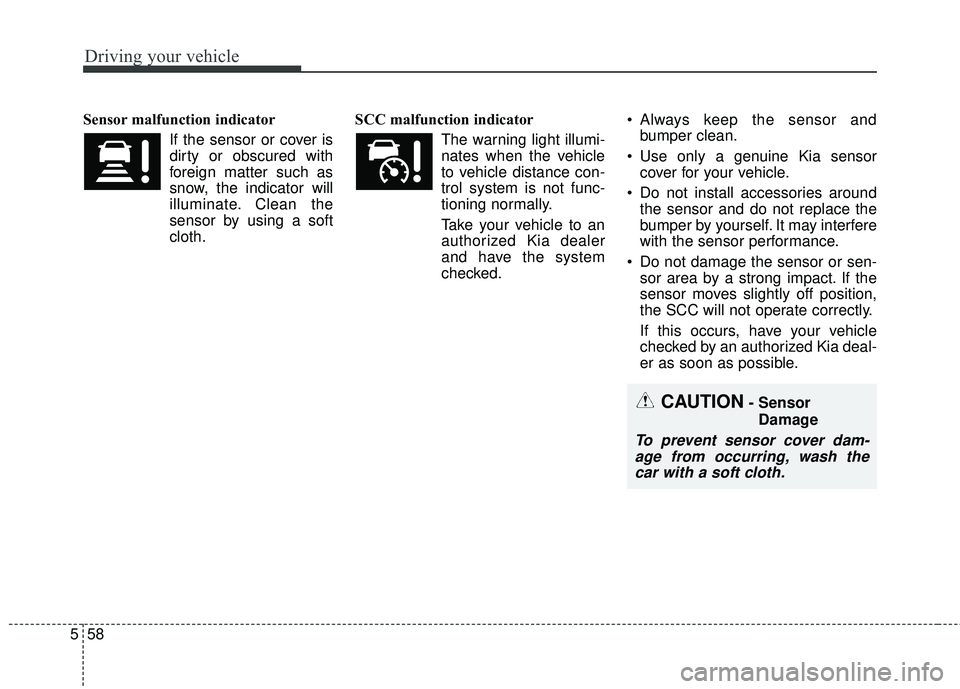
Sensor malfunction indicator
If the sensor or cover is
dirty or obscured with
foreign matter such as
snow, the indicator will
illuminate. Clean the
sensor by using a soft
cloth. SCC malfunction indicator
The warning light illumi-
nates when the vehicle
to vehicle distance con-
trol system is not func-
tioning normally.
Take your vehicle to an authorized Kia dealer
and have the system
checked. Always keep the sensor and
bumper clean.
Use only a genuine Kia sensor cover for your vehicle.
Do not install accessories around the sensor and do not replace the
bumper by yourself. It may interfere
with the sensor performance.
Do not damage the sensor or sen- sor area by a strong impact. If the
sensor moves slightly off position,
the SCC will not operate correctly.
If this occurs, have your vehicle
checked by an authorized Kia deal-
er as soon as possible.
CAUTION- Sensor
Damage
To prevent sensor cover dam-age from occurring, wash thecar with a soft cloth.
Page 408 of 586
Driving your vehicle
64
5
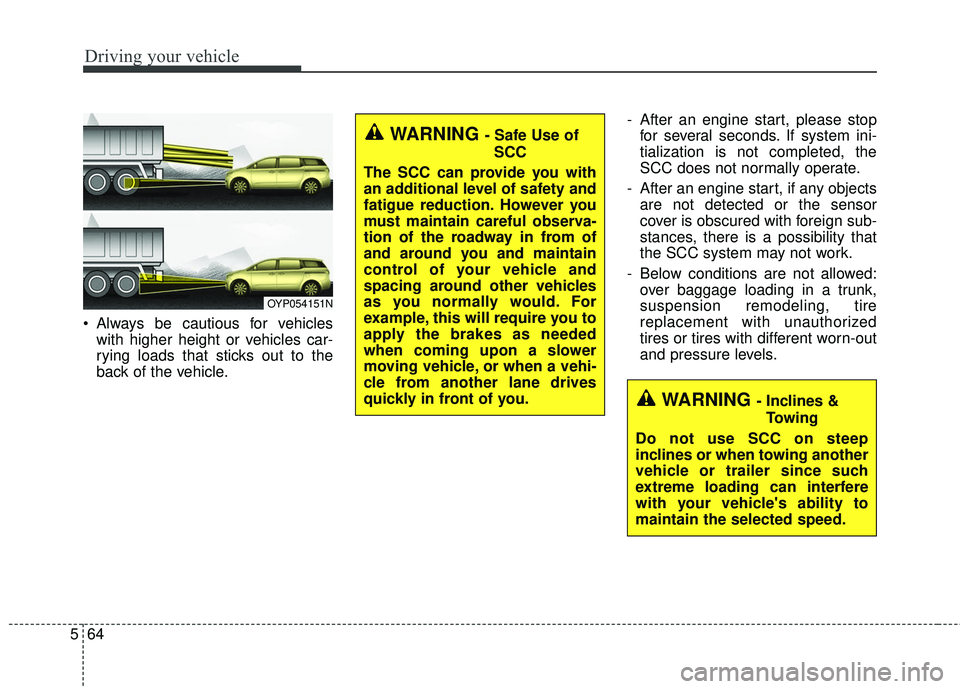
Always be cautious for vehicles
with higher height or vehicles car-
rying loads that sticks out to the
back of the vehicle. - After an engine start, please stop
for several seconds. If system ini-
tialization is not completed, the
SCC does not normally operate.
- After an engine start, if any objects are not detected or the sensor
cover is obscured with foreign sub-
stances, there is a possibility that
the SCC system may not work.
- Below conditions are not allowed: over baggage loading in a trunk,
suspension remodeling, tire
replacement with unauthorized
tires or tires with different worn-out
and pressure levels.
OYP054151N
WARNING - Safe Use of
SCC
The SCC can provide you with
an additional level of safety and
fatigue reduction. However you
must maintain careful observa-
tion of the roadway in from of
and around you and maintain
control of your vehicle and
spacing around other vehicles
as you normally would. For
example, this will require you to
apply the brakes as needed
when coming upon a slower
moving vehicle, or when a vehi-
cle from another lane drives
quickly in front of you.
WARNING - Inclines & Towing
Do not use SCC on steep
inclines or when towing another
vehicle or trailer since such
extreme loading can interfere
with your vehicle's ability to
maintain the selected speed.
Page 413 of 586
569
Driving your vehicle
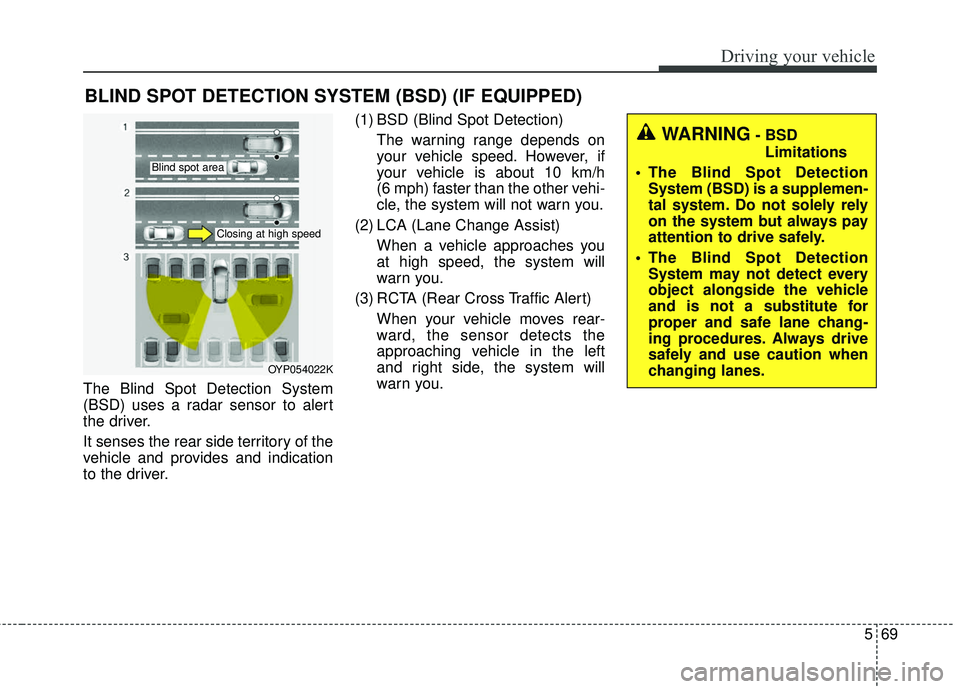
The Blind Spot Detection System
(BSD) uses a radar sensor to alert
the driver.
It senses the rear side territory of the
vehicle and provides and indication
to the driver.(1) BSD (Blind Spot Detection)
The warning range depends on
your vehicle speed. However, if
your vehicle is about 10 km/h
(6 mph) faster than the other vehi-
cle, the system will not warn you.
(2) LCA (Lane Change Assist) When a vehicle approaches you
at high speed, the system will
warn you.
(3) RCTA (Rear Cross Traffic Alert) When your vehicle moves rear-
ward, the sensor detects the
approaching vehicle in the left
and right side, the system will
warn you.
BLIND SPOT DETECTION SYSTEM (BSD) (IF EQUIPPED)
OYP054022K
WARNING- BSDLimitations
The Blind Spot Detection System (BSD) is a supplemen-
tal system. Do not solely rely
on the system but always pay
attention to drive safely.
The Blind Spot Detection System may not detect every
object alongside the vehicle
and is not a substitute for
proper and safe lane chang-
ing procedures. Always drive
safely and use caution when
changing lanes.
Blind spot area
Closing at high speed
Page 414 of 586
Driving your vehicle
70
5
BSD (Blind Spot Detection) /
LCA (Lane Change Assist)
Operating conditions
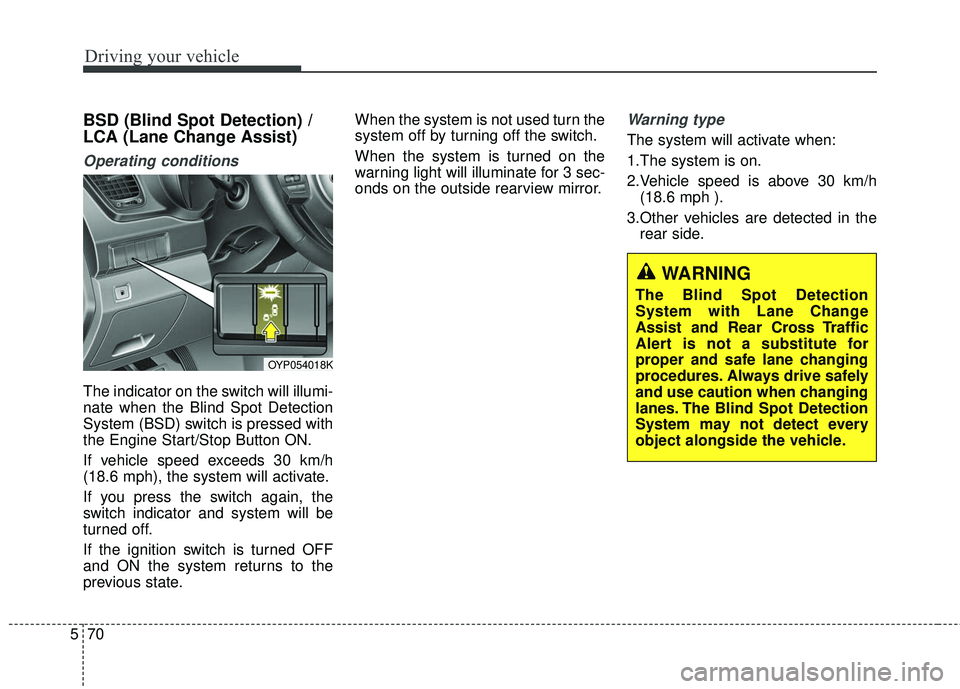
The indicator on the switch will illumi-
nate when the Blind Spot Detection
System (BSD) switch is pressed with
the Engine Start/Stop Button ON.
If vehicle speed exceeds 30 km/h
(18.6 mph), the system will activate.
If you press the switch again, the
switch indicator and system will be
turned off.
If the ignition switch is turned OFF
and ON the system returns to the
previous state. When the system is not used turn the
system off by turning off the switch.
When the system is turned on the
warning light will illuminate for 3 sec-
onds on the outside rearview mirror.
Warning type
The system will activate when:
1.The system is on.
2.Vehicle speed is above 30 km/h
(18.6 mph ).
3.Other vehicles are detected in the rear side.
WARNING
The Blind Spot Detection
System with Lane Change
Assist and Rear Cross Traffic
Alert is not a substitute for
proper and safe lane changing
procedures. Always drive safely
and use caution when changing
lanes. The Blind Spot Detection
System may not detect every
object alongside the vehicle.
OYP054018K