cruise control KIA SEDONA 2018 Owners Manual
[x] Cancel search | Manufacturer: KIA, Model Year: 2018, Model line: SEDONA, Model: KIA SEDONA 2018Pages: 586, PDF Size: 14.1 MB
Page 15 of 586
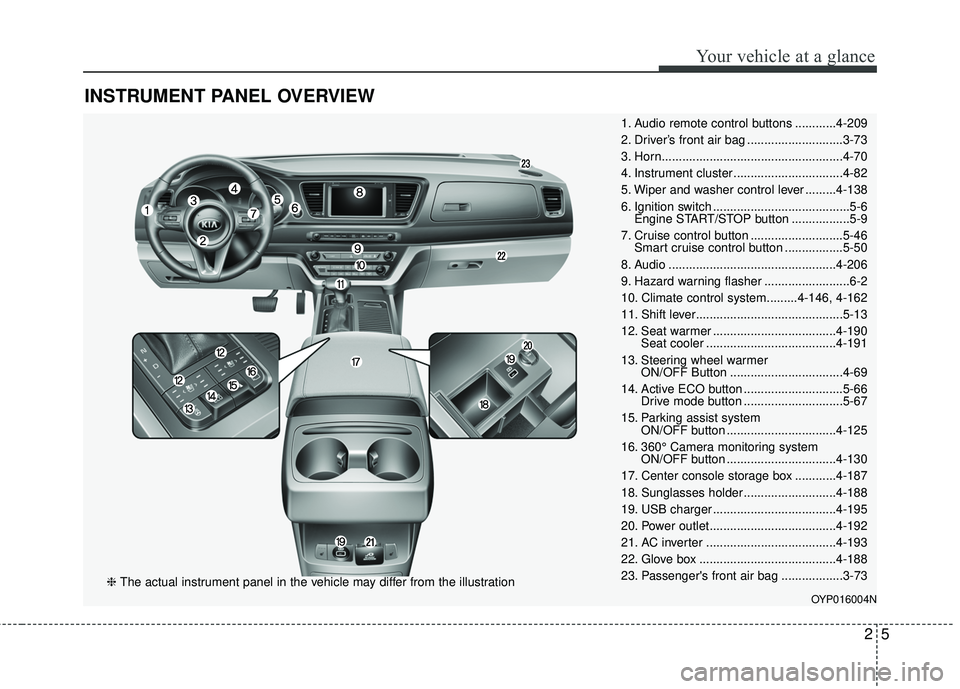
INSTRUMENT PANEL OVERVIEW
25
Your vehicle at a glance
1. Audio remote control buttons ............4-209
2. Driver’s front air bag ............................3-73
3. Horn.....................................................4-70
4. Instrument cluster ................................4-82
5. Wiper and washer control lever .........4-138
6. Ignition switch ........................................5-6Engine START/STOP button .................5-9
7. Cruise control button ...........................5-46 Smart cruise control button .................5-50
8. Audio .................................................4-206
9. Hazard warning flasher .........................6-2
10. Climate control system.........4-146, 4-162
11. Shift lever...........................................5-13
12. Seat warmer ....................................4-190 Seat cooler ......................................4-191
13. Steering wheel warmer ON/OFF Button .................................4-69
14. Active ECO button .............................5-66 Drive mode button .............................5-67
15. Parking assist system ON/OFF button ................................4-125
16. 360° Camera monitoring system ON/OFF button ................................4-130
17. Center console storage box ............4-187
18. Sunglasses holder ...........................4-188
19. USB charger ....................................4-195
20. Power outlet.....................................4-192
21. AC inverter ......................................4-193
22. Glove box ........................................4-188
23. Passenger's front air bag ..................3-73
OYP016004N
❈ The actual instrument panel in the vehicle may differ from the illustration
Page 191 of 586
489
Features of your vehicle
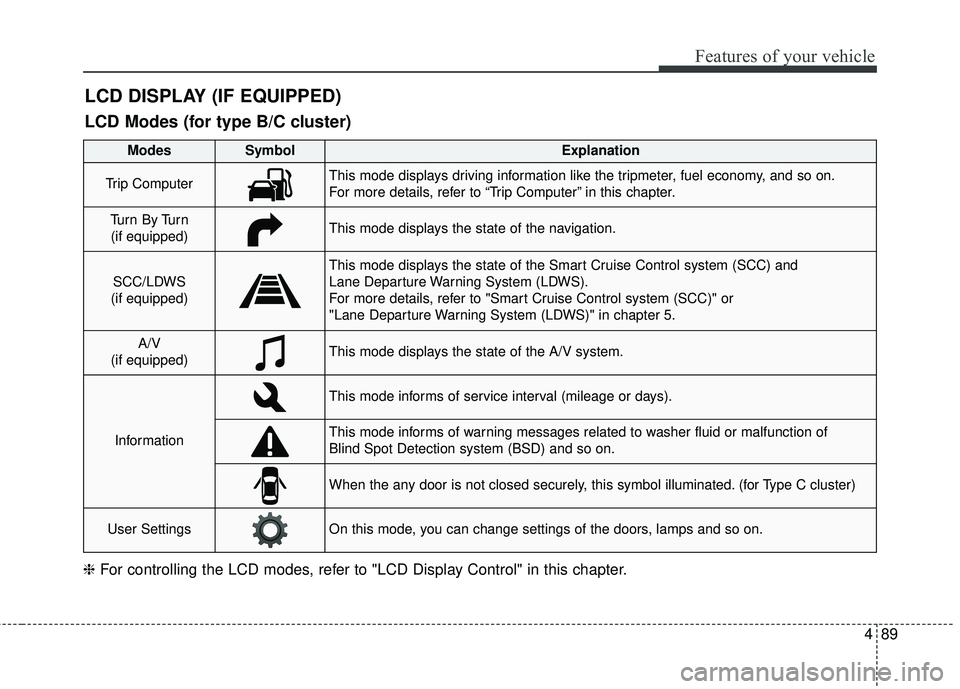
LCD DISPLAY (IF EQUIPPED)
❈For controlling the LCD modes, refer to "LCD Display Control" in this chapter.
LCD Modes (for type B/C cluster)
Modes SymbolExplanation
Trip ComputerThis mode displays driving information like the tripmeter, fuel economy, and so on.
For more details, refer to “Trip Computer” in this chapter.
Tu r n B y Tu r n
(if equipped)This mode displays the state of the navigation.
SCC/LDWS
(if equipped)
This mode displays the state of the Smart Cruise Control system (SCC) and
Lane Departure Warning System (LDWS).
For more details, refer to "Smart Cruise Control system (SCC)" or
"Lane Departure Warning System (LDWS)" in chapter 5.
A/V
(if equipped)This mode displays the state of the A/V system.
Information
This mode informs of service interval (mileage or days).
This mode informs of warning messages related to washer fluid or malfunction of
Blind Spot Detection system (BSD) and so on.
When the any door is not closed securely, this symbol illuminated. (for Type C cluster)
User SettingsOn this mode, you can change settings of the doors, lamps and so on.
Page 194 of 586
Features of your vehicle
92
4
Master Warning Mode
• This warning light informs the driv-
er the following situations
- Low washer fluid (if equipped)
- Blind Spot Detection (BSD) mal-function (if equipped)
- Lane Departure warning system (LDWS) malfunction (if equipped)
- Smart cruise control system (SCC) malfunction (if equipped)
- Service reminder (if equipped)
The Master Warning Light illumi-
nates when more than one of the
above warning situations occur. At
this time, the LCD Modes Icon will
change from ( ) to ( ).
If the warning situation is solved, the
master warning light will be turned off
and the LCD Modes Icon will be
changed back to its previous icon ( ).
(ex : refill the washer fluid)
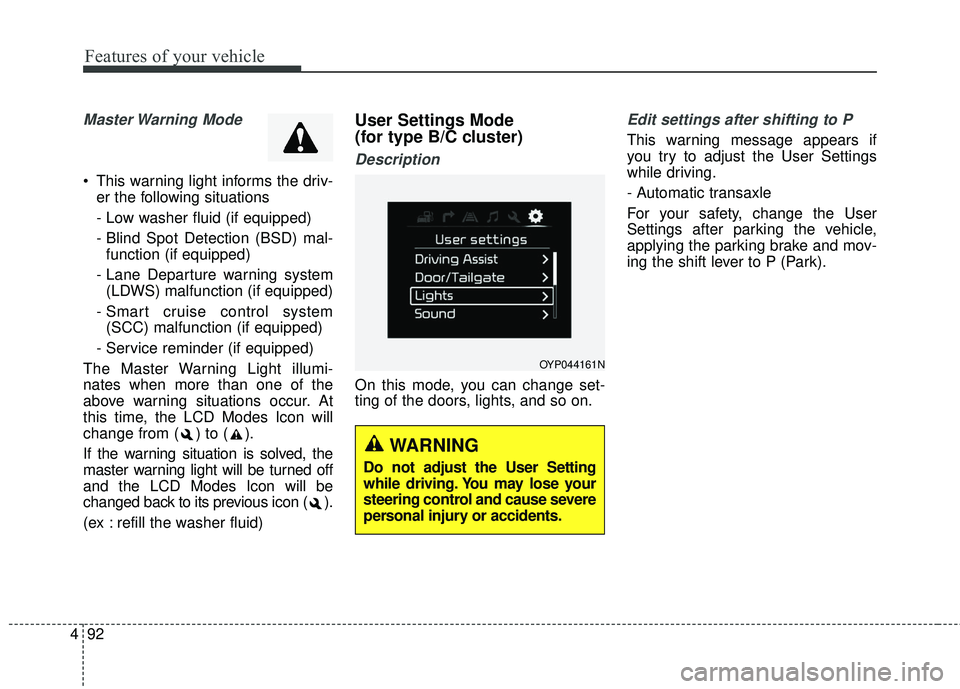
User Settings Mode
(for type B/C cluster)
Description
On this mode, you can change set-
ting of the doors, lights, and so on.
Edit settings after shifting to P
This warning message appears if
you try to adjust the User Settings
while driving.
- Automatic transaxle
For your safety, change the User
Settings after parking the vehicle,
applying the parking brake and mov-
ing the shift lever to P (Park).
OYP044161N
WARNING
Do not adjust the User Setting
while driving. You may lose your
steering control and cause severe
personal injury or accidents.
Page 195 of 586
493
Features of your vehicle
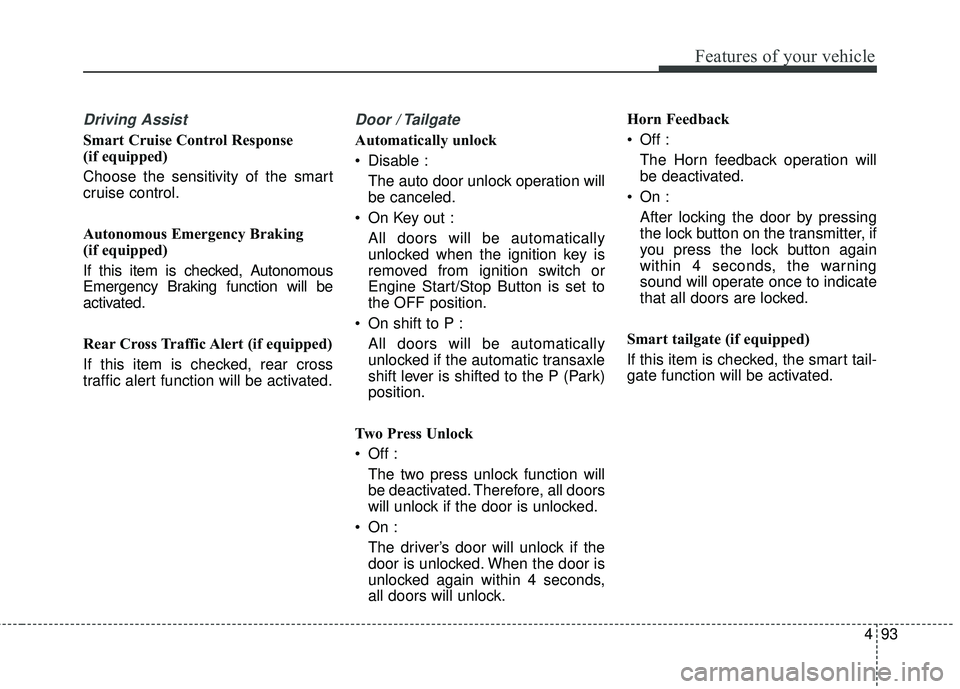
Driving Assist
Smart Cruise Control Response
(if equipped)
Choose the sensitivity of the smart
cruise control.
Autonomous Emergency Braking
(if equipped)
If this item is checked, Autonomous
Emergency Braking function will be
activated.
Rear Cross Traffic Alert (if equipped)
If this item is checked, rear cross
traffic alert function will be activated.
Door / Tailgate
Automatically unlock
Disable :The auto door unlock operation will
be canceled.
On Key out : All doors will be automatically
unlocked when the ignition key is
removed from ignition switch or
Engine Start/Stop Button is set to
the OFF position.
On shift to P : All doors will be automatically
unlocked if the automatic transaxle
shift lever is shifted to the P (Park)
position.
Two Press Unlock
Off : The two press unlock function will
be deactivated. Therefore, all doors
will unlock if the door is unlocked.
On : The driver’s door will unlock if the
door is unlocked. When the door is
unlocked again within 4 seconds,
all doors will unlock. Horn Feedback
Off :
The Horn feedback operation will
be deactivated.
On : After locking the door by pressing
the lock button on the transmitter, if
you press the lock button again
within 4 seconds, the warning
sound will operate once to indicate
that all doors are locked.
Smart tailgate (if equipped)
If this item is checked, the smart tail-
gate function will be activated.
Page 198 of 586
Features of your vehicle
96
4
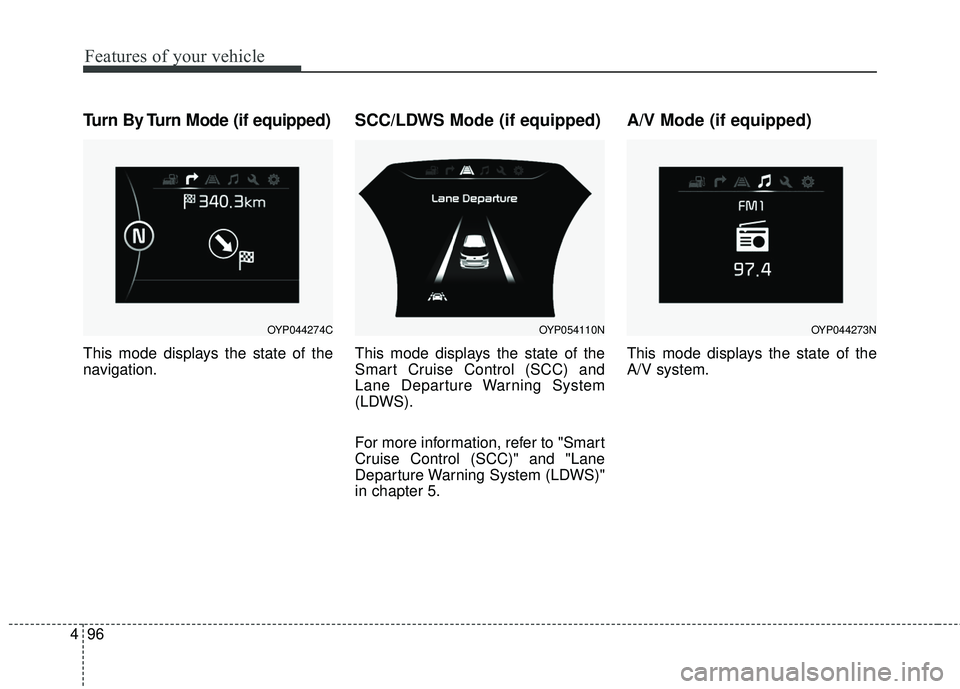
Turn By Turn Mode (if equipped)
This mode displays the state of the
navigation.
SCC/LDWS Mode (if equipped)
This mode displays the state of the
Smart Cruise Control (SCC) and
Lane Departure Warning System
(LDWS).
For more information, refer to "Smart
Cruise Control (SCC)" and "Lane
Departure Warning System (LDWS)"
in chapter 5.
A/V Mode (if equipped)
This mode displays the state of the
A/V system.
OYP044274COYP054110NOYP044273N
Page 217 of 586
4115
Features of your vehicle
Master Warning light (if equipped)
This warning light informs the driv- er of the following situations
- Low washer fluid (if equipped)
- Blind Spot Detection (BSD) mal-function (if equipped)
- Lane Departure warning system (LDWS) malfunction (if equipped)
- Smart cruise control system (SCC) malfunction (if equipped)
- High beam assist system (HBA) malfunction (if equipped)
- Service required The Master Warning Light illumi-
nates when more than one of the
above warning situations occur. At
this time, the LCD Modes Icon will
change from ( ) to ( ).
If the warning situation is solved, the
master warning light will be turned off
and the LCD Modes Icon will be
changed back to its previous icon ( ).
(ex : refill the washer fluid)
Washer Fluid Warning
Light (if equipped)
This warning light illuminates:
When the washer fluid level in the reservoir is nearly empty.
In this case, you should refill the
washer fluid.
Indicator Lights
Electronic Stability
Control (ESC) IndicatorLight
This indicator light illuminates :
Once you set the ignition switch or Engine Start/Stop Button to the ON
position.
- It illuminates for approximately 3seconds and then goes off.
When there is a malfunction with the ESC system.
In this case, have your vehicle
inspected by an authorized Kia
dealer.
This indicator light blinks :
While the ESC is operating.
For more details, refer to “Electronic
Stability Control (ESC)” in chapter 5.
Page 221 of 586
4119
Features of your vehicle
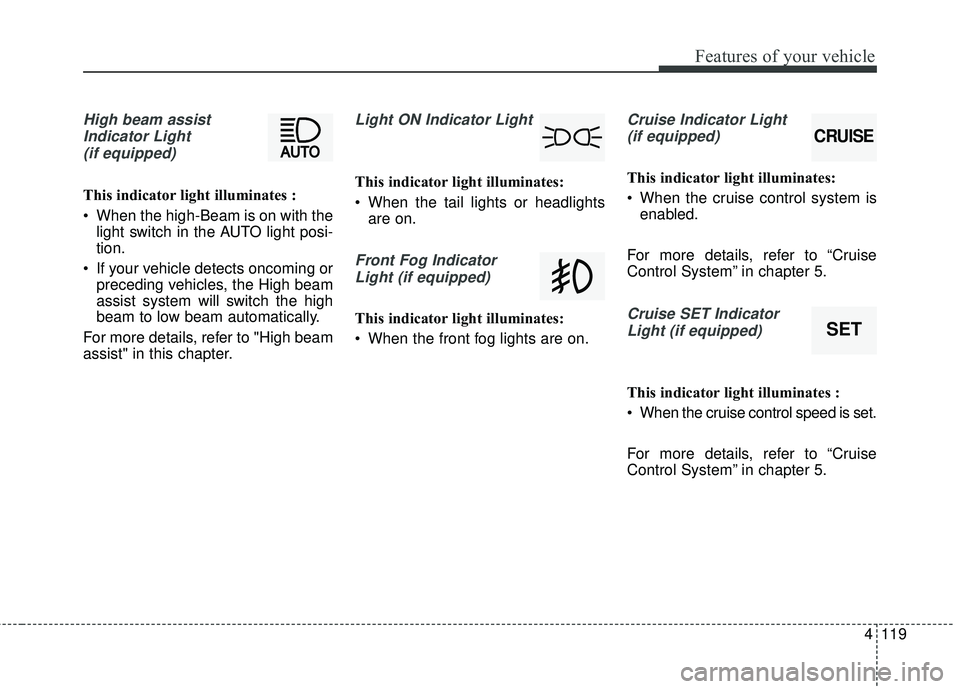
High beam assistIndicator Light(if equipped)
This indicator light illuminates :
• When the high-Beam is on with the light switch in the AUTO light posi-
tion.
If your vehicle detects oncoming or preceding vehicles, the High beam
assist system will switch the high
beam to low beam automatically.
For more details, refer to "High beam
assist" in this chapter.
Light ON Indicator Light
This indicator light illuminates:
When the tail lights or headlights are on.
Front Fog Indicator
Light (if equipped)
This indicator light illuminates:
When the front fog lights are on.
Cruise Indicator Light (if equipped)
This indicator light illuminates:
When the cruise control system is enabled.
For more details, refer to “Cruise
Control System” in chapter 5.
Cruise SET Indicator Light (if equipped)
This indicator light illuminates :
When the cruise control speed is set.
For more details, refer to “Cruise
Control System” in chapter 5.
CRUISE
SET
Page 345 of 586
Driving your vehicle
Before driving . . . . . . . . . . . . . . . . . . . . . . . . . . . . . . 5-4
• Before entering vehicle . . . . . . . . . . . . . . . . . . . . . . . . . 5-4
. . . . . . . . . . . . . . . . . . . . . . . . . . 5-4
. . . . . . . . . . . . . . . . . . . . . . . . . . . . . . . 5-4
Key positions . . . . . . . . . . . . . . . . . . . . . . . . . . . . . . . 5-6
. . . . . . . . . . . . . . . . . . . . . 5-6
. . . . . . . . . . . . . . . . . . . . . . . . . 5-6
. . . . . . . . . . . . . . . . . . . . . . . . . . . . 5-7
Engine START/STOP button . . . . . . . . . . . . . . . . . 5-9
. . . . . . . 5-9
. . . . . . . . . . . 5-9
. . . . . . . . . . . . 5-11
Automatic transaxle . . . . . . . . . . . . . . . . . . . . . . . . 5-13
. . . . . . . . . . . . . . . . . . 5-13
. . . . . . . . . . . . . . . . . . . . . . . . 5-18
Brake system . . . . . . . . . . . . . . . . . . . . . . . . . . . . . . 5-19
. . . . . . . . . . . . . . . . . . . . . . . . . . . . . . . . 5-19
. . . . . . . . . . . . . . . . . . . . . 5-21
. . . . . . . . . . . . . . . . . . 5-22
. . . . . . . . . . . . . . . 5-25
. . . . . . . . . . . . 5-29
. . . . . . . . . . . . . . . . . . 5-30
Autonomous emergency braking (AEB) . . . . . . . 5-33
. . . . . . . . . . . . . . . . . . 5-33 . . . . . . 5-35
. . . . . . . . . . . . . . . . . . . . . . 5-38
. . . . . . . . . . . . . . . . . . . . . . 5-41
Cruise Control system . . . . . . . . . . . . . . . . . . . . . . 5-46
. . . . . . . . . . . . . . . . . . . . . 5-46
. . . . . . . . . . . . . . . . . . 5-47
control on . . . . . . . . . . . . . . . . . . . . . . . . . . . . . . . . . . 5-48\
. . . . . . . . . . . . . . . . . . . . . . . 5-48
approximately 30 km/h (20 mph) . . . . . . . . . . . . . . 5-49
. . . . . . . . . . . . . . . . . . . . . . 5-49
Smart cruise control system (SCC) . . . . . . . . . . . 5-50
. . . . . . . . . 5-55
. . 5-59
. . . . . . . . . . . . . . . 5-59
. . . . . . . . . . . . . . . . . . . . . . 5-60
Active ECO system. . . . . . . . . . . . . . . . . . . . . . . . . 5-66
. . . . . . . . . . . . . . . . . . . . . . . . . 5-66
. . . . . . . . . . . . . . . . . . 5-66
. . . . . . . . . . . . . 5-66
Drive mode integrated control system . . . . . . . . . 5-67
. . . . . . . . . . . . . . . . . . . . . . . . . . . . . . . . 5-67
5
Page 390 of 586
Driving your vehicle
46
5
The cruise control system allows you
to program the vehicle to maintain a
constant speed without depressing
the accelerator pedal.
This system is designed to function
above approximately 40 km/h (25
mph).
If the cruise control is left on,
(CRUISE indicator light in the instru-
ment cluster illuminated) the cruise
control can be switched on acciden-
tally. Keep the cruise control system
off (CRUISE indicator light OFF)
when the cruise control is not in use,
to avoid inadvertently setting a
speed.
Use the cruise control system only
when traveling on open highways in
good weather.
Do not use the cruise control when
driving in heavy or varying traffic, or
on slippery (rainy, icy or snow-cov-
ered) or winding roads or over 6%
up-hill or down-hill roads.✽ ✽
NOTICE
• During normal cruise control
operation, when the SET switch is
activated or reactivated after
applying the brakes, the cruise
control will energize after approx-
imately 3 seconds. This delay is
normal.
• To activate cruise control, depress the brake pedal at least once after
turning the ignition switch to the
ON position or starting the engine.
This is to check if the brake switch
which is important part to cancel
cruise control is in normal condi-
tion.
To set cruise control speed:
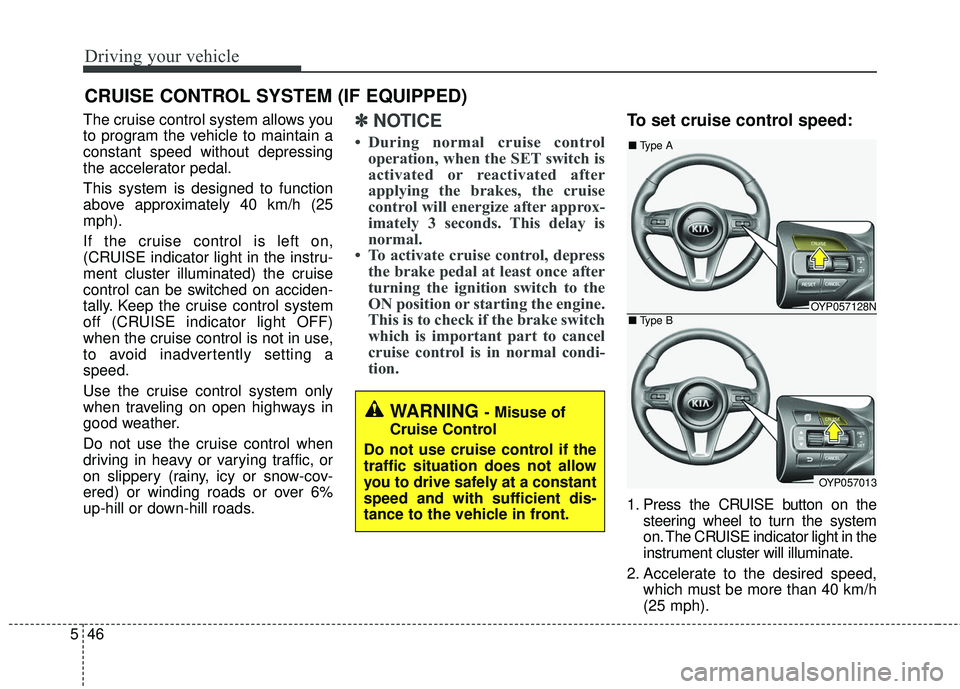
1. Press the CRUISE button on the
steering wheel to turn the system
on. The CRUISE indicator light in the
instrument cluster will illuminate.
2. Accelerate to the desired speed, which must be more than 40 km/h
(25 mph).
CRUISE CONTROL SYSTEM (IF EQUIPPED)
WARNING - Misuse of
Cruise Control
Do not use cruise control if the
traffic situation does not allow
you to drive safely at a constant
speed and with sufficient dis-
tance to the vehicle in front.
OYP057128N
OYP057013
■ Type A
■ Type B
Page 391 of 586
547
Driving your vehicle
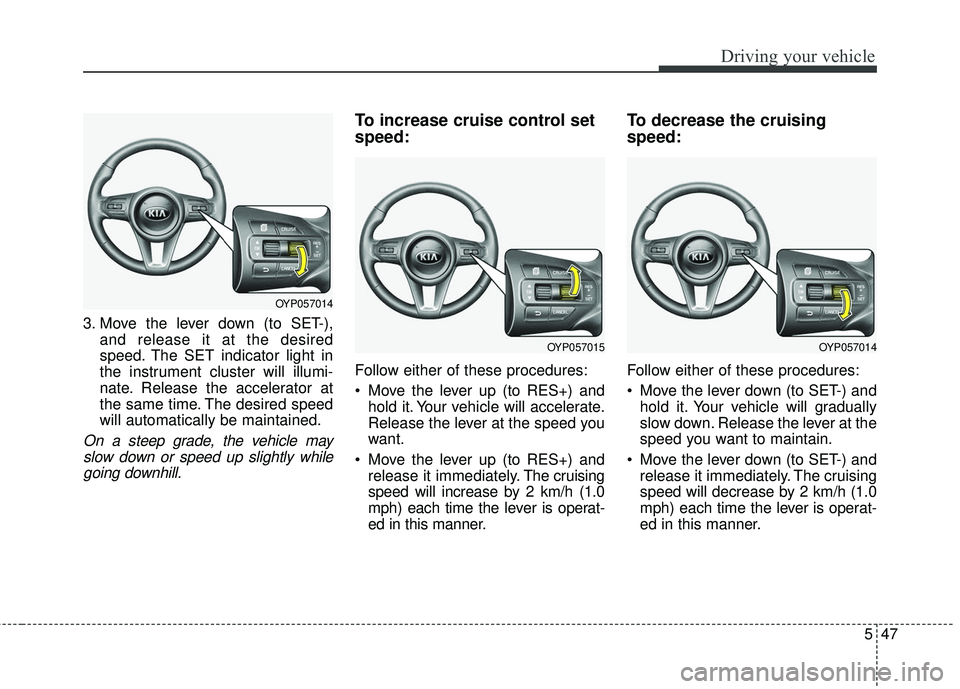
3. Move the lever down (to SET-),and release it at the desired
speed. The SET indicator light in
the instrument cluster will illumi-
nate. Release the accelerator at
the same time. The desired speed
will automatically be maintained.
On a steep grade, the vehicle mayslow down or speed up slightly whilegoing downhill.
To increase cruise control set
speed:
Follow either of these procedures:
Move the lever up (to RES+) and hold it. Your vehicle will accelerate.
Release the lever at the speed you
want.
Move the lever up (to RES+) and release it immediately. The cruising
speed will increase by 2 km/h (1.0
mph) each time the lever is operat-
ed in this manner.
To decrease the cruising
speed:
Follow either of these procedures:
Move the lever down (to SET-) and hold it. Your vehicle will gradually
slow down. Release the lever at the
speed you want to maintain.
Move the lever down (to SET-) and release it immediately. The cruising
speed will decrease by 2 km/h (1.0
mph) each time the lever is operat-
ed in this manner.
OYP057014
OYP057014OYP057015