key KIA SEDONA 2019 Owner's Manual
[x] Cancel search | Manufacturer: KIA, Model Year: 2019, Model line: SEDONA, Model: KIA SEDONA 2019Pages: 593, PDF Size: 15.93 MB
Page 128 of 593
Features of your vehicle
24
4
✽ ✽
NOTICE
• Avoid trying to start the engine
while the alarm is activated. The
vehicle starting motor is disabled
during the theft-alarm stage.
- If the system is not disarmed withthe transmitter, insert the key
into the ignition switch, turn the
ignition switch to the ON position
and wait for 30 seconds. Then the
system will be disarmed.
- If the system is not disarmed with the smart key, press the engine
start/stop button with smart key.
The side with the lock button
should contact the engine
start/stop button directly.
• If you lose your keys, consult your authorized Kia dealer.
✽ ✽ NOTICE
Malfunctions caused by improper
alterations, adjustments or modifi-
cations to the theft-alarm system are
not covered by your vehicle manu-
facturer warranty.
CAUTION - Adjusting
alarm system
Do not change, alter or adjust
the theft-alarm system becauseit could cause the theft-alarmsystem to malfunction andshould only be serviced by anauthorized Kia dealer.
Page 129 of 593
425
Features of your vehicle
DOOR LOCKS
Operating door locks from
outside the vehicle
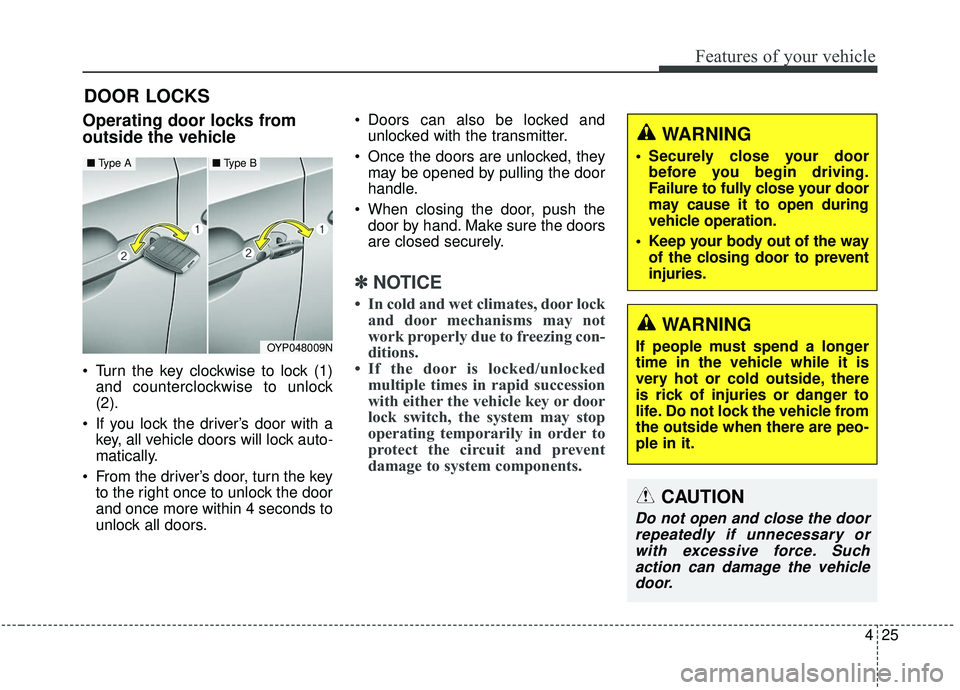
Turn the key clockwise to lock (1)and counterclockwise to unlock
(2).
If you lock the driver’s door with a key, all vehicle doors will lock auto-
matically.
From the driver’s door, turn the key to the right once to unlock the door
and once more within 4 seconds to
unlock all doors. Doors can also be locked and
unlocked with the transmitter.
Once the doors are unlocked, they may be opened by pulling the door
handle.
When closing the door, push the door by hand. Make sure the doors
are closed securely.
✽ ✽ NOTICE
• In cold and wet climates, door lock
and door mechanisms may not
work properly due to freezing con-
ditions.
• If the door is locked/unlocked multiple times in rapid succession
with either the vehicle key or door
lock switch, the system may stop
operating temporarily in order to
protect the circuit and prevent
damage to system components.
OYP048009N
■ Type A■ Type B
WARNING
If people must spend a longer
time in the vehicle while it is
very hot or cold outside, there
is rick of injuries or danger to
life. Do not lock the vehicle from
the outside when there are peo-
ple in it.
WARNING
• Securely close your door
before you begin driving.
Failure to fully close your door
may cause it to open during
vehicle operation.
Keep your body out of the way of the closing door to prevent
injuries.
CAUTION
Do not open and close the doorrepeatedly if unnecessary orwith excessive force. Suchaction can damage the vehicledoor.
Page 131 of 593
427
Features of your vehicle
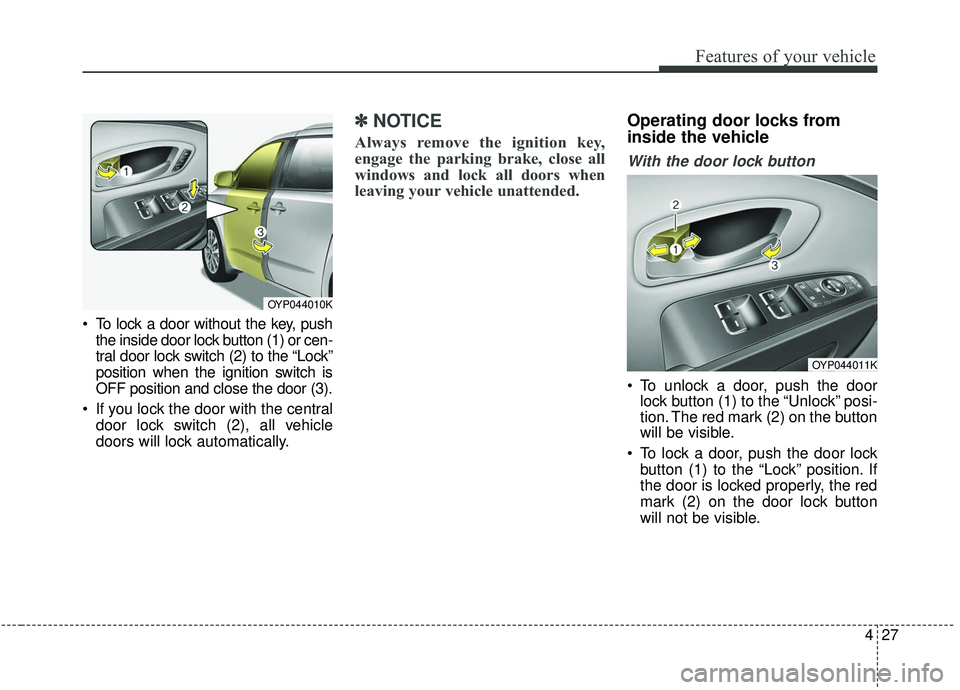
To lock a door without the key, pushthe inside door lock button (1) or cen-
tral door lock switch (2) to the “Lock”
position when the ignition switch is
OFF position and close the door (3).
If you lock the door with the central door lock switch (2), all vehicle
doors will lock automatically.
✽ ✽ NOTICE
Always remove the ignition key,
engage the parking brake, close all
windows and lock all doors when
leaving your vehicle unattended.
Operating door locks from
inside the vehicle
With the door lock button
To unlock a door, push the door
lock button (1) to the “Unlock” posi-
tion. The red mark (2) on the button
will be visible.
To lock a door, push the door lock button (1) to the “Lock” position. If
the door is locked properly, the red
mark (2) on the door lock button
will not be visible.
OYP044010K
OYP044011K
Page 132 of 593
Features of your vehicle
28
4
To open a door, pull the door handle
(3) outward. (for front door)
To open a door, pull the door handle rearward (for sliding door)
If the inner door handle of the dri- ver’s (or front passenger’s) door is
pulled when the door lock button is
in the lock position, the button will
unlock and the door will open. (if
equipped)
Front doors cannot be locked if the ignition key is in the ignition switch
and any front door is opened. If a power door lock ever fails to func-
tion while you are in the vehicle, try
one or more of the following tech-
niques to exit:
Operate the door unlock feature
repeatedly (both electronic and
manual) while simultaneously
pulling on the door handle.
Operate the other door locks and handles, front and rear.
Lower a front window and use the key to unlock the door from out-
side.
Move to the cargo area and open the liftgate.With central door lock switch
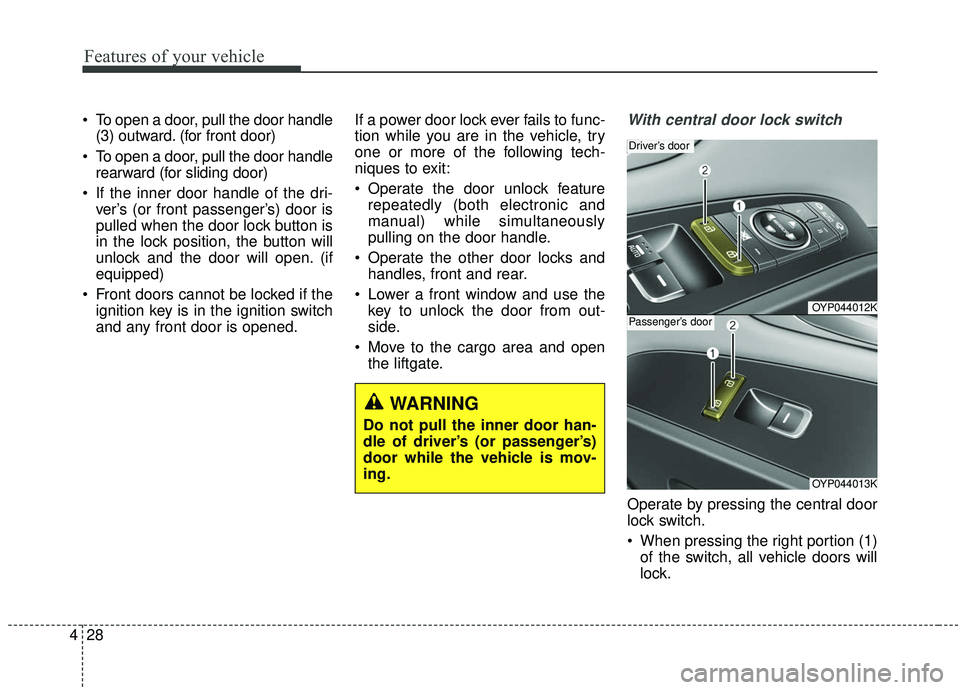
Operate by pressing the central door
lock switch.
When pressing the right portion (1)of the switch, all vehicle doors will
lock.
OYP044012K
Driver’s door
OYP044013K
Passenger’s door
WARNING
Do not pull the inner door han-
dle of driver’s (or passenger’s)
door while the vehicle is mov-
ing.
Page 133 of 593
429
Features of your vehicle
When pressing the left portion (2)of the switch, all vehicle doors will
unlock.
If the key is in the ignition switch (or if the smart key is in the vehicle)
and any front door is opened, the
doors will not lock even though the
front portion (1) of the central door
lock switch is pressed.
WARNING
-
Unattended children/
animals
Never leave children or animals
unattended in your vehicle. An
enclosed vehicle can become
extremely hot, causing death or
severe injury to unattended
children or animals who cannot
escape the vehicle
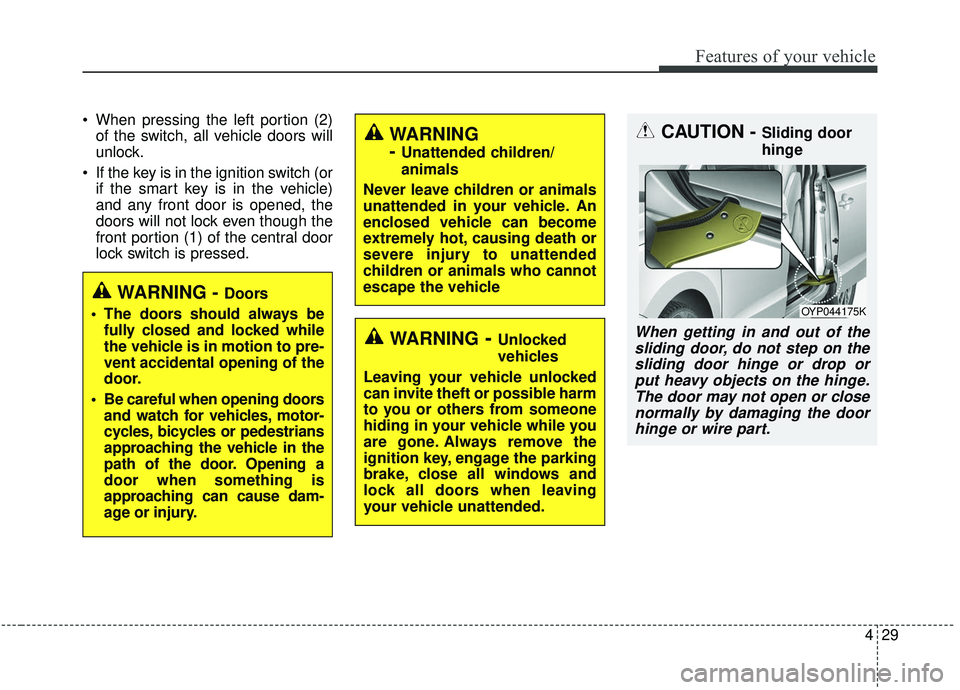
CAUTION - Sliding door
hinge
When getting in and out of the sliding door, do not step on thesliding door hinge or drop orput heavy objects on the hinge.The door may not open or closenormally by damaging the doorhinge or wire part.
OYP044175K
WARNING - Doors
The doors should always be fully closed and locked while
the vehicle is in motion to pre-
vent accidental opening of the
door.
Be careful when opening doors and watch for vehicles, motor-
cycles, bicycles or pedestrians
approaching the vehicle in the
path of the door. Opening a
door when something is
approaching can cause dam-
age or injury.
WARNING- Unlocked
vehicles
Leaving your vehicle unlocked
can invite theft or possible harm
to you or others from someone
hiding in your vehicle while you
are gone. Always remove the
ignition key, engage the parking
brake, close all windows and
lock all doors when leaving
your vehicle unattended.
Page 135 of 593
431
Features of your vehicle
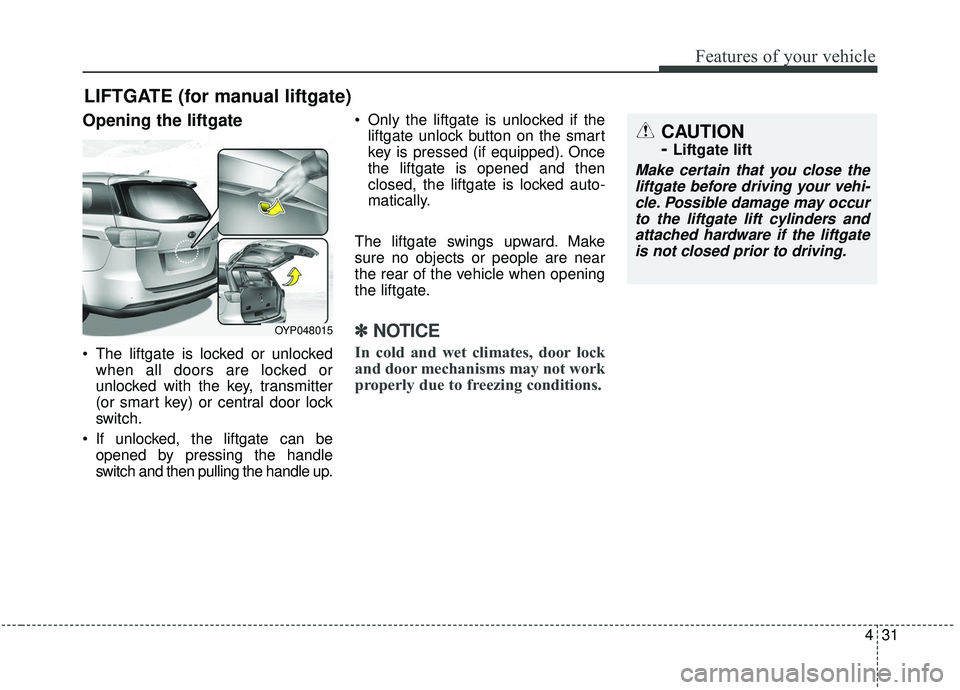
Opening the liftgate
The liftgate is locked or unlockedwhen all doors are locked or
unlocked with the key, transmitter
(or smart key) or central door lock
switch.
If unlocked, the liftgate can be opened by pressing the handle
switch and then pulling the handle up. Only the liftgate is unlocked if the
liftgate unlock button on the smart
key is pressed (if equipped). Once
the liftgate is opened and then
closed, the liftgate is locked auto-
matically.
The liftgate swings upward. Make
sure no objects or people are near
the rear of the vehicle when opening
the liftgate.
✽ ✽ NOTICE
In cold and wet climates, door lock
and door mechanisms may not work
properly due to freezing conditions.
LIFTGATE (for manual liftgate)
CAUTION
-
Liftgate lift
Make certain that you close the
liftgate before driving your vehi-cle. Possible damage may occurto the liftgate lift cylinders andattached hardware if the liftgateis not closed prior to driving.
OYP048015
Page 138 of 593
Features of your vehicle
34
4
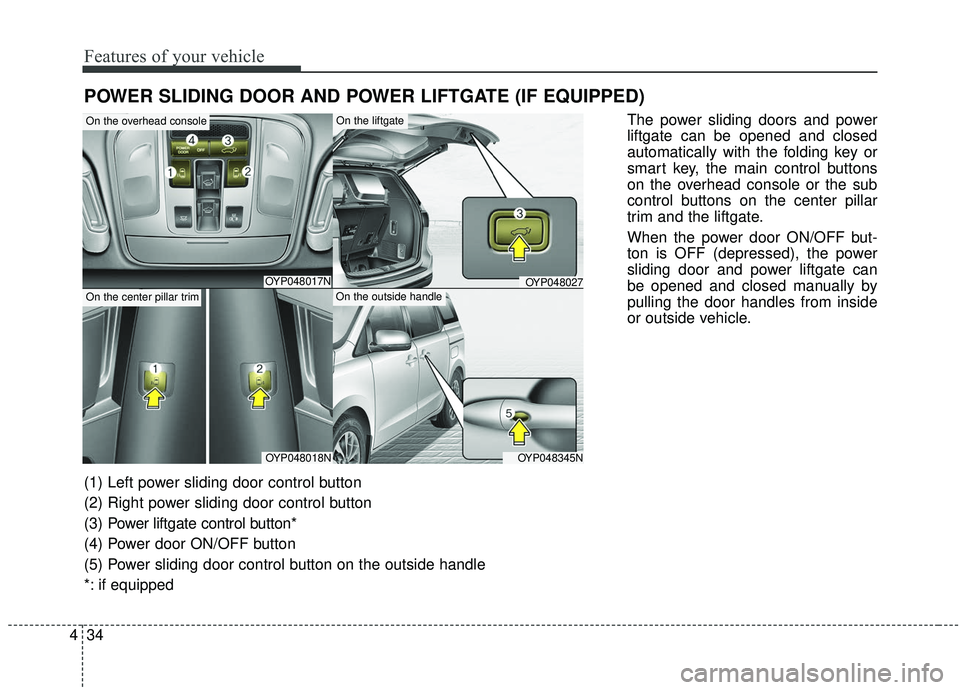
POWER SLIDING DOOR AND POWER LIFTGATE (IF EQUIPPED)
The power sliding doors and power
liftgate can be opened and closed
automatically with the folding key or
smart key, the main control buttons
on the overhead console or the sub
control buttons on the center pillar
trim and the liftgate.
When the power door ON/OFF but-
ton is OFF (depressed), the power
sliding door and power liftgate can
be opened and closed manually by
pulling the door handles from inside
or outside vehicle.
OYP048017N
OYP048018NOYP048345N
OYP048027
On the overhead console
On the center pillar trim
On the liftgate
On the outside handle
(1) Left power sliding door control button
(2) Right power sliding door control button
(3) Power liftgate control button*
(4) Power door ON/OFF button
(5) Power sliding door control button on the outside handle
*: if equipped
Page 146 of 593
Features of your vehicle
42
4
Power sliding door non-opening
conditions
The power sliding door is not auto-
matically opened, but closed under
the following conditions. If the main
or sub control button is pushed for
power opening operation, the chime
sounds once.
When the ignition switch is in the ON
position,
1. Vehicle is moving above 5 km/h (3 mph).
2. The gearshift lever is not in P (Park) for automatic transaxle.
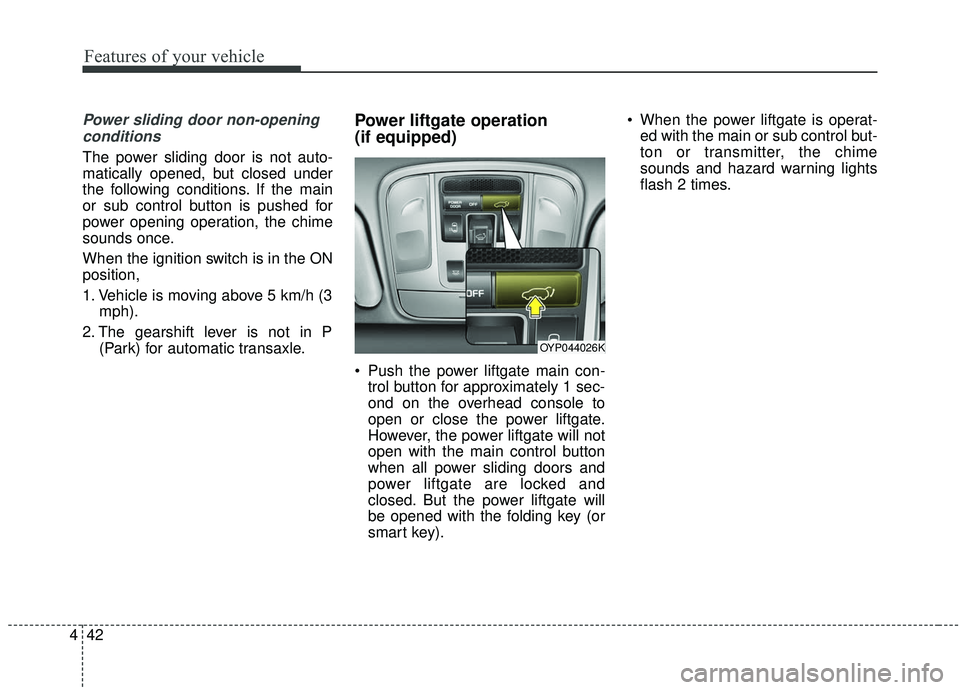
Power liftgate operation
(if equipped)
Push the power liftgate main con-trol button for approximately 1 sec-
ond on the overhead console to
open or close the power liftgate.
However, the power liftgate will not
open with the main control button
when all power sliding doors and
power liftgate are locked and
closed. But the power liftgate will
be opened with the folding key (or
smart key). When the power liftgate is operat-
ed with the main or sub control but-
ton or transmitter, the chime
sounds and hazard warning lights
flash 2 times.
OYP044026K
Page 150 of 593
Features of your vehicle
46
4
3. Press the liftgate close button for
more than 3 seconds.
4. You will hear the system beep twice indicating height has been
set up.
The liftgate will open to the height
the driver has set up.Emergency liftgate safety
release
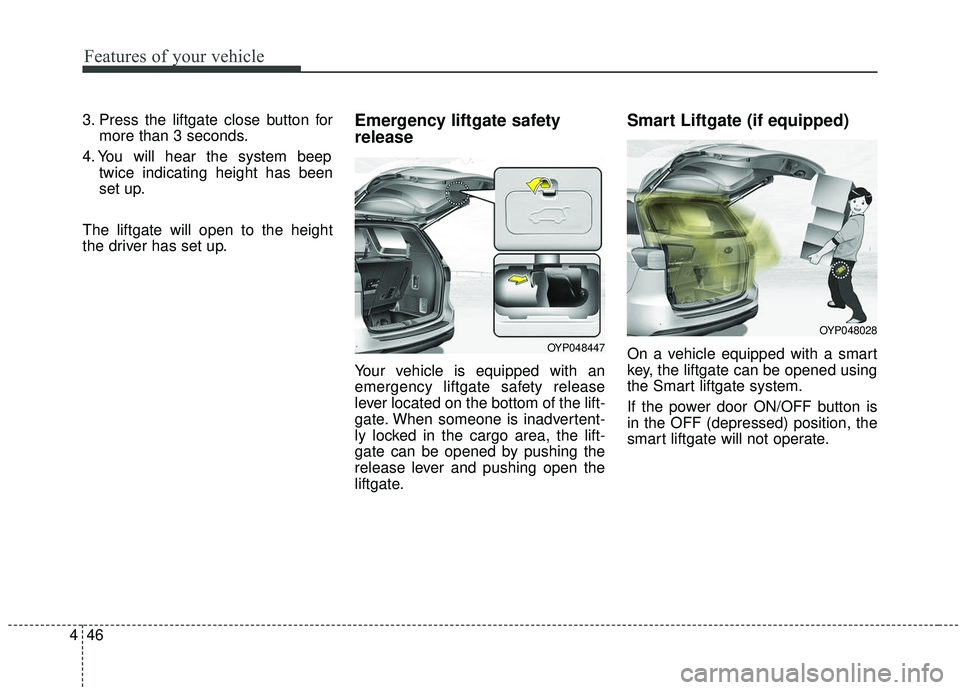
Your vehicle is equipped with an
emergency liftgate safety release
lever located on the bottom of the lift-
gate. When someone is inadvertent-
ly locked in the cargo area, the lift-
gate can be opened by pushing the
release lever and pushing open the
liftgate.
Smart Liftgate (if equipped)
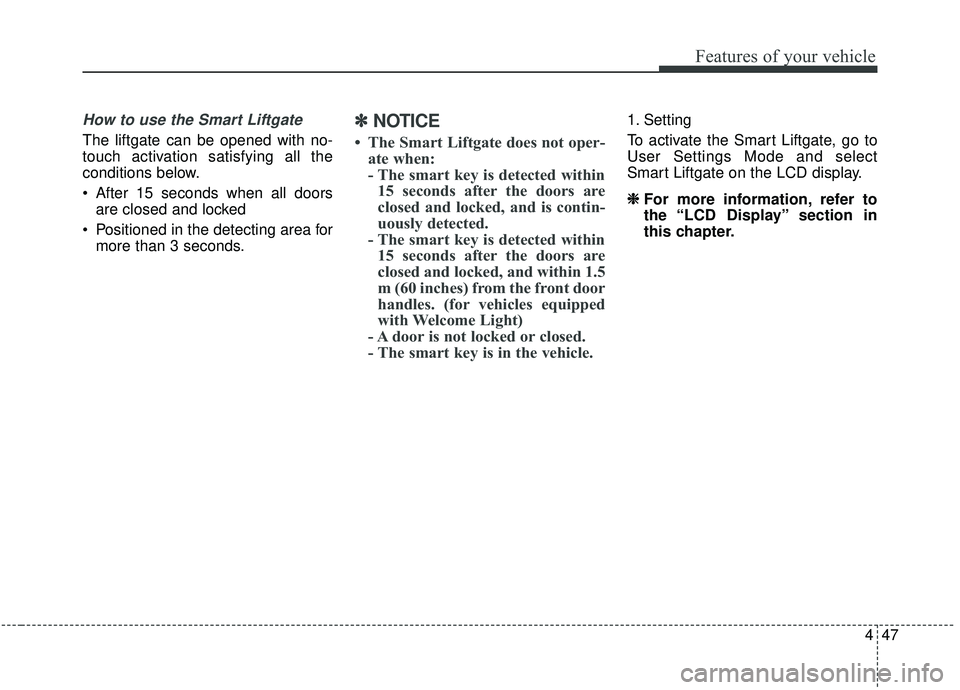
On a vehicle equipped with a smart
key, the liftgate can be opened using
the Smart liftgate system.
If the power door ON/OFF button is
in the OFF (depressed) position, the
smart liftgate will not operate.OYP048447
OYP048028
Page 151 of 593
447
Features of your vehicle
How to use the Smart Liftgate
The liftgate can be opened with no-
touch activation satisfying all the
conditions below.
After 15 seconds when all doorsare closed and locked
Positioned in the detecting area for more than 3 seconds.
✽ ✽ NOTICE
• The Smart Liftgate does not oper-
ate when:
- The smart key is detected within15 seconds after the doors are
closed and locked, and is contin-
uously detected.
- The smart key is detected within 15 seconds after the doors are
closed and locked, and within 1.5
m (60 inches) from the front door
handles. (for vehicles equipped
with Welcome Light)
- A door is not locked or closed.
- The smart key is in the vehicle.
1. Setting
To activate the Smart Liftgate, go to
User Settings Mode and select
Smart Liftgate on the LCD display.
❈ ❈
For more information, refer to
the “LCD Display” section in
this chapter.