air condition KIA SEDONA 2019 Service Manual
[x] Cancel search | Manufacturer: KIA, Model Year: 2019, Model line: SEDONA, Model: KIA SEDONA 2019Pages: 593, PDF Size: 15.93 MB
Page 292 of 593
Features of your vehicle
188
4
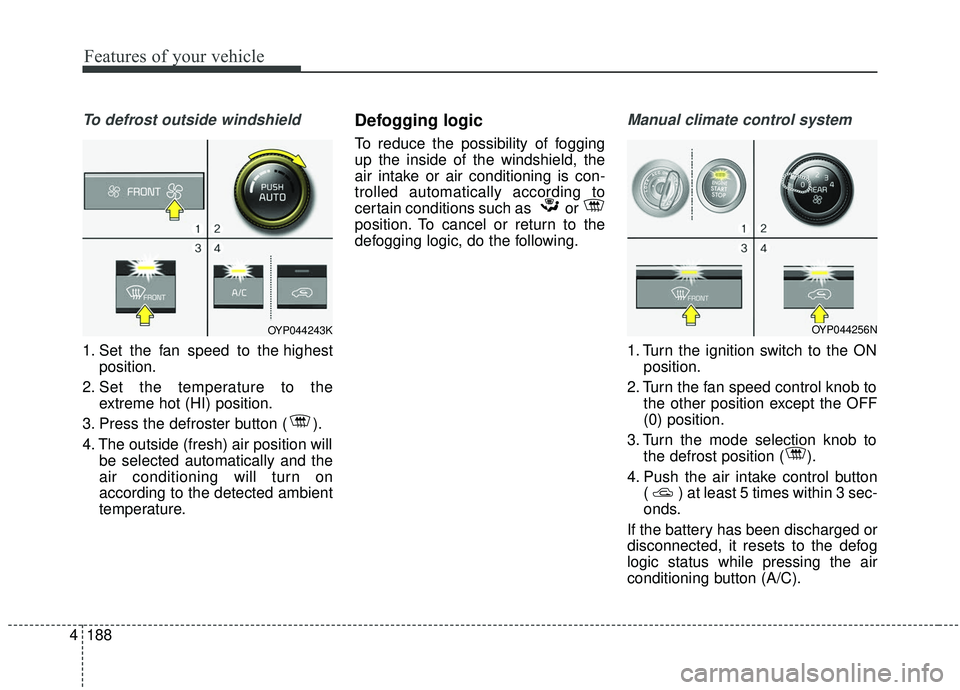
To defrost outside windshield
1. Set the fan speed to the highest
position.
2. Set the temperature to the extreme hot (HI) position.
3. Press the defroster button ( ).
4. The outside (fresh) air position will be selected automatically and the
air conditioning will turn on
according to the detected ambient
temperature.
Defogging logic
To reduce the possibility of fogging
up the inside of the windshield, the
air intake or air conditioning is con-
trolled automatically according to
certain conditions such as or
position. To cancel or return to the
defogging logic, do the following.
Manual climate control system
1. Turn the ignition switch to the ONposition.
2. Turn the fan speed control knob to the other position except the OFF
(0) position.
3. Turn the mode selection knob to the defrost position ( ).
4. Push the air intake control button ( ) at least 5 times within 3 sec-
onds.
If the battery has been discharged or
disconnected, it resets to the defog
logic status while pressing the air
conditioning button (A/C).
OYP044243KOYP044256N
Page 293 of 593
4189
Features of your vehicle
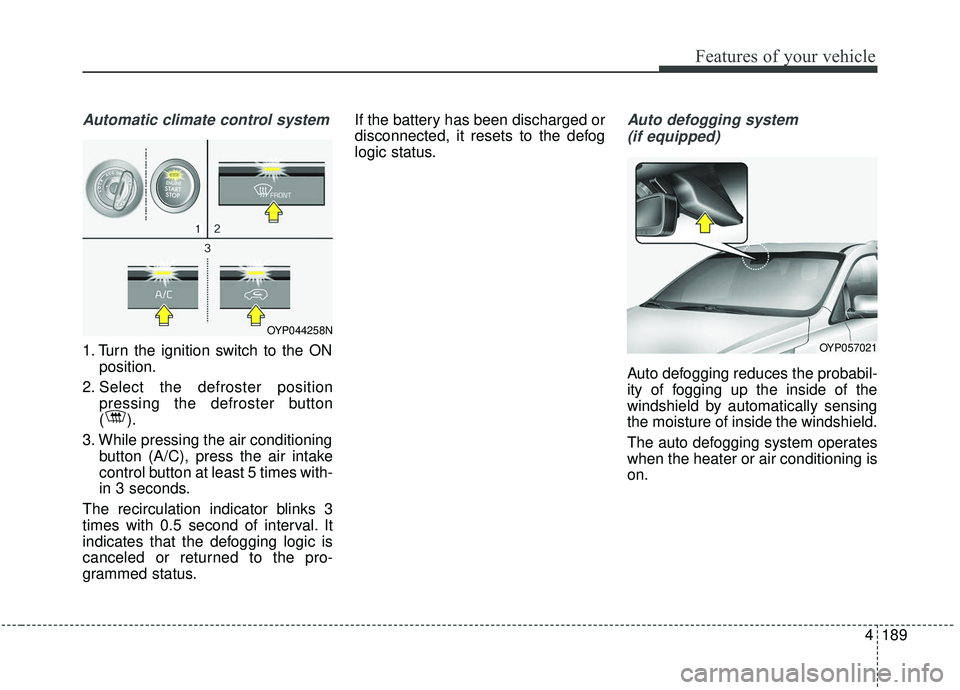
Automatic climate control system
1. Turn the ignition switch to the ONposition.
2. Select the defroster position pressing the defroster button
().
3. While pressing the air conditioning button (A/C), press the air intake
control button at least 5 times with-
in 3 seconds.
The recirculation indicator blinks 3
times with 0.5 second of interval. It
indicates that the defogging logic is
canceled or returned to the pro-
grammed status. If the battery has been discharged or
disconnected, it resets to the defog
logic status.
Auto defogging system
(if equipped)
Auto defogging reduces the probabil-
ity of fogging up the inside of the
windshield by automatically sensing
the moisture of inside the windshield.
The auto defogging system operates
when the heater or air conditioning is
on.
OYP044258N
OYP057021
Page 294 of 593
Features of your vehicle
190
4
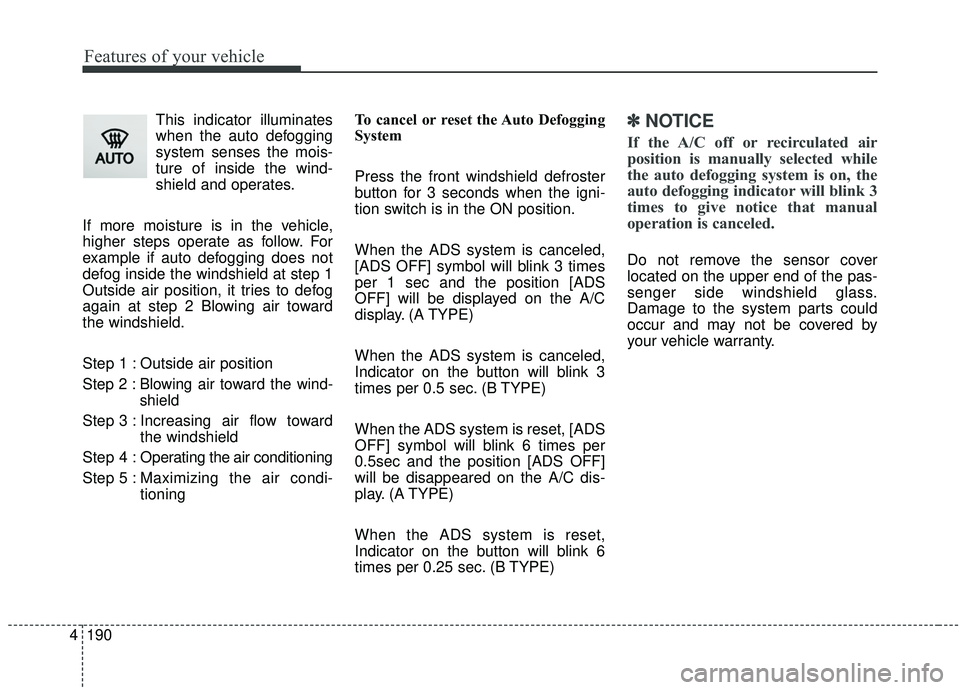
This indicator illuminates
when the auto defogging
system senses the mois-
ture of inside the wind-
shield and operates.
If more moisture is in the vehicle,
higher steps operate as follow. For
example if auto defogging does not
defog inside the windshield at step 1
Outside air position, it tries to defog
again at step 2 Blowing air toward
the windshield.
Step 1 : Outside air position
Step 2 :Blowing air toward the wind-
shield
Step 3 : Increasing air flow toward the windshield
Step 4 : Operating the air conditioning
Step 5 : M aximizing the air condi-
tioning To cancel or reset the Auto Defogging
System
Press the front windshield defroster
button for 3 seconds when the igni-
tion switch is in the ON position.
When the ADS system is canceled,
[ADS OFF] symbol will blink 3 times
per 1 sec and the position [ADS
OFF] will be displayed on the A/C
display. (A TYPE)
When the ADS system is canceled,
Indicator on the button will blink 3
times per 0.5 sec. (B TYPE)
When the ADS system is reset, [ADS
OFF] symbol will blink 6 times per
0.5sec and the position [ADS OFF]
will be disappeared on the A/C dis-
play. (A TYPE)
When the ADS system is reset,
Indicator on the button will blink 6
times per 0.25 sec. (B TYPE)
✽ ✽
NOTICE
If the A/C off or recirculated air
position is manually selected while
the auto defogging system is on, the
auto defogging indicator will blink 3
times to give notice that manual
operation is canceled.
Do not remove the sensor cover
located on the upper end of the pas-
senger side windshield glass.
Damage to the system parts could
occur and may not be covered by
your vehicle warranty.
Page 298 of 593
Features of your vehicle
194
4
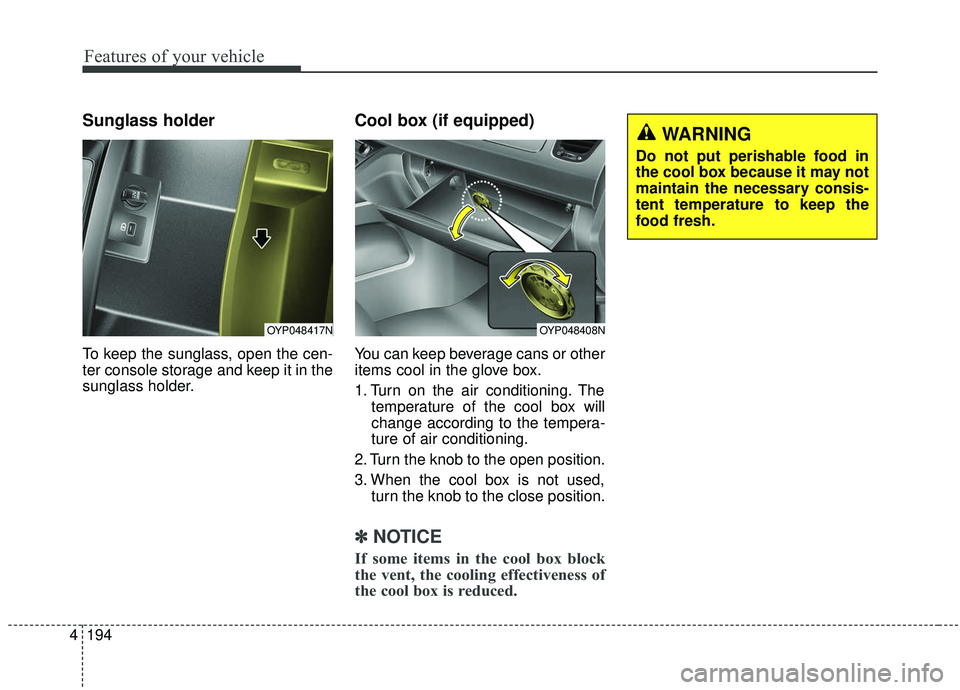
Sunglass holder
To keep the sunglass, open the cen-
ter console storage and keep it in the
sunglass holder.
Cool box (if equipped)
You can keep beverage cans or other
items cool in the glove box.
1. Turn on the air conditioning. The
temperature of the cool box will
change according to the tempera-
ture of air conditioning.
2. Turn the knob to the open position.
3. When the cool box is not used, turn the knob to the close position.
✽ ✽
NOTICE
If some items in the cool box block
the vent, the cooling effectiveness of
the cool box is reduced.
OYP048408N
WARNING
Do not put perishable food in
the cool box because it may not
maintain the necessary consis-
tent temperature to keep the
food fresh.
OYP048417N
Page 301 of 593
4197
Features of your vehicle
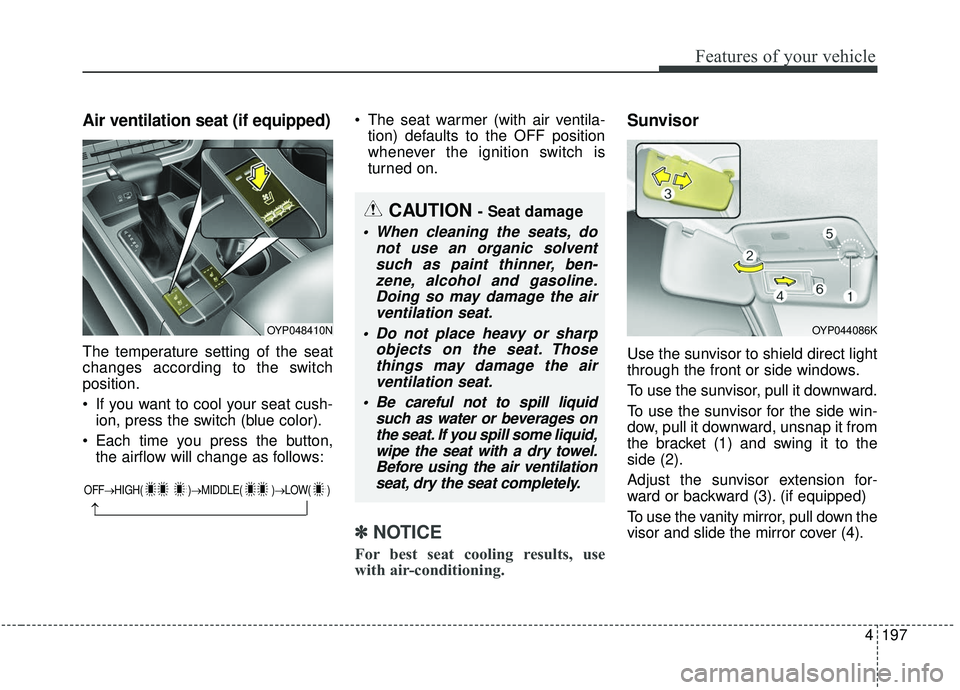
Air ventilation seat (if equipped)
The temperature setting of the seat
changes according to the switch
position.
If you want to cool your seat cush-ion, press the switch (blue color).
Each time you press the button, the airflow will change as follows: The seat warmer (with air ventila-
tion) defaults to the OFF position
whenever the ignition switch is
turned on.
✽ ✽ NOTICE
For best seat cooling results, use
with air-conditioning.
Sunvisor
Use the sunvisor to shield direct light
through the front or side windows.
To use the sunvisor, pull it downward.
To use the sunvisor for the side win-
dow, pull it downward, unsnap it from
the bracket (1) and swing it to the
side (2).
Adjust the sunvisor extension for-
ward or backward (3). (if equipped)
To use the vanity mirror, pull down the
visor and slide the mirror cover (4).
OYP048410N
OFF→ HIGH( )→ MIDDLE( )→LOW( )
→
CAUTION - Seat damage
When cleaning the seats, do
not use an organic solventsuch as paint thinner, ben-zene, alcohol and gasoline.Doing so may damage the airventilation seat.
Do not place heavy or sharp objects on the seat. Thosethings may damage the airventilation seat.
Be careful not to spill liquid such as water or beverages onthe seat. If you spill some liquid,wipe the seat with a dry towel.Before using the air ventilationseat, dry the seat completely.
OYP044086K
Page 302 of 593
Features of your vehicle
198
4
The ticket holder (5) is provided for
holding a tollgate ticket. (if equipped)
* The actual sunvisor lamp in the vehi-
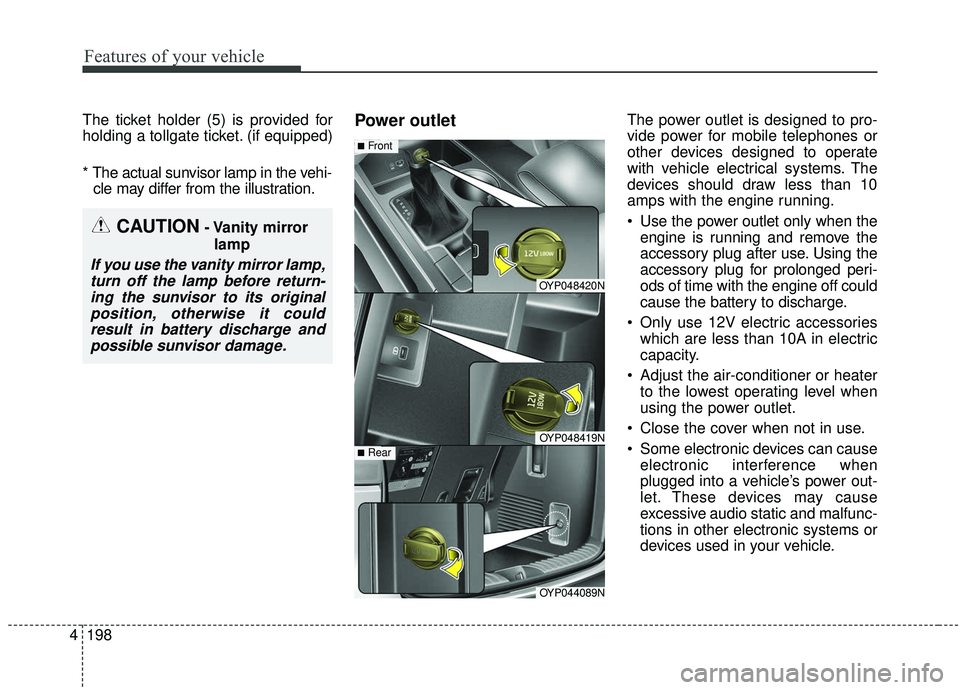
cle may differ from the illustration.Power outletThe power outlet is designed to pro-
vide power for mobile telephones or
other devices designed to operate
with vehicle electrical systems. The
devices should draw less than 10
amps with the engine running.
Use the power outlet only when the engine is running and remove the
accessory plug after use. Using the
accessory plug for prolonged peri-
ods of time with the engine off could
cause the battery to discharge.
Only use 12V electric accessories which are less than 10A in electric
capacity.
Adjust the air-conditioner or heater to the lowest operating level when
using the power outlet.
Close the cover when not in use.
Some electronic devices can cause electronic interference when
plugged into a vehicle’s power out-
let. These devices may cause
excessive audio static and malfunc-
tions in other electronic systems or
devices used in your vehicle.
CAUTION- Vanity mirror
lamp
If you use the vanity mirror lamp,turn off the lamp before return-ing the sunvisor to its originalposition, otherwise it couldresult in battery discharge andpossible sunvisor damage.
OYP048420N
OYP048419N
■Front
OYP044089N
■Rear
Page 336 of 593
Driving your vehicle
22
5
In the event of brake failure
If service brakes fail to operate while
the vehicle is in motion, you can
make an emergency stop with the
parking brake. The stopping dis-
tance, however, will be much greater
than normal.
Disc brakes wear indicator
When your brake pads are worn and
new pads are required, you will hear
a high-pitched warning sound from
your front brakes or rear brakes. You
may hear this sound come and go or
it may occur whenever you depress
the brake pedal.
Please remember that some driving
conditions or climates may cause a
brake squeal when you first apply (or
lightly apply) the brakes. This is nor-
mal and does not indicate a problem
with your brakes.
Always replace the front or rear
brake pads as pairs.
WARNING
- Parking brake
Applying the parking brake
while the vehicle is moving at
normal speeds can cause a
sudden loss of control of the
vehicle. If you must use the
parking brake to stop the vehi-
cle, use great caution in apply-
ing the brake.
WARNING- Brake wear
Avoid applying the parking
brake to stop the vehicle while it
is moving except in an emer-
gency situation. If you ignore
this audible warning, you will
eventually lose braking per-
formance, which could lead to a
serious accident.
CAUTION- Replace brake pads
Do not continue to drive withworn brake pads. Continuing todrive with worn brake pads candamage the braking system andresult in costly brake repairs.
Page 396 of 593
Driving your vehicle
82
5
Active ECO operation
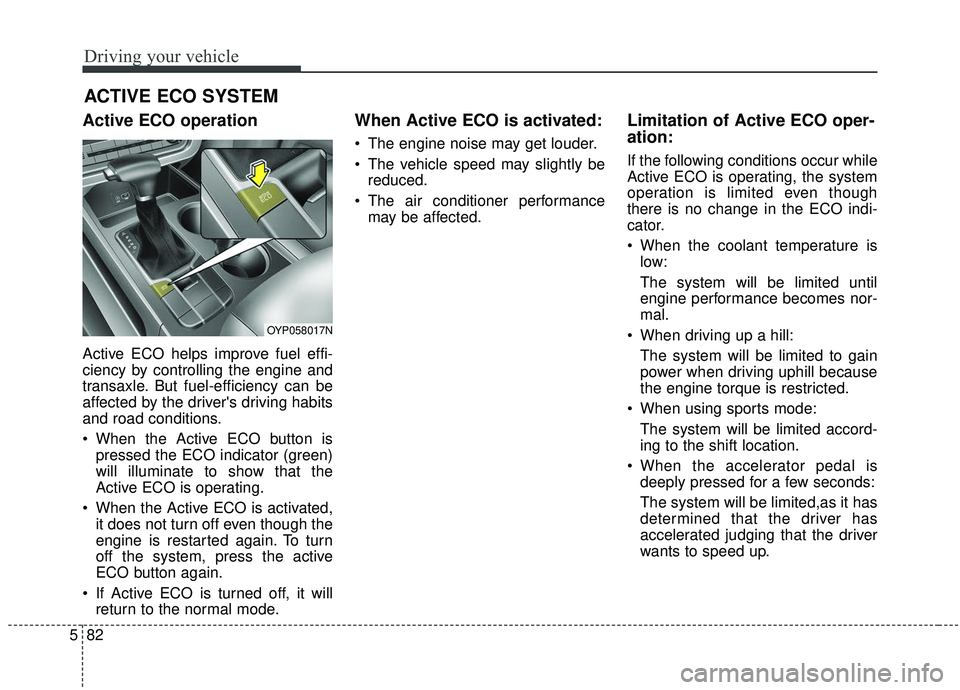
Active ECO helps improve fuel effi-
ciency by controlling the engine and
transaxle. But fuel-efficiency can be
affected by the driver's driving habits
and road conditions.
When the Active ECO button is
pressed the ECO indicator (green)
will illuminate to show that the
Active ECO is operating.
When the Active ECO is activated, it does not turn off even though the
engine is restarted again. To turn
off the system, press the active
ECO button again.
If Active ECO is turned off, it will return to the normal mode.
When Active ECO is activated:
The engine noise may get louder.
The vehicle speed may slightly bereduced.
The air conditioner performance may be affected.
Limitation of Active ECO oper-
ation:
If the following conditions occur while
Active ECO is operating, the system
operation is limited even though
there is no change in the ECO indi-
cator.
When the coolant temperature islow:
The system will be limited until
engine performance becomes nor-
mal.
When driving up a hill: The system will be limited to gain
power when driving uphill because
the engine torque is restricted.
When using sports mode: The system will be limited accord-
ing to the shift location.
When the accelerator pedal is deeply pressed for a few seconds:
The system will be limited,as it has
determined that the driver has
accelerated judging that the driver
wants to speed up.
ACTIVE ECO SYSTEM
OYP058017N
Page 397 of 593
583
Driving your vehicle
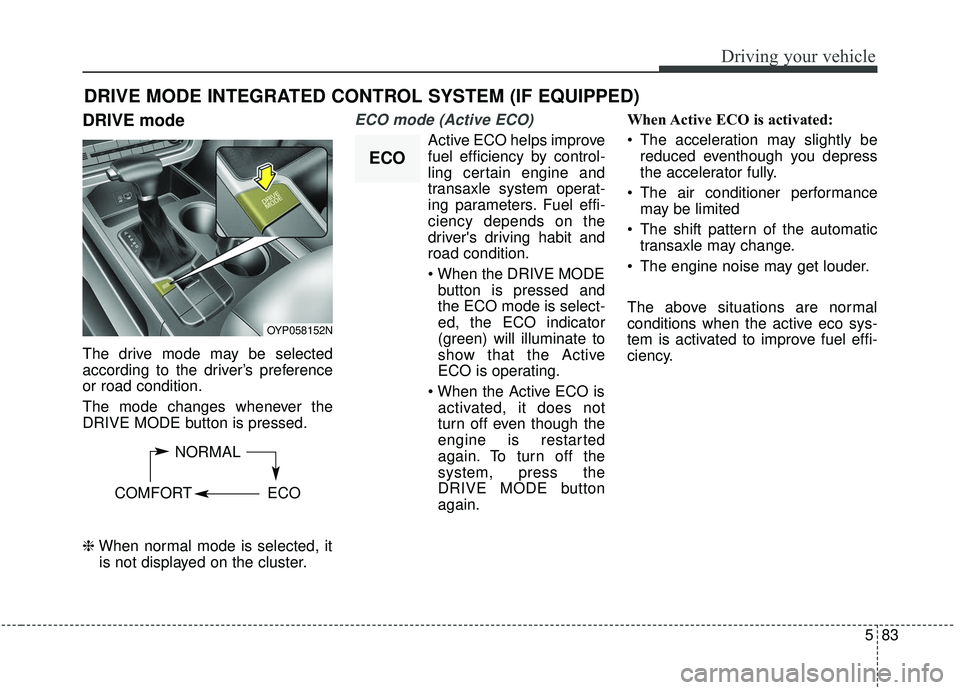
DRIVE mode
The drive mode may be selected
according to the driver’s preference
or road condition.
The mode changes whenever the
DRIVE MODE button is pressed.
\bWhen normal mode is selected, it
is not displayed on the cluster.
ECO mode (Active ECO)
Active ECO helps improve
fuel efficiency by control-
ling certain engine and
transaxle system operat-
ing parameters. Fuel effi-
ciency depends on the
driver's driving habit and
road condition.
button is pressed and
the ECO mode is select-
ed, the ECO indicator
(green) will illuminate to
show that the Active
ECO is operating.
activated, it does not
turn off even though the
engine is restarted
again. To turn off the
system, press the
DRIVE MODE button
again. When Active ECO is activated:
The acceleration may slightly be
reduced eventhough you depress
the accelerator fully.
The air conditioner performance may be limited
The shift pattern of the automatic transaxle may change.
The engine noise may get louder.
The above situations are normal
conditions when the active eco sys-
tem is activated to improve fuel effi-
ciency.
DRIVE MODE INTEGRATED CONTROL SYSTEM (IF EQUIPPED)
OYP058152N
NORMAL
COMFORT ECO
ECO
Page 404 of 593
Driving your vehicle
90
5
\b If your vehicle's left or right side
bumper is blinded by a barrier or
vehicles, the system sensing abili-
ty may be deteriorated.
When the BCW system is being acti-
vated, the warning light on the out-
side rearview mirror will illuminate
whenever a vehicle is detected at the
rear side by the system. To avoid
accidents, do not focus only on the
warning light and neglect to see the
surrounding of the vehicle.✽ ✽
NOTICE
• The system may not work proper-
ly if the bumper has been replaced
or if repair work has been done
near the sensor.
• The detection area differs accord- ing to the road's width. If the road
is narrow the system may detect
other vehicles in the next lane.
• If the road is very wide the system may not detect other vehicles.
• The system may turn off due to strong electromagnetic interfer-
ence.
WARNING
The Blind-Spot Collision
Warning System and Rear
Cross-Traffic Collision
Warning is not a substitute for
proper and safe lane chang-
ing procedures. Always drive
safely and use caution when
changing lanes. The Blind-
Spot Collision Warning
System may not detect every
object alongside the vehicle.
(Continued)
(Continued)
Drive safely even though thevehicle is equipped with a BCW
(Blind-Spot Collision Warning)
system. Do not solely rely on
the system but check for your-
self before changing lanes.
The system may not alert the
driver in some conditions so
always check the surround-
ings while driving.