engine KIA SEDONA 2019 Repair Manual
[x] Cancel search | Manufacturer: KIA, Model Year: 2019, Model line: SEDONA, Model: KIA SEDONA 2019Pages: 593, PDF Size: 15.93 MB
Page 222 of 593
Features of your vehicle
118
4
If the warning light stays on while the
engine is running, it indicates that
there may be serious engine dam-
age or malfunction. In this case,
1. Stop the vehicle as soon as it is
safe to do so.
2. Turn off the engine and check the oil level. If the oil level is low, fill the
engine oil to the proper level.
3. Start the engine again. If the warn- ing light stays on after the engine
is started, turn the engine off
immediately. In this case, have
your vehicle inspected by an
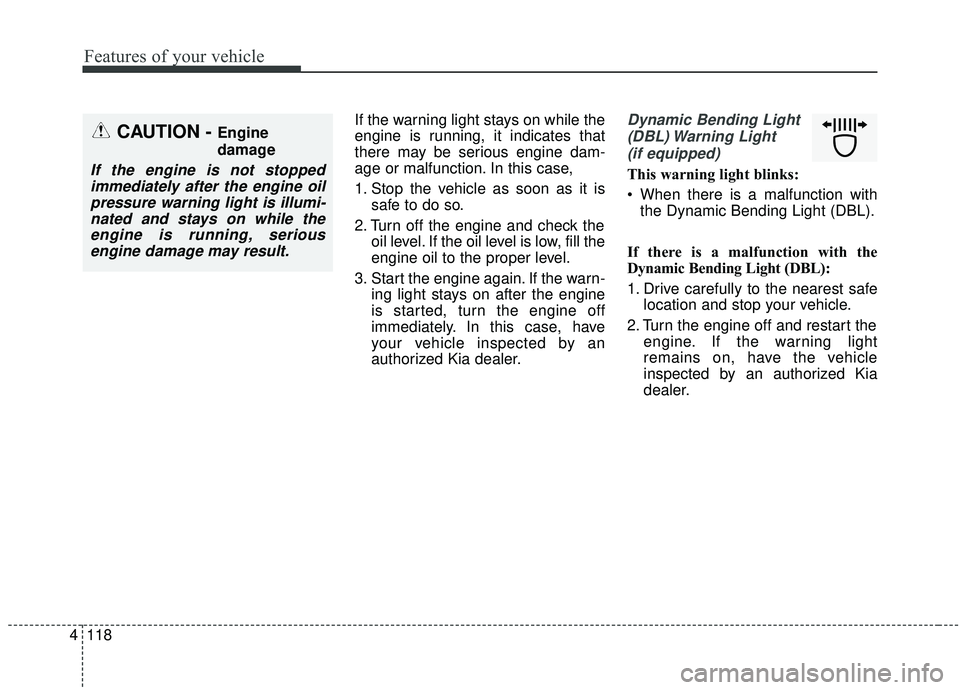
authorized Kia dealer.Dynamic Bending Light
(DBL) Warning Light(if equipped)
This warning light blinks:
When there is a malfunction with the Dynamic Bending Light (DBL).
If there is a malfunction with the
Dynamic Bending Light (DBL):
1. Drive carefully to the nearest safe location and stop your vehicle.
2. Turn the engine off and restart the engine. If the warning light
remains on, have the vehicle
inspected by an authorized Kia
dealer.
CAUTION - Engine
damage
If the engine is not stoppedimmediately after the engine oilpressure warning light is illumi-nated and stays on while theengine is running, seriousengine damage may result.
Page 223 of 593
4119
Features of your vehicle
LED Headlamp WarningLight (if equipped)
This warning light illuminates:
Once you set the Engine Start/Stop Button to the ON position.
- It illuminates for approximately 3seconds and then goes off.
When there is a malfunction with the LED headlamp.
In this case, have the vehicle inspect-
ed by an authorized Kia dealer.
This warning light blinks:
When there is a malfunction with a LED headlamp related part.
In this case, have the vehicle inspect-
ed by an authorized Kia dealer.
✽ ✽ NOTICE
Continuous driving with the LED
Headlamp Warning Light on or
blinking can reduce LED headlamp
(low beam) life.
Low Fuel Level Warning
Light
This warning light illuminates:
When the fuel tank is nearly empty.
If the fuel tank is nearly empty:
Add fuel as soon as possible.
Electronic Parking Brake(EPB) Warning Light(if equipped)
This warning light illuminates:
Once you set the ignition switch or Engine Start/Stop Button to the ON
position.
- It illuminates for approximately 3seconds and then goes off.
When there is a malfunction with the EPB.
In this case, have your vehicle
inspected by an authorized Kia
dealer.
✽ ✽ NOTICE- Electronic Parking
Brake (EPB) Warning Light
The Electronic Parking Brake
(EPB) Warning Light may illumi-
nate when the Electronic Stability
control (ESC) Indicator Light comes
on to indicate that the ESC is not
working properly (This does not
indicate malfunction of the EPB).
CAUTION - Low Fuel
Level
Driving with the Low Fuel Level warning light on or with the fuellevel below “0 or E” can causethe engine to misfire and dam-age the catalytic converter (ifequipped).
EPB
Page 224 of 593
Features of your vehicle
120
4
Master Warning light
(if equipped)
This warning light informs the driv- er of the following situations
- LED head lamp malfunction (ifequipped)
- Smart Cruise Control with Stop & Go malfunction (if equipped)
- Forward Collision-Avoidance Assist malfunction (if equipped)
- Blind-Spot Collision Warning radar blind (if equipped)
- Smart Cruise Control with Stop & Go radar blind (if equipped)
- Lamp malfunction
- High Beam Assist malfunction (if equipped)
The Master Warning Light illumi
nates when more than one of the
above warning situations occur.
If the warning situation is solved, the
master warning light will be turned
off.
Forward Collision-avoid- ance Assist Warninglight (FCA, if equipped)
This indicator light illuminates:
When there is a malfunction with the FCA.
In this case, have the vehicle inspect-
ed by an authorized Kia dealer.
Indicator Lights
Electronic Stability Control (ESC) IndicatorLight
This indicator light illuminates:
Once you set the ignition switch or Engine Start/Stop Button to the ON
position.
- It illuminates for approximately 3seconds and then goes off.
When there is a malfunction with the ESC system.
In this case, have your vehicle
inspected by an authorized Kia
dealer.
This indicator light blinks:
While the ESC is operating.
❈ For more details, refer to
“Electronic Stability Control (ESC)”
in chapter 5.
Page 225 of 593
4121
Features of your vehicle
Electronic StabilityControl (ESC) OFFIndicator Light
This indicator light illuminates:
Once you set the ignition switch or Engine Start/Stop Button to the ON
position.
- It illuminates for approximately 3seconds and then goes off.
When you deactivate the ESC sys- tem by pressing the ESC OFF but-
ton.
❈ For more details, refer to
“Electronic Stability Control (ESC)”
in chapter 5.
Immobilizer Indicator
Light (Without Smart Key)
This indicator light illuminates:
When the vehicle detects the immobilizer in your key properly
while the ignition switch is ON.
- At this time, you can start theengine.
- The indicator light goes off after starting the engine.
This indicator light blinks:
When there is a malfunction with the immobilizer system.
In this case, have your vehicle
inspected by an authorized Kia
dealer.
Immobilizer Indicator
Light (With Smart Key)
This indicator light illuminates for up
to 30 seconds:
When the vehicle detects the smart key in the vehicle properly
while the Engine Start/Stop Button
is ACC or ON.
- At this time, you can start theengine.
- The indicator light goes off after starting the engine.
This indicator light blinks for a few
seconds:
When the smart key is not in the vehicle.
- At this time, you can not start theengine.
Page 226 of 593
Features of your vehicle
122
4
This indicator light illuminates for 2
seconds and goes off:
When the vehicle can not detect
the smart key which is in the vehi-
cle while the Engine Start/Stop
Button is ON.
In this case, have your vehicle
inspected by an authorized Kia
dealer.
This indicator light blinks:
When the battery of the smart key is weak.
- At this time, you can not start theengine. However, you can start
the engine if you press the Engine
Start/Stop Button with the smart
key. (For more details, refer to
“Starting the Engine” in section 5).
When there is a malfunction with the immobilizer system.
In this case, have your vehicle
inspected by an authorized Kia
dealer.Turn Signal Indicator
Light
This indicator light blinks:
When you turn the turn signal light on.
If any of the following occurs, there
may be a malfunction with the turn
signal system. In this case, have your
vehicle inspected by an authorized
Kia dealer. - The indicator light does not blinkbut illuminates.
- The indicator light blinks more rapidly.
- The indicator light does not illumi- nate at all.
High Beam Indicator
Light
This indicator light illuminates:
When the headlights are on and in the high beam position
When the turn signal lever is pulled into the Flash-to-Pass position.
High beam assist indica-
tor (if equipped)
This warning light illuminates :
When the high-Beam is on with the light switch in the AUTO light posi-
tion.
If your vehicle detects oncoming or preceding vehicles, the High beam
assist system will switch the high
beam to low beam automatically.
❈ For more details, refer to “High
beam assist” in this chapter.
Page 230 of 593
Features of your vehicle
126
4
This system will activate when
backing up with the ignition switch
ON.
If the vehicle is moving at a speed
over 5 km/h (3 mph), the system
may not be activated correctly.
The sensing distance while the back-up warning system is in oper-
ation is approximately 120 cm (47
in.) at the rear bumper center area,
60 cm (23.5 in.) at the rear bumper
both side area.
When more than two objects are sensed at the same time, the clos-
est one will be recognized first.Types of warning sound
When an object is 120 cm to 61 cm(47 in. to 24 in.) from the rear
bumper: Buzzer beeps intermit-
tently.
When an object is 60 cm to 31 cm (24 in. to 12 in.) from the rear
bumper: Buzzer beeps more fre-
quently.
When an object is within 30 cm (12 in.) of the rear bumper:
Buzzer sounds continuously.
Non-operational conditions of
the parking distance warning-
reverse
The parking distance warning-
reverse may not operate properly
when:
1. Moisture is frozen to the sensor. (It will operate normally when the
moisture has been cleared.)
2. The sensor is covered with foreign matter, such as snow or water, or
the sensor cover is blocked. (It will
operate normally when the materi-
al is removed or the sensor is no
longer blocked.)
3. Driving on uneven road surfaces (unpaved roads, gravel, bumps,
gradient).
4. Objects generating excessive noise (vehicle horns, loud motor-
cycle engines, or truck air brakes)
are within range of the sensor.
5. Heavy rain or water spray exists.
6. Wireless transmitters or mobile phones are within range of the
sensor.
7. The sensor is covered with snow.
8. Trailer towing
Page 233 of 593
4129
Features of your vehicle
The parking distance warning is not
a substitute for proper and safe park-
ing and backing-up procedures.
Always drive safely and use caution
when parking. The parking distance
warning may not detect every object
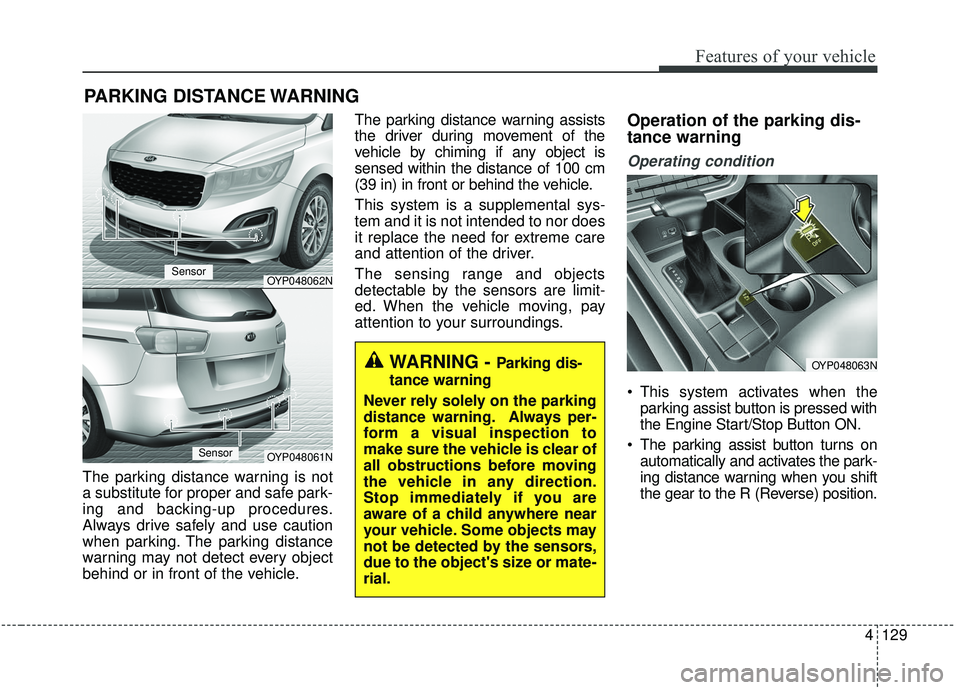
behind or in front of the vehicle.The parking distance warning assists
the driver during movement of the
vehicle by chiming if any object is
sensed within the distance of 100 cm
(39 in) in front or behind the vehicle.
This system is a supplemental sys-
tem and it is not intended to nor does
it replace the need for extreme care
and attention of the driver.
The sensing range and objects
detectable by the sensors are limit-
ed. When the vehicle moving, pay
attention to your surroundings.
Operation of the parking dis-
tance warning
Operating condition
This system activates when the
parking assist button is pressed with
the Engine Start/Stop Button ON.
The parking assist button turns on automatically and activates the park-
ing distance warning when you shift
the gear to the R (Reverse) position.
PARKING DISTANCE WARNING
OYP048062N
OYP048061N
Sensor
Sensor
OYP048063NWARNING - Parking dis-
tance warning
Never rely solely on the parking
distance warning. Always per-
form a visual inspection to
make sure the vehicle is clear of
all obstructions before moving
the vehicle in any direction.
Stop immediately if you are
aware of a child anywhere near
your vehicle. Some objects may
not be detected by the sensors,
due to the object's size or mate-
rial.
Page 235 of 593
4131
Features of your vehicle
Non-operational conditions of
parking distance warning
Parking distance warning maynot operate normally when:
1. Moisture is frozen to the sensor. (It will operate normally when mois-
ture melts.)
2. Sensor is covered with foreign matter, such as snow or water, or
the sensor cover is blocked. (It will
operate normally when the materi-
al is removed or the sensor is no
longer blocked.)
3. Sensor is stained with foreign mat- ter such as snow or water. (Sensing
range will return to normal when
removed.)
4. The parking assist button is off.
There is a possibility of parking distance warning malfunctionwhen:
1. Driving on uneven road surfaces such as unpaved roads, gravel,
bumps, or gradient.
2. Objects generating excessive noise such as vehicle horns, loud motor-
cycle engines, or truck air brakes
can interfere with the sensor.
3. Heavy rain or water spray.
4. Wireless transmitters or mobile phones present near the sensor.
5. Sensor is covered with snow.
Detecting range may decrease when:
1. Outside air temperature is extremely hot or cold.
2. Undetectable objects smaller than 1 m (39 in.) and narrower than 14
cm (5.5 in.) in diameter.
The following objects may not be
recognized by the sensor:
1. Sharp or slim objects such as ropes, chains or small poles.
2. Objects, which tend to absorb sen- sor frequency such as clothes,
spongy material or snow.
Page 238 of 593
Features of your vehicle
134
4
The 360° camera monitoring system
is not a substitute for proper and safe
parking procedures. The 360° cam-
era monitoring system may not
detect every object surrounding the
vehicle. Always drive safely and use
caution when parking.
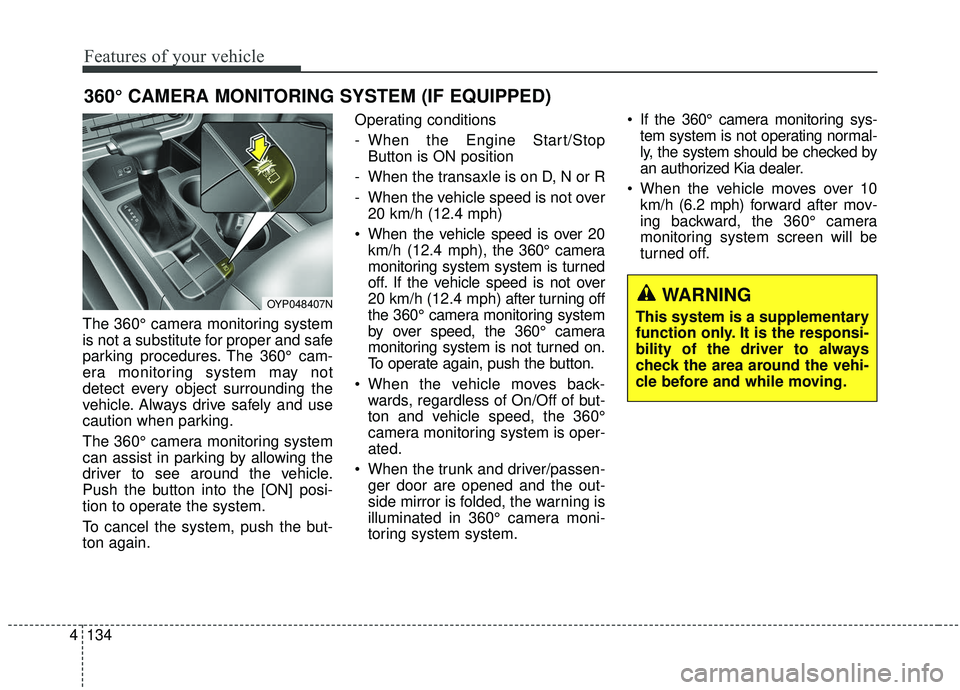
The 360° camera monitoring system
can assist in parking by allowing the
driver to see around the vehicle.
Push the button into the [ON] posi-
tion to operate the system.
To cancel the system, push the but-
ton again. Operating conditions
- When the Engine Start/Stop
Button is ON position
- When the transaxle is on D, N or R
- When the vehicle speed is not over 20 km/h (12.4 mph)
When the vehicle speed is over 20 km/h (12.4 mph), the 360° camera
monitoring system system is turned
off. If the vehicle speed is not over
20 km/h (12.4 mph) after turning off
the 360° camera monitoring system
by over speed, the 360° camera
monitoring system is not turned on.
To operate again, push the button.
When the vehicle moves back- wards, regardless of On/Off of but-
ton and vehicle speed, the 360°
camera monitoring system is oper-
ated.
When the trunk and driver/passen- ger door are opened and the out-
side mirror is folded, the warning is
illuminated in 360° camera moni-
toring system system. If the 360° camera monitoring sys-
tem system is not operating normal-
ly, the system should be checked by
an authorized Kia dealer.
When the vehicle moves over 10 km/h (6.2 mph) forward after mov-
ing backward, the 360° camera
monitoring system screen will be
turned off.
360° CAMERA MONITORING SYSTEM (IF EQUIPPED)
OYP048407NWARNING
This system is a supplementary
function only. It is the responsi-
bility of the driver to always
check the area around the vehi-
cle before and while moving.
Page 239 of 593
4135
Features of your vehicle
Battery saver function
The purpose of this feature is toprevent the battery from being dis-
charged if the lights are left in the
ON position. The system automati-
cally shuts off the parking lights 30
seconds after the ignition key is
removed and the driver’s door is
opened and closed.
With this feature, the parking lights will turn off automatically if the driver
parks on the side of the road at night
and opens the driver’s side door.
If necessary, to keep the parking
lights on when the ignition key is
removed, perform the following:
1) Open the driver-side door.
2) Turn the parking lights OFF and ON again using the light switch
on the steering column.
Headlight escort function
If you turn the ignition switch to the
ACC or OFF position with the head-
lights ON, the headlights remain on
for about 5 minutes. However, if the
driver's door is opened and closed,
the headlights are turned off after 15
seconds.
The headlights can be turned off by
pressing the lock button on the trans-
mitter (or smart key) twice or turning
the light switch to the OFF position.
If the driver gets out of the vehicle
through other doors (except driver’s
door), the battery saver function
does not operate and the headlight
escort function does not turn off
automatically. Therefore, It causes
the battery to be discharged. In this
case, make sure to turn off the lamp
before getting out of the vehicle.
Daytime running light
(if equipped)
The Daytime Running Lights (DRL)
can make it easier for others to see
the front of your vehicle during the
day. DRL can be helpful in many dif-
ferent driving conditions, and it is
especially helpful after dawn and
before sunset.
The DRL system turns OFF when:
1. The headlight switch is on
2. The engine is off
3. The front fog light is on.
4. Engaging the Parking Brake
LIGHTING