warning KIA SEDONA 2020 Owners Manual
[x] Cancel search | Manufacturer: KIA, Model Year: 2020, Model line: SEDONA, Model: KIA SEDONA 2020Pages: 604, PDF Size: 16.24 MB
Page 390 of 604
561
Driving your vehicle
SMART CRUISE CONTROL WITH STOP & GO SYSTEM (IF EQUIPPED)
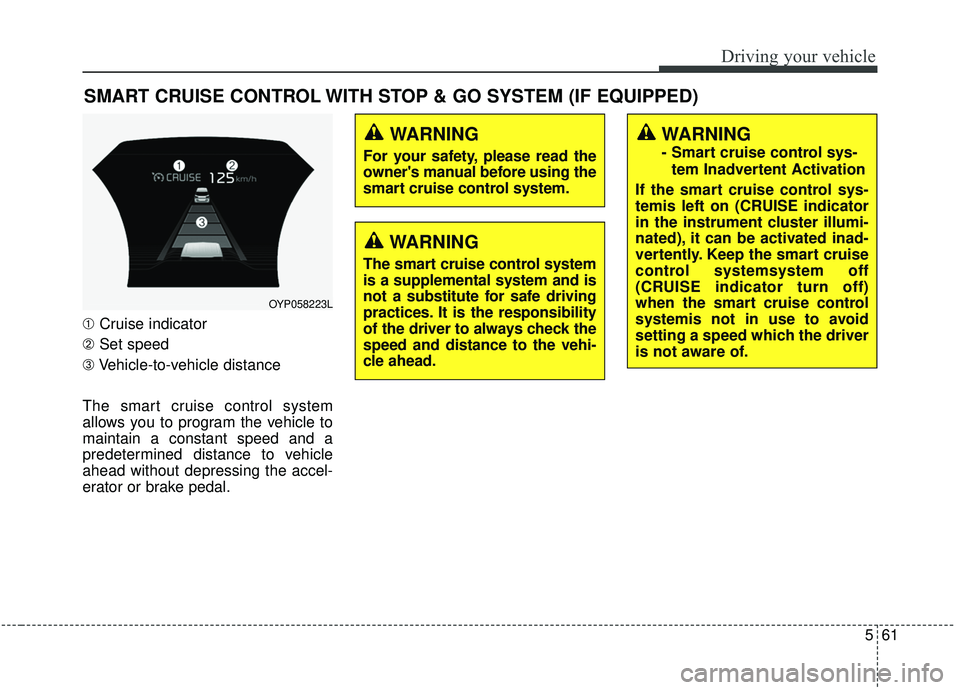
➀Cruise indicator
➁ Set speed
➂ Vehicle-to-vehicle distance
The smart cruise control system
allows you to program the vehicle to
maintain a constant speed and a
predetermined distance to vehicle
ahead without depressing the accel-
erator or brake pedal.
WARNING
- Smart cruise control sys- tem Inadvertent Activation
If the smart cruise control sys-
temis left on (CRUISE indicator
in the instrument cluster illumi-
nated), it can be activated inad-
vertently. Keep the smart cruise
control systemsystem off
(CRUISE indicator turn off)
when the smart cruise control
systemis not in use to avoid
setting a speed which the driver
is not aware of.
OYP058223L
WARNING
For your safety, please read the
owner's manual before using the
smart cruise control system.
WARNING
The smart cruise control system
is a supplemental system and is
not a substitute for safe driving
practices. It is the responsibility
of the driver to always check the
speed and distance to the vehi-
cle ahead.
Page 391 of 604
Driving your vehicle
62
5
(Continued)
- Abrupt curved road
- Steep hills
- Windy roads
- Off roads
- Roads under construction
- Rumble strip
- When driving near crashbarriers
- When driving on a sharp curve
- When the vehicle sensing ability decreases due to
vehicle modification result-
ing in a level difference
between the vehicle's front
and rear
- When driving in heavy traffic or when traffic conditions
make it difficult to drive at a
constant speed
- When driving on rainy, icy, or snow covered roads
(Continued)(Continued)- When driving with limitedview (possibly due to bad
weather, such as fog, snow,
rain or sandstorm)
The smart cruise control sys- temsystem cannot recognize
a stopped vehicle, pedestri-
ans or an oncoming vehicle.
Always look ahead cautiously
to prevent unexpected and
sudden situations from occur-
ring.
Pay particular attention to the driving conditions whenever
using the smart cruise control
system.
Be careful when driving downhill using the SCC.
Cruise function should not be used when the vehicle is
being towed to prevent any
damage.
Always set the vehicle speed under the speed limit.
(Continued)WARNING
- Smart cruise control sys-tem Limitations
Use the smart cruise control system only when traveling
on open highways in good
weather.
control when it may not be
safe to keep the car at a con-
stant speed. For instance :
- Highway interchange andtollgate
- Road surrounded by abnor- mally multiple steel con-
structions (subway con-
struction, steel tunnel, etc)
- Parking lot
- Lanes beside guard rail on a road
- Slippery road with rain, ice, or snow covered
(Continued)
Page 396 of 604
567
Driving your vehicle
Each of these actions will cancel the
smart cruise control system operation.
(The set speed and vehicle-to-vehicle
distance on the LCD display will go
off.)
If the smart cruise control system is
cancelled automatically, the smart
cruise control system will not resume
even though the RES+ or SET- lever
is moved.
If the smart cruise control system is
cancelled by a reason not described
above, have the system checked by
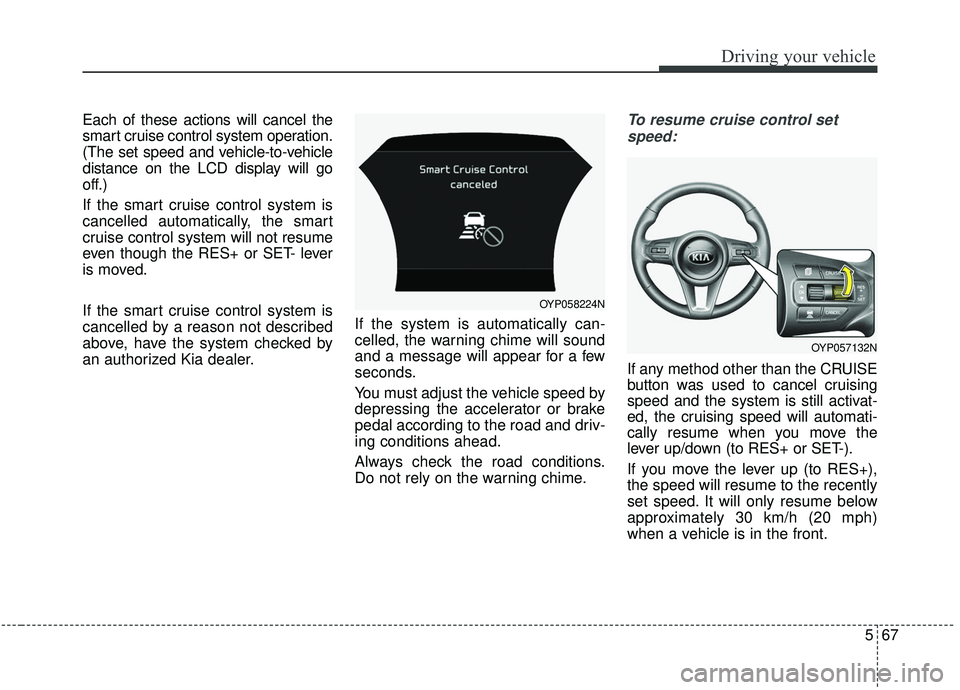
an authorized Kia dealer.If the system is automatically can-
celled, the warning chime will sound
and a message will appear for a few
seconds.
You must adjust the vehicle speed by
depressing the accelerator or brake
pedal according to the road and driv-
ing conditions ahead.
Always check the road conditions.
Do not rely on the warning chime.To resume cruise control set
speed:
If any method other than the CRUISE
button was used to cancel cruising
speed and the system is still activat-
ed, the cruising speed will automati-
cally resume when you move the
lever up/down (to RES+ or SET-).
If you move the lever up (to RES+),
the speed will resume to the recently
set speed. It will only resume below
approximately 30 km/h (20 mph)
when a vehicle is in the front.
OYP058224N
OYP057132N
Page 397 of 604
Driving your vehicle
68
5
✽ ✽
NOTICE
To reduce the risk of an accident,
always check the road conditions
when reactivating the smart cruise
control using the RES+ lever to
ensure the road conditions permit
safe use of the cruise control.
To turn cruise control off:
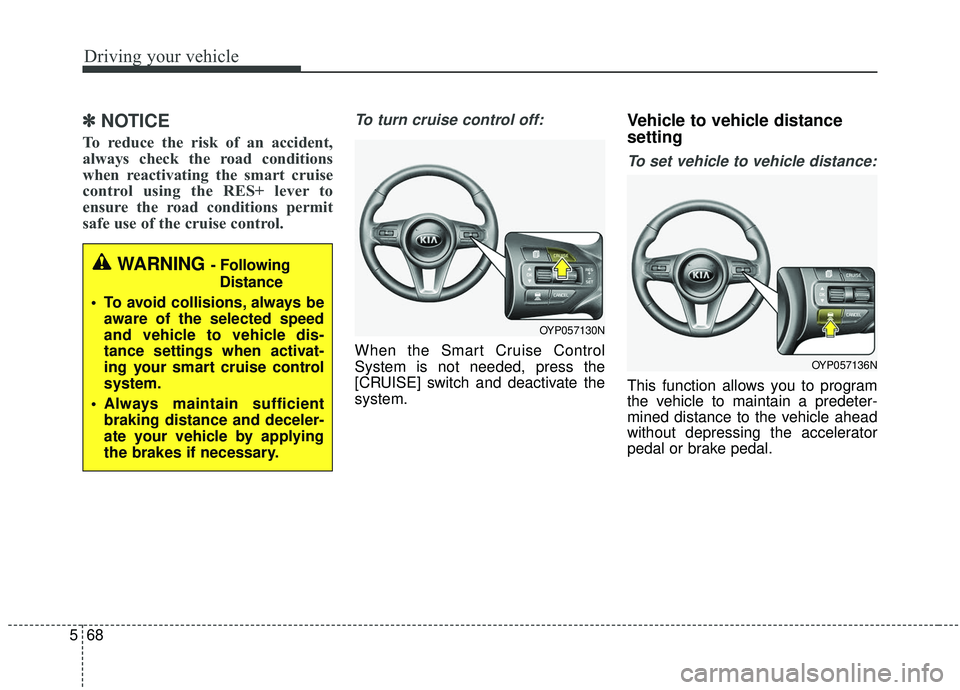
When the Smart Cruise Control
System is not needed, press the
[CRUISE] switch and deactivate the
system.
Vehicle to vehicle distance
setting
To set vehicle to vehicle distance:
This function allows you to program
the vehicle to maintain a predeter-
mined distance to the vehicle ahead
without depressing the accelerator
pedal or brake pedal.
WARNING - Following
Distance
To avoid collisions, always be aware of the selected speed
and vehicle to vehicle dis-
tance settings when activat-
ing your smart cruise control
system.
Always maintain sufficient braking distance and deceler-
ate your vehicle by applying
the brakes if necessary.
OYP057130N
OYP057136N
Page 400 of 604
571
Driving your vehicle
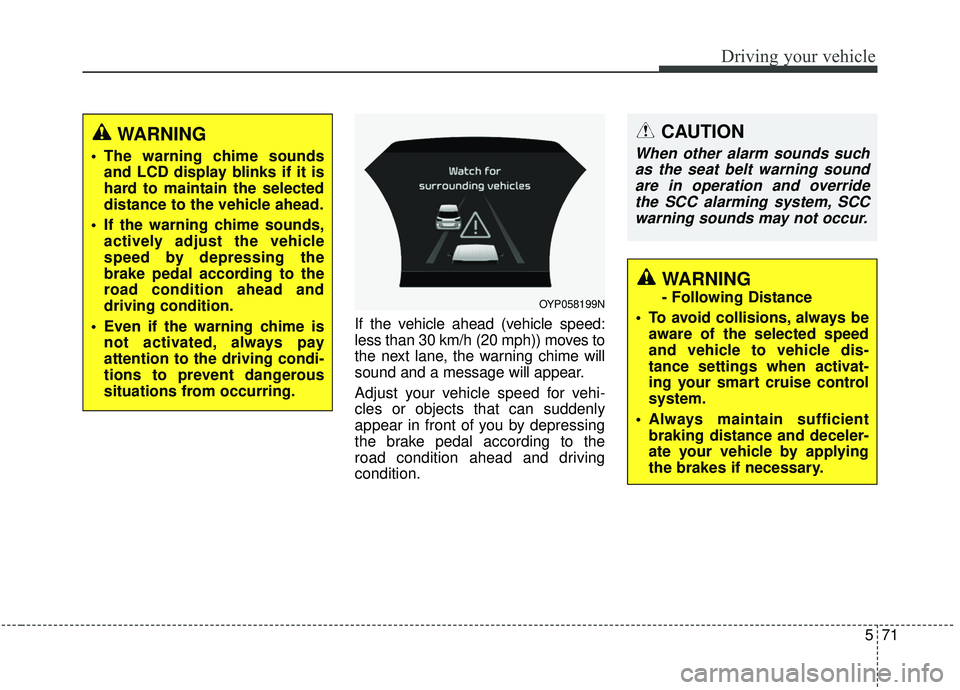
If the vehicle ahead (vehicle speed:
less than 30 km/h (20 mph)) moves to
the next lane, the warning chime will
sound and a message will appear.
Adjust your vehicle speed for vehi-
cles or objects that can suddenly
appear in front of you by depressing
the brake pedal according to the
road condition ahead and driving
condition.
OYP058199N
CAUTION
When other alarm sounds suchas the seat belt warning soundare in operation and overridethe SCC alarming system, SCCwarning sounds may not occur.
WARNING
- Following Distance
To avoid collisions, always be aware of the selected speed
and vehicle to vehicle dis-
tance settings when activat-
ing your smart cruise control
system.
Always maintain sufficient braking distance and deceler-
ate your vehicle by applying
the brakes if necessary.
WARNING
The warning chime soundsand LCD display blinks if it is
hard to maintain the selected
distance to the vehicle ahead.
If the warning chime sounds, actively adjust the vehicle
speed by depressing the
brake pedal according to the
road condition ahead and
driving condition.
Even if the warning chime is not activated, always pay
attention to the driving condi-
tions to prevent dangerous
situations from occurring.
Page 402 of 604
573
Driving your vehicle
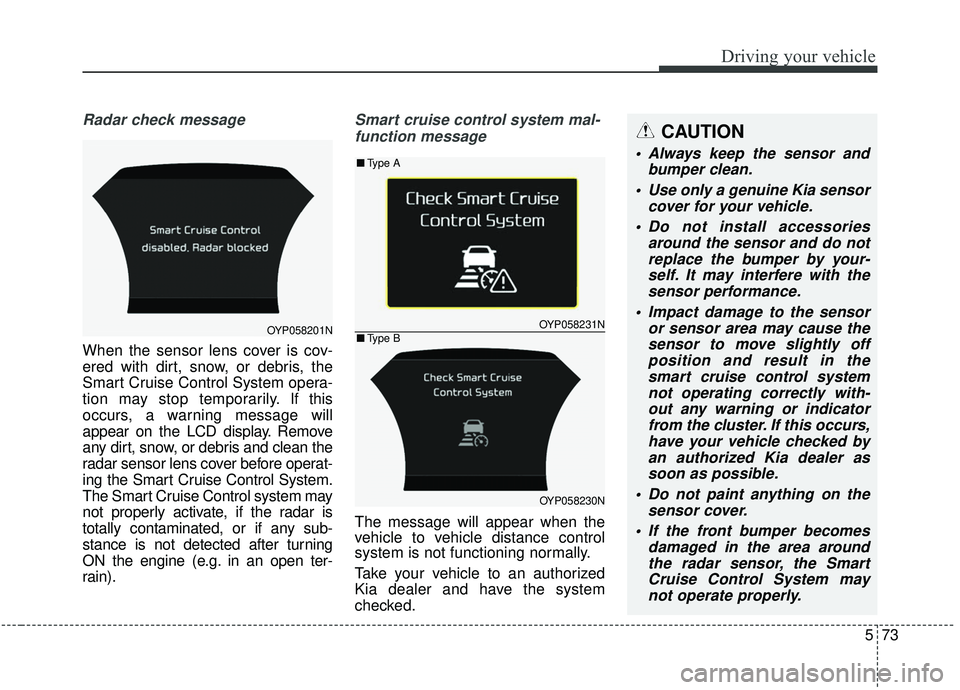
Radar check message
When the sensor lens cover is cov-
ered with dirt, snow, or debris, the
Smart Cruise Control System opera-
tion may stop temporarily. If this
occurs, a warning message will
appear on the LCD display. Remove
any dirt, snow, or debris and clean the
radar sensor lens cover before operat-
ing the Smart Cruise Control System.
The Smart Cruise Control system may
not properly activate, if the radar is
totally contaminated, or if any sub-
stance is not detected after turning
ON the engine (e.g. in an open ter-
rain).
Smart cruise control system mal-
function message
The message will appear when the
vehicle to vehicle distance control
system is not functioning normally.
Take your vehicle to an authorized
Kia dealer and have the system
checked.
OYP058201NOYP058231N
OYP058230N
■ Type A
■Type B
CAUTION
Always keep the sensor and
bumper clean.
Use only a genuine Kia sensor cover for your vehicle.
Do not install accessories around the sensor and do notreplace the bumper by your-self. It may interfere with thesensor performance.
Impact damage to the sensor or sensor area may cause thesensor to move slightly offposition and result in thesmart cruise control systemnot operating correctly with-out any warning or indicatorfrom the cluster. If this occurs,have your vehicle checked byan authorized Kia dealer assoon as possible.
Do not paint anything on the sensor cover.
If the front bumper becomes damaged in the area aroundthe radar sensor, the SmartCruise Control System maynot operate properly.
Page 404 of 604
575
Driving your vehicle
1. Turn the smart cruise control sys-tem on (the cruise indicator light
will be on but the system will not
be activated).
2. Push the distance to distance switch for more than 2 seconds.
3. Choose between "Smart cruise control (SCC) mode" and "Cruise
control (CC) mode".
When the system is canceled using
the CRUISE button or the CRUISE
button is used after the engine is
turned on, the Smart Cruise Control
mode will turn on.Limitations of the system
The smart cruise control system may
have limits to its ability to detect dis-
tance to the vehicle ahead due to
road and traffic conditions.
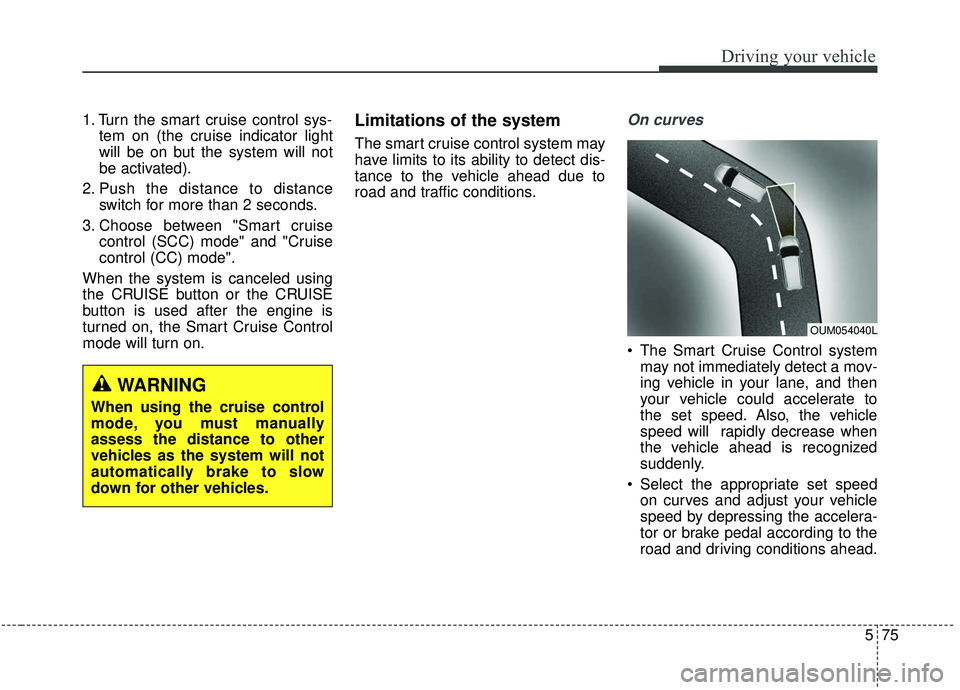
On curves
The Smart Cruise Control system may not immediately detect a mov-
ing vehicle in your lane, and then
your vehicle could accelerate to
the set speed. Also, the vehicle
speed will rapidly decrease when
the vehicle ahead is recognized
suddenly.
Select the appropriate set speed on curves and adjust your vehicle
speed by depressing the accelera-
tor or brake pedal according to the
road and driving conditions ahead.
OUM054040L
WARNING
When using the cruise control
mode, you must manually
assess the distance to other
vehicles as the system will not
automatically brake to slow
down for other vehicles.
Page 408 of 604
579
Driving your vehicle
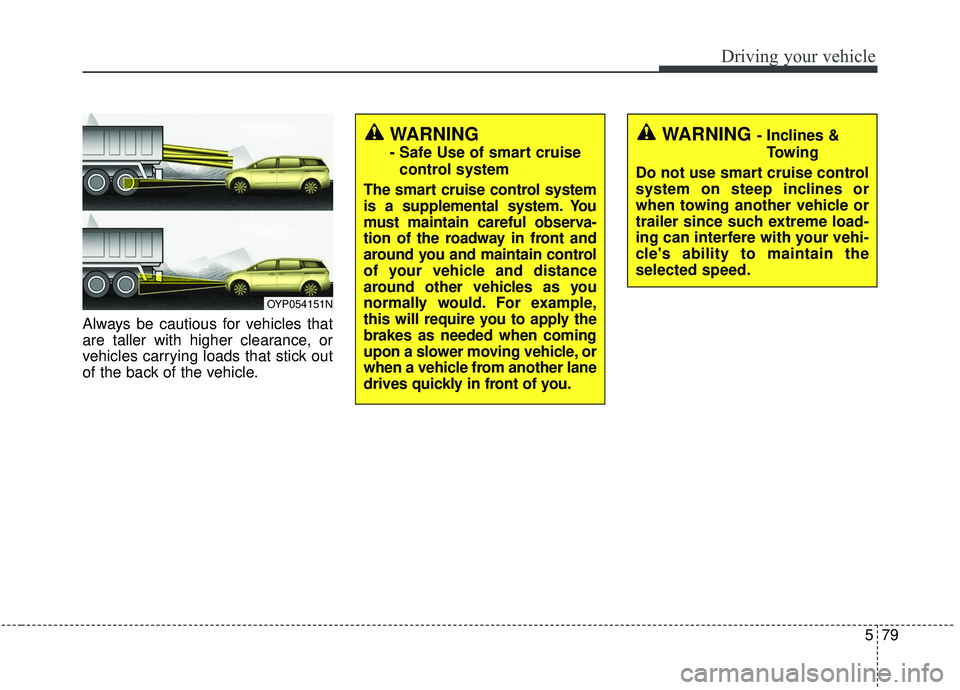
Always be cautious for vehicles that
are taller with higher clearance, or
vehicles carrying loads that stick out
of the back of the vehicle.
OYP054151N
WARNING - Inclines &Towing
Do not use smart cruise control
system on steep inclines or
when towing another vehicle or
trailer since such extreme load-
ing can interfere with your vehi-
cle's ability to maintain the
selected speed.WARNING
- Safe Use of smart cruise control system
The smart cruise control system
is a supplemental system. You
must maintain careful observa-
tion of the roadway in front and
around you and maintain control
of your vehicle and distance
around other vehicles as you
normally would. For example,
this will require you to apply the
brakes as needed when coming
upon a slower moving vehicle, or
when a vehicle from another lane
drives quickly in front of you.
Page 409 of 604
Driving your vehicle
80
5
(Continued)
Always be aware of the select-
ed speed and vehicle to vehi-
cle distance.
Always maintain sufficient braking distance and deceler-
ate your vehicle by applying
the brakes if necessary.(Continued)
If an emergency stop is nec-
essary, you must apply the
brakes.
Keep a safe distance accord- ing to road conditions and
vehicle speed. If the vehicle to
vehicle distance is too close
during a high-speed driving, a
serious collision may result.
The smart cruise control sys- tem cannot recognize a
stopped vehicle, pedestrians
or an oncoming vehicle.
Always look ahead cautiously
to prevent unexpected and
suddensituations from occur-
ring.
When other vehicles are changing lanes in front of you
frequently, the smart cruise
control system may not oper-
ate appropriately. Always look
ahead cautiously to prevent
unexpected and sudden situa-
tions from occurring.
(Continued)WARNING
After starting the engine,please stop for several sec-
onds. If system initialization is
not completed, the smart
cruise control system does
not normally operate.
After starting the engine, if any objects are not detected
or the sensor cover is
obscured with foreign sub-
stances, there is a possibility
that the smart cruise control
system may not work.
The following conditions may cause a malfunction: over-
loading the liftgate, suspen-
sion modification, tire
replacement with unautho-
rized tires or tires with differ-
ent tread wear and pressure
levels.
The Smart Cruise Control sys- tem may not be able to com-
pletely stop the vehicle or
avoid a collision in every situ-
ation.
(Continued)
Page 414 of 604
585
Driving your vehicle
The Blind-Spot Collision Warning
(BCW) system uses radar sensors in
the rear bumper to monitor and warn
the driver of an approaching vehicle
in the driver's blind spot area.
The system monitors the rear area of
the vehicle and provides information
to the driver with an audible alert and
a indicator on the outside rearview
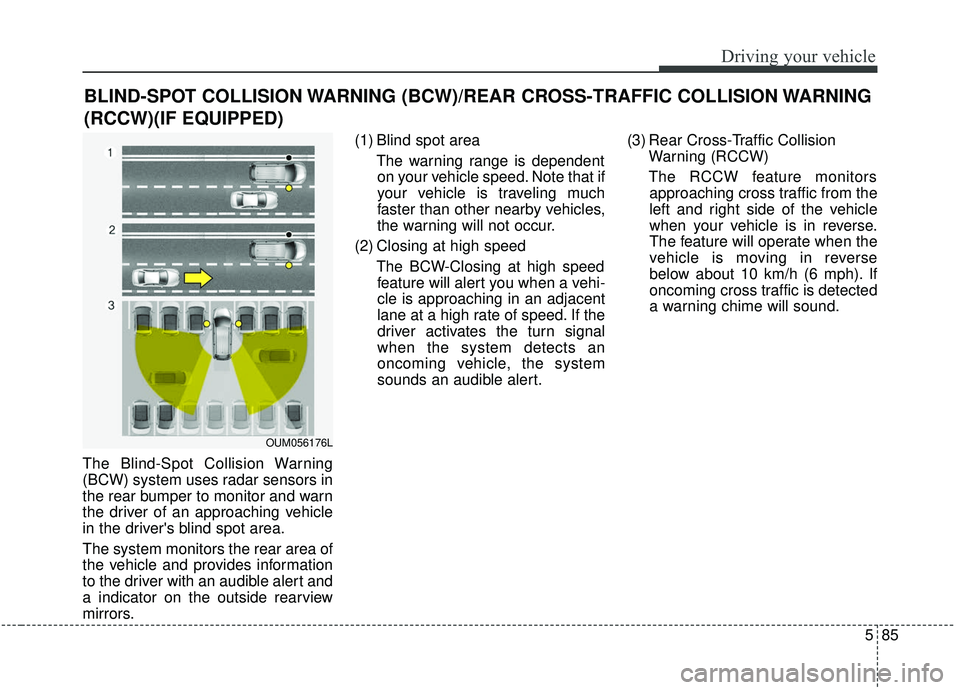
mirrors.(1) Blind spot area
The warning range is dependenton your vehicle speed. Note that if
your vehicle is traveling much
faster than other nearby vehicles,
the warning will not occur.
(2) Closing at high speed The BCW-Closing at high speedfeature will alert you when a vehi-
cle is approaching in an adjacent
lane at a high rate of speed. If the
driver activates the turn signal
when the system detects an
oncoming vehicle, the system
sounds an audible alert. (3) Rear Cross-Traffic Collision
Warning (RCCW)
The RCCW feature monitors approaching cross traffic from the
left and right side of the vehicle
when your vehicle is in reverse.
The feature will operate when the
vehicle is moving in reverse
below about 10 km/h (6 mph). If
oncoming cross traffic is detected
a warning chime will sound.
BLIND-SPOT COLLISION WARNING (BCW)/REAR CROSS-TRAFFIC COLLISION WARNING
(RCCW)(IF EQUIPPED)
OUM056176L