cruise control KIA SEDONA 2020 Owner's Manual
[x] Cancel search | Manufacturer: KIA, Model Year: 2020, Model line: SEDONA, Model: KIA SEDONA 2020Pages: 604, PDF Size: 16.24 MB
Page 400 of 604
571
Driving your vehicle
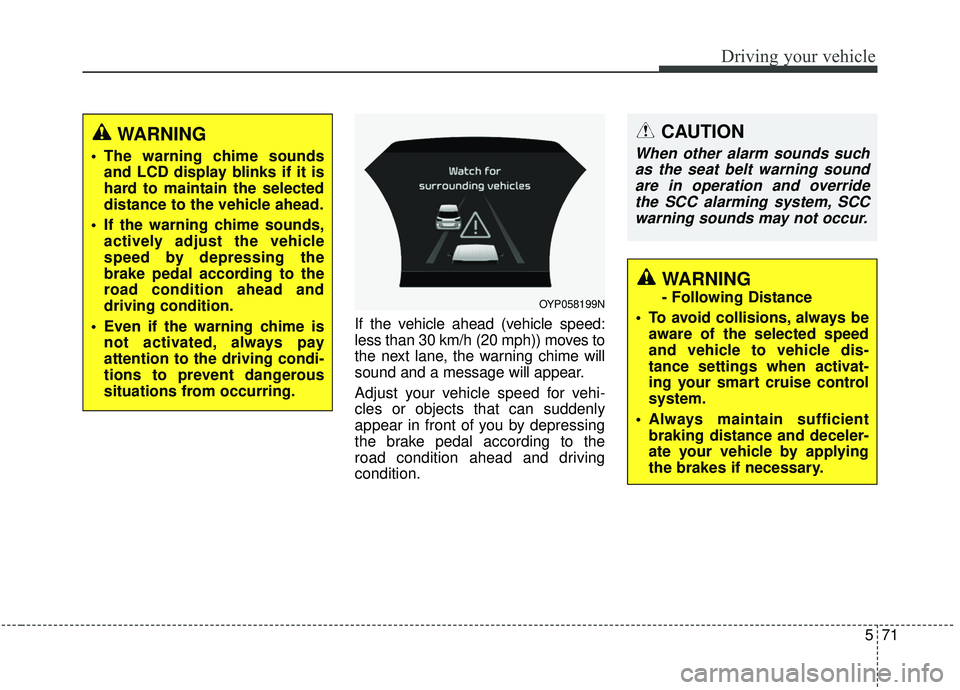
If the vehicle ahead (vehicle speed:
less than 30 km/h (20 mph)) moves to
the next lane, the warning chime will
sound and a message will appear.
Adjust your vehicle speed for vehi-
cles or objects that can suddenly
appear in front of you by depressing
the brake pedal according to the
road condition ahead and driving
condition.
OYP058199N
CAUTION
When other alarm sounds suchas the seat belt warning soundare in operation and overridethe SCC alarming system, SCCwarning sounds may not occur.
WARNING
- Following Distance
To avoid collisions, always be aware of the selected speed
and vehicle to vehicle dis-
tance settings when activat-
ing your smart cruise control
system.
Always maintain sufficient braking distance and deceler-
ate your vehicle by applying
the brakes if necessary.
WARNING
The warning chime soundsand LCD display blinks if it is
hard to maintain the selected
distance to the vehicle ahead.
If the warning chime sounds, actively adjust the vehicle
speed by depressing the
brake pedal according to the
road condition ahead and
driving condition.
Even if the warning chime is not activated, always pay
attention to the driving condi-
tions to prevent dangerous
situations from occurring.
Page 401 of 604
Driving your vehicle
72
5
In heavy traffic
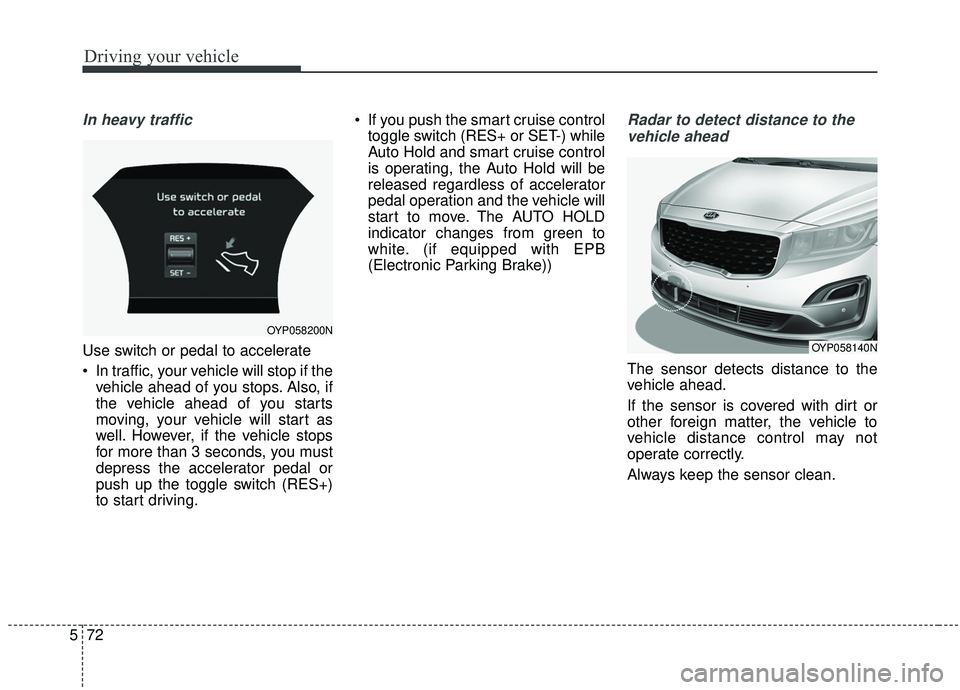
Use switch or pedal to accelerate
In traffic, your vehicle will stop if the
vehicle ahead of you stops. Also, if
the vehicle ahead of you starts
moving, your vehicle will start as
well. However, if the vehicle stops
for more than 3 seconds, you must
depress the accelerator pedal or
push up the toggle switch (RES+)
to start driving. If you push the smart cruise control
toggle switch (RES+ or SET-) while
Auto Hold and smart cruise control
is operating, the Auto Hold will be
released regardless of accelerator
pedal operation and the vehicle will
start to move. The AUTO HOLD
indicator changes from green to
white. (if equipped with EPB
(Electronic Parking Brake))
Radar to detect distance to the
vehicle ahead
The sensor detects distance to the
vehicle ahead.
If the sensor is covered with dirt or
other foreign matter, the vehicle to
vehicle distance control may not
operate correctly.
Always keep the sensor clean.
OYP058200N
OYP058140N
Page 402 of 604
573
Driving your vehicle
Radar check message
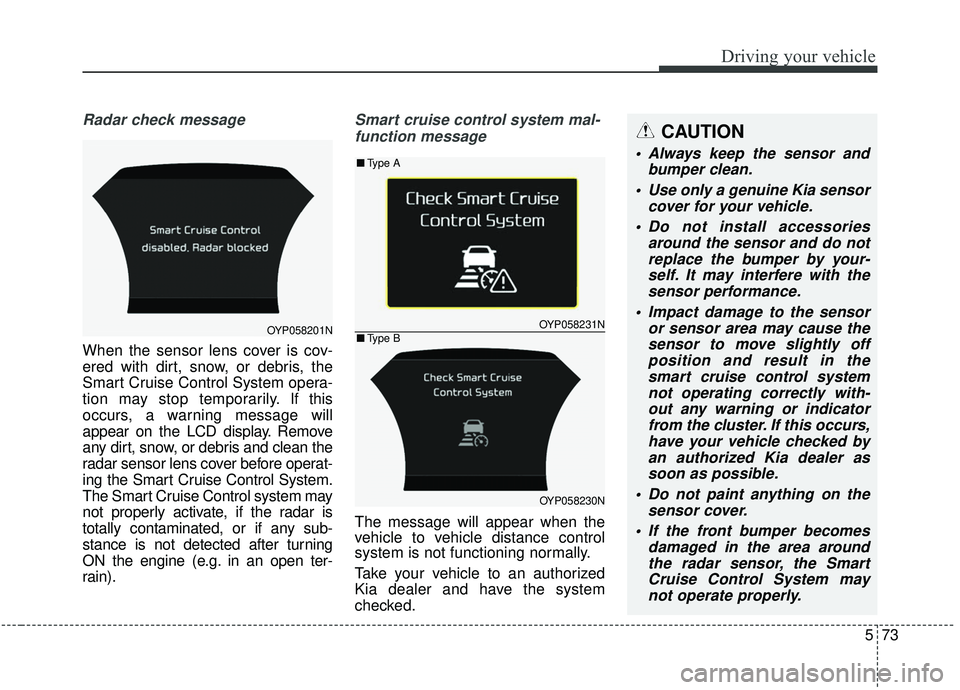
When the sensor lens cover is cov-
ered with dirt, snow, or debris, the
Smart Cruise Control System opera-
tion may stop temporarily. If this
occurs, a warning message will
appear on the LCD display. Remove
any dirt, snow, or debris and clean the
radar sensor lens cover before operat-
ing the Smart Cruise Control System.
The Smart Cruise Control system may
not properly activate, if the radar is
totally contaminated, or if any sub-
stance is not detected after turning
ON the engine (e.g. in an open ter-
rain).
Smart cruise control system mal-
function message
The message will appear when the
vehicle to vehicle distance control
system is not functioning normally.
Take your vehicle to an authorized
Kia dealer and have the system
checked.
OYP058201NOYP058231N
OYP058230N
■ Type A
■Type B
CAUTION
Always keep the sensor and
bumper clean.
Use only a genuine Kia sensor cover for your vehicle.
Do not install accessories around the sensor and do notreplace the bumper by your-self. It may interfere with thesensor performance.
Impact damage to the sensor or sensor area may cause thesensor to move slightly offposition and result in thesmart cruise control systemnot operating correctly with-out any warning or indicatorfrom the cluster. If this occurs,have your vehicle checked byan authorized Kia dealer assoon as possible.
Do not paint anything on the sensor cover.
If the front bumper becomes damaged in the area aroundthe radar sensor, the SmartCruise Control System maynot operate properly.
Page 403 of 604
Driving your vehicle
74
5
To adjust the sensitivity of
smart cruise control system
The sensitivity of vehicle speed
when following the front vehicle to
maintain the set distance can be
adjusted. Go to User Settings (Driver
Assistance) and select SCC
Reaction (Smart Cruise Control). You
may select one of the three stages
you prefer.
Slow:
Vehicle speed following the front
vehicle to maintain the set distance
is slower than normal speed.
Normal: Vehicle speed following the front
vehicle to maintain the set distance
is normal
Fast: Vehicle speed following the front
vehicle to maintain the set distance
is faster than normal speed.
✽ ✽ NOTICE
The system remembers the last
selected mode.
To convert to cruise control
mode:
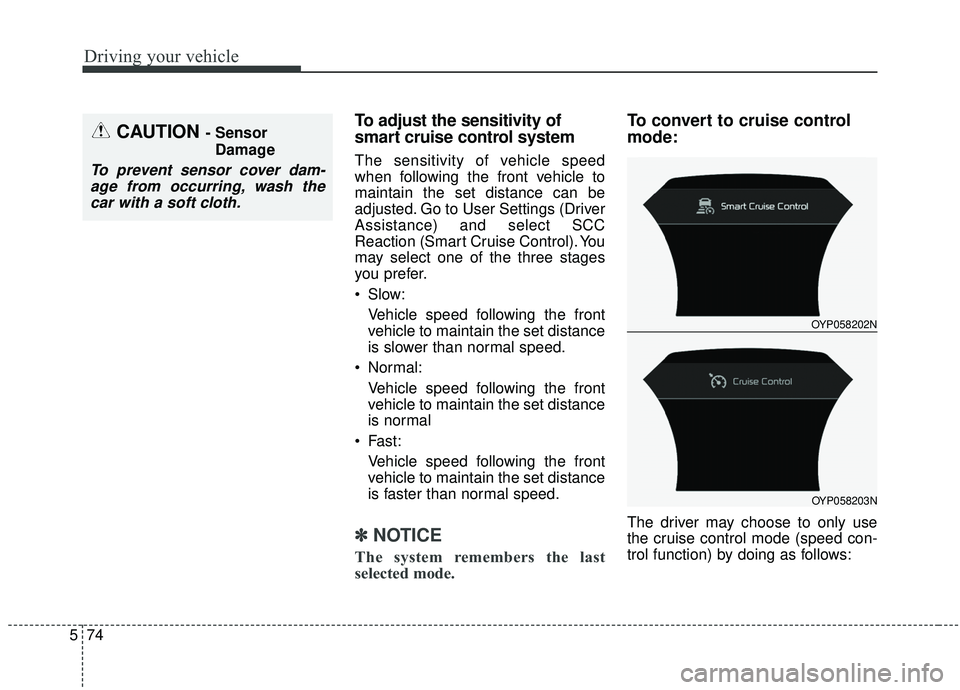
The driver may choose to only use
the cruise control mode (speed con-
trol function) by doing as follows:
CAUTION - Sensor
Damage
To prevent sensor cover dam-age from occurring, wash thecar with a soft cloth.
OYP058202N
OYP058203N
Page 404 of 604
575
Driving your vehicle
1. Turn the smart cruise control sys-tem on (the cruise indicator light
will be on but the system will not
be activated).
2. Push the distance to distance switch for more than 2 seconds.
3. Choose between "Smart cruise control (SCC) mode" and "Cruise
control (CC) mode".
When the system is canceled using
the CRUISE button or the CRUISE
button is used after the engine is
turned on, the Smart Cruise Control
mode will turn on.Limitations of the system
The smart cruise control system may
have limits to its ability to detect dis-
tance to the vehicle ahead due to
road and traffic conditions.
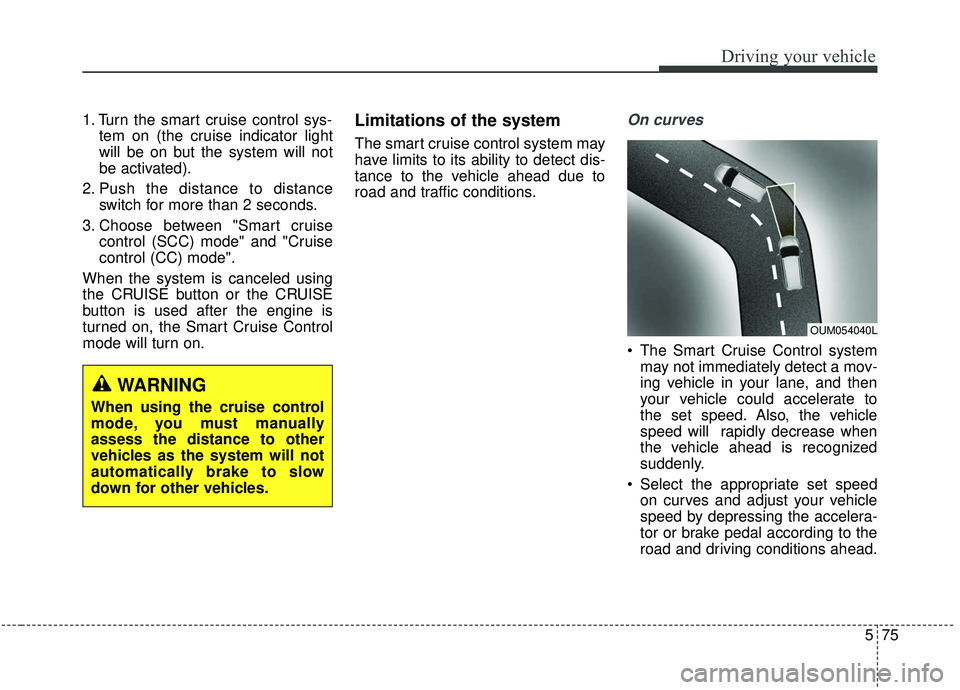
On curves
The Smart Cruise Control system may not immediately detect a mov-
ing vehicle in your lane, and then
your vehicle could accelerate to
the set speed. Also, the vehicle
speed will rapidly decrease when
the vehicle ahead is recognized
suddenly.
Select the appropriate set speed on curves and adjust your vehicle
speed by depressing the accelera-
tor or brake pedal according to the
road and driving conditions ahead.
OUM054040L
WARNING
When using the cruise control
mode, you must manually
assess the distance to other
vehicles as the system will not
automatically brake to slow
down for other vehicles.
Page 405 of 604
Driving your vehicle
76
5
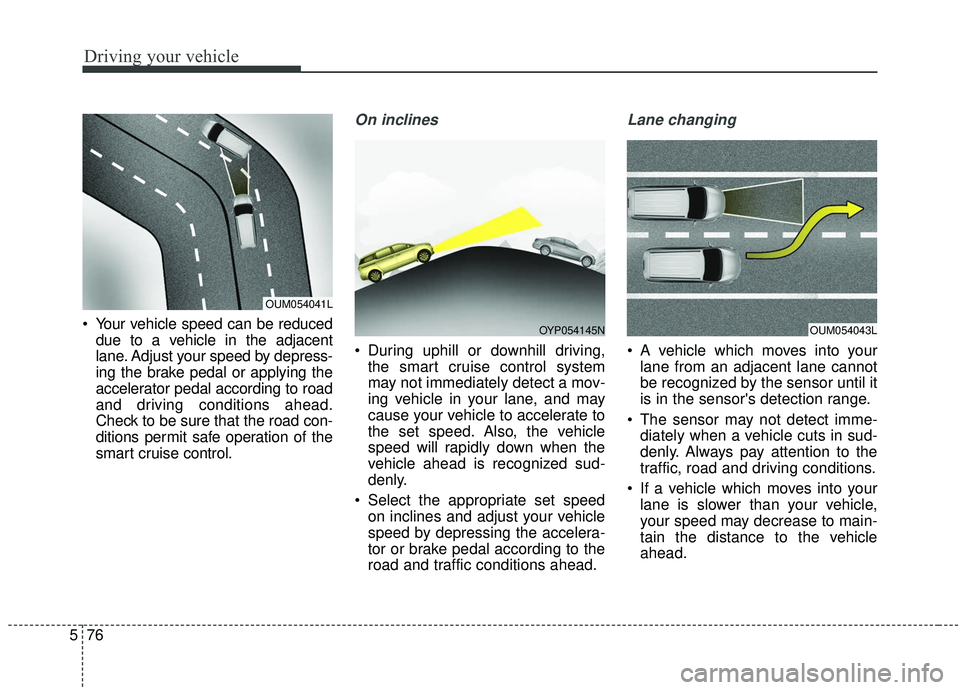
Your vehicle speed can be reduced
due to a vehicle in the adjacent
lane. Adjust your speed by depress-
ing the brake pedal or applying the
accelerator pedal according to road
and driving conditions ahead.
Check to be sure that the road con-
ditions permit safe operation of the
smart cruise control.
On inclines
During uphill or downhill driving,the smart cruise control system
may not immediately detect a mov-
ing vehicle in your lane, and may
cause your vehicle to accelerate to
the set speed. Also, the vehicle
speed will rapidly down when the
vehicle ahead is recognized sud-
denly.
Select the appropriate set speed on inclines and adjust your vehicle
speed by depressing the accelera-
tor or brake pedal according to the
road and traffic conditions ahead.
Lane changing
A vehicle which moves into yourlane from an adjacent lane cannot
be recognized by the sensor until it
is in the sensor's detection range.
The sensor may not detect imme- diately when a vehicle cuts in sud-
denly. Always pay attention to the
traffic, road and driving conditions.
If a vehicle which moves into your lane is slower than your vehicle,
your speed may decrease to main-
tain the distance to the vehicle
ahead.
OUM054041L
OUM054043LOYP054145N
Page 408 of 604
579
Driving your vehicle
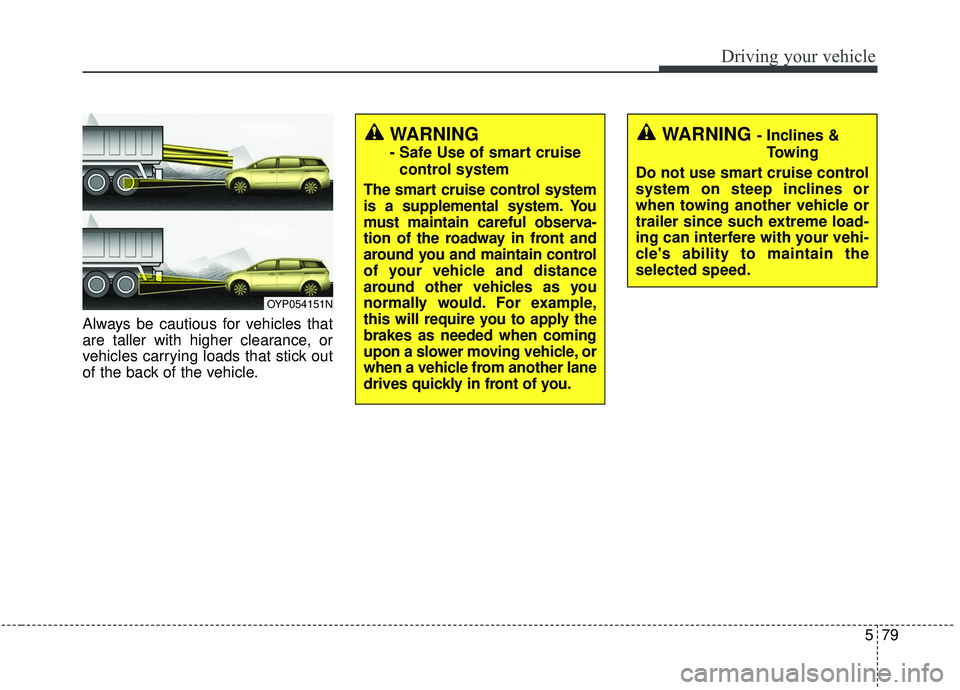
Always be cautious for vehicles that
are taller with higher clearance, or
vehicles carrying loads that stick out
of the back of the vehicle.
OYP054151N
WARNING - Inclines &Towing
Do not use smart cruise control
system on steep inclines or
when towing another vehicle or
trailer since such extreme load-
ing can interfere with your vehi-
cle's ability to maintain the
selected speed.WARNING
- Safe Use of smart cruise control system
The smart cruise control system
is a supplemental system. You
must maintain careful observa-
tion of the roadway in front and
around you and maintain control
of your vehicle and distance
around other vehicles as you
normally would. For example,
this will require you to apply the
brakes as needed when coming
upon a slower moving vehicle, or
when a vehicle from another lane
drives quickly in front of you.
Page 409 of 604
Driving your vehicle
80
5
(Continued)
Always be aware of the select-
ed speed and vehicle to vehi-
cle distance.
Always maintain sufficient braking distance and deceler-
ate your vehicle by applying
the brakes if necessary.(Continued)
If an emergency stop is nec-
essary, you must apply the
brakes.
Keep a safe distance accord- ing to road conditions and
vehicle speed. If the vehicle to
vehicle distance is too close
during a high-speed driving, a
serious collision may result.
The smart cruise control sys- tem cannot recognize a
stopped vehicle, pedestrians
or an oncoming vehicle.
Always look ahead cautiously
to prevent unexpected and
suddensituations from occur-
ring.
When other vehicles are changing lanes in front of you
frequently, the smart cruise
control system may not oper-
ate appropriately. Always look
ahead cautiously to prevent
unexpected and sudden situa-
tions from occurring.
(Continued)WARNING
After starting the engine,please stop for several sec-
onds. If system initialization is
not completed, the smart
cruise control system does
not normally operate.
After starting the engine, if any objects are not detected
or the sensor cover is
obscured with foreign sub-
stances, there is a possibility
that the smart cruise control
system may not work.
The following conditions may cause a malfunction: over-
loading the liftgate, suspen-
sion modification, tire
replacement with unautho-
rized tires or tires with differ-
ent tread wear and pressure
levels.
The Smart Cruise Control sys- tem may not be able to com-
pletely stop the vehicle or
avoid a collision in every situ-
ation.
(Continued)
Page 426 of 604
597
Driving your vehicle
✽ ✽NOTICE
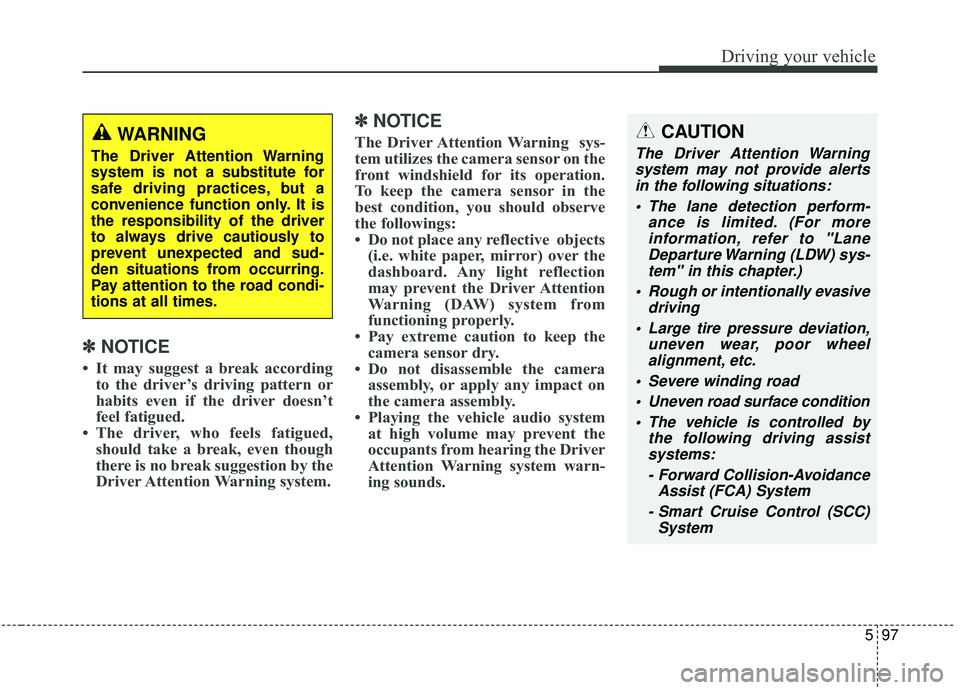
• It may suggest a break according
to the driver’s driving pattern or
habits even if the driver doesn’t
feel fatigued.
• The driver, who feels fatigued, should take a break, even though
there is no break suggestion by the
Driver Attention Warning system.
✽ ✽ NOTICE
The Driver Attention Warning sys-
tem utilizes the camera sensor on the
front windshield for its operation.
To keep the camera sensor in the
best condition, you should observe
the followings:
• Do not place any reflective objects
(i.e. white paper, mirror) over the
dashboard. Any light reflection
may prevent the Driver Attention
Warning (DAW) system from
functioning properly.
• Pay extreme caution to keep the camera sensor dry.
• Do not disassemble the camera assembly, or apply any impact on
the camera assembly.
• Playing the vehicle audio system at high volume may prevent the
occupants from hearing the Driver
Attention Warning system warn-
ing sounds.CAUTION
The Driver Attention Warning
system may not provide alertsin the following situations:
The lane detection perform- ance is limited. (For moreinformation, refer to "LaneDeparture Warning (LDW) sys-tem" in this chapter.)
Rough or intentionally evasive driving
Large tire pressure deviation, uneven wear, poor wheelalignment, etc.
Severe winding road Uneven road surface condition The vehicle is controlled by the following driving assistsystems:
- Forward Collision-Avoidance Assist (FCA) System
- Smart Cruise Control (SCC) System
WARNING
The Driver Attention Warning
system is not a substitute for
safe driving practices, but a
convenience function only. It is
the responsibility of the driver
to always drive cautiously to
prevent unexpected and sud-
den situations from occurring.
Pay attention to the road condi-
tions at all times.
Page 544 of 604
761
Maintenance
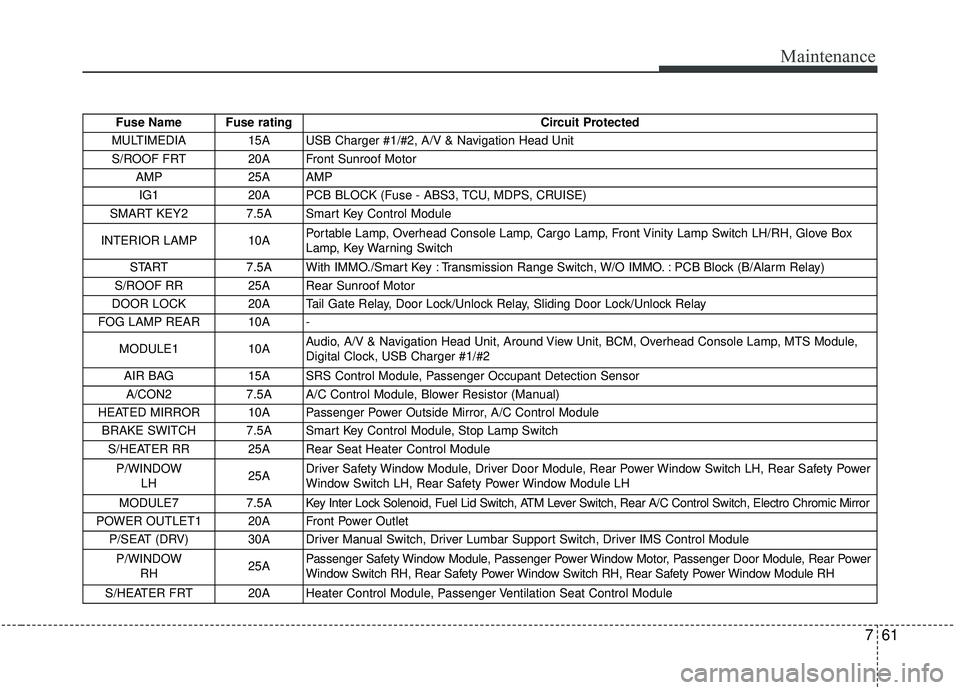
Fuse Name Fuse ratingCircuit Protected
MULTIMEDIA 15A USB Charger #1/#2, A/V & Navigation Head Unit S/ROOF FRT 20A Front Sunroof Motor AMP 25A AMP IG1 20A PCB BLOCK (Fuse - ABS3, TCU, MDPS, CRUISE)
SMART KEY2 7.5A Smart Key Control Module
INTERIOR LAMP 10A Portable Lamp, Overhead Console Lamp, Cargo Lamp, Front Vinity Lamp Switch LH/RH, Glove Box
Lamp, Key Warning Switch
START 7.5A With IMMO./Smart Key : Transmission Range Switch, W/O IMMO. : PCB Block (B/Alarm Relay)
S/ROOF RR 25A Rear Sunroof Motor
DOOR LOCK 20A Tail Gate Relay, Door Lock/Unlock Relay, Sliding Door Lock/Unlock Relay
FOG LAMP REAR 10A -
MODULE1 10A Audio, A/V & Navigation Head Unit, Around View Unit, BCM, Overhead Console Lamp, MTS Module,
Digital Clock, USB Charger #1/#2
AIR BAG 15A SRS Control Module, Passenger Occupant Detection Sensor
A/CON2 7.5A A/C Control Module, Blower Resistor (Manual)
HEATED MIRROR 10A Passenger Power Outside Mirror, A/C Control Module BRAKE SWITCH 7.5A Smart Key Control Module, Stop Lamp Switch S/HEATER RR 25A Rear Seat Heater Control Module
P/WINDOW LH 25ADriver Safety Window Module, Driver Door Module, Rear Power Window Switch LH, Rear Safety Power
Window Switch LH, Rear Safety Power Window Module LH
MODULE7 7.5A Key Inter Lock Solenoid, Fuel Lid Switch, ATM Lever Switch, Rear A/C Control Switch, Electro Chromic Mirror
POWER OUTLET1 20A Front Power Outlet P/SEAT (DRV) 30A Driver Manual Switch, Driver Lumbar Support Switch, Driver IMS Control Module
P/WINDOW RH 25APassenger Safety Window Module, Passenger Power Window Motor, Passenger Door Module, Rear Power
Window Switch RH, Rear Safety Power Window Switch RH, Rear Safety Power Window Module RH
S/HEATER FRT 20A Heater Control Module, Passenger Ventilation Seat Control Module