display KIA SEDONA 2020 Owner's Manual
[x] Cancel search | Manufacturer: KIA, Model Year: 2020, Model line: SEDONA, Model: KIA SEDONA 2020Pages: 604, PDF Size: 16.24 MB
Page 213 of 604
Features of your vehicle
104
4
From the point at which the remain-
ing distance to drive amounts to
1,500 km (900 mi.) or the remaining
period amounts to 3 days, Service
Required message automatically
displays and remains on LCD screen
for a number of seconds every time
the engine start/stop button is ON.
With Service Required in place,
Service Required Alarm message
pops up when an aggregated
amount of miles/time driven reaches
a certain point.
With Service Required mode, press
OK button for more than 1 second.
The values will return to initial setting
values. ❈
See User Settings
Mode in this chapter for further
information about Service
Required Setting.
❈ Service Required Setting
In the event of Battery Cable
Disconnection or Fuse Switch
turned OFF, the Service Required
Setting values (an amount of
miles/time driven) may change. In
such cases, re-enter Service
Required Setting values.Master Warning Mode
This warning light informs the driv- er of the following situations
- Forward Collision-Avoidance (if equipped) blockage
- Forward Collision-Avoidance (if equipped) malfunction
- Blind-Spot Collision Warning (if equipped) malfunction
- Blind-Spot Collision Warning (if equipped) blockage
- LED headlamp (if equipped) mal- function
- High Beam Assist (if equipped) malfunction
- Low engine oil
- Smart Cruise Control with Stop &Go (if equipped) blockage
- Smart Cruise Control with Stop & Go (if equipped) malfunction
Page 214 of 604
4105
Features of your vehicle
The Master Warning Light illumi-
nates when more than one of the
above warning situations occur.
If the warning situation is solved, the
master warning light will be turned
off.Distance to empty
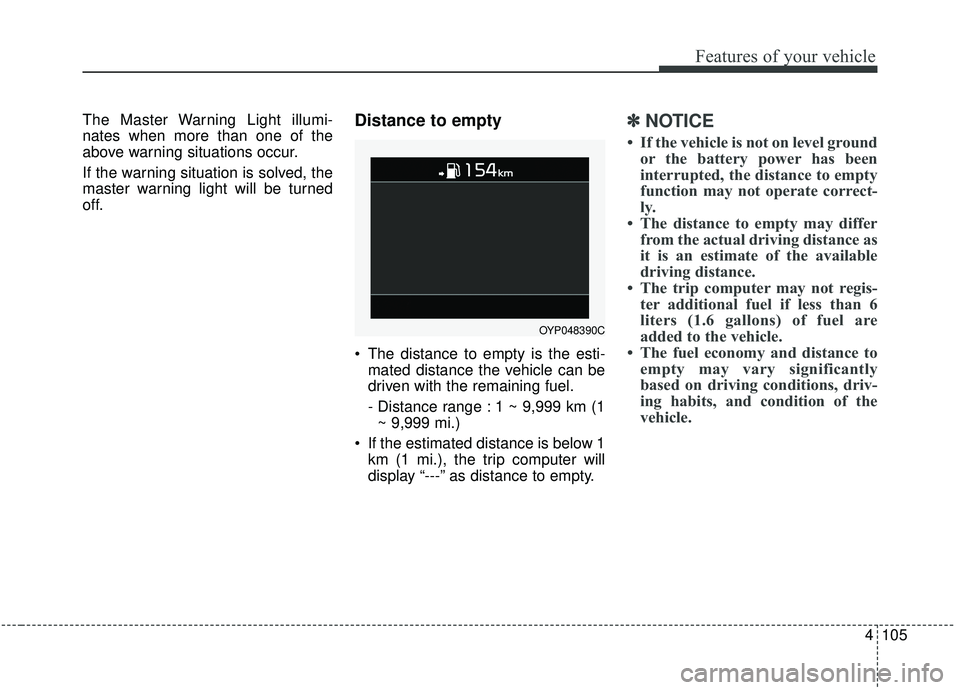
The distance to empty is the esti-mated distance the vehicle can be
driven with the remaining fuel.
- Distance range : 1 ~ 9,999 km (1~ 9,999 mi.)
If the estimated distance is below 1 km (1 mi.), the trip computer will
display “---” as distance to empty.
✽ ✽ NOTICE
• If the vehicle is not on level ground
or the battery power has been
interrupted, the distance to empty
function may not operate correct-
ly.
• The distance to empty may differ from the actual driving distance as
it is an estimate of the available
driving distance.
• The trip computer may not regis- ter additional fuel if less than 6
liters (1.6 gallons) of fuel are
added to the vehicle.
• The fuel economy and distance to empty may vary significantly
based on driving conditions, driv-
ing habits, and condition of the
vehicle.
OYP048390C
Page 218 of 604
4109
Features of your vehicle
Sound
Parking Distance Warning Volume(if equipped) :
- Adjust the Parking DistanceWarning Volume. (Level 1 ~ 3)
❈ For more details, refer to “Parking
Distance Warning Volume” in this
chapter.
Welcome Sound (if equipped) : - If this item checked, the welcomesound function will be activated. Convenience
Seat Easy Access (if equipped)
- Off : The seat easy access func-tion will be deactivated.
- Normal/Extended : When you turn off the engine, the driver’s seat will
automatically move rear 7.6 cm (3
in.) (Enhanced) for you to enter or
exit the vehicle more comfortably.
- If you change the Engine Start/Stop Button from OFF posi-
tion to the AC function, the driver’s
seat will return to the original posi-
tion.
❈ For more details, refer to “Driver
Position Memory System” in chap-
ter 3.
Welcome Mirror/Light (if equipped) : - If this item checked, the welcomeMirror/light function will be acti-
vated.
Wiper/Lights Display (if equipped) : - If this item checked, theWiper/Lights Display will be acti-
vated. Welcome Light (if equipped) :
- If this item checked, the welcomelight function will be activated.
Auto rear wiper (in R, if equipped) : - If this item is checked, the rearwiper will automatically activate
when the front wiper is in ON
position and shift lever is in R
(reverse) position.
Gear Position Pop-up (if equipped) : - If this item checked, the gearposition pop-up display will be
activated.
Icy road warning (if equipped) : - If this item checked, the Icy roadwarning display will be activated.
Page 223 of 604
Features of your vehicle
114
4
Align steering wheel
This warning message illuminates
if you start the engine when the
steering wheel is turned to more
than 90 degrees to the left or right.
It means that you should turn the steering wheel and make the angle
of the steering wheel be less than
30 degrees.
Low Washer Fluid
This warning message illuminateson the service reminder mode if
the washer fluid level in the reser-
voir is nearly empty.
It means that you should refill the washer fluid.
Turn on FUSE SWITCH
This warning message illuminatesif the fuse switch on the fuse box is
OFF.
It means that you should turn the fuse switch on.
❈ For more details, refer to “Fuses”
in chapter 7.
Low Fuel
This warning message illuminates if
the fuel tank is nearly empty.
- When the low fuel level warning
light is illuminated.
- When the trip computer displays "--- km (or mile)" as range.
Add fuel as soon as possible.
Check high beam assist system (if equipped)
This warning message illuminates if
there is a malfunction (burned-out
bulb or circuit malfunction) with the
headlamp. In this case, have your
vehicle inspected by an authorized
Kia dealer.
Check headlight
This warning message illuminates if
there is a malfunction (burned-out
bulb except LED lamp or circuit mal-
function) with the headlamp. In this
case, have your vehicle inspected by
an authorized Kia dealer.
✽ ✽ NOTICE
When replacing the bulb, use the
same wattage bulb.
❈ ❈
For more information, refer to
“BULB WATTAGE” in chapter 8.
Page 260 of 604
4151
Features of your vehicle
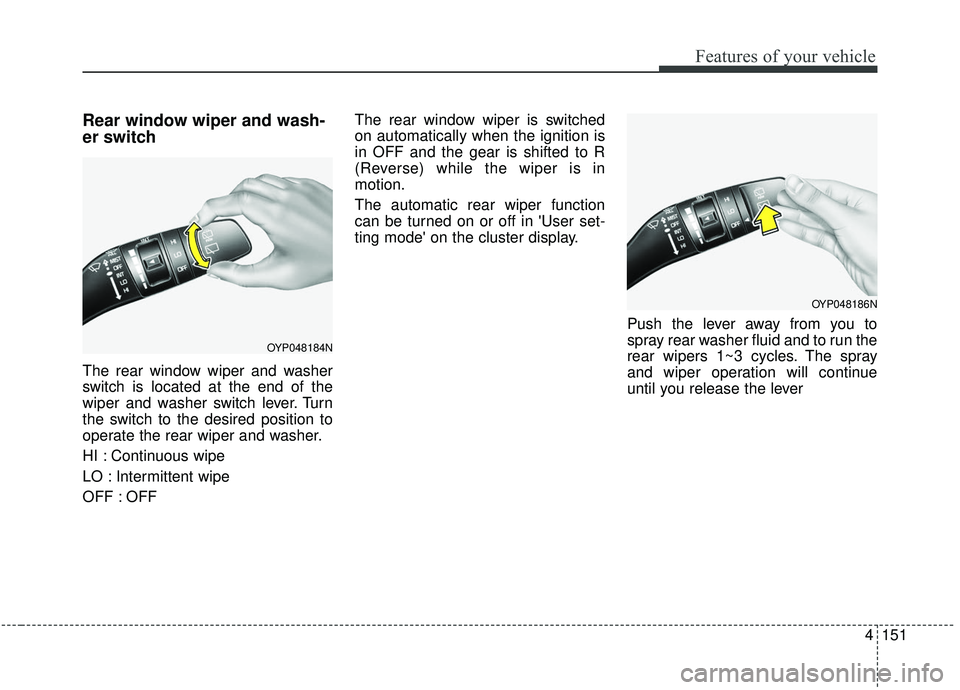
Rear window wiper and wash-
er switch
The rear window wiper and washer
switch is located at the end of the
wiper and washer switch lever. Turn
the switch to the desired position to
operate the rear wiper and washer.
HI : Continuous wipe
LO : Intermittent wipe
OFF : OFFThe rear window wiper is switched
on automatically when the ignition is
in OFF and the gear is shifted to R
(Reverse) while the wiper is in
motion.
The automatic rear wiper function
can be turned on or off in 'User set-
ting mode' on the cluster display.
Push the lever away from you to
spray rear washer fluid and to run the
rear wipers 1~3 cycles. The spray
and wiper operation will continue
until you release the lever
OYP048184N
OYP048186N
Page 281 of 604
Features of your vehicle
172
4
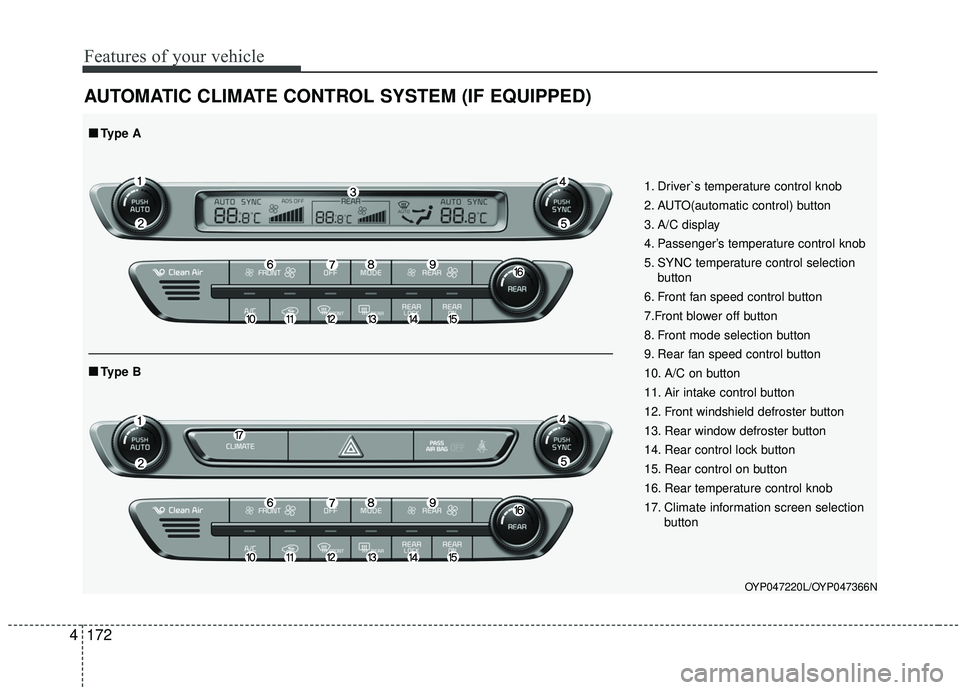
AUTOMATIC CLIMATE CONTROL SYSTEM (IF EQUIPPED)
OYP047220L/OYP047366N
1. Driver`s temperature control knob
2. AUTO(automatic control) button
3. A/C display
4. Passenger’s temperature control knob
5. SYNC temperature control selection
button
6. Front fan speed control button
7.Front blower off button
8. Front mode selection button
9. Rear fan speed control button
10. A/C on button
11. Air intake control button
12. Front windshield defroster button
13. Rear window defroster button
14. Rear control lock button
15. Rear control on button
16. Rear temperature control knob
17. Climate information screen selection button
■ ■Type B
■ ■Type A
Page 282 of 604
4173
Features of your vehicle
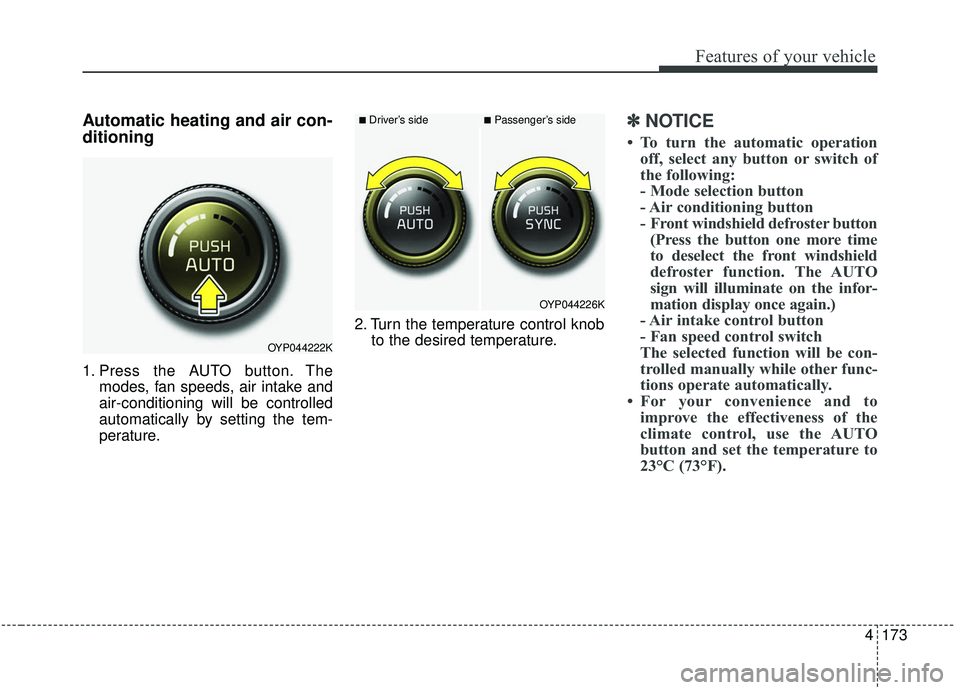
Automatic heating and air con-
ditioning
1. Press the AUTO button. Themodes, fan speeds, air intake and
air-conditioning will be controlled
automatically by setting the tem-
perature. 2. Turn the temperature control knob
to the desired temperature.
✽ ✽NOTICE
• To turn the automatic operation
off, select any button or switch of
the following:
- Mode selection button
- Air conditioning button
- Front windshield defroster button(Press the button one more time
to deselect the front windshield
defroster function. The AUTO
sign will illuminate on the infor-
mation display once again.)
- Air intake control button
- Fan speed control switch
The selected function will be con-
trolled manually while other func-
tions operate automatically.
• For your convenience and to improve the effectiveness of the
climate control, use the AUTO
button and set the temperature to
23°C (73°F).
OYP044222K
OYP044226K
■Driver’s side■Passenger’s side
Page 286 of 604
4177
Features of your vehicle
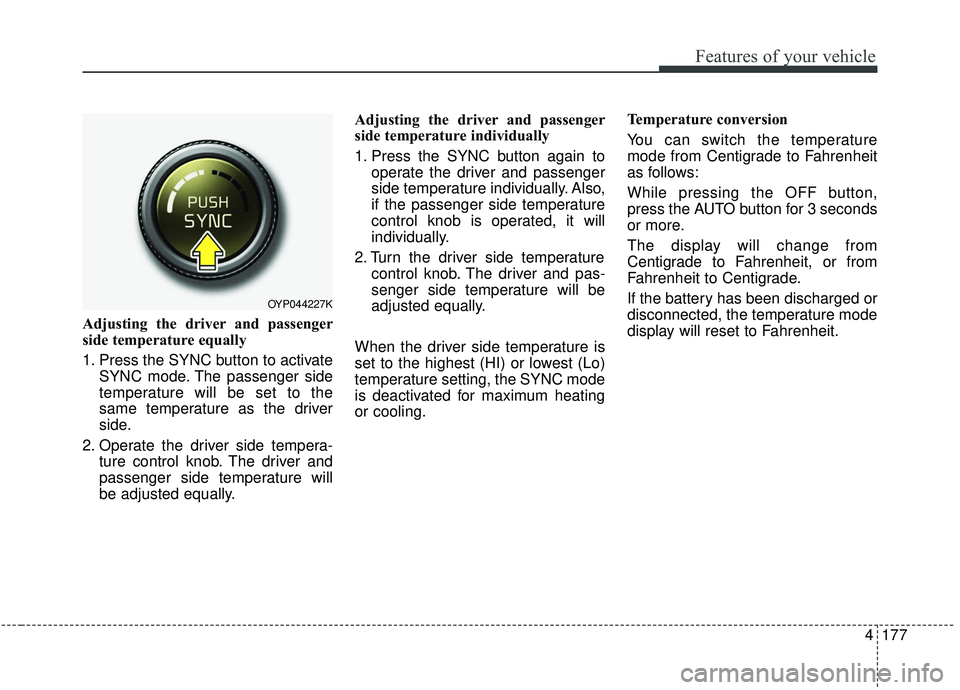
Adjusting the driver and passenger
side temperature equally
1. Press the SYNC button to activateSYNC mode. The passenger side
temperature will be set to the
same temperature as the driver
side.
2. Operate the driver side tempera- ture control knob. The driver and
passenger side temperature will
be adjusted equally. Adjusting the driver and passenger
side temperature individually
1. Press the SYNC button again to
operate the driver and passenger
side temperature individually. Also,
if the passenger side temperature
control knob is operated, it will
individually.
2. Turn the driver side temperature control knob. The driver and pas-
senger side temperature will be
adjusted equally.
When the driver side temperature is
set to the highest (HI) or lowest (Lo)
temperature setting, the SYNC mode
is deactivated for maximum heating
or cooling. Temperature conversion
You can switch the temperature
mode from Centigrade to Fahrenheit
as follows:
While pressing the OFF button,
press the AUTO button for 3 seconds
or more.
The display will change from
Centigrade to Fahrenheit, or from
Fahrenheit to Centigrade.
If the battery has been discharged or
disconnected, the temperature mode
display will reset to Fahrenheit.
OYP044227K
Page 287 of 604
Features of your vehicle
178
4
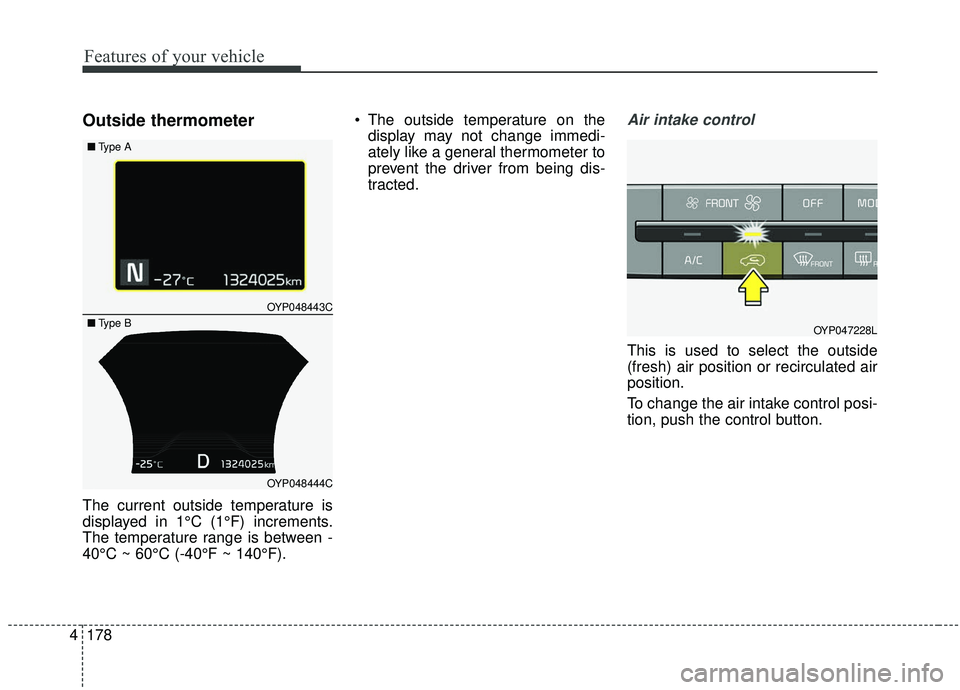
Outside thermometer
The current outside temperature is
displayed in 1°C (1°F) increments.
The temperature range is between -
40°C ~ 60°C (-40°F ~ 140°F). The outside temperature on the
display may not change immedi-
ately like a general thermometer to
prevent the driver from being dis-
tracted.
Air intake control
This is used to select the outside
(fresh) air position or recirculated air
position.
To change the air intake control posi-
tion, push the control button.
OYP047228L
OYP048443C
OYP048444C
■
Type A
■Type B
Page 290 of 604
4181
Features of your vehicle
Air conditioning
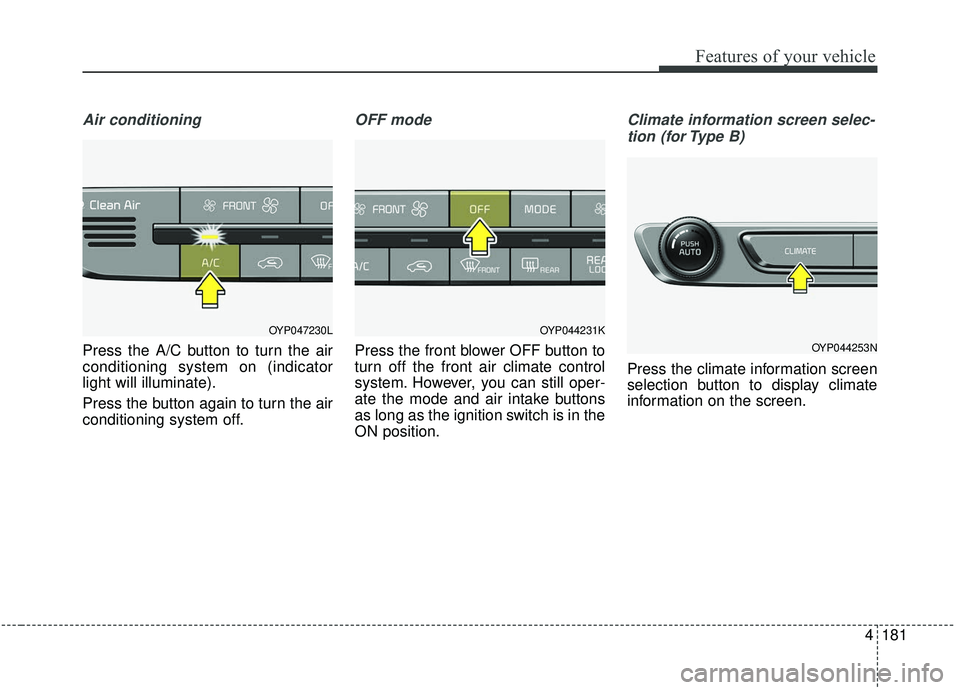
Press the A/C button to turn the air
conditioning system on (indicator
light will illuminate).
Press the button again to turn the air
conditioning system off.
OFF mode
Press the front blower OFF button to
turn off the front air climate control
system. However, you can still oper-
ate the mode and air intake buttons
as long as the ignition switch is in the
ON position.
Climate information screen selec-tion (for Type B)
Press the climate information screen
selection button to display climate
information on the screen.
OYP044231K
OYP044253N
OYP047230L