display KIA SEDONA 2020 Service Manual
[x] Cancel search | Manufacturer: KIA, Model Year: 2020, Model line: SEDONA, Model: KIA SEDONA 2020Pages: 604, PDF Size: 16.24 MB
Page 402 of 604
573
Driving your vehicle
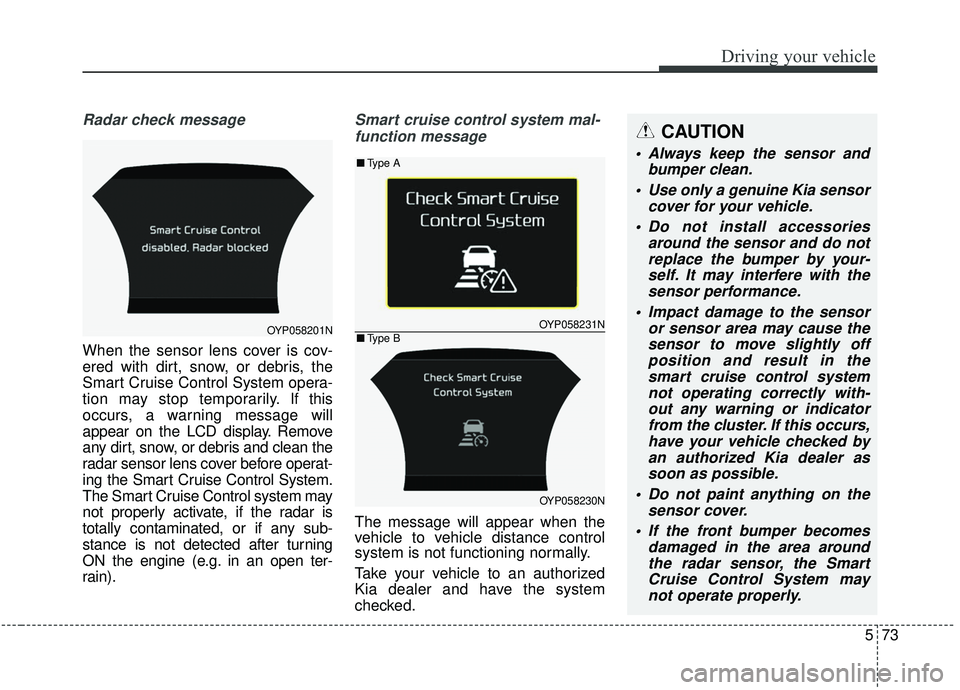
Radar check message
When the sensor lens cover is cov-
ered with dirt, snow, or debris, the
Smart Cruise Control System opera-
tion may stop temporarily. If this
occurs, a warning message will
appear on the LCD display. Remove
any dirt, snow, or debris and clean the
radar sensor lens cover before operat-
ing the Smart Cruise Control System.
The Smart Cruise Control system may
not properly activate, if the radar is
totally contaminated, or if any sub-
stance is not detected after turning
ON the engine (e.g. in an open ter-
rain).
Smart cruise control system mal-
function message
The message will appear when the
vehicle to vehicle distance control
system is not functioning normally.
Take your vehicle to an authorized
Kia dealer and have the system
checked.
OYP058201NOYP058231N
OYP058230N
■ Type A
■Type B
CAUTION
Always keep the sensor and
bumper clean.
Use only a genuine Kia sensor cover for your vehicle.
Do not install accessories around the sensor and do notreplace the bumper by your-self. It may interfere with thesensor performance.
Impact damage to the sensor or sensor area may cause thesensor to move slightly offposition and result in thesmart cruise control systemnot operating correctly with-out any warning or indicatorfrom the cluster. If this occurs,have your vehicle checked byan authorized Kia dealer assoon as possible.
Do not paint anything on the sensor cover.
If the front bumper becomes damaged in the area aroundthe radar sensor, the SmartCruise Control System maynot operate properly.
Page 412 of 604
583
Driving your vehicle
DRIVE mode
The drive mode may be selected
according to the driver’s preference
or road condition.
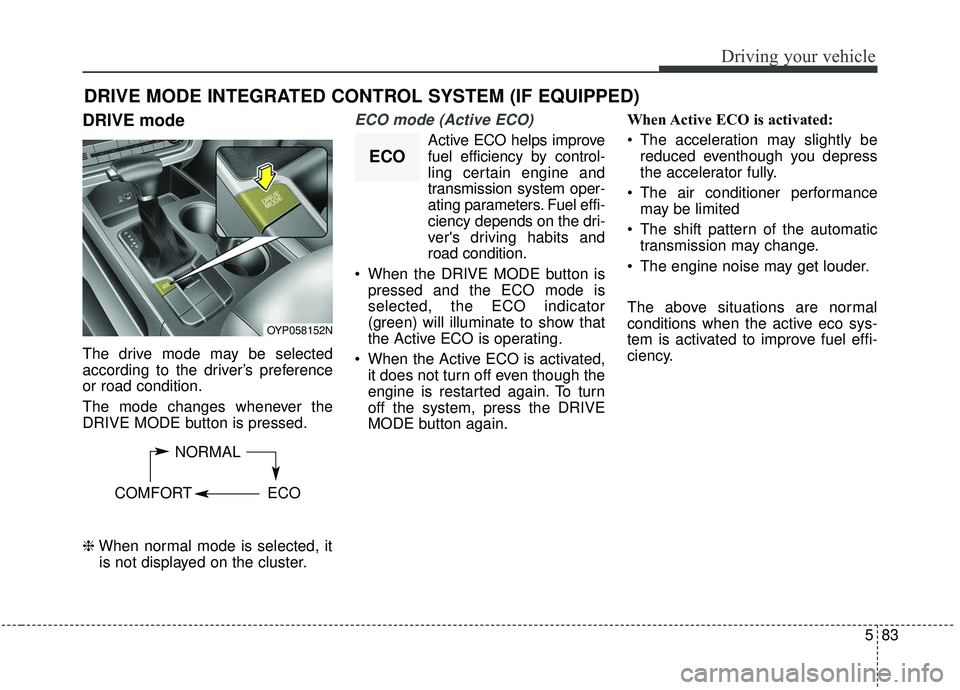
The mode changes whenever the
DRIVE MODE button is pressed.
\bWhen normal mode is selected, it
is not displayed on the cluster.
ECO mode (Active ECO)
Active ECO helps improve
fuel efficiency by control-
ling certain engine and
transmission system oper-
ating parameters. Fuel effi-
ciency depends on the dri-
ver's driving habits and
road condition.
When the DRIVE MODE button is pressed and the ECO mode is
selected, the ECO indicator
(green) will illuminate to show that
the Active ECO is operating.
When the Active ECO is activated, it does not turn off even though the
engine is restarted again. To turn
off the system, press the DRIVE
MODE button again. When Active ECO is activated:
The acceleration may slightly be
reduced eventhough you depress
the accelerator fully.
The air conditioner performance may be limited
The shift pattern of the automatic transmission may change.
The engine noise may get louder.
The above situations are normal
conditions when the active eco sys-
tem is activated to improve fuel effi-
ciency.
DRIVE MODE INTEGRATED CONTROL SYSTEM (IF EQUIPPED)
OYP058152N
NORMAL
COMFORT ECO
ECO
Page 417 of 604
Driving your vehicle
88
5
- The second stage alarm may be
deactivated.
To activate the alarm: Go to the User Settings Mode →
Driver Assistance and select
“Blind-Spot Collision Warning” on
the LCD display.
To deactivate the alarm: Go to the User Settings Mode →
Driver Assistance and deselect
“Blind-Spot Collision Warning” on
the LCD display.
✽ ✽
NOTICE
The alarm function helps alert the
driver. Deactivate this function only
when it is necessary
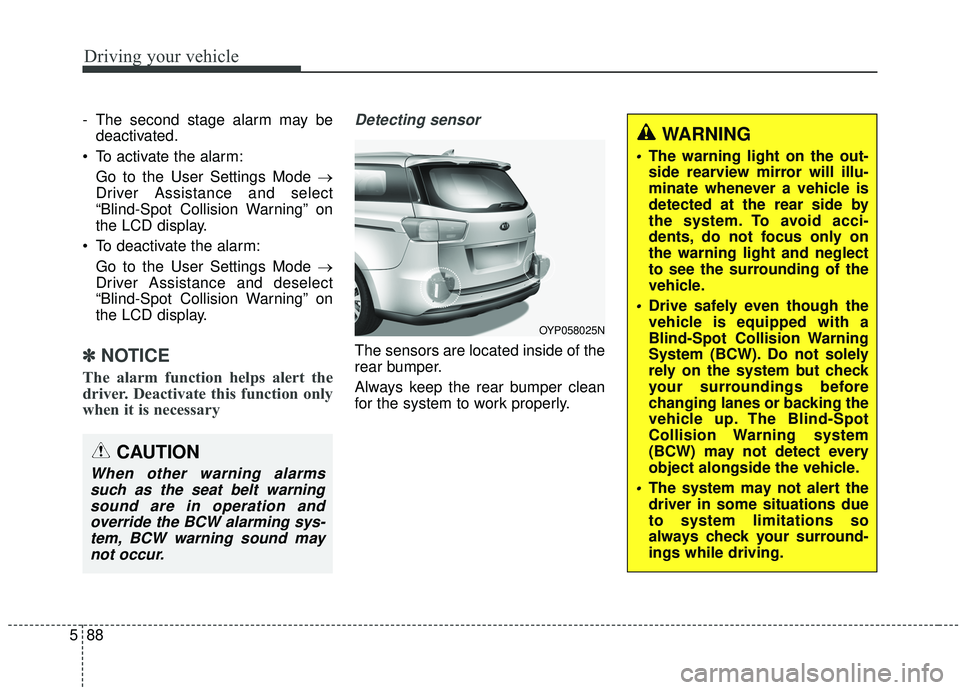
Detecting sensor
The sensors are located inside of the
rear bumper.
Always keep the rear bumper clean
for the system to work properly.
OYP058025N
CAUTION
When other warning alarms
such as the seat belt warningsound are in operation andoverride the BCW alarming sys-tem, BCW warning sound maynot occur.
WARNING
The warning light on the out-
side rearview mirror will illu-
minate whenever a vehicle is
detected at the rear side by
the system. To avoid acci-
dents, do not focus only on
the warning light and neglect
to see the surrounding of the
vehicle.
Drive safely even though the
vehicle is equipped with a
Blind-Spot Collision Warning
System (BCW). Do not solely
rely on the system but check
your surroundings before
changing lanes or backing the
vehicle up. The Blind-Spot
Collision Warning system
(BCW) may not detect every
object alongside the vehicle.
The system may not alert the
driver in some situations due
to system limitations so
always check your surround-
ings while driving.
Page 423 of 604
Driving your vehicle
94
5
The Driver Attention Warning (DAW)
system is designed to warn the driv-
er of potentially hazardous driving
situations if it detects inattentive
driving practices.System setting and activation
System setting
To turn ON the Driver Attention
Warning system, turn on the
engine, and then select 'User
Settings →Assist →Driver
Attention Warning →Normal/Early'
on the LCD display.
The driver can select the Driver Attention Warning system mode.
- Off : The Driver Attention Warningsystem is deactivated.
- Normal : The Driver Attention Warning system alerts the driver
of his/her inattentive driving prac-
tices.
- Early : The Driver Attention Warning system alerts the driver
of his/her inattentive driving prac-
tices faster than Normal mode.
The set-up of the Driver Attention Warning system will be maintained
when the engine is re-started.
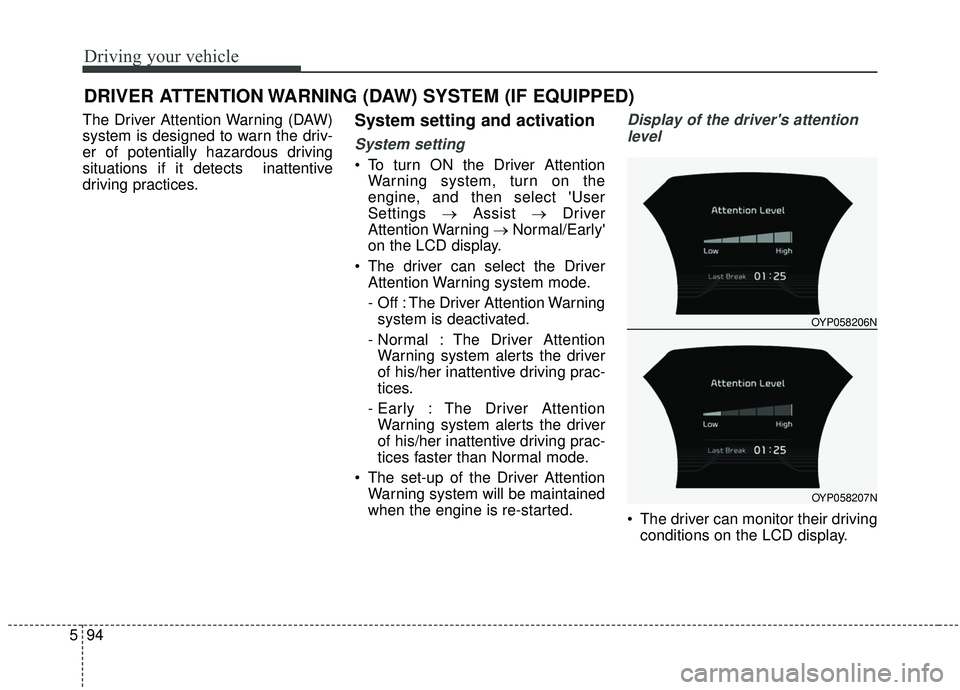
Display of the driver's attention
level
The driver can monitor their driving conditions on the LCD display.
DRIVER ATTENTION WARNING (DAW) SYSTEM (IF EQUIPPED)
OYP058206N
OYP058207N
Page 424 of 604
595
Driving your vehicle
- Select 'User Settings Mode' andthen 'Assist' on the LCD display.
(For more information, refer to
"LCD Display" in chapter 4.)
The driver's attention level is dis- played on the scale of 1 to 5. The
lower the number is, the more inat-
tentive the driver is.
The number decreases when the driver does not take a break for a
certain period of time.
The number increases when the driver attentively drives for a cer-
tain period of time.
When the driver turns on the sys- tem while driving, it displays ‘Last
Break time’.Take a break
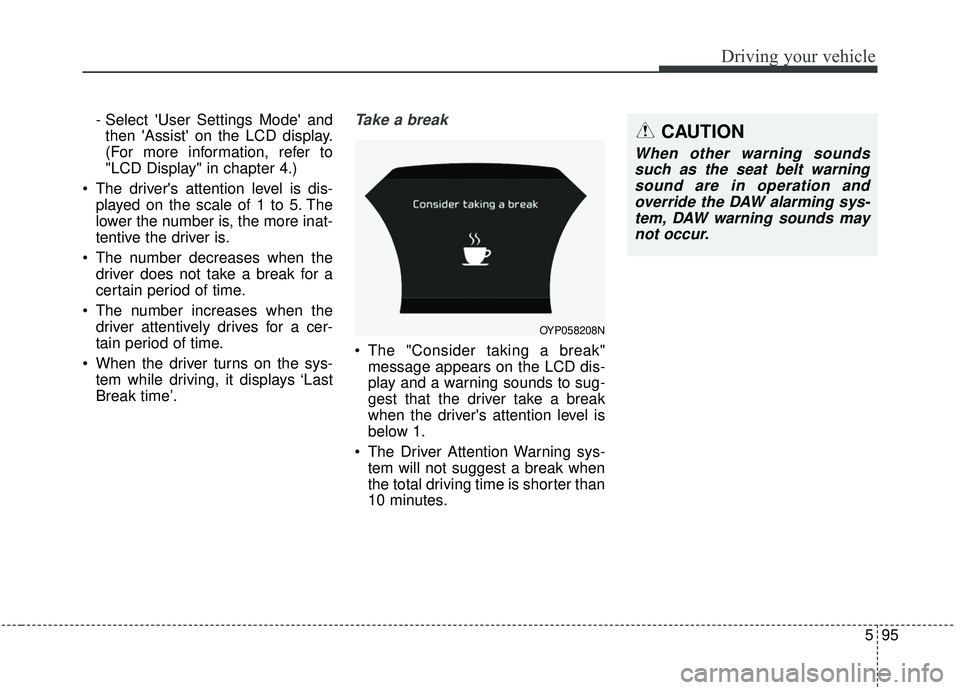
The "Consider taking a break"message appears on the LCD dis-
play and a warning sounds to sug-
gest that the driver take a break
when the driver's attention level is
below 1.
The Driver Attention Warning sys- tem will not suggest a break when
the total driving time is shorter than
10 minutes.
OYP058208N
CAUTION
When other warning soundssuch as the seat belt warningsound are in operation andoverride the DAW alarming sys-tem, DAW warning sounds maynot occur.
Page 425 of 604
Driving your vehicle
96
5
Resetting the system
The last break time is set to 00:00
and the driver's attention level is
set to 5 (very attentive) when the
driver resets the Driver Attention
Warning system.
The driver attention warning sys- tem resets in the following situa-
tions.
- The engine is turned OFF.
- The driver unfastens the seat beltand then opens the driver’s door.
- The driver takes a break from driving that lasts more than 10
minutes.
The driver attention warning sys- tem operates again when the driv-
er restarts driving.
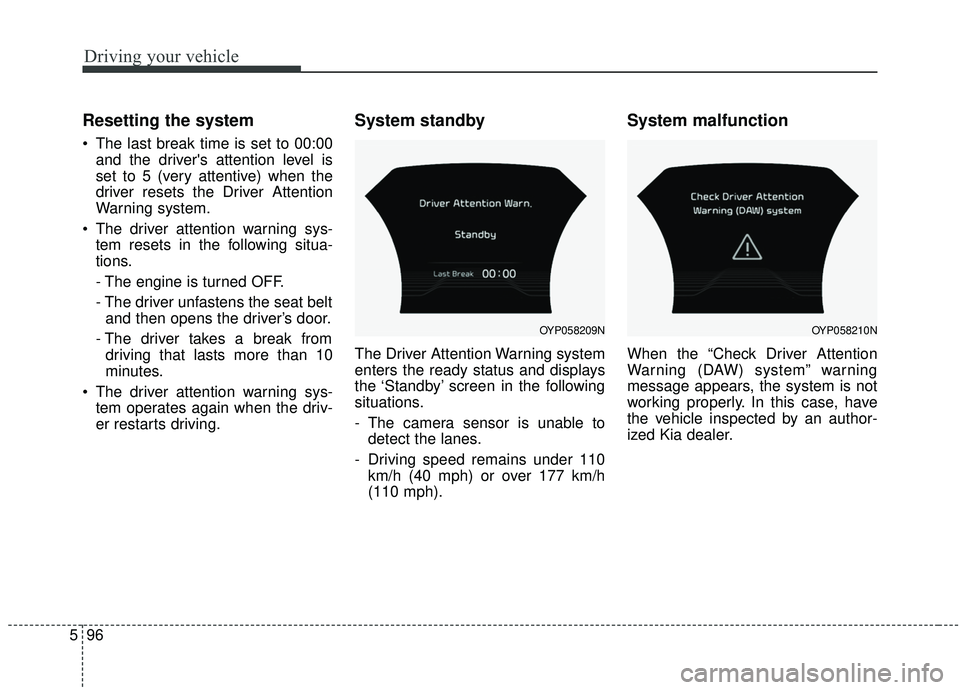
System standby
The Driver Attention Warning system
enters the ready status and displays
the ‘Standby’ screen in the following
situations.
- The camera sensor is unable todetect the lanes.
- Driving speed remains under 110 km/h (40 mph) or over 177 km/h
(110 mph).
System malfunction
When the “Check Driver Attention
Warning (DAW) system” warning
message appears, the system is not
working properly. In this case, have
the vehicle inspected by an author-
ized Kia dealer.
OYP058209NOYP058210N
Page 428 of 604
599
Driving your vehicle
LDW Operation
To activate/deactivate the LDW:
With the ignition switch in the ON
position, press the LDW button locat-
ed on the instrument panel on the
lower left hand side of the driver.
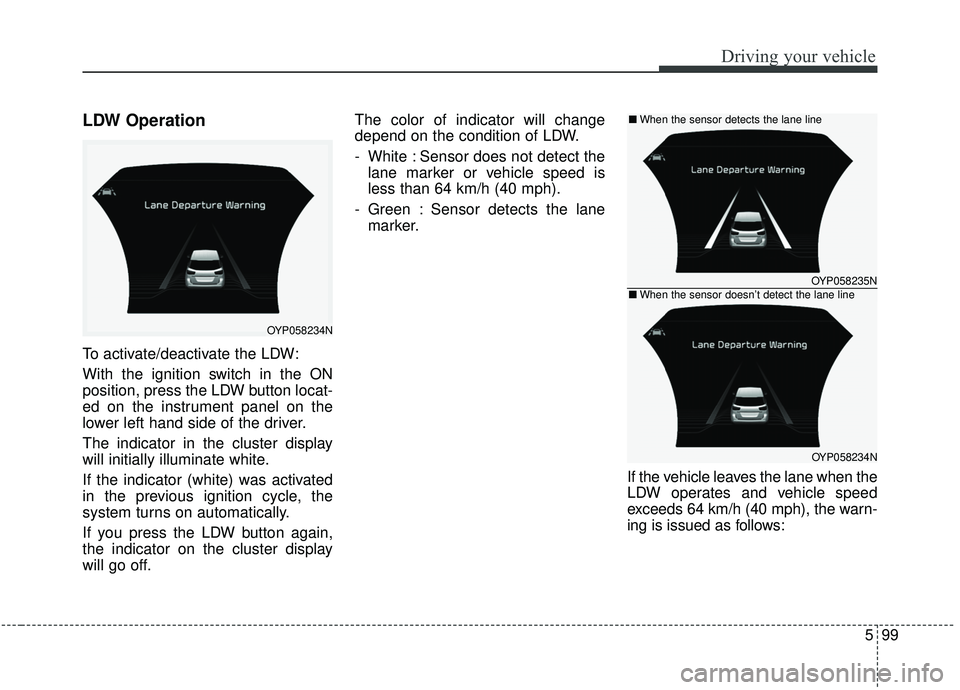
The indicator in the cluster display
will initially illuminate white.
If the indicator (white) was activated
in the previous ignition cycle, the
system turns on automatically.
If you press the LDW button again,
the indicator on the cluster display
will go off.The color of indicator will change
depend on the condition of LDW.
- White : Sensor does not detect the
lane marker or vehicle speed is
less than 64 km/h (40 mph).
- Green : Sensor detects the lane marker.
If the vehicle leaves the lane when the
LDW operates and vehicle speed
exceeds 64 km/h (40 mph), the warn-
ing is issued as follows:
OYP058234N
OYP058235N
OYP058234N
■When the sensor detects the lane line
■When the sensor doesn’t detect the lane line
Page 429 of 604
Driving your vehicle
100
5
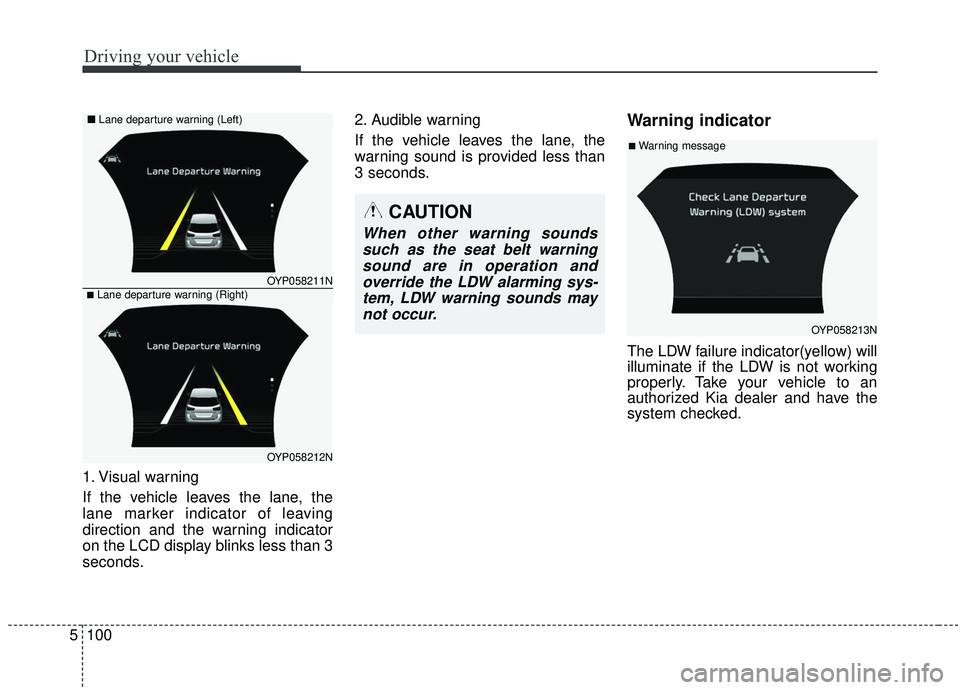
1. Visual warning
If the vehicle leaves the lane, the
lane marker indicator of leaving
direction and the warning indicator
on the LCD display blinks less than 3
seconds. 2. Audible warning
If the vehicle leaves the lane, the
warning sound is provided less than
3 seconds.
Warning indicator
The LDW failure indicator(yellow) will
illuminate if the LDW is not working
properly. Take your vehicle to an
authorized Kia dealer and have the
system checked.
OYP058211N
OYP058212N
■Lane departure warning (Right)
■
Lane departure warning (Left)
OYP058213N
■Warning message
CAUTION
When other warning sounds
such as the seat belt warningsound are in operation andoverride the LDW alarming sys-tem, LDW warning sounds maynot occur.
Page 529 of 604
Maintenance
46
7
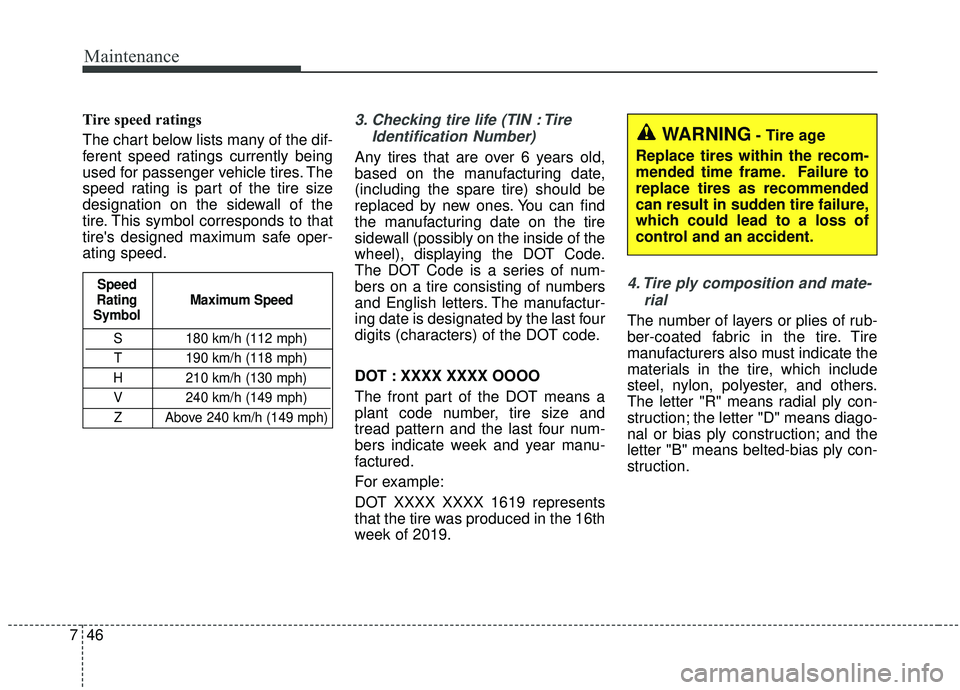
Tire speed ratings
The chart below lists many of the dif-
ferent speed ratings currently being
used for passenger vehicle tires. The
speed rating is part of the tire size
designation on the sidewall of the
tire. This symbol corresponds to that
tire's designed maximum safe oper-
ating speed.3. Checking tire life (TIN : Tire
Identification Number)
Any tires that are over 6 years old,
based on the manufacturing date,
(including the spare tire) should be
replaced by new ones. You can find
the manufacturing date on the tire
sidewall (possibly on the inside of the
wheel), displaying the DOT Code.
The DOT Code is a series of num-
bers on a tire consisting of numbers
and English letters. The manufactur-
ing date is designated by the last four
digits (characters) of the DOT code.
DOT : XXXX XXXX OOOO
The front part of the DOT means a
plant code number, tire size and
tread pattern and the last four num-
bers indicate week and year manu-
factured.
For example:
DOT XXXX XXXX 1619 represents
that the tire was produced in the 16th
week of 2019.
4. Tire ply composition and mate-rial
The number of layers or plies of rub-
ber-coated fabric in the tire. Tire
manufacturers also must indicate the
materials in the tire, which include
steel, nylon, polyester, and others.
The letter "R" means radial ply con-
struction; the letter "D" means diago-
nal or bias ply construction; and the
letter "B" means belted-bias ply con-
struction.
S 180 km/h (112 mph)
T 190 km/h (118 mph)
H 210 km/h (130 mph) V 240 km/h (149 mph)Z Above 240 km/h (149 mph)
Maximum Speed
Speed
Rating
Symbol
WARNING- Tire age
Replace tires within the recom-
mended time frame. Failure to
replace tires as recommended
can result in sudden tire failure,
which could lead to a loss of
control and an accident.
Page 539 of 604
Maintenance
56
7
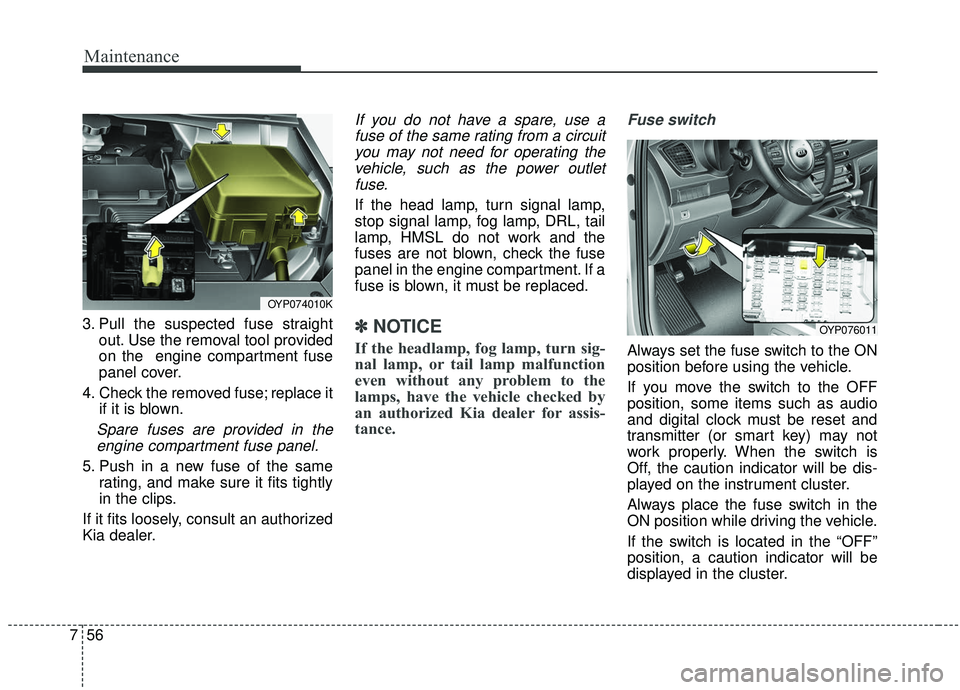
3. Pull the suspected fuse straight
out. Use the removal tool provided
on the engine compartment fuse
panel cover.
4. Check the removed fuse; replace it if it is blown.
Spare fuses are provided in theengine compartment fuse panel.
5. Push in a new fuse of the same rating, and make sure it fits tightly
in the clips.
If it fits loosely, consult an authorized
Kia dealer.
If you do not have a spare, use a fuse of the same rating from a circuityou may not need for operating thevehicle, such as the power outletfuse.
If the head lamp, turn signal lamp,
stop signal lamp, fog lamp, DRL, tail
lamp, HMSL do not work and the
fuses are not blown, check the fuse
panel in the engine compartment. If a
fuse is blown, it must be replaced.
✽ ✽ NOTICE
If the headlamp, fog lamp, turn sig-
nal lamp, or tail lamp malfunction
even without any problem to the
lamps, have the vehicle checked by
an authorized Kia dealer for assis-
tance.
Fuse switch
Always set the fuse switch to the ON
position before using the vehicle.
If you move the switch to the OFF
position, some items such as audio
and digital clock must be reset and
transmitter (or smart key) may not
work properly. When the switch is
Off, the caution indicator will be dis-
played on the instrument cluster.
Always place the fuse switch in the
ON position while driving the vehicle.
If the switch is located in the “OFF”
position, a caution indicator will be
displayed in the cluster.
OYP074010K
OYP076011