battery KIA SEDONA 2020 Owner's Guide
[x] Cancel search | Manufacturer: KIA, Model Year: 2020, Model line: SEDONA, Model: KIA SEDONA 2020Pages: 604, PDF Size: 16.24 MB
Page 314 of 604
4205
Features of your vehicle
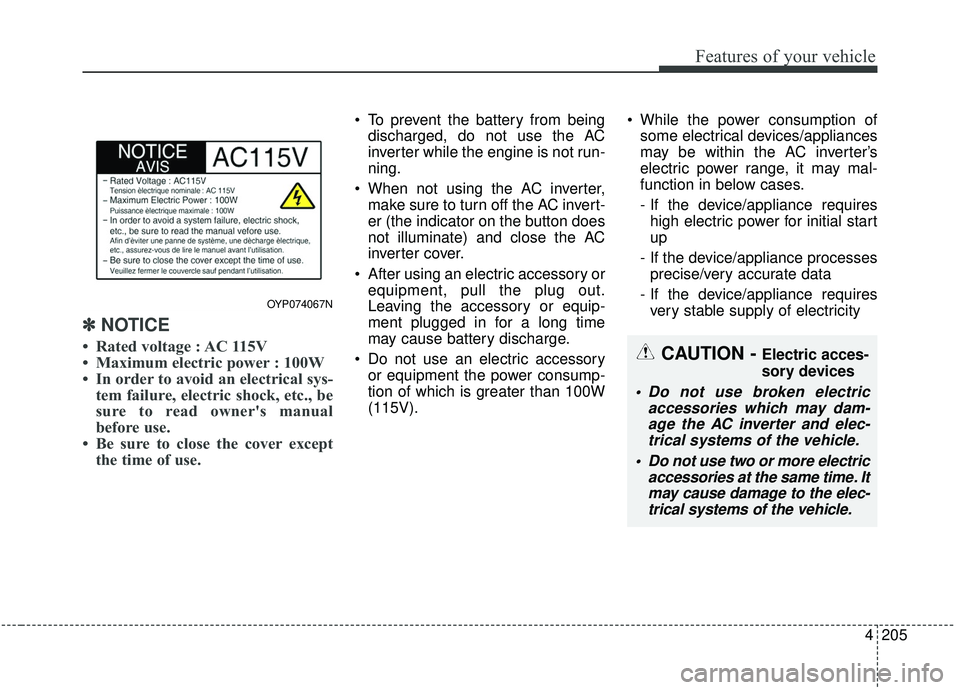
✽ ✽NOTICE
• Rated voltage : AC 115V
• Maximum electric power : 100W
• In order to avoid an electrical sys-
tem failure, electric shock, etc., be
sure to read owner's manual
before use.
• Be sure to close the cover except the time of use.
To prevent the battery from being
discharged, do not use the AC
inverter while the engine is not run-
ning.
When not using the AC inverter, make sure to turn off the AC invert-
er (the indicator on the button does
not illuminate) and close the AC
inverter cover.
After using an electric accessory or equipment, pull the plug out.
Leaving the accessory or equip-
ment plugged in for a long time
may cause battery discharge.
Do not use an electric accessory or equipment the power consump-
tion of which is greater than 100W
(115V). While the power consumption of
some electrical devices/appliances
may be within the AC inverter’s
electric power range, it may mal-
function in below cases.
- If the device/appliance requireshigh electric power for initial start
up
- If the device/appliance processes precise/very accurate data
- If the device/appliance requires very stable supply of electricity
OYP074067N
CAUTION - Electric acces-
sory devices
Do not use broken electric accessories which may dam-age the AC inverter and elec-trical systems of the vehicle.
Do not use two or more electric accessories at the same time. Itmay cause damage to the elec-trical systems of the vehicle.
Page 315 of 604
Features of your vehicle
206
4
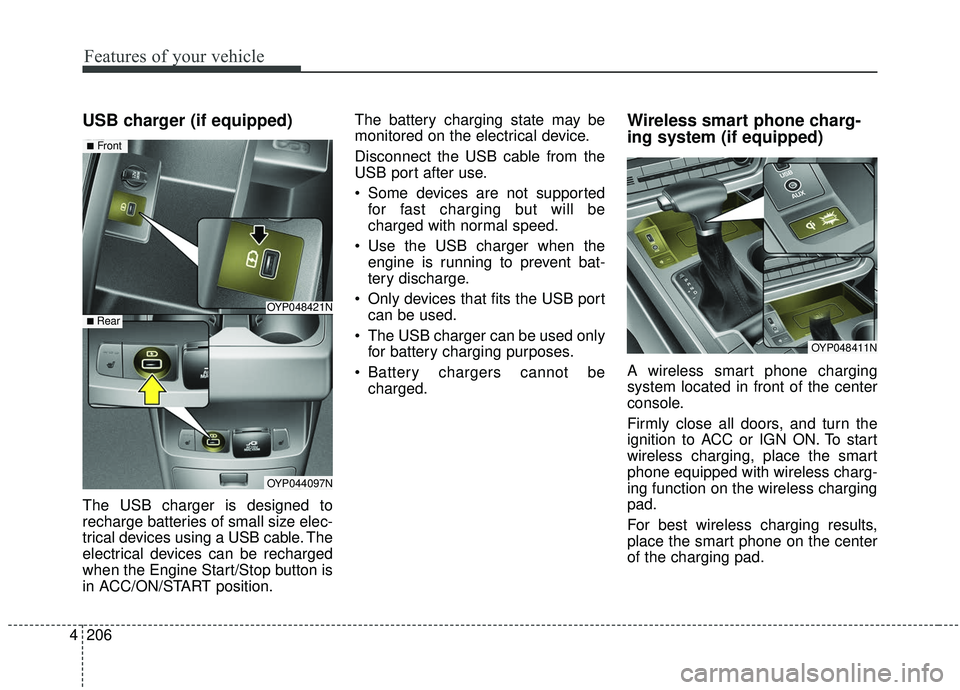
USB charger (if equipped)
The USB charger is designed to
recharge batteries of small size elec-
trical devices using a USB cable. The
electrical devices can be recharged
when the Engine Start/Stop button is
in ACC/ON/START position. The battery charging state may be
monitored on the electrical device.
Disconnect the USB cable from the
USB port after use.
Some devices are not supported
for fast charging but will be
charged with normal speed.
Use the USB charger when the engine is running to prevent bat-
tery discharge.
Only devices that fits the USB port can be used.
The USB charger can be used only for battery charging purposes.
Battery chargers cannot be charged.
Wireless smart phone charg-
ing system (if equipped)
A wireless smart phone charging
system located in front of the center
console.
Firmly close all doors, and turn the
ignition to ACC or IGN ON. To start
wireless charging, place the smart
phone equipped with wireless charg-
ing function on the wireless charging
pad.
For best wireless charging results,
place the smart phone on the center
of the charging pad.
OYP048421N
OYP044097N
■Front
■ Rear
OYP048411N
Page 337 of 604
Driving your vehicle
85
ON
The warning lights can be checked
before the engine is started. This is
the normal running position after the
engine is started.
Do not leave the ignition switch ON ifthe engine is not running to preventbattery discharge.
START
Turn the ignition switch to the START
position to start the engine. The
engine will crank until you release
the key; then it returns to the ON
position. The brake warning light can
be checked in this position.WARNING- Key holder
Do not place small purses, mul-
tiple keys, or other heavy acces-
sories on your vehicle key ring.
The driver can accidently push
these objects causing the ACC
position to change while in
motion and disrupt the proper
operation of some of the vehi-
cle's safety features.
WARNING- Ignition switch
Never turn the ignition switch to
LOCK or ACC while the vehicle
is moving. This would result in
loss of directional control and
braking function, which could
cause an accident.WARNING
The anti-theft steering column
lock (if equipped) is not a sub-
stitute for the parking brake.
Before leaving the driver’s seat,
always make sure the shift lever
is engaged in P (Park) for auto-
matic transmission, set the
parking brake fully and shut the
engine off. Unexpected and
sudden vehicle movement may
occur if these precautions are
not taken.
Page 340 of 604
511
Driving your vehicle
ACC(Accessory)
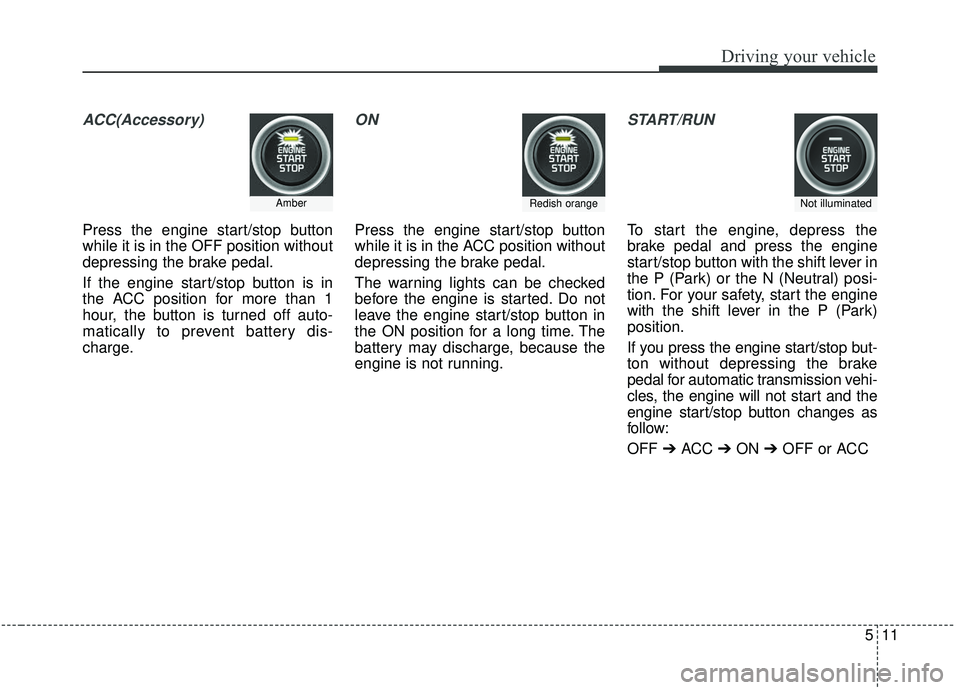
Press the engine start/stop button
while it is in the OFF position without
depressing the brake pedal.
If the engine start/stop button is in
the ACC position for more than 1
hour, the button is turned off auto-
matically to prevent battery dis-
charge.
ON
Press the engine start/stop button
while it is in the ACC position without
depressing the brake pedal.
The warning lights can be checked
before the engine is started. Do not
leave the engine start/stop button in
the ON position for a long time. The
battery may discharge, because the
engine is not running.
START/RUN
To start the engine, depress the
brake pedal and press the engine
start/stop button with the shift lever in
the P (Park) or the N (Neutral) posi-
tion. For your safety, start the engine
with the shift lever in the P (Park)
position.
If you press the engine start/stop but-
ton without depressing the brake
pedal for automatic transmission vehi-
cles, the engine will not start and the
engine start/stop button changes as
follow:
OFF ➔ACC ➔ON ➔OFF or ACC
AmberRedish orangeNot illuminated
Page 341 of 604
Driving your vehicle
12
5
✽ ✽
NOTICE
If you leave the engine start/stop
button in the ACC or ON position
for a long time, the battery will dis-
charge.
Starting the engine with a
smart key
1. Carry the smart key or leave it
inside the vehicle.
2. Make sure the parking brake is firmly applied.
3. Place the transmission shift lever in P (Park). Depress the brake
pedal fully.
You can also start the enginewhen the shift lever is in the N(Neutral) position.
4. Press the engine start/stop button while depressing the brake pedal.
It should be started withoutdepressing the accelerator.
5. Do not wait for the engine to warm up while the vehicle remains sta-
tionary.
Start driving at moderate engine
speeds. (Steep accelerating and
decelerating should be avoided.) Even if the smart key is in the vehi-
cle, if it is far away from you, the
engine may not start.
When the engine start/stop button is in the ACC position or above, if
any door is opened, the system
checks for the smart key. If the
smart key is not in the vehicle, a
message "key is not in the vehicle"
will appear on the LCD display. And
if all doors are closed, the chime
will sound for 5 seconds. The indi-
cator or warning will turn off while
the vehicle is moving. Always have
the smart key with you.
WARNING- Starting
vehicle
Never press the engine
start/stop button while the vehi-
cle is in motion except in an
emergency. This would result in
loss of directional control and
braking function, which could
cause an accident.
Page 342 of 604
513
Driving your vehicle
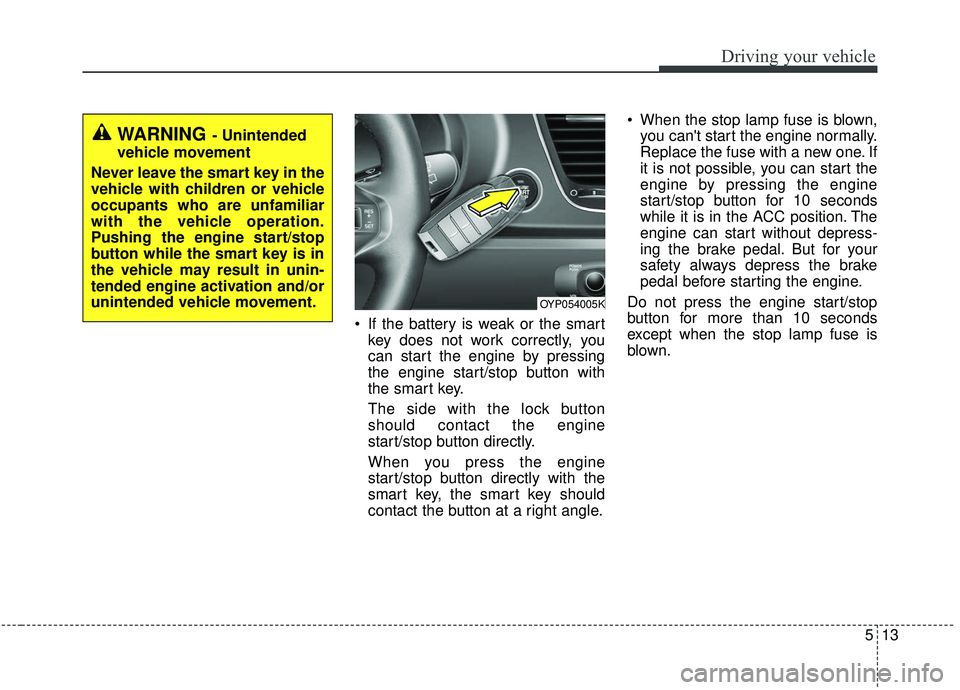
If the battery is weak or the smartkey does not work correctly, you
can start the engine by pressing
the engine start/stop button with
the smart key.
The side with the lock button
should contact the engine
start/stop button directly.
When you press the engine
start/stop button directly with the
smart key, the smart key should
contact the button at a right angle. When the stop lamp fuse is blown,
you can't start the engine normally.
Replace the fuse with a new one. If
it is not possible, you can start the
engine by pressing the engine
start/stop button for 10 seconds
while it is in the ACC position. The
engine can start without depress-
ing the brake pedal. But for your
safety always depress the brake
pedal before starting the engine.
Do not press the engine start/stop
button for more than 10 seconds
except when the stop lamp fuse is
blown.
WARNING - Unintended
vehicle movement
Never leave the smart key in the
vehicle with children or vehicle
occupants who are unfamiliar
with the vehicle operation.
Pushing the engine start/stop
button while the smart key is in
the vehicle may result in unin-
tended engine activation and/or
unintended vehicle movement.
OYP054005K
Page 343 of 604
Driving your vehicle
14
5
Automatic transmission opera-
tion
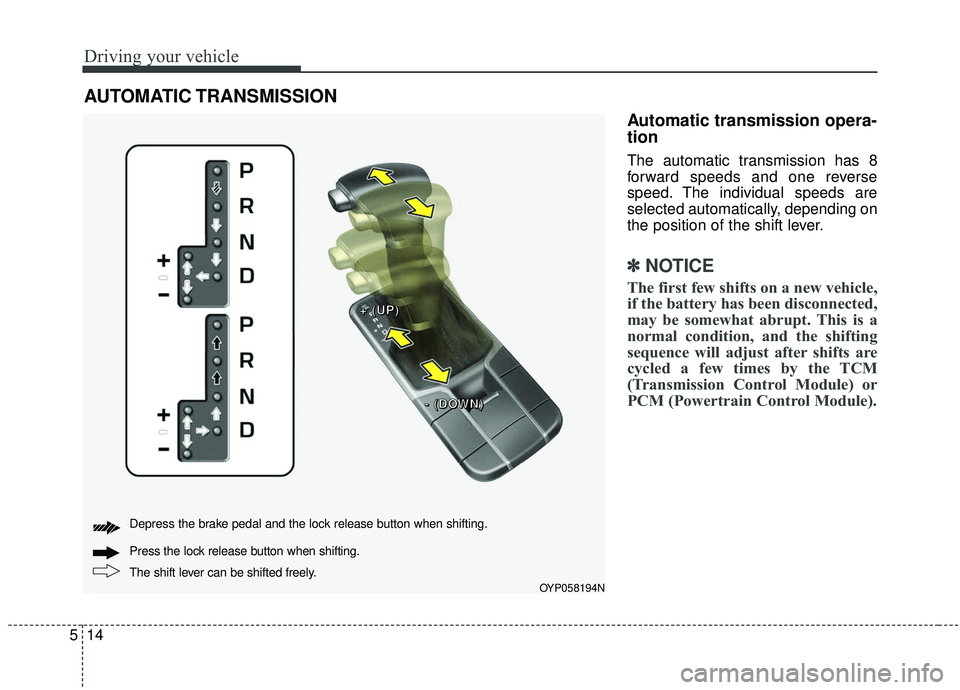
The automatic transmission has 8
forward speeds and one reverse
speed. The individual speeds are
selected automatically, depending on
the position of the shift lever.
✽ ✽
NOTICE
The first few shifts on a new vehicle,
if the battery has been disconnected,
may be somewhat abrupt. This is a
normal condition, and the shifting
sequence will adjust after shifts are
cycled a few times by the TCM
(Transmission Control Module) or
PCM (Powertrain Control Module).
AUTOMATIC TRANSMISSION
OYP058194N
+ +
+ +
( (
( (
U U
U U
P P
P P
) )
) )
- -
- -
( (
( (
D D
D D
O O
O O
W W
W W
N N
N N
) )
) )
The shift lever can be shifted freely. Press the lock release button when shifting. Depress the brake pedal and the lock release button when shifting.
Page 364 of 604
535
Driving your vehicle
When you drive on a road havingpoor traction, such as an icy road,
and have operated your brakes
continuously, the ABS will be active
continuously and the ABS warning
light may illuminate. Pull your vehi-
cle over to a safe place and stop
the engine.
Restart the engine. If the ABS warning light goes off, then your
ABS system is normal. Otherwise,
you may have a problem with the
ABS. Contact an authorized Kia
dealer as soon as possible.✽ ✽ NOTICE
When you jump start your vehicle
because of a drained battery, the
engine may not run as smoothly and
the ABS warning light may turn on
at the same time. This happens
because of low battery voltage. It
does not mean your ABS has mal-
functioned.
• Do not pump your brakes!
• Have the battery recharged before
driving the vehicle.
Electronic stability control
(ESC)
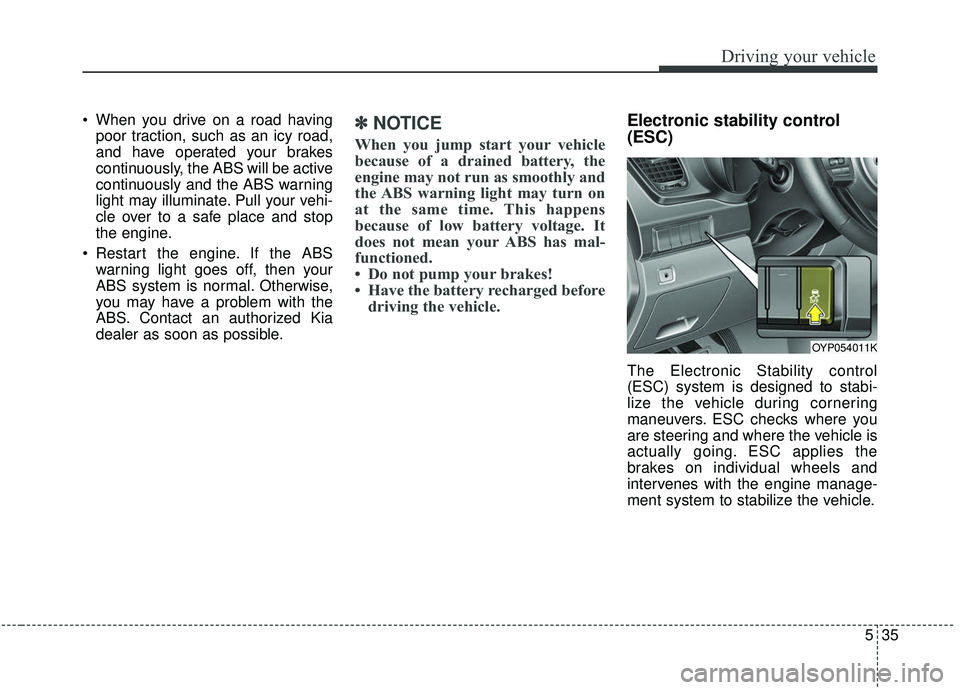
The Electronic Stability control
(ESC) system is designed to stabi-
lize the vehicle during cornering
maneuvers. ESC checks where you
are steering and where the vehicle is
actually going. ESC applies the
brakes on individual wheels and
intervenes with the engine manage-
ment system to stabilize the vehicle.
OYP054011K
Page 441 of 604
Driving your vehicle
112
5
Use high quality ethylene gly-
col coolant
Your vehicle is delivered with high
quality ethylene glycol coolant in the
cooling system. It is the only type of
coolant that should be used because
it helps prevent corrosion in the cool-
ing system, lubricates the water
pump and prevents freezing. Be sure
to replace or replenish your coolant
in accordance with the maintenance
schedule in section 7. Before winter,
have your coolant tested to assure
that its freezing point is sufficient for
the temperatures anticipated during
the winter.
Check battery and cables
Winter puts additional burdens on the
battery system. Visually inspect the
battery and cables as described in
chapter 7. The level of charge in your
battery can be checked by an author-
ized Kia dealer or a service station.
Change to "winter weight" oil
if necessary
In some climates it is recommended
that a lower viscosity "winter weight"
oil be used during cold weather. See
chapter 8 for recommendations. If you
aren't sure what weight oil you should
use, consult an authorized Kia dealer.
Check spark plugs and igni-
tion system
Inspect your spark plugs as
described in chapter 7 and replace
them if necessary. Also check all
ignition wiring and components to be
sure they are not cracked, worn or
damaged in any way.
To keep locks from freezing
To keep the locks from freezing,
squirt an approved de-icer fluid or
glycerine into the key opening. If a
lock is covered with ice, squirt it with
an approved de-icing fluid to remove
the ice. If the lock is frozen internally,
you may be able to thaw it out by
using a heated key. Handle the heat-
ed key with care to avoid injury.
Page 462 of 604
What to do in an emergency
46
IF THE ENGINE WILL NOT START
If engine doesn't turn over or
turns over slowly
1. If your vehicle has an automatictransmission, be sure the shift
lever is in N (Neutral) or P (Park)
and the emergency brake is set.
2. Check the battery connections to be sure they are clean and tight.
3. Turn on the interior light. If the light dims or goes out when you oper-
ate the starter, the battery is dis-
charged.
4. Check the starter connections to be sure they are securely tight-
ened.
5. Do not push or pull the vehicle to start it. See instructions for "Jump
starting".
If engine turns over normally
but does not start
1. Check the fuel level.
2. With the ignition switch in theLOCK position, check all connec-
tors at the ignition coils and spark
plugs. Reconnect any that may be
disconnected or loose.
3. Check the fuel line in the engine compartment.
4. If the engine still does not start, call an authorized Kia dealer or
seek other qualified assistance.
WARNING- Push /
Pull start
Do not push or pull the vehicle
to start it. Push or pull starting
may cause the catalytic con-
verter to overload and create a
fire hazard.