reset KIA Sorento 2007 1.G User Guide
[x] Cancel search | Manufacturer: KIA, Model Year: 2007, Model line: Sorento, Model: KIA Sorento 2007 1.GPages: 325, PDF Size: 5.01 MB
Page 166 of 325
Driving your vehicle36
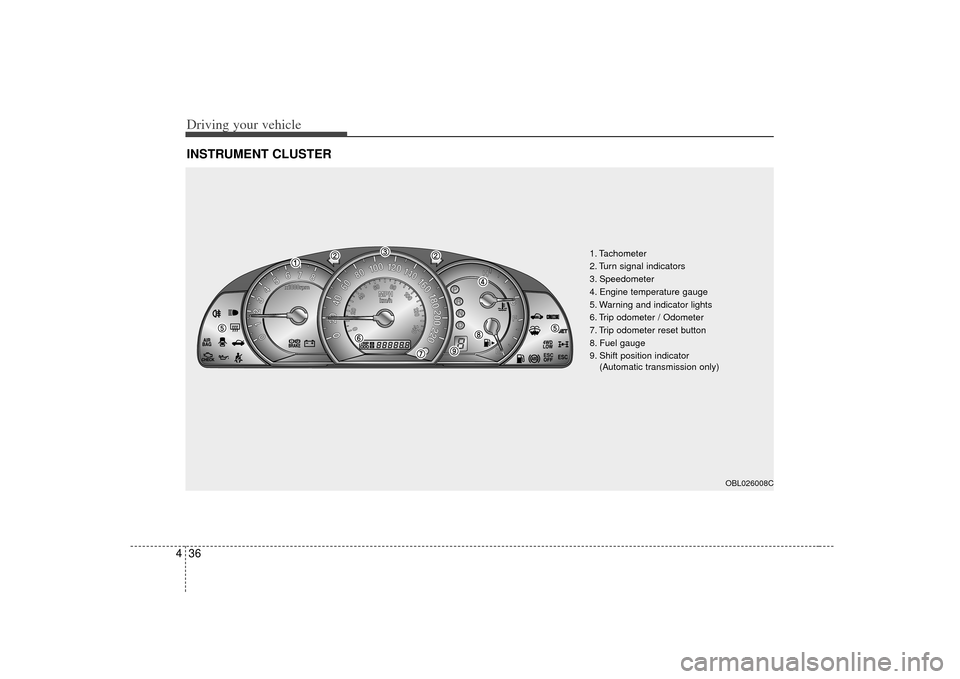
4INSTRUMENT CLUSTER
ESC
ESC
1. Tachometer
2. Turn signal indicators
3. Speedometer
4. Engine temperature gauge
5. Warning and indicator lights
6. Trip odometer / Odometer
7. Trip odometer reset button
8. Fuel gauge
9. Shift position indicator
(Automatic transmission only)
OBL026008C
Page 167 of 325
437
Driving your vehicle
Speedometer The speedometer indicates the forward
speed of the vehicle.Odometer/Trip odometerYou can choose the odometer, trip
odometer A or trip odometer B by press-
ing the tripmeter mode button.OdometerThe odometer indicates the total dis-
tance the vehicle has been driven.Trip odometerTRIP A: Trip odometer A
TRIP B: Trip odometer B
The trip odometer indicates the distance
of individual trips selected by the driver.
Trip odometer A and B can be reset to 0
by pressing the reset button for 1 second
or more, and then releasing.
Tachometer The tachometer indicates the approxi-
mate number of engine revolutions per
minute (rpm).
Use the tachometer to select the correct
shift points and to prevent lugging and/or
over-revving the engine.
The tachometer pointer may move slight-
ly when the ignition switch is in ACC or
ON position with the engine OFF. This
movement is normal and will not affect
the accuracy of the tachometer once the
engine is running.
Engine temperature gauge This gauge shows the temperature of the
engine coolant when the ignition switch
is ON.
Do not continue driving with an overheat-
ed engine. If your vehicle overheats, refer
to “Overheating” in the Index.
GAUGES
CAUTION
Do not operate the engine withinthe tachometer's RED ZONE.
This may cause severe engine dam-age.
CAUTION
If the gauge pointer moves beyond the normal range area toward the“H” position, it indicates overheat-ing that may damage the engine.
Page 180 of 325
Driving your vehicle50
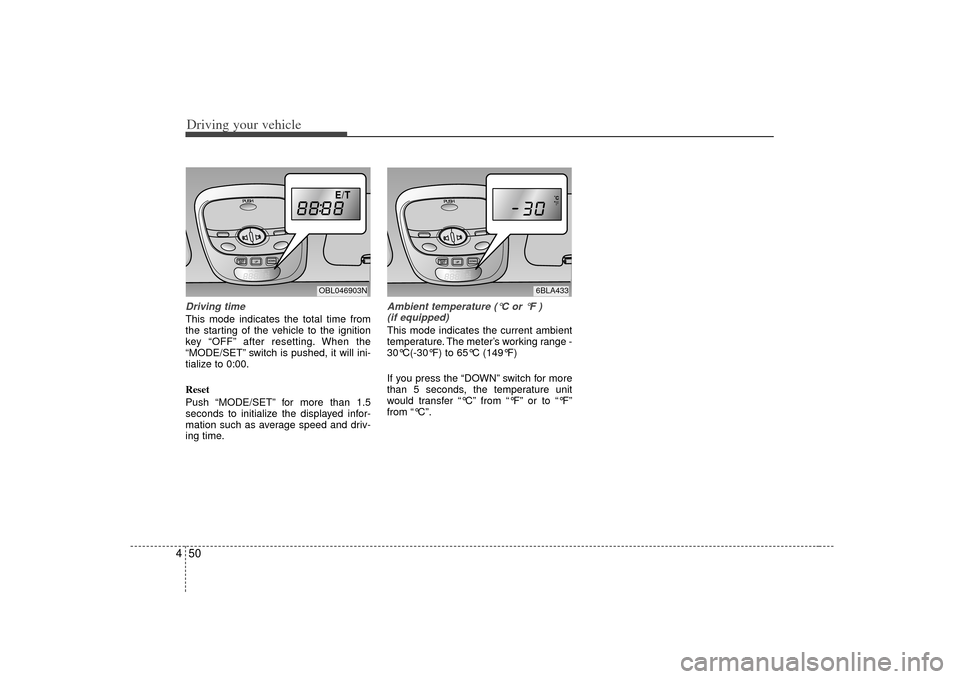
4Driving timeThis mode indicates the total time from
the starting of the vehicle to the ignition
key “OFF” after resetting. When the
“MODE/SET” switch is pushed, it will ini-
tialize to 0:00.
Reset
Push “MODE/SET” for more than 1.5
seconds to initialize the displayed infor-
mation such as average speed and driv-
ing time.
Ambient temperature (°C or °F )
(if equipped)This mode indicates the current ambient
temperature. The meter’s working range -
30°C(-30°F) to 65°C (149°F)
If you press the “DOWN” switch for more
than 5 seconds, the temperature unit
would transfer “°C” from “°F” or to “°F”
from “°C”.
E/T
OBL046903N
6BLA433
Page 198 of 325
Driving your vehicle68
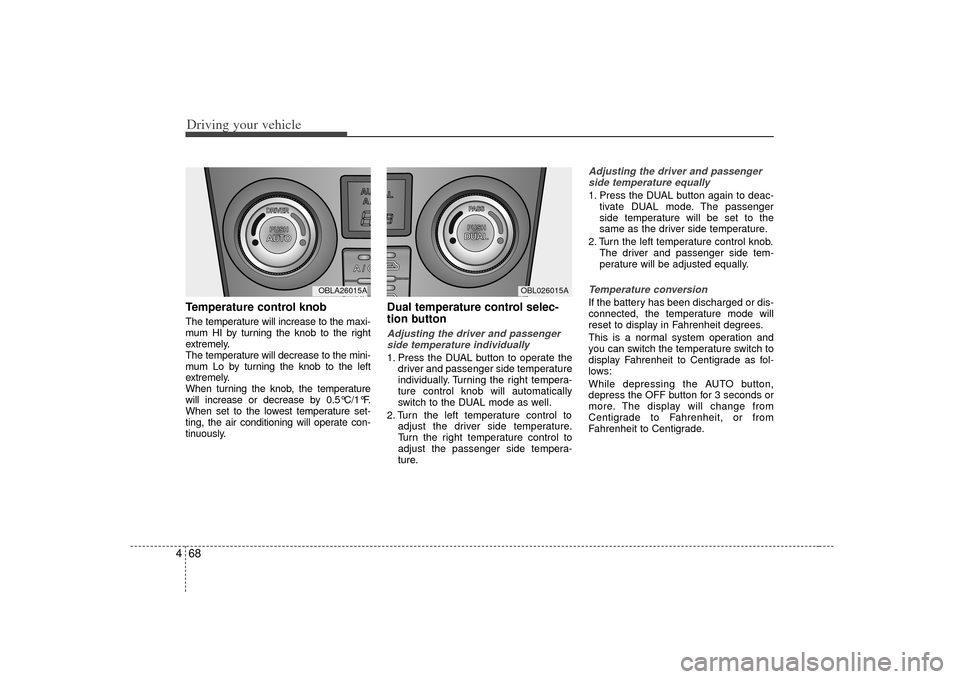
4Temperature control knobThe temperature will increase to the maxi-
mum HI by turning the knob to the right
extremely.
The temperature will decrease to the mini-
mum Lo by turning the knob to the left
extremely.
When turning the knob, the temperature
will increase or decrease by 0.5°C/1°F.
When set to the lowest temperature set-
ting, the air conditioning will operate con-
tinuously.
Dual temperature control selec-
tion buttonAdjusting the driver and passenger
side temperature individually 1. Press the DUAL button to operate the driver and passenger side temperature
individually. Turning the right tempera-
ture control knob will automatically
switch to the DUAL mode as well.
2. Turn the left temperature control to adjust the driver side temperature.
Turn the right temperature control to
adjust the passenger side tempera-
ture.
Adjusting the driver and passengerside temperature equally1. Press the DUAL button again to deac- tivate DUAL mode. The passenger
side temperature will be set to the
same as the driver side temperature.
2. Turn the left temperature control knob. The driver and passenger side tem-
perature will be adjusted equally.Temperature conversionIf the battery has been discharged or dis-
connected, the temperature mode will
reset to display in Fahrenheit degrees.
This is a normal system operation and
you can switch the temperature switch to
display Fahrenheit to Centigrade as fol-
lows:
While depressing the AUTO button,
depress the OFF button for 3 seconds or
more. The display will change from
Centigrade to Fahrenheit, or from
Fahrenheit to Centigrade.
MODE
OBL026015A
MODE
OBLA26015A
Page 207 of 325
477
Driving your vehicle
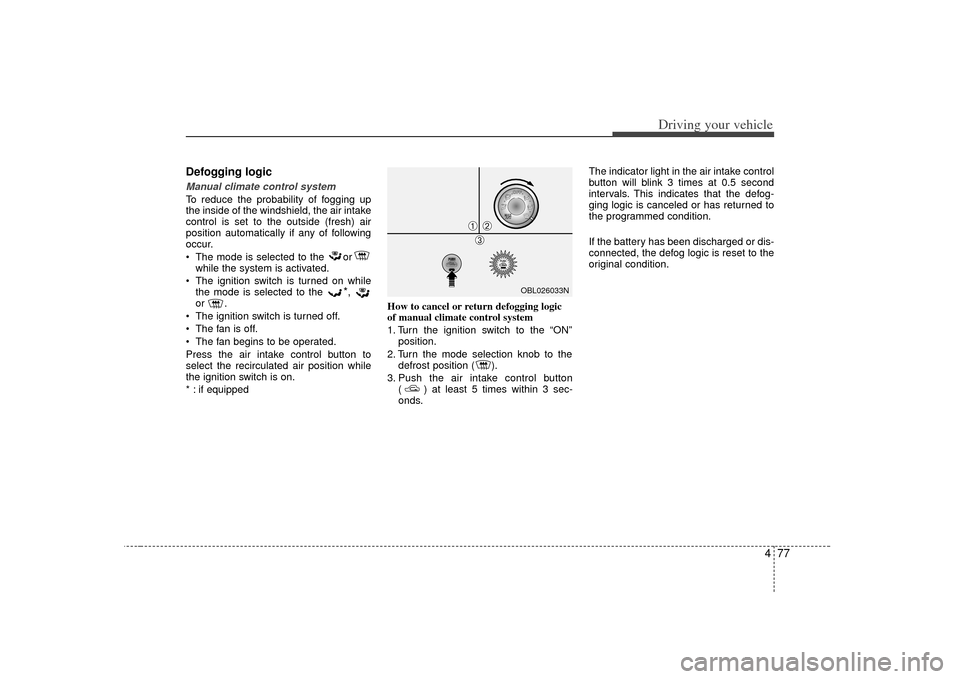
Defogging logicManual climate control systemTo reduce the probability of fogging up
the inside of the windshield, the air intake
control is set to the outside (fresh) air
position automatically if any of following
occur.
The mode is selected to the orwhile the system is activated.
The ignition switch is turned on while the mode is selected to the
*,
or .
The ignition switch is turned off.
The fan is off.
The fan begins to be operated.
Press the air intake control button to
select the recirculated air position while
the ignition switch is on.
* : if equipped How to cancel or return defogging logic
of manual climate control system
1. Turn the ignition switch to the “ON”
position.
2. Turn the mode selection knob to the defrost position ( ).
3. Push the air intake control button ( ) at least 5 times within 3 sec-
onds. The indicator light in the air intake control
button will blink 3 times at 0.5 second
intervals. This indicates that the defog-
ging logic is canceled or has returned to
the programmed condition.
If the battery has been discharged or dis-
connected, the defog logic is reset to the
original condition.
OBL026033N
➀
➁\b
Page 208 of 325
Driving your vehicle78
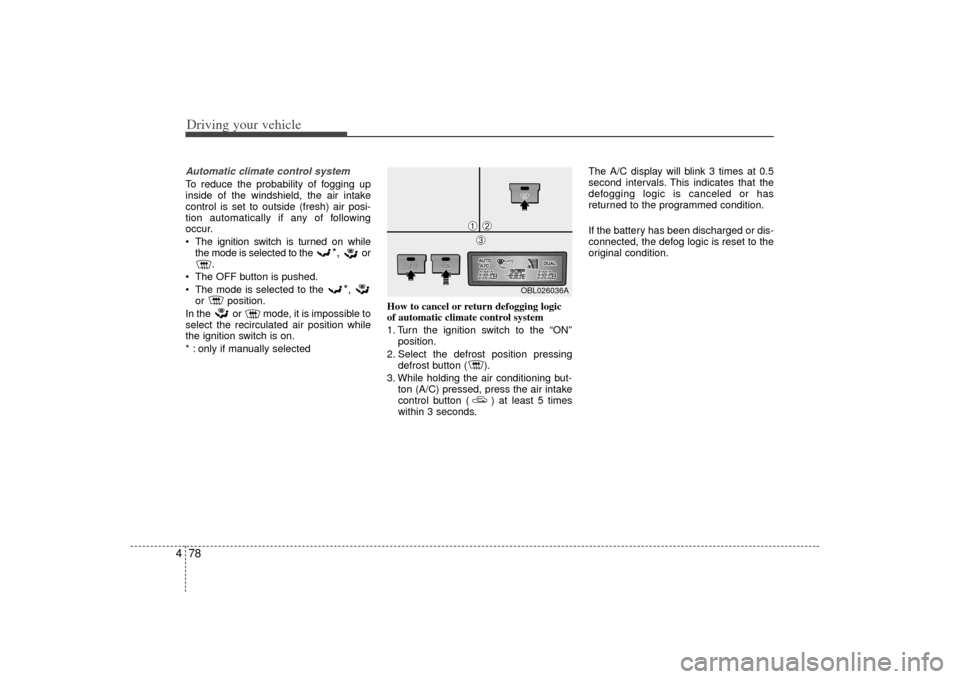
4Automatic climate control systemTo reduce the probability of fogging up
inside of the windshield, the air intake
control is set to outside (fresh) air posi-
tion automatically if any of following
occur.
The ignition switch is turned on while
the mode is selected to the
*,
or
.
The OFF button is pushed.
The mode is selected to the
*,
or position.
In the or mode, it is impossible to
select the recirculated air position while
the ignition switch is on.
* : only if manually selected How to cancel or return defogging logic
of automatic climate control system
1. Turn the ignition switch to the “ON”
position.
2. Select the defrost position pressing defrost button ( ).
3. While holding the air conditioning but- ton (A/C) pressed, press the air intake
control button ( ) at least 5 times
within 3 seconds. The A/C display will blink 3 times at 0.5
second intervals. This indicates that the
defogging logic is canceled or has
returned to the programmed condition.
If the battery has been discharged or dis-
connected, the defog logic is reset to the
original condition.
OBL026036A
➀
➁\b
Page 261 of 325
613
In case of an emergency
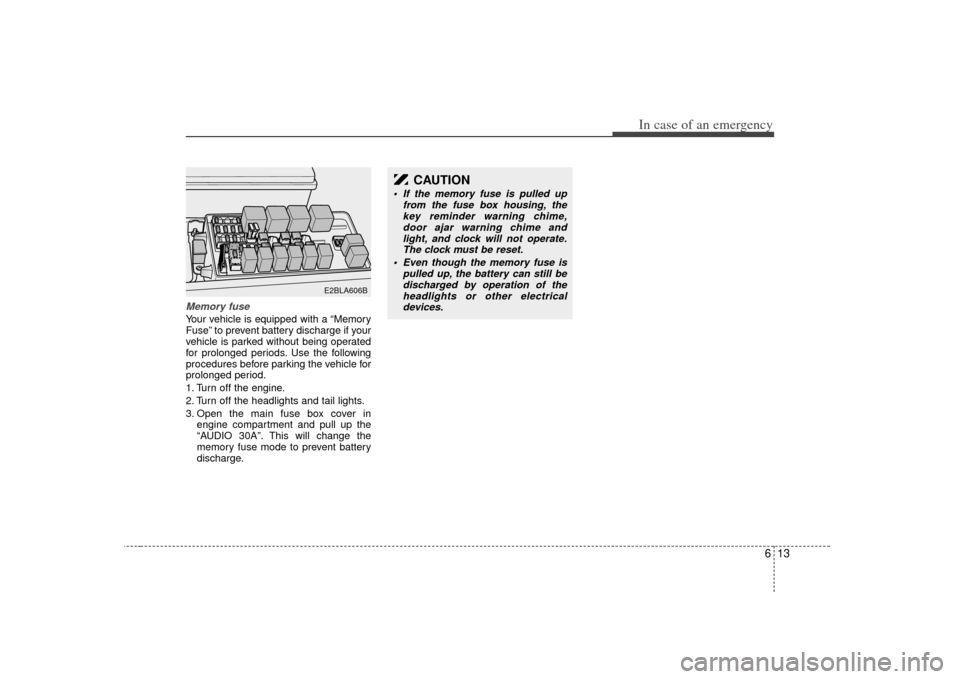
Memory fuseYour vehicle is equipped with a “Memory
Fuse” to prevent battery discharge if your
vehicle is parked without being operated
for prolonged periods. Use the following
procedures before parking the vehicle for
prolonged period.
1. Turn off the engine.
2. Turn off the headlights and tail lights.
3. Open the main fuse box cover inengine compartment and pull up the
“AUDIO 30A”. This will change the
memory fuse mode to prevent battery
discharge.
E2BLA606B
CAUTION
If the memory fuse is pulled up from the fuse box housing, thekey reminder warning chime,door ajar warning chime and light, and clock will not operate.The clock must be reset.
Even though the memory fuse is pulled up, the battery can still bedischarged by operation of theheadlights or other electricaldevices.
Page 297 of 325
Maintenance24
7Battery recharging Your vehicle has a maintenance-free,
calcium-based battery.
If the battery becomes discharged in a
short time (because, for example, the
headlights or interior lights were left on
while the vehicle was not in use),
recharge it by slow charging (trickle)
for 10 hours.
If the battery gradually discharges because of high electric load while the
vehicle is being used, recharge it at 20-
30A for two hours.Items to be reset after the battery hasbeen discharged or the battery hasbeen disconnected. Clock (See Chapter 3)
Trip computer (See Chapter 4)
Compass (See Chapter 4)
Climate control system (See Chapter 4)
Audio (See Chapter 3)
WARNING
- Recharging battery
When recharging the battery,
observe the following precautions:
The battery must be removed
from the vehicle and placed in an
area with good ventilation.
Do not allow cigarettes, sparks, or flame near the battery.
Watch the battery during charg- ing, and stop or reduce the charg-
ing rate if the battery cells begin
gassing (boiling) violently or if
the temperature of the electrolyte
of any cell exceeds 49°C (120°F).
Wear eye protection when check- ing the battery during charging.
Disconnect the battery charger in the following order.
1. Turn off the battery charger main switch.
2. Unhook the negative clamp from the negative battery terminal.
3. Unhook the positive clamp from the positive battery terminal.
CAUTION
Before performing maintenance or recharging the battery, turn offall accessories and stop theengine.
The negative battery cable must be removed first and installed lastwhen the battery is disconnected.
Page 302 of 325
729
Maintenance
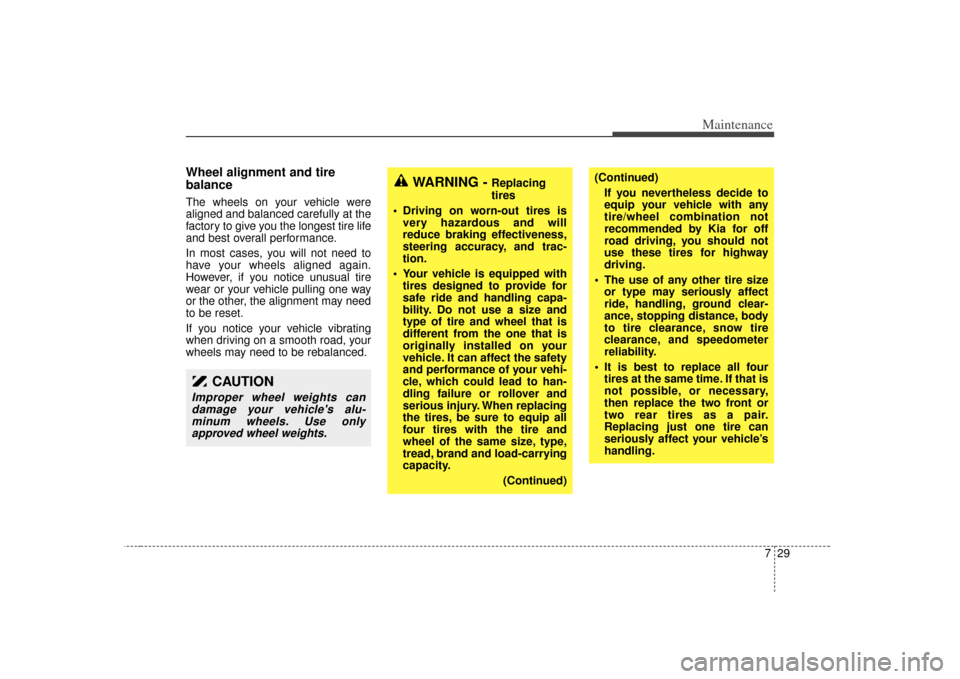
Wheel alignment and tire
balance The wheels on your vehicle were
aligned and balanced carefully at the
factory to give you the longest tire life
and best overall performance.
In most cases, you will not need to
have your wheels aligned again.
However, if you notice unusual tire
wear or your vehicle pulling one way
or the other, the alignment may need
to be reset.
If you notice your vehicle vibrating
when driving on a smooth road, your
wheels may need to be rebalanced.
WARNING -
Replacing
tires
Driving on worn-out tires is very hazardous and will
reduce braking effectiveness,
steering accuracy, and trac-
tion.
Your vehicle is equipped with tires designed to provide for
safe ride and handling capa-
bility. Do not use a size and
type of tire and wheel that is
different from the one that is
originally installed on your
vehicle. It can affect the safety
and performance of your vehi-
cle, which could lead to han-
dling failure or rollover and
serious injury. When replacing
the tires, be sure to equip all
four tires with the tire and
wheel of the same size, type,
tread, brand and load-carrying
capacity.
(Continued)
(Continued)If you nevertheless decide to
equip your vehicle with any
tire/wheel combination not
recommended by Kia for off
road driving, you should not
use these tires for highway
driving.
The use of any other tire size or type may seriously affect
ride, handling, ground clear-
ance, stopping distance, body
to tire clearance, snow tire
clearance, and speedometer
reliability.
It is best to replace all four tires at the same time. If that is
not possible, or necessary,
then replace the two front or
two rear tires as a pair.
Replacing just one tire can
seriously affect your vehicle’s
handling.
CAUTION
Improper wheel weights candamage your vehicle's alu-minum wheels. Use onlyapproved wheel weights.