lock KIA Sorento 2009 2.G Owner's Guide
[x] Cancel search | Manufacturer: KIA, Model Year: 2009, Model line: Sorento, Model: KIA Sorento 2009 2.GPages: 327, PDF Size: 5.03 MB
Page 93 of 327
Knowing your vehicle84
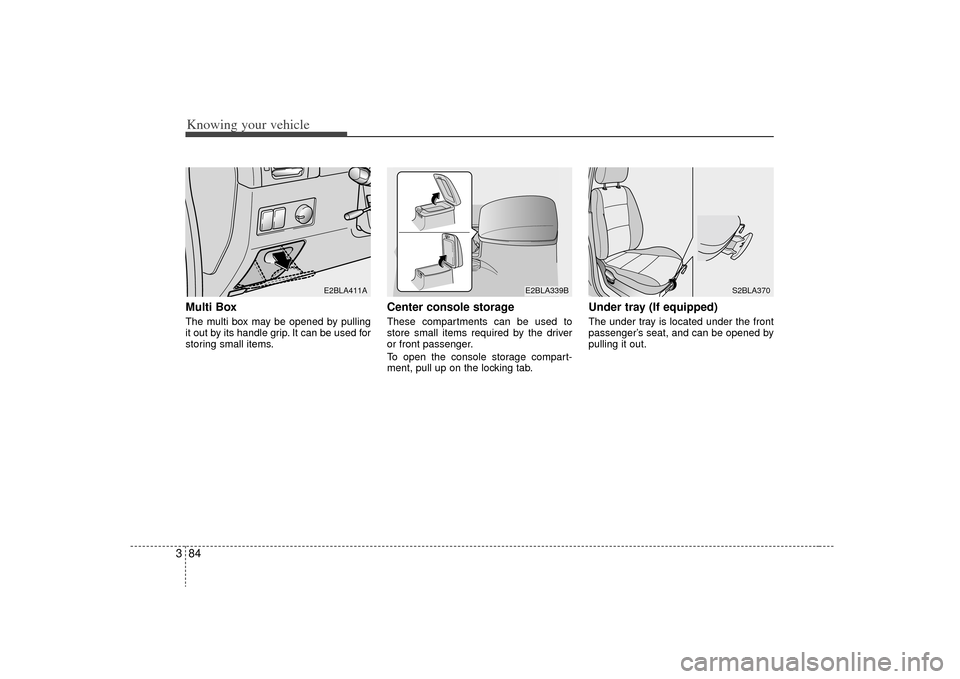
3Multi Box The multi box may be opened by pulling
it out by its handle grip. It can be used for
storing small items.
Center console storageThese compartments can be used to
store small items required by the driver
or front passenger.
To open the console storage compart-
ment, pull up on the locking tab.
Under tray (If equipped)The under tray is located under the front
passenger’s seat, and can be opened by
pulling it out.
E2BLA411A
E2BLA339B
S2BLA370
Page 94 of 327
385
Knowing your vehicle
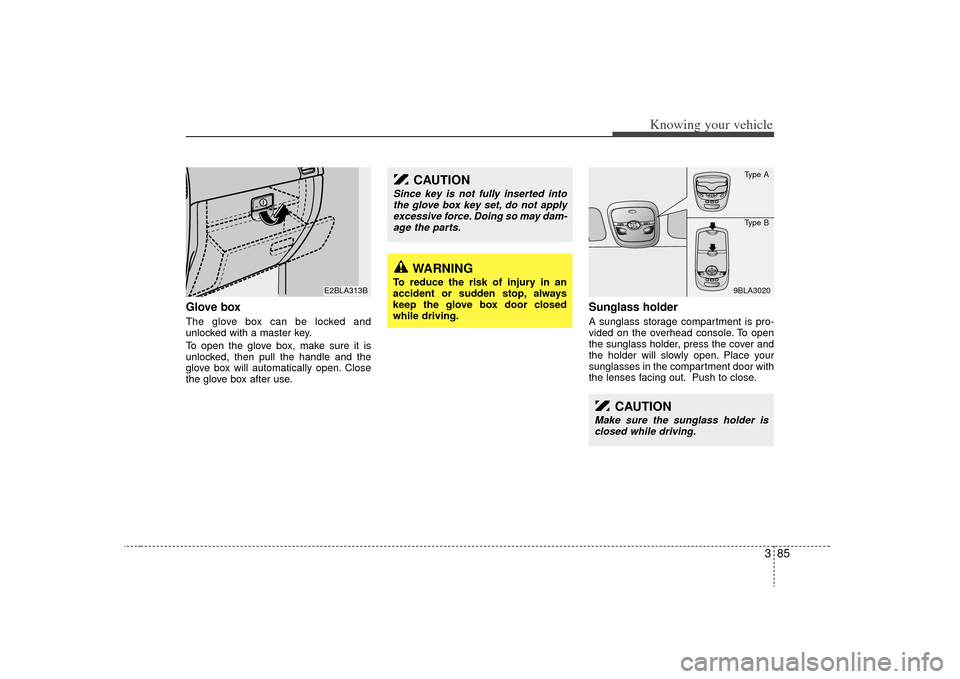
Glove boxThe glove box can be locked and
unlocked with a master key.
To open the glove box, make sure it is
unlocked, then pull the handle and the
glove box will automatically open. Close
the glove box after use.
Sunglass holder A sunglass storage compartment is pro-
vided on the overhead console. To open
the sunglass holder, press the cover and
the holder will slowly open. Place your
sunglasses in the compartment door with
the lenses facing out. Push to close.
E2BLA313B
CAUTION
Since key is not fully inserted intothe glove box key set, do not applyexcessive force. Doing so may dam- age the parts.
WARNING
To reduce the risk of injury in an
accident or sudden stop, always
keep the glove box door closed
while driving.
CAUTION
Make sure the sunglass holder isclosed while driving.
9BLA3020Type AType B
Page 96 of 327
387
Knowing your vehicle
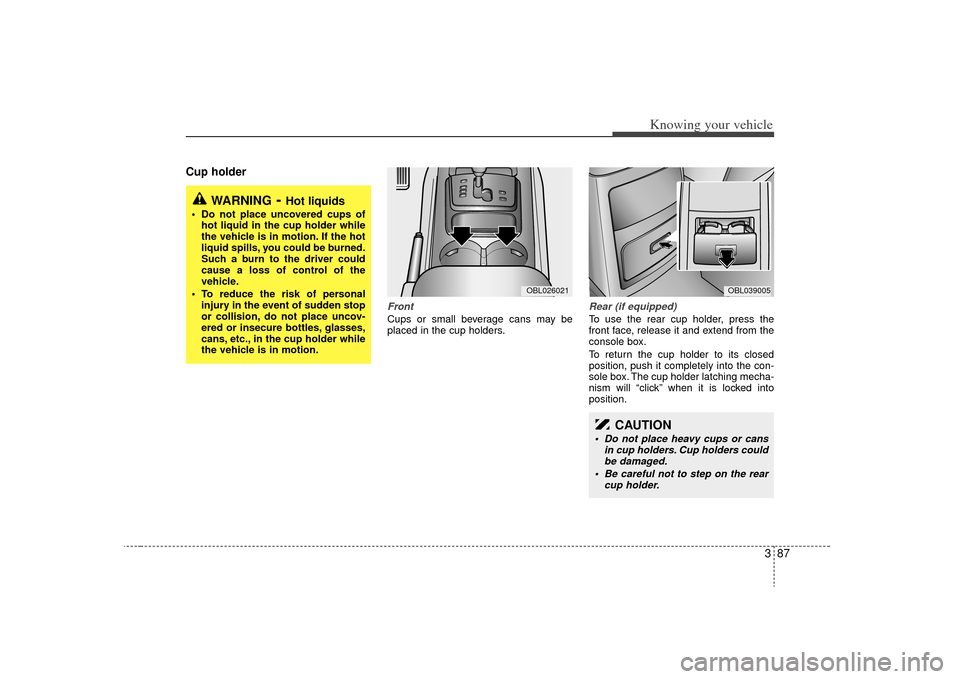
Cup holder
FrontCups or small beverage cans may be
placed in the cup holders.
Rear (if equipped) To use the rear cup holder, press the
front face, release it and extend from the
console box.
To return the cup holder to its closed
position, push it completely into the con-
sole box. The cup holder latching mecha-
nism will “click” when it is locked into
position.
WARNING
- Hot liquids
Do not place uncovered cups ofhot liquid in the cup holder while
the vehicle is in motion. If the hot
liquid spills, you could be burned.
Such a burn to the driver could
cause a loss of control of the
vehicle.
To reduce the risk of personal injury in the event of sudden stop
or collision, do not place uncov-
ered or insecure bottles, glasses,
cans, etc., in the cup holder while
the vehicle is in motion.
OBL026021
OBL039005
CAUTION
Do not place heavy cups or cans in cup holders. Cup holders couldbe damaged.
Be careful not to step on the rear cup holder.
Page 98 of 327
389
Knowing your vehicle
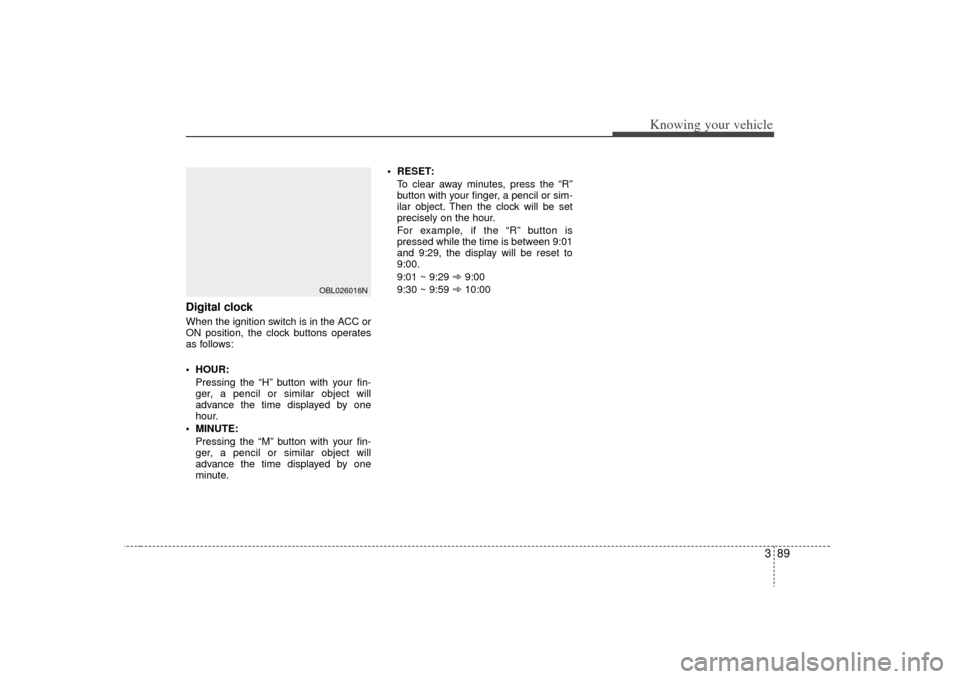
Digital clockWhen the ignition switch is in the ACC or
ON position, the clock buttons operates
as follows:
HOUR:Pressing the “H” button with your fin-
ger, a pencil or similar object will
advance the time displayed by one
hour.
MINUTE: Pressing the “M” button with your fin-
ger, a pencil or similar object will
advance the time displayed by one
minute. RESET:
To clear away minutes, press the “R”
button with your finger, a pencil or sim-
ilar object. Then the clock will be set
precisely on the hour.
For example, if the “R” button is
pressed while the time is between 9:01
and 9:29, the display will be reset to
9:00.
9:01 ~ 9:29 ➾ 9:00
9:30 ~ 9:59 ➾ 10:00
OBL026016N
Page 108 of 327
399
Knowing your vehicle
FM mode Frequency Modulation (FM) broadcasts
make use of high-frequency radio waves
to carry the signals to your car antenna.
FM radio waves are best received in
'clear line-of-sight' conditions. Unlike low-
frequency radio waves that can 'bend'
around physical obstructions like build-
ings or mountains, FM radio signals are
easily blocked by physical obstructions
like buildings or mountains. Moreover,
FM radio signals cannot travel as far as
AM radio signals. Due to FM radio sig-
nals' short transmission range, you will
notice that FM stations generally serve
listeners within a restricted radius (typi-
cally within one city).The signal strength of a FM transmission
will probably fade soon after you leave
the city the station is based in. This is due
to the technological limitations of the FM
transmission standard and does not
mean that your radio is defective.
Comparing AM with FMDo remember that signal strength is only
one factor affecting audio reproduction
quality. AM broadcasts are in Mono mode
whereas FM broadcasts are in Stereo
mode. Therefore, provided that the FM
radio signal is strong and clear, the audio
reproduction quality of an FM broadcast
will always sound brighter, fuller and rich-
er than an AM broadcast. This is due to
the technological limitations of the AM
transmission standard and is does not
mean that your radio is defective.
DCM06001
DCM06003
Page 112 of 327
3 103
Knowing your vehicle
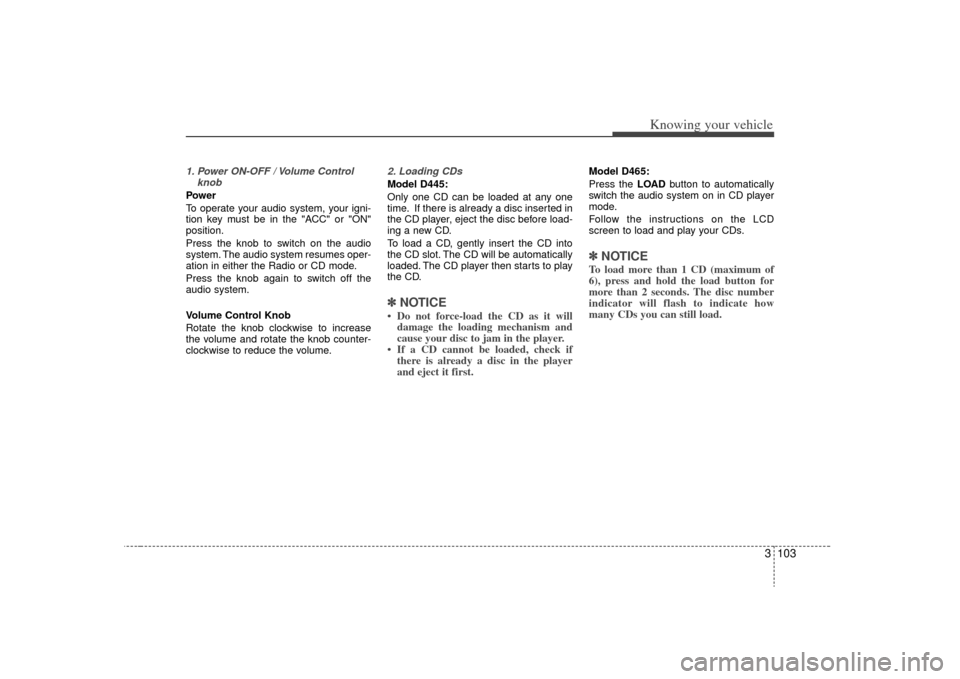
1. Power ON-OFF / Volume ControlknobPower
To operate your audio system, your igni-
tion key must be in the "ACC" or "ON"
position.
Press the knob to switch on the audio
system. The audio system resumes oper-
ation in either the Radio or CD mode.
Press the knob again to switch off the
audio system.
Volume Control Knob
Rotate the knob clockwise to increase
the volume and rotate the knob counter-
clockwise to reduce the volume.
2. Loading CDsModel D445:
Only one CD can be loaded at any one
time. If there is already a disc inserted in
the CD player, eject the disc before load-
ing a new CD.
To load a CD, gently insert the CD into
the CD slot. The CD will be automatically
loaded. The CD player then starts to play
the CD.✽ ✽NOTICE• Do not force-load the CD as it will
damage the loading mechanism and
cause your disc to jam in the player.
• If a CD cannot be loaded, check if there is already a disc in the player
and eject it first.
Model D465:
Press the LOAD button to automatically
switch the audio system on in CD player
mode.
Follow the instructions on the LCD
screen to load and play your CDs.✽ ✽ NOTICETo load more than 1 CD (maximum of
6), press and hold the load button for
more than 2 seconds. The disc number
indicator will flash to indicate how
many CDs you can still load.
Page 113 of 327
Knowing your vehicle104
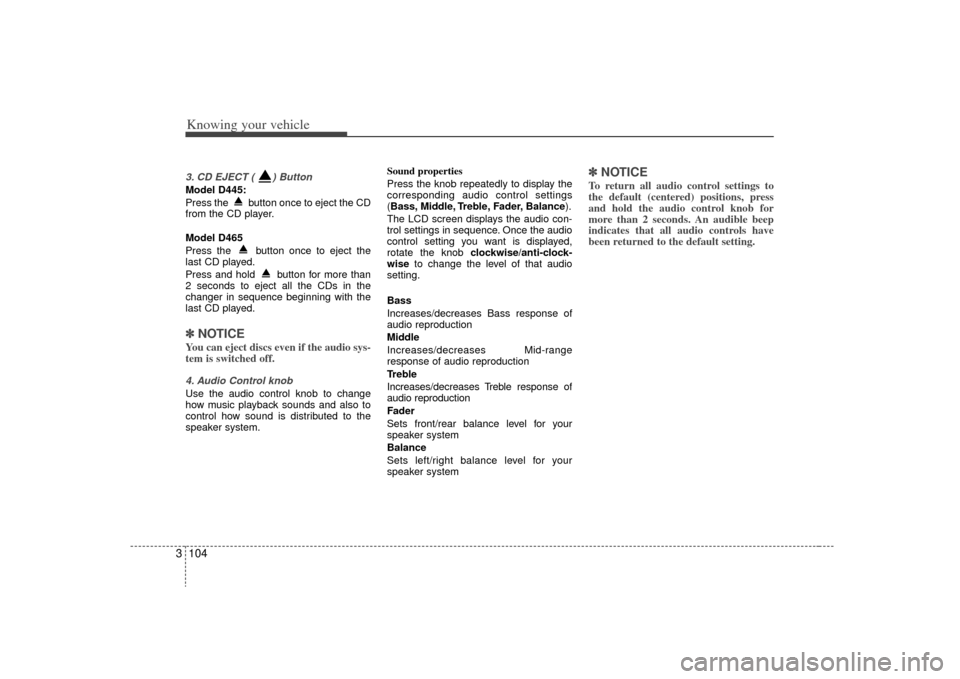
33. CD EJECT ( ) ButtonModel D445:
Press the button once to eject the CD
from the CD player.
Model D465
Press the button once to eject the
last CD played.
Press and hold button for more than
2 seconds to eject all the CDs in the
changer in sequence beginning with the
last CD played.✽ ✽
NOTICEYou can eject discs even if the audio sys-
tem is switched off.4. Audio Control knobUse the audio control knob to change
how music playback sounds and also to
control how sound is distributed to the
speaker system. Sound properties
Press the knob repeatedly to display the
corresponding audio control settings
(Bass, Middle, Treble, Fader, Balance
).
The LCD screen displays the audio con-
trol settings in sequence. Once the audio
control setting you want is displayed,
rotate the knob clockwise/anti-clock-
wise to change the level of that audio
setting.
Bass
Increases/decreases Bass response of
audio reproduction
Middle
Increases/decreases Mid-range
response of audio reproduction
Treble
Increases/decreases Treble response of
audio reproduction
Fader
Sets front/rear balance level for your
speaker system
Balance
Sets left/right balance level for your
speaker system
✽ ✽ NOTICETo return all audio control settings to
the default (centered) positions, press
and hold the audio control knob for
more than 2 seconds. An audible beep
indicates that all audio controls have
been returned to the default setting.
Page 116 of 327
3 107
Knowing your vehicle
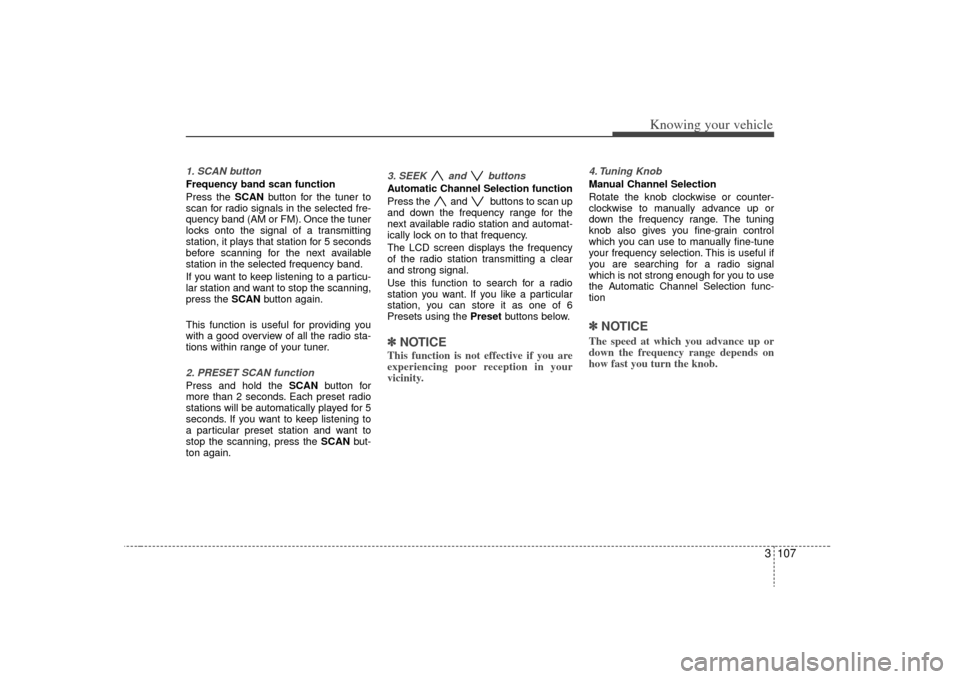
1. SCAN buttonFrequency band scan function
Press the SCANbutton for the tuner to
scan for radio signals in the selected fre-
quency band (AM or FM). Once the tuner
locks onto the signal of a transmitting
station, it plays that station for 5 seconds
before scanning for the next available
station in the selected frequency band.
If you want to keep listening to a particu-
lar station and want to stop the scanning,
press the SCAN button again.
This function is useful for providing you
with a good overview of all the radio sta-
tions within range of your tuner.2. PRESET SCAN functionPress and hold the SCAN button for
more than 2 seconds. Each preset radio
stations will be automatically played for 5
seconds. If you want to keep listening to
a particular preset station and want to
stop the scanning, press the SCAN but-
ton again.
3. SEEK and buttonsAutomatic Channel Selection function
Press the and buttons to scan up
and down the frequency range for the
next available radio station and automat-
ically lock on to that frequency.
The LCD screen displays the frequency
of the radio station transmitting a clear
and strong signal.
Use this function to search for a radio
station you want. If you like a particular
station, you can store it as one of 6
Presets using the Preset buttons below.✽ ✽
NOTICEThis function is not effective if you are
experiencing poor reception in your
vicinity.
4. Tuning KnobManual Channel Selection
Rotate the knob clockwise or counter-
clockwise to manually advance up or
down the frequency range. The tuning
knob also gives you fine-grain control
which you can use to manually fine-tune
your frequency selection. This is useful if
you are searching for a radio signal
which is not strong enough for you to use
the Automatic Channel Selection func-
tion✽ ✽NOTICEThe speed at which you advance up or
down the frequency range depends on
how fast you turn the knob.
Page 120 of 327
3 111
Knowing your vehicle
6. File Search KnobRotate the knob clockwise or counter-
clockwise to manually advance up or
down the track list of the CD currently
played. This function allows you to quick-
ly scroll to a specific track number. It is
especially useful if you are playing a MP3
or WMA CD which contains many direc-
tories and tracks. The LCD screen dis-
plays the track number you have scrolled
to.
Once the track number you want is dis-
played, press the File Search knob to
ENTER your selection and begin play-
back of the selected track.✽ ✽ NOTICEYou must push the File Search knob to
select the track for playback. Otherwise,
the CD player will not jump to the track
number displayed in the number count-
er.
Use the File Search knob and the DIR
and buttons in together to quick-
ly search for a track you want on a MP3
CD with many directories and tracks.
7. RPT, RDM, MARK & INFO buttons These buttons correspond to the Repeat,
Random Playback, Marklist and Disc
Information functions.
Turn to the next section of your handbook
for detailed instructions.
Playing CDs, MP3 and WMA discs1. Loading CDsModel D445:
Only one CD can be loaded at any one
time. If there is already a disc inserted in
the CD player, eject the disc before load-
ing a new CD.
To load a CD, gently insert the CD into
the CD slot. The CD will be automatically
loaded. The CD player then starts to play
the CD.✽ ✽ NOTICE• Do not force-load the CD as it will
damage the loading mechanism and
cause your disc to jam in the player.
• If a CD cannot be loaded, check if there is already a disc in the player
and eject it first.
Only one CD can be loaded at any one
time.
Page 125 of 327
Knowing your vehicle116
3Using External Controls1. The Dimmer control
The Dimmer control setting determines
the brightness of the entire vehicle's dis-
plays.
Turn the scroll wheel up or down to
increase or decrease the brightness of
the vehicle's instrument panels, backlit
displays and the audio system's LCD
screen and backlit controls.
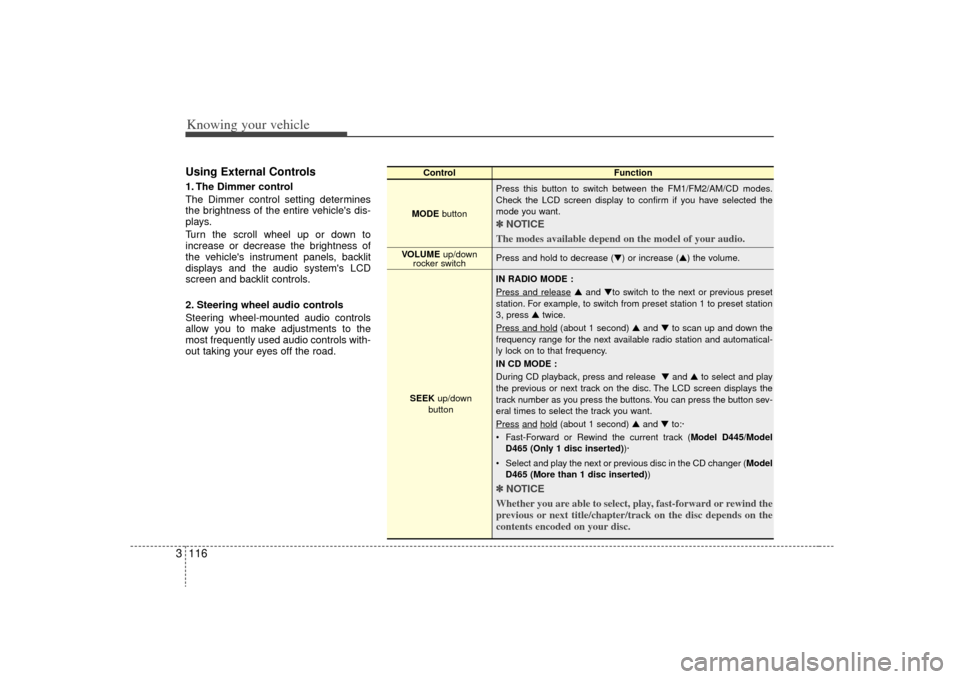
2. Steering wheel audio controls
Steering wheel-mounted audio controls
allow you to make adjustments to the
most frequently used audio controls with-
out taking your eyes off the road.
Control Function
MODE button Press this button to switch between the FM1/FM2/AM/CD modes.
Check the LCD screen display to confirm if you have selected the
mode you want.
✽ ✽
NOTICE
The modes available depend on the model of your audio. Press and hold to decrease (▼) or increase (▲) the volume.
IN RADIO MODE :
Press and release
▲ and ▼to switch to the next or previous preset
station. For example, to switch from preset station 1 to preset station
3, press ▲ twice.
Press and hold
(about 1 second) ▲ and ▼to scan up and down the
frequency range for the next available radio station and automatical-
ly lock on to that frequency.
IN CD MODE :
During CD playback, press and release ▼ and ▲to select and play
the previous or next track on the disc. The LCD screen displays the
track number as you press the buttons. You can press the button sev-
eral times to select the track you want.
Press
and
hold
(about 1 second) ▲ and ▼to:·
Fast-Forward or Rewind the current track ( Model D445/Model
D465 (Only 1 disc inserted) )·
Select and play the next or previous disc in the CD changer (Model D465 (More than 1 disc inserted) )
✽ ✽
NOTICE
Whether you are able to select, play, fast-forward or rewind the
previous or next title/chapter/track on the disc depends on the
contents encoded on your disc.
VOLUME up/down
rocker switch
SEEK up/down
button