key KIA Sorento 2011 2.G Owner's Guide
[x] Cancel search | Manufacturer: KIA, Model Year: 2011, Model line: Sorento, Model: KIA Sorento 2011 2.GPages: 377, PDF Size: 7.51 MB
Page 97 of 377
419
Features of your vehicle
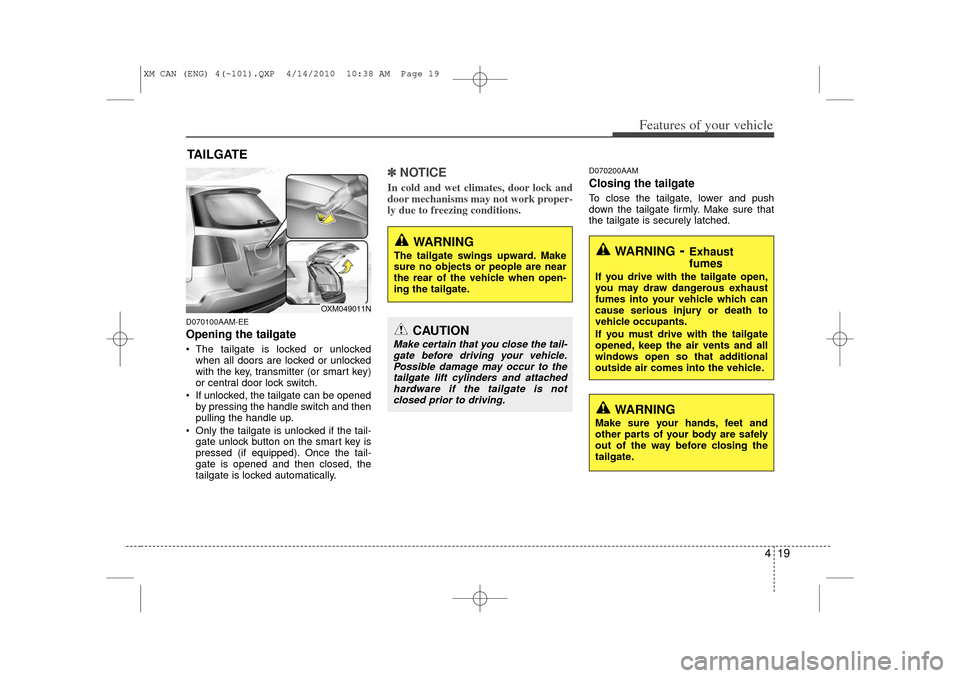
D070100AAM-EEOpening the tailgate The tailgate is locked or unlockedwhen all doors are locked or unlocked
with the key, transmitter (or smart key)
or central door lock switch.
If unlocked, the tailgate can be opened by pressing the handle switch and then
pulling the handle up.
Only the tailgate is unlocked if the tail- gate unlock button on the smart key is
pressed (if equipped). Once the tail-
gate is opened and then closed, the
tailgate is locked automatically.
✽ ✽ NOTICEIn cold and wet climates, door lock and
door mechanisms may not work proper-
ly due to freezing conditions.
D070200AAMClosing the tailgateTo close the tailgate, lower and push
down the tailgate firmly. Make sure that
the tailgate is securely latched.
TAILGATE
WARNING
The tailgate swings upward. Make
sure no objects or people are near
the rear of the vehicle when open-
ing the tailgate.
CAUTION
Make certain that you close the tail-
gate before driving your vehicle. Possible damage may occur to thetailgate lift cylinders and attachedhardware if the tailgate is notclosed prior to driving.
WARNING
Make sure your hands, feet and
other parts of your body are safely
out of the way before closing the
tailgate.
WARNING
- Exhaust
fumes
If you drive with the tailgate open,
you may draw dangerous exhaust
fumes into your vehicle which can
cause serious injury or death to
vehicle occupants.
If you must drive with the tailgate
opened, keep the air vents and all
windows open so that additional
outside air comes into the vehicle.
OXM049011N
XM CAN (ENG) 4(~101).QXP 4/14/2010 10:38 AM Page 19
Page 100 of 377
Features of your vehicle22
4D080100AAMPower windowsThe ignition switch must be in the ON
position for power windows to operate.
Each door has a power window switch
that controls the door's window. The driv-
er has a power window lock button which
can block the operation of passenger
windows. The power windows can be
operated for approximately 30 seconds
after the ignition key is removed or turned
to the ACC or LOCK position. However, if
the front doors are opened, the power
windows cannot be operated even within
the 30 second period.✽ ✽
NOTICEWhile driving with the rear windows
down or with the sunroof (if equipped)
in an open (or partially open) position,
your vehicle may demonstrate a wind
buffeting or pulsation noise. This noise
is a normal occurrence and can be
reduced or eliminated by taking the fol-
lowing actions. If the noise occurs with
one or both of the rear windows down,
partially lower both front windows
approximately one inch. If you experi-
ence the noise with the sunroof open,
slightly reduce the size of the sunroof
opening.
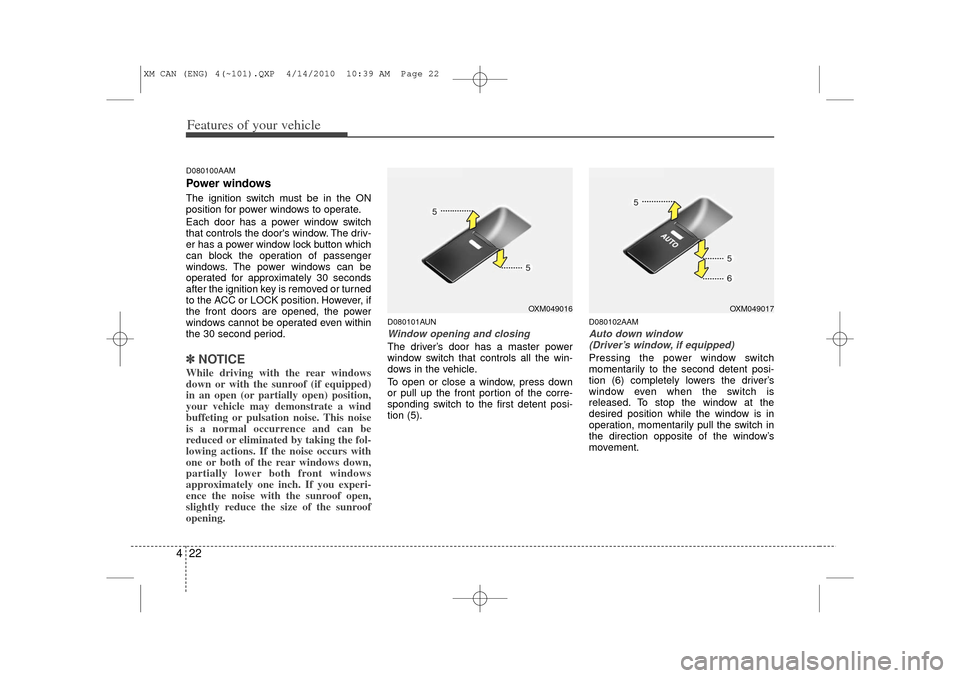
D080101AUNWindow opening and closingThe driver’s door has a master power
window switch that controls all the win-
dows in the vehicle.
To open or close a window, press down
or pull up the front portion of the corre-
sponding switch to the first detent posi-
tion (5).
D080102AAMAuto down window
(Driver’s window, if equipped)Pressing the power window switch
momentarily to the second detent posi-
tion (6) completely lowers the driver’s
window even when the switch is
released. To stop the window at the
desired position while the window is in
operation, momentarily pull the switch in
the direction opposite of the window’s
movement.
OXM049016
OXM049017
XM CAN (ENG) 4(~101).QXP 4/14/2010 10:39 AM Page 22
Page 102 of 377
Features of your vehicle24
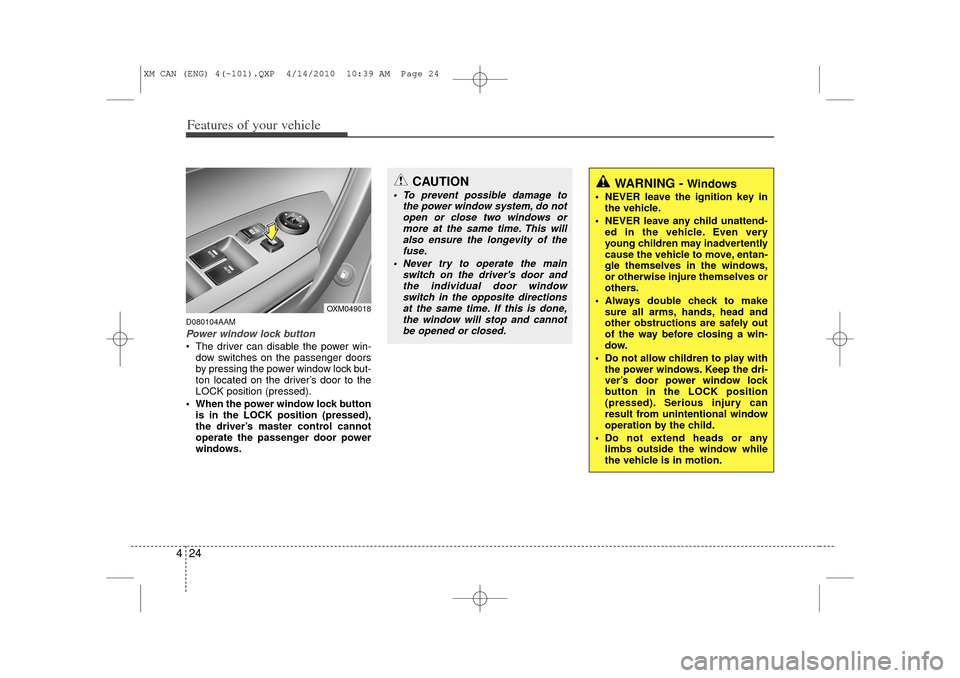
4D080104AAMPower window lock button The driver can disable the power win-
dow switches on the passenger doors
by pressing the power window lock but-
ton located on the driver’s door to the
LOCK position (pressed).
When the power window lock button is in the LOCK position (pressed),
the driver’s master control cannot
operate the passenger door power
windows.
CAUTION
To prevent possible damage to the power window system, do notopen or close two windows ormore at the same time. This willalso ensure the longevity of thefuse.
Never try to operate the main switch on the driver's door andthe individual door windowswitch in the opposite directionsat the same time. If this is done, the window will stop and cannotbe opened or closed.
WARNING -
Windows
NEVER leave the ignition key in the vehicle.
NEVER leave any child unattend- ed in the vehicle. Even very
young children may inadvertently
cause the vehicle to move, entan-
gle themselves in the windows,
or otherwise injure themselves or
others.
Always double check to make sure all arms, hands, head and
other obstructions are safely out
of the way before closing a win-
dow.
Do not allow children to play with the power windows. Keep the dri-
ver’s door power window lock
button in the LOCK position
(pressed). Serious injury can
result from unintentional window
operation by the child.
Do not extend heads or any limbs outside the window while
the vehicle is in motion.
OXM049018
XM CAN (ENG) 4(~101).QXP 4/14/2010 10:39 AM Page 24
Page 134 of 377
Features of your vehicle56
4Immobilizer indicator
(if equipped)Without smart key system
This indicator illuminates when the
immobilizer key is inserted and turned to
the ON position to start the engine.
At this time, you can start the engine. The
indicator goes out after the engine is run-
ning.
If this indicator blinks when the ignition
switch is in the ON position before start-
ing the engine, have the system checked
by an authorized KIA dealer.
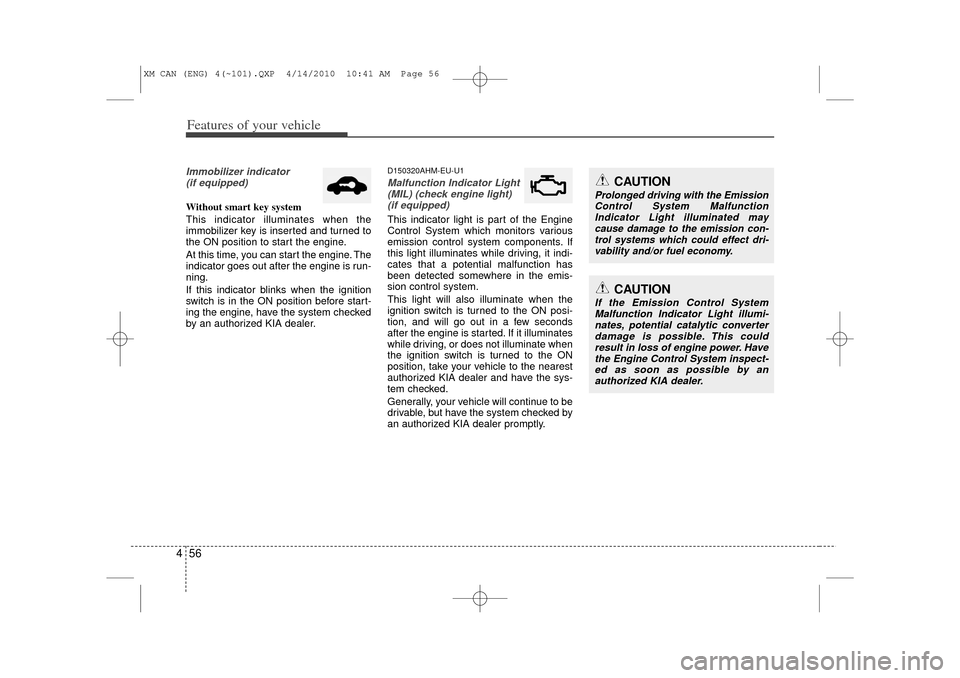
D150320AHM-EU-U1Malfunction Indicator Light(MIL) (check engine light) (if equipped)This indicator light is part of the Engine
Control System which monitors various
emission control system components. If
this light illuminates while driving, it indi-
cates that a potential malfunction has
been detected somewhere in the emis-
sion control system.
This light will also illuminate when the
ignition switch is turned to the ON posi-
tion, and will go out in a few seconds
after the engine is started. If it illuminates
while driving, or does not illuminate when
the ignition switch is turned to the ON
position, take your vehicle to the nearest
authorized KIA dealer and have the sys-
tem checked.
Generally, your vehicle will continue to be
drivable, but have the system checked by
an authorized KIA dealer promptly.
CAUTION
If the Emission Control System Malfunction Indicator Light illumi-nates, potential catalytic converterdamage is possible. This couldresult in loss of engine power. Have the Engine Control System inspect-ed as soon as possible by an authorized KIA dealer.
CAUTION
Prolonged driving with the EmissionControl System Malfunction Indicator Light illuminated maycause damage to the emission con-trol systems which could effect dri- vability and/or fuel economy.
XM CAN (ENG) 4(~101).QXP 4/14/2010 10:41 AM Page 56
Page 136 of 377
Features of your vehicle58
4D150327AUNKey reminder warning chime
(if equipped)If the driver’s door is opened while the
ignition key is left in the ignition switch
(ACC or LOCK position), the key
reminder warning chime will sound. This
is to prevent you from locking your keys
in the vehicle. The chime sounds until the
key is removed from the ignition switch or
the driver’s door is closed.KEY OUT indicator (if equipped)When the ENGINE START/STOP button
is in the ACC or ON position, if any door
is open, the system checks for the smart
key. If the smart key is not in the vehicle,
the indicator will blink, and if all doors are
closed, the chime will also sound for
about 5 seconds. The indicator will go off
while the vehicle is moving. Keep the
smart key in the vehicle or insert it in the
smart key holder.
4WD system warning light(if equipped) When the ignition switch is turned to the
ON position, the 4WD indicator will illu-
minate and then go off in a few seconds.
If the 4WD system warning light
illuminates, this indicates that there is a
malfunction in the 4WD system. If this
occurs, have your vehicle checked by an
authorized KIA dealer as soon as possi-
ble.
4WD LOCK indicator (if equipped)The 4WD LOCK indicator light is illumi-
nated when the 4WD LOCK button is
pushed. The purpose of this 4WD LOCK
mode is to increase the drive power
when driving on dry road surfaces, wet
pavement, snow-covered roads and/or
off-road. The 4WD LOCK indicator light is
turned off by pushing the button again.
KEY
OUT
CAUTION
Do not use 4WD LOCK mode on dry
paved roads or highway, it cancause noise, vibration or damage of4WD related parts.
XM CAN (ENG) 4(~101).QXP 4/14/2010 10:41 AM Page 58
Page 140 of 377
Features of your vehicle62
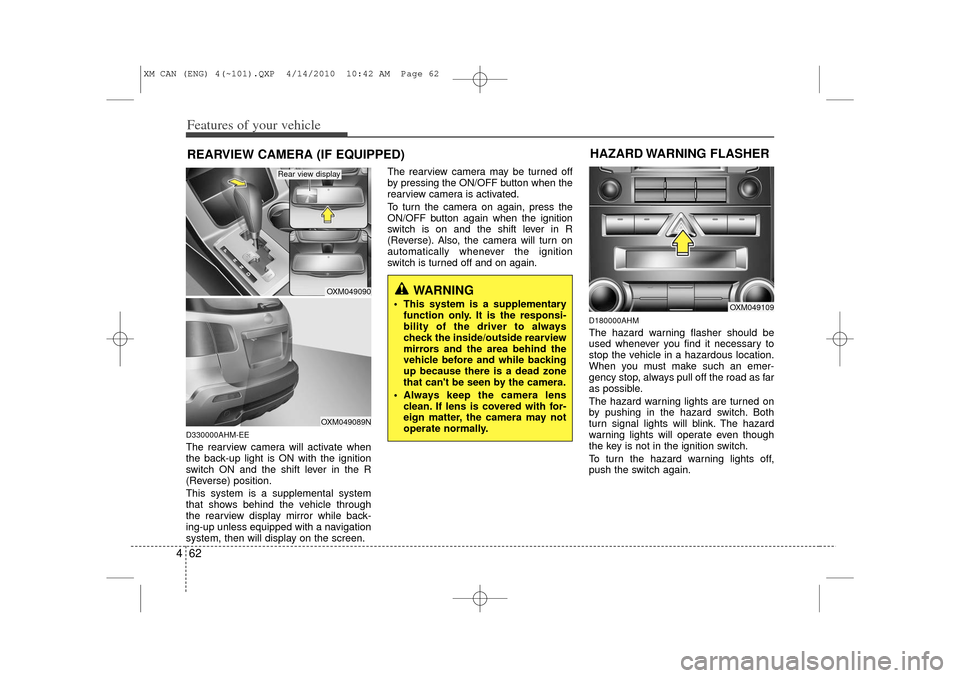
4D330000AHM-EEThe rearview camera will activate when
the back-up light is ON with the ignition
switch ON and the shift lever in the R
(Reverse) position.
This system is a supplemental system
that shows behind the vehicle through
the rearview display mirror while back-
ing-up unless equipped with a navigation
system, then will display on the screen. The rearview camera may be turned off
by pressing the ON/OFF button when the
rearview camera is activated.
To turn the camera on again, press the
ON/OFF button again when the ignition
switch is on and the shift lever in R
(Reverse). Also, the camera will turn on
automatically whenever the ignition
switch is turned off and on again.
D180000AHMThe hazard warning flasher should be
used whenever you find it necessary to
stop the vehicle in a hazardous location.
When you must make such an emer-
gency stop, always pull off the road as far
as possible.
The hazard warning lights are turned on
by pushing in the hazard switch. Both
turn signal lights will blink. The hazard
warning lights will operate even though
the key is not in the ignition switch.
To turn the hazard warning lights off,
push the switch again.
WARNING
This system is a supplementary
function only. It is the responsi-
bility of the driver to always
check the inside/outside rearview
mirrors and the area behind the
vehicle before and while backing
up because there is a dead zone
that can't be seen by the camera.
Always keep the camera lens clean. If lens is covered with for-
eign matter, the camera may not
operate normally.
REARVIEW CAMERA (IF EQUIPPED)
OXM049090OXM049089N
Rear view display
OXM049109
HAZARD WARNING FLASHER
XM CAN (ENG) 4(~101).QXP 4/14/2010 10:42 AM Page 62
Page 141 of 377
463
Features of your vehicle
D190100APBBattery saver function The purpose of this feature is to pre-vent the battery from being discharged
if the lights are left in the ON position.
The system automatically shuts off the
parking lights 30 seconds after the
ignition key is removed and the driver’s
door is opened and closed.
With this feature, the parking lights will turn off automatically if the driver parks
on the side of the road at night and
opens the driver’s side door.
If necessary, to keep the parking lights
on when the ignition key is removed,
perform the following:
1) Open the driver-side door.
2) Turn the parking lights OFF and ON again using the light switch on the
steering column.
D190200AHM-EUHeadlight escort function
(if equipped)The headlights and taillights remain on
for approximately 20 minutes after the
ignition key is removed or turned to the
ACC or LOCK position. However, if the
driver’s door is opened and closed, the
headlights and taillights are turned off
after 30 seconds.
The headlights and taillights can be
turned off by pressing the lock button on
the transmitter or turning off the light
switch from the headlight or Auto light
position.
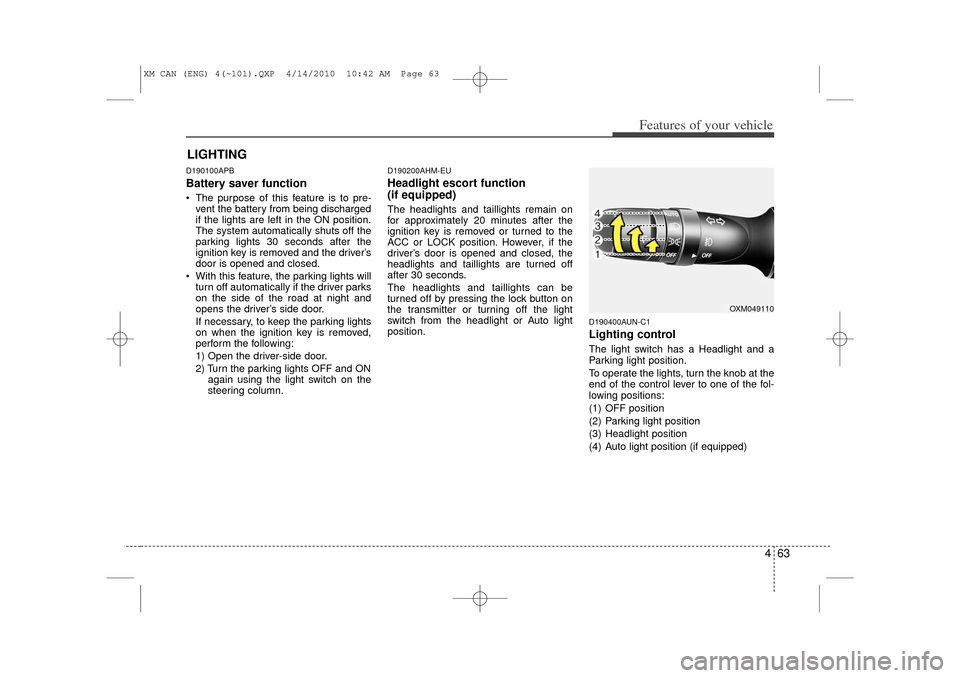
D190400AUN-C1Lighting controlThe light switch has a Headlight and a
Parking light position.
To operate the lights, turn the knob at the
end of the control lever to one of the fol-
lowing positions:
(1) OFF position
(2) Parking light position
(3) Headlight position
(4) Auto light position (if equipped)
LIGHTING
OXM049110
XM CAN (ENG) 4(~101).QXP 4/14/2010 10:42 AM Page 63
Page 149 of 377
471
Features of your vehicle
D210000AENAutomatic turn off function
(if equipped)The interior lights automatically turn off
approximately 20 minutes after the igni-
tion switch is turned off, if the lights are in
the ON position.
If your vehicle is equipped with the theft
alarm system, the interior lights automat-
ically turns off approximately 3 seconds
after the system is armed stage.
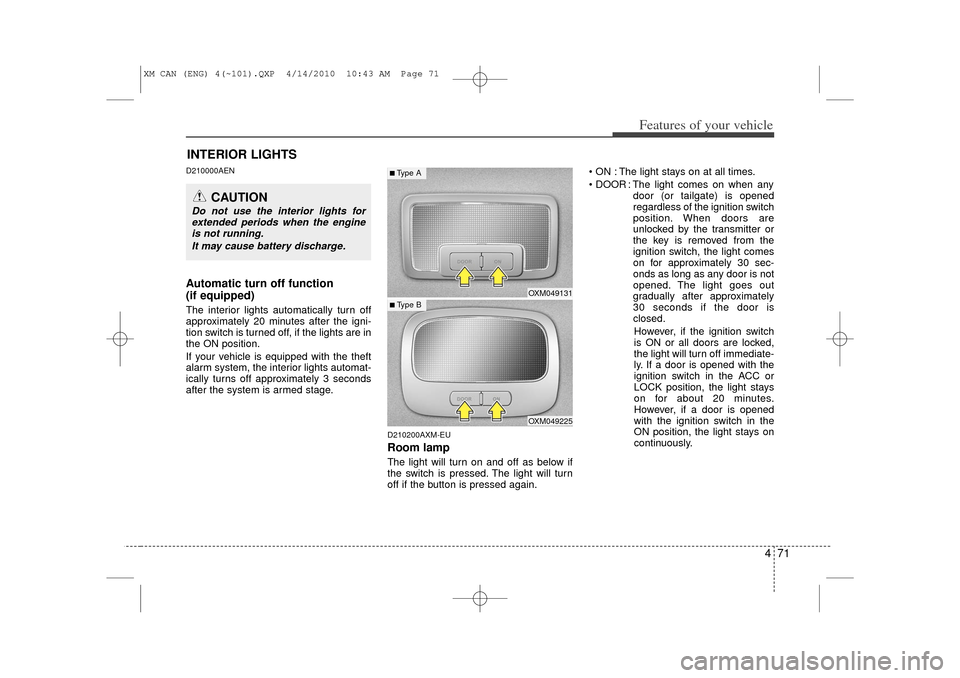
D210200AXM-EURoom lampThe light will turn on and off as below if
the switch is pressed. The light will turn
off if the button is pressed again. ON : The light stays on at all times.
DOOR : The light comes on when any
door (or tailgate) is opened
regardless of the ignition switch
position. When doors are
unlocked by the transmitter or
the key is removed from the
ignition switch, the light comes
on for approximately 30 sec-
onds as long as any door is not
opened. The light goes out
gradually after approximately
30 seconds if the door is
closed.
However, if the ignition switch
is ON or all doors are locked,
the light will turn off immediate-
ly. If a door is opened with the
ignition switch in the ACC or
LOCK position, the light stays
on for about 20 minutes.
However, if a door is opened
with the ignition switch in the
ON position, the light stays on
continuously.
INTERIOR LIGHTS
CAUTION
Do not use the interior lights for extended periods when the engineis not running.
It may cause battery discharge.
OXM049131OXM049225
■ Type B■Type A
XM CAN (ENG) 4(~101).QXP 4/14/2010 10:43 AM Page 71
Page 172 of 377
Features of your vehicle94
4D270000AHMThese compartments can be used to
store small items.
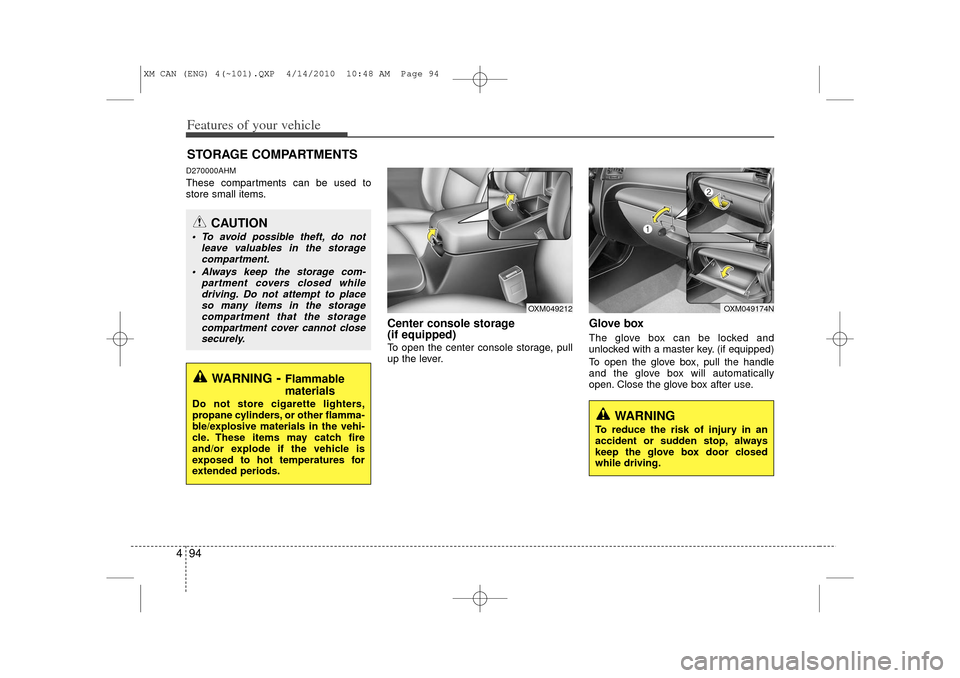
Center console storage
(if equipped)To open the center console storage, pull
up the lever.
Glove boxThe glove box can be locked and
unlocked with a master key. (if equipped)
To open the glove box, pull the handle
and the glove box will automatically
open. Close the glove box after use.
STORAGE COMPARTMENTS
WARNING
- Flammable
materials
Do not store cigarette lighters,
propane cylinders, or other flamma-
ble/explosive materials in the vehi-
cle. These items may catch fire
and/or explode if the vehicle is
exposed to hot temperatures for
extended periods.
CAUTION
To avoid possible theft, do not
leave valuables in the storagecompartment.
Always keep the storage com- partment covers closed whiledriving. Do not attempt to placeso many items in the storage compartment that the storagecompartment cover cannot closesecurely.
WARNING
To reduce the risk of injury in an
accident or sudden stop, always
keep the glove box door closed
while driving.
OXM049212
OXM049174N
XM CAN (ENG) 4(~101).QXP 4/14/2010 10:48 AM Page 94
Page 194 of 377
Features of your vehicle116
4(Continued)
If you use devices such as a USB hub purchased separately, thevehicle’s audio system may not recognize the USB device. In thatcase, connect the USB devicedirectly to the multimedia termi-nal of the vehicle.
If USB device is divided by logical drives, only the music files on thehighest-priority drive are recog-nized by car audio.
Devices such as MP3 players, cel- lular phones and digital camerasmay not be compatible with a standard USB I/F.
Some non-standard USB devices (METAL COVER TYPE USB) canbe unrecognizable.
Some USB flash memory readers (such as CF, SD, microSD, etc.) orexternal-HDD type devices can beunrecognizable.
Music files protected by DRM (DIGITAL RIGHTS MANAGE-MENT) are not recognizable.
(Continued)
(Continued)
The data in the USB memory may be lost while using this audio.Always back up important data on a personal storage device.
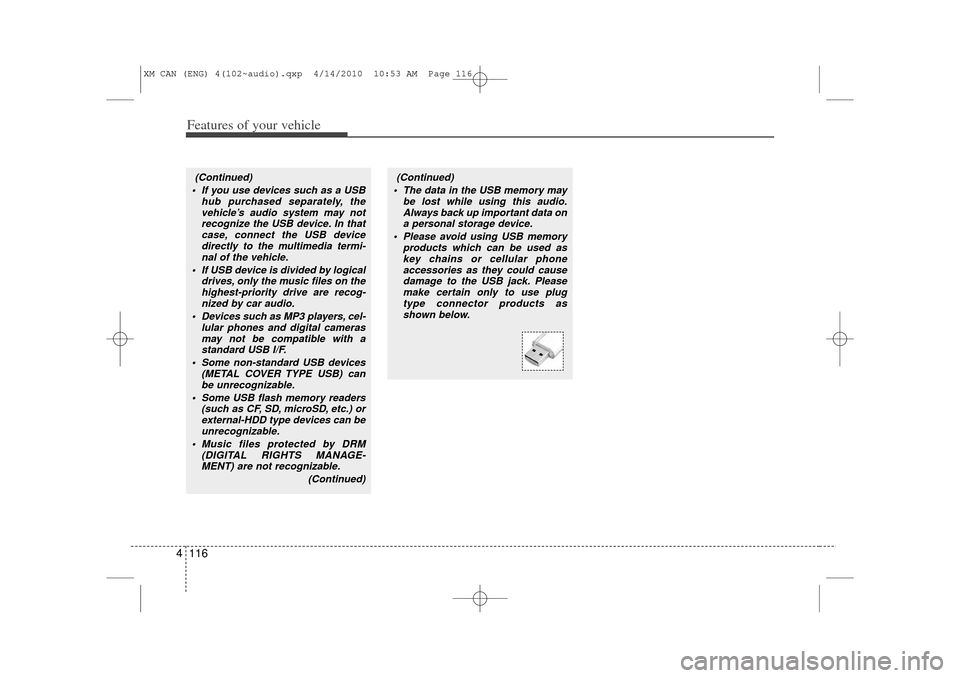
Please avoid using USB memory products which can be used askey chains or cellular phone accessories as they could causedamage to the USB jack. Pleasemake certain only to use plug type connector products asshown below.
XM CAN (ENG) 4(102~audio).qxp 4/14/2010 10:53 AM Page 116