engine KIA Sorento 2012 2.G Owner's Guide
[x] Cancel search | Manufacturer: KIA, Model Year: 2012, Model line: Sorento, Model: KIA Sorento 2012 2.GPages: 388, PDF Size: 7.56 MB
Page 95 of 388
45
Features of your vehicle
D010301AUN-ECLimp home (override) procedureWhen you turn the ignition switch to the
ON position, if the immobilizer indicator
( ) goes off after blinking 5 times,
your transponder equipped in the ignition
key is out of order. You cannot start the
engine without the limp home procedure.
To start the engine, you have to input
your password by using the ignition
switch. Your password is only available
from an authorized KIA dealership.
Contact an authorized dealer for more
information.
The following procedure is how to input
your password of “2345” as an example.
1. Turn the ignition switch to the ON posi-
tion. The immobilizer indicator ( )
will blink 5 times and go off indicating
the beginning of the limp home proce-
dure.
2. Turn the ignition switch to the ACC position.
3. To enter the first digit (in this example “2”), turn the ignition switch to the ON
and ACC position twice. Perform the
same procedure for the next digits
between 3 seconds and 10 seconds
(for example, for “3”, turn the ignition
ON and ACC 3 times). 4. If all of the digits have been input suc-
cessfully, you have to start the engine
within 30 seconds. If you attempt to
start the engine after 30 seconds, the
engine will not start and you will have
to input your password again.
After performing the limp home proce-
dure, you have to see an authorized KIA
dealer immediately to inspect and repair
your ignition key or immobilizer system.
XM CAN (ENG) 4(~105).QXP 4/19/2011 10:35 AM Page 5
Page 99 of 388
49
Features of your vehicle
D040000AXMWith a smart key, you can lock or unlock
a door (and tailgate) and even start the
engine without inserting the key.
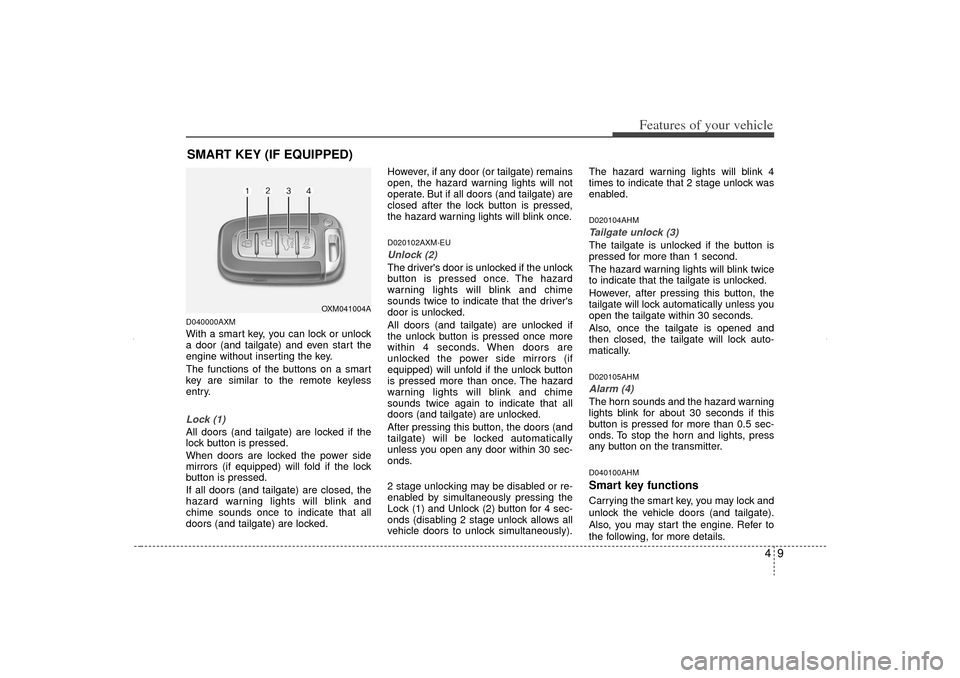
The functions of the buttons on a smart
key are similar to the remote keyless
entry.Lock (1)All doors (and tailgate) are locked if the
lock button is pressed.
When doors are locked the power side
mirrors (if equipped) will fold if the lock
button is pressed.
If all doors (and tailgate) are closed, the
hazard warning lights will blink and
chime sounds once to indicate that all
doors (and tailgate) are locked.However, if any door (or tailgate) remains
open, the hazard warning lights will not
operate. But if all doors (and tailgate) are
closed after the lock button is pressed,
the hazard warning lights will blink once.
D020102AXM-EUUnlock (2)The driver's door is unlocked if the unlock
button is pressed once. The hazard
warning lights will blink and chime
sounds twice to indicate that the driver's
door is unlocked.
All doors (and tailgate) are unlocked if
the unlock button is pressed once more
within 4 seconds. When doors are
unlocked the power side mirrors (if
equipped) will unfold if the unlock button
is pressed more than once. The hazard
warning lights will blink and chime
sounds twice again to indicate that all
doors (and tailgate) are unlocked.
After pressing this button, the doors (and
tailgate) will be locked automatically
unless you open any door within 30 sec-
onds.
2 stage unlocking may be disabled or re-
enabled by simultaneously pressing the
Lock (1) and Unlock (2) button for 4 sec-
onds (disabling 2 stage unlock allows all
vehicle doors to unlock simultaneously).The hazard warning lights will blink 4
times to indicate that 2 stage unlock was
enabled.
D020104AHMTailgate unlock (3)The tailgate is unlocked if the button is
pressed for more than 1 second.
The hazard warning lights will blink twice
to indicate that the tailgate is unlocked.
However, after pressing this button, the
tailgate will lock automatically unless you
open the tailgate within 30 seconds.
Also, once the tailgate is opened and
then closed, the tailgate will lock auto-
matically.D020105AHMAlarm (4)The horn sounds and the hazard warning
lights blink for about 30 seconds if this
button is pressed for more than 0.5 sec-
onds. To stop the horn and lights, press
any button on the transmitter.D040100AHMSmart key functionsCarrying the smart key, you may lock and
unlock the vehicle doors (and tailgate).
Also, you may start the engine. Refer to
the following, for more details.
SMART KEY (IF EQUIPPED)
OXM041004A
XM CAN (ENG) 4(~105).QXP 4/19/2011 10:35 AM Page 9
Page 100 of 388
Features of your vehicle10
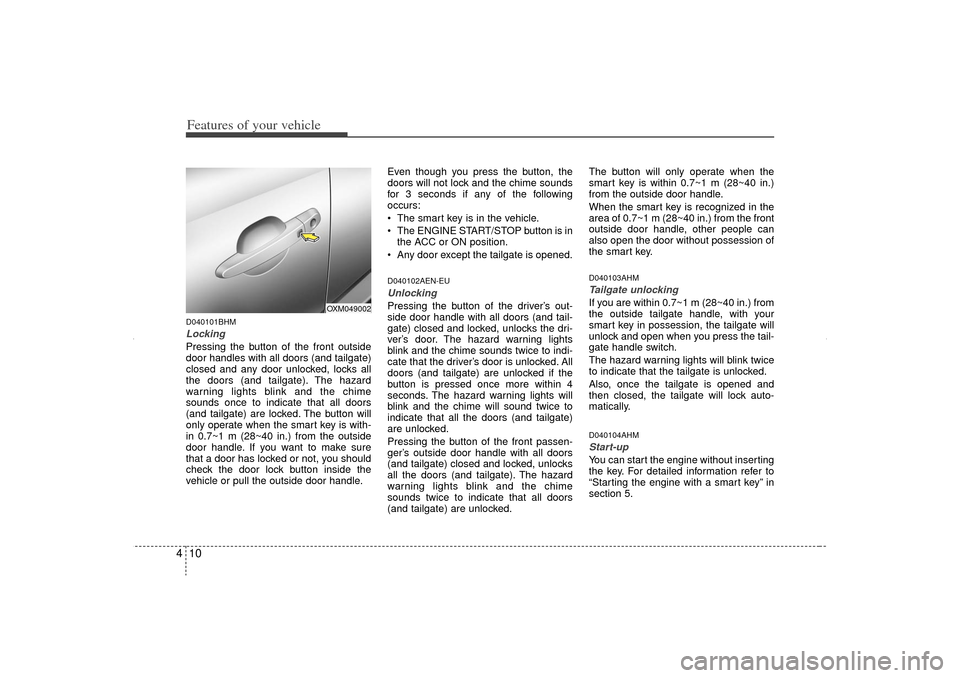
4D040101BHMLocking Pressing the button of the front outside
door handles with all doors (and tailgate)
closed and any door unlocked, locks all
the doors (and tailgate). The hazard
warning lights blink and the chime
sounds once to indicate that all doors
(and tailgate) are locked. The button will
only operate when the smart key is with-
in 0.7~1 m (28~40 in.) from the outside
door handle. If you want to make sure
that a door has locked or not, you should
check the door lock button inside the
vehicle or pull the outside door handle. Even though you press the button, the
doors will not lock and the chime sounds
for 3 seconds if any of the following
occurs:
The smart key is in the vehicle.
The ENGINE START/STOP button is in
the ACC or ON position.
Any door except the tailgate is opened.
D040102AEN-EUUnlocking Pressing the button of the driver’s out-
side door handle with all doors (and tail-
gate) closed and locked, unlocks the dri-
ver’s door. The hazard warning lights
blink and the chime sounds twice to indi-
cate that the driver’s door is unlocked. All
doors (and tailgate) are unlocked if the
button is pressed once more within 4
seconds. The hazard warning lights will
blink and the chime will sound twice to
indicate that all the doors (and tailgate)
are unlocked.
Pressing the button of the front passen-
ger’s outside door handle with all doors
(and tailgate) closed and locked, unlocks
all the doors (and tailgate). The hazard
warning lights blink and the chime
sounds twice to indicate that all doors
(and tailgate) are unlocked. The button will only operate when the
smart key is within 0.7~1 m (28~40 in.)
from the outside door handle.
When the smart key is recognized in the
area of 0.7~1 m (28~40 in.) from the front
outside door handle, other people can
also open the door without possession of
the smart key.
D040103AHMTailgate unlockingIf you are within 0.7~1 m (28~40 in.) from
the outside tailgate handle, with your
smart key in possession, the tailgate will
unlock and open when you press the tail-
gate handle switch.
The hazard warning lights will blink twice
to indicate that the tailgate is unlocked.
Also, once the tailgate is opened and
then closed, the tailgate will lock auto-
matically.D040104AHMStart-upYou can start the engine without inserting
the key. For detailed information refer to
“Starting the engine with a smart key” in
section 5.
OXM049002
XM CAN (ENG) 4(~105).QXP 4/19/2011 10:35 AM Page 10
Page 101 of 388
411
Features of your vehicle
D040300AHM-ECSmart key precautions✽
✽NOTICE• If, for some reason, you happen to lose
your smart key, you will not be able to
start the engine. Tow the vehicle, if
necessary, and contact an authorized
KIA dealer.
• A maximum of 2 smart keys can be registered to a single vehicle. If you
lose a smart key, you should immedi-
ately take the vehicle and key to your
authorized KIA dealer to protect it
from potential theft.
• The smart key will not work if any of the following occurs:
- The smart key is close to a radiotransmitter such as a radio station or
an airport which can interfere with
normal operation of the smart key.
- The smart key is near a mobile two- way radio system or a cellular
phone.
- Another vehicle’s smart key is being operated close to your vehicle.
When the smart key does not work
properly, open and close the door with
the mechanical key. If you have a
problem with the smart key, contact
an authorized KIA dealer.
This device complies with Industry
Canada Standard RSS-210.
Operation is subject to the following two
conditions:
1. This device may not cause harmful
interference, and
2. This device must accept any interfer- ence received, including interference
that may cause undesired operation.
D040400AHMRestrictions in handling keysWhen leaving keys with parking lot and
valet attendants, the following proce-
dures will ensure that your vehicle’s
glove box compartment can not be
opened in your absence.
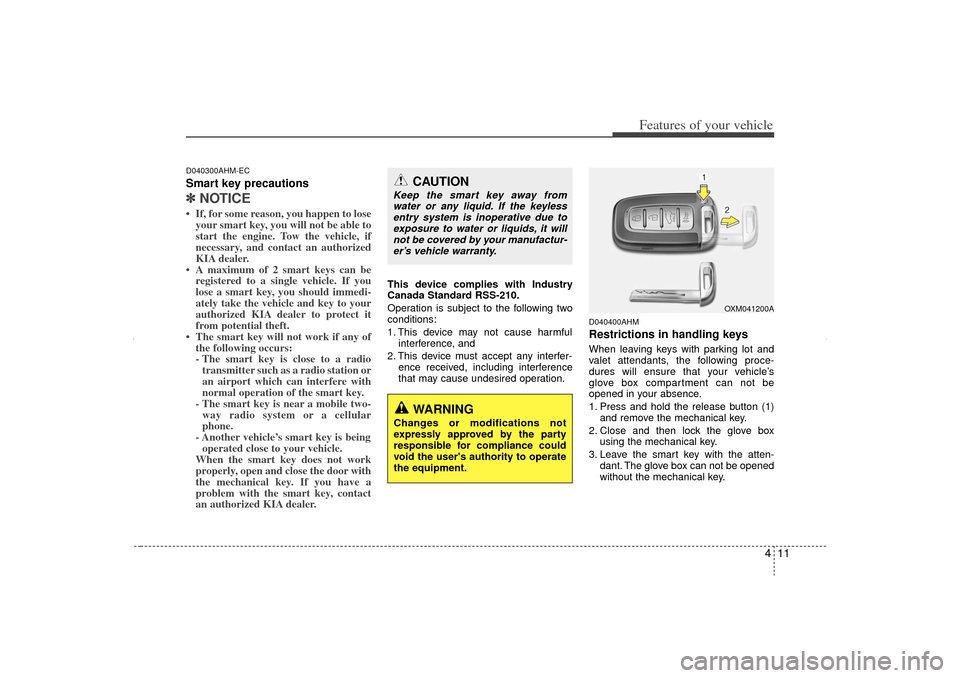
1. Press and hold the release button (1)and remove the mechanical key.
2. Close and then lock the glove box using the mechanical key.
3. Leave the smart key with the atten- dant. The glove box can not be opened
without the mechanical key.
CAUTION
Keep the smart key away fromwater or any liquid. If the keylessentry system is inoperative due toexposure to water or liquids, it will not be covered by your manufactur-er’s vehicle warranty.
WARNING
Changes or modifications not
expressly approved by the party
responsible for compliance could
void the user's authority to operate
the equipment.
OXM041200A
XM CAN (ENG) 4(~105).QXP 4/19/2011 10:35 AM Page 11
Page 103 of 388
413
Features of your vehicle
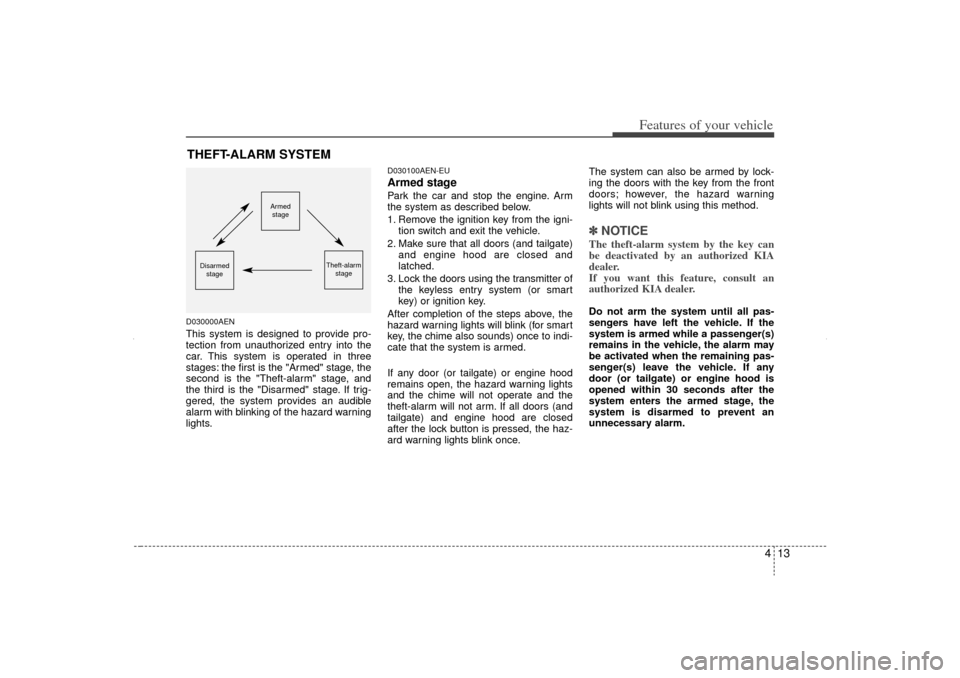
D030000AENThis system is designed to provide pro-
tection from unauthorized entry into the
car. This system is operated in three
stages: the first is the "Armed" stage, the
second is the "Theft-alarm" stage, and
the third is the "Disarmed" stage. If trig-
gered, the system provides an audible
alarm with blinking of the hazard warning
lights.
D030100AEN-EUArmed stagePark the car and stop the engine. Arm
the system as described below.
1. Remove the ignition key from the igni-tion switch and exit the vehicle.
2. Make sure that all doors (and tailgate) and engine hood are closed and
latched.
3. Lock the doors using the transmitter of the keyless entry system (or smart
key) or ignition key.
After completion of the steps above, the
hazard warning lights will blink (for smart
key, the chime also sounds) once to indi-
cate that the system is armed.
If any door (or tailgate) or engine hood
remains open, the hazard warning lights
and the chime will not operate and the
theft-alarm will not arm. If all doors (and
tailgate) and engine hood are closed
after the lock button is pressed, the haz-
ard warning lights blink once. The system can also be armed by lock-
ing the doors with the key from the front
doors; however, the hazard warning
lights will not blink using this method.
✽ ✽
NOTICEThe theft-alarm system by the key can
be deactivated by an authorized KIA
dealer.
If you want this feature, consult an
authorized KIA dealer.Do not arm the system until all pas-
sengers have left the vehicle. If the
system is armed while a passenger(s)
remains in the vehicle, the alarm may
be activated when the remaining pas-
senger(s) leave the vehicle. If any
door (or tailgate) or engine hood is
opened within 30 seconds after the
system enters the armed stage, the
system is disarmed to prevent an
unnecessary alarm.
THEFT-ALARM SYSTEM
Armed
stage
Theft-alarm stage
Disarmedstage
XM CAN (ENG) 4(~105).QXP 4/19/2011 10:35 AM Page 13
Page 104 of 388
Features of your vehicle14
4D030200AEN-EUTheft-alarm stageThe alarm will be activated if any of the
following occurs while the system is
armed.
A front or rear door is opened without
using the ignition key or transmitter (or
smart key).
The tailgate is opened without using the transmitter (or smart key).
The engine hood is opened.
The horn will sound and the hazard
warning lights will blink continuously for
approximately 27 seconds, and repeat
the horn 3 times unless the system is dis-
armed. To turn off the system, unlock the
doors with the ignition key or transmitter
(or smart key).
D030400BEN-EUDisarmed stageThe system will be disarmed when the
doors (and tailgate) are unlocked with the
transmitter (or smart key) or the ignition
key.
After depressing the unlock button, the
hazard warning lights will blink and the
chime will sound twice to indicate that the
system is disarmed.
After depressing the unlock button, if any
door (or tailgate) is not opened within 30
seconds, the system will be rearmed.✽ ✽ NOTICE• Avoid trying to start the engine while
the alarm is activated. The vehicle
starting motor is disabled during the
theft-alarm stage.
If the system is not disarmed with the
transmitter, insert the key into the
ignition switch, turn the ignition
switch to the ON position and wait for
30 seconds. Then the system will be
disarmed. (if equipped)
• If you lose your keys, consult your authorized KIA dealer.
CAUTION
Do not change, alter or adjust the
theft-alarm system because it could
cause the theft-alarm system tomalfunction and should only be serviced by an authorized KIA deal-er.
Malfunctions caused by improperalterations, adjustments or modifi- cations to the theft-alarm systemare not covered by your vehiclemanufacturer warranty.
XM CAN (ENG) 4(~105).QXP 4/19/2011 10:35 AM Page 14
Page 108 of 388
Features of your vehicle18
4Impact sensing door unlock
system (if equipped)In the event of air bag deployment result-
ing from a vehicle impact, all doors will
automatically unlock.Auto door lock/unlock feature
(automatic transaxle, if equipped) All doors will automatically lock when
the transaxle shift lever is shifted out of
P (Park).
All doors will automatically unlock when the transaxle shift lever is shifted
into P (Park).Speed sensing door lock system
(manual transaxle, if equipped) All doors will be automatically lockedafter the vehicle speed exceeds about
20 km (12 mph).
All doors will automatically unlock when the engine is shut off and the
ignition key is removed.✽ ✽ NOTICEAn authorized KIA dealer can activate
or deactivate some auto door lock/
unlock features.
If you want to activate or deactivate
some door lock/unlock feature, consult
an authorized KIA dealer.
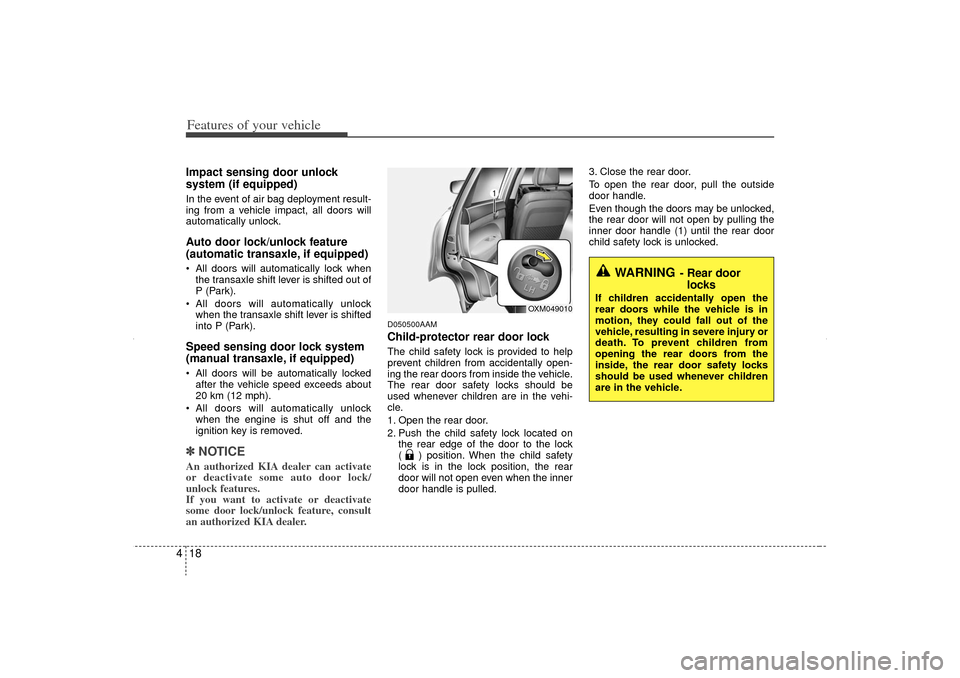
D050500AAMChild-protector rear door lockThe child safety lock is provided to help
prevent children from accidentally open-
ing the rear doors from inside the vehicle.
The rear door safety locks should be
used whenever children are in the vehi-
cle.
1. Open the rear door.
2. Push the child safety lock located on
the rear edge of the door to the lock
( ) position. When the child safety
lock is in the lock position, the rear
door will not open even when the inner
door handle is pulled. 3. Close the rear door.
To open the rear door, pull the outside
door handle.
Even though the doors may be unlocked,
the rear door will not open by pulling the
inner door handle (1) until the rear door
child safety lock is unlocked.
WARNING
- Rear door
locks
If children accidentally open the
rear doors while the vehicle is in
motion, they could fall out of the
vehicle, resulting in severe injury or
death. To prevent children from
opening the rear doors from the
inside, the rear door safety locks
should be used whenever children
are in the vehicle.
OXM049010
XM CAN (ENG) 4(~105).QXP 4/19/2011 10:36 AM Page 18
Page 115 of 388
425
Features of your vehicle
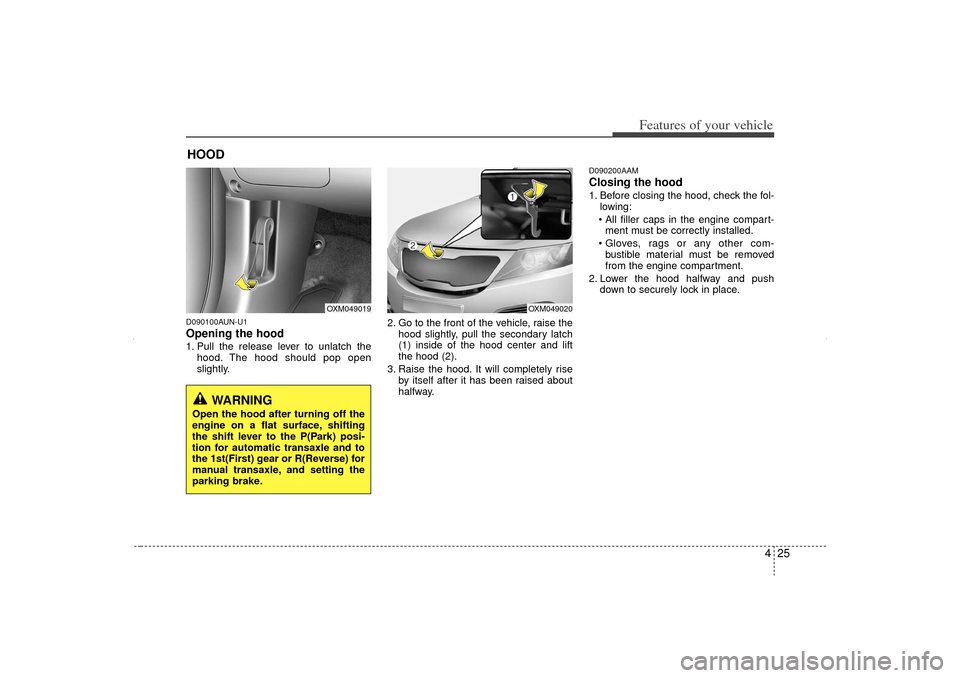
D090100AUN-U1Opening the hood 1. Pull the release lever to unlatch thehood. The hood should pop open
slightly. 2. Go to the front of the vehicle, raise the
hood slightly, pull the secondary latch
(1) inside of the hood center and lift
the hood (2).
3. Raise the hood. It will completely rise by itself after it has been raised about
halfway.
D090200AAMClosing the hood1. Before closing the hood, check the fol-lowing:
All filler caps in the engine compart- ment must be correctly installed.
Gloves, rags or any other com- bustible material must be removed
from the engine compartment.
2. Lower the hood halfway and push down to securely lock in place.
HOOD
OXM049019
OXM049020
WARNING
Open the hood after turning off the
engine on a flat surface, shifting
the shift lever to the P(Park) posi-
tion for automatic transaxle and to
the 1st(First) gear or R(Reverse) for
manual transaxle, and setting the
parking brake.
XM CAN (ENG) 4(~105).QXP 4/19/2011 10:36 AM Page 25
Page 116 of 388
Features of your vehicle26
4
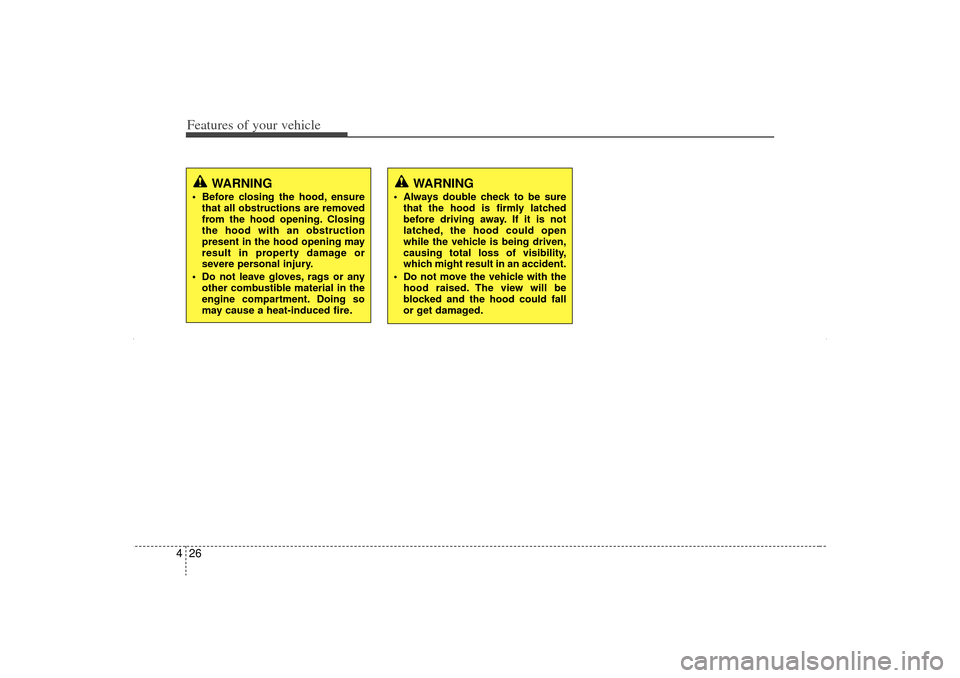
WARNING
Before closing the hood, ensure
that all obstructions are removed
from the hood opening. Closing
the hood with an obstruction
present in the hood opening may
result in property damage or
severe personal injury.
Do not leave gloves, rags or any other combustible material in the
engine compartment. Doing so
may cause a heat-induced fire.
WARNING
Always double check to be surethat the hood is firmly latched
before driving away. If it is not
latched, the hood could open
while the vehicle is being driven,
causing total loss of visibility,
which might result in an accident.
Do not move the vehicle with the hood raised. The view will be
blocked and the hood could fall
or get damaged.
XM CAN (ENG) 4(~105).QXP 4/19/2011 10:36 AM Page 26
Page 117 of 388
427
Features of your vehicle
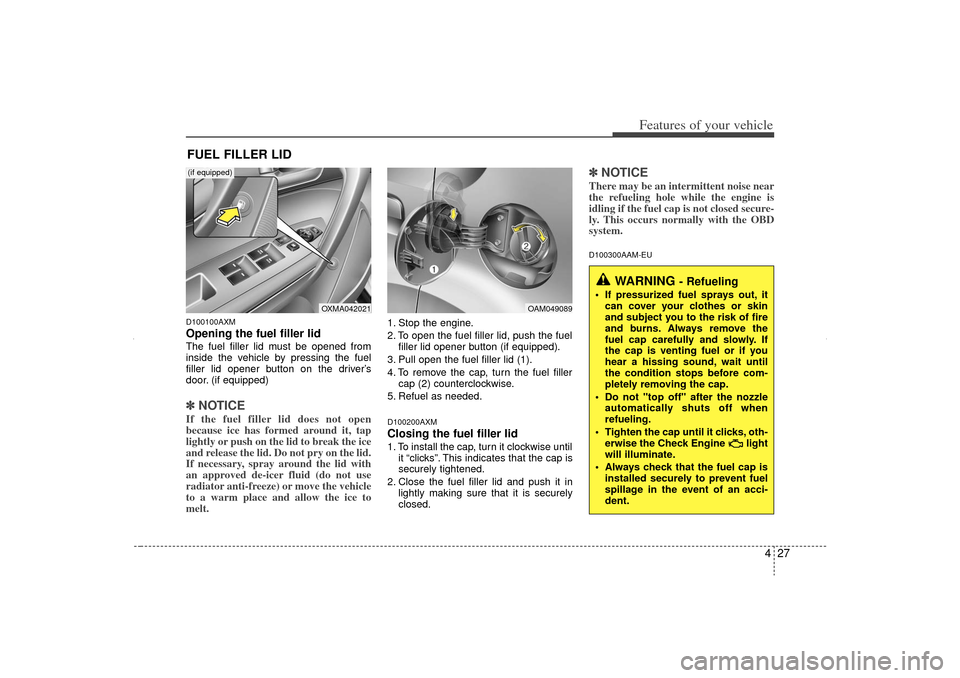
D100100AXMOpening the fuel filler lidThe fuel filler lid must be opened from
inside the vehicle by pressing the fuel
filler lid opener button on the driver’s
door. (if equipped)✽ ✽NOTICEIf the fuel filler lid does not open
because ice has formed around it, tap
lightly or push on the lid to break the ice
and release the lid. Do not pry on the lid.
If necessary, spray around the lid with
an approved de-icer fluid (do not use
radiator anti-freeze) or move the vehicle
to a warm place and allow the ice to
melt.
1. Stop the engine.
2. To open the fuel filler lid, push the fuel
filler lid opener button (if equipped).
3. Pull open the fuel filler lid (1).
4. To remove the cap, turn the fuel filler cap (2) counterclockwise.
5. Refuel as needed.D100200AXMClosing the fuel filler lid1. To install the cap, turn it clockwise until it “clicks”. This indicates that the cap is
securely tightened.
2. Close the fuel filler lid and push it in lightly making sure that it is securely
closed.
✽ ✽NOTICEThere may be an intermittent noise near
the refueling hole while the engine is
idling if the fuel cap is not closed secure-
ly. This occurs normally with the OBD
system.D100300AAM-EU
FUEL FILLER LID
WARNING
- Refueling
If pressurized fuel sprays out, it
can cover your clothes or skin
and subject you to the risk of fire
and burns. Always remove the
fuel cap carefully and slowly. If
the cap is venting fuel or if you
hear a hissing sound, wait until
the condition stops before com-
pletely removing the cap.
Do not "top off" after the nozzle automatically shuts off when
refueling.
Tighten the cap until it clicks, oth- erwise the Check Engine light
will illuminate.
Always check that the fuel cap is installed securely to prevent fuel
spillage in the event of an acci-
dent.
OAM049089
OXMA042021
(if equipped)
XM CAN (ENG) 4(~105).QXP 4/19/2011 10:36 AM Page 27