lock KIA Sorento 2012 2.G Workshop Manual
[x] Cancel search | Manufacturer: KIA, Model Year: 2012, Model line: Sorento, Model: KIA Sorento 2012 2.GPages: 388, PDF Size: 7.56 MB
Page 111 of 388
421
Features of your vehicle
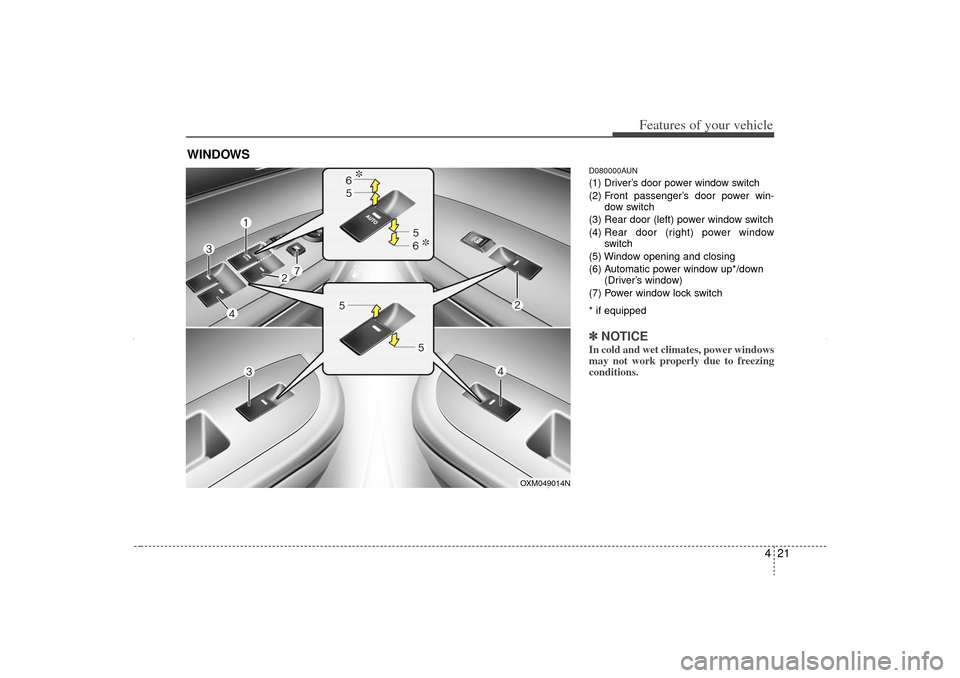
D080000AUN(1) Driver’s door power window switch
(2) Front passenger’s door power win-dow switch
(3) Rear door (left) power window switch
(4) Rear door (right) power window
switch
(5) Window opening and closing
(6) Automatic power window up*/down (Driver’s window)
(7) Power window lock switch
* if equipped✽ ✽ NOTICEIn cold and wet climates, power windows
may not work properly due to freezing
conditions.
WINDOWS
OXM049014N
XM CAN (ENG) 4(~105).QXP 4/19/2011 10:36 AM Page 21
Page 112 of 388
Features of your vehicle22
4D080100AAMPower windowsThe ignition switch must be in the ON
position for power windows to operate.
Each door has a power window switch
that controls the door's window. The driv-
er has a power window lock button which
can block the operation of passenger
windows. The power windows can be
operated for approximately 30 seconds
after the ignition key is removed or turned
to the ACC or LOCK position. However, if
the front doors are opened, the power
windows cannot be operated even within
the 30 second period.✽ ✽
NOTICEWhile driving with the rear windows
down or with the sunroof (if equipped)
in an open (or partially open) position,
your vehicle may demonstrate a wind
buffeting or pulsation noise. This noise
is a normal occurrence and can be
reduced or eliminated by taking the fol-
lowing actions. If the noise occurs with
one or both of the rear windows down,
partially lower both front windows
approximately one inch. If you experi-
ence the noise with the sunroof open,
slightly reduce the size of the sunroof
opening.
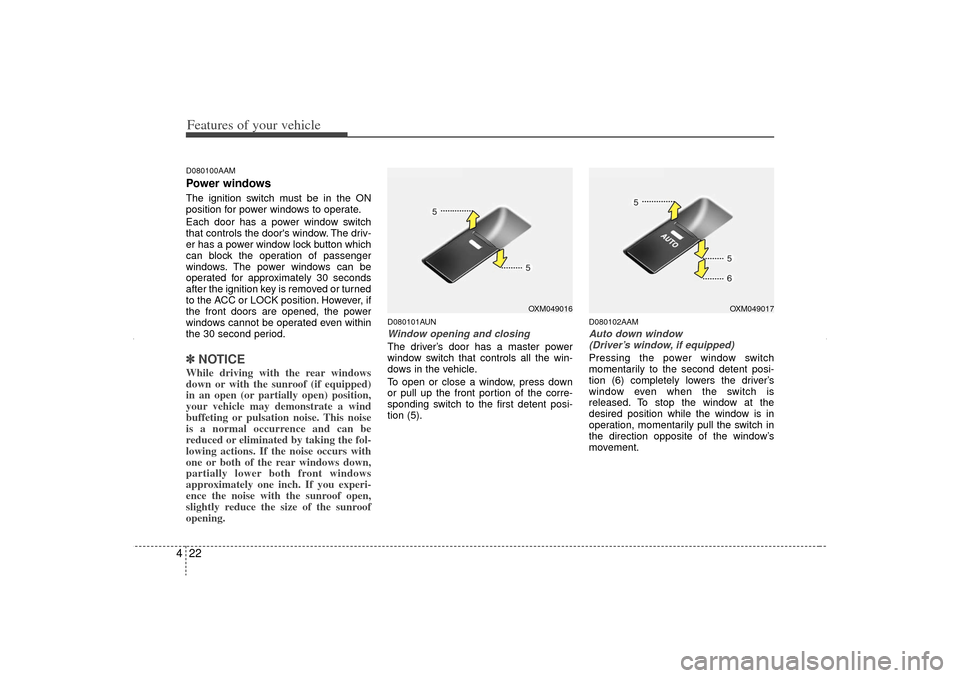
D080101AUNWindow opening and closingThe driver’s door has a master power
window switch that controls all the win-
dows in the vehicle.
To open or close a window, press down
or pull up the front portion of the corre-
sponding switch to the first detent posi-
tion (5).
D080102AAMAuto down window
(Driver’s window, if equipped)Pressing the power window switch
momentarily to the second detent posi-
tion (6) completely lowers the driver’s
window even when the switch is
released. To stop the window at the
desired position while the window is in
operation, momentarily pull the switch in
the direction opposite of the window’s
movement.
OXM049016
OXM049017
XM CAN (ENG) 4(~105).QXP 4/19/2011 10:36 AM Page 22
Page 113 of 388
423
Features of your vehicle
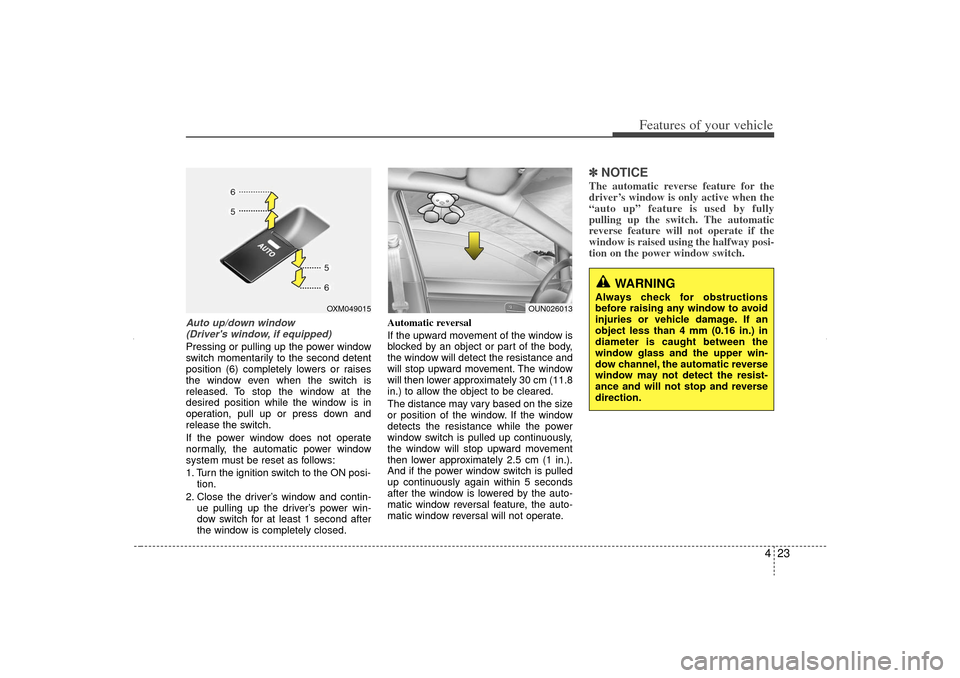
Auto up/down window (Driver's window, if equipped) Pressing or pulling up the power window
switch momentarily to the second detent
position (6) completely lowers or raises
the window even when the switch is
released. To stop the window at the
desired position while the window is in
operation, pull up or press down and
release the switch.
If the power window does not operate
normally, the automatic power window
system must be reset as follows:
1. Turn the ignition switch to the ON posi- tion.
2. Close the driver’s window and contin- ue pulling up the driver’s power win-
dow switch for at least 1 second after
the window is completely closed. Automatic reversal
If the upward movement of the window is
blocked by an object or part of the body,
the window will detect the resistance and
will stop upward movement. The window
will then lower approximately 30 cm (11.8
in.) to allow the object to be cleared.
The distance may vary based on the size
or position of the window. If the window
detects the resistance while the power
window switch is pulled up continuously,
the window will stop upward movement
then lower approximately 2.5 cm (1 in.).
And if the power window switch is pulled
up continuously again within 5 seconds
after the window is lowered by the auto-
matic window reversal feature, the auto-
matic window reversal will not operate.
✽ ✽
NOTICEThe automatic reverse feature for the
driver’s window is only active when the
“auto up” feature is used by fully
pulling up the switch. The automatic
reverse feature will not operate if the
window is raised using the halfway posi-
tion on the power window switch.
OXM049015
WARNING
Always check for obstructions
before raising any window to avoid
injuries or vehicle damage. If an
object less than 4 mm (0.16 in.) in
diameter is caught between the
window glass and the upper win-
dow channel, the automatic reverse
window may not detect the resist-
ance and will not stop and reverse
direction.
OUN026013
XM CAN (ENG) 4(~105).QXP 4/19/2011 10:36 AM Page 23
Page 114 of 388
Features of your vehicle24
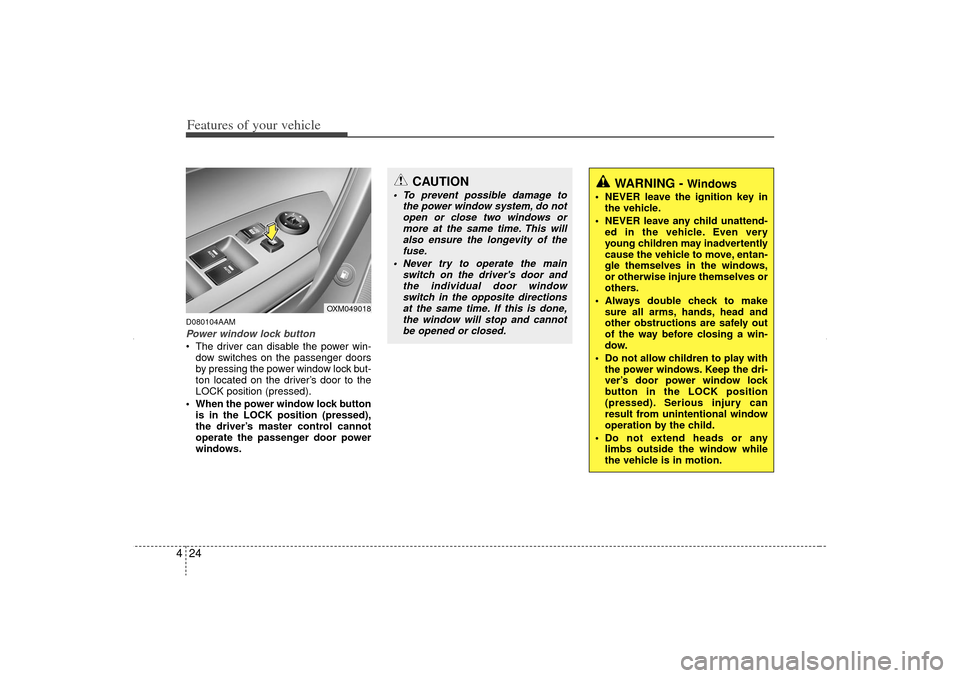
4D080104AAMPower window lock button The driver can disable the power win-
dow switches on the passenger doors
by pressing the power window lock but-
ton located on the driver’s door to the
LOCK position (pressed).
When the power window lock button is in the LOCK position (pressed),
the driver’s master control cannot
operate the passenger door power
windows.
CAUTION
To prevent possible damage to the power window system, do notopen or close two windows ormore at the same time. This willalso ensure the longevity of thefuse.
Never try to operate the main switch on the driver's door andthe individual door windowswitch in the opposite directionsat the same time. If this is done, the window will stop and cannotbe opened or closed.
WARNING -
Windows
NEVER leave the ignition key in the vehicle.
NEVER leave any child unattend- ed in the vehicle. Even very
young children may inadvertently
cause the vehicle to move, entan-
gle themselves in the windows,
or otherwise injure themselves or
others.
Always double check to make sure all arms, hands, head and
other obstructions are safely out
of the way before closing a win-
dow.
Do not allow children to play with the power windows. Keep the dri-
ver’s door power window lock
button in the LOCK position
(pressed). Serious injury can
result from unintentional window
operation by the child.
Do not extend heads or any limbs outside the window while
the vehicle is in motion.
OXM049018
XM CAN (ENG) 4(~105).QXP 4/19/2011 10:36 AM Page 24
Page 115 of 388
425
Features of your vehicle
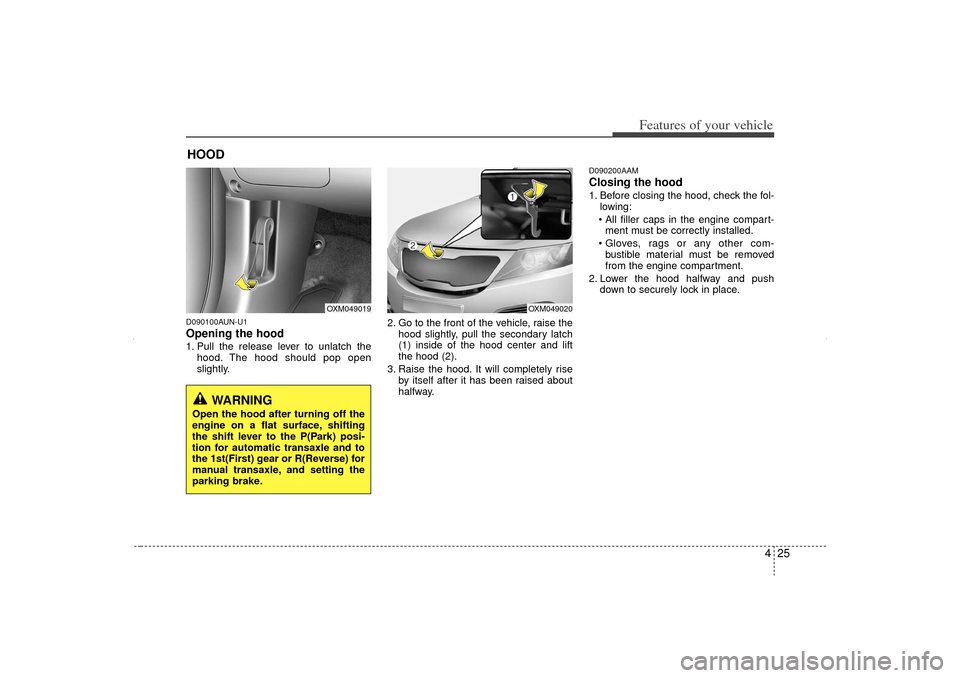
D090100AUN-U1Opening the hood 1. Pull the release lever to unlatch thehood. The hood should pop open
slightly. 2. Go to the front of the vehicle, raise the
hood slightly, pull the secondary latch
(1) inside of the hood center and lift
the hood (2).
3. Raise the hood. It will completely rise by itself after it has been raised about
halfway.
D090200AAMClosing the hood1. Before closing the hood, check the fol-lowing:
All filler caps in the engine compart- ment must be correctly installed.
Gloves, rags or any other com- bustible material must be removed
from the engine compartment.
2. Lower the hood halfway and push down to securely lock in place.
HOOD
OXM049019
OXM049020
WARNING
Open the hood after turning off the
engine on a flat surface, shifting
the shift lever to the P(Park) posi-
tion for automatic transaxle and to
the 1st(First) gear or R(Reverse) for
manual transaxle, and setting the
parking brake.
XM CAN (ENG) 4(~105).QXP 4/19/2011 10:36 AM Page 25
Page 116 of 388
Features of your vehicle26
4
WARNING
Before closing the hood, ensure
that all obstructions are removed
from the hood opening. Closing
the hood with an obstruction
present in the hood opening may
result in property damage or
severe personal injury.
Do not leave gloves, rags or any other combustible material in the
engine compartment. Doing so
may cause a heat-induced fire.
WARNING
Always double check to be surethat the hood is firmly latched
before driving away. If it is not
latched, the hood could open
while the vehicle is being driven,
causing total loss of visibility,
which might result in an accident.
Do not move the vehicle with the hood raised. The view will be
blocked and the hood could fall
or get damaged.
XM CAN (ENG) 4(~105).QXP 4/19/2011 10:36 AM Page 26
Page 117 of 388
427
Features of your vehicle
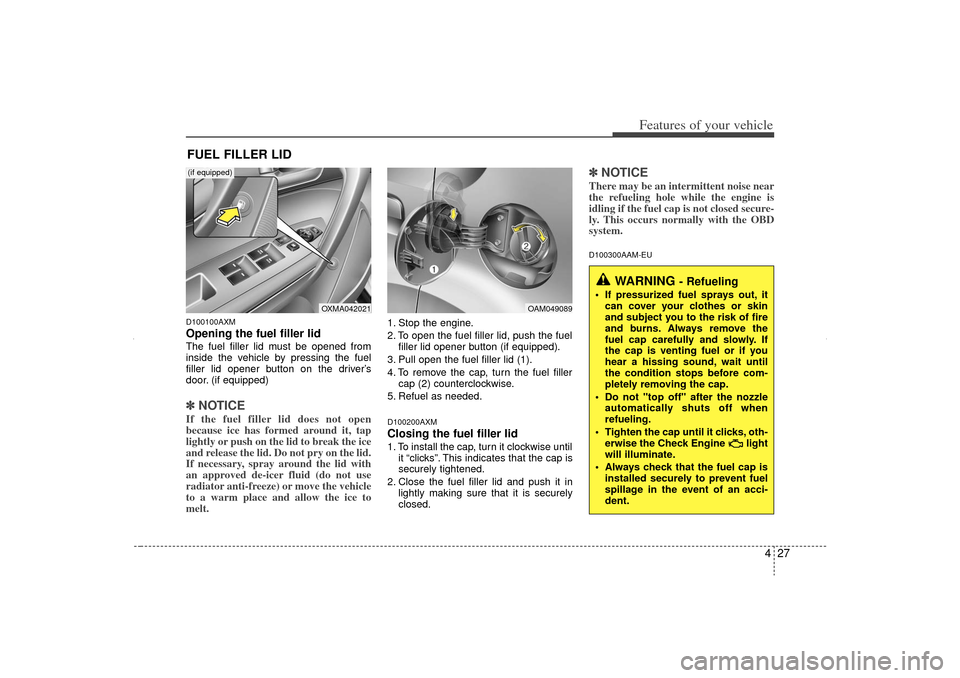
D100100AXMOpening the fuel filler lidThe fuel filler lid must be opened from
inside the vehicle by pressing the fuel
filler lid opener button on the driver’s
door. (if equipped)✽ ✽NOTICEIf the fuel filler lid does not open
because ice has formed around it, tap
lightly or push on the lid to break the ice
and release the lid. Do not pry on the lid.
If necessary, spray around the lid with
an approved de-icer fluid (do not use
radiator anti-freeze) or move the vehicle
to a warm place and allow the ice to
melt.
1. Stop the engine.
2. To open the fuel filler lid, push the fuel
filler lid opener button (if equipped).
3. Pull open the fuel filler lid (1).
4. To remove the cap, turn the fuel filler cap (2) counterclockwise.
5. Refuel as needed.D100200AXMClosing the fuel filler lid1. To install the cap, turn it clockwise until it “clicks”. This indicates that the cap is
securely tightened.
2. Close the fuel filler lid and push it in lightly making sure that it is securely
closed.
✽ ✽NOTICEThere may be an intermittent noise near
the refueling hole while the engine is
idling if the fuel cap is not closed secure-
ly. This occurs normally with the OBD
system.D100300AAM-EU
FUEL FILLER LID
WARNING
- Refueling
If pressurized fuel sprays out, it
can cover your clothes or skin
and subject you to the risk of fire
and burns. Always remove the
fuel cap carefully and slowly. If
the cap is venting fuel or if you
hear a hissing sound, wait until
the condition stops before com-
pletely removing the cap.
Do not "top off" after the nozzle automatically shuts off when
refueling.
Tighten the cap until it clicks, oth- erwise the Check Engine light
will illuminate.
Always check that the fuel cap is installed securely to prevent fuel
spillage in the event of an acci-
dent.
OAM049089
OXMA042021
(if equipped)
XM CAN (ENG) 4(~105).QXP 4/19/2011 10:36 AM Page 27
Page 125 of 388
435
Features of your vehicle
Recalling positions from memory1. Shift the shift lever into P (Park) whilethe ignition switch is ON.
2. To recall the position in memory, press the desired memory button (1 or 2).
The system will beep once, then the
driver’s seat, outside rearview mirror,
will automatically adjust to the stored
positions.
Adjusting the control switch for the dri-
ver’s seat, outside rearview mirror, while
the system is recalling the stored position
will cause the movement to stop and
move in the direction that the control
switch is moved.
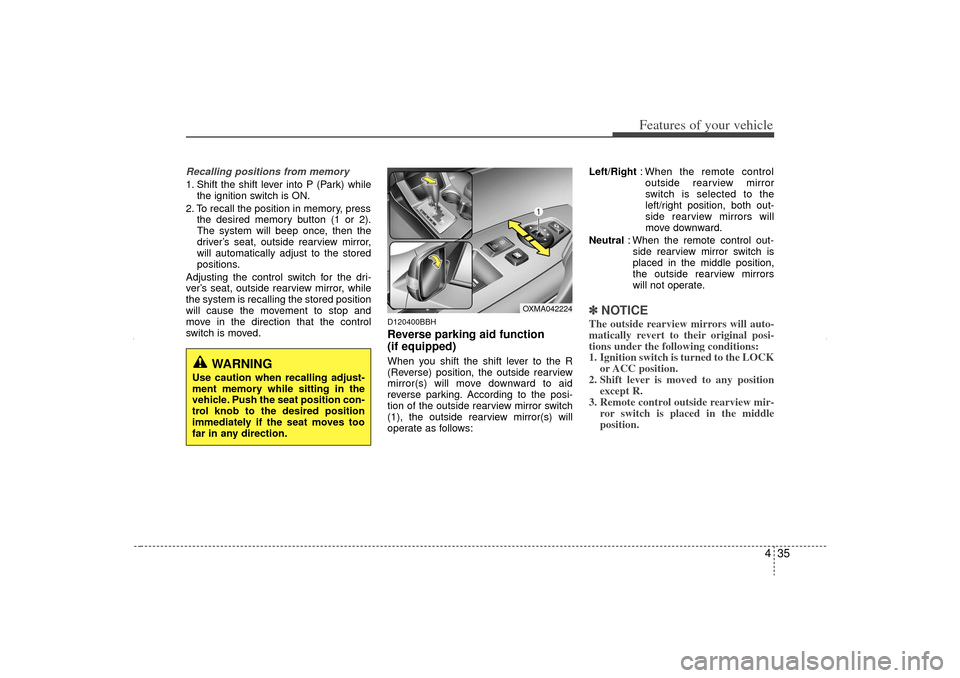
D120400BBHReverse parking aid function
(if equipped)When you shift the shift lever to the R
(Reverse) position, the outside rearview
mirror(s) will move downward to aid
reverse parking. According to the posi-
tion of the outside rearview mirror switch
(1), the outside rearview mirror(s) will
operate as follows: Left/Right
: When the remote control
outside rearview mirror
switch is selected to the
left/right position, both out-
side rearview mirrors will
move downward.
Neutral : When the remote control out-
side rearview mirror switch is
placed in the middle position,
the outside rearview mirrors
will not operate.
✽ ✽ NOTICEThe outside rearview mirrors will auto-
matically revert to their original posi-
tions under the following conditions:
1. Ignition switch is turned to the LOCK
or ACC position.
2. Shift lever is moved to any position except R.
3. Remote control outside rearview mir- ror switch is placed in the middle
position.
WARNING
Use caution when recalling adjust-
ment memory while sitting in the
vehicle. Push the seat position con-
trol knob to the desired position
immediately if the seat moves too
far in any direction.
OXMA042224
XM CAN (ENG) 4(~105).QXP 4/19/2011 10:37 AM Page 35
Page 126 of 388
Features of your vehicle36
4D130100AHM-EU-U1Power steeringPower steering uses energy from the
engine to assist you in steering the vehi-
cle. If the engine is off or if the power
steering system becomes inoperative,
the vehicle may still be steered, but it will
require increased steering effort.
Should you notice any change in the
effort required to steer during normal
vehicle operation, have the power steer-
ing checked by an authorized KIA dealer.
✽ ✽
NOTICEIf the power steering drive belt breaks
or if the power steering pump malfunc-
tions, steering effort will greatly
increase.✽ ✽NOTICEIf the vehicle is parked for extended
periods outside in cold weather (below
-10°C/14°F), the power steering may
require increased effort when the
engine is first started. This is caused by
increased fluid viscosity due to the cold
weather and does not indicate a mal-
function.
When this happens, increase the engine
RPM by depressing the accelerator until
the RPM reaches 1,500 rpm then release
or let the engine idle for two or three
minutes to warm up the fluid.
D130300AUNTilt steering Tilt steering allows you to adjust the
steering wheel before you drive. You can
also raise it to give your legs more room
when you exit and enter the vehicle.
The steering wheel should be positioned
so that it is comfortable for you to drive,
while permitting you to see the instru-
ment panel warning lights and gauges.
STEERING WHEEL
CAUTION
Never hold the steering wheel to the
extreme right or left for more than 5 seconds with the engine running.Holding the steering wheel for morethan 5 seconds in either position may cause damage to the powersteering pump.
WARNING
Never adjust the angle of the steering wheel while driving. You
may lose steering control and
cause severe personal injury,
death or accidents.
After adjusting, push the steering wheel both up and down to be
certain it is locked in position.
XM CAN (ENG) 4(~105).QXP 4/19/2011 10:37 AM Page 36
Page 127 of 388
437
Features of your vehicle
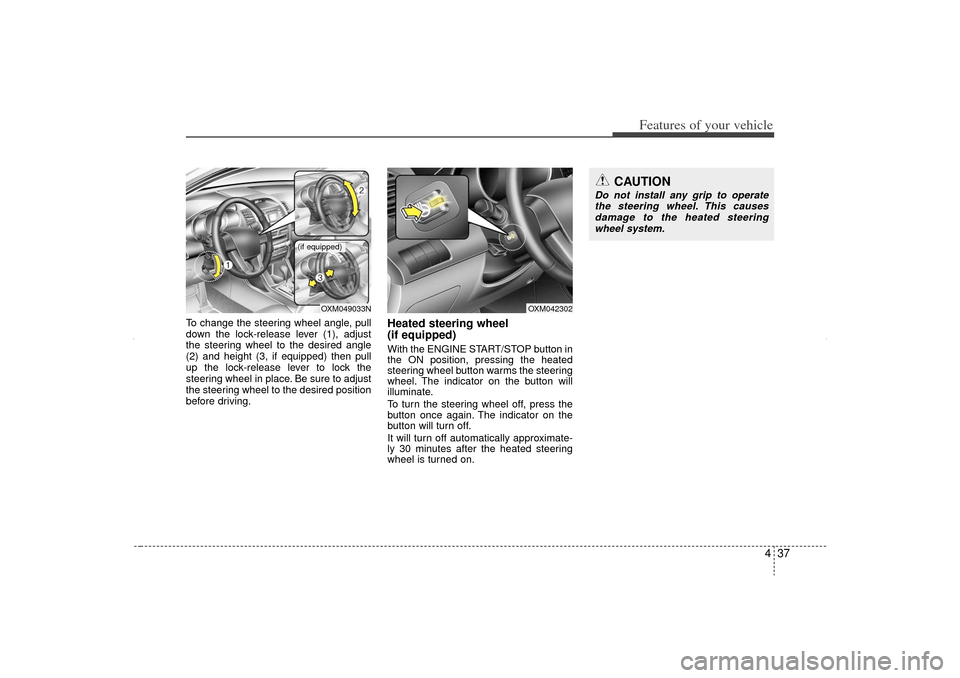
To change the steering wheel angle, pull
down the lock-release lever (1), adjust
the steering wheel to the desired angle
(2) and height (3, if equipped) then pull
up the lock-release lever to lock the
steering wheel in place. Be sure to adjust
the steering wheel to the desired position
before driving.
Heated steering wheel
(if equipped)With the ENGINE START/STOP button in
the ON position, pressing the heated
steering wheel button warms the steering
wheel. The indicator on the button will
illuminate.
To turn the steering wheel off, press the
button once again. The indicator on the
button will turn off.
It will turn off automatically approximate-
ly 30 minutes after the heated steering
wheel is turned on.
OXM049033N
(if equipped)
OXM042302
CAUTION
Do not install any grip to operatethe steering wheel. This causes damage to the heated steeringwheel system.
XM CAN (ENG) 4(~105).QXP 4/19/2011 10:37 AM Page 37