brake light KIA Sorento 2014 3.G Owner's Guide
[x] Cancel search | Manufacturer: KIA, Model Year: 2014, Model line: Sorento, Model: KIA Sorento 2014 3.GPages: 508, PDF Size: 7.59 MB
Page 341 of 508
Driving your vehicle36
5
✽
✽
NOTICEWhen you jump start your vehicle
because of a drained battery, the
engine may not run as smoothly and
the ABS warning light may turn on
at the same time. This happens
because of low battery voltage. It
does not mean your ABS has mal-
functioned.
• Do not pump your brakes!
• Have the battery recharged before
driving the vehicle.
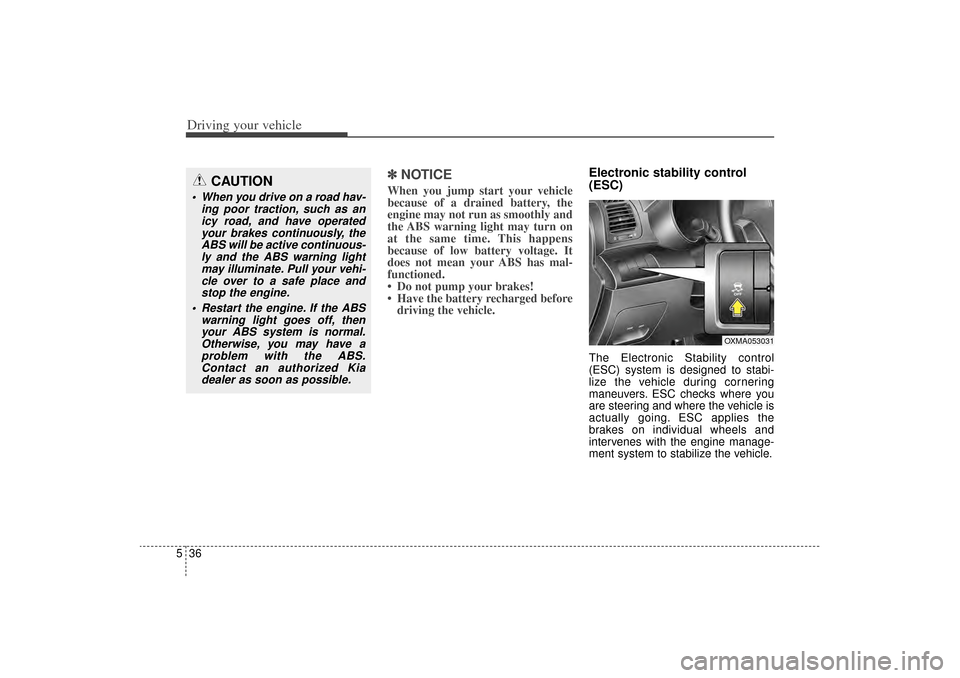
Electronic stability control
(ESC)The Electronic Stability control
(ESC) system is designed to stabi-
lize the vehicle during cornering
maneuvers. ESC checks where you
are steering and where the vehicle is
actually going. ESC applies the
brakes on individual wheels and
intervenes with the engine manage-
ment system to stabilize the vehicle.
CAUTION
When you drive on a road hav-
ing poor traction, such as anicy road, and have operatedyour brakes continuously, theABS will be active continuous-ly and the ABS warning lightmay illuminate. Pull your vehi-cle over to a safe place andstop the engine.
Restart the engine. If the ABS warning light goes off, thenyour ABS system is normal.Otherwise, you may have aproblem with the ABS.Contact an authorized Kiadealer as soon as possible.
OXMA053031
XM(FL) CAN(ENG) 5.QXP 1/23/2013 3:30 PM Page 36
Page 342 of 508
537
Driving your vehicle
The Electronic Stability Control
(ESC) system is an electronic sys-
tem designed to help the driver main-
tain vehicle control under adverse
conditions. It is not a substitute for
safe driving practices. Factors includ-
ing speed, road conditions and driv-
er steering input can all affect
whether ESC will be effective in pre-
venting a loss of control. It is still your
responsibility to drive and corner at
reasonable speeds and to leave a
sufficient margin of safety.
When you apply your brakes under
conditions which may lock the
wheels, you may hear a “tik-tik’’
sound from the brakes, or feel a cor-
responding sensation in the brake
pedal. This is normal and it means
your ESC is active.✽ ✽NOTICEA click sound may be heard in the
engine compartment when the vehi-
cle begins to move after the engine is
started. These conditions are normal
and indicate that the Electronic
Stability Control System is function-
ing properly.
ESC operationESC ON condition
When the ignition is turnedON, ESC and ESC OFF
indicator lights illuminate for
approximately 3 seconds,
then ESC is turned on.
Press the ESC OFF but- ton for at least half a sec-
ond after turning the igni-
tion ON to turn ESC off.
(ESC OFF indicator will
illuminate). To turn the
ESC on, press the ESC
OFF button (ESC OFF
indicator light will go off).
When starting the engine, you may hear a slight tick-
ing sound. This is the ESC
performing an automatic
system self-check and does
not indicate a problem.
WARNING
Never drive too fast according
to the road conditions or too
quickly when cornering.
Electronic stability control
(ESC) will not prevent acci-
dents. Excessive speed in
turns, abrupt maneuvers and
hydroplaning on wet surfaces
can still result in serious acci-
dents. Only a safe and attentive
driver can prevent accidents by
avoiding maneuvers that cause
the vehicle to lose traction.
Even with ESC installed, always
follow all the normal precau-
tions for driving - including driv-
ing at safe speeds for the condi-
tions.
-
XM(FL) CAN(ENG) 5.QXP 1/23/2013 3:30 PM Page 37
Page 343 of 508
Driving your vehicle38
5When operating
When the ESC is in opera-
tion, the ESC indicator light
blinks.
When the ElectronicStability Control is operat-
ing properly, you can feel a
slight pulsation in the vehi-
cle. This is only the effect
of brake control and indi-
cates nothing unusual.
When moving out of the mud or driving on a slip-
pery road, pressing the
accelerator pedal may not
cause the engine rpm
(revolutions per minute) to
increase.
ESC operation offESC OFF state
This car has 2 kinds of ESC
off states.
If the engine stops when
ESC is off, ESC remains off.
Upon restarting the engine,
the ESC will automatically
turn on again.
ESC off state 1
To cancel ESC operation, press the ESC OFF button
(ESC OFF ) shortly (ESC
OFF indicator light (ESC
OFF ) illuminates). At this
state, the engine control
function does not operate. It
means the traction control
function does not operate.
Brake control function only
operates.
ESC off state 2
To cancel ESC operation, press the ESC OFF button
(ESC OFF ) for more than 3
seconds. ESC OFF indicator
light (ESC OFF ) illuminates
and ESC OFF warning chime
will sound. At this state, the
engine control function and
brake control function do not
operate. It means the car sta-
bility control function does not
operate any more.
XM(FL) CAN(ENG) 5.QXP 1/23/2013 3:30 PM Page 38
Page 344 of 508
539
Driving your vehicle
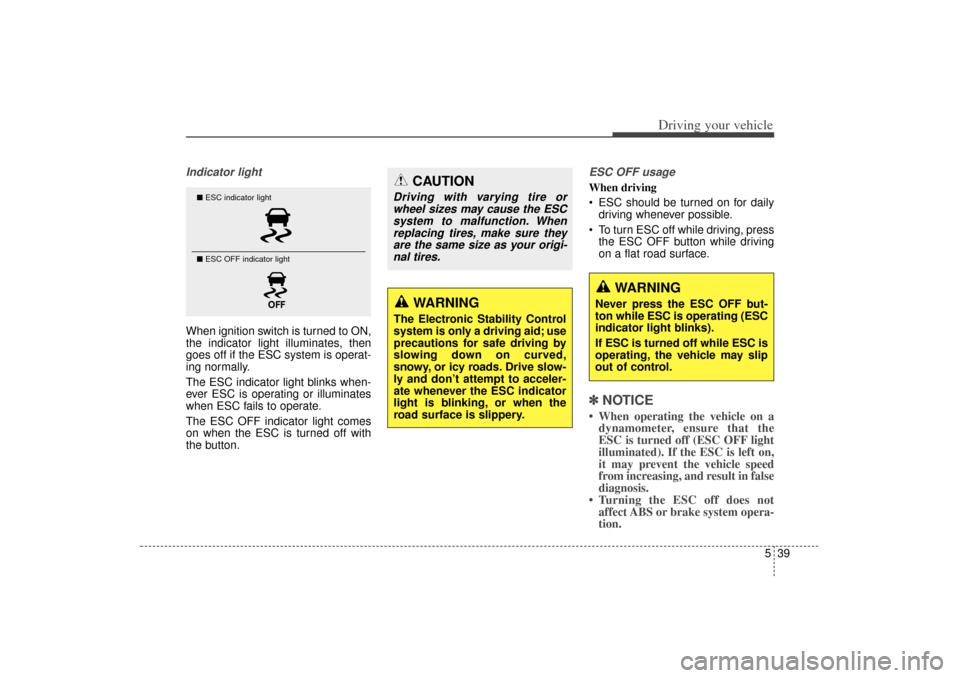
Indicator lightWhen ignition switch is turned to ON,
the indicator light illuminates, then
goes off if the ESC system is operat-
ing normally.
The ESC indicator light blinks when-
ever ESC is operating or illuminates
when ESC fails to operate.
The ESC OFF indicator light comes
on when the ESC is turned off with
the button.
ESC OFF usageWhen driving
ESC should be turned on for dailydriving whenever possible.
To turn ESC off while driving, press the ESC OFF button while driving
on a flat road surface.✽ ✽ NOTICE• When operating the vehicle on a
dynamometer, ensure that the
ESC is turned off (ESC OFF light
illuminated). If the ESC is left on,
it may prevent the vehicle speed
from increasing, and result in false
diagnosis.
• Turning the ESC off does not affect ABS or brake system opera-
tion.
■ ESC indicator light
■ ESC OFF indicator light
WARNING
The Electronic Stability Control
system is only a driving aid; use
precautions for safe driving by
slowing down on curved,
snowy, or icy roads. Drive slow-
ly and don’t attempt to acceler-
ate whenever the ESC indicator
light is blinking, or when the
road surface is slippery.
WARNING
Never press the ESC OFF but-
ton while ESC is operating (ESC
indicator light blinks).
If ESC is turned off while ESC is
operating, the vehicle may slip
out of control.
CAUTION
Driving with varying tire or
wheel sizes may cause the ESCsystem to malfunction. Whenreplacing tires, make sure theyare the same size as your origi-nal tires.
XM(FL) CAN(ENG) 5.QXP 1/23/2013 3:30 PM Page 39
Page 345 of 508
Driving your vehicle40
5Vehicle stability management
(VSM)This system provides further
enhancements to vehicle stability
and steering responses when a vehi-
cle is driving on a slippery road or a
vehicle detects changes in coeffi-
cient of friction between right wheels
and left wheels when braking.VSM operationWhen the VSM is in operation, ESC
indicator light ( ) blinks.
When the vehicle stability manage-
ment is operating properly, you can
feel a slight pulsation in the vehicle
and/or abnormal steering responses
(EPS). This is only the effect of brake
and EPS control and indicates noth-
ing unusual. The VSM does not operate when:
Driving on bank road such as gra-
dient or incline
Driving in reverse
ESC OFF indicator light ( ) remains on the instrument cluster
EPS indicator light remains on the instrument cluster
VSM operation offIf you press the ESC OFF button to
turn off the ESC, the VSM will also
cancel and the ESC OFF indicator
light ( ) illuminates.
To turn on the VSM, press the button
again. The ESC OFF indicator light
goes out.
Malfunction indicatorThe VSM can be deactivated even if
you don’t cancel the VSM operation
by pressing the ESC OFF button. It
indicates that a malfunction has
been detected somewhere in the
Electric Power Steering system or
VSM system. If the ESC indicator
light ( ) or EPS warning light
remains on, take your vehicle to an
authorized Kia dealer and have the
system checked.
XM(FL) CAN(ENG) 5.QXP 1/23/2013 3:30 PM Page 40
Page 347 of 508
Driving your vehicle42
5Good braking practices
Check to be sure the parking brake
is not engaged and the parking
brake indicator light is out before
driving away.
Driving through water may get the brakes wet. They can also get wet
when the vehicle is washed. Wet
brakes can be dangerous! Your
vehicle will not stop as quickly if the
brakes are wet. Wet brakes may
cause the vehicle to pull to one
side.
To dry the brakes, apply the brakes
lightly until the braking action
returns to normal, taking care to
keep the vehicle under control at
all times. If the braking action does
not return to normal, stop as soon
as it is safe to do so and call an
authorized Kia dealer for assis-
tance. Don't coast down hills with the
vehicle out of gear. This is extreme-
ly hazardous. Keep the vehicle in
gear at all times, use the brakes to
slow down, then shift to a lower
gear so that engine braking will
help you maintain a safe speed.
Don't "ride" the brake pedal. Resting your foot on the brake
pedal while driving can be danger-
ous because the brakes might
overheat and lose their effective-
ness. It also increases the wear of
the brake components.
If a tire goes flat while you are driv- ing, apply the brakes gently and
keep the vehicle pointed straight
ahead while you slow down. When
you are moving slowly enough for it
to be safe to do so, pull off the road
and stop in a safe place.
WARNING
Whenever you leave or parkyour vehicle, always set the
parking brake as far as possi-
ble and shift the vehicle to 1st
(First) gear or R (Reverse) for
manual transaxle, or P (Park)
for automatic transaxle. If the
parking brake is not fully
engaged, the vehicle may
move inadvertently and injure
yourself and others.
All vehicles should always have the parking brake fully
engaged when parking to
avoid inadvertent movement
of the vehicle which can injure
occupants or pedestrians.
XM(FL) CAN(ENG) 5.QXP 1/23/2013 3:30 PM Page 42
Page 350 of 508
545
Driving your vehicle
✽
✽NOTICE• During normal cruise control
operation, when the SET switch is
activated or reactivated after
applying the brakes, the cruise
control will energize after approx-
imately 3 seconds. The delay is
normal.
• To activate cruise control, depress the brake pedal at least once after
turning the ignition switch to the
ON position or starting the engine.
This is to check if the brake switch
which is important part to cancel
cruise control is in normal condi-
tion.
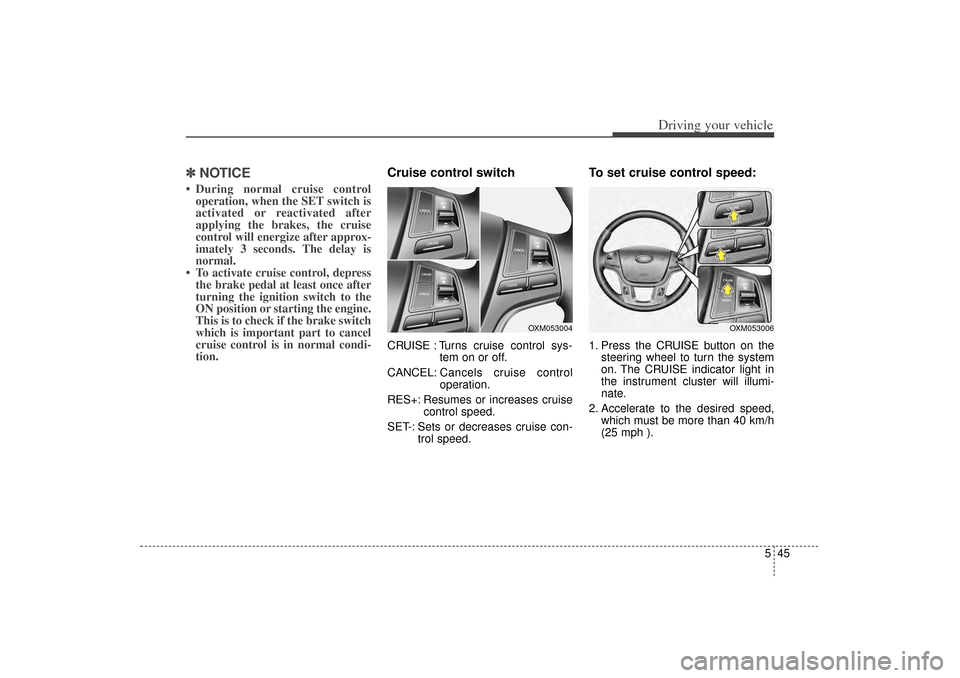
Cruise control switchCRUISE : Turns cruise control sys-
tem on or off.
CANCEL: Cancels cruise control
operation.
RES+: Resumes or increases cruise control speed.
SET-: Sets or decreases cruise con- trol speed.
To set cruise control speed:1. Press the CRUISE button on thesteering wheel to turn the system
on. The CRUISE indicator light in
the instrument cluster will illumi-
nate.
2. Accelerate to the desired speed, which must be more than 40 km/h
(25 mph ).
OXM053006
OXM053004
XM(FL) CAN(ENG) 5.QXP 1/23/2013 3:30 PM Page 45
Page 352 of 508
547
Driving your vehicle
To temporarily accelerate with
the cruise control on:If you want to speed up temporarily
when the cruise control is on,
depress the accelerator pedal.
Increased speed will not interfere
with cruise control operation or
change the set speed.
To return to the set speed, take your
foot off the accelerator.
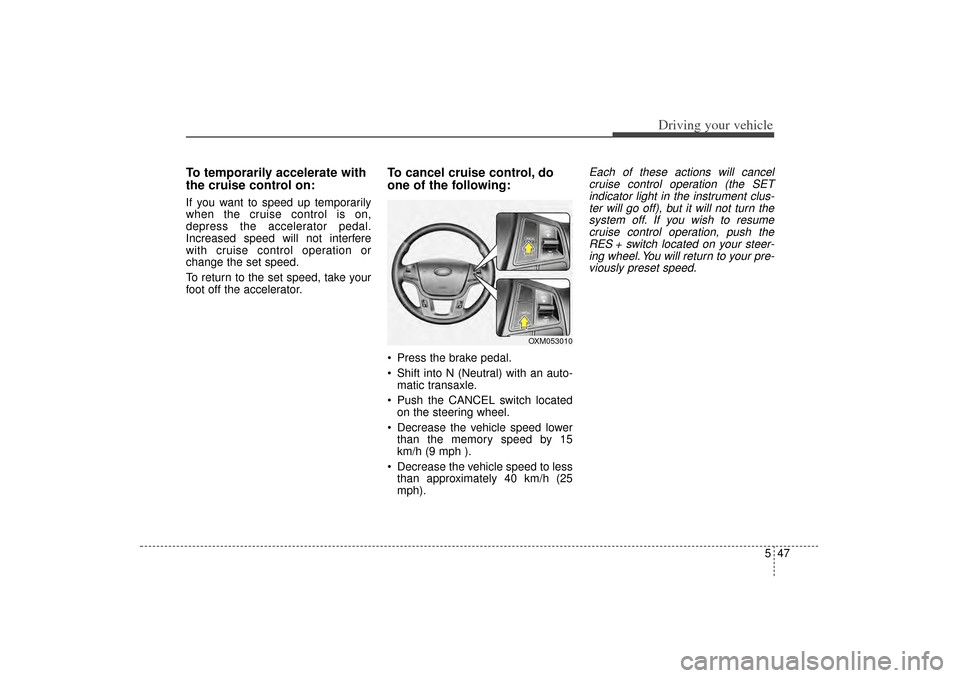
To cancel cruise control, do
one of the following: Press the brake pedal.
Shift into N (Neutral) with an auto-matic transaxle.
Push the CANCEL switch located on the steering wheel.
Decrease the vehicle speed lower than the memory speed by 15
km/h (9 mph ).
Decrease the vehicle speed to less than approximately 40 km/h (25
mph).
Each of these actions will cancelcruise control operation (the SETindicator light in the instrument clus-ter will go off), but it will not turn thesystem off. If you wish to resumecruise control operation, push theRES + switch located on your steer-ing wheel. You will return to your pre-viously preset speed.
OXM053010
XM(FL) CAN(ENG) 5.QXP 1/23/2013 3:30 PM Page 47
Page 360 of 508
555
Driving your vehicle
Your vehicle's fuel economy depends
mainly on your style of driving, where
you drive and when you drive.
Each of these factors affects how
many miles (kilometers) you can get
from a gallon (liter) of fuel. To operate
your vehicle as economically as pos-
sible, use the following driving sug-
gestions to help save money in both
fuel and repairs:
Drive smoothly. Accelerate at amoderate rate. Don't make "jack-
rabbit" starts or full-throttle shifts
and maintain a steady cruising
speed. Don't race between stop-
lights. Try to adjust your speed to
the traffic so you don't have to
change speeds unnecessarily.
Avoid heavy traffic whenever pos-
sible. Always maintain a safe dis-
tance from other vehicles so you
can avoid unnecessary braking.
This also reduces brake wear.
Drive at a moderate speed. The faster you drive, the more fuel your
vehicle uses. Driving at a moderate
speed, especially on the highway,
is one of the most effective ways to
reduce fuel consumption. Don't "ride" the brake pedal. This
can increase fuel consumption and
also increase wear on these com-
ponents. In addition, driving with
your foot resting on the brake pedal
may cause the brakes to overheat,
which reduces their effectiveness
and may lead to more serious con-
sequences.
Take care of your tires. Keep them inflated to the recommended pres-
sure. Incorrect inflation, either too
much or too little, results in unnec-
essary tire wear. Check the tire
pressures at least once a month.
Be sure that the wheels are aligned correctly. Improper align-
ment can result from hitting curbs
or driving too fast over irregular
surfaces. Poor alignment causes
faster tire wear and may also result
in other problems as well as
greater fuel consumption. Keep your vehicle in good condi-
tion. For better fuel economy and
reduced maintenance costs, main-
tain your vehicle in accordance
with the maintenance schedule in
section 7. If you drive your vehicle
in severe conditions, more frequent
maintenance is required (see sec-
tion 7 for details).
Keep your vehicle clean. For maxi- mum service, your vehicle should
be kept clean and free of corrosive
materials. It is especially important
that mud, dirt, ice, etc. not be
allowed to accumulate on the
underside of the vehicle. This extra
weight can result in increased fuel
consumption and also contribute to
corrosion.
Travel lightly. Don't carry unneces- sary weight in your vehicle. Weight
reduces fuel economy.
Don't let the engine idle longer than necessary. If you are waiting
(and not in traffic), turn off your
engine and restart only when
you're ready to go.ECONOMICAL OPERATION
XM(FL) CAN(ENG) 5.QXP 1/23/2013 3:31 PM Page 55
Page 361 of 508
Driving your vehicle56
5 Remember, your vehicle does not
require extended warm-up. After
the engine has started, allow the
engine to run for 10 to 20 seconds
prior to placing the vehicle in gear.
In very cold weather, however, give
your engine a slightly longer warm-
up period.
Don't "lug" or "over-rev" the engine. Lugging is driving too slowly in a
very high gear resulting in engine
bucking. If this happens, shift to a
lower gear. Over-revving is racing
the engine beyond its safe limit.
This can be avoided by shifting at
the recommended speed. Use your air conditioning sparingly.
The air conditioning system is
operated by engine power so your
fuel economy is reduced when you
use it.
Open windows at high speeds can reduce fuel economy.
Fuel economy is less in crosswinds and headwinds. To help offset
some of this loss, slow down when
driving in these conditions.
Keeping a vehicle in good operating
condition is important both for econ-
omy and safety. Therefore, have an
authorized Kia dealer perform
scheduled inspections and mainte-
nance.
WARNING
- Engine off during
motion
Never turn the engine off to
coast down hills or anytime the
vehicle is in motion. The power
steering and power brakes will
not function properly without
the engine running. Instead,
keep the engine on and down-
shift to an appropriate gear for
engine braking effect. In addi-
tion, turning off the ignition
while driving could engage the
steering wheel lock resulting in
loss of vehicle steering which
could cause serious injury or
death.
XM(FL) CAN(ENG) 5.QXP 1/23/2013 3:31 PM Page 56