ignition KIA Sorento 2014 3.G Repair Manual
[x] Cancel search | Manufacturer: KIA, Model Year: 2014, Model line: Sorento, Model: KIA Sorento 2014 3.GPages: 508, PDF Size: 7.59 MB
Page 203 of 508
Features of your vehicle112
4Turn signals and lane change
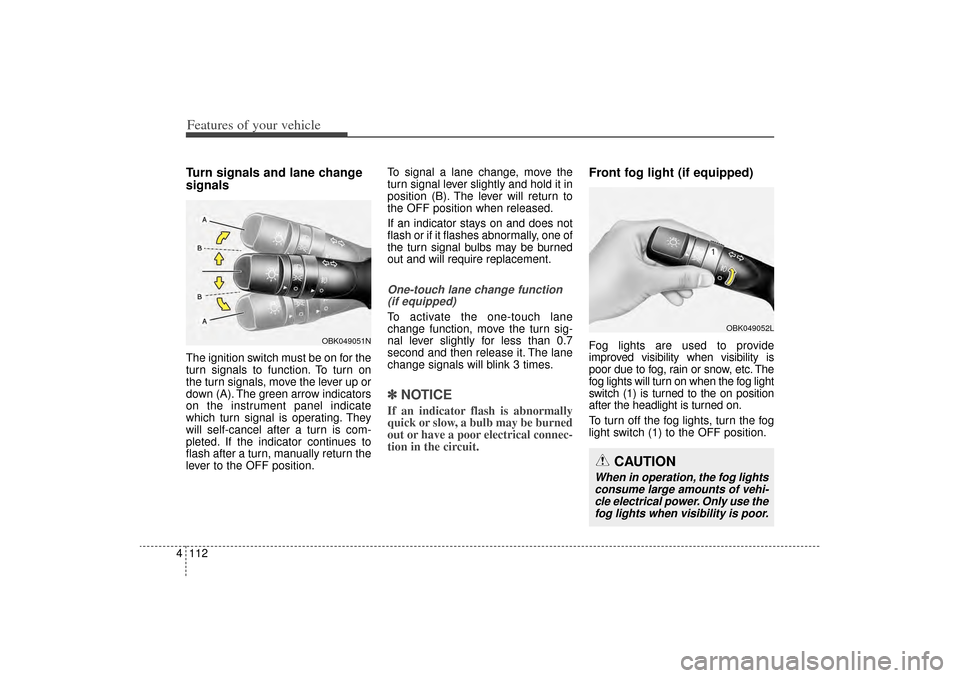
signalsThe ignition switch must be on for the
turn signals to function. To turn on
the turn signals, move the lever up or
down (A). The green arrow indicators
on the instrument panel indicate
which turn signal is operating. They
will self-cancel after a turn is com-
pleted. If the indicator continues to
flash after a turn, manually return the
lever to the OFF position. To signal a lane change, move the
turn signal lever slightly and hold it in
position (B). The lever will return to
the OFF position when released.
If an indicator stays on and does not
flash or if it flashes abnormally, one of
the turn signal bulbs may be burned
out and will require replacement.
One-touch lane change function
(if equipped)To activate the one-touch lane
change function, move the turn sig-
nal lever slightly for less than 0.7
second and then release it. The lane
change signals will blink 3 times.✽ ✽ NOTICEIf an indicator flash is abnormally
quick or slow, a bulb may be burned
out or have a poor electrical connec-
tion in the circuit.
Front fog light (if equipped)Fog lights are used to provide
improved visibility when visibility is
poor due to fog, rain or snow, etc. The
fog lights will turn on when the fog light
switch (1) is turned to the on position
after the headlight is turned on.
To turn off the fog lights, turn the fog
light switch (1) to the OFF position.
OBK049052L
CAUTION
When in operation, the fog lights
consume large amounts of vehi-cle electrical power. Only use thefog lights when visibility is poor.
OBK049051N
XM(FL) CAN(ENG) 4a(~158).QXP 1/23/2013 3:50 PM Page 112
Page 205 of 508
Features of your vehicle114
4Windshield wipers Operates as follows when the igni-
tion switch is turned ON.
MIST/ : For a single wiping cycle,
move the lever to this
(MIST/ ) position and
release it. The wipers will
operate continuously if
the lever is held in this
position.
OFF / O : Wiper is not in operation
INT / --- : Wiper operates intermit-
tently at the same wiping
intervals. Use this mode in
light rain or mist. To vary
the speed setting, turn the
speed control knob.
LO / 1 : Normal wiper speed
HI / 2 : Fast wiper speed✽ ✽ NOTICEIf there is heavy accumulation of
snow or ice on the windshield, defrost
the windshield for about 10 minutes,
or until the snow and/or ice is
removed before using the windshield
wipers to ensure proper operation.
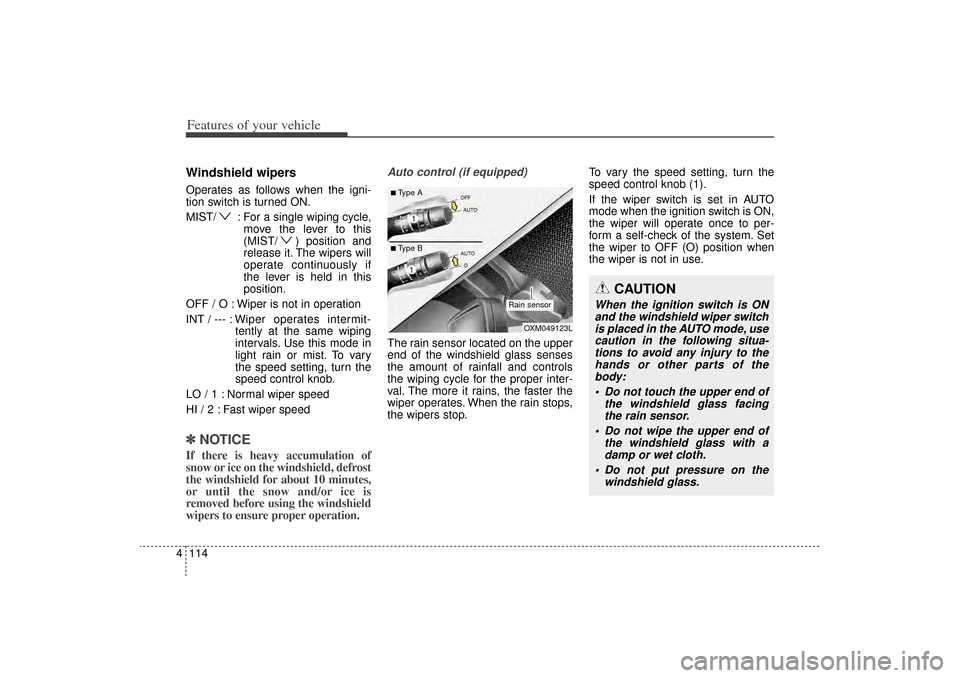
Auto control (if equipped)The rain sensor located on the upper
end of the windshield glass senses
the amount of rainfall and controls
the wiping cycle for the proper inter-
val. The more it rains, the faster the
wiper operates. When the rain stops,
the wipers stop. To vary the speed setting, turn the
speed control knob (1).
If the wiper switch is set in AUTO
mode when the ignition switch is ON,
the wiper will operate once to per-
form a self-check of the system. Set
the wiper to OFF (O) position when
the wiper is not in use.
CAUTION
When the ignition switch is ON
and the windshield wiper switchis placed in the AUTO mode, usecaution in the following situa-tions to avoid any injury to thehands or other parts of thebody:
Do not touch the upper end of the windshield glass facingthe rain sensor.
Do not wipe the upper end of the windshield glass with adamp or wet cloth.
Do not put pressure on the windshield glass.
OXM049123L
Rain sensor
■Type A■Type B
XM(FL) CAN(ENG) 4a(~158).QXP 1/23/2013 3:51 PM Page 114
Page 208 of 508
4 117
Features of your vehicle
Automatic turn off function
(if equipped)The interior lights automatically turn
off approximately 20 minutes after
the ignition switch is turned off, if the
lights are in the ON position.
If your vehicle is equipped with the
theft alarm system, the interior lights
automatically turn off approximately
3 seconds after the system in armed
stage.
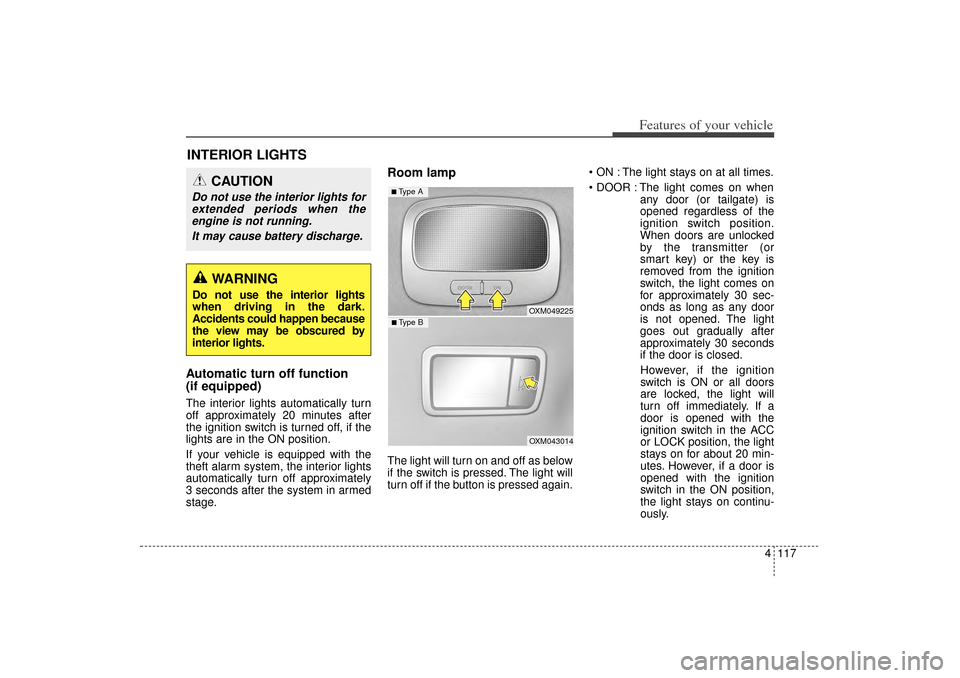
Room lampThe light will turn on and off as below
if the switch is pressed. The light will
turn off if the button is pressed again. ON : The light stays on at all times.
DOOR : The light comes on when
any door (or tailgate) is
opened regardless of the
ignition switch position.
When doors are unlocked
by the transmitter (or
smart key) or the key is
removed from the ignition
switch, the light comes on
for approximately 30 sec-
onds as long as any door
is not opened. The light
goes out gradually after
approximately 30 seconds
if the door is closed.
However, if the ignition
switch is ON or all doors
are locked, the light will
turn off immediately. If a
door is opened with the
ignition switch in the ACC
or LOCK position, the light
stays on for about 20 min-
utes. However, if a door is
opened with the ignition
switch in the ON position,
the light stays on continu-
ously.
INTERIOR LIGHTS
CAUTION
Do not use the interior lights for extended periods when theengine is not running.
It may cause battery discharge.
WARNING
Do not use the interior lights
when driving in the dark.
Accidents could happen because
the view may be obscured by
interior lights.
OXM049225OXM043014
■ Type B■ Type A
XM(FL) CAN(ENG) 4a(~158).QXP 1/23/2013 3:51 PM Page 117
Page 209 of 508
Features of your vehicle118
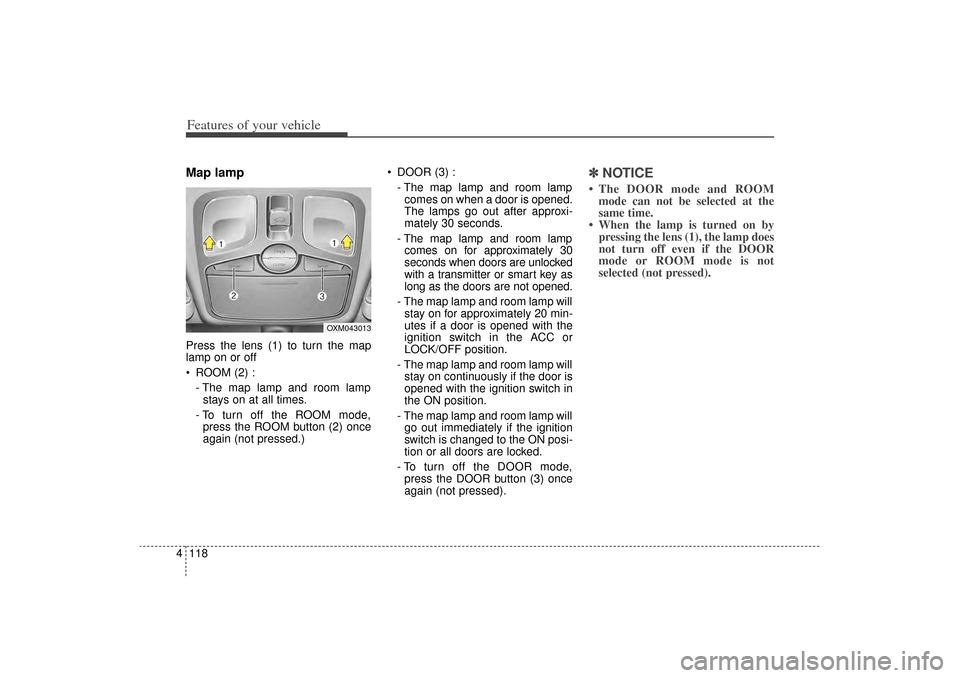
4Map lamp Press the lens (1) to turn the map
lamp on or off
ROOM (2) :
- The map lamp and room lampstays on at all times.
- To turn off the ROOM mode, press the ROOM button (2) once
again (not pressed.) DOOR (3) :
- The map lamp and room lampcomes on when a door is opened.
The lamps go out after approxi-
mately 30 seconds.
- The map lamp and room lamp comes on for approximately 30
seconds when doors are unlocked
with a transmitter or smart key as
long as the doors are not opened.
- The map lamp and room lamp will stay on for approximately 20 min-
utes if a door is opened with the
ignition switch in the ACC or
LOCK/OFF position.
- The map lamp and room lamp will stay on continuously if the door is
opened with the ignition switch in
the ON position.
- The map lamp and room lamp will go out immediately if the ignition
switch is changed to the ON posi-
tion or all doors are locked.
- To turn off the DOOR mode, press the DOOR button (3) once
again (not pressed).
✽ ✽ NOTICE• The DOOR mode and ROOM
mode can not be selected at the
same time.
• When the lamp is turned on by pressing the lens (1), the lamp does
not turn off even if the DOOR
mode or ROOM mode is not
selected (not pressed).
OXM043013
XM(FL) CAN(ENG) 4a(~158).QXP 1/23/2013 3:51 PM Page 118
Page 211 of 508
Features of your vehicle120
4✽
✽
NOTICEIf you want to defrost and defog the
front windshield, refer to
“Windshield defrosting and defog-
ging” in this section.
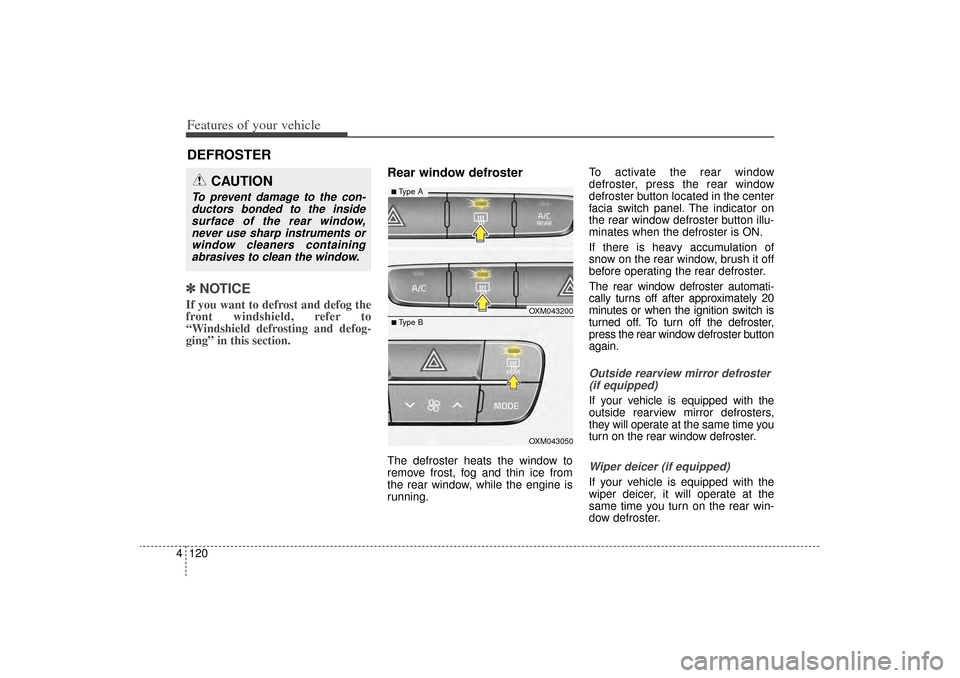
Rear window defrosterThe defroster heats the window to
remove frost, fog and thin ice from
the rear window, while the engine is
running. To activate the rear window
defroster, press the rear window
defroster button located in the center
facia switch panel. The indicator on
the rear window defroster button illu-
minates when the defroster is ON.
If there is heavy accumulation of
snow on the rear window, brush it off
before operating the rear defroster.
The rear window defroster automati-
cally turns off after approximately 20
minutes or when the ignition switch is
turned off. To turn off the defroster,
press the rear window defroster button
again.
Outside rearview mirror defroster
(if equipped)If your vehicle is equipped with the
outside rearview mirror defrosters,
they will operate at the same time you
turn on the rear window defroster.Wiper deicer (if equipped)If your vehicle is equipped with the
wiper deicer, it will operate at the
same time you turn on the rear win-
dow defroster.
DEFROSTER
CAUTION
To prevent damage to the con-ductors bonded to the insidesurface of the rear window,never use sharp instruments orwindow cleaners containingabrasives to clean the window.
OXM043200OXM043050
■ Type B■ Type A
XM(FL) CAN(ENG) 4a(~158).QXP 1/23/2013 3:51 PM Page 120
Page 217 of 508
Features of your vehicle126
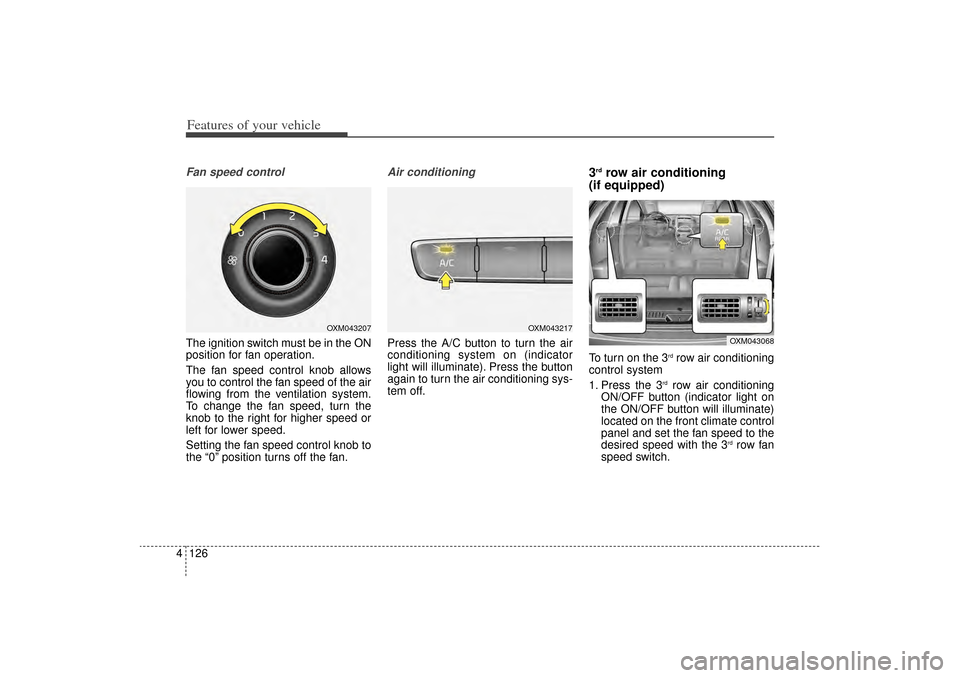
4Fan speed controlThe ignition switch must be in the ON
position for fan operation.
The fan speed control knob allows
you to control the fan speed of the air
flowing from the ventilation system.
To change the fan speed, turn the
knob to the right for higher speed or
left for lower speed.
Setting the fan speed control knob to
the “0” position turns off the fan.
Air conditioningPress the A/C button to turn the air
conditioning system on (indicator
light will illuminate). Press the button
again to turn the air conditioning sys-
tem off.
3rdrow air conditioning
(if equipped)
To turn on the 3
rdrow air conditioning
control system
1. Press the 3
rdrow air conditioning
ON/OFF button (indicator light on
the ON/OFF button will illuminate)
located on the front climate control
panel and set the fan speed to the
desired speed with the 3
rdrow fan
speed switch.
OXM043217
OXM043068
OXM043207
XM(FL) CAN(ENG) 4a(~158).QXP 1/23/2013 3:53 PM Page 126
Page 231 of 508
Features of your vehicle140
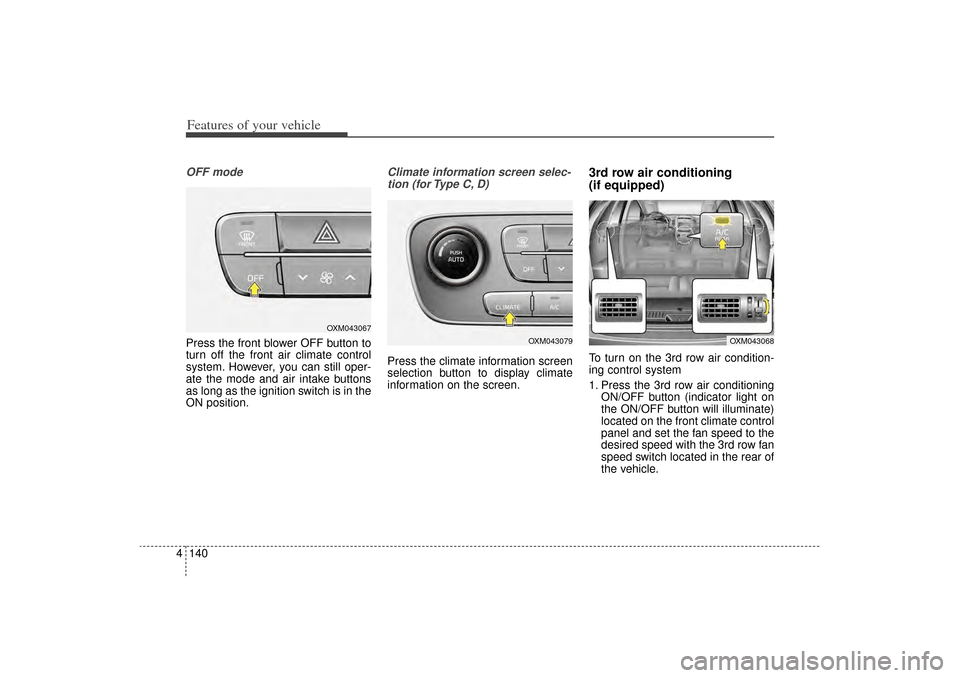
4OFF modePress the front blower OFF button to
turn off the front air climate control
system. However, you can still oper-
ate the mode and air intake buttons
as long as the ignition switch is in the
ON position.
Climate information screen selec-
tion (for Type C, D)Press the climate information screen
selection button to display climate
information on the screen.
3rd row air conditioning
(if equipped)To turn on the 3rd row air condition-
ing control system
1. Press the 3rd row air conditioning ON/OFF button (indicator light on
the ON/OFF button will illuminate)
located on the front climate control
panel and set the fan speed to the
desired speed with the 3rd row fan
speed switch located in the rear of
the vehicle.
OXM043067
OXM043079
OXM043068
XM(FL) CAN(ENG) 4a(~158).QXP 1/23/2013 3:55 PM Page 140
Page 235 of 508
Features of your vehicle144
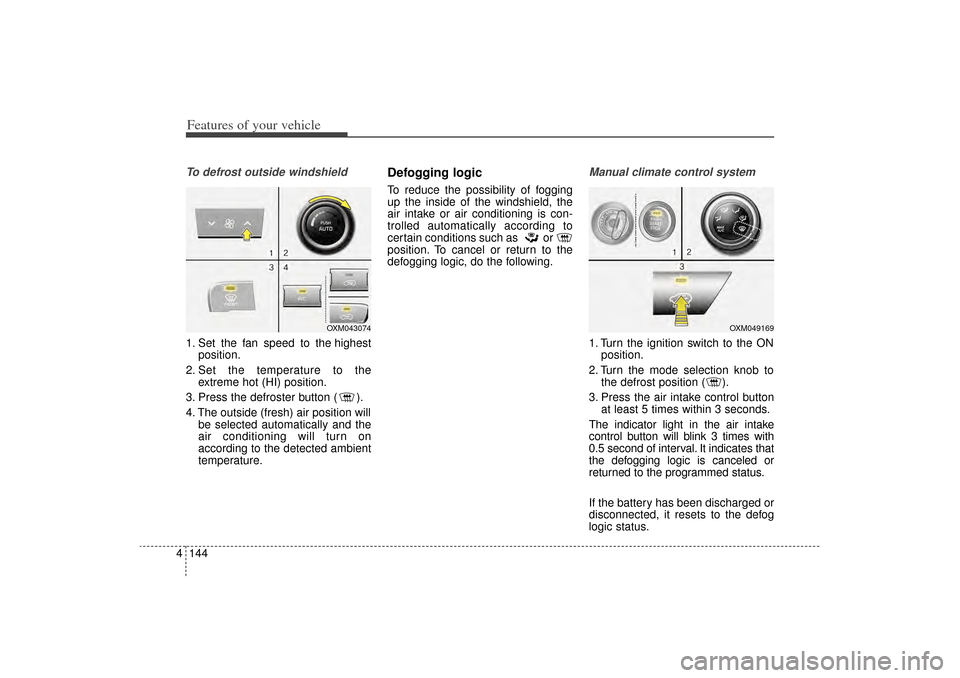
4To defrost outside windshield 1. Set the fan speed to the highest
position.
2. Set the temperature to the extreme hot (HI) position.
3. Press the defroster button ( ).
4. The outside (fresh) air position will be selected automatically and the
air conditioning will turn on
according to the detected ambient
temperature.
Defogging logicTo reduce the possibility of fogging
up the inside of the windshield, the
air intake or air conditioning is con-
trolled automatically according to
certain conditions such as or
position. To cancel or return to the
defogging logic, do the following.
Manual climate control system1. Turn the ignition switch to the ONposition.
2. Turn the mode selection knob to the defrost position ( ).
3. Press the air intake control button at least 5 times within 3 seconds.
The indicator light in the air intake
control button will blink 3 times with
0.5 second of interval. It indicates that
the defogging logic is canceled or
returned to the programmed status.
If the battery has been discharged or
disconnected, it resets to the defog
logic status.
OXM043074
OXM049169
XM(FL) CAN(ENG) 4a(~158).QXP 1/23/2013 3:55 PM Page 144
Page 236 of 508
4 145
Features of your vehicle
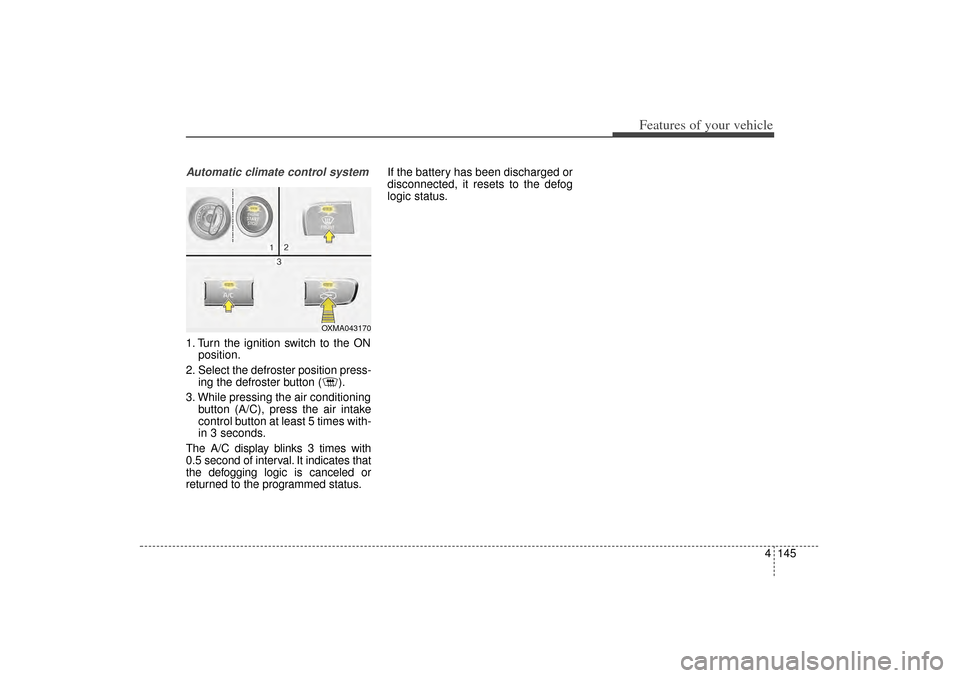
Automatic climate control system1. Turn the ignition switch to the ONposition.
2. Select the defroster position press- ing the defroster button ( ).
3. While pressing the air conditioning button (A/C), press the air intake
control button at least 5 times with-
in 3 seconds.
The A/C display blinks 3 times with
0.5 second of interval. It indicates that
the defogging logic is canceled or
returned to the programmed status. If the battery has been discharged or
disconnected, it resets to the defog
logic status.
OXMA043170
XM(FL) CAN(ENG) 4a(~158).QXP 1/23/2013 3:55 PM Page 145
Page 257 of 508
Features of your vehicle166
4
CAUTION
Operating the device while
driving could lead to acci-dents due to a lack of atten-tion to external surroundings.First park the vehicle beforeoperating the device.
Adjust the volume to levels that allow the driver to hearsounds from outside of thevehicle. Driving in a statewhere external sounds cannotbe heard may lead to acci-dents.
Pay attention to the volume setting when turning thedevice on. A sudden output ofextreme volume upon turningthe device on could lead tohearing impairment. (Adjustthe volume to a suitable levelsbefore turning off the device.)
(Continued)
WARNING
Do not stare at the screenwhile driving. Staring at the
screen for prolonged periods
of time could lead to traffic
accidents.
Do not disassemble, assem- ble, or modify the audio sys-
tem. Such acts could result in
accidents, fire, or electric
shock.
Using the phone while driving may lead to a lack of attention of
traffic conditions and increase
the likelihood of accidents.
Use the phone feature after
parking the vehicle.
Heed caution not to spill water or introduce foreign objects
into the device. Such acts
could lead to smoke, fire, or
product malfunction.
(Continued)
(Continued)
Please refrain from use if the screen is blank or no sound
can be heard as these signs
may indicate product mal-
function. Continued use
in such conditions could lead
to accidents(fires, electric
shock) or product malfunc-
tions.
Do not touch the antenna dur- ing thunder or lightening as
such acts may lead to light-
ning induced electric shock.
Do not stop or park in park- ing-restricted areas to operate
the product. Such acts could
lead to traffic accidents.
Use the system with the vehi- cle ignition turned on.
Prolonged use with the igni-
tion turned off could result in
battery discharge.
XM(FL) CAN(ENG) 4b(AUDIO).qxp 1/23/2013 3:42 PM Page 166