driver KIA Sorento 2016 3.G Owner's Manual
[x] Cancel search | Manufacturer: KIA, Model Year: 2016, Model line: Sorento, Model: KIA Sorento 2016 3.GPages: 565, PDF Size: 10.63 MB
Page 395 of 565
Driving your vehicle
84
5
The Forward Collision Warning
System helps avoid accidents by
identifying critical situations early
and warning the driver.FCWS Operation
To operate:
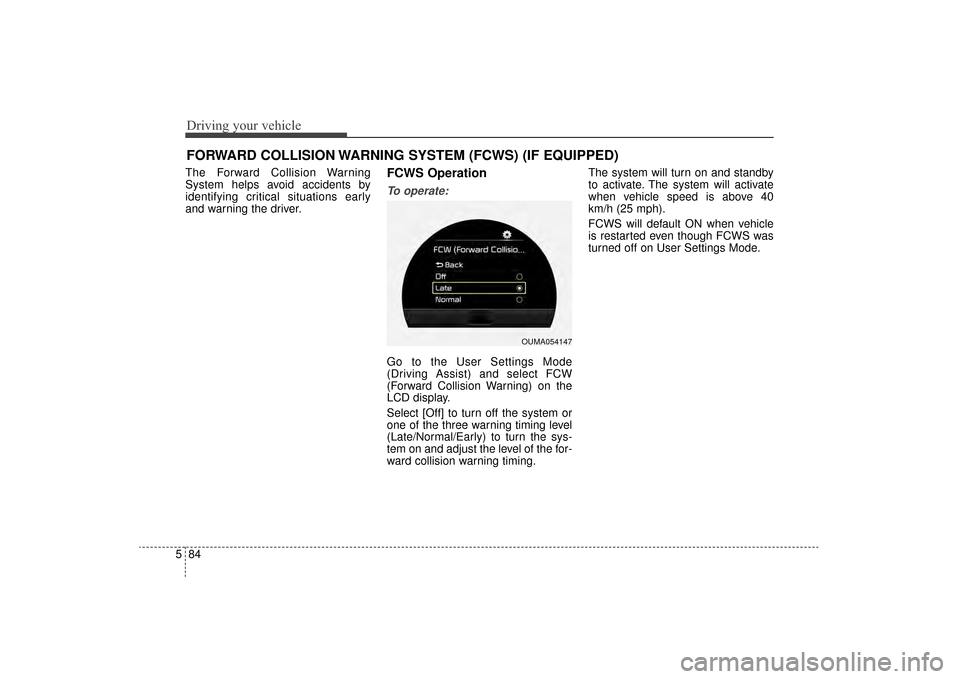
Go to the User Settings Mode
(Driving Assist) and select FCW
(Forward Collision Warning) on the
LCD display.
Select [Off] to turn off the system or
one of the three warning timing level
(Late/Normal/Early) to turn the sys-
tem on and adjust the level of the for-
ward collision warning timing. The system will turn on and standby
to activate. The system will activate
when vehicle speed is above 40
km/h (25 mph).
FCWS will default ON when vehicle
is restarted even though FCWS was
turned off on User Settings Mode.
FORWARD COLLISION WARNING SYSTEM (FCWS) (IF EQUIPPED)
OUMA054147
UM CAN (ENG) 5.QXP 12/1/2014 1:07 PM Page 84
Page 396 of 565
585
Driving your vehicle
Warning message
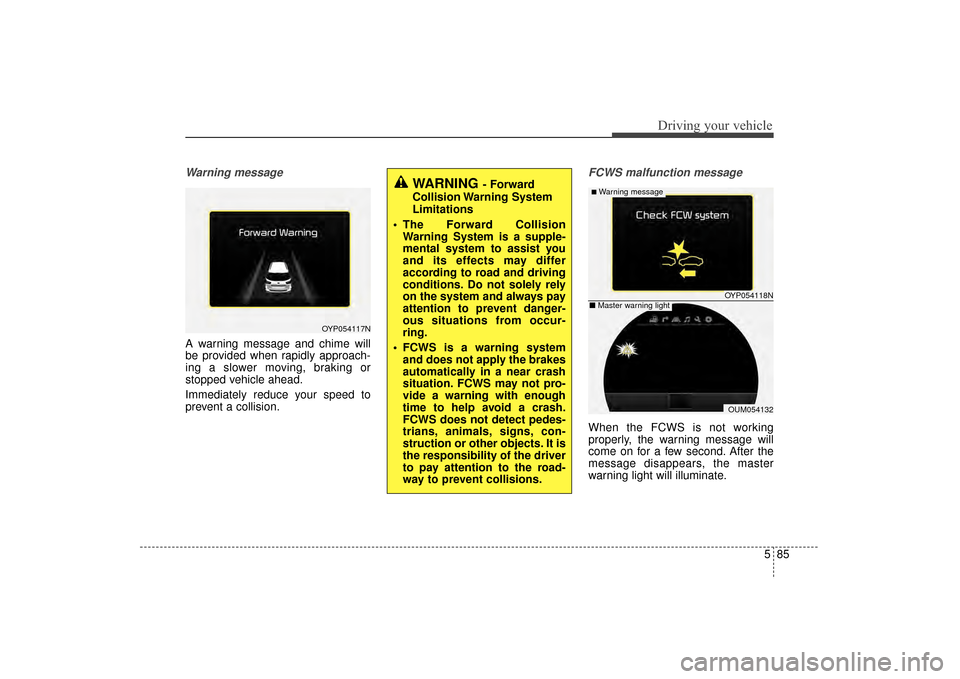
A warning message and chime will
be provided when rapidly approach-
ing a slower moving, braking or
stopped vehicle ahead.
Immediately reduce your speed to
prevent a collision.
FCWS malfunction message
When the FCWS is not working
properly, the warning message will
come on for a few second. After the
message disappears, the master
warning light will illuminate.
OYP054117N
WARNING- Forward
Collision Warning System
Limitations
The Forward Collision Warning System is a supple-
mental system to assist you
and its effects may differ
according to road and driving
conditions. Do not solely rely
on the system and always pay
attention to prevent danger-
ous situations from occur-
ring.
FCWS is a warning system and does not apply the brakes
automatically in a near crash
situation. FCWS may not pro-
vide a warning with enough
time to help avoid a crash.
FCWS does not detect pedes-
trians, animals, signs, con-
struction or other objects. It is
the responsibility of the driver
to pay attention to the road-
way to prevent collisions.
OYP054118N
OUM054132
■Warning message
■ Master warning light
UM CAN (ENG) 5.QXP 12/1/2014 1:07 PM Page 85
Page 401 of 565
Driving your vehicle
90
5
Hazardous driving conditions
When hazardous driving conditions
are encountered such as water,
snow, ice, mud, sand, or similar haz-
ards, follow these suggestions:
Drive cautiously and allow extra
distance for braking.
Avoid sudden braking or steering.
When braking with non-ABS brakes pump the brake pedal with
a light up-and-down motion until
the vehicle is stopped.
Do not pump the brake pedal on a
vehicle equipped with ABS. If stalled in snow, mud, or sand,
use second gear. Accelerate slow-
ly to avoid spinning the drive
wheels.
Use sand, rock salt, or other non- slip material under the drive
wheels to provide traction when
stalled in ice, snow, or mud.
Reducing the risk of a rollover
This multi-purpose passenger vehi-
cle is defined as a Sports Utility
Vehicle (SUV). SUV’s have higher
ground clearance and a narrower
track to make them capable of per-
forming in a wide variety of off-road
applications. Specific design charac-
teristics give them a higher center of
gravity than ordinary vehicles. An
advantage of the higher ground
clearance is a better view of the
road, which allows you to anticipate
problems. They are not designed for
cornering at the same speeds as
conventional passenger vehicles,
any more than low-slung sports vehi-
cles are designed to perform satis-
factorily in off-road conditions. Utility
vehicles have a significantly higher
rollover rate than other types of vehi-
cles. Due to this risk, driver and pas-
sengers are strongly recommended
to buckle their seat belts. In a
rollover crash, an unbelted person is
more likely to die than a person
wearing a seat belt. There are steps
that a driver can make to reduce the
risk of a rollover.
SPECIAL DRIVING CONDITIONS
WARNING- Downshifting
Do not downshift with an auto-
matic transaxle while driving on
slippery surfaces. The sudden
change in tire speed could
cause the tires to skid and
result in an accident.
UM CAN (ENG) 5.QXP 12/1/2014 1:07 PM Page 90
Page 403 of 565
Driving your vehicle
92
5
Smooth cornering
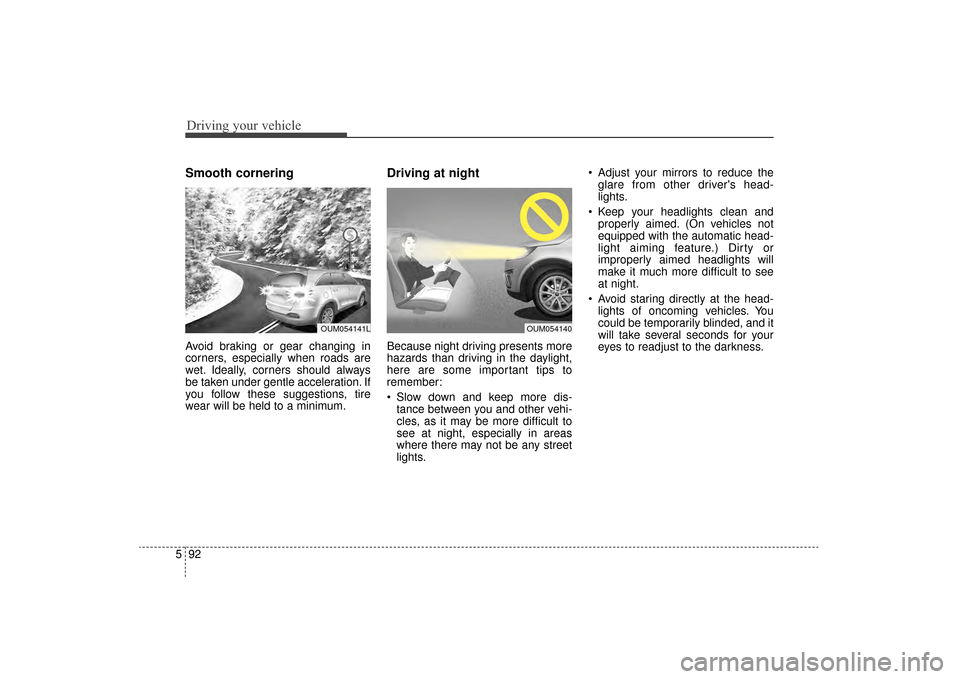
Avoid braking or gear changing in
corners, especially when roads are
wet. Ideally, corners should always
be taken under gentle acceleration. If
you follow these suggestions, tire
wear will be held to a minimum.
Driving at night
Because night driving presents more
hazards than driving in the daylight,
here are some important tips to
remember:
Slow down and keep more dis-
tance between you and other vehi-
cles, as it may be more difficult to
see at night, especially in areas
where there may not be any street
lights. Adjust your mirrors to reduce the
glare from other driver's head-
lights.
Keep your headlights clean and properly aimed. (On vehicles not
equipped with the automatic head-
light aiming feature.) Dirty or
improperly aimed headlights will
make it much more difficult to see
at night.
Avoid staring directly at the head- lights of oncoming vehicles. You
could be temporarily blinded, and it
will take several seconds for your
eyes to readjust to the darkness.
OUM054140OUM054141L
UM CAN (ENG) 5.QXP 12/1/2014 1:07 PM Page 92
Page 412 of 565
5101
Driving your vehicle
Turn signals when towing a trailer
When you tow a trailer, your vehicle
has to have a different turn signal
flasher and extra wiring. The green
arrows on your instrument panel will
flash whenever you signal a turn or
lane change. Properly connected,
the trailer lights will also flash to alert
other drivers you’re about to turn,
change lanes, or stop.
When towing a trailer, the green
arrows on your instrument panel will
flash for turns even if the bulbs on the
trailer are burned out. Thus, you may
think drivers behind you are seeing
your signals when, in fact, they are
not. It’s important to check occasion-
ally to be sure the trailer bulbs are still
working. You must also check the
lights every time you disconnect and
then reconnect the wires.
Do not connect a trailer lighting sys-
tem directly to your vehicle’s lighting
system. Use only an approved trailer
wiring harness.
An authorized Kia dealer can assist
you in installing the wiring harness.
Driving on grades
Reduce speed and shift to a lower
gear before you start down a long or
steep downgrade. If you don’t shift
down, you might have to use your
brakes so much that they would get
hot and no longer operate efficiently.
On a long uphill grade, shift down
and reduce your speed to around 70
km/h (45 mph) to reduce the possi-
bility of engine and transaxle over-
heating.
If your trailer weighs more than the
maximum trailer weight without trail-
er brakes and you have an automat-
ic transaxle, you should drive in D
(Drive) when towing a trailer.
Operating your vehicle in D (Drive)
when towing a trailer will minimize
heat build up and extend the life of
your transaxle.CAUTION
Always use an approved trailerwiring harness. Failure to usean approved trailer wiring har-ness could result in damage tothe vehicle electrical system.
UM CAN (ENG) 5.QXP 12/1/2014 1:07 PM Page 101
Page 417 of 565
Driving your vehicle
106
5
VEHICLE LOAD LIMIT
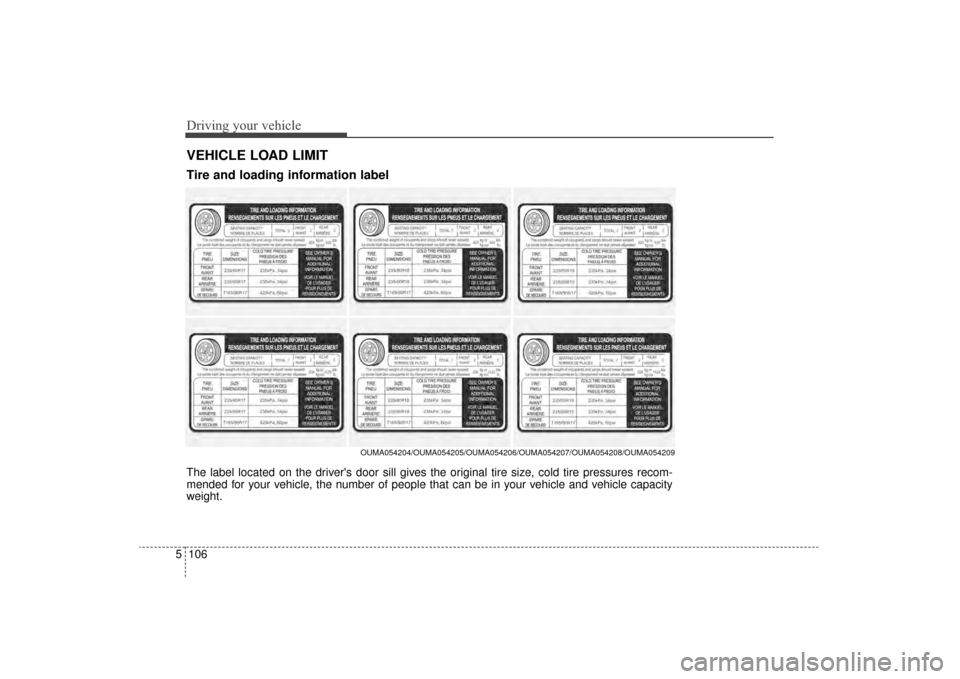
The label located on the driver's door sill gives the original tire size, cold tire pressures recom-
mended for your vehicle, the number of people that can be in your vehicle and vehicle capacity
weight.
OUMA054204/OUMA054205/OUMA054206/OUMA054207/OUMA054208/OUMA054209
Tire and loading information label
UM CAN (ENG) 5.QXP 12/1/2014 1:08 PM Page 106
Page 418 of 565
5107
Driving your vehicle
Vehicle capacity weight:
5 persons : 420kg (930 lbs.)
7 persons : 506kg (1,120 lbs.)
Vehicle capacity weight is the maxi-
mum combined weight of occupants
and cargo. If your vehicle is equipped
with a trailer, the combined weight
includes the tongue load.
Seating capacity:
Total - 5 persons (Front seat : 2 persons,
Rear seat : 3 persons)
- 7 persons (Front seat : 2 persons,
Rear seat : 5 persons)
Seating capacity is the maximum
number of occupants including a
driver, your vehicle may carry.
However, the seating capacity may
be reduced based upon the weight of
all of the occupants, and the weight
of the cargo being carried or towed.
Do not overload the vehicle as there
is a limit to the total weight, or load
limit including occupants and cargo,
the vehicle can carry.
Towing capacity:
* 2.0L Engine
Without trailer brakes
: 750 kg (1,650 lbs)
With trailer brakes
: 907 kg (2,000 lbs)
With trailer package
: 1,587 kg (3,500 lbs)
* 2.4L Engine
Without trailer brakes
: 750 kg (1,650 lbs)
With trailer brakes
: 907 kg (2,000 lbs)
With trailer package
: N/A
* 3.3L Engine
Without trailer brakes
: 750 kg (1,650 lbs)
With trailer brakes
: 907 kg (2,000 lbs)
With trailer package
: 2,267 kg (5,000 lbs)
UM CAN (ENG) 5.QXP 12/1/2014 1:08 PM Page 107
Page 419 of 565
Driving your vehicle
108
5
Towing capacity is the maximum
trailer weight including its cargo
weight, your vehicle can tow.
Cargo capacity:
The cargo capacity of your vehicle
will increase or decrease depending
on the weight and the number of
occupants and the tongue load, if
your vehicle is equipped with a trail-
er.
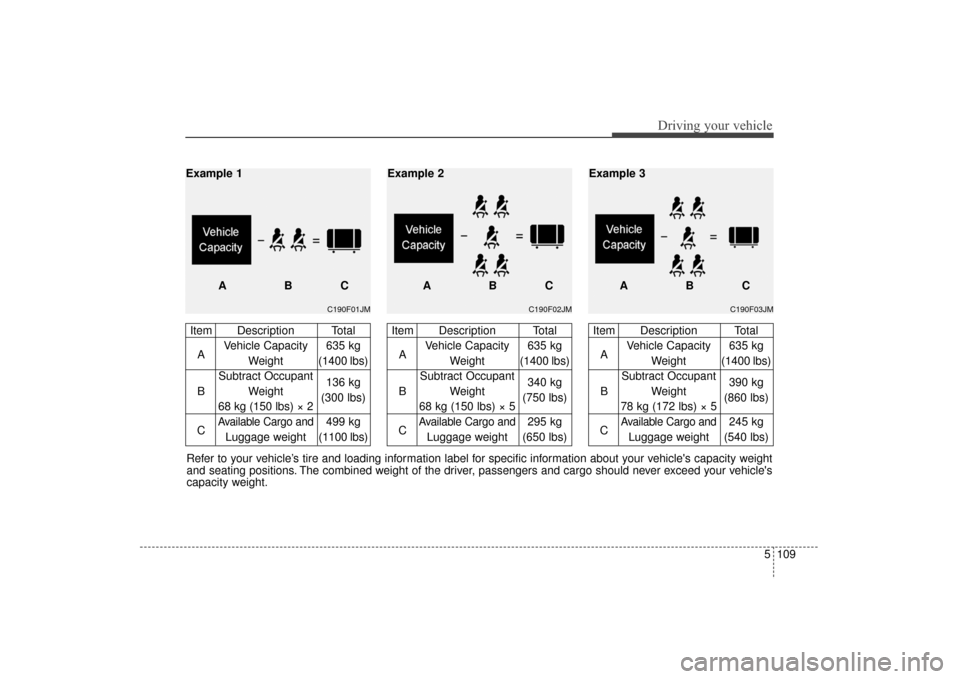
Steps for determining correct
load limit
1.Locate the statement "The com- bined weight of occupants and
cargo should never exceed XXX kg
or XXX lbs.'' on your vehicle's plac-
ard.
2.Determine the combined weight of the driver and passengers that will
be riding in your vehicle.
3.Subtract the combined weight of the driver and passengers from
XXX kg or XXX lbs.
4.The resulting figure equals the available amount of cargo and lug-
gage load capacity. For example, if
the "XXX" amount equals 635 kg
(1400 lbs.) and there will be five 68
kg (150 lbs.) passengers in your
vehicle, the amount of available
cargo and luggage load capacity is
295 kg (650 lbs).
(635-340 (5 x 68) = 295 kg or
1400-750 (5 x 150) = 650 lbs.) 5.Determine the combined weight of
luggage and cargo being loaded
on the vehicle. That weight may not
safely exceed the available cargo
and luggage load capacity calcu-
lated in Step 4.
6.If your vehicle will be towing a trail- er, load from your trailer will be
transferred to your vehicle. Consult
this manual to determine how this
reduces the available cargo and
luggage load capacity of your vehi-
cle.
UM CAN (ENG) 5.QXP 12/1/2014 1:08 PM Page 108
Page 420 of 565
5109
Driving your vehicle
Refer to your vehicle’s tire and loading information label for specific information about your vehicle's capacity weight
and seating positions. The combined weight of the driver, passengers and cargo should never exceed your vehicle's
capacity weight.
C190F01JM
Item Description TotalA Vehicle Capacity 635 kg
Weight (1400 lbs)
Subtract Occupant
B Weight 136 kg
68 kg (150 lbs) × 2 (300 lbs)
C
Available Cargo and499 kg
Luggage weight (1100 lbs)
Example 1
ABC
C190F02JM
Item Description TotalA Vehicle Capacity 635 kg
Weight (1400 lbs)
Subtract Occupant
B Weight 340 kg
68 kg (150 lbs) × 5 (750 lbs)
C
Available Cargo and295 kg
Luggage weight (650 lbs)
ABC
Example 2
C190F03JM
Item Description Total
A Vehicle Capacity 635 kg
Weight (1400 lbs)
Subtract Occupant
B Weight 390 kg
78 kg (172 lbs) × 5 (860 lbs)
C
Available Cargo and245 kg
Luggage weight (540 lbs)
ABC
Example 3
UM CAN (ENG) 5.QXP 12/1/2014 1:08 PM Page 109
Page 421 of 565

Driving your vehicle
110
5
Certification label
The certification label is located on
the driver's door sill at the center pillar.
This label shows the maximum allow-
able weight of the fully loaded vehi-
cle. This is called the GVWR (Gross
Vehicle Weight Rating). The GVWR
includes the weight of the vehicle, all
occupants, fuel and cargo.
This label also tells you the maxi-
mum weight that can be supported
by the front and rear axles, called
Gross Axle Weight Rating (GAWR).
To find out the actual loads on your
front and rear axles, you need to go
to a weigh station and weigh your
vehicle. Your dealer can help you with
this. Be sure to spread out your load
equally on both sides of the center-
line. The label will help you decide how
much cargo and installed equipment
your vehicle can carry.
If you carry items inside your vehicle
- like suitcases, tools, packages, or
anything else - they are moving as
fast as the vehicle. If you have to stop
or turn quickly, or if there is a crash,
the items will keep going and can
cause an injury if they strike the driv-
er or a passenger.WARNING- Over loading
Never exceed the GVWR for
your vehicle, the GAWR for
either the front or rear axle and
vehicle capacity weight.
Exceeding these ratings can
affect your vehicle’s handling
and braking ability.
UM CAN (ENG) 5.QXP 12/1/2014 1:08 PM Page 110