Display KIA Sorento 2016 3.G Owner's Guide
[x] Cancel search | Manufacturer: KIA, Model Year: 2016, Model line: Sorento, Model: KIA Sorento 2016 3.GPages: 565, PDF Size: 10.63 MB
Page 179 of 565
495
Features of your vehicle
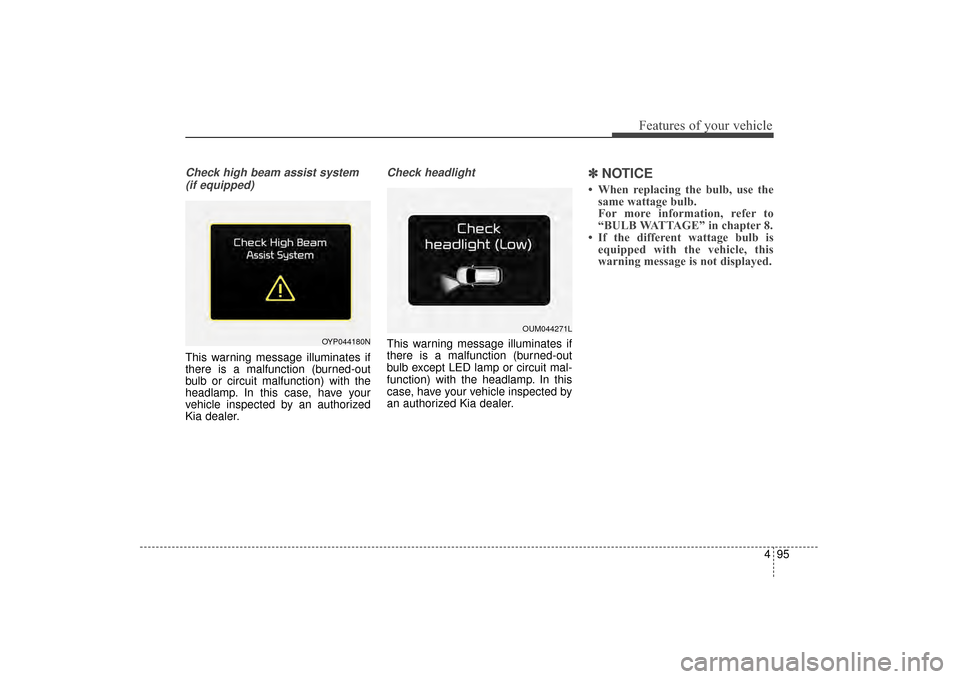
Check high beam assist system(if equipped)
This warning message illuminates if
there is a malfunction (burned-out
bulb or circuit malfunction) with the
headlamp. In this case, have your
vehicle inspected by an authorized
Kia dealer.
Check headlight
This warning message illuminates if
there is a malfunction (burned-out
bulb except LED lamp or circuit mal-
function) with the headlamp. In this
case, have your vehicle inspected by
an authorized Kia dealer.
✽ ✽ NOTICE
• When replacing the bulb, use the
same wattage bulb.
For more information, refer to
“BULB WATTAGE” in chapter 8.
• If the different wattage bulb is equipped with the vehicle, this
warning message is not displayed.
OYP044180N
OUM044271L
UM CAN (ENG) 4.qxp 12/1/2014 12:54 PM Page 95
Page 187 of 565
4103
Features of your vehicle
The Master Warning Light illumi-
nates when more than one of the
above warning situations occur. At
this time, the LCD Modes Icon will
change from ( ) to ( ).
If the warning situation is solved, the
master warning light will be turned off
and the LCD Modes Icon will be
changed back to its previous icon ( ).
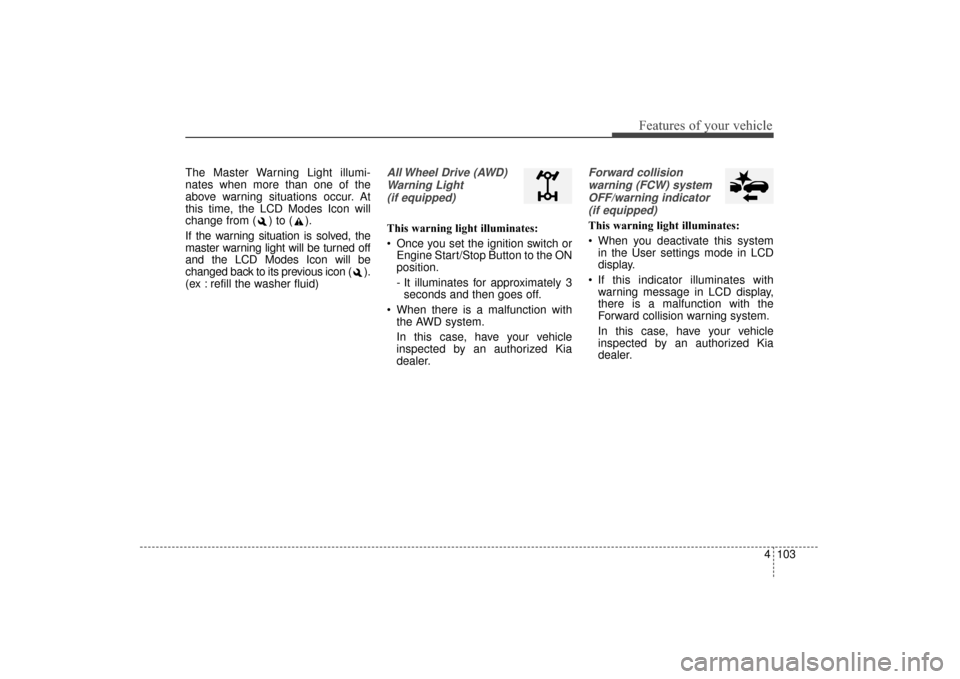
(ex : refill the washer fluid)All Wheel Drive (AWD)Warning Light (if equipped)
This warning light illuminates:
Once you set the ignition switch or Engine Start/Stop Button to the ON
position.
- It illuminates for approximately 3seconds and then goes off.
When there is a malfunction with the AWD system.
In this case, have your vehicle
inspected by an authorized Kia
dealer.
Forward collision
warning (FCW) systemOFF/warning indicator (if equipped)
This warning light illuminates:
When you deactivate this system in the User settings mode in LCD
display.
If this indicator illuminates with warning message in LCD display,
there is a malfunction with the
Forward collision warning system.
In this case, have your vehicle
inspected by an authorized Kia
dealer.
UM CAN (ENG) 4.qxp 12/1/2014 12:54 PM Page 103
Page 196 of 565
Features of your vehicle
112
4
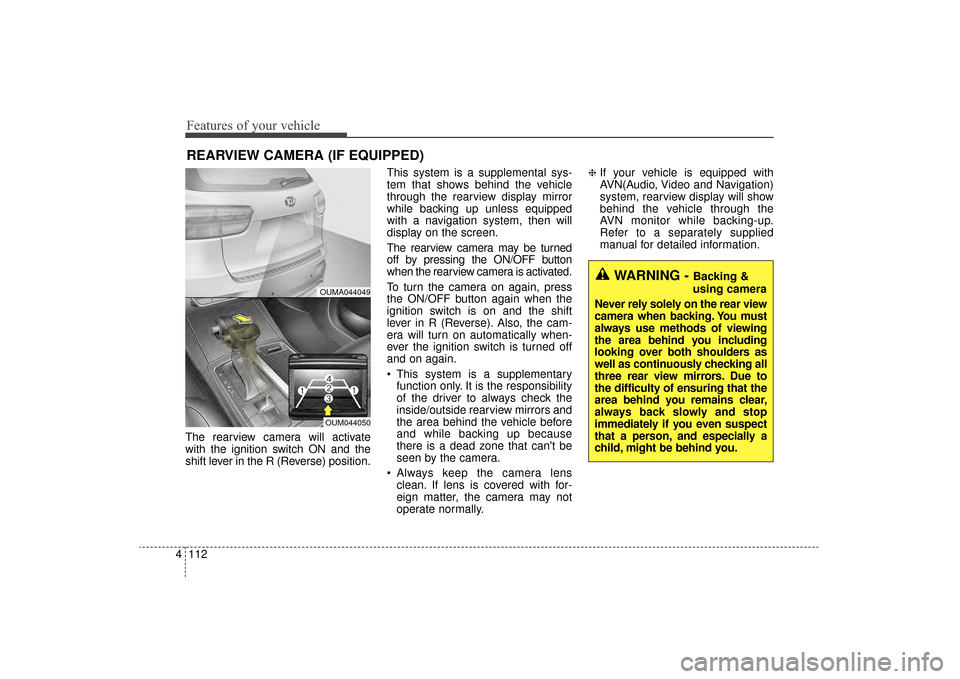
The rearview camera will activate
with the ignition switch ON and the
shift lever in the R (Reverse) position. This system is a supplemental sys-
tem that shows behind the vehicle
through the rearview display mirror
while backing up unless equipped
with a navigation system, then will
display on the screen.
The rearview camera may be turned
off by pressing the ON/OFF button
when the rearview camera is activated.
To turn the camera on again, press
the ON/OFF button again when the
ignition switch is on and the shift
lever in R (Reverse). Also, the cam-
era will turn on automatically when-
ever the ignition switch is turned off
and on again.
This system is a supplementary
function only. It is the responsibility
of the driver to always check the
inside/outside rearview mirrors and
the area behind the vehicle before
and while backing up because
there is a dead zone that can't be
seen by the camera.
Always keep the camera lens clean. If lens is covered with for-
eign matter, the camera may not
operate normally.
❈If your vehicle is equipped with
AVN(Audio, Video and Navigation)
system, rearview display will show
behind the vehicle through the
AVN monitor while backing-up.
Refer to a separately supplied
manual for detailed information.
REARVIEW CAMERA (IF EQUIPPED)
WARNING - Backing &
using camera
Never rely solely on the rear view
camera when backing. You must
always use methods of viewing
the area behind you including
looking over both shoulders as
well as continuously checking all
three rear view mirrors. Due to
the difficulty of ensuring that the
area behind you remains clear,
always back slowly and stop
immediately if you even suspect
that a person, and especially a
child, might be behind you.
OUMA044049
OUM044050
UM CAN (ENG) 4.qxp 12/1/2014 12:54 PM Page 112
Page 202 of 565
Features of your vehicle
118
4
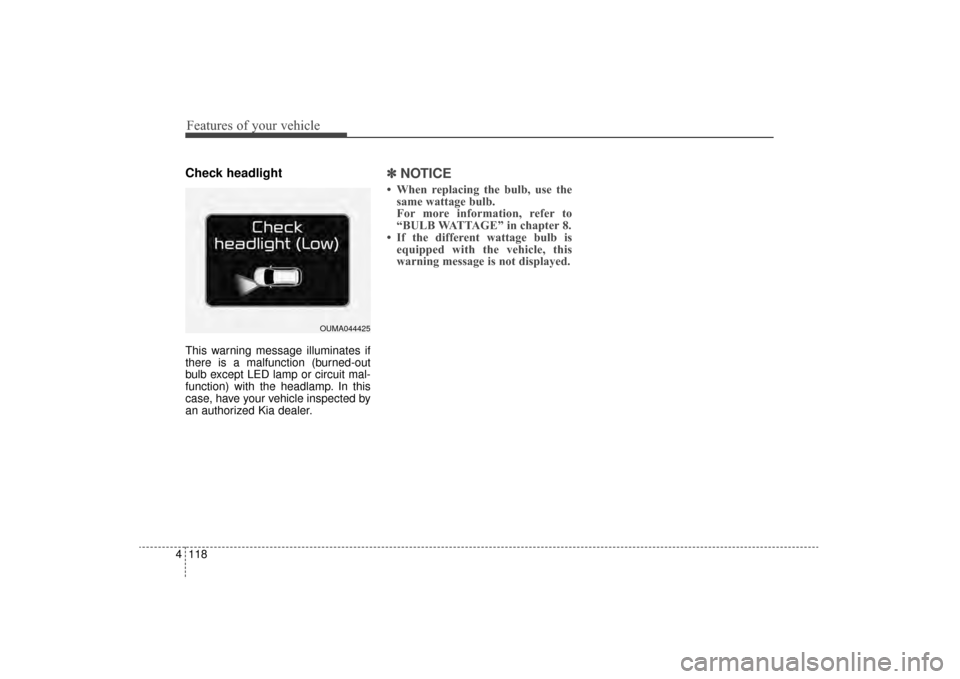
Check headlight
This warning message illuminates if
there is a malfunction (burned-out
bulb except LED lamp or circuit mal-
function) with the headlamp. In this
case, have your vehicle inspected by
an authorized Kia dealer.
✽ ✽
NOTICE
• When replacing the bulb, use the
same wattage bulb.
For more information, refer to
“BULB WATTAGE” in chapter 8.
• If the different wattage bulb is equipped with the vehicle, this
warning message is not displayed.
OUMA044425
UM CAN (ENG) 4.qxp 12/1/2014 12:55 PM Page 118
Page 223 of 565
4139
Features of your vehicle
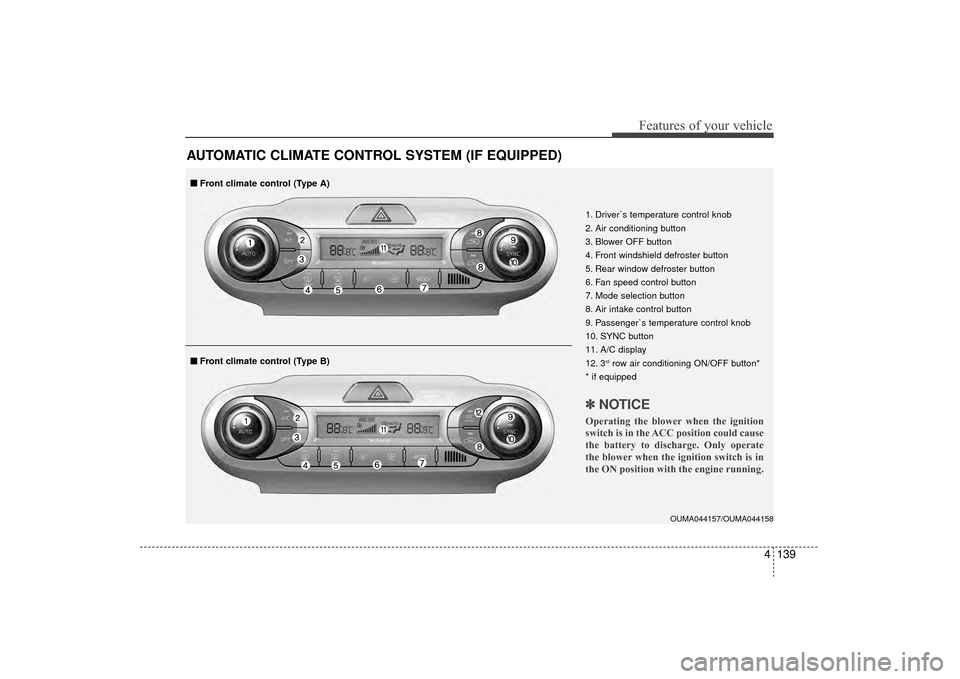
AUTOMATIC CLIMATE CONTROL SYSTEM (IF EQUIPPED)
OUMA044157/OUMA044158
1. Driver`s temperature control knob
2. Air conditioning button
3. Blower OFF button
4. Front windshield defroster button
5. Rear window defroster button
6. Fan speed control button
7. Mode selection button
8. Air intake control button
9. Passenger`s temperature control knob
10. SYNC button
11. A/C display
12. 3
rdrow air conditioning ON/OFF button*
* if equipped
✽ ✽ NOTICE
Operating the blower when the ignition
switch is in the ACC position could cause
the battery to discharge. Only operate
the blower when the ignition switch is in
the ON position with the engine running.
■ ■ Front climate control (Type B)
■
■Front climate control (Type A)
UM CAN (ENG) 4.qxp 12/1/2014 12:57 PM Page 139
Page 229 of 565
4145
Features of your vehicle
Adjusting the driver and passenger
side temperature individually
Press the “SYNC” button again toadjust the driver and passenger
side temperature individually. The
illumination of button turns off.
Operate the driver side tempera- ture control knob to adjust the driv-
er side temperature.
Operate the passenger side tem- perature control knob to adjust the
passenger side temperature.
Temperature conversion
You can switch the temperature
mode from Centigrade to Fahrenheit
as follows:
While pressing the OFF button,
press the AUTO button for 3 seconds
or more.
The display will change from
Centigrade to Fahrenheit, or from
Fahrenheit to Centigrade.
If the battery has been discharged or
disconnected, the temperature mode
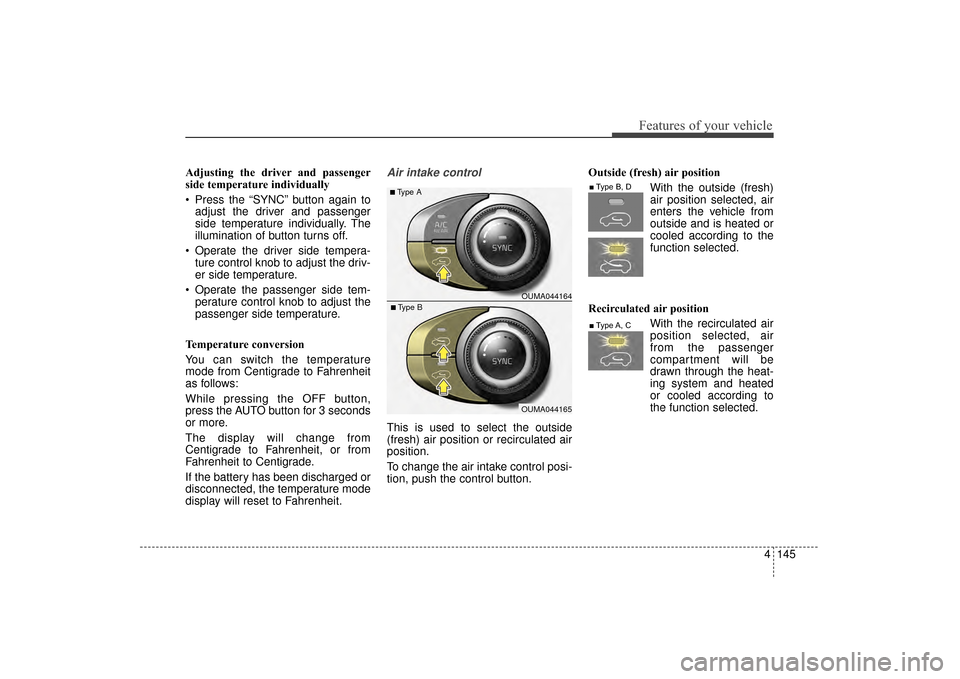
display will reset to Fahrenheit.Air intake control
This is used to select the outside
(fresh) air position or recirculated air
position.
To change the air intake control posi-
tion, push the control button. Outside (fresh) air position
With the outside (fresh)air position selected, air
enters the vehicle from
outside and is heated or
cooled according to the
function selected.
Recirculated air position With the recirculated airposition selected, air
from the passenger
compartment will be
drawn through the heat-
ing system and heated
or cooled according to
the function selected.
■Type A, C
■Type B, D
OUMA044165
OUMA044164
■Type A
■Type B
UM CAN (ENG) 4.qxp 12/1/2014 12:58 PM Page 145
Page 231 of 565
4147
Features of your vehicle
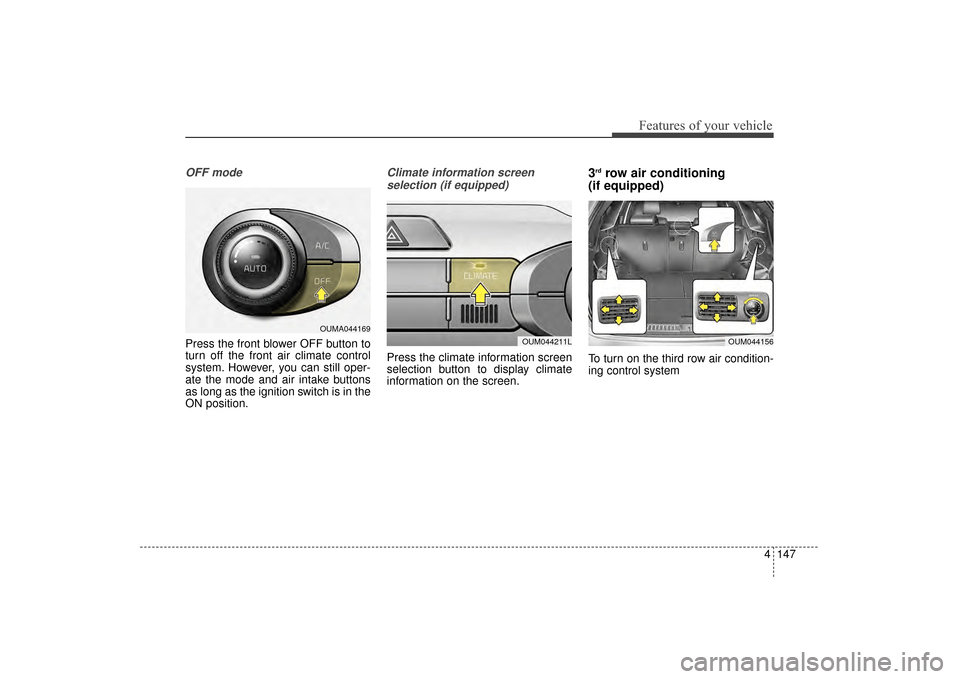
OFF mode
Press the front blower OFF button to
turn off the front air climate control
system. However, you can still oper-
ate the mode and air intake buttons
as long as the ignition switch is in the
ON position.
Climate information screen selection (if equipped)
Press the climate information screen
selection button to display climate
information on the screen.
3rdrow air conditioning
(if equipped)
To turn on the third row air condition-
ing control system
OUMA044169
OUM044211LOUM044156
UM CAN (ENG) 4.qxp 12/1/2014 12:58 PM Page 147
Page 256 of 565
Features of your vehicle
172
4
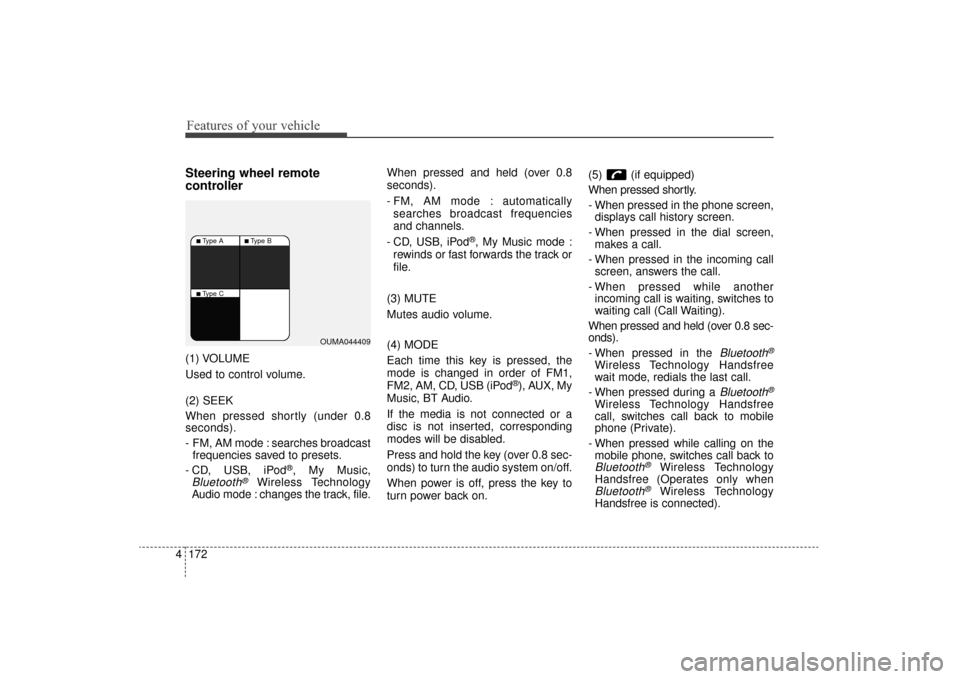
Steering wheel remote
controller
(1) VOLUME
Used to control volume.
(2) SEEK
When pressed shortly (under 0.8
seconds).
- FM, AM mode : searches broadcast
frequencies saved to presets.
- CD, USB, iPod
®, My Music,
Bluetooth®Wireless Technology
Audio mode : changes the track, file. When pressed and held (over 0.8
seconds).
- FM, AM mode : automatically
searches broadcast frequencies
and channels.
- CD, USB, iPod
®, My Music mode :
rewinds or fast forwards the track or
file.
(3) MUTE
Mutes audio volume.
(4) MODE
Each time this key is pressed, the
mode is changed in order of FM1,
FM2, AM, CD, USB (iPod
®), AUX, My
Music, BT Audio.
If the media is not connected or a
disc is not inserted, corresponding
modes will be disabled.
Press and hold the key (over 0.8 sec-
onds) to turn the audio system on/off.
When power is off, press the key to
turn power back on. (5) (if equipped)
When pressed shortly.
- When pressed in the phone screen,
displays call history screen.
- When pressed in the dial screen, makes a call.
- When pressed in the incoming call screen, answers the call.
- When pressed while another incoming call is waiting, switches to
waiting call (Call Waiting).
When pressed and held (over 0.8 sec-
onds).
- When pressed in the
Bluetooth®
Wireless Technology Handsfree
wait mode, redials the last call.
- When pressed during a
Bluetooth®
Wireless Technology Handsfree
call, switches call back to mobile
phone (Private).
- When pressed while calling on the mobile phone, switches call back to
Bluetooth®Wireless Technology
Handsfree (Operates only when
Bluetooth®Wireless Technology
Handsfree is connected).
OUMA044409
■Type A■Type B
■Type C
UM CAN (ENG) 4b (Audio).qxp 11/7/2014 3:01 PM Page 172
Page 268 of 565
Features of your vehicle
184
4
SYSTEM CONTROLLERS
AND FUNCTIONS
Audio Head Unit
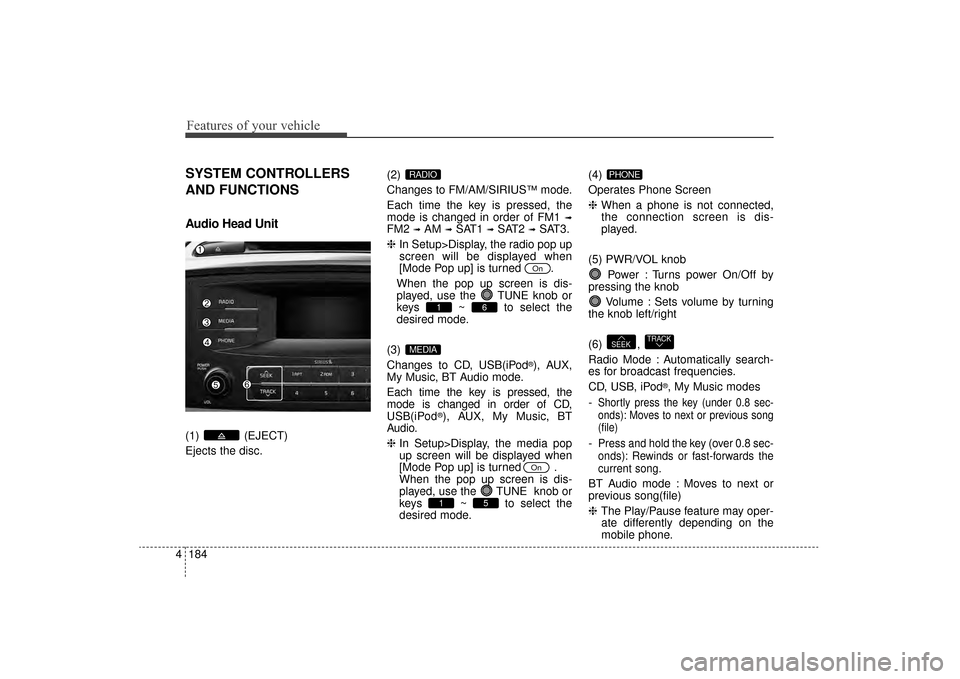
(1) (EJECT)
Ejects the disc. (2)
Changes to FM/AM/SIRIUS
™mode.
Each time the key is pressed, the
mode is changed in order of FM1
➟
FM2 ➟AM ➟SAT1 ➟SAT2 ➟SAT3.
❈ In Setup>Display, the radio pop up
screen will be displayed when
[Mode Pop up] is turned .
When the pop up screen is dis-
played, use the TUNE knob or
keys ~ to select the
desired mode.
(3)
Changes to CD, USB(iPod
®), AUX,
My Music, BT Audio mode.
Each time the key is pressed, the
mode is changed in order of CD,
USB(iPod
®), AUX, My Music, BT
Audio.
❈ In Setup>Display, the media pop
up screen will be displayed when
[Mode Pop up] is turned .
When the pop up screen is dis-
played, use the TUNE knob or
keys ~ to select the
desired mode. (4)
Operates Phone Screen
❈
When a phone is not connected,
the connection screen is dis-
played.
(5) PWR/VOL knob Power : Turns power On/Off by
pressing the knob
Volume : Sets volume by turning
the knob left/right
(6) ,
Radio Mode : Automatically search-
es for broadcast frequencies.
CD, USB, iPod
®, My Music modes
-
Shortly press the key (under 0.8 sec-
onds): Moves to next or previous song
(file)
-Press and hold the key (over 0.8 sec-
onds): Rewinds or fast-forwards the
current song.
BT Audio mode : Moves to next or
previous song(file)
❈ The Play/Pause feature may oper-
ate differently depending on the
mobile phone.
TRACKSEEK
PHONE
51
On
MEDIA
61
On
RADIO
UM CAN (ENG) 4b (Audio).qxp 11/7/2014 3:01 PM Page 184
Page 269 of 565
4185
Features of your vehicle
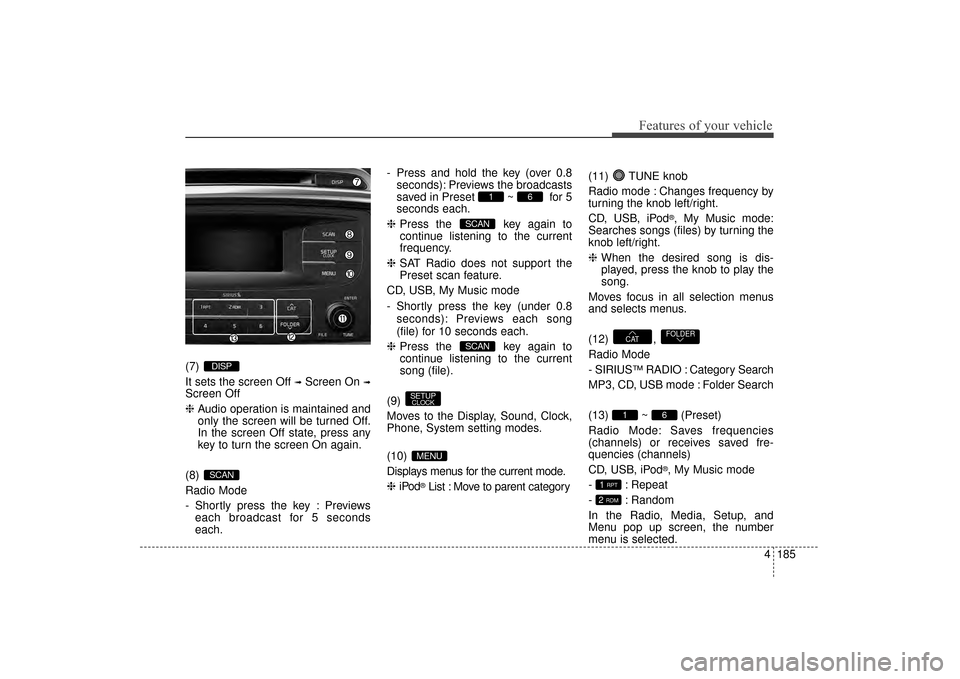
(7)
It sets the screen Off
➟Screen On ➟
Screen Off
❈Audio operation is maintained and
only the screen will be turned Off.
In the screen Off state, press any
key to turn the screen On again.
(8)
Radio Mode
- Shortly press the key : Previews each broadcast for 5 seconds
each. - Press and hold the key (over 0.8
seconds): Previews the broadcasts
saved in Preset ~ for 5
seconds each.
❈ Press the key again to
continue listening to the current
frequency.
❈ SAT Radio does not support the
Preset scan feature.
CD, USB, My Music mode
- Shortly press the key (under 0.8 seconds): Previews each song
(file) for 10 seconds each.
❈ Press the key again to
continue listening to the current
song (file).
(9)
Moves to the Display, Sound, Clock,
Phone, System setting modes.
(10)
Displays menus for the current mode.
❈ iPod
®List : Move to parent category (11) TUNE knob
Radio mode : Changes frequency by
turning the knob left/right.
CD, USB, iPod
®, My Music mode:
Searches songs (files) by turning the
knob left/right.
❈ When the desired song is dis-
played, press the knob to play the
song.
Moves focus in all selection menus
and selects menus.
(12) ,
Radio Mode
- SIRIUS
™RADIO : Category Search
MP3, CD, USB mode : Folder Search
(13) ~ (Preset)
Radio Mode: Saves frequencies
(channels) or receives saved fre-
quencies (channels)
CD, USB, iPod
®, My Music mode
- : Repeat
- : Random
In the Radio, Media, Setup, and
Menu pop up screen, the number
menu is selected.
2 RDM
1 RPT
61
FOLDERCAT
MENU
SETUPCLOCK
SCAN
SCAN
61
SCAN
DISP
UM CAN (ENG) 4b (Audio).qxp 11/7/2014 3:01 PM Page 185