speed KIA Sorento 2017 3.G Owners Manual
[x] Cancel search | Manufacturer: KIA, Model Year: 2017, Model line: Sorento, Model: KIA Sorento 2017 3.GPages: 576, PDF Size: 7.82 MB
Page 388 of 576
575
Driving your vehicle
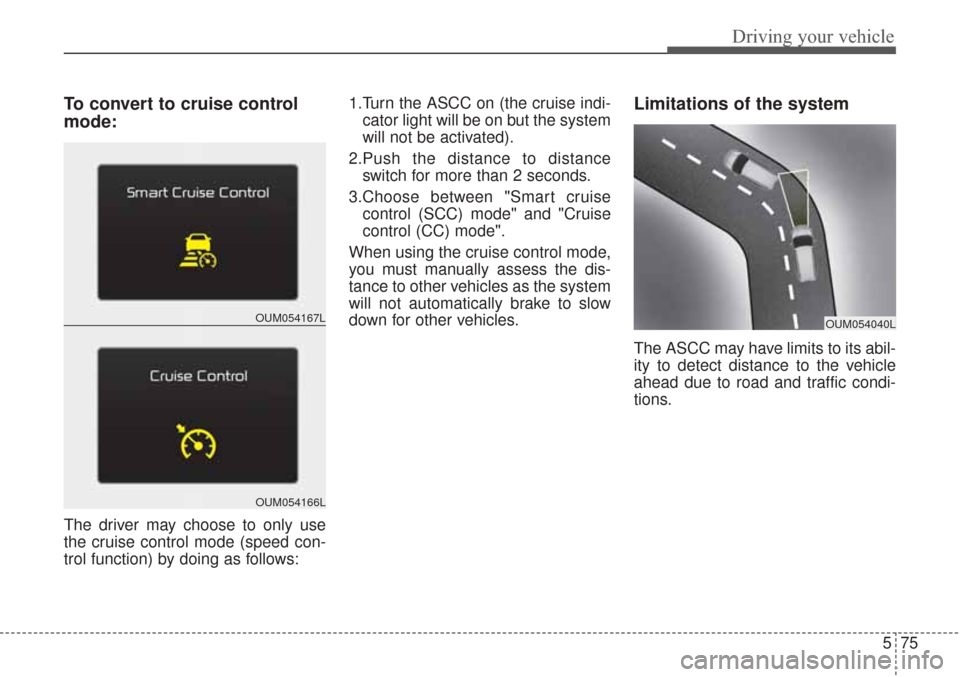
To convert to cruise control
mode:
The driver may choose to only use
the cruise control mode (speed con-
trol function) by doing as follows:1.Turn the ASCC on (the cruise indi-
cator light will be on but the system
will not be activated).
2.Push the distance to distance switch for more than 2 seconds.
3.Choose between "Smart cruise control (SCC) mode" and "Cruise
control (CC) mode".
When using the cruise control mode,
you must manually assess the dis-
tance to other vehicles as the system
will not automatically brake to slow
down for other vehicles.
Limitations of the system
The ASCC may have limits to its abil-
ity to detect distance to the vehicle
ahead due to road and traffic condi-
tions.
OUM054167L
OUM054166L
OUM054040L
Page 389 of 576
Driving your vehicle
76
5
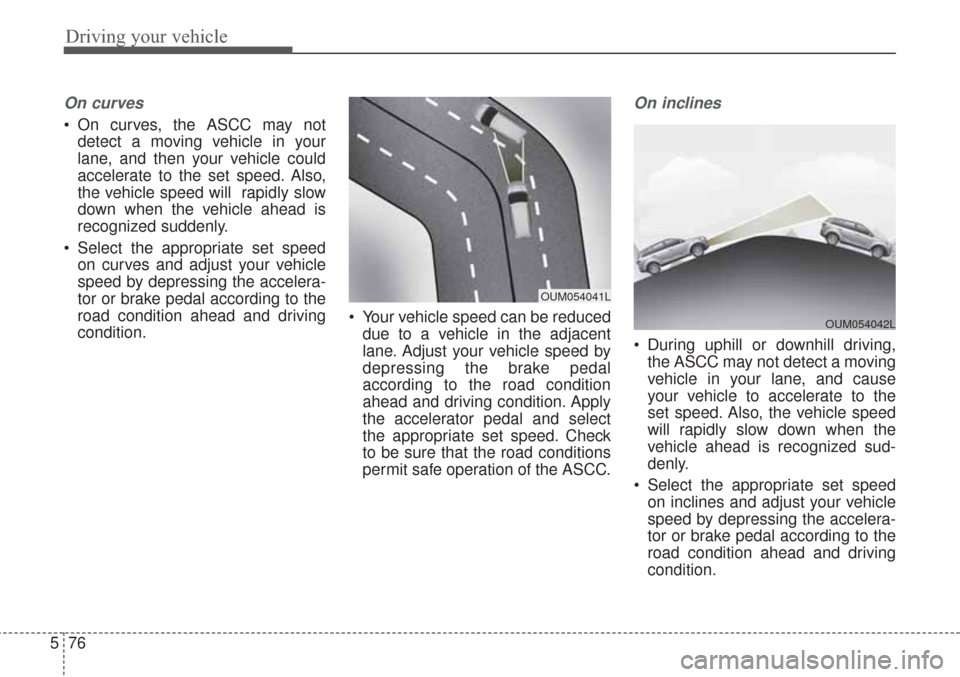
On curves
On curves, the ASCC may not
detect a moving vehicle in your
lane, and then your vehicle could
accelerate to the set speed. Also,
the vehicle speed will rapidly slow
down when the vehicle ahead is
recognized suddenly.
Select the appropriate set speed on curves and adjust your vehicle
speed by depressing the accelera-
tor or brake pedal according to the
road condition ahead and driving
condition. Your vehicle speed can be reduced
due to a vehicle in the adjacent
lane. Adjust your vehicle speed by
depressing the brake pedal
according to the road condition
ahead and driving condition. Apply
the accelerator pedal and select
the appropriate set speed. Check
to be sure that the road conditions
permit safe operation of the ASCC.
On inclines
During uphill or downhill driving,the ASCC may not detect a moving
vehicle in your lane, and cause
your vehicle to accelerate to the
set speed. Also, the vehicle speed
will rapidly slow down when the
vehicle ahead is recognized sud-
denly.
Select the appropriate set speed on inclines and adjust your vehicle
speed by depressing the accelera-
tor or brake pedal according to the
road condition ahead and driving
condition.
OUM054041L
OUM054042L
Page 390 of 576
577
Driving your vehicle
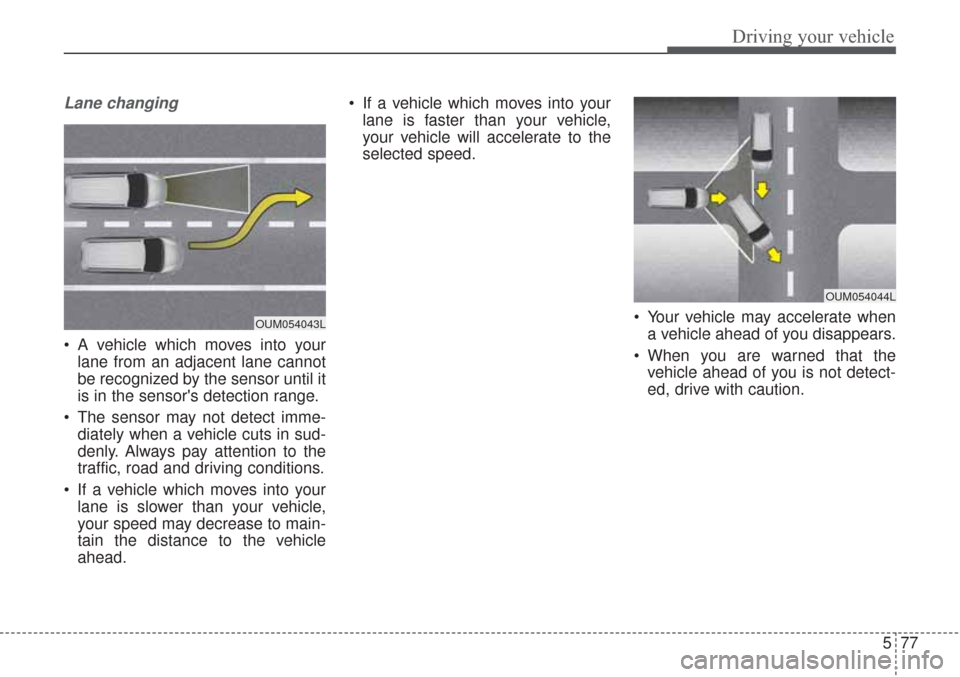
Lane changing
A vehicle which moves into yourlane from an adjacent lane cannot
be recognized by the sensor until it
is in the sensor's detection range.
The sensor may not detect imme- diately when a vehicle cuts in sud-
denly. Always pay attention to the
traffic, road and driving conditions.
If a vehicle which moves into your lane is slower than your vehicle,
your speed may decrease to main-
tain the distance to the vehicle
ahead. If a vehicle which moves into your
lane is faster than your vehicle,
your vehicle will accelerate to the
selected speed.
Your vehicle may accelerate whena vehicle ahead of you disappears.
When you are warned that the vehicle ahead of you is not detect-
ed, drive with caution.
OUM054043L
OUM054044L
Page 391 of 576
Driving your vehicle
78
5
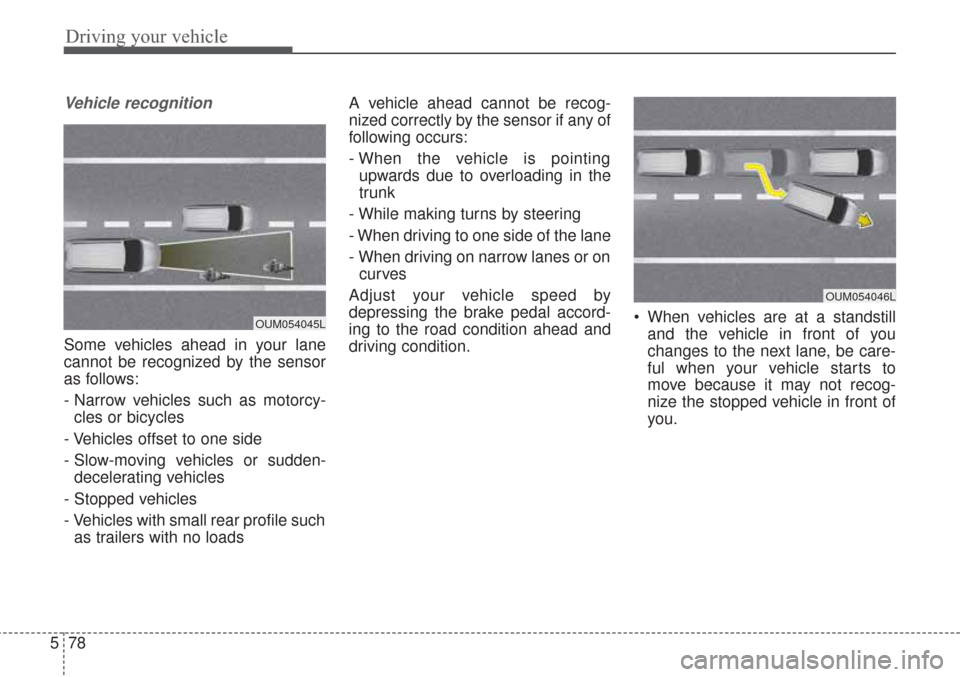
Vehicle recognition
Some vehicles ahead in your lane
cannot be recognized by the sensor
as follows:
- Narrow vehicles such as motorcy-
cles or bicycles
- Vehicles offset to one side
- Slow-moving vehicles or sudden- decelerating vehicles
- Stopped vehicles
- Vehicles with small rear profile such as trailers with no loads A vehicle ahead cannot be recog-
nized correctly by the sensor if any of
following occurs:
- When the vehicle is pointing
upwards due to overloading in the
trunk
- While making turns by steering
- When driving to one side of the lane
- When driving on narrow lanes or on curves
Adjust your vehicle speed by
depressing the brake pedal accord-
ing to the road condition ahead and
driving condition. When vehicles are at a standstill
and the vehicle in front of you
changes to the next lane, be care-
ful when your vehicle starts to
move because it may not recog-
nize the stopped vehicle in front of
you.
OUM054045L
OUM054046L
Page 393 of 576
Driving your vehicle
80
5
- After an engine start, please stop
for several seconds. If system ini-
tialization is not completed, the
ASCC does not normally operate.
- After an engine start, if any objects are not detected or the sensor
cover is obscured with foreign sub-
stances, there is a possibility that
the ASCC system may not work.
- Below conditions may cause mal- function: over baggage loading in a
trunk, suspension remodeling, tire
replacement with unauthorized
tires or tires with different worn-out
and pressure levels. This device complies with
Industry Canada licence-exempt
RSS standard(s).
Operation is subject to the following
three conditions:
(1) This device may not cause inter-
ference, and
(2) This device must accept any
interference, including interfer-
ence that may cause undesired
operation of the device.
(3) Changes or modifications not
expressly approved by the party
responsible for compliance could
void the user’s authority to oper-
ate the device.
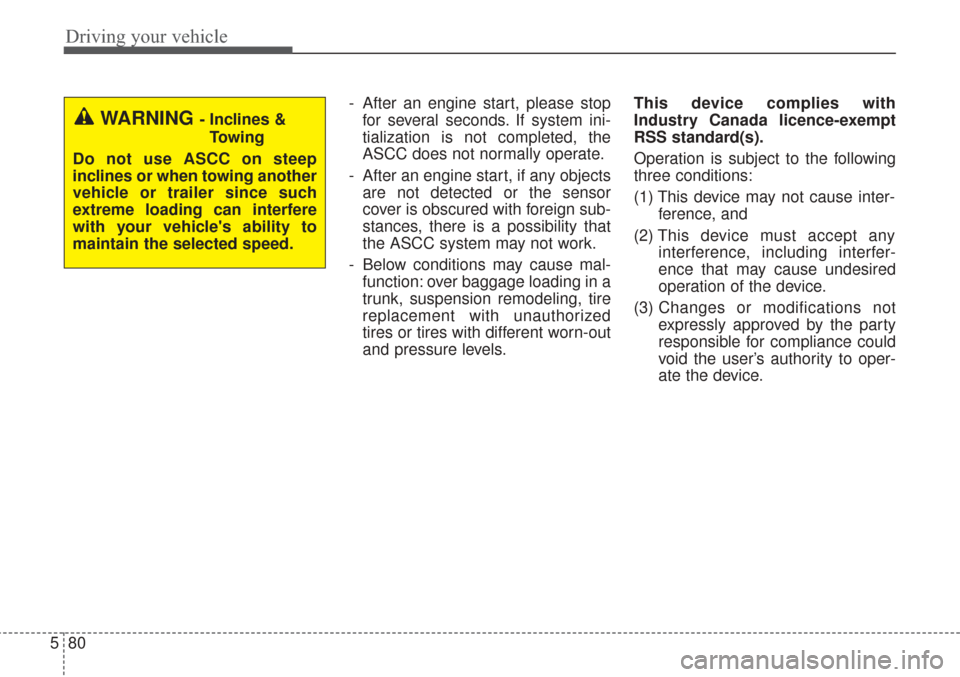
WARNING - Inclines &
Towing
Do not use ASCC on steep
inclines or when towing another
vehicle or trailer since such
extreme loading can interfere
with your vehicle's ability to
maintain the selected speed.
Page 395 of 576
Driving your vehicle
82
5
When Active ECO is activated:
The acceleration may slightly be
reduced even though you depress
the accelerator fully.
The air conditioner performance may be limited
The shift pattern of the automatic transaxle may change.
The engine noise may get louder.
The above situations are normal
conditions when the Active Eco
System is activated to improve fuel
efficiency. Limitation of Active ECO opera-
tion:
If the following conditions occur while
Active ECO is operating, the system
operation is limited even though
there is no change in the ECO indi-
cator.
When the coolant temperature is
low:
The system will be limited until
engine performance becomes nor-
mal.
When driving up a hill: The system will be limited to gain
power when driving uphill because
the engine torque is restricted.
When using manual mode: The system will be limited accord-
ing to the shift location.
When the accelerator pedal is deeply depressed for a few sec-
onds:
The system will be limited, judging
that the driver wants to speed up.SPORT mode
SPORT mode focuses on
dynamic driving by auto-
matically adjusting the
steering wheel, engine
and transaxle system.
button is pressed and
the SPORT mode is
selected, the SPORT
indicator (yellow) will illu-
minate.
is activated, and the
engine start/stop button
is turned off and on it will
change to NORMAL
mode. To turn on the
SPORT mode press
DRIVE MODE button
again.
SPORT
Page 396 of 576
583
Driving your vehicle
ed:
- While holding vehicle speed, it maintains the
gear and RPM for some
time even though the
accelerator pedal is not
depressed.
- Up-shifting is delayed.
✽ ✽
NOTICE
In Sport drive mode, the fuel effi-
ciency may decrease.
Page 397 of 576
Driving your vehicle
84
5
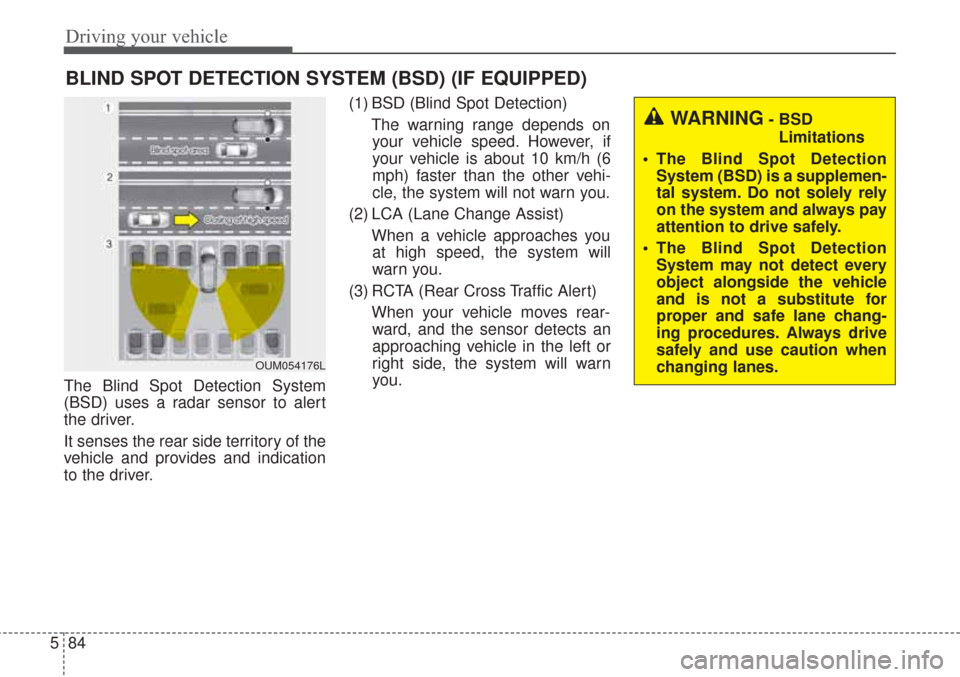
The Blind Spot Detection System
(BSD) uses a radar sensor to alert
the driver.
It senses the rear side territory of the
vehicle and provides and indication
to the driver. (1) BSD (Blind Spot Detection)
The warning range depends onyour vehicle speed. However, if
your vehicle is about 10 km/h (6
mph) faster than the other vehi-
cle, the system will not warn you.
(2) LCA (Lane Change Assist) When a vehicle approaches youat high speed, the system will
warn you.
(3) RCTA (Rear Cross Traffic Alert) When your vehicle moves rear-ward, and the sensor detects an
approaching vehicle in the left or
right side, the system will warn
you.
BLIND SPOT DETECTION SYSTEM (BSD) (IF EQUIPPED)
WARNING- BSD
Limitations
The Blind Spot Detection System (BSD) is a supplemen-
tal system. Do not solely rely
on the system and always pay
attention to drive safely.
The Blind Spot Detection System may not detect every
object alongside the vehicle
and is not a substitute for
proper and safe lane chang-
ing procedures. Always drive
safely and use caution when
changing lanes.
OUM054176L
Page 398 of 576
585
Driving your vehicle
BSD (Blind Spot Detection) /
LCA (Lane Change Assist)
Operating conditions
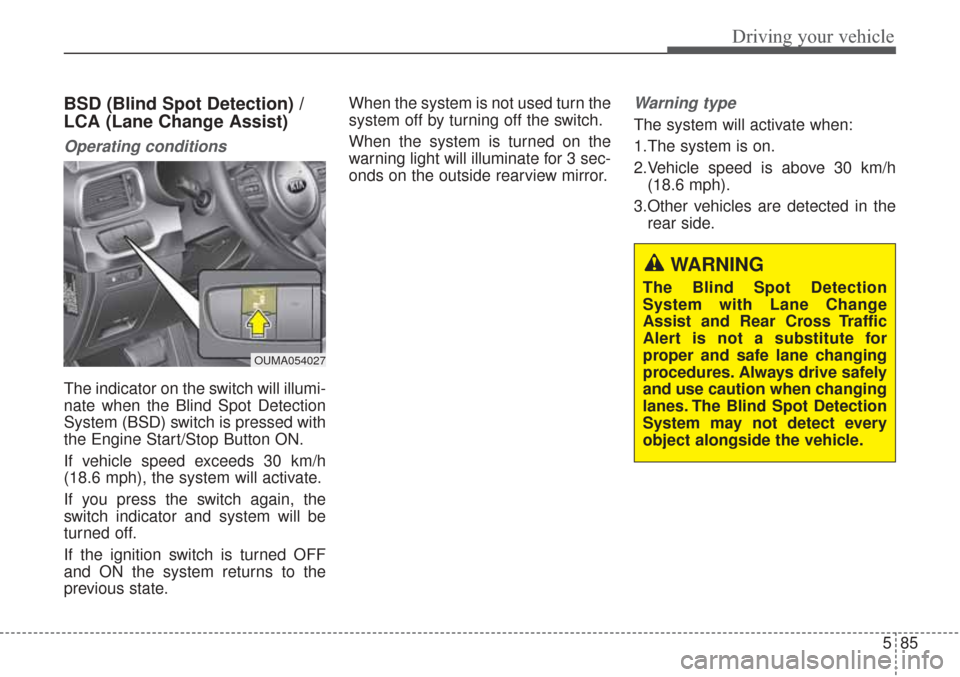
The indicator on the switch will illumi-
nate when the Blind Spot Detection
System (BSD) switch is pressed with
the Engine Start/Stop Button ON.
If vehicle speed exceeds 30 km/h
(18.6 mph), the system will activate.
If you press the switch again, the
switch indicator and system will be
turned off.
If the ignition switch is turned OFF
and ON the system returns to the
previous state.When the system is not used turn the
system off by turning off the switch.
When the system is turned on the
warning light will illuminate for 3 sec-
onds on the outside rearview mirror.
Warning type
The system will activate when:
1.The system is on.
2.Vehicle speed is above 30 km/h
(18.6 mph).
3.Other vehicles are detected in the rear side.
WARNING
The Blind Spot Detection
System with Lane Change
Assist and Rear Cross Traffic
Alert is not a substitute for
proper and safe lane changing
procedures. Always drive safely
and use caution when changing
lanes. The Blind Spot Detection
System may not detect every
object alongside the vehicle.
OUMA054027
Page 402 of 576
589
Driving your vehicle
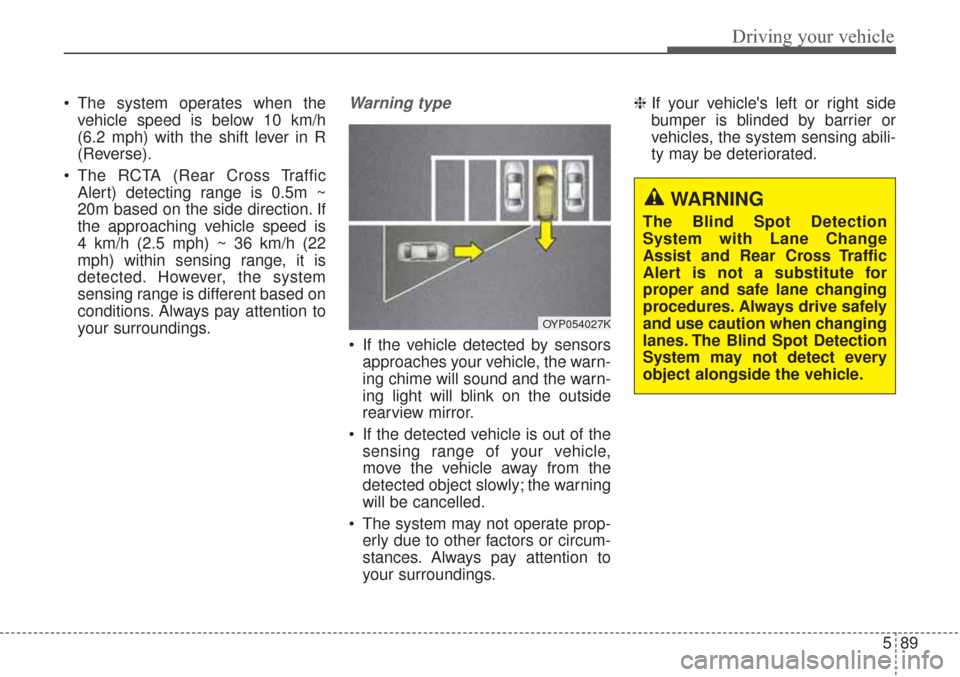
The system operates when thevehicle speed is below 10 km/h
(6.2 mph) with the shift lever in R
(Reverse).
The RCTA (Rear Cross Traffic Alert) detecting range is 0.5m ~
20m based on the side direction. If
the approaching vehicle speed is
4 km/h (2.5 mph) ~ 36 km/h (22
mph) within sensing range, it is
detected. However, the system
sensing range is different based on
conditions. Always pay attention to
your surroundings.Warning type
If the vehicle detected by sensorsapproaches your vehicle, the warn-
ing chime will sound and the warn-
ing light will blink on the outside
rearview mirror.
If the detected vehicle is out of the sensing range of your vehicle,
move the vehicle away from the
detected object slowly; the warning
will be cancelled.
The system may not operate prop- erly due to other factors or circum-
stances. Always pay attention to
your surroundings. \b
If your vehicle's left or right side
bumper is blinded by barrier or
vehicles, the system sensing abili-
ty may be deteriorated.
OYP054027K
WARNING
The Blind Spot Detection
System with Lane Change
Assist and Rear Cross Traffic
Alert is not a substitute for
proper and safe lane changing
procedures. Always drive safely
and use caution when changing
lanes. The Blind Spot Detection
System may not detect every
object alongside the vehicle.