speed KIA Sorento 2017 3.G Workshop Manual
[x] Cancel search | Manufacturer: KIA, Model Year: 2017, Model line: Sorento, Model: KIA Sorento 2017 3.GPages: 576, PDF Size: 7.82 MB
Page 273 of 576
![KIA Sorento 2017 3.G Workshop Manual Features of your vehicle
188 4
SOUND SETTINGS
Press the key Select [Sound]
through TUNE knob or key
Select menu through TUNE knob
Tone
This menu allows you to set the
Bass, Middle, Treble.
Select](/img/2/2983/w960_2983-272.png "KIA Sorento 2017 3.G Workshop Manual Features of your vehicle
188 4
SOUND SETTINGS
Press the key Select [Sound]
through TUNE knob or key
Select menu through TUNE knob
Tone
This menu allows you to set the
Bass, Middle, Treble.
Select")
Features of your vehicle
188 4
SOUND SETTINGS
Press the key Select [Sound]
through TUNE knob or key
Select menu through TUNE knob
Tone
This menu allows you to set the
Bass, Middle, Treble.
Select [Tone] Select menu through
TUNE knobTu r n TUNE knob
left/right to set
Bass, Middle, Treble : Selects the
sound tone.
Default : Restores default settings.
❈Return : While adjusting values,
pressing the TUNE knob will
restore the parent menu.
Position
This menu allows you to set the
Fader, Balance.
Select [Position] Select menu
through
TUNE knobTu r n
TUNE knobleft/right to set
Fader, Balance : Selects the sound
fader and balance.
Default : Restores default settings.
❈Return : While adjusting values,
pressing the TUNE knob will
restore the parent menu.Speed Dependent Volume Control
This feature is used to automatically
control the volume level according to
the speed of the vehicle.
Select [Speed Dependent Vol.] Set
[Off/On] of
TUNEknob
Voice Recognition Volume
Adjusts voice recognition volume.
Select [Voice Recognition Vol.] Set
volume of
TUNEknob
2 RDM
SETUPCLOCK
Page 314 of 576
Driving your vehicle
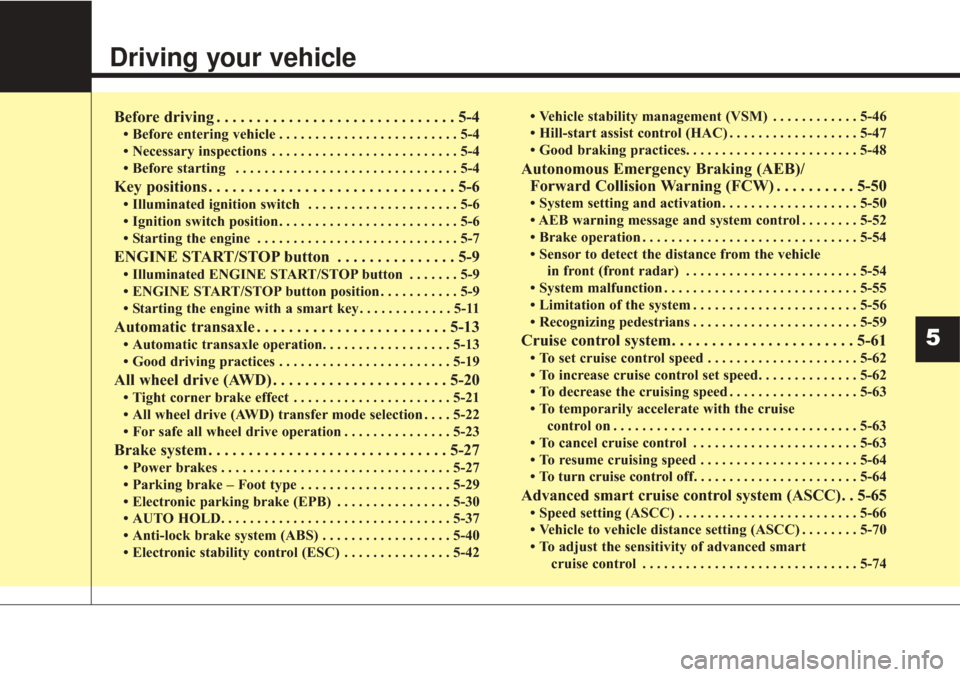
Before driving . . . . . . . . . . . . . . . . . . . . . . . . . . . . . . 5-4
• Before entering vehicle . . . . . . . . . . . . . . . . . . . . . . . . . 5-4
• Necessary inspections . . . . . . . . . . . . . . . . . . . . . . . . . . 5-4
• Before starting . . . . . . . . . . . . . . . . . . . . . . . . . . . . . . . 5-4
Key positions . . . . . . . . . . . . . . . . . . . . . . . . . . . . . . . 5-6
• Illuminated ignition switch . . . . . . . . . . . . . . . . . . . . . 5-6
• Ignition switch position . . . . . . . . . . . . . . . . . . . . . . . . . 5-6
• Starting the engine . . . . . . . . . . . . . . . . . . . . . . . . . . . . 5-7
ENGINE START/STOP button . . . . . . . . . . . . . . . 5-9
• Illuminated ENGINE START/STOP button . . . . . . . 5-9
• ENGINE START/STOP button position . . . . . . . . . . . 5-9
• Starting the engine with a smart key . . . . . . . . . . . . . 5-11
Automatic transaxle . . . . . . . . . . . . . . . . . . . . . . . . 5-13
• Automatic transaxle operation. . . . . . . . . . . . . . . . . . 5-13
• Good driving practices . . . . . . . . . . . . . . . . . . . . . . . . 5-19
All wheel drive (AWD) . . . . . . . . . . . . . . . . . . . . . . 5-20
• Tight corner brake effect . . . . . . . . . . . . . . . . . . . . . . 5-21
• All wheel drive (AWD) transfer mode selection . . . . 5-22
• For safe all wheel drive operation . . . . . . . . . . . . . . . 5-23
Brake system . . . . . . . . . . . . . . . . . . . . . . . . . . . . . . 5-27
• Power brakes . . . . . . . . . . . . . . . . . . . . . . . . . . . . . . . . 5-27
• Parking brake – Foot type . . . . . . . . . . . . . . . . . . . . . 5-29
• Electronic parking brake (EPB) . . . . . . . . . . . . . . . . 5-30
• AUTO HOLD. . . . . . . . . . . . . . . . . . . . . . . . . . . . . . . . 5-37
• Anti-lock brake system (ABS) . . . . . . . . . . . . . . . . . . 5-40
• Electronic stability control (ESC) . . . . . . . . . . . . . . . 5-42• Vehicle stability management (VSM) . . . . . . . . . . . . 5-46
• Hill-start assist control (HAC) . . . . . . . . . . . . . . . . . . 5-47
• Good braking practices. . . . . . . . . . . . . . . . . . . . . . . . 5-48
Autonomous Emergency Braking (AEB)/
Forward Collision Warning (FCW) . . . . . . . . . . 5-50
• System setting and activation . . . . . . . . . . . . . . . . . . . 5-50
• AEB warning message and system control . . . . . . . . 5-52
• Brake operation . . . . . . . . . . . . . . . . . . . . . . . . . . . . . . 5-54
• Sensor to detect the distance from the vehicle
in front (front radar) . . . . . . . . . . . . . . . . . . . . . . . . 5-54
• System malfunction . . . . . . . . . . . . . . . . . . . . . . . . . . . 5-55
• Limitation of the system . . . . . . . . . . . . . . . . . . . . . . . 5-56
• Recognizing pedestrians . . . . . . . . . . . . . . . . . . . . . . . 5-59
Cruise control system. . . . . . . . . . . . . . . . . . . . . . . 5-61
• To set cruise control speed . . . . . . . . . . . . . . . . . . . . . 5-62
• To increase cruise control set speed. . . . . . . . . . . . . . 5-62
• To decrease the cruising speed . . . . . . . . . . . . . . . . . . 5-63
• To temporarily accelerate with the cruise control on . . . . . . . . . . . . . . . . . . . . . . . . . . . . . . . . . . 5-63\
• To cancel cruise control . . . . . . . . . . . . . . . . . . . . . . . 5-63
• To resume cruising speed . . . . . . . . . . . . . . . . . . . . . . 5-64
• To turn cruise control off. . . . . . . . . . . . . . . . . . . . . . . 5-64
Advanced smart cruise control system (ASCC). . 5-65
• Speed setting (ASCC) . . . . . . . . . . . . . . . . . . . . . . . . . 5-66
• Vehicle to vehicle distance setting (ASCC) . . . . . . . . 5-70
• To adjust the sensitivity of advanced smart
cruise control . . . . . . . . . . . . . . . . . . . . . . . . . . . . . . 5-74
5
Page 316 of 576
53
Driving your vehicle
Be sure the exhaust system
does not leak.
The exhaust system should be
checked whenever the vehicle is
raised to change the oil or for any
other purpose. If you hear a change
in the sound of the exhaust or if you
drive over something that strikes the
underneath side of the vehicle, have
the exhaust system checked as soon
as possible by an authorized Kia
dealer.
WARNING- Engineexhaust
Do not inhale exhaust fumes or
leave your engine running in a
enclosed area for a prolonged
time. Exhaust fumes contain
carbon monoxide, a colorless,
odorless gas that can cause
unconsciousness and death by
asphyxiation.WARNING- Open liftgate
Do not drive with the liftgate
open. Poisonous exhaust gases
can enter the passenger com-
partment. If you must drive with
the liftgate open proceed as fol-
lows:
1. Close all windows.
2. Open side vents.
3. Set the air intake control at "Fresh", the air flow control at
"Floor" or "Face" and the fan
at the highest speed.
Page 321 of 576
Driving your vehicle
85
3.Turn the ignition switch to STARTand hold it there until the engine
starts (a maximum of 10 seconds),
then release the key.
It should be started withoutdepressing the accelerator.
4.Do not wait for the engine to warm up while the vehicle remains sta-
tionary.
Start driving at moderate engine
speeds. (Steep accelerating and
decelerating should be avoided.) If the engine stalls while you are in
motion, do not attempt to move the
shift lever to the P (Park) position. If
traffic and road conditions permit,
you may put the shift lever in the N
(Neutral) position while the vehicle is
still moving and turn the ignition
switch to the START position in an
attempt to restart the engine.
CAUTION- Starter
Do not engage the starter for
more than 10 seconds. If theengine stalls or fails to start,wait 5 to 10 seconds before re-engaging the starter. Improperuse of the starter may damageit.
WARNING- Steering
wheel
Never reach for any controls
through the steering wheel
while the vehicle is in motion.
The presence of your hand or
arm in this area could cause a
loss of vehicle control.
Page 324 of 576
511
Driving your vehicle
✽ ✽
NOTICE
If you leave the ENGINE START/
STOP button in the ACC or ON
position for a long time, the battery
will discharge.
Starting the engine with a
smart key
1.Carry the smart key or leave it
inside the vehicle.
2.Make sure the parking brake is firmly applied
3.Place the transaxle shift lever in P (Park). Depress the brake pedal
fully.
You can also start the engine whenthe shift lever is in the N (Neutral)position.
4.Press the ENGINE START/STOP button while depressing the brake
pedal.
It should be started withoutdepressing the accelerator.
5.Do not wait for the engine to warm up while the vehicle remains sta-
tionary.
Start driving at moderate engine
speeds. (Steep accelerating and
decelerating should be avoided.) Even if the smart key is in the vehi-
cle, if it is far away from you, the
engine may not start.
When the ENGINE START/STOP button is in the ACC position or
above, if any door is opened, the
system checks for the smart key. If
the smart key is not in the vehicle,
a message "key is not in the vehi-
cle" will appear on the LCD display.
And if all doors are closed, the
chime will sound for 5 seconds.
The indicator or warning will turn
off while the vehicle is moving.
Always have the smart key with
you.
WARNING- Starting
vehicle
Never press the ENGINE
START/STOP button while the
vehicle is in motion except in an
emergency. This would result in
loss of directional control and
braking function, which could
cause an accident.
Page 326 of 576
513
Driving your vehicle
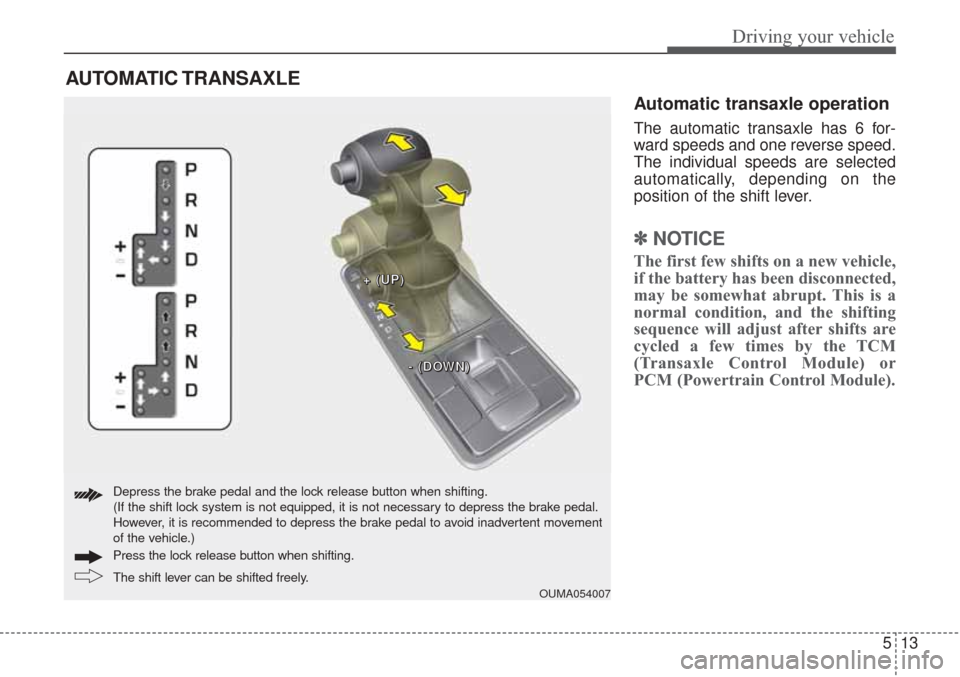
Automatic transaxle operation
The automatic transaxle has 6 for-
ward speeds and one reverse speed.
The individual speeds are selected
automatically, depending on the
position of the shift lever.
✽ ✽NOTICE
The first few shifts on a new vehicle,
if the battery has been disconnected,
may be somewhat abrupt. This is a
normal condition, and the shifting
sequence will adjust after shifts are
cycled a few times by the TCM
(Transaxle Control Module) or
PCM (Powertrain Control Module).
AUTOMATIC TRANSAXLE
OUMA054007
+ +
+ +
( (
( (
U U
U U
P P
P P
) )
) )
- -
- -
( (
( (
D D
D D
O O
O O
W W
W W
N N
N N
) )
) )
The shift lever can be shifted freely. Press the loc
k release button when shifting.
Depress the brake pedal and the lock release button when shifting.
(If the shift lock system is not equipped, it is not necessary to depress the brake pedal.
However, it is recommended to depress the brake pedal to avoid inadvertent movement
of the vehicle.)
Page 329 of 576
Driving your vehicle
16
5
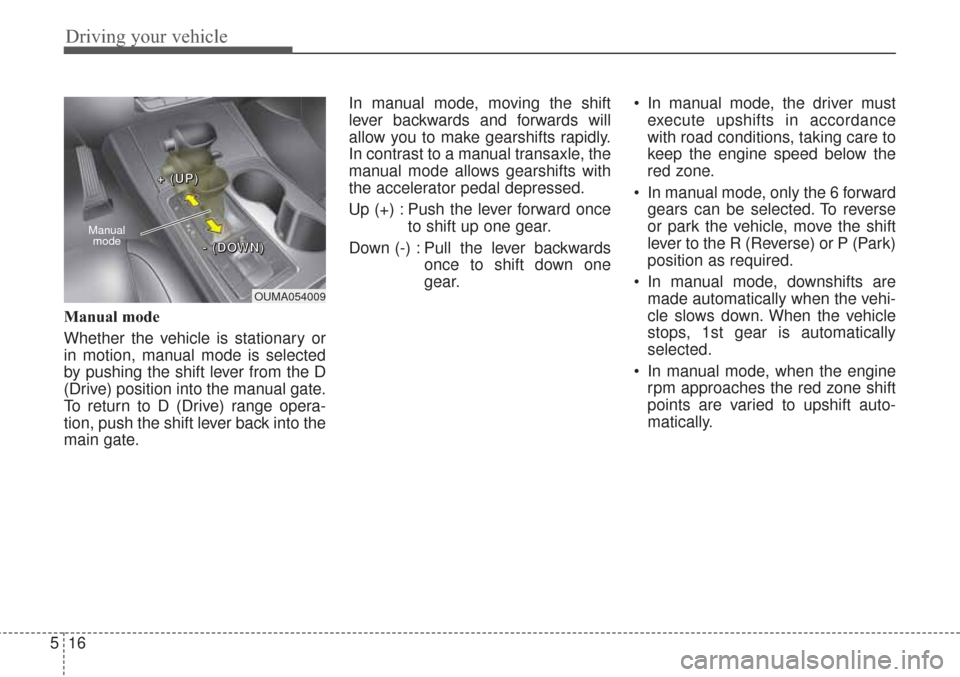
Manual mode
Whether the vehicle is stationary or
in motion, manual mode is selected
by pushing the shift lever from the D
(Drive) position into the manual gate.
To return to D (Drive) range opera-
tion, push the shift lever back into the
main gate. In manual mode, moving the shift
lever backwards and forwards will
allow you to make gearshifts rapidly.
In contrast to a manual transaxle, the
manual mode allows gearshifts with
the accelerator pedal depressed.
Up (+) : Push the lever forward once
to shift up one gear.
Down (-) : Pull the lever backwards once to shift down one
gear. In manual mode, the driver must
execute upshifts in accordance
with road conditions, taking care to
keep the engine speed below the
red zone.
In manual mode, only the 6 forward gears can be selected. To reverse
or park the vehicle, move the shift
lever to the R (Reverse) or P (Park)
position as required.
In manual mode, downshifts are made automatically when the vehi-
cle slows down. When the vehicle
stops, 1st gear is automatically
selected.
In manual mode, when the engine rpm approaches the red zone shift
points are varied to upshift auto-
matically.
OUMA054009
Manual
mode
+ +
+ +
( (
( (
U U
U U
P P
P P
) )
) )
- -
- -
( (
( (
D D
D D
O O
O O
W W
W W
N N
N N
) )
) )
Page 330 of 576
517
Driving your vehicle
To maintain the required levels ofvehicle performance and safety,
the system may not execute cer-
tain gearshifts when the shift lever
is operated.
When driving on a slippery road, push the shift lever forward into the
+(up) position. This causes the
transaxle to shift into the 2nd gear
which is better for smooth driving
on a slippery road. Push the shift
lever to the -(down) side to shift
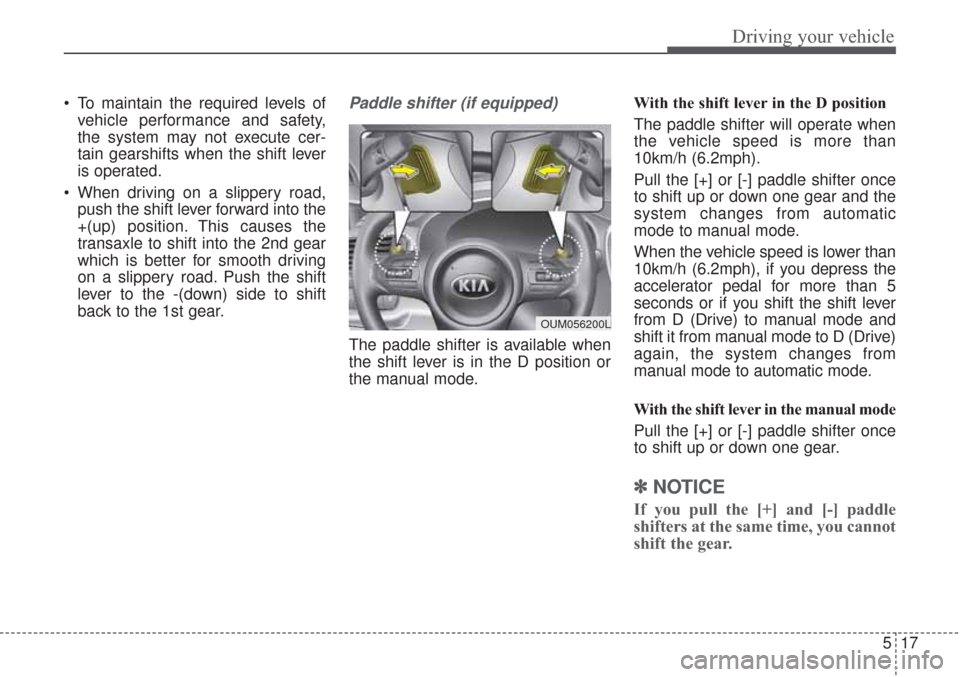
back to the 1st gear.Paddle shifter (if equipped)
The paddle shifter is available when
the shift lever is in the D position or
the manual mode. With the shift lever in the D position
The paddle shifter will operate when
the vehicle speed is more than
10km/h (6.2mph).
Pull the [+] or [-] paddle shifter once
to shift up or down one gear and the
system changes from automatic
mode to manual mode.
When the vehicle speed is lower than
10km/h (6.2mph), if you depress the
accelerator pedal for more than 5
seconds or if you shift the shift lever
from D (Drive) to manual mode and
shift it from manual mode to D (Drive)
again, the system changes from
manual mode to automatic mode.
With the shift lever in the manual mode
Pull the [+] or [-] paddle shifter once
to shift up or down one gear.
✽ ✽
NOTICE
If you pull the [+] and [-] paddle
shifters at the same time, you cannot
shift the gear.
OUM056200L
Page 333 of 576
Driving your vehicle
20
5
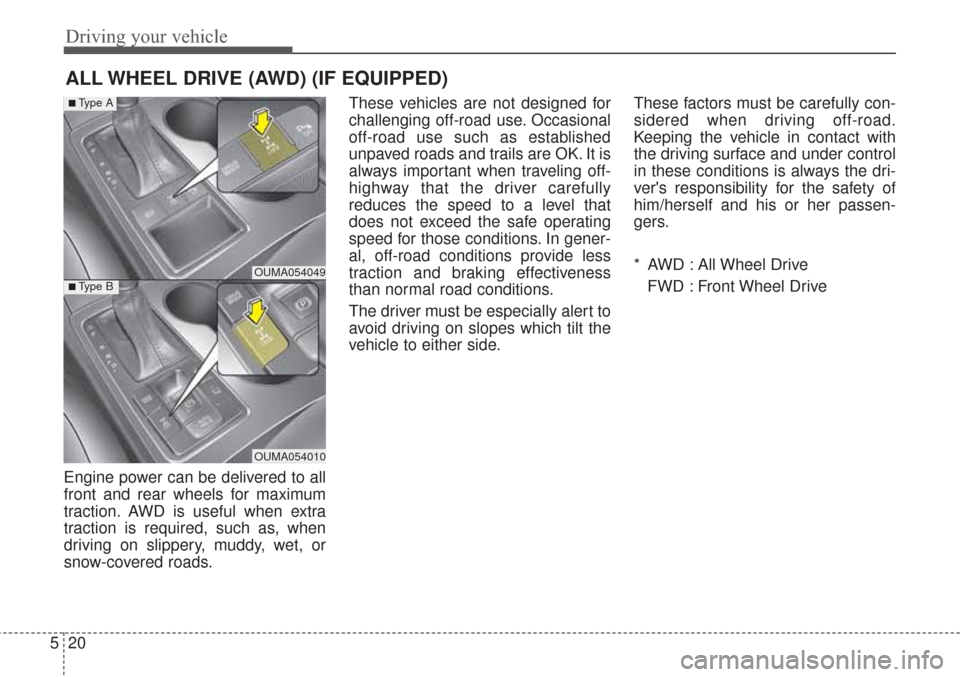
Engine power can be delivered to all
front and rear wheels for maximum
traction. AWD is useful when extra
traction is required, such as, when
driving on slippery, muddy, wet, or
snow-covered roads. These vehicles are not designed for
challenging off-road use. Occasional
off-road use such as established
unpaved roads and trails are OK. It is
always important when traveling off-
highway that the driver carefully
reduces the speed to a level that
does not exceed the safe operating
speed for those conditions. In gener-
al, off-road conditions provide less
traction and braking effectiveness
than normal road conditions.
The driver must be especially alert to
avoid driving on slopes which tilt the
vehicle to either side.
These factors must be carefully con-
sidered when driving off-road.
Keeping the vehicle in contact with
the driving surface and under control
in these conditions is always the dri-
ver's responsibility for the safety of
him/herself and his or her passen-
gers.
* AWD : All Wheel Drive
FWD : Front Wheel Drive
ALL WHEEL DRIVE (AWD) (IF EQUIPPED)
OUMA054049
OUMA054010
■Type A
■Type B
Page 334 of 576
521
Driving your vehicle
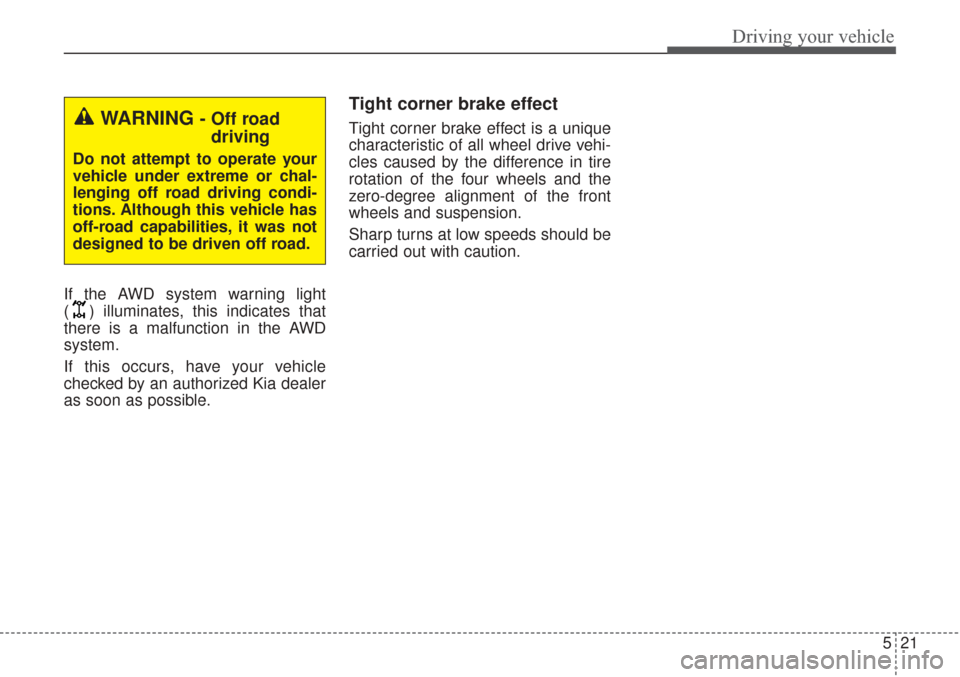
If the AWD system warning light
( ) illuminates, this indicates that
there is a malfunction in the AWD
system.
If this occurs, have your vehicle
checked by an authorized Kia dealer
as soon as possible.
Tight corner brake effect
Tight corner brake effect is a unique
characteristic of all wheel drive vehi-
cles caused by the difference in tire
rotation of the four wheels and the
zero-degree alignment of the front
wheels and suspension.
Sharp turns at low speeds should be
carried out with caution.WARNING - Off roaddriving
Do not attempt to operate your
vehicle under extreme or chal-
lenging off road driving condi-
tions. Although this vehicle has
off-road capabilities, it was not
designed to be driven off road.