Tow KIA Sorento 2017 3.G Owner's Guide
[x] Cancel search | Manufacturer: KIA, Model Year: 2017, Model line: Sorento, Model: KIA Sorento 2017 3.GPages: 576, PDF Size: 7.82 MB
Page 217 of 576
Features of your vehicle
132
4
Mode selection
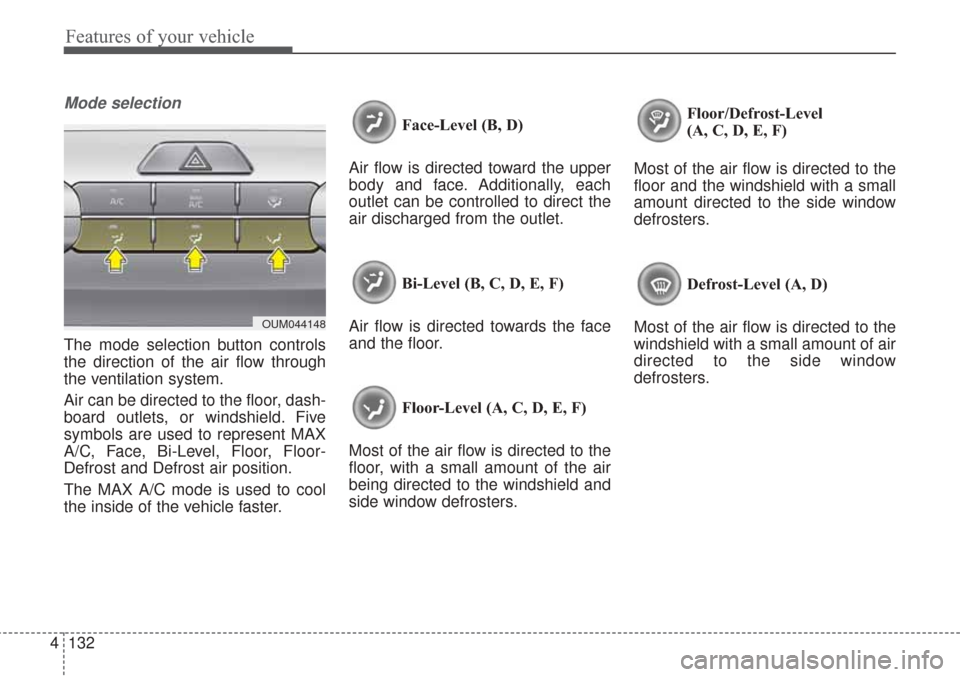
The mode selection button controls
the direction of the air flow through
the ventilation system.
Air can be directed to the floor, dash-
board outlets, or windshield. Five
symbols are used to represent MAX
A/C, Face, Bi-Level, Floor, Floor-
Defrost and Defrost air position.
The MAX A/C mode is used to cool
the inside of the vehicle faster. Face-Level (B, D)
Air flow is directed toward the upper
body and face. Additionally, each
outlet can be controlled to direct the
air discharged from the outlet.
Bi-Level (B, C, D, E, F)
Air flow is directed towards the face
and the floor.
Floor-Level (A, C, D, E, F)
Most of the air flow is directed to the
floor, with a small amount of the air
being directed to the windshield and
side window defrosters. Floor/Defrost-Level
(A, C, D, E, F)
Most of the air flow is directed to the
floor and the windshield with a small
amount directed to the side window
defrosters.
Defrost-Level (A, D)
Most of the air flow is directed to the
windshield with a small amount of air
directed to the side window
defrosters.
OUM044148
Page 218 of 576
4133
Features of your vehicle
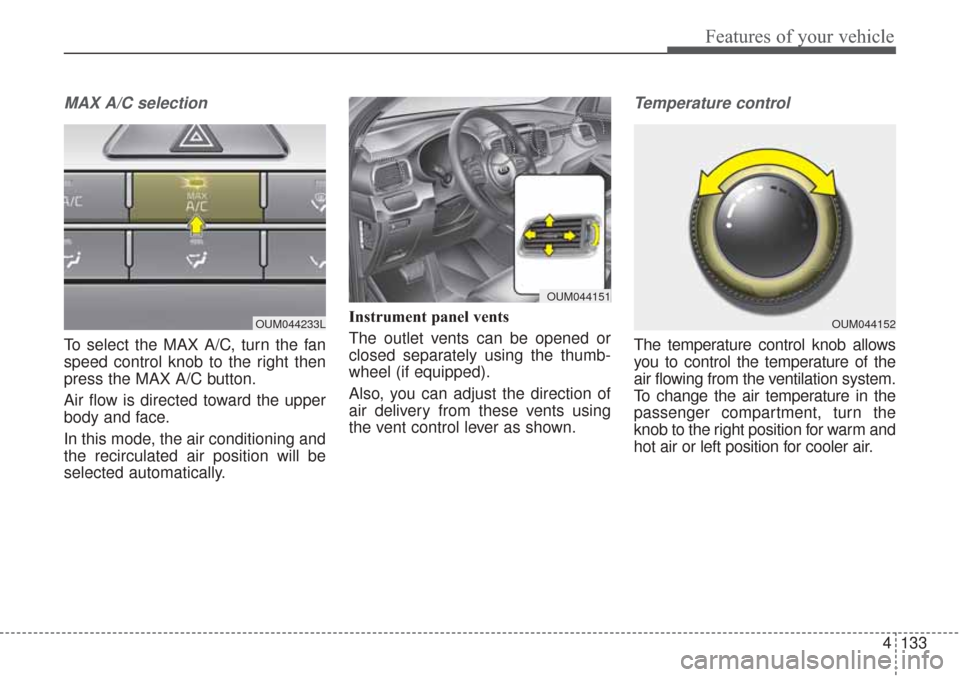
MAX A/C selection
To select the MAX A/C, turn the fan
speed control knob to the right then
press the MAX A/C button.
Air flow is directed toward the upper
body and face.
In this mode, the air conditioning and
the recirculated air position will be
selected automatically.Instrument panel vents
The outlet vents can be opened or
closed separately using the thumb-
wheel (if equipped).
Also, you can adjust the direction of
air delivery from these vents using
the vent control lever as shown.
Temperature control
The temperature control knob allows
you to control the temperature of the
air flowing from the ventilation system.
To change the air temperature in the
passenger compartment, turn the
knob to the right position for warm and
hot air or left position for cooler air.
OUM044233LOUM044152
OUM044151
Page 230 of 576
4145
Features of your vehicle
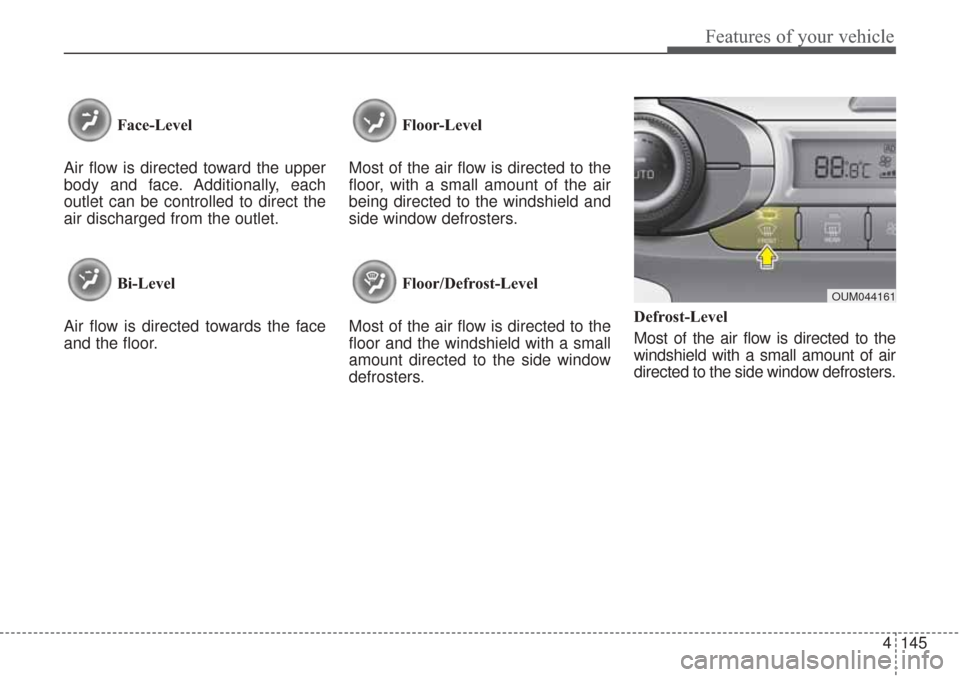
Face-Level
Air flow is directed toward the upper
body and face. Additionally, each
outlet can be controlled to direct the
air discharged from the outlet.
Bi-Level
Air flow is directed towards the face
and the floor. Floor-Level
Most of the air flow is directed to the
floor, with a small amount of the air
being directed to the windshield and
side window defrosters.
Floor/Defrost-Level
Most of the air flow is directed to the
floor and the windshield with a small
amount directed to the side window
defrosters. Defrost-Level
Most of the air flow is directed to the
windshield with a small amount of air
directed to the side window defrosters.
OUM044161
Page 243 of 576
Features of your vehicle
158
4
This indicator illuminates
when the auto defogging
system senses the mois-
ture on the inside of the
windshield and operates.
If more moisture is in the vehicle,
higher steps operate as follow. For
example if auto defogging does not
defog inside the windshield at step 1
Outside air position, it tries to defog
again at step 2 Blowing air toward
the windshield.
Step 1 : Outside air position
Step 2 :Blowing air toward the wind-
shield
Step 3 : Increasing air flow toward the windshield
Step 4 : Operating the air conditioning
Step 5 : M aximizing the air condi-
tioning To cancel or reset the Auto Defogging
System
Press the front windshield defroster
button for 3 seconds when the igni-
tion switch is in the ON position.
When the Auto Defogging System is
canceled, ADS OFF symbol will blink
3 times and the ADS OFF will be dis-
played on the climate control infor-
mation screen.
When the Auto Defogging System is
reset, ADS OFF symbol will blink 6
times without a signal.
✽ ✽
NOTICE
If the A/C off or recirculated air
position is manually selected while
the auto defogging system is on, the
auto defogging indicator will blink 3
times to give notice that manual
operation is canceled.
Do not remove the sensor cover
located on the upper end of the pas-
senger side windshield glass.
Damage to the system parts could
occur and may not be covered by
your vehicle warranty. When the ignition switch is in the ON
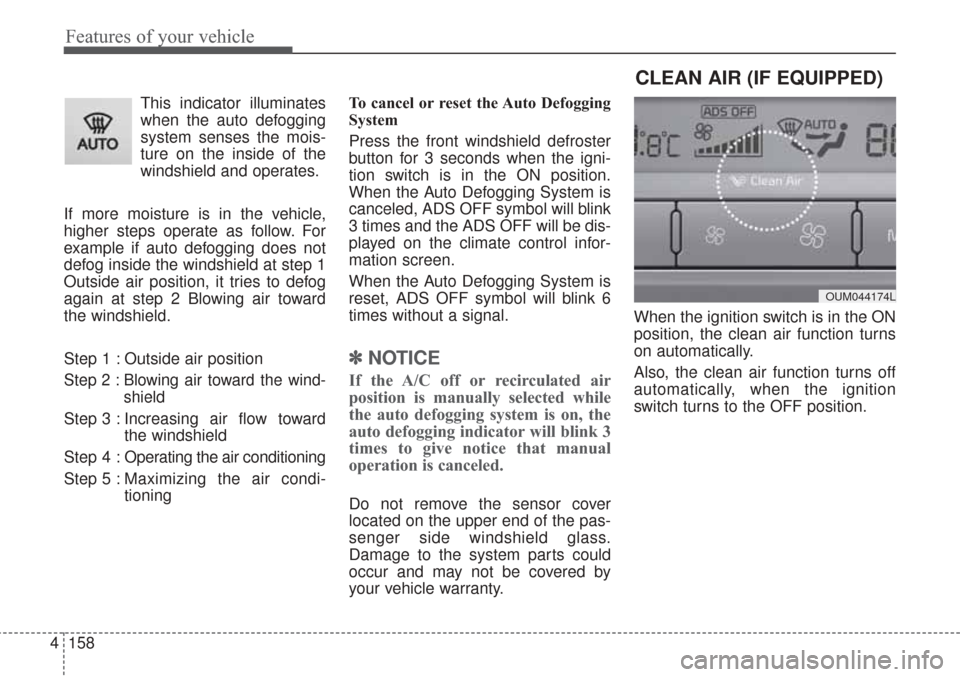
position, the clean air function turns
on automatically.
Also, the clean air function turns off
automatically, when the ignition
switch turns to the OFF position.
CLEAN AIR (IF EQUIPPED)
OUM044174L
Page 248 of 576
4163
Features of your vehicle
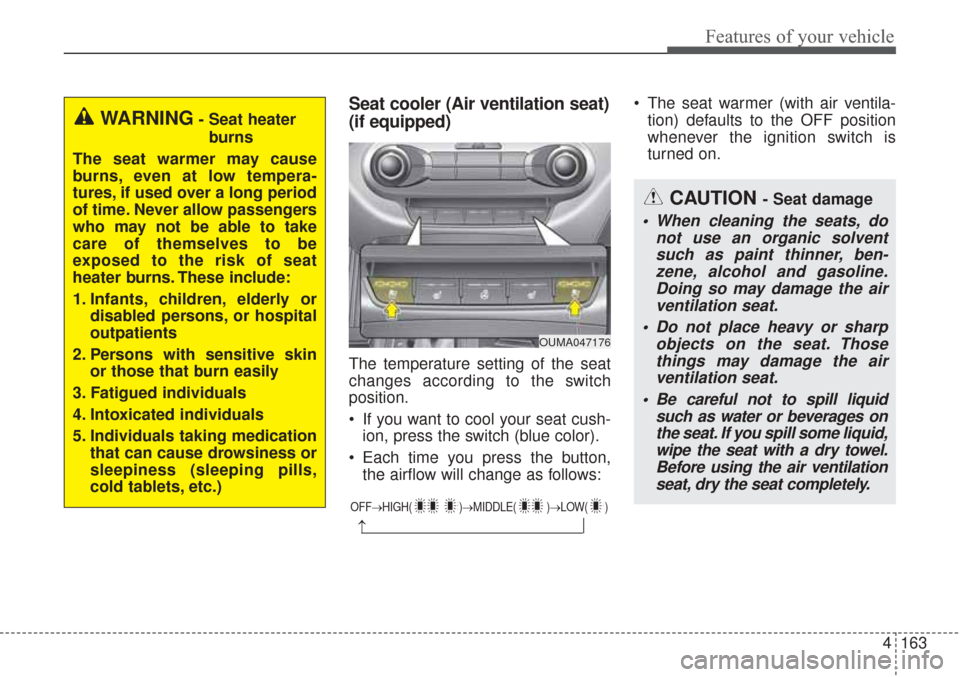
Seat cooler (Air ventilation seat)
(if equipped)
The temperature setting of the seat
changes according to the switch
position.
If you want to cool your seat cush-ion, press the switch (blue color).
Each time you press the button, the airflow will change as follows: The seat warmer (with air ventila-
tion) defaults to the OFF position
whenever the ignition switch is
turned on.
OUMA047176
OFF→ HIGH( )→ MIDDLE( )→LOW( )
→
WARNING- Seat heater
burns
The seat warmer may cause
burns, even at low tempera-
tures, if used over a long period
of time. Never allow passengers
who may not be able to take
care of themselves to be
exposed to the risk of seat
heater burns. These include:
1. Infants, children, elderly or disabled persons, or hospital
outpatients
2. Persons with sensitive skin or those that burn easily
3. Fatigued individuals
4. Intoxicated individuals
5. Individuals taking medication that can cause drowsiness or
sleepiness (sleeping pills,
cold tablets, etc.)
CAUTION - Seat damage
When cleaning the seats, donot use an organic solventsuch as paint thinner, ben-zene, alcohol and gasoline.Doing so may damage the airventilation seat.
Do not place heavy or sharp objects on the seat. Thosethings may damage the airventilation seat.
Be careful not to spill liquid such as water or beverages onthe seat. If you spill some liquid,wipe the seat with a dry towel.Before using the air ventilationseat, dry the seat completely.
Page 254 of 576
4169
Features of your vehicle
The following must be observed
when installing ANY floor mat to the
vehicle.
Ensure that the floor mats aresecurely attached to the vehicle's
floor mat anchor(s) before driving
the vehicle.
Do not use ANY floor mat that can- not be firmly attached to the vehi-
cle's floor mat anchors.
Do not stack floor mats on top of one another (e.g. all-weather rub-
ber mat on top of a carpeted floor
mat). Only a single floor mat should
be installed in each position.
IMPORTANT – Your vehicle was
manufactured with driver's side floor
mat anchors that are designed to
securely hold the floor mat in place.
To avoid any interference with pedal
operation, Kia recommends that only
the Kia floor mat designed for use in
your vehicle be installed.Side curtain (if equipped)
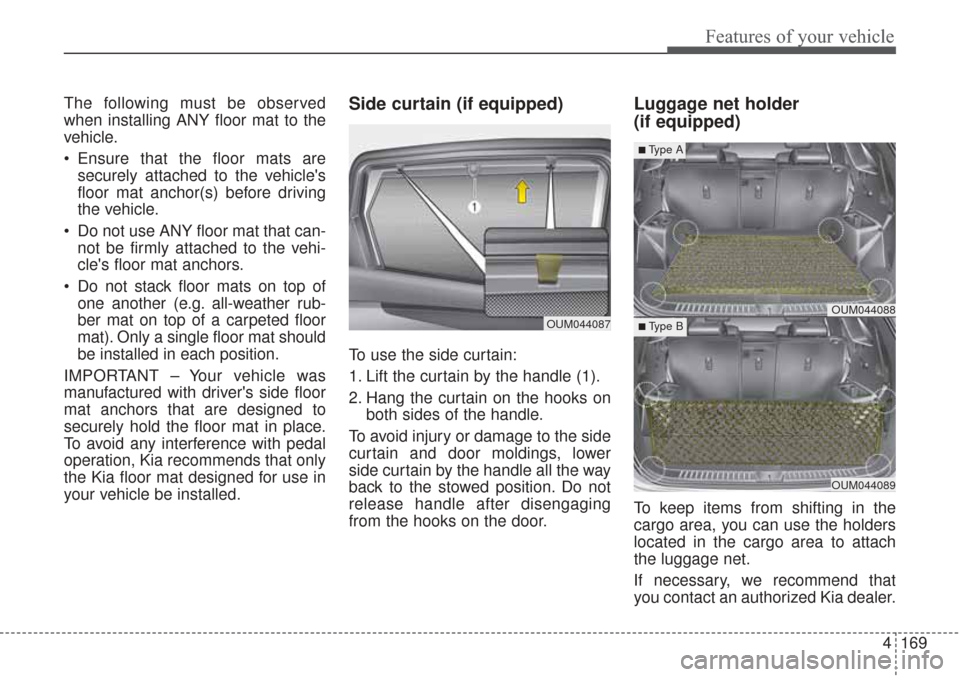
To use the side curtain:
1. Lift the curtain by the handle (1).
2. Hang the curtain on the hooks on both sides of the handle.
To avoid injury or damage to the side
curtain and door moldings, lower
side curtain by the handle all the way
back to the stowed position. Do not
release handle after disengaging
from the hooks on the door.
Luggage net holder
(if equipped)
To keep items from shifting in the
cargo area, you can use the holders
located in the cargo area to attach
the luggage net.
If necessary, we recommend that
you contact an authorized Kia dealer.
OUM044087OUM044088
OUM044089
■Type A
■ Type B
Page 260 of 576
4175
Features of your vehicle
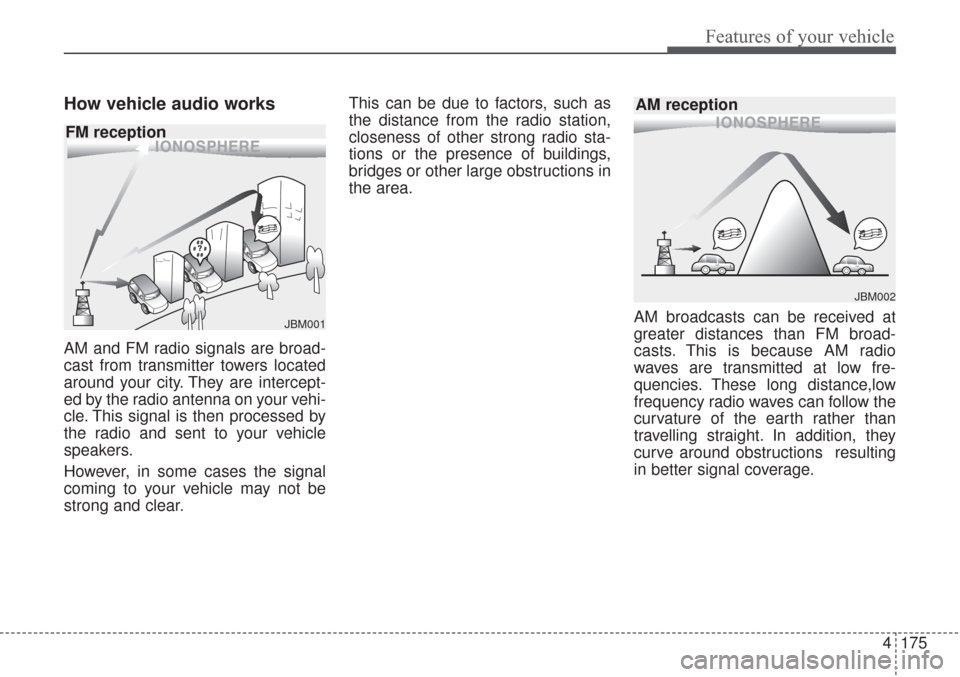
How vehicle audio works
AM and FM radio signals are broad-
cast from transmitter towers located
around your city. They are intercept-
ed by the radio antenna on your vehi-
cle. This signal is then processed by
the radio and sent to your vehicle
speakers.
However, in some cases the signal
coming to your vehicle may not be
strong and clear.This can be due to factors, such as
the distance from the radio station,
closeness of other strong radio sta-
tions or the presence of buildings,
bridges or other large obstructions in
the area.
AM broadcasts can be received at
greater distances than FM broad-
casts. This is because AM radio
waves are transmitted at low fre-
quencies. These long distance,low
frequency radio waves can follow the
curvature of the earth rather than
travelling straight. In addition, they
curve around obstructions resulting
in better signal coverage.
JBM002
AM reception
JBM001
FM reception
Page 315 of 576
• To convert to cruise control mode . . . . . . . . . . . . . . . 5-75
• Limitations of the system . . . . . . . . . . . . . . . . . . . . . . 5-75
Drive mode integrated control system . . . . . . . . . 5-81
• Drive mode . . . . . . . . . . . . . . . . . . . . . . . . . . . . . . . . . . 5-81\
Blind spot detection system (BSD) . . . . . . . . . . . . 5-84
• BSD (Blind Spot Detection) / LCA (Lane Change Assist) . . . . . . . . . . . . . . . . . . . 5-85
• RCTA (Rear Cross Traffic Alert). . . . . . . . . . . . . . . . 5-88
• Non-operating condition . . . . . . . . . . . . . . . . . . . . . . . 5-90
Lane departure warning system (LDWS) . . . . . . 5-92
• Warning indicator . . . . . . . . . . . . . . . . . . . . . . . . . . . . 5-94
• The LDWS does not operate when . . . . . . . . . . . . . . 5-94
Economical operation . . . . . . . . . . . . . . . . . . . . . . 5-96
Special driving conditions . . . . . . . . . . . . . . . . . . . 5-98
• Hazardous driving conditions . . . . . . . . . . . . . . . . . . 5-98
• Reducing the risk of a rollover . . . . . . . . . . . . . . . . . 5-98
• Rocking the vehicle . . . . . . . . . . . . . . . . . . . . . . . . . . . 5-99
• Smooth cornering . . . . . . . . . . . . . . . . . . . . . . . . . . . 5-100
• Driving at night . . . . . . . . . . . . . . . . . . . . . . . . . . . . . 5-100
• Driving in the rain . . . . . . . . . . . . . . . . . . . . . . . . . . . 5-101
• Driving in flooded areas . . . . . . . . . . . . . . . . . . . . . . 5-101
• Driving off-road . . . . . . . . . . . . . . . . . . . . . . . . . . . . . 5-102
• Highway driving . . . . . . . . . . . . . . . . . . . . . . . . . . . . 5-102
Winter driving . . . . . . . . . . . . . . . . . . . . . . . . . . . 5-103
• Snowy or icy conditions . . . . . . . . . . . . . . . . . . . . . . 5-103
• Use high quality ethylene glycol coolant . . . . . . . . . 5-104
• Check battery and cables . . . . . . . . . . . . . . . . . . . . . 5-104 • Change to "winter weight" oil if necessary . . . . . . 5-104
• Check spark plugs and ignition system. . . . . . . . . . 5-104
• To keep locks from freezing . . . . . . . . . . . . . . . . . . . 5-104
• Use approved window washer anti-freeze in
system . . . . . . . . . . . . . . . . . . . . . . . . . . . . . . . . . . . . \
5-104
• Don't let your parking brake freeze . . . . . . . . . . . . 5-105
• Don't let ice and snow accumulate underneath . . . 5-105
• Carry emergency equipment . . . . . . . . . . . . . . . . . . 5-105
Trailer towing . . . . . . . . . . . . . . . . . . . . . . . . . . . . 5-106
• Hitches . . . . . . . . . . . . . . . . . . . . . . . . . . . . . . . . . . . . \
5-106
• Safety chains . . . . . . . . . . . . . . . . . . . . . . . . . . . . . . . 5-106
• Trailer brakes . . . . . . . . . . . . . . . . . . . . . . . . . . . . . . 5-106
• Driving with a trailer . . . . . . . . . . . . . . . . . . . . . . . . 5-108
• Maintenance when trailer towing . . . . . . . . . . . . . . 5-111
• If you do decide to pull a trailer . . . . . . . . . . . . . . . 5-112
Vehicle load limit . . . . . . . . . . . . . . . . . . . . . . . . . 5-114
• Tire and loading information label . . . . . . . . . . . . . 5-114
• Certification label . . . . . . . . . . . . . . . . . . . . . . . . . . . 5-118
Vehicle weight glossary . . . . . . . . . . . . . . . . . . . . 5-120
• Base curb weight . . . . . . . . . . . . . . . . . . . . . . . . . . . 5-120
• Vehicle curb weight . . . . . . . . . . . . . . . . . . . . . . . . . . 5-120
• Cargo weight . . . . . . . . . . . . . . . . . . . . . . . . . . . . . . . 5-120
• GAW (Gross axle weight) . . . . . . . . . . . . . . . . . . . . . 5-120
• GAWR (Gross axle weight rating) . . . . . . . . . . . . . . 5-120
• GVW (Gross vehicle weight) . . . . . . . . . . . . . . . . . . 5-120
• GVWR (Gross vehicle weight rating) . . . . . . . . . . . 5-120
5
Page 338 of 576
525
Driving your vehicle
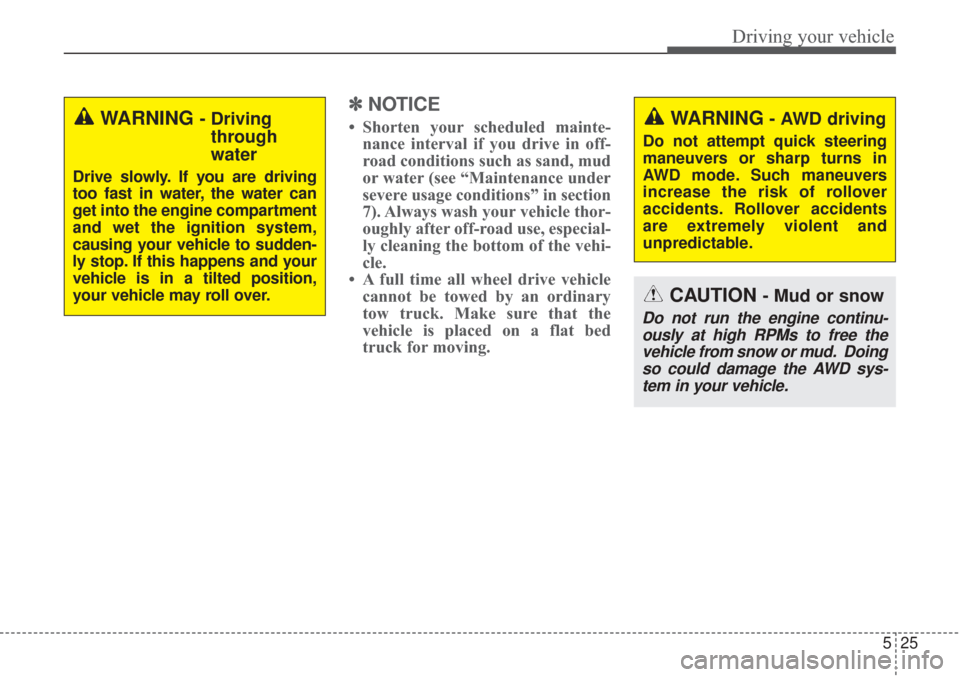
✽ ✽NOTICE
• Shorten your scheduled mainte-
nance interval if you drive in off-
road conditions such as sand, mud
or water (see “Maintenance under
severe usage conditions” in section
7). Always wash your vehicle thor-
oughly after off-road use, especial-
ly cleaning the bottom of the vehi-
cle.
• A full time all wheel drive vehicle cannot be towed by an ordinary
tow truck. Make sure that the
vehicle is placed on a flat bed
truck for moving.
CAUTION - Mud or snow
Do not run the engine continu-
ously at high RPMs to free thevehicle from snow or mud. Doingso could damage the AWD sys-tem in your vehicle.
WARNING- AWD driving
Do not attempt quick steering
maneuvers or sharp turns in
AWD mode. Such maneuvers
increase the risk of rollover
accidents. Rollover accidents
are extremely violent and
unpredictable.
WARNING - Driving through
water
Drive slowly. If you are driving
too fast in water, the water can
get into the engine compartment
and wet the ignition system,
causing your vehicle to sudden-
ly stop. If this happens and your
vehicle is in a tilted position,
your vehicle may roll over.
Page 349 of 576
Driving your vehicle
36
5
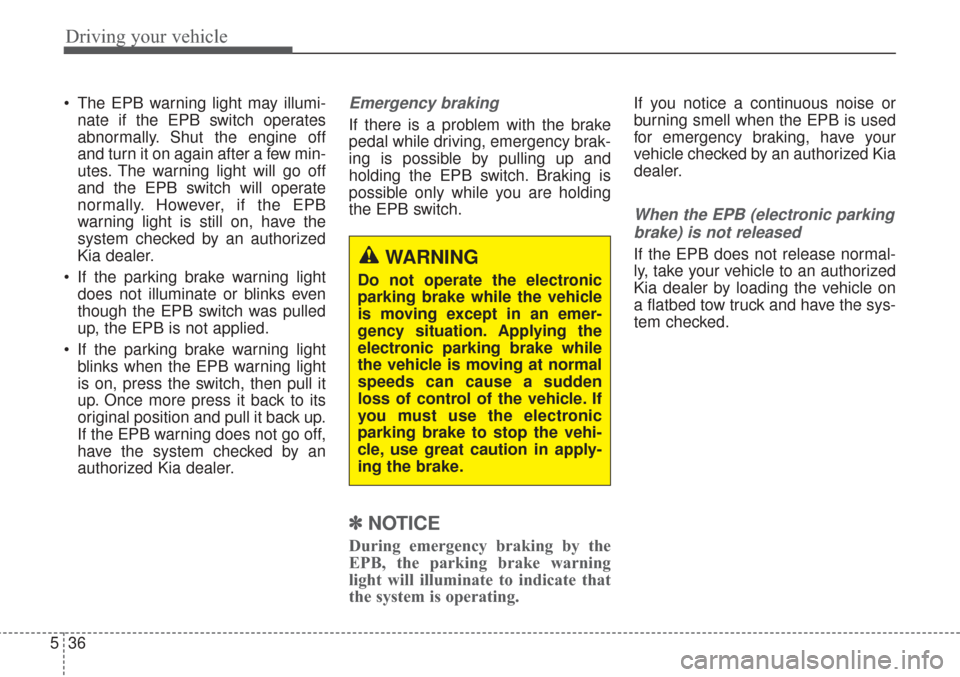
The EPB warning light may illumi-
nate if the EPB switch operates
abnormally. Shut the engine off
and turn it on again after a few min-
utes. The warning light will go off
and the EPB switch will operate
normally. However, if the EPB
warning light is still on, have the
system checked by an authorized
Kia dealer.
If the parking brake warning light does not illuminate or blinks even
though the EPB switch was pulled
up, the EPB is not applied.
If the parking brake warning light blinks when the EPB warning light
is on, press the switch, then pull it
up. Once more press it back to its
original position and pull it back up.
If the EPB warning does not go off,
have the system checked by an
authorized Kia dealer.Emergency braking
If there is a problem with the brake
pedal while driving, emergency brak-
ing is possible by pulling up and
holding the EPB switch. Braking is
possible only while you are holding
the EPB switch.
✽ ✽ NOTICE
During emergency braking by the
EPB, the parking brake warning
light will illuminate to indicate that
the system is operating.
If you notice a continuous noise or
burning smell when the EPB is used
for emergency braking, have your
vehicle checked by an authorized Kia
dealer.
When the EPB (electronic parking
brake) is not released
If the EPB does not release normal-
ly, take your vehicle to an authorized
Kia dealer by loading the vehicle on
a flatbed tow truck and have the sys-
tem checked.WARNING
Do not operate the electronic
parking brake while the vehicle
is moving except in an emer-
gency situation. Applying the
electronic parking brake while
the vehicle is moving at normal
speeds can cause a sudden
loss of control of the vehicle. If
you must use the electronic
parking brake to stop the vehi-
cle, use great caution in apply-
ing the brake.