warning KIA SORENTO 2018 Owners Manual
[x] Cancel search | Manufacturer: KIA, Model Year: 2018, Model line: SORENTO, Model: KIA SORENTO 2018Pages: 536, PDF Size: 13.42 MB
Page 240 of 536
4155
Features of your vehicle
For maximum defrosting, set thetemperature control to the extreme
right/hot position and the fan speed
control to the highest speed.
If warm air to the floor is desired while defrosting or defogging, set
the mode to the floor-defrost posi-
tion.
Before driving, clear all snow and ice from the windshield, rear win-
dow, outside rear view mirrors, and
all side windows.
Clear all snow and ice from the hood and air inlet in the cowl grill to
improve heater and defroster effi-
ciency and to reduce the probabili-
ty of fogging up the inside of the
windshield.Manual climate control system
To defog inside windshield
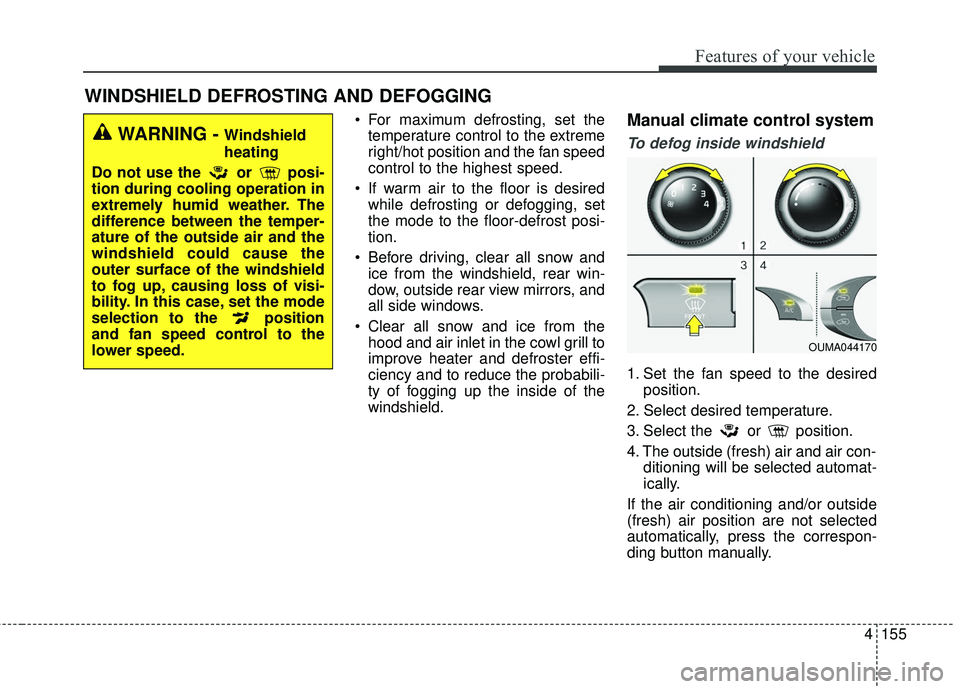
1. Set the fan speed to the desired position.
2. Select desired temperature.
3. Select the or position.
4. The outside (fresh) air and air con- ditioning will be selected automat-
ically.
If the air conditioning and/or outside
(fresh) air position are not selected
automatically, press the correspon-
ding button manually.
WINDSHIELD DEFROSTING AND DEFOGGING
WARNING - Windshield
heating
Do not use the or posi-
tion during cooling operation in
extremely humid weather. The
difference between the temper-
ature of the outside air and the
windshield could cause the
outer surface of the windshield
to fog up, causing loss of visi-
bility. In this case, set the mode
selection to the position
and fan speed control to the
lower speed.
OUMA044170
Page 246 of 536
4161
Features of your vehicle
STORAGE COMPARTMENTS
These compartments can be used to
store small items required by the
driver or passengers.
To avoid possible theft, do notleave valuables in the storage
compartment.
Always keep the storage compart- ment covers closed while driving.
Do not attempt to place so many
items in the storage compartment
that the storage compartment
cover can not close securely.Center console storage
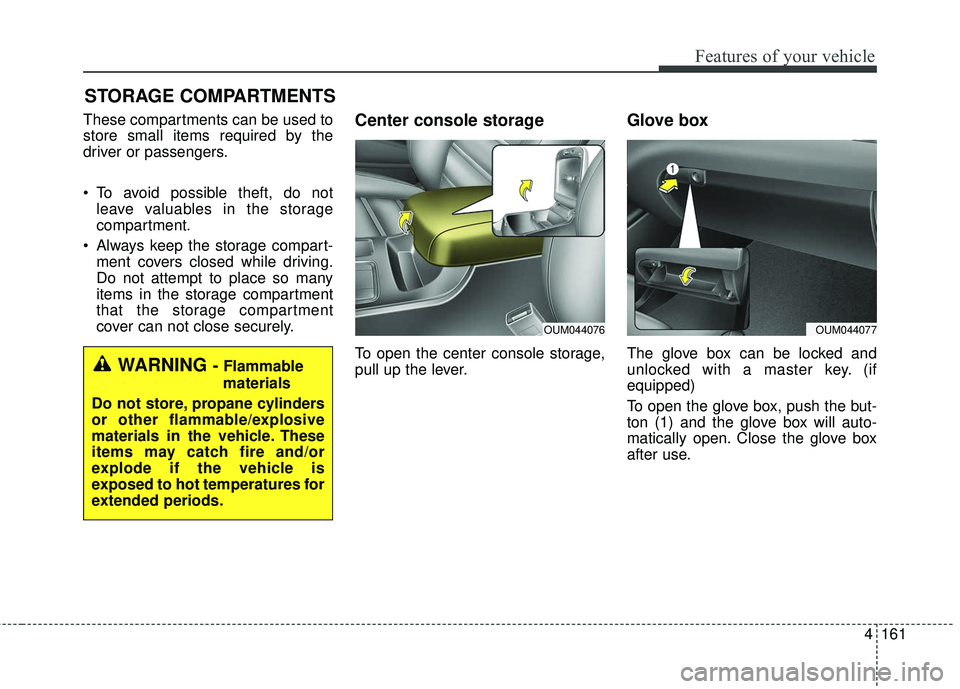
To open the center console storage,
pull up the lever.
Glove box
The glove box can be locked and
unlocked with a master key. (if
equipped)
To open the glove box, push the but-
ton (1) and the glove box will auto-
matically open. Close the glove box
after use.WARNING - Flammable
materials
Do not store, propane cylinders
or other flammable/explosive
materials in the vehicle. These
items may catch fire and/or
explode if the vehicle is
exposed to hot temperatures for
extended periods.
OUM044077OUM044076
Page 247 of 536
Features of your vehicle
162
4
✽ ✽
NOTICE
If the temperature control knob is in
the warm or hot position, warm or
hot air will flow into the glove box.
Sunglass holder
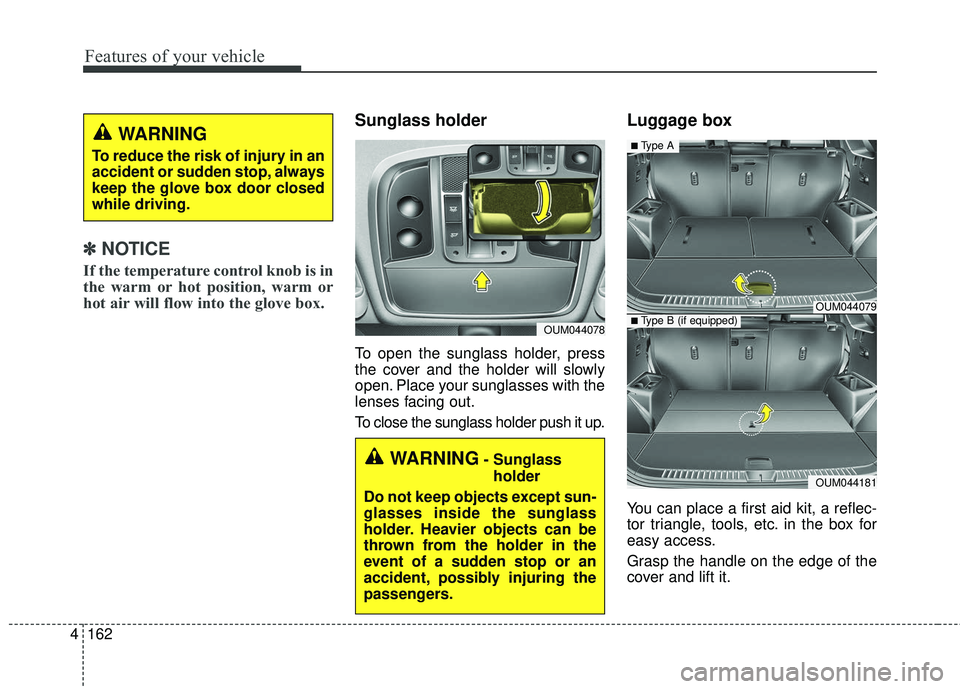
To open the sunglass holder, press
the cover and the holder will slowly
open. Place your sunglasses with the
lenses facing out.
To close the sunglass holder push it up.
Luggage box
You can place a first aid kit, a reflec-
tor triangle, tools, etc. in the box for
easy access.
Grasp the handle on the edge of the
cover and lift it.
OUM044079
OUM044181
■Type A
■ Type B (if equipped)
WARNING
To reduce the risk of injury in an
accident or sudden stop, always
keep the glove box door closed
while driving.
OUM044078
WARNING- Sunglass
holder
Do not keep objects except sun-
glasses inside the sunglass
holder. Heavier objects can be
thrown from the holder in the
event of a sudden stop or an
accident, possibly injuring the
passengers.
Page 248 of 536
4163
Features of your vehicle
Cup holder
INTERIOR FEATURES
WARNING- Hot liquids
Do not place uncovered cups
with hot liquid in the cup holder
while the vehicle is in motion. If
the hot liquid spills, you may
burn yourself. Such a burn to
the driver could lead to loss of
control of the vehicle.
OUM044240LOUM047334
OUM044241L
■2nd Row Center
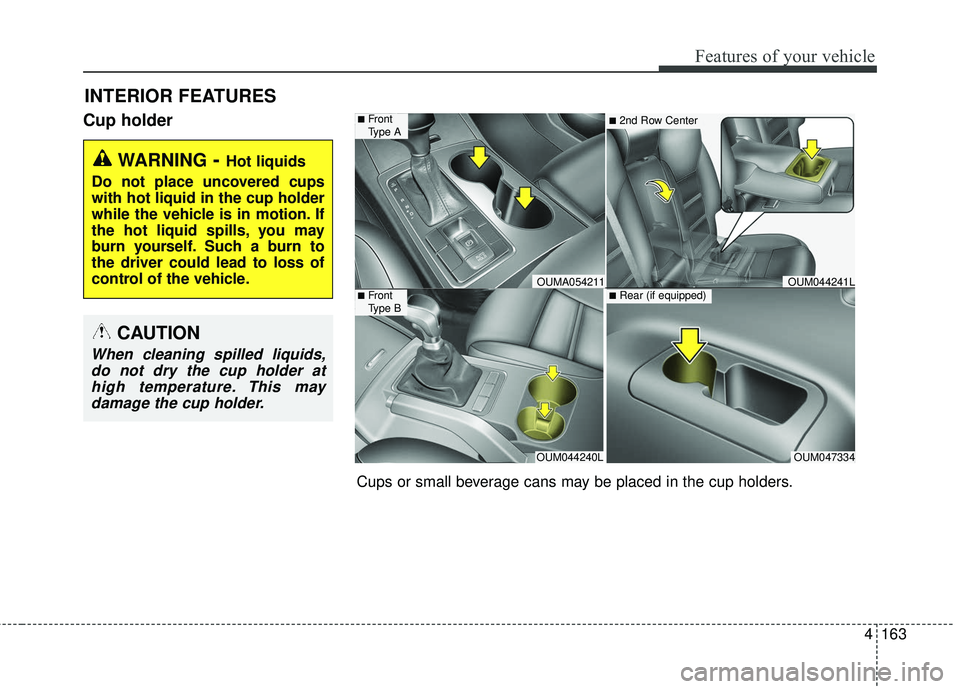
Cups or small beverage cans may be placed in the cup holders.
OUMA054211
■Front
Type A
■Front
Type B■Rear (if equipped)
CAUTION
When cleaning spilled liquids, do not dry the cup holder athigh temperature. This maydamage the cup holder.
Page 250 of 536
4165
Features of your vehicle
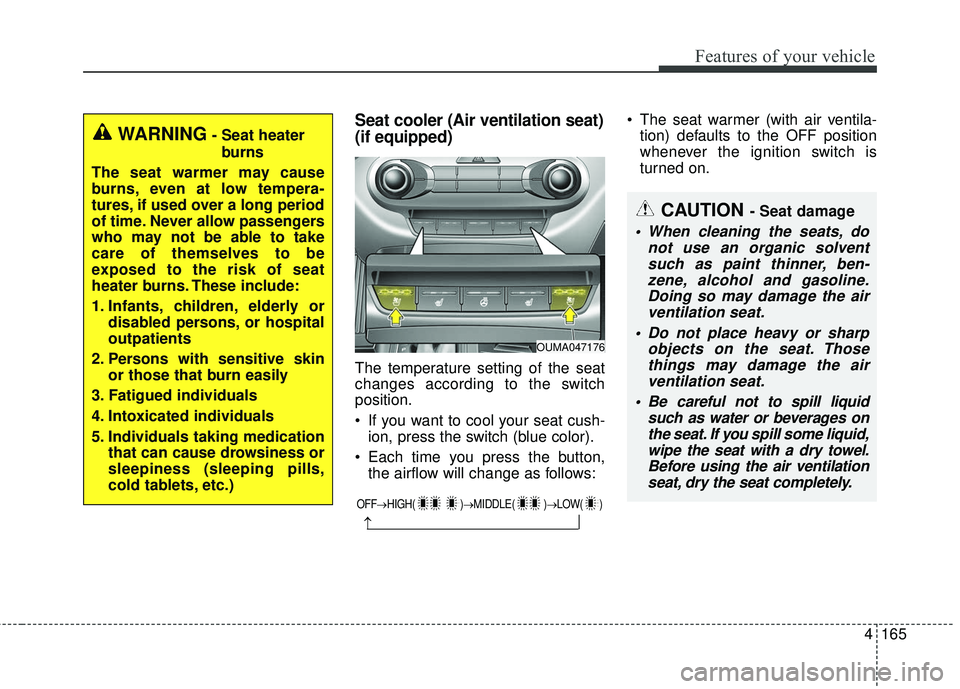
Seat cooler (Air ventilation seat)
(if equipped)
The temperature setting of the seat
changes according to the switch
position.
If you want to cool your seat cush-ion, press the switch (blue color).
Each time you press the button, the airflow will change as follows: The seat warmer (with air ventila-
tion) defaults to the OFF position
whenever the ignition switch is
turned on.
OUMA047176
OFF→ HIGH( )→ MIDDLE( )→LOW( )
→
WARNING- Seat heater
burns
The seat warmer may cause
burns, even at low tempera-
tures, if used over a long period
of time. Never allow passengers
who may not be able to take
care of themselves to be
exposed to the risk of seat
heater burns. These include:
1. Infants, children, elderly or disabled persons, or hospital
outpatients
2. Persons with sensitive skin or those that burn easily
3. Fatigued individuals
4. Intoxicated individuals
5. Individuals taking medication that can cause drowsiness or
sleepiness (sleeping pills,
cold tablets, etc.)
CAUTION - Seat damage
When cleaning the seats, donot use an organic solventsuch as paint thinner, ben-zene, alcohol and gasoline.Doing so may damage the airventilation seat.
Do not place heavy or sharp objects on the seat. Thosethings may damage the airventilation seat.
Be careful not to spill liquid such as water or beverages onthe seat. If you spill some liquid,wipe the seat with a dry towel.Before using the air ventilationseat, dry the seat completely.
Page 252 of 536
4167
Features of your vehicle
Use the power outlet only when theengine is running and remove the
accessory plug after use. Using the
accessory plug for prolonged peri-
ods of time with the engine off could
cause the battery to discharge.
Only use 12V electric accessories which are less than 10A in electric
capacity.
Adjust the air-conditioner or heater to the lowest operating level when
using the power outlet.
Close the cover when not in use.
Some electronic devices can cause electronic interference when
plugged into a vehicle’s power out-
let. These devices may cause
excessive audio static and malfunc-
tions in other electronic systems or
devices used in your vehicle.
Push the plug in as far as it will go. If good contact is not made, the
plug may overheat and the fuse
may open. Plug in battery equipped electri-
cal/electronic devices with reverse
current protection. The current
from the battery may flow into the
vehicle’s electrical/electronic sys-
tem and cause system malfunc-
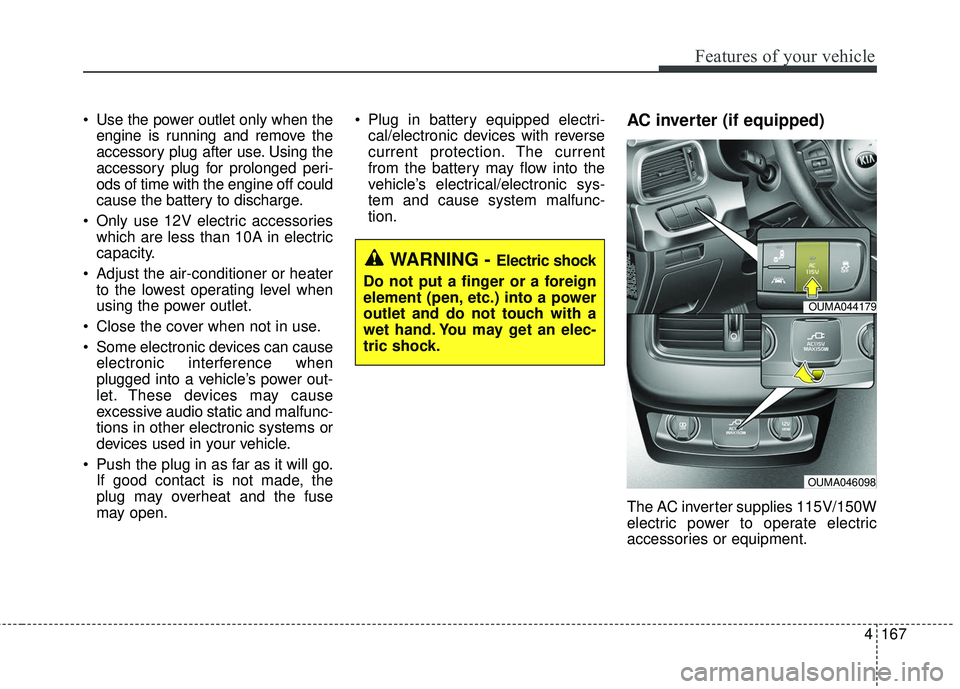
tion.AC inverter (if equipped)
The AC inverter supplies 115V/150W
electric power to operate electric
accessories or equipment.
WARNING - Electric shock
Do not put a finger or a foreign
element (pen, etc.) into a power
outlet and do not touch with a
wet hand. You may get an elec-
tric shock.
OUMA044179
OUMA046098
Page 255 of 536
Features of your vehicle
170
4
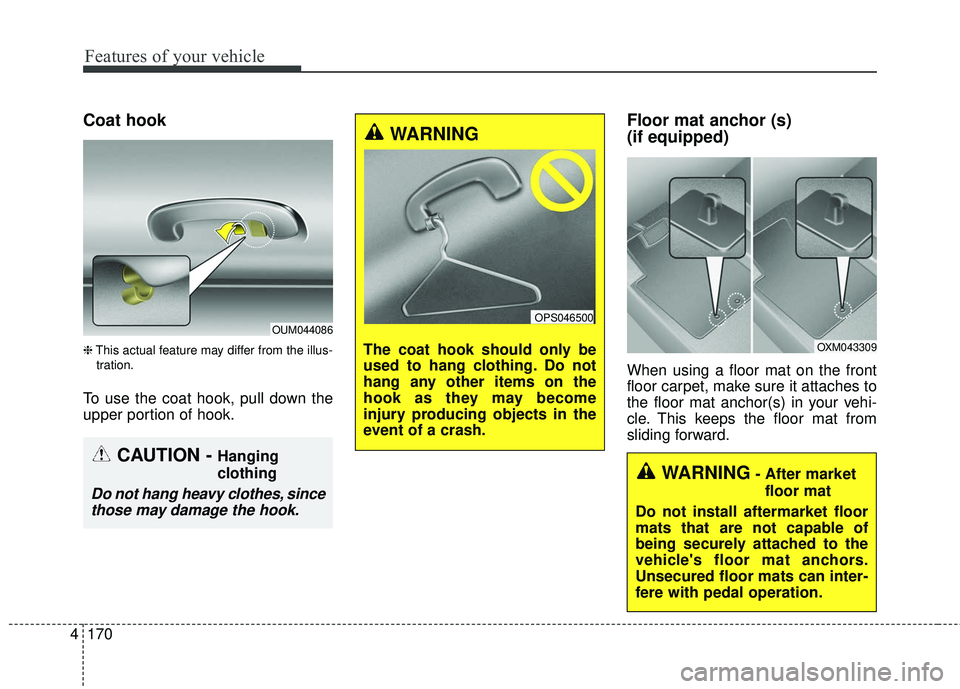
Coat hook
❈ This actual feature may differ from the illus-
tration.
To use the coat hook, pull down the
upper portion of hook.
Floor mat anchor (s)
(if equipped)
When using a floor mat on the front
floor carpet, make sure it attaches to
the floor mat anchor(s) in your vehi-
cle. This keeps the floor mat from
sliding forward.
OUM044086
CAUTION - Hanging
clothing
Do not hang heavy clothes, since those may damage the hook.
OXM043309
WARNING
The coat hook should only be
used to hang clothing. Do not
hang any other items on the
hook as they may become
injury producing objects in the
event of a crash.
OPS046500
WARNING- After market
floor mat
Do not install aftermarket floor
mats that are not capable of
being securely attached to the
vehicle's floor mat anchors.
Unsecured floor mats can inter-
fere with pedal operation.
Page 257 of 536
Features of your vehicle
172
4
CAUTION
To prevent damage to the vehi-
cle, care should be taken whencarrying fragile or bulky objectsin the luggage compartment.
WARNING - Luggage net
To avoid eye injury, DO NOT
overstretch the luggage net.
ALWAYS keep your face and
body out of the luggage net’s
recoil path. DO NOT use the lug-
gage net when the strap has vis-
ible signs of wear or damage.
Page 258 of 536
4173
Features of your vehicle
EXTERIOR FEATURES
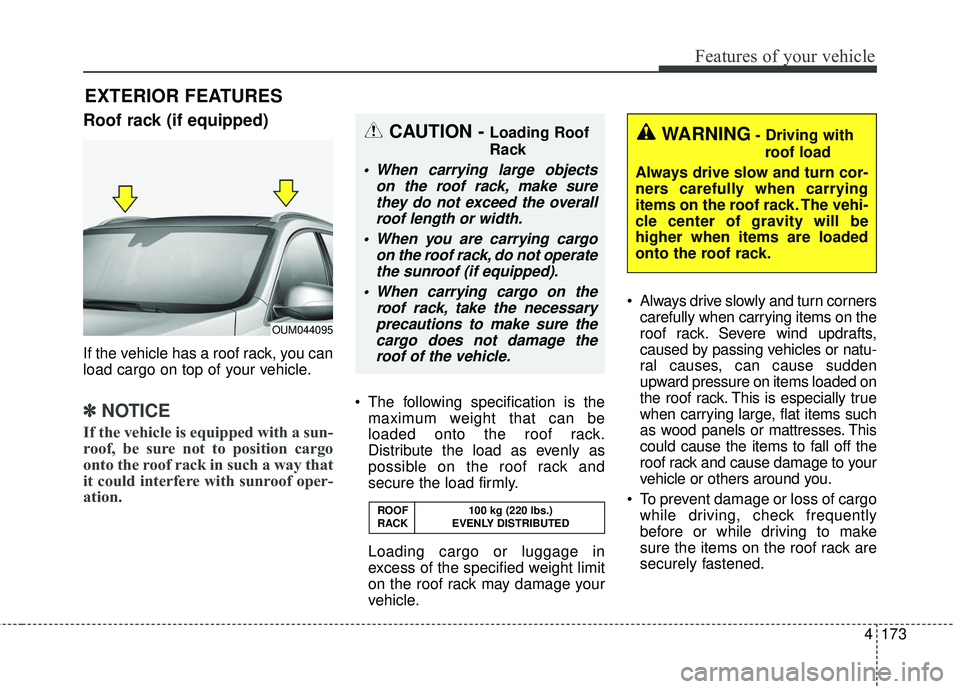
Roof rack (if equipped)
If the vehicle has a roof rack, you can
load cargo on top of your vehicle.
✽ ✽NOTICE
If the vehicle is equipped with a sun-
roof, be sure not to position cargo
onto the roof rack in such a way that
it could interfere with sunroof oper-
ation.
The following specification is the
maximum weight that can be
loaded onto the roof rack.
Distribute the load as evenly as
possible on the roof rack and
secure the load firmly.
Loading cargo or luggage in
excess of the specified weight limit
on the roof rack may damage your
vehicle. Always drive slowly and turn corners
carefully when carrying items on the
roof rack. Severe wind updrafts,
caused by passing vehicles or natu-
ral causes, can cause sudden
upward pressure on items loaded on
the roof rack. This is especially true
when carrying large, flat items such
as wood panels or mattresses. This
could cause the items to fall off the
roof rack and cause damage to your
vehicle or others around you.
To prevent damage or loss of cargo while driving, check frequently
before or while driving to make
sure the items on the roof rack are
securely fastened.
OUM044095
ROOF 100 kg (220 lbs.)
RACK EVENLY DISTRIBUTED
WARNING- Driving withroof load
Always drive slow and turn cor-
ners carefully when carrying
items on the roof rack. The vehi-
cle center of gravity will be
higher when items are loaded
onto the roof rack.CAUTION - Loading Roof
Rack
When carrying large objects on the roof rack, make surethey do not exceed the overallroof length or width.
When you are carrying cargo on the roof rack, do not operatethe sunroof (if equipped).
When carrying cargo on the roof rack, take the necessaryprecautions to make sure thecargo does not damage theroof of the vehicle.
Page 261 of 536
Features of your vehicle
176
4
(6) (if equipped)
Ends phone call.
(7) (if equipped)
When pressed shortly.
- Starts voice recognition.
- When selected during a voice
prompt, stops the prompt and con-
verts to voice command waiting
state.
When pressed and held (over 0.8 sec-
onds).
- Ends voice recognition.
❈ The Bluetooth
®word mark and
logos are registered trademarks
owned by Bluetooth
®SIG, Inc. and
any use of such marks by Kia is
under license. Other trademarks
and trade names are those of their
respective owners. A compatible
Bluetooth
®enabled cell phone is
required to use
Bluetooth®Wireless
Technology.
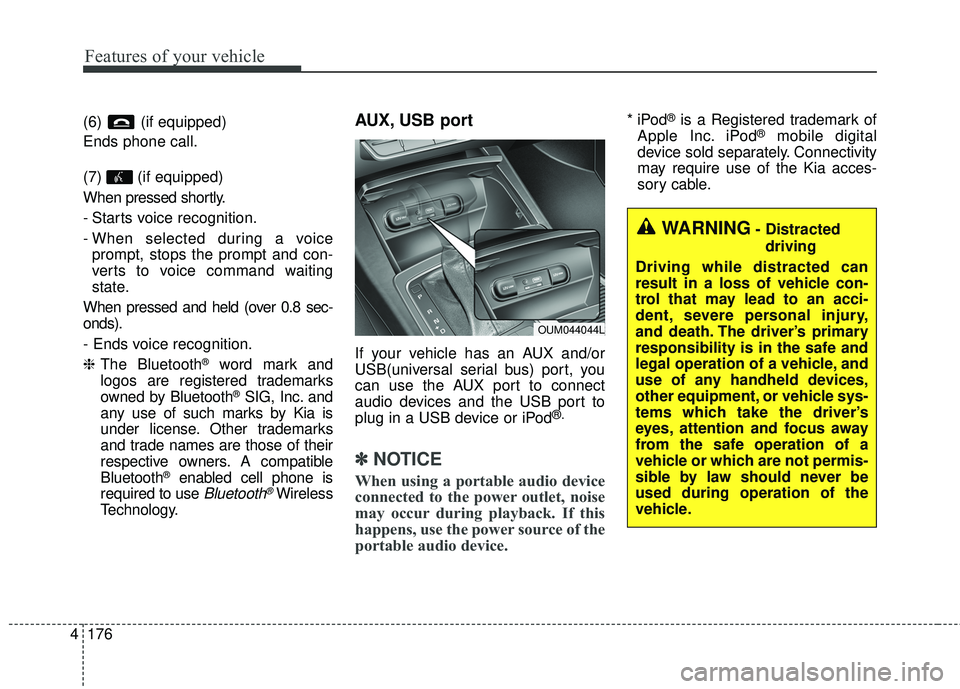
AUX, USB port
If your vehicle has an AUX and/or
USB(universal serial bus) port, you
can use the AUX port to connect
audio devices and the USB port to
plug in a USB device or iPod
®.
✽ ✽ NOTICE
When using a portable audio device
connected to the power outlet, noise
may occur during playback. If this
happens, use the power source of the
portable audio device.
* iPod®is a Registered trademark of
Apple Inc. iPod®mobile digital
device sold separately. Connectivity
may require use of the Kia acces-
sory cable.
OUM044044L
WARNING- Distracted
driving
Driving while distracted can
result in a loss of vehicle con-
trol that may lead to an acci-
dent, severe personal injury,
and death. The driver’s primary
responsibility is in the safe and
legal operation of a vehicle, and
use of any handheld devices,
other equipment, or vehicle sys-
tems which take the driver’s
eyes, attention and focus away
from the safe operation of a
vehicle or which are not permis-
sible by law should never be
used during operation of the
vehicle.